Community listing page, reviews may not be monitored by the author.
PlayerRules - Per player gamerules in a multiplayer worlds

No reviews yet
Customize Keep Inventory, Insomnia, and Hardcore individually for each player in the same world. Change your rules through the pause menu, with server-side controls for available options.

Community voices
Reviews
No reviews yet. Be the first to review this project!
Get it on
Available Platforms
About
Project Details
For authors
Embed Badge
If you're the author of this project, you can embed a live badge anywhere that supports HTML or Markdown. It updates automatically whenever ratings change.
Use HTML for any page that supports it, or Markdown for README files and Markdown-based descriptions.
Identifiers
Platform IDs
Resources
External Links
About
Description
At a glance
- Each player picks their own Keep Inventory, Insomnia and Hardcore in the same world.
- Change them from a Player Rules… button in the pause menu.
- Default follows the world's gamerule, so nothing changes until you choose.
- Hardcore is one-way. Once it's on, only an op can turn it off.
- Server owners choose which options players get for each rule, or lock a rule outright.
- Ops can check or set anyone's rules with
/playerrules.
Setup
- Install the mod on the server and on every client.
- Press Esc and click Player Rules….
- Click a rule to cycle its state. Hover it to see what it does.
- Click Done. Your choice saves and applies straight away.
How it works
Each rule is Default, On or Off. Default follows the world's gamerule, and the menu shows what that means right now (on or off)
- Keep Inventory decides whether you keep your items and XP on death. On behaves exactly like vanilla
keepInventory, Curse of Vanishing included. Off drops everything even when the world keeps inventory. - Insomnia decides whether your missed sleep summons phantoms. Turn it off and your sleepless nights stay quiet. A friend who skips bed can still draw them in, though.
- Hardcore gives you vanilla hardcore: hardcore hearts, and spectator mode when you die. It only has Default and On, so it can add hardcore for you but never removes it from a hardcore world. You get a confirm screen first. After that you can't switch it off yourself.
A Hardcore player who dies stays in spectator mode, across relogs and restarts, until an op brings them back.
For server owners
- The world's server config (
serverconfig/playerrules-server.toml) has an Allowed States list for each rule. Want Keep Inventory for everyone? Allow onlyon. Don't want Hardcore offered at all? Allow onlydefault. - A rule with a single allowed state shows as locked in the menu.
- Take away a state someone already picked and their choice is kept, but it acts as Default until you allow it again.
- Edits to the file apply live. No restart needed, and open menus update too.
- Anyone can run
/playerrules <player>to see a player's rules. Ops (level 2) can set them with/playerrules <player> <rule> <state>, and the Allowed States list doesn't apply to them.
Requirements
- NeoForge 21.1.259 or newer, for Minecraft 1.21.1.
- Needed on both the server and the client.
Modpacks
Feel free to use my mods in your modpack, just don't forget to give proper credit.
Screenshots
Gallery
-
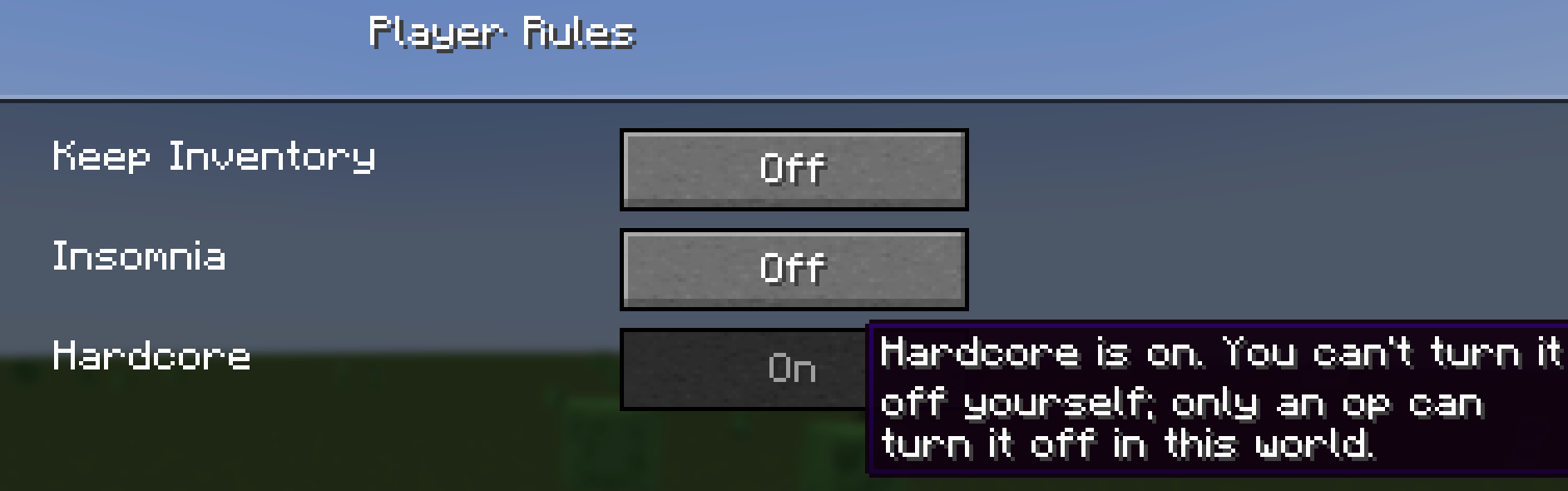 image-attachment_62417b62-5dd1-46ce-b4fc-2a1c51ac8d5a.png
 -
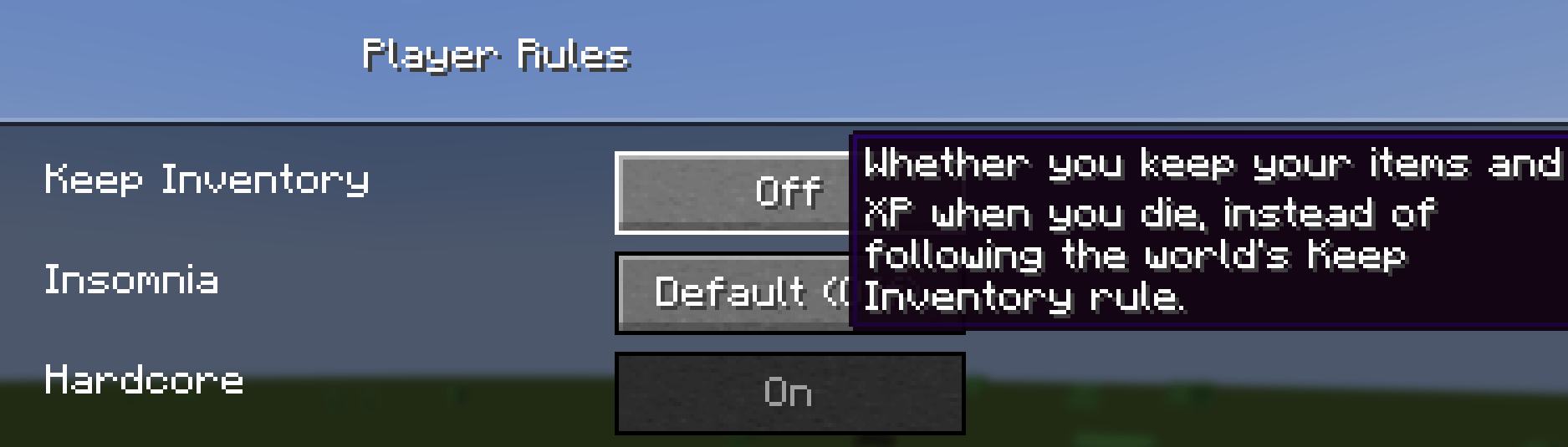 image-attachment_97c57336-645a-4e6a-948a-c740155ccc46.png
 -
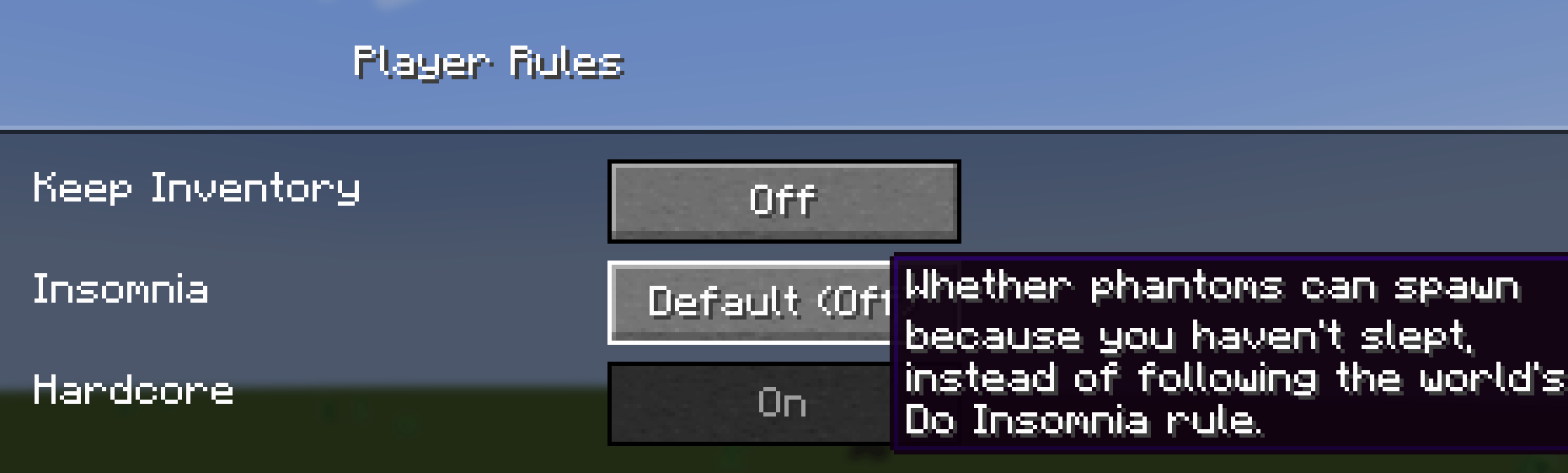 image-attachment_d9378dbe-aa66-40b1-bd53-a0de7b9ddb3d.png
 -
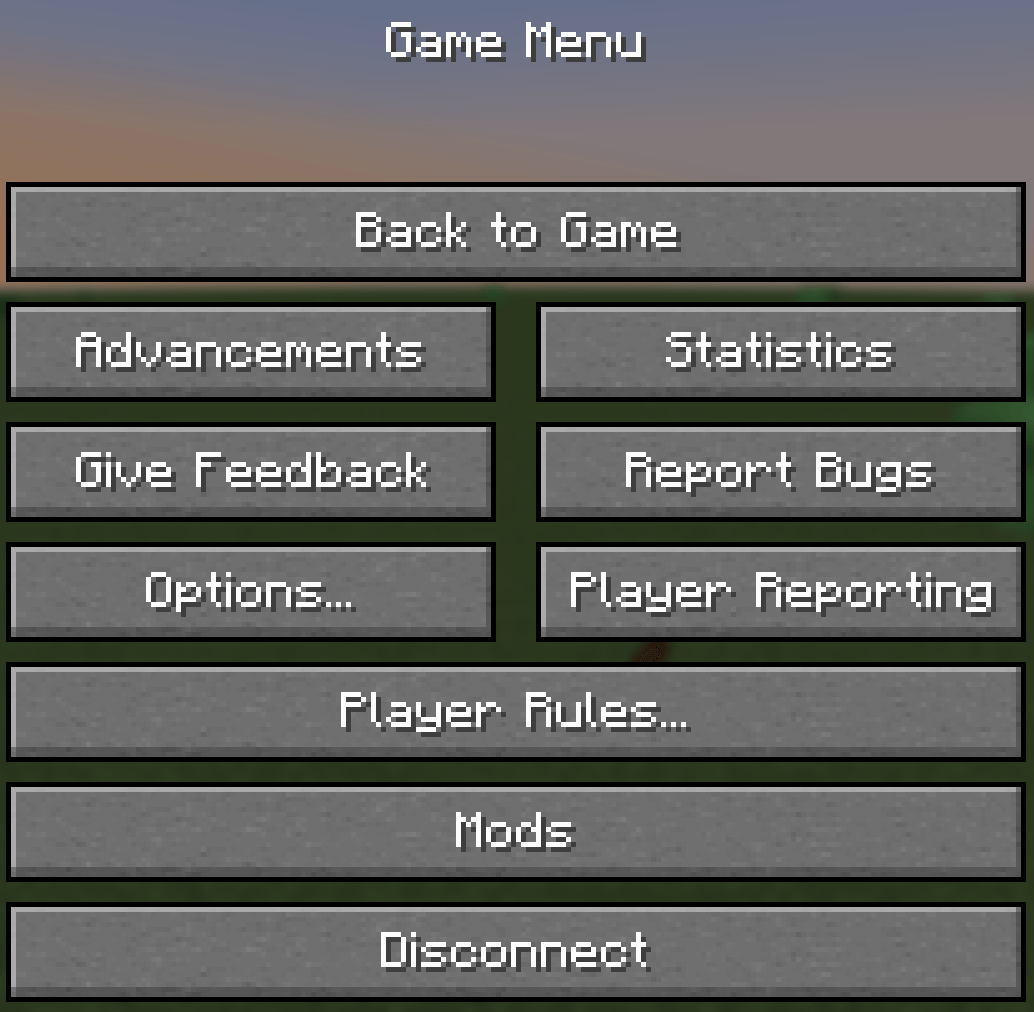 image-attachment_01c05903-578a-4f81-9efc-9d69106d25a2.png
Versions
Files
Relations
Project Relations
More like this
Similar Mods
Suggestions use data such as tags, dependencies, dependents, descriptions, titles, and more to rank how much they overlap with this mod.
On ModDex
Community snapshot
By the numbers
Statistics

Get it on
Available Platforms
On ModDex
Community snapshot
By the numbers
Statistics
Resources