Community listing page, reviews may not be monitored by the author.
Pokato Client: PvP HUD, Zoom & Full Bright

No reviews yet
All-in-one PvP client as one mod: movable HUD (FPS, CPS, Keystrokes, Reach, Combo, Compass), Zoom, Freelook, Full Bright, Hitboxes, Custom Crosshair and more. Right Shift.

Community voices
Reviews
No reviews yet. Be the first to review this project!
Get it on
Available Platforms
About
Project Details
For authors
Embed Badge
If you're the author of this project, you can embed a live badge anywhere that supports HTML or Markdown. It updates automatically whenever ratings change.
Use HTML for any page that supports it, or Markdown for README files and Markdown-based descriptions.
Identifiers
Platform IDs
Resources
External Links
About
Description
Everything you know from PvP clients like Lunar – but as one lightweight mod you drop into your mods folder. No launcher, no account login, no extra dependencies.
Press Right Shift to open the client menu, flip mods on and off with a switch and click the dots on any mod for its options. Start typing to search – it finds mods by name, description and settings.
HUD mods
Drag them anywhere in Edit HUD Layout – they snap to the edges and the center.
- FPS, CPS (exact left and right clicks), Ping
- Keystrokes – WASD, mouse buttons with CPS and the space bar, with a smooth press animation
- Armor Status – armor, held and offhand item with durability as number or percent, stack counts
- Potion Effects – name, level and time left, blinks before an effect ends, can hide the vanilla icons
- Coordinates – XYZ, facing direction and biome
- Toggle Sprint – tap sprint once, optional toggle sneak, status text
- Reach Display – distance of your last hit
- Combo Counter – hits in a row (only hits that really deal damage)
- Speedometer – blocks per second
- Compass – sliding direction bar with degrees
PvP & camera
- Zoom – hold C, scroll to zoom further, smooth animation and lower sensitivity
- Freelook – hold Left Alt to look around your player without turning
- Custom Crosshair – 6 styles, any color, length, gap, thickness, outline, red on target, attack cooldown bar
- Hit Color – change the red damage flash of mobs and players to any color and opacity
- Hit Particles – more crit and magic particles on every hit
Visual
- Full Bright – see in caves and at night, toggle with G
- Block Outline – any color and opacity, thin or thick
- Hitboxes – colored boxes for players, mobs and items with look direction
- Time Changer and Weather Changer – your own time of day and weather, only on your screen
Client Settings – HUD scale, accent and text color, background opacity, text shadow.
All features are client-side – no automation, nothing that plays for you.
Versions
Fabric, Forge and NeoForge for Minecraft 1.21.8 – 1.21.11 and 26.1 – 26.3 (two files per loader). No Fabric API needed.
Screenshots
Gallery
-
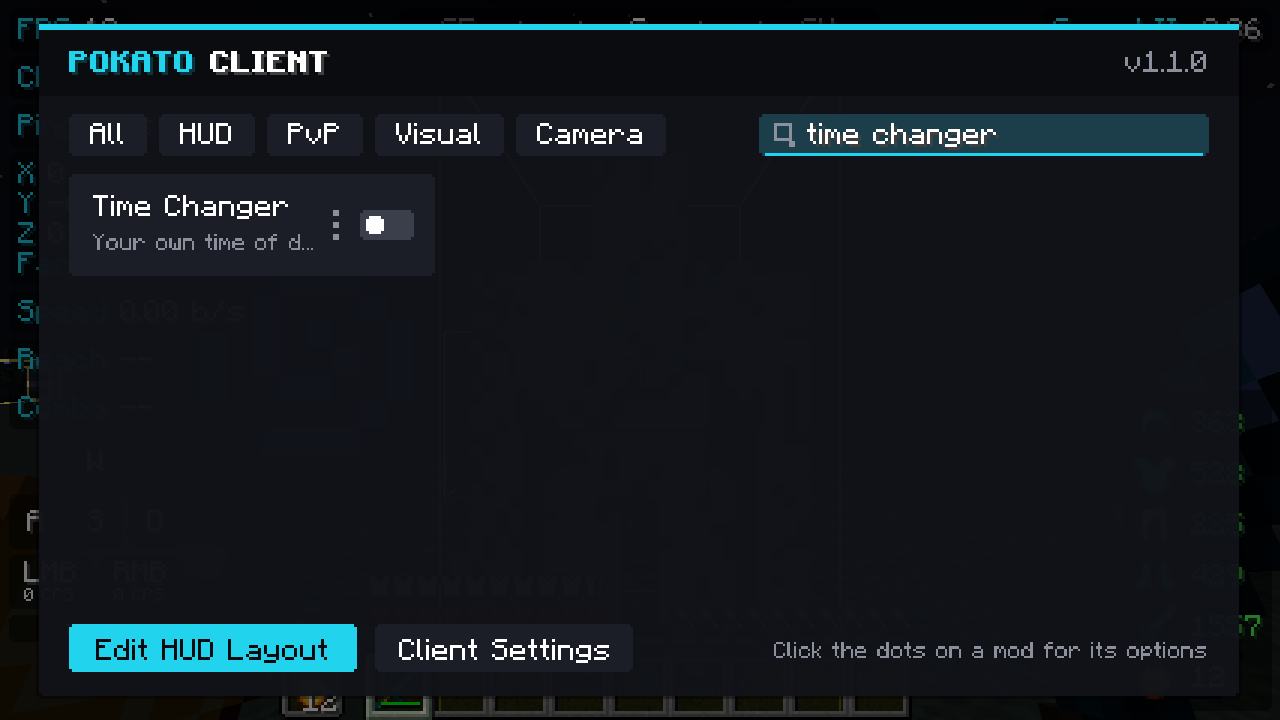 screenshot-search.png screenshot-search.png
-
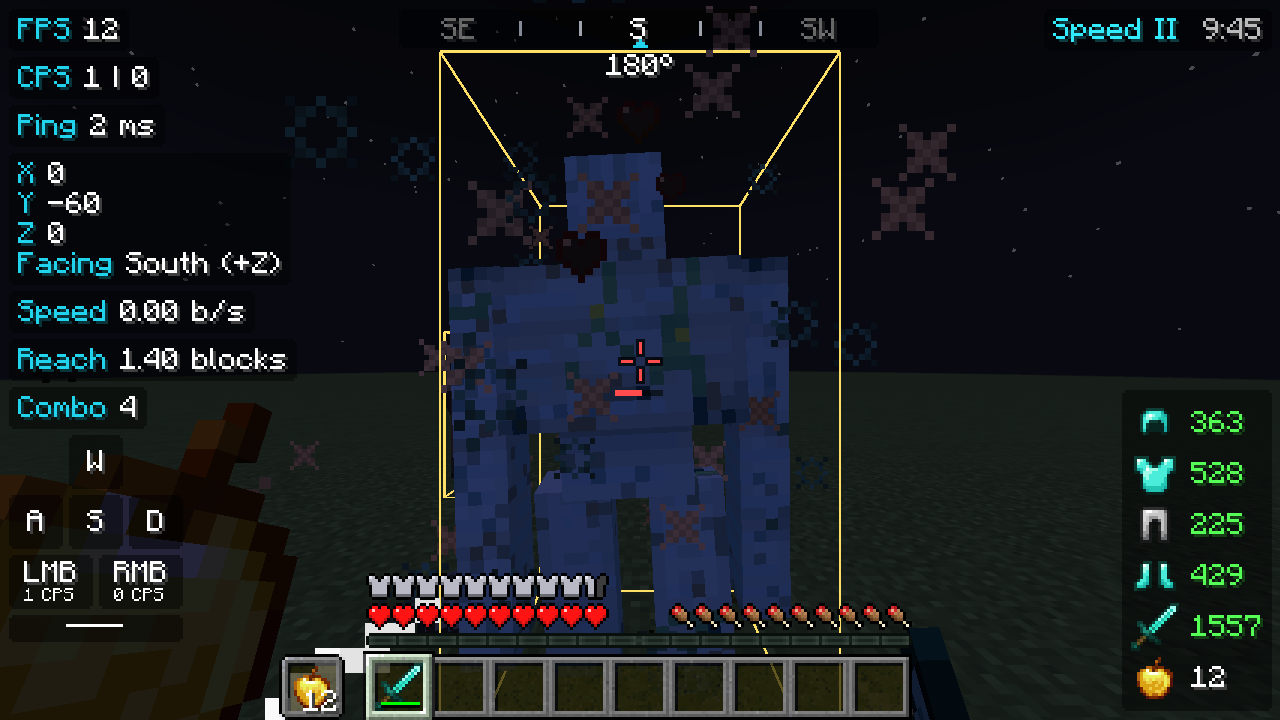 screenshot-hitboxes-reach-combo.png screenshot-hitboxes-reach-combo.png
-
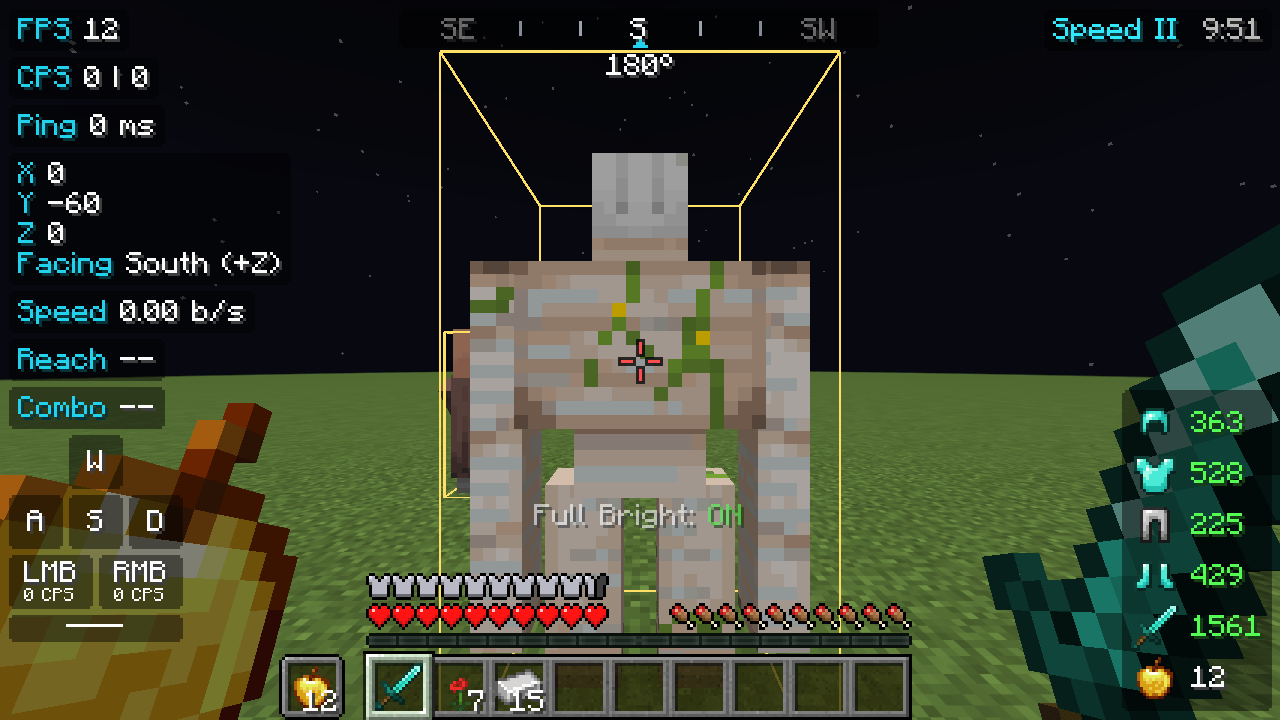 screenshot-fullbright.png screenshot-fullbright.png
-
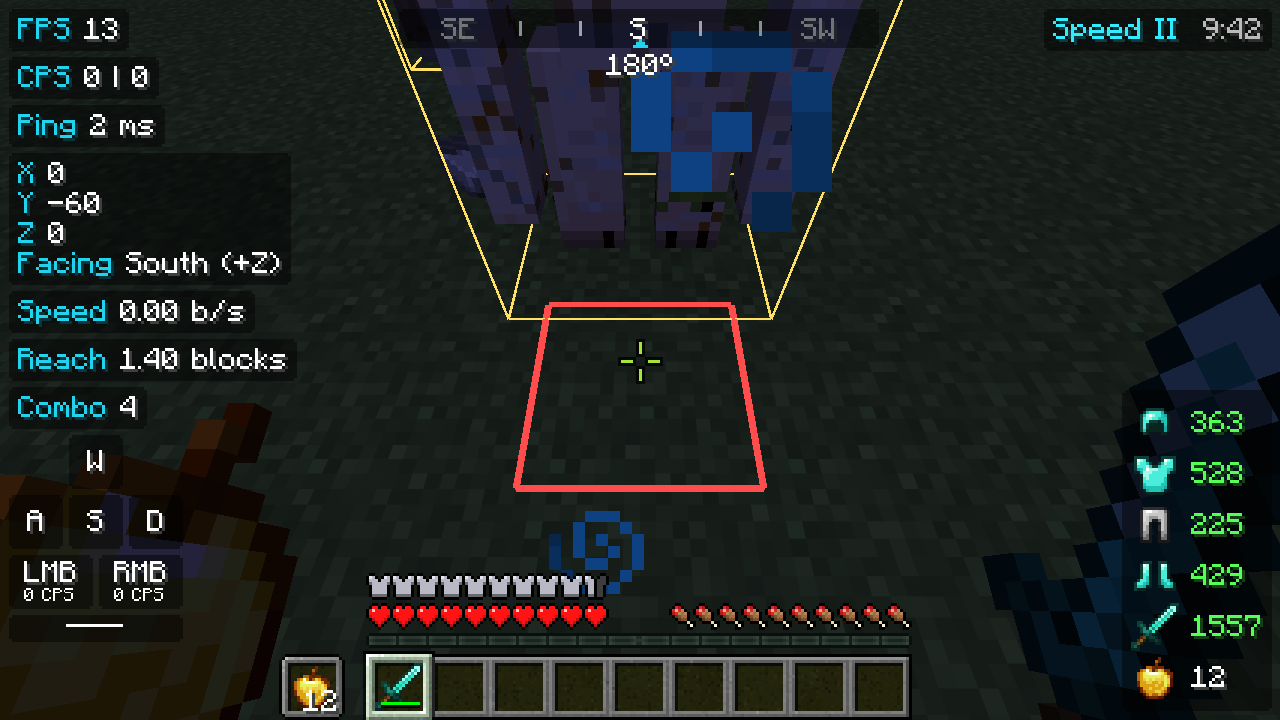 screenshot-block-outline.png screenshot-block-outline.png
Versions
Files
Relations
Project Relations
More like this
Similar Mods
Suggestions use data such as tags, dependencies, dependents, descriptions, titles, and more to rank how much they overlap with this mod.
On ModDex
Community snapshot
By the numbers
Statistics

Get it on
Available Platforms
On ModDex
Community snapshot
By the numbers
Statistics
Resources