
Community listing page, reviews here may not be monitored by the author.
Pomelo's Shop


No reviews yet
A feature-rich in-game shop mod for NeoForge 1.21.1, allowing players to buy and sell items through a graphical interface with a built-in currency system.
Community voices
Reviews
No reviews yet. Be the first to review this project!
Get it on
Available Platforms
Compatibility
Supported Environments
Must be installed on both the client and the server.
About
Project Details
For authors
Embed Badge
If you're the author of this project, you can embed a live badge anywhere that supports HTML or Markdown. It updates automatically whenever ratings change.
Use HTML for any page that supports it, or Markdown for README files and Markdown-based descriptions.
Identifiers
Platform IDs
Resources
External Links
About
Description
A feature-rich in-game shop mod for NeoForge 1.21.1, allowing players to buy and sell items through a graphical interface with a built-in currency system!!!
Features
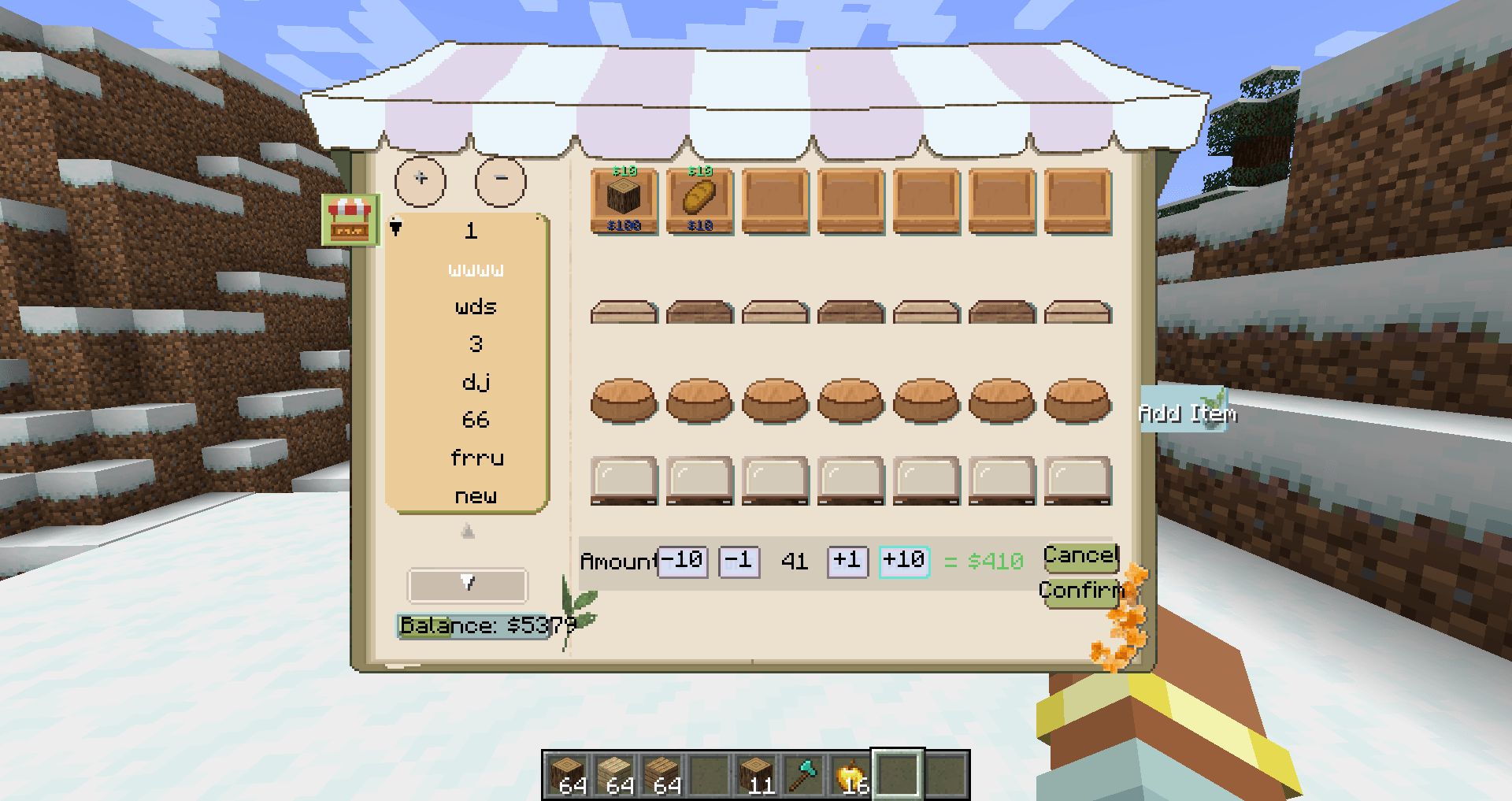
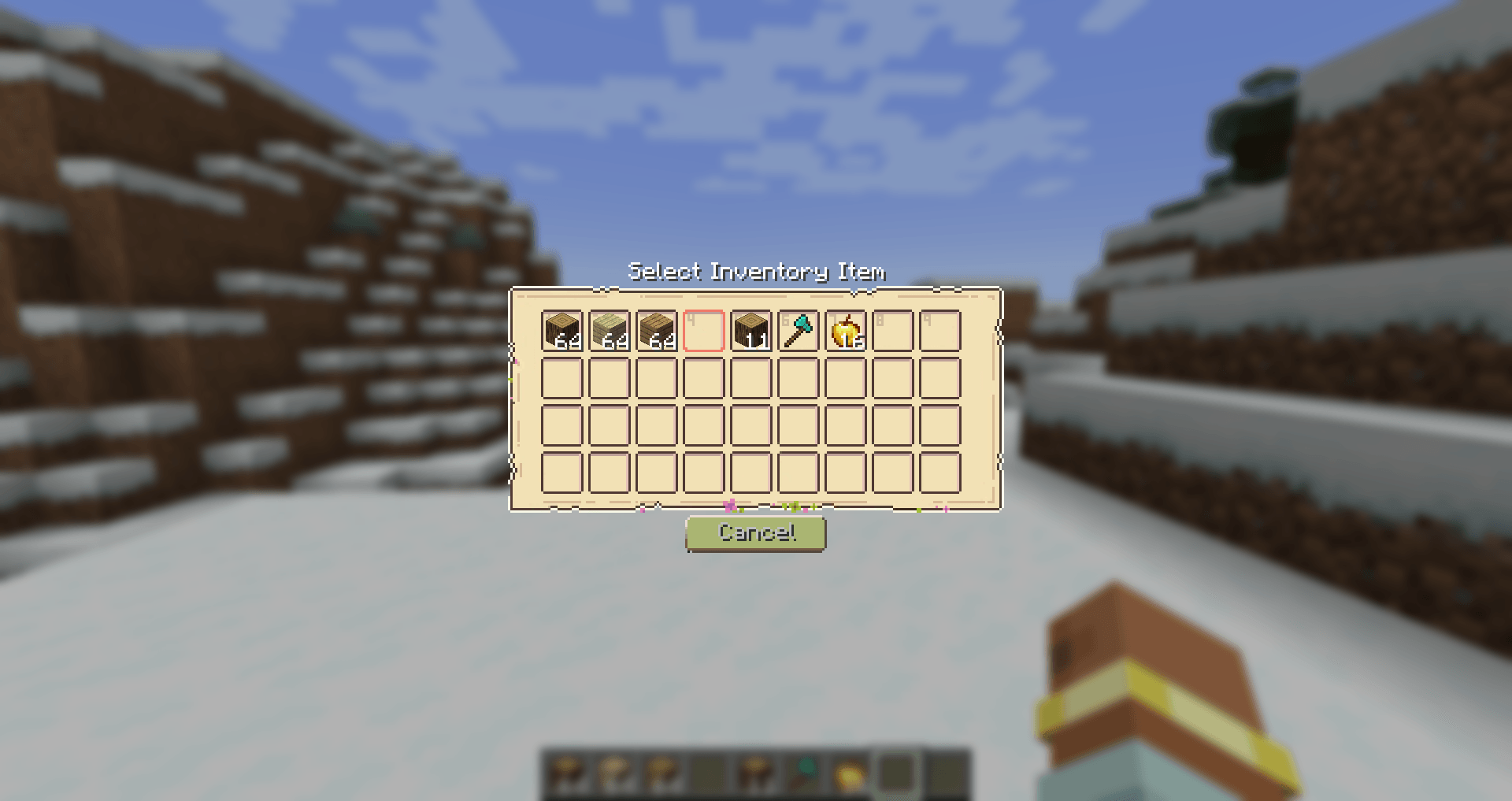
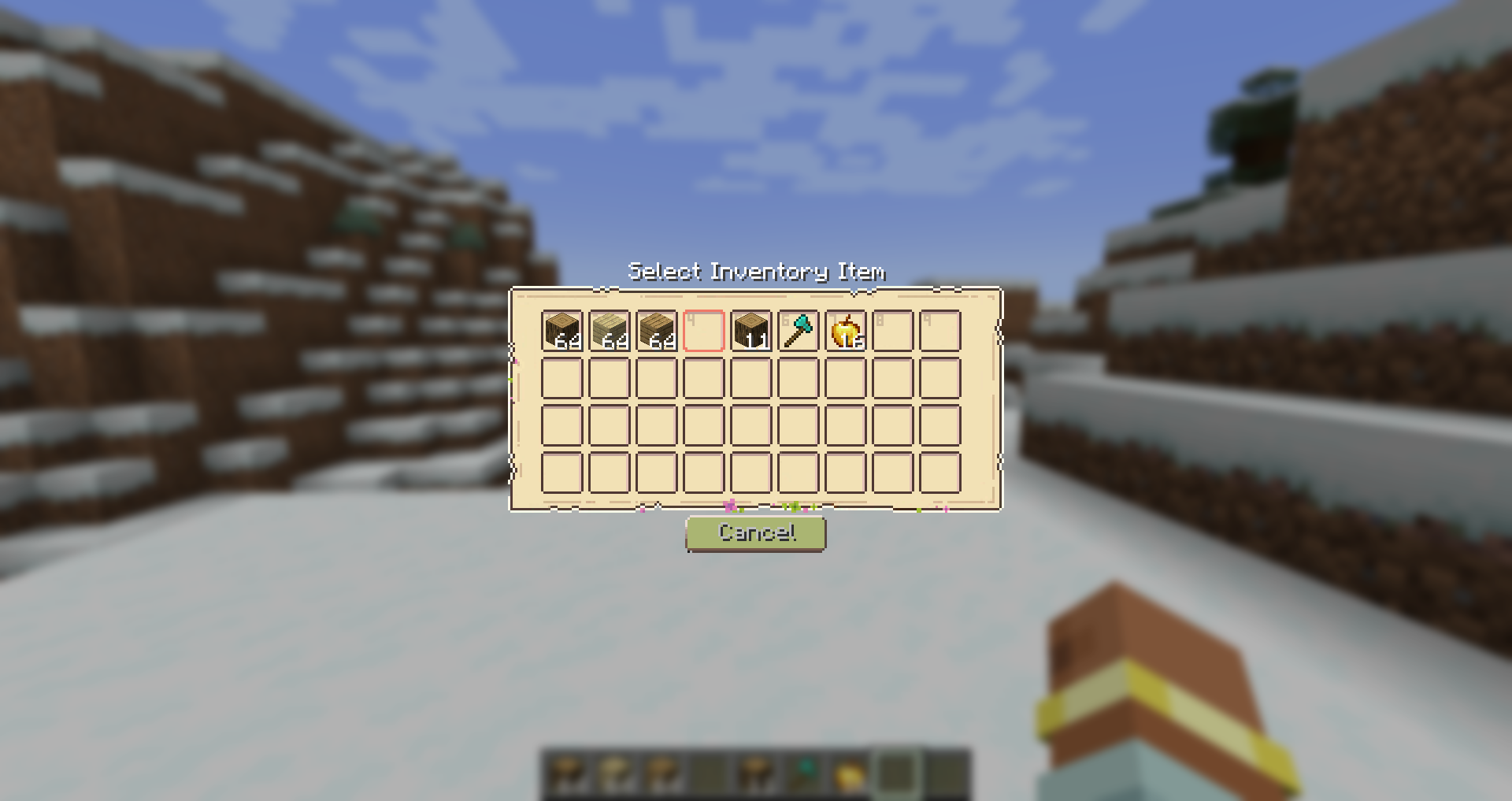
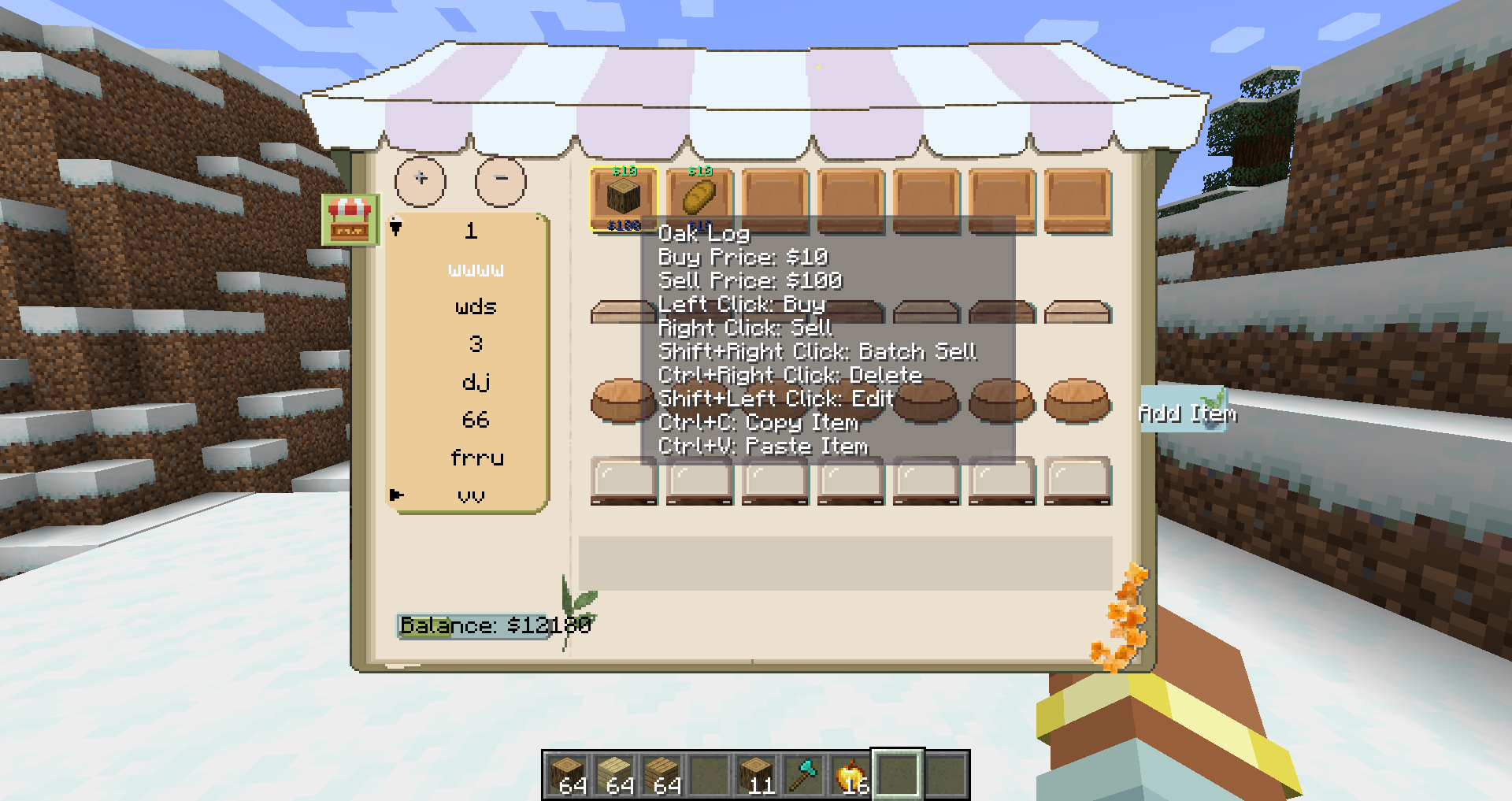
- Graphical Shop Interface — Browse items across categories with an intuitive GUI.
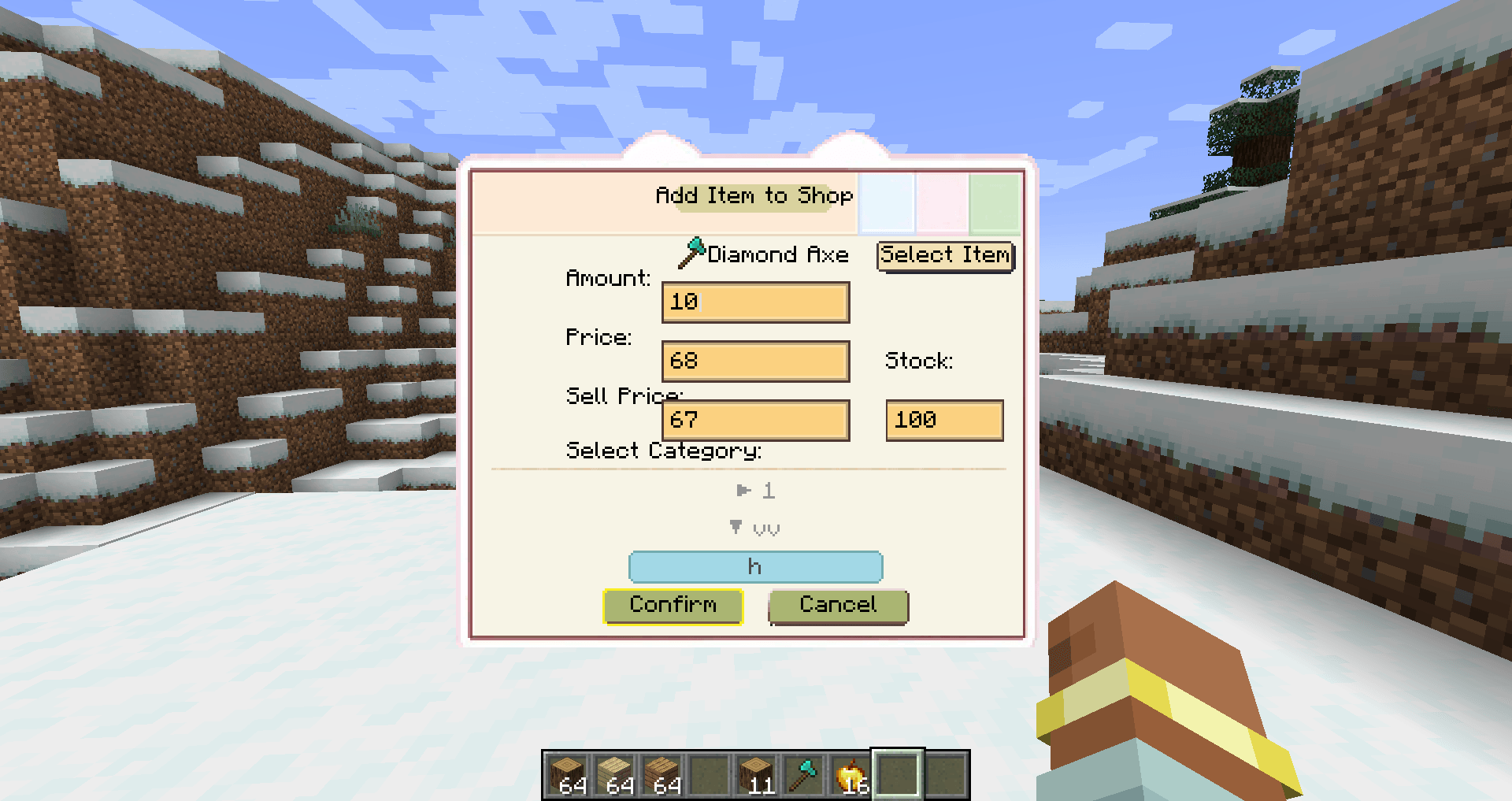
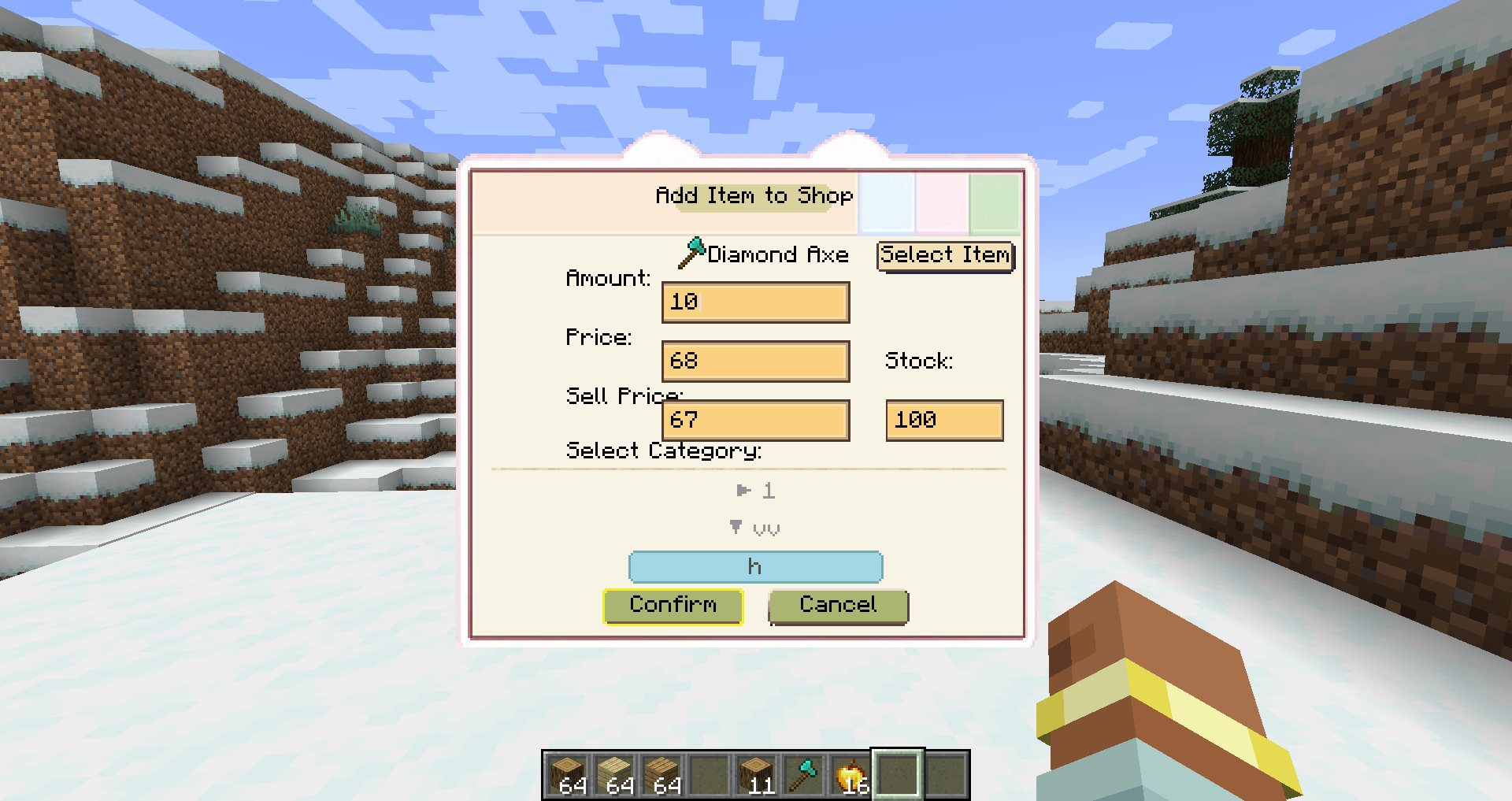
- Player Trading — Players can list their own items for sale and set both buy,sell prices, quantity, and inventory for buying and selling goods. All changes sync to all online players.
- Currency System — Built-in per-player money, stored persistently.
- Key Binding — Quick shop access with the "N" key, customizable in controls settings.
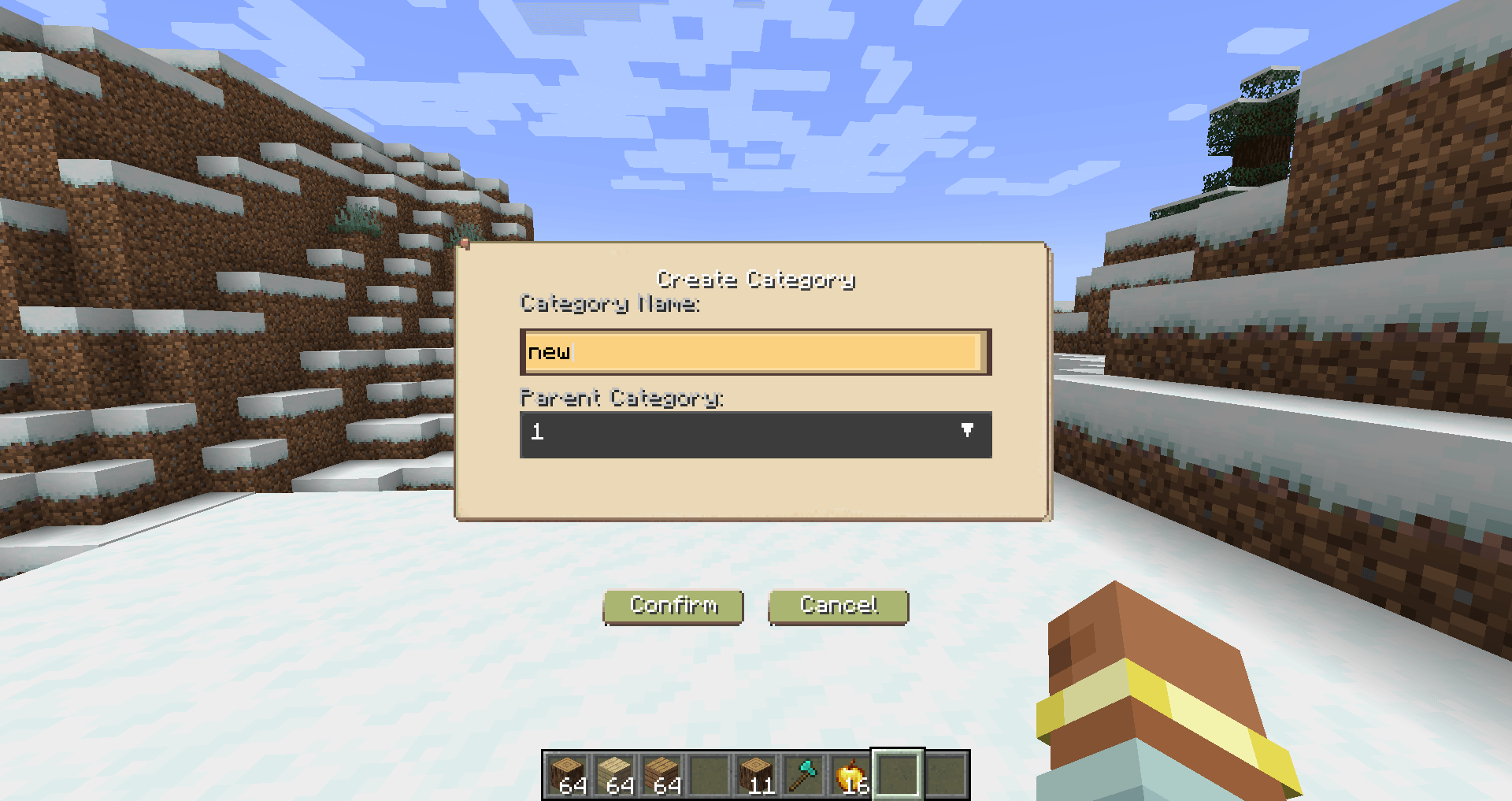
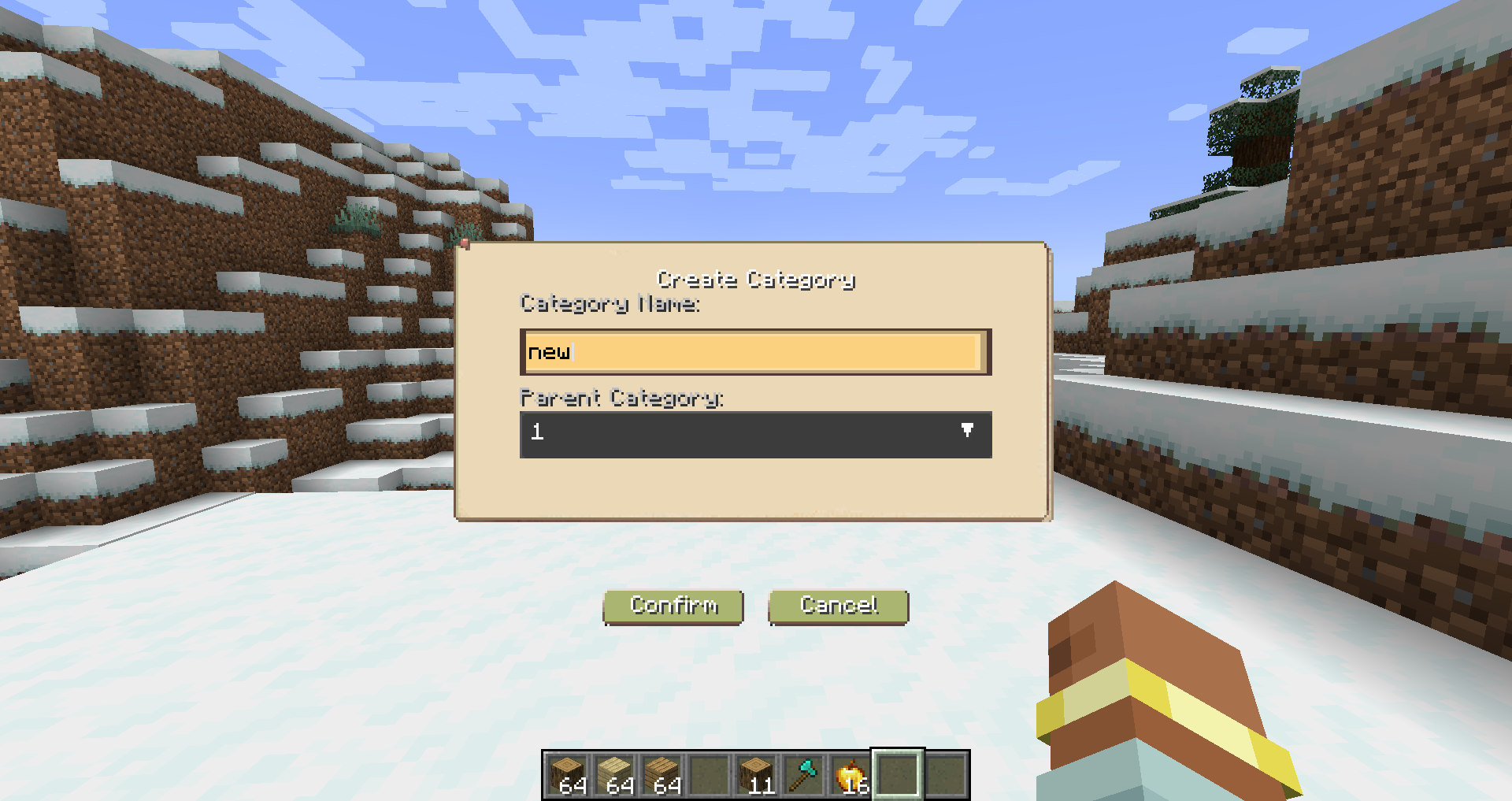
- Category Management — Create, delete, and manage shop categories, right-click to edit category name,parent-child category hierarchy support.
- Item Banning — Admins can ban specific items from being listed
- Configurable Permissions — Toggle which actions require admin privileges
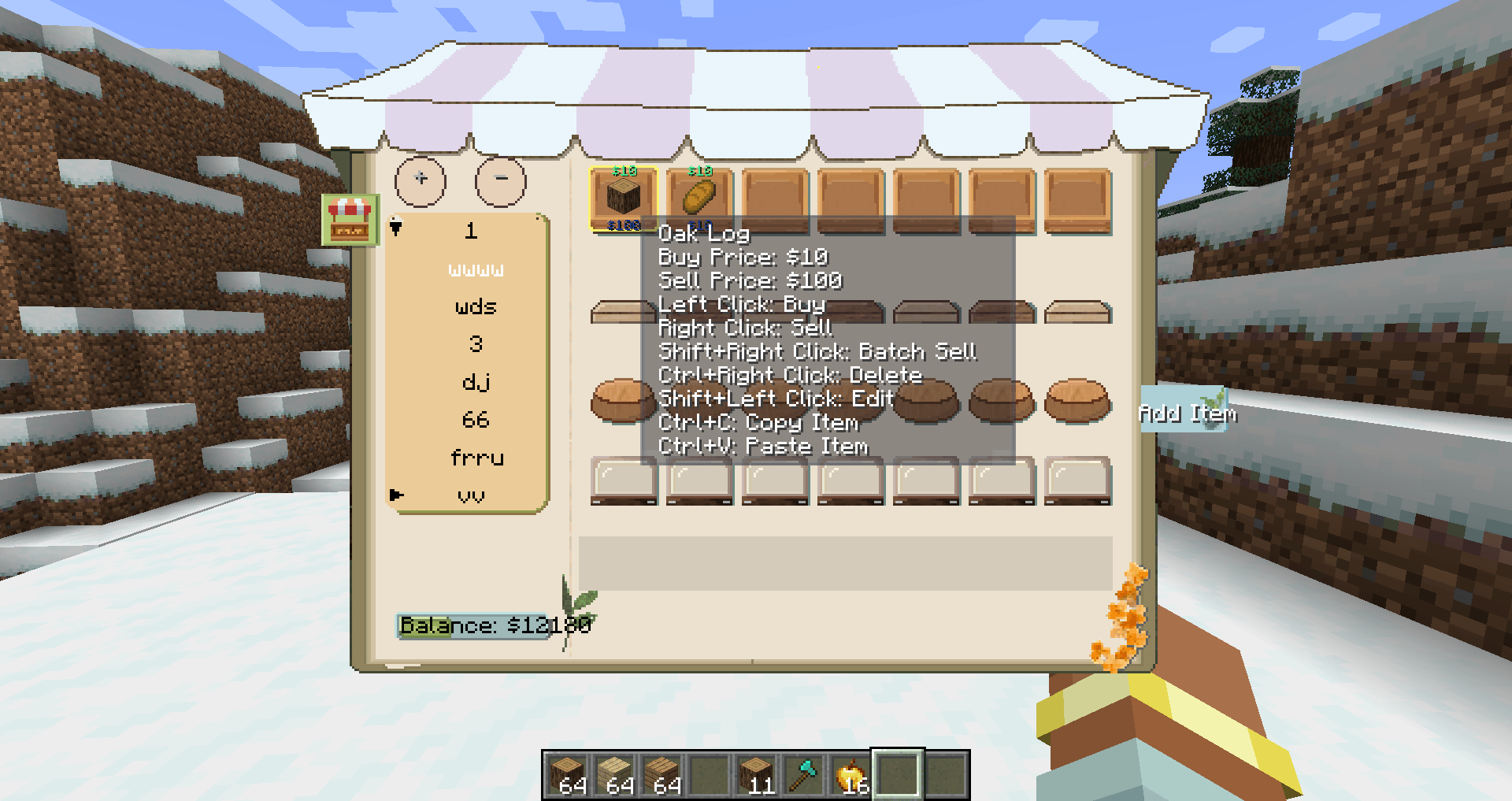
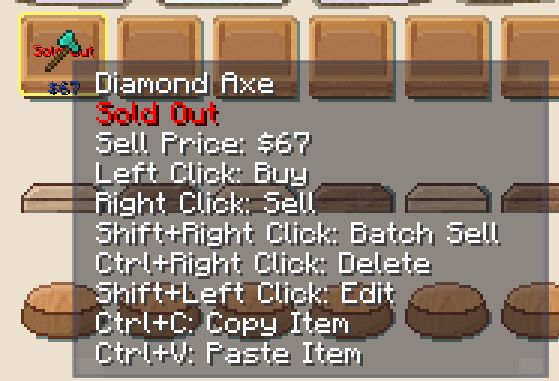
- Item Copy & Paste — Copy item info with Ctrl+C while hovering,paste item to current category with Ctrl+V or pasted items added at the end of category.Copies all item properties: item, prices, stock.
- Bilingual Support — Full Chinese and English translationuts
- Auto-Save — Automatic data persistence every 5 seconds, shop data saved to world directory.Reliable data recovery on server restart.
- Item Display — Price display overlay on items (buy/sell prices).
- Shop Data Import/Export — Export /shop export Import /shop import . Exported files are saved in /shop exports/.json.
- Category Sorting and Edit — Move Up /shop category moveup . Move Down /shop category movedown .Right mouse button to edit name.
Hotkey
| Hotkey | Description |
|---|---|
| Default: N | Open shop (configurable in Controls settings) |
Player Commands
| Command | Description | Example |
|---|---|---|
| /shop(This command does not exist in the 1.20.1 Forge version. Please press N.) | Open shop interface | /shop |
| /shop balance | Check current balance | /shop balance |
| /shop sell <price> [amount] | List item in hand for sale | /shop sell 100 or /shop sell 100 64 |
| /shop category create <ID> <name> | Create a new category | /shop category create blocks Blocks |
| /shop category list | List all categories | /shop category list |
Admin Commands (Requires Permission Level 2)
| Command | Description | Example |
|---|---|---|
| /shop add <player> <amount> | Add money to player's balance | /shop add Steve 1000 |
| /shop set <player> <amount> | Set player's balance | /shop set Steve 5000 |
| /shop reload | Reload shop data | /shop reload |
| /shop clear | Clear all shop items | /shop clear |
| /shop category moveup <category_name> | Move category up in order | /shop category moveup Blocks |
| /shop category movedown <category_name> | Move category down in order | /shop category movedown Blocks |
| /shop category setparent <child> <parent> | Set category's parent category | /shop category setparent "ChildName" ParentName |
| /shop category setparent <child> none | Remove category's parent | /shop category setparent "ChildName" none |
| /shop ban <item_id> | Ban an item from being listed | /shop ban minecraft:bedrock |
| /shop unban <item_id> | Unban a previously banned item | /shop unban minecraft:bedrock |
| /shop banlist | View list of banned items | /shop banlist |
| /shop export <filename> | Export shop data to JSON | /shop export shop_backup |
| /shop import <filename> | Import shop data from JSON | /shop import shop_backup |
Shop Interface Controls
| Action | Description |
|---|---|
| Left Click Item | Buy item(cannot buy if stock is 0) |
| Right Click Item | Sell 1 item(stock +1 after selling) |
| Shift + Right Click Item | Batch sell (sell all of that item in inventory,(stock +1 after selling) |
| Ctrl + Right Click Item | Delete your own listing |
| Shift + Left Click Item | Edit your own listing (amount, price, category, stock) |
| Ctrl + C (hover on item) | Copy item |
| Ctrl + V | Paste item to current category (added at the end) |
A feature-rich in-game shop mod for minecraft, allowing players to buy and sell items through a graphical interface with a built-in currency system!!!
Features
- Graphical Shop Interface — Browse items across categories with an intuitive GUI.
- Player Trading — Players can list their own items for sale and set both buy,sell prices, quantity, and inventory for buying and selling goods. All changes sync to all online players.
- Currency System — Built-in per-player money, stored persistently.
- Key Binding — Quick shop access with the "N" key, customizable in controls settings.
- Category Management — Create, delete, and manage shop categories, right-click to edit category name,parent-child category hierarchy support.
- Item Banning — Admins can ban specific items from being listed
- Configurable Permissions — Toggle which actions require admin privileges
- Item Copy & Paste — Copy item info with Ctrl+C while hovering,paste item to current category with Ctrl+V or pasted items added at the end of category.Copies all item properties: item, prices, stock.
- Bilingual Support — Full Chinese and English translationuts
- Auto-Save — Automatic data persistence every 5 seconds, shop data saved to world directory.Reliable data recovery on server restart.
- Item Display — Price display overlay on items (buy/sell prices).
- Shop Data Import/Export — Export /shop export Import /shop import . Exported files are saved in /shop exports/.json.
- Category Sorting and Edit — Move Up /shop category moveup . Move Down /shop category movedown .Right mouse button to edit name.
Hotkey
| Hotkey | Description |
|---|---|
| Default: N | Open shop (configurable in Controls settings) |
Player Commands
| Command | Description | Example |
|---|---|---|
| /shop(This command does not exist in the 1.20.1 Forge version. Please press N.) | Open shop interface | /shop |
| /shop balance | Check current balance | /shop balance |
| /shop sell <price> [amount] | List item in hand for sale | /shop sell 100 or /shop sell 100 64 |
| /shop category create <ID> <name> | Create a new category | /shop category create blocks Blocks |
| /shop category list | List all categories | /shop category list |
Admin Commands (Requires Permission Level 2)
| Command | Description | Example |
|---|---|---|
| /shop add <player> <amount> | Add money to player's balance | /shop add Steve 1000 |
| /shop set <player> <amount> | Set player's balance | /shop set Steve 5000 |
| /shop reload | Reload shop data | /shop reload |
| /shop clear | Clear all shop items | /shop clear |
| /shop category moveup <category_name> | Move category up in order | /shop category moveup Blocks |
| /shop category movedown <category_name> | Move category down in order | /shop category movedown Blocks |
| /shop category setparent <child> <parent> | Set category's parent category | /shop category setparent "ChildName" ParentName |
| /shop category setparent <child> none | Remove category's parent | /shop category setparent "ChildName" none |
| /shop ban <item_id> | Ban an item from being listed | /shop ban minecraft:bedrock |
| /shop unban <item_id> | Unban a previously banned item | /shop unban minecraft:bedrock |
| /shop banlist | View list of banned items | /shop banlist |
| /shop export <filename> | Export shop data to JSON | /shop export shop_backup |
| /shop import <filename> | Import shop data from JSON | /shop import shop_backup |
Shop Interface Controls
| Action | Description |
|---|---|
| Left Click Item | Buy item(cannot buy if stock is 0) |
| Right Click Item | Sell 1 item(stock +1 after selling) |
| Shift + Right Click Item | Batch sell (sell all of that item in inventory,(stock +1 after selling) |
| Ctrl + Right Click Item | Delete your own listing |
| Shift + Left Click Item | Edit your own listing (amount, price, category, stock) |
| Ctrl + C (hover on item) | Copy item |
| Ctrl + V | Paste item to current category (added at the end) |
Screenshots
Gallery
-
 5.png 5.png
 -
 4.png 4.png
 -
 1.png 1.png
 -
 2.png 2.png
 -
 6.png 6.png
Versions
Files
Relations
Project Relations
More like this
Similar Mods
Suggestions use data such as tags, dependencies, dependents, descriptions, titles, and more to rank how much they overlap with this mod.
On ModDex
Community snapshot
By the numbers
Statistics
Want to reach Minecraft players?
We're looking for a server hosting partner to feature here and other parts of the site. Interested? Send us a message!
Get in touchGet it on
Available Platforms
On ModDex
Community snapshot
By the numbers
Statistics
Resources