Community listing page, reviews here may not be monitored by the author.
PortraitCraft

No reviews yet
A client-side NeoForge mod that adds a vertical portrait play mode for Minecraft, optimized for TikTok, Shorts, Reels, OBS, and content creators.
Community voices
Reviews
No reviews yet. Be the first to review this project!
Get it on
Available Platforms
About
Project Details
For authors
Embed Badge
If you're the author of this project, you can embed a live badge anywhere that supports HTML or Markdown. It updates automatically whenever ratings change.
Use HTML for any page that supports it, or Markdown for README files and Markdown-based descriptions.
Identifiers
Platform IDs
Resources
External Links
About
Description
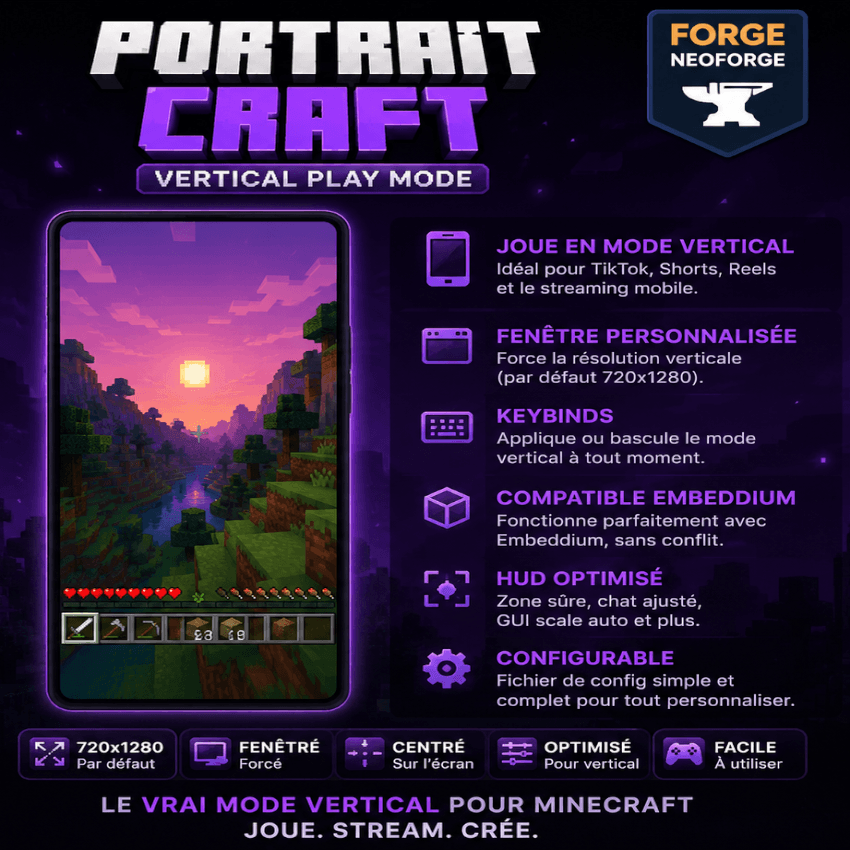 PortraitCraft — Vertical Play Mode
PortraitCraft is a lightweight client-side NeoForge mod that adds a vertical / portrait play mode to Minecraft Java Edition.
It is designed for content creators who want to record, stream, or play Minecraft in a mobile-style vertical format for TikTok, YouTube Shorts, Instagram Reels, OBS, and similar platforms.
Instead of manually resizing the game window every time, PortraitCraft can apply a portrait window preset automatically, such as 720x1280, and includes simple options for windowed mode, centering, GUI scale, and keybind control.
Features
• Vertical portrait window preset
Default resolution: 720x1280
Useful for TikTok Live, Shorts, Reels, OBS, and vertical recording.
• Client-side only
No server installation required.
Works in singleplayer and multiplayer because it only changes the local client window behavior.
• Windowed mode support
Can force Minecraft out of fullscreen before applying the vertical resolution.
This makes vertical play more reliable on normal horizontal monitors.
• Configurable resolution
You can edit the client config to use a different portrait size, such as:
540x960
720x1280
900x1600
1080x1920
• Keybind support
Reapply the vertical play mode at any time using a keybind.
• GUI-friendly setup
Optional GUI scale adjustment helps keep the interface usable in portrait mode.
• Embeddium compatible
PortraitCraft is designed to work alongside Embeddium.
It does not depend on Embeddium, does not modify Embeddium internals, and does not replace the rendering pipeline.
Why use PortraitCraft?
Minecraft Java is normally designed for landscape displays. That works well for regular gameplay, but it is not ideal for vertical content creation.
PortraitCraft helps players create a cleaner portrait gameplay setup without needing to crop the game heavily in OBS or manually resize the window every launch.
It is especially useful for:
• TikTok Live
• YouTube Shorts
• Instagram Reels
• OBS vertical scenes
• Mobile-style Minecraft videos
• Content creator workflows
Default behavior
When enabled, PortraitCraft can:
• Disable fullscreen if needed
• Resize the Minecraft window to 720x1280
• Center the window on the monitor
• Apply the selected GUI scale
• Let the player reapply the preset with a keybind
The mod applies the resize safely after the client window is ready and does not constantly force the window size every frame.
Configuration
The client config file is located at:
config/portraitcraft-client.toml
Main options may include:
enabled
width
height
forceWindowed
centerWindow
applyOnStartup
applyOncePerLaunch
autoGuiScale
preferredGuiScale
debugLogging
Recommended OBS setup
For vertical streaming or recording, a good setup is:
Minecraft window: 720x1280
OBS canvas: 1080x1920
Output format: 9:16 vertical
This gives you space for overlays, chat, webcam, alerts, branding, and other creator elements.
Important note
PortraitCraft uses windowed portrait mode instead of true fullscreen portrait mode.
This is intentional. True fullscreen depends on the display modes supported by your monitor and can be unreliable on standard horizontal screens. Windowed portrait mode is more stable for streaming, recording, and daily use.
Compatibility
Designed for:
Minecraft Java Edition 1.21.1
NeoForge 21.1.x
Client-side only
Works with or without Embeddium installed.
Disclaimer
This project is not affiliated with Mojang, Microsoft, CurseForge, NeoForge, or Embeddium.
Minecraft is a trademark of Mojang/Microsoft.
Screenshots
Gallery
Versions
Files
Relations
Project Relations
More like this
Similar Mods
Suggestions use data such as tags, dependencies, dependents, descriptions, titles, and more to rank how much they overlap with this mod.
On ModDex
Community snapshot
By the numbers
Statistics
Want to reach Minecraft players?
We're looking for a server hosting partner to feature here and other parts of the site. Interested? Send us a message!
Get in touchGet it on
Available Platforms
On ModDex
Community snapshot
By the numbers
Statistics
Resources