
Community listing page, reviews here may not be monitored by the author.
Power Armor HUD

No reviews yet
A Fabric 1.21.11 Mod that shows a recreation of the Fallout 4 Power Armor HUD. All Client-Side. WARNING: This mod may trigger epileptic seizures. User discretion is advised when using this mod. Use at your own risk.
Community voices
Reviews
No reviews yet. Be the first to review this project!
Get it on
Available Platforms
Compatibility
Supported Environments
Runs entirely on the client. Works on vanilla servers.
About
Project Details
For authors
Embed Badge
If you're the author of this project, you can embed a live badge anywhere that supports HTML or Markdown. It updates automatically whenever ratings change.
Use HTML for any page that supports it, or Markdown for README files and Markdown-based descriptions.
Identifiers
Platform IDs
Resources
External Links
About
Description
Power-Armor-HUD:
A Fabric 1.21.11 Mod that shows a recreation of the Fallout 4 Power Armor HUD. All Client-Side. WARNING: This mod may trigger epileptic seizures. User discretion is advised when using this mod. This mod may also be described as cheating with VATs in some cases, Use at your own risk.
How to use:
Download the .jar file from the "Releases" tab and put it in your Minecraft Mods folder. To use, name a Netherite Helmet "T-60b"
Keybinds:
"V" Turns on headlamp
"B" opens Pip-Boy
"K" opens Waypoint screen
Hold or Toggle "Shift" turns on VATS
Features:
Headlamp: It's a sort of Night Vision, allowing you to see in dark places
Pip-Boy: A little terminal. It shows stats, the Fallout 4 map, lets you play some music discs, and a Notepad. Navigate with the Left and Right Arrow Keys.
Waypoints: A screen where you can add a waypoint. How this works is, you type the name, and hit "MARK". It makes a waypoint at your X and Z, and it shows on the Compass. Each with a new color every time.
VATS: Shows mobs within 80 blocks. Puts brackets on any mob within the radius, can be used for PVP. Also integrates with the compass, by showing little markers on the compass of mobs.
Power Armor: Textures will be shown for each piece of Netherite Armor named "T-60b"
Note: Compass radius is not 80 blocks.
Known Bugs:
Armor Trims: armor trims will show over Power Armor, while still rendering Power Armor underneath. I don't know when i will get to fixing it.
Audio: Audio is known to glitch at some points.
Music: If playing muisc in a jukebox, if you play on the Radio, it will cut out, and wont start again after stopping Radio until you put in the Disc again.
Credits:
This was made for a Minecraft Server clan thats theme is Fallout.
All credits to Fallout and Bethesda Studios.
Screenshots
Gallery
-
 Boot Has updated barely
 -
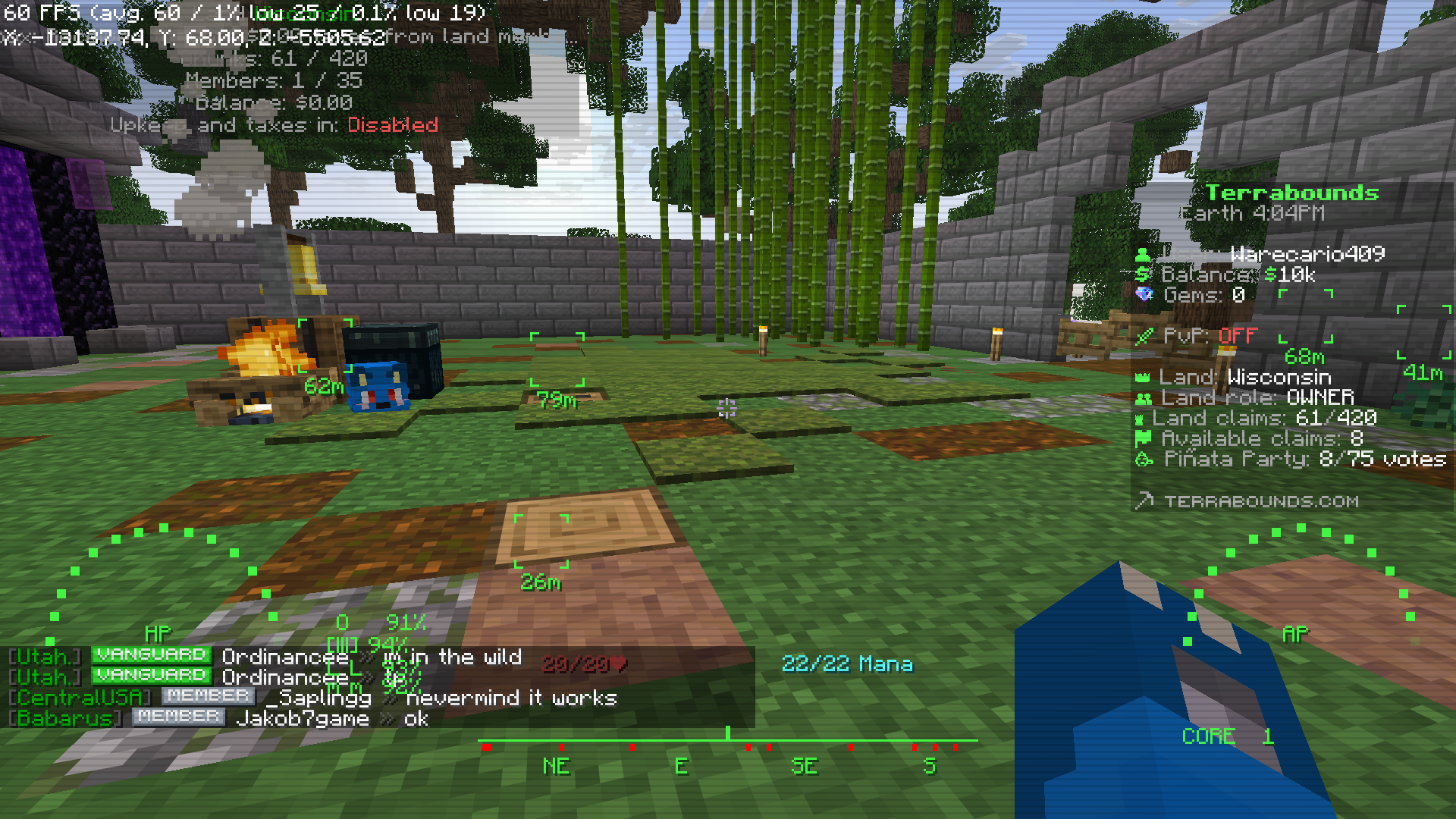 VATS+Screen
 -
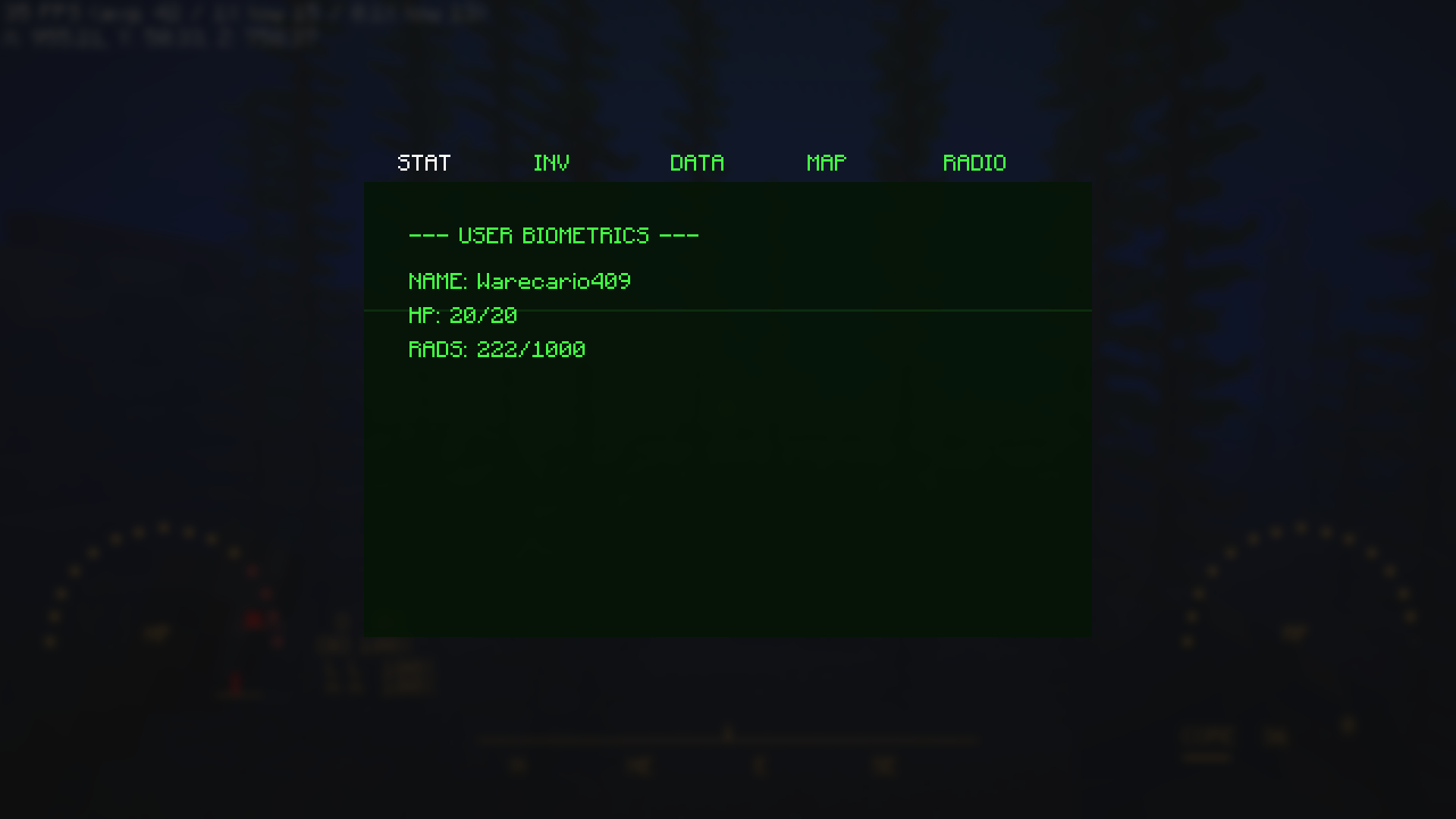 Pip-Boy RADS have since been updated
 -
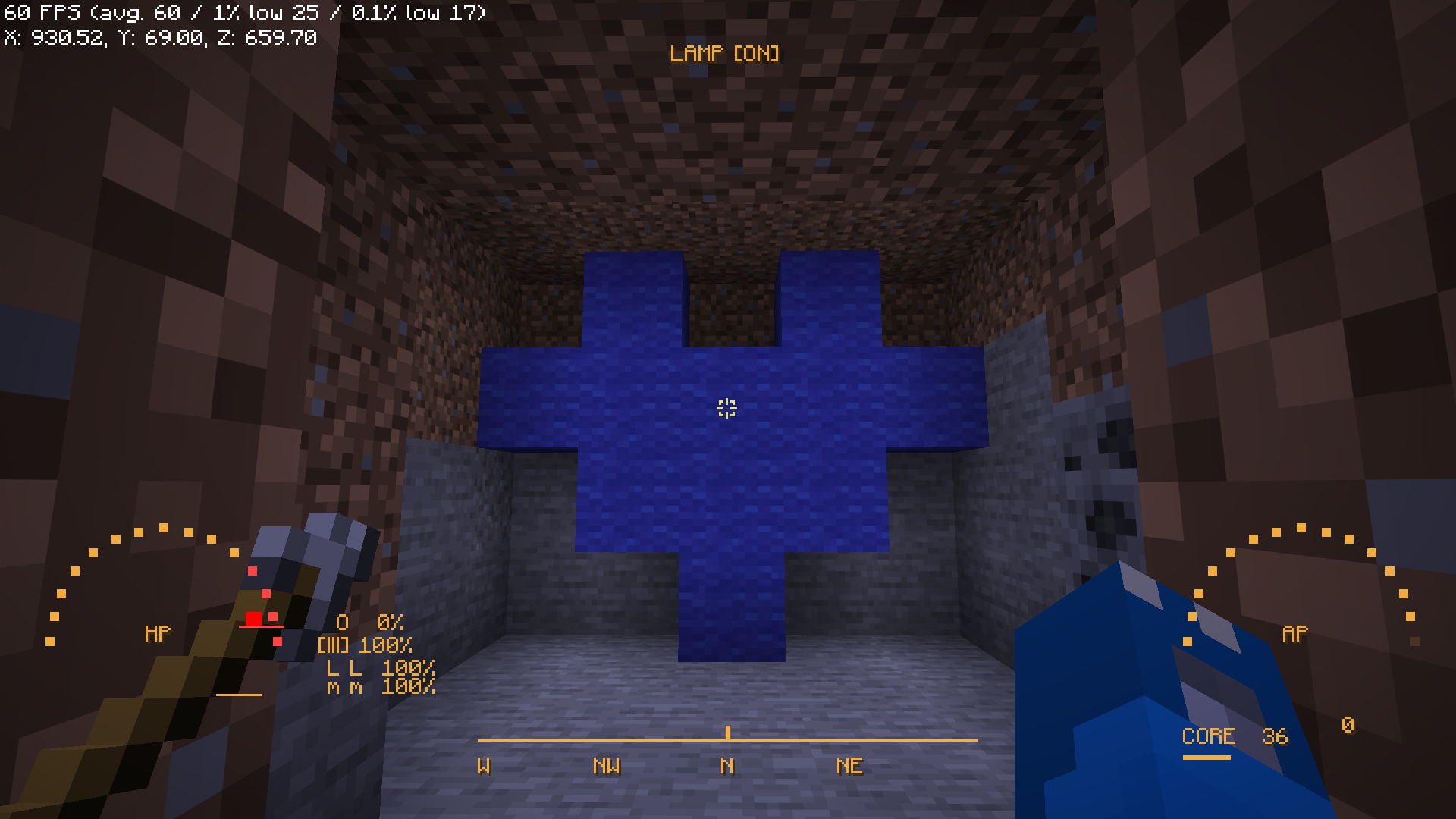 Lamp Has since been updated
Versions
Files
Relations
Project Relations
More like this
Similar Mods
Suggestions use data such as tags, dependencies, dependents, descriptions, titles, and more to rank how much they overlap with this mod.
On ModDex
Community snapshot
By the numbers
Statistics

Want to reach Minecraft players?
We're looking for a server hosting partner to feature here and other parts of the site. Interested? Send us a message!
Get in touchGet it on
Available Platforms
On ModDex
Community snapshot
By the numbers
Statistics
Resources