Community listing page, reviews here may not be monitored by the author.
Precise Physics Staff


No reviews yet
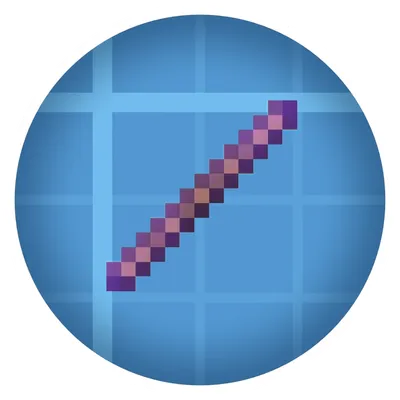
Adds a new physics staff that is really precise at moving / rotating the contraptions (WIP)
Community voices
Reviews
No reviews yet. Be the first to review this project!
Get it on
Available Platforms
Compatibility
Supported Environments
Must be installed on both the client and the server.
About
Project Details
For authors
Embed Badge
If you're the author of this project, you can embed a live badge anywhere that supports HTML or Markdown. It updates automatically whenever ratings change.
Use HTML for any page that supports it, or Markdown for README files and Markdown-based descriptions.
Identifiers
Platform IDs
About
Description
Description
A mod that adds a powerful tool to manipulate the physics contraptions from Sable.
Requires Create, Create Aeronautics and Sable to work.
Features
The Precise Physics Staff, the only item added by the mod, gives fine-grained control over any Sable physics contraption.
Basic controls
- Right-click at a contraption to select it. The staff will hold it in place.
- Left-click to lock / unlock a contraption (same as the creative physics staff).
- R toggles between Movement and Rotation mode while a contraption is selected.
Movement mode
The direction is camera-relative.
| Key | Action |
|---|---|
W / S |
Move forward / backward |
A / D |
Move left / right |
Space / Shift |
Move up / down |
Rotation mode
Rotations are performed around world axis that matches your view direction the best.
| Key | Action |
|---|---|
W / S |
Pitch (rotate around the view-right horizontal axis) |
A / D |
Yaw (rotate around the world Y axis) |
Shift + A / Shift + D |
Roll (rotate around the view-forward horizontal axis) |
Hold Ctrl |
Step in 90° increments |
Other controls
- Hold Tab for finer movements / rotations.
Command mode
- Press Enter or / while a contraption is selected to open the command input. Commands are case-insensitive.
- You don't need to type a space between the command and the parameter.
- All rotation / movement commands accept decimals.
Rotation commands
| Command | Rotation Axis |
|---|---|
RX [Angle] |
Contraption-local X (clockwise viewed from +X) |
RY [Angle] |
Contraption-local Y (clockwise viewed from above) |
RZ [Angle] |
Contraption-local Z (clockwise viewed from +Z) |
R [Angle] |
The contraption-local axis that best matches your current look direction |
Movement commands
| Command | Direction |
|---|---|
X / Y / Z [Distance] |
Move along world X / Y / Z axis |
W / A / S / D [Distance] |
Move forward / left / backward / right relative to your view (snapped to the nearest world axis; horizontal only) |
Utility commands
| Command | Behavior |
|---|---|
GRID (or G) |
Snap the contraption to the block grid |
HELP <command> |
Show in-game documentations for the given command |
License
This project is under MIT License.
Description
A mod that adds a powerful tool to manipulate the physics contraptions from Sable.
Requires Create, Create Aeronautics and Sable to work.
Features
The Precise Physics Staff, the only item added by the mod, gives fine-grained control over any Sable physics contraption.
Basic controls
- Right-click at a contraption to select it. The staff will hold it in place.
- Left-click to lock / unlock a contraption (same as the creative physics staff).
- R toggles between Movement and Rotation mode while a contraption is selected.
Movement mode
The direction is camera-relative.
| Key | Action |
|---|---|
W / S |
Move forward / backward |
A / D |
Move left / right |
Space / Shift |
Move up / down |
Rotation mode
Rotations are performed around world axis that matches your view direction the best.
| Key | Action |
|---|---|
W / S |
Pitch (rotate around the view-right horizontal axis) |
A / D |
Yaw (rotate around the world Y axis) |
Shift + A / Shift + D |
Roll (rotate around the view-forward horizontal axis) |
Hold Ctrl |
Step in 90° increments |
Other controls
- Hold Tab for finer movements / rotations.
Command mode
- Press Enter or / while a contraption is selected to open the command input. Commands are case-insensitive.
- You don't need to type a space between the command and the parameter.
- All rotation / movement commands accept decimals.
Rotation commands
| Command | Rotation Axis |
|---|---|
RX [Angle] |
Contraption-local X (clockwise viewed from +X) |
RY [Angle] |
Contraption-local Y (clockwise viewed from above) |
RZ [Angle] |
Contraption-local Z (clockwise viewed from +Z) |
R [Angle] |
The contraption-local axis that best matches your current look direction |
Movement commands
| Command | Direction |
|---|---|
X / Y / Z [Distance] |
Move along world X / Y / Z axis |
W / A / S / D [Distance] |
Move forward / left / backward / right relative to your view (snapped to the nearest world axis; horizontal only) |
Utility commands
| Command | Behavior |
|---|---|
GRID (or G) |
Snap the contraption to the block grid |
HELP <command> |
Show in-game documentations for the given command |
License
This project is under MIT License.
Screenshots
Gallery
Versions
Files
Relations
Project Relations
More like this
Similar Mods
Suggestions use data such as tags, dependencies, dependents, descriptions, titles, and more to rank how much they overlap with this mod.
On ModDex
Community snapshot
By the numbers
Statistics
Want to reach Minecraft players?
We're looking for a server hosting partner to feature here and other parts of the site. Interested? Send us a message!
Get in touchGet it on
Available Platforms
On ModDex
Community snapshot
By the numbers