Community listing page, reviews here may not be monitored by the author.
Prefix Tag


Fully configurable mod that adds a prefix for your server for roleplay and pvp tier
Community voices
Reviews
No reviews yet. Be the first to review this project!
Get it on
Available Platforms
Compatibility
Supported Environments
Must be installed on both the client and the server.
About
Project Details
For authors
Embed Badge
If you're the author of this project, you can embed a live badge anywhere that supports HTML or Markdown. It updates automatically whenever ratings change.
Use HTML for any page that supports it, or Markdown for README files and Markdown-based descriptions.
Identifiers
Platform IDs
About
Description




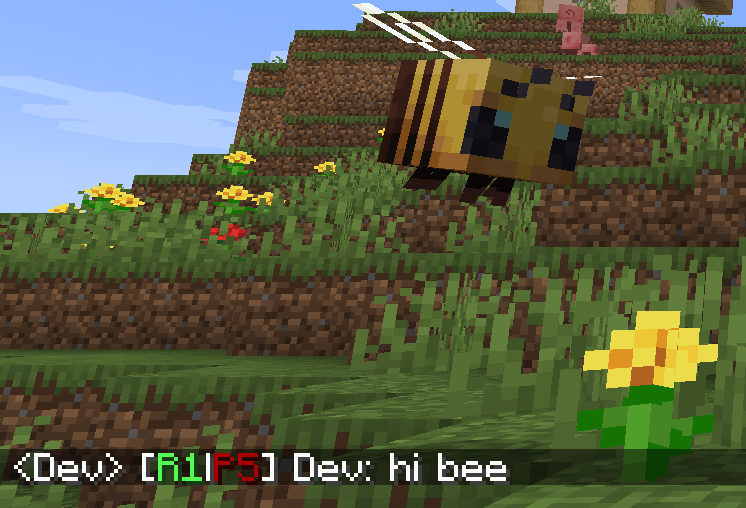
PrefixTag adds a dual tier system to your Minecraft server. Every player carries two independent ranks - one for Roleplay (R1–R5) and one for PvP (P1–P5) (or whatever u want xd) - always displayed as a combined prefix next to their name in chat and above their head in the world.
✦ How it works
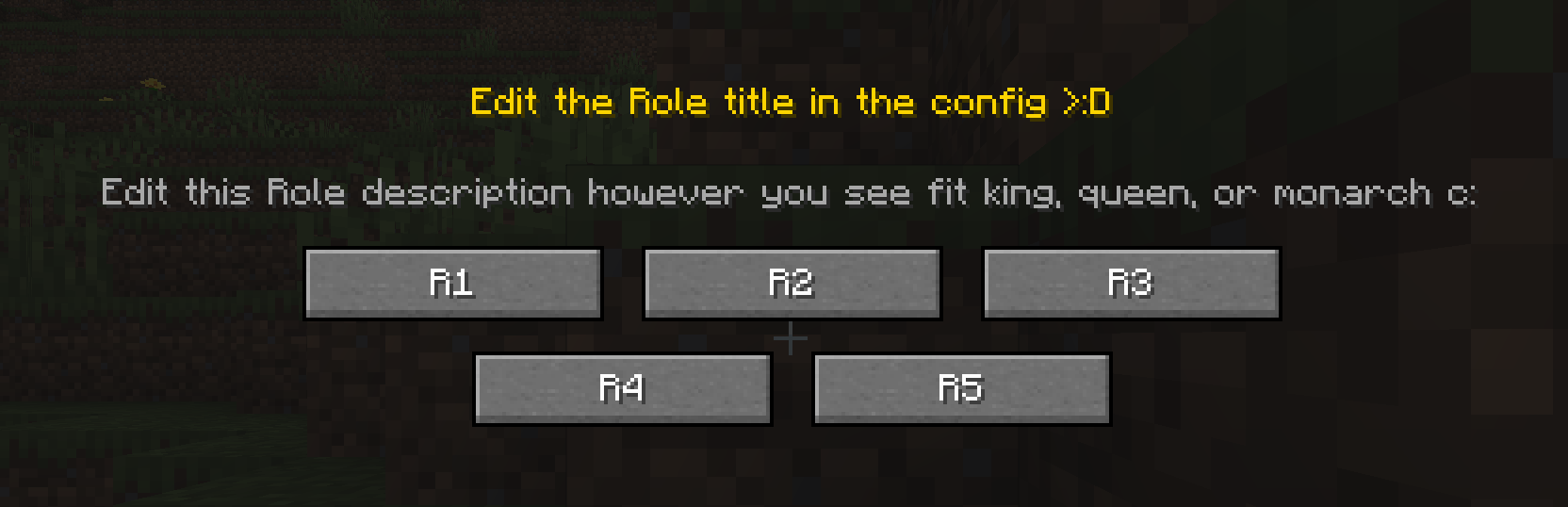
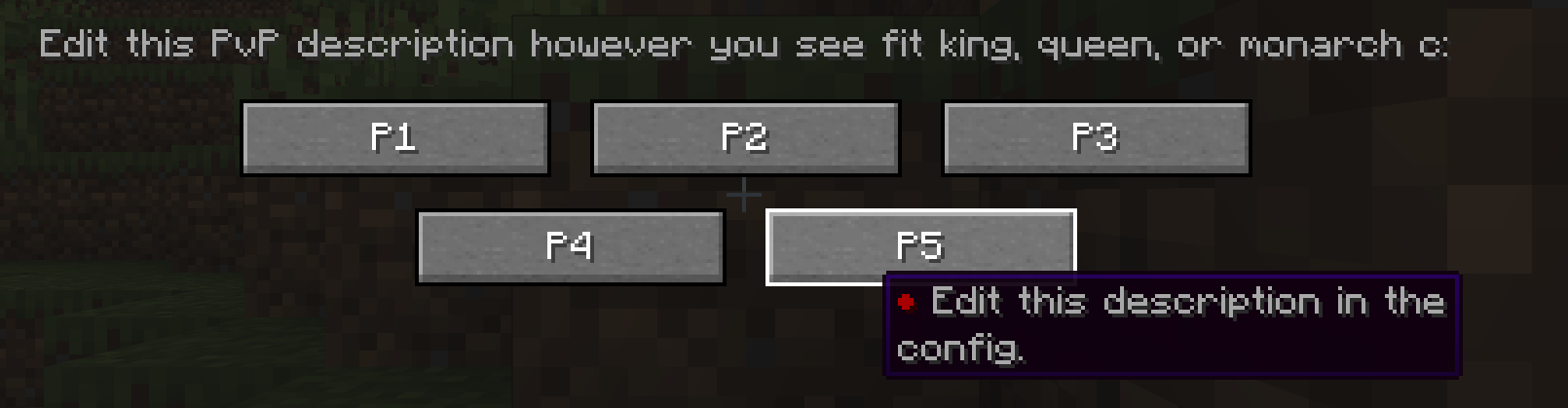
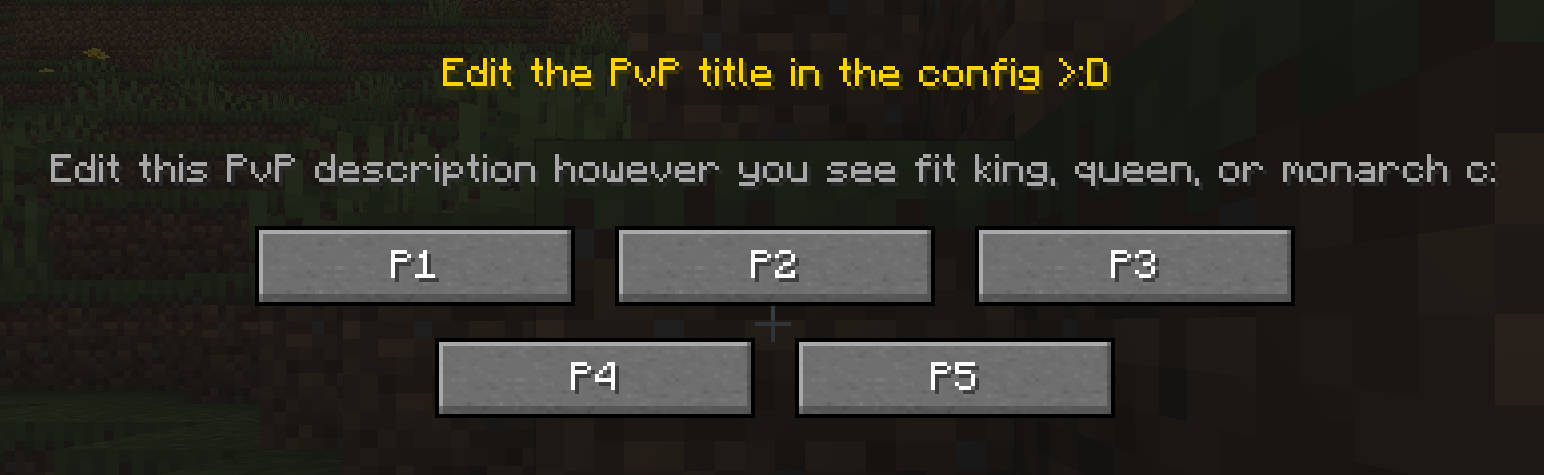
When a player joins the server for the first time, a selection screen appears. They choose their Rol tier and then their PvP tier. From that moment on, their prefix - for example [R2|P3] - is permanently visible in chat and above their head, with colors that reflect their tier level.
Admins can reassign, reset, recolor or clear the custom name of any player at any time using simple commands.
✦ Features
- Rol tiers — chosen by the player on first join
- PvP tiers — chosen by the player on first join
- Configurable tier count — set between 2 and 10 tiers independently for Rol and PvP
- Tier colors — each tier has its own configurable color
- Name color — admins can set a custom color for each player's name
- Custom display name — players can replace their username with a custom name
- Prefix in chat and nametag — always visible, always up to date
- First-join GUI — clean two-step selection screen, can't be skipped
- Admin commands — override, reset, recolor or clear any player's data at any time
- Config file — customize tier count, labels, GUI texts and colors via
prefixtag-server.toml - NBT persistence — all data survives restarts and reconnections
✦ Commands
<details> <summary>Spoiler</summary>
Admin — requires op level 2
| Command | What it does |
|---|---|
/tier setrol <player> <1-10> |
Set a player's Rol tier |
/tier setpvp <player> <1-10> |
Set a player's PvP tier |
/tier setcolor <player> <color> |
Set the color of a player's name |
/tier clearname <player> |
Remove a player's custom display name |
/tier online <player> <true|false> |
Toggle the online indicator (●) on a player's prefix |
/tier check <player> |
View a player's current prefix and display name |
/tier reset <player> |
Reset a player's tiers — they'll see the GUI on next login |
Player — no permissions required
| Command | What it does |
|---|---|
/tierself setname <name> |
Set a custom display name (no color codes allowed) |
/tierself clearname |
Remove your custom display name |
</details>
Available colors: black, dark_blue, dark_green, dark_aqua, dark_red, dark_purple, gold, gray, dark_gray, blue, green, aqua, red, light_purple, yellow, white
✦ Configuration
On first launch, PrefixTag generates a prefixtag-server.toml file in the world/serverconfig folder where you can customize:
- Number of active tiers for Rol and PvP independently (2–10)
- Tier labels (e.g. change
R1toNovice) - GUI titles and descriptions
- Tier colors for each level
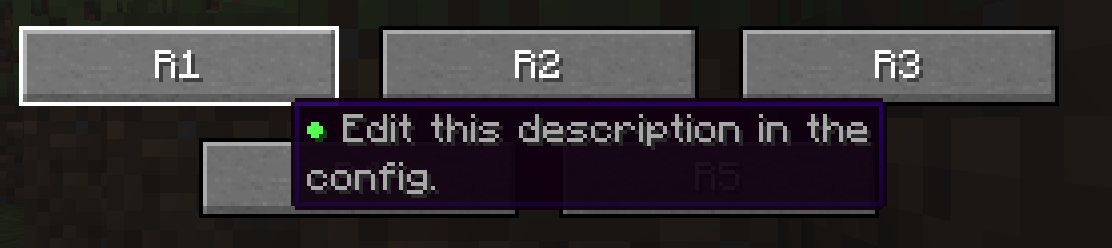
- Tier tooltips shown when hovering over each tier button
You are free to include this mod in any modpack

PrefixTag adds a dual tier system to your Minecraft server. Every player carries two independent ranks - one for Roleplay (R1–R5) and one for PvP (P1–P5) (or whatever u want xd) - always displayed as a combined prefix next to their name in chat and above their head in the world.
✦ How it works
When a player joins the server for the first time, a selection screen appears. They choose their Rol tier and then their PvP tier. From that moment on, their prefix - for example [R2|P3] - is permanently visible in chat and above their head, with colors that reflect their tier level.
Admins can reassign, reset, recolor or clear the custom name of any player at any time using simple commands.
✦ Features
- Rol tiers — chosen by the player on first join
- PvP tiers — chosen by the player on first join
- Configurable tier count — set between 2 and 10 tiers independently for Rol and PvP
- Tier colors — each tier has its own configurable color
- Name color — admins can set a custom color for each player's name
- Custom display name — players can replace their username with a custom name
- Prefix in chat and nametag — always visible, always up to date
- First-join GUI — clean two-step selection screen, can't be skipped
- Admin commands — override, reset, recolor or clear any player's data at any time
- Config file — customize tier count, labels, GUI texts and colors via
prefixtag-server.toml - NBT persistence — all data survives restarts and reconnections
✦ Commands
Spoiler
Admin — requires op level 2
| Command | What it does |
|---|---|
/tier setrol <player> <1-10> |
Set a player's Rol tier |
/tier setpvp <player> <1-10> |
Set a player's PvP tier |
/tier setcolor <player> <color> |
Set the color of a player's name |
/tier clearname <player> |
Remove a player's custom display name |
/tier online <player> <true|false> |
Toggle the online indicator (●) on a player's prefix |
/tier check <player> |
View a player's current prefix and display name |
/tier reset <player> |
Reset a player's tiers — they'll see the GUI on next login |
Player — no permissions required
| Command | What it does |
|---|---|
/tierself setname <name> |
Set a custom display name (no color codes allowed) |
/tierself clearname |
Remove your custom display name |
Available colors: black, dark_blue, dark_green, dark_aqua, dark_red, dark_purple, gold, gray, dark_gray, blue, green, aqua, red, light_purple, yellow, white
✦ Configuration
On first launch, PrefixTag generates a prefixtag-server.toml file in the world/serverconfig folder where you can customize:
- Number of active tiers for Rol and PvP independently (2–10)
- Tier labels (e.g. change
R1toNovice) - GUI titles and descriptions
- Tier colors for each level
- Tier tooltips shown when hovering over each tier button
You are free to include this mod in any modpack
Screenshots
Gallery
-
 Tier + Change name
 -
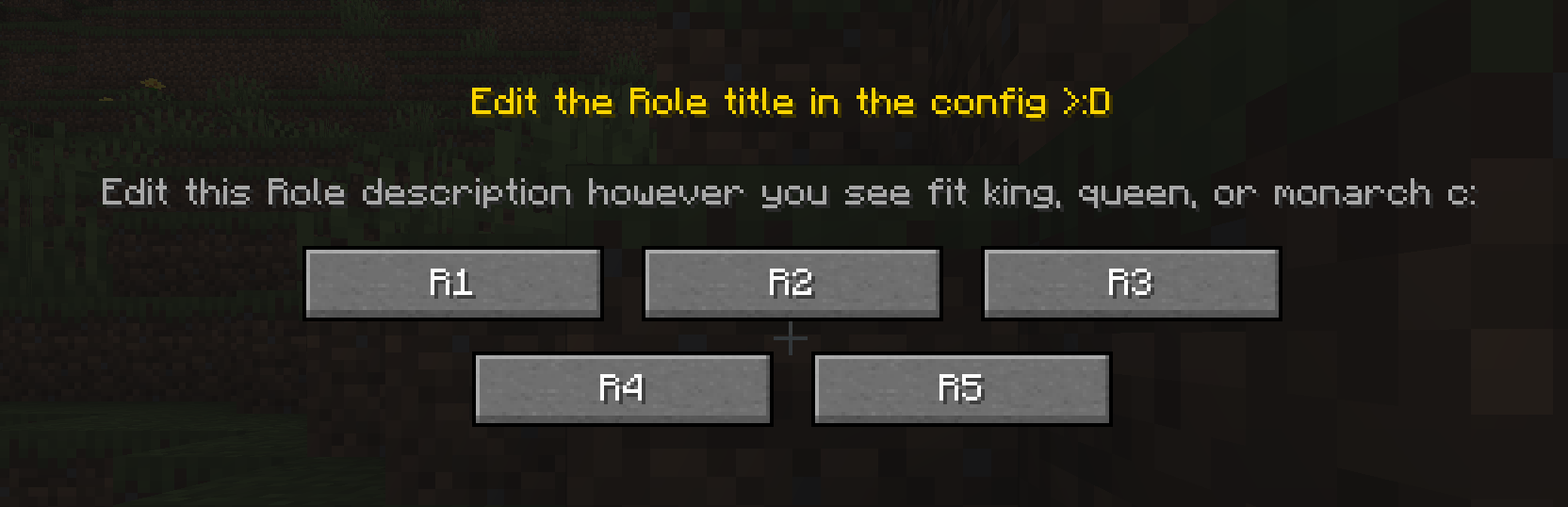 Select 1
 -
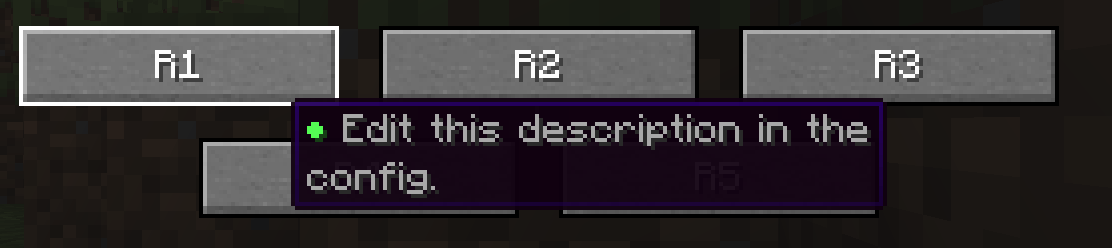 Hover
Hover -
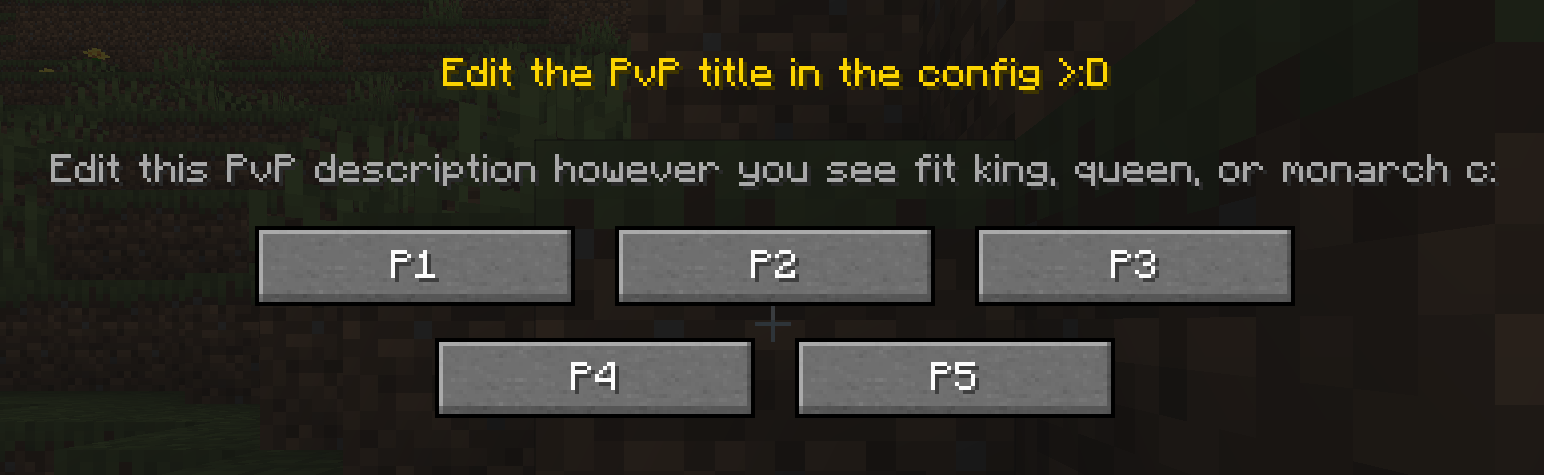 Select 2
 -
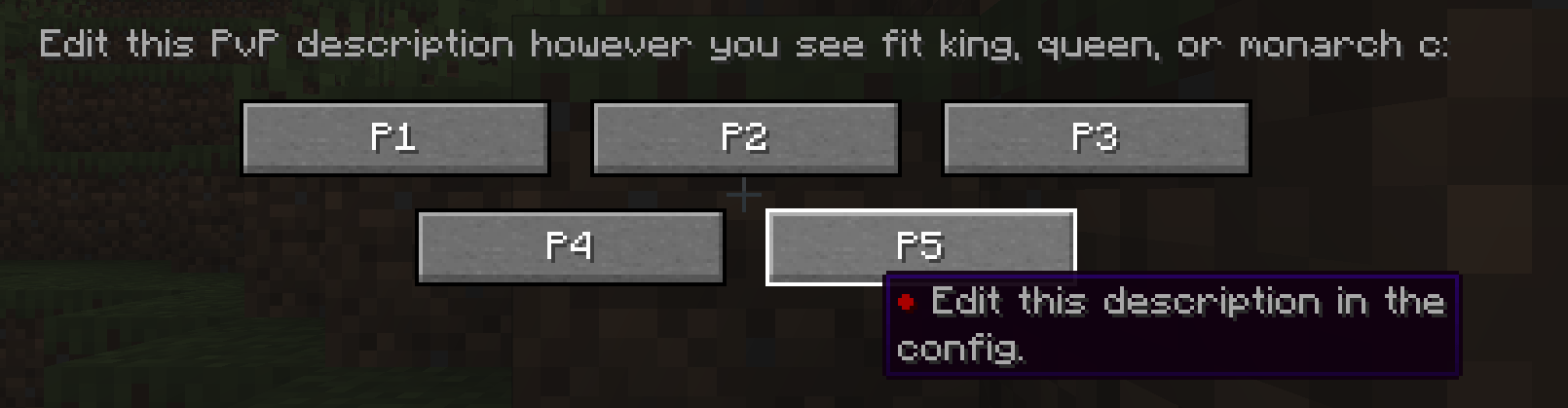 Hover 2
 -
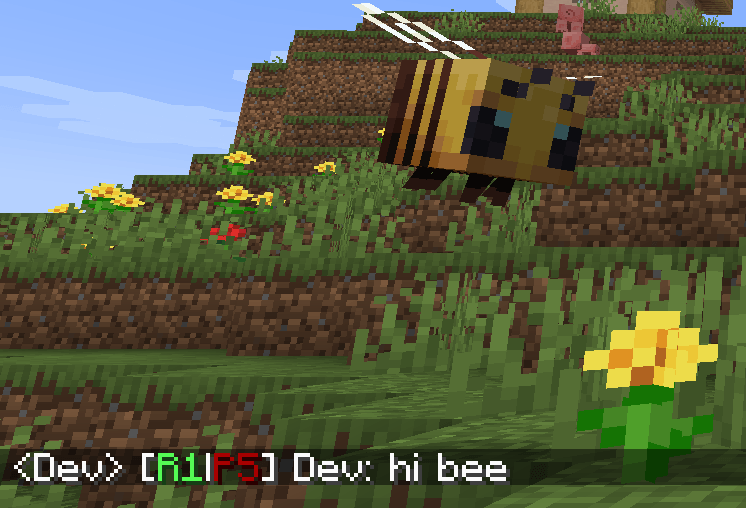 Hi bee <3
 -
 Command.jpeg Command.jpeg
 -
 hello!!.jpeg hello!!.jpeg
-
-
 Tier + Change name
 -
-
-
-
-
 Hi bee
 -

-

Versions
Files
Relations
Project Relations
More like this
Similar Mods
Suggestions use data such as tags, dependencies, dependents, descriptions, titles, and more to rank how much they overlap with this mod.
On ModDex
Community snapshot
By the numbers
Statistics
Want to reach Minecraft players?
We're looking for a server hosting partner to feature here and other parts of the site. Interested? Send us a message!
Get in touchGet it on
Available Platforms
On ModDex
Community snapshot
By the numbers