Community listing page, reviews here may not be monitored by the author.
PrismCraft: Dyeable Blocks
 , The_Dungeon_Masters
- CsabbeszDeveloper
,
- Starmarine06Developer
,
- DogifiedV2Contributer
,
- PawsomeKatArtist
No reviews yet
A decoration mod with white basic blocks that can be dyed in every colour of the spectrum.
Community voices
Reviews
No reviews yet. Be the first to review this project!
Get it on
Available Platforms
Compatibility
Supported Environments
Must be installed on both the client and the server.
About
Project Details
For authors
Embed Badge
If you're the author of this project, you can embed a live badge anywhere that supports HTML or Markdown. It updates automatically whenever ratings change.
Use HTML for any page that supports it, or Markdown for README files and Markdown-based descriptions.
Identifiers
Platform IDs
Resources
External Links
About
Description
PrismCraft: Dyeable Blocks
Bring your Minecraft world to life with PrismCraft: Dyeable Blocks, the ultimate mod for unlimited color creativity! Transform ordinary blocks into a spectrum of vibrant hues and craft your own unique designs with ease. PrismCraft expands Minecraft’s dye system by allowing you to fully customize the colors of many vanilla blocks with precision, flexibility, and builder-friendly mechanics designed for large projects.
Features
White Dyeable Blocks – Craft special white versions of various vanilla blocks. Simply combine the original block with Titanium Dye (crafted from snowballs) to make it ready for dyeing.
Dye Mixer – Create the Dye Mixer by combining a Crafting Table with any dye. This workstation gives you full control over the dyeing process:
- Add dyes using the arrow buttons — order and number of selections matter
- Use Undo to remove the last added dye, or Reset to start over
- The dye process is saved inside the mixer until the block is dyed; to begin a new process or use a Dye Pattern, the mixer must be reset
- When satisfied, take out the block to confirm the result
- Only one of each selected dye is consumed, regardless of how many times it was added during setup
- Shift-click to dye up to a full stack instantly, still consuming only one dye per selected color
This intentionally low dye cost allows large building projects without resource grinding.
Locked Dyed Blocks:
- Once crafted, dyed blocks are locked and cannot be dyed further
- They can always be reset to their default white version using Titanium Dyeinside the Dye Mixer
- Tooltips display the hex colour code
Dye Pattern System (Custom Colors):
Create fully custom reusable colors using the Dye Pattern.
- Recipe: Dye + Paper + Stick
- Right-click to open a color selection UI
- Choose a color using the color bar and hue selector or enter an exact hex color code
- Place the Dye Pattern into the Dye Mixer to apply the saved color
- Saved colors will be shown in the color history (they are saved loacally)
- Favourite colors can be selected with the star icon and will always be disyplayed at the top
- History shows up to 20 (non favourite) colors with unlimited favourite slots
- The item is not consumed and can be reused infinitely
- Dye Patterns can also save colors sampled from existing dyed blocks and be edited anytime
- The Dye Pattern can be used as a brush to paint Prism Blocks by right-clicking.
- You can select a brush size (1–10, spherical) in the editor.
- When targeting Prism blocks, a preview overlay shows the affected area—blue if you have the required dyes, red if not; right-clicking while red lists missing dyes.
- Pick colour feature: middle-click a dyed Prism block with a Dye Pattern to apply its color to the Dye Pattern.
If the required dyes are not present in the Dye Mixer, a preview Dye Pattern will appear in the result slot showing the dyes required (displayed in the tooltip), helping you quickly prepare the correct materials.
Creative Command Support:
Supports WorldEdit and Minecraft commands (like fill, replace, setblock, etc.). Examples:
- //replace grass_block prismcraft:prism_concrete{Color:"#FF0000"}
- /setblock <position> <blockName>{Color:"#FF0000"}
- /setblock ~ ~ ~ prism_stone{Color:"#FF0000"}
Expandable & Versatile – Perfect for builders, decorators, and creative minds. New blocks and items can be added seamlessly in future updates.
Fully Compatible – Works with vanilla blocks and is designed to integrate smoothly into your existing world.
Why PrismCraft?
PrismCraft puts the power of color in your hands. Whether you’re designing interiors, pixel art, or massive builds, this mod lets you express your creativity like never before. Every block becomes your canvas, and every combination opens up endless possibilities. Perfect for Builders, decorators, and modpack creators who want more expressive blocks, consistent color palettes, and full control over their builds.
Unleash the full spectrum and start crafting your colorful world today!
PrismCraft: Dyeable Blocks
Bring your Minecraft world to life with PrismCraft: Dyeable Blocks, the ultimate mod for unlimited color creativity! Transform ordinary blocks into a spectrum of vibrant hues and craft your own unique designs with ease. PrismCraft expands Minecraft’s dye system by allowing you to fully customize the colors of many vanilla blocks with precision, flexibility, and builder-friendly mechanics designed for large projects.
Features
White Dyeable Blocks – Craft special white versions of various vanilla blocks. Simply combine the original block with Titanium Dye (crafted from snowballs) to make it ready for dyeing.
Dye Mixer – Create the Dye Mixer by combining a Crafting Table with any dye. This workstation gives you full control over the dyeing process:
- Add dyes using the arrow buttons — order and number of selections matter
- Use Undo to remove the last added dye, or Reset to start over
- The dye process is saved inside the mixer until the block is dyed; to begin a new process or use a Dye Pattern, the mixer must be reset
- When satisfied, take out the block to confirm the result
- Only one of each selected dye is consumed, regardless of how many times it was added during setup
- Shift-click to dye up to a full stack instantly, still consuming only one dye per selected color
This intentionally low dye cost allows large building projects without resource grinding.
Locked Dyed Blocks:
- Once crafted, dyed blocks are locked and cannot be dyed further
- They can always be reset to their default white version using Titanium Dyeinside the Dye Mixer
- Tooltips display the hex colour code
Dye Pattern System (Custom Colors):
Create fully custom reusable colors using the Dye Pattern.
- Recipe: Dye + Paper + Stick
- Right-click to open a color selection UI
- Choose a color using the color bar and hue selector or enter an exact hex color code
- Place the Dye Pattern into the Dye Mixer to apply the saved color
- Saved colors will be shown in the color history (they are saved loacally)
- Favourite colors can be selected with the star icon and will always be disyplayed at the top
- History shows up to 20 (non favourite) colors with unlimited favourite slots
- The item is not consumed and can be reused infinitely
- Dye Patterns can also save colors sampled from existing dyed blocks and be edited anytime
- The Dye Pattern can be used as a brush to paint Prism Blocks by right-clicking.
- You can select a brush size (1–10, spherical) in the editor.
- When targeting Prism blocks, a preview overlay shows the affected area—blue if you have the required dyes, red if not; right-clicking while red lists missing dyes.
- Pick colour feature: middle-click a dyed Prism block with a Dye Pattern to apply its color to the Dye Pattern.
If the required dyes are not present in the Dye Mixer, a preview Dye Pattern will appear in the result slot showing the dyes required (displayed in the tooltip), helping you quickly prepare the correct materials.
Creative Command Support:
Supports WorldEdit and Minecraft commands (like fill, replace, setblock, etc.). Examples:
- //replace grass_block prismcraft:prism_concrete{Color:"#FF0000"}
- /setblock <blockName>{Color:"#FF0000"}
- /setblock ~ ~ ~ prism_stone{Color:"#FF0000"}
Expandable & Versatile – Perfect for builders, decorators, and creative minds. New blocks and items can be added seamlessly in future updates.
Fully Compatible – Works with vanilla blocks and is designed to integrate smoothly into your existing world.
Why PrismCraft?
PrismCraft puts the power of color in your hands. Whether you’re designing interiors, pixel art, or massive builds, this mod lets you express your creativity like never before. Every block becomes your canvas, and every combination opens up endless possibilities. Perfect for Builders, decorators, and modpack creators who want more expressive blocks, consistent color palettes, and full control over their builds.
Unleash the full spectrum and start crafting your colorful world today!
Screenshots
Gallery
-
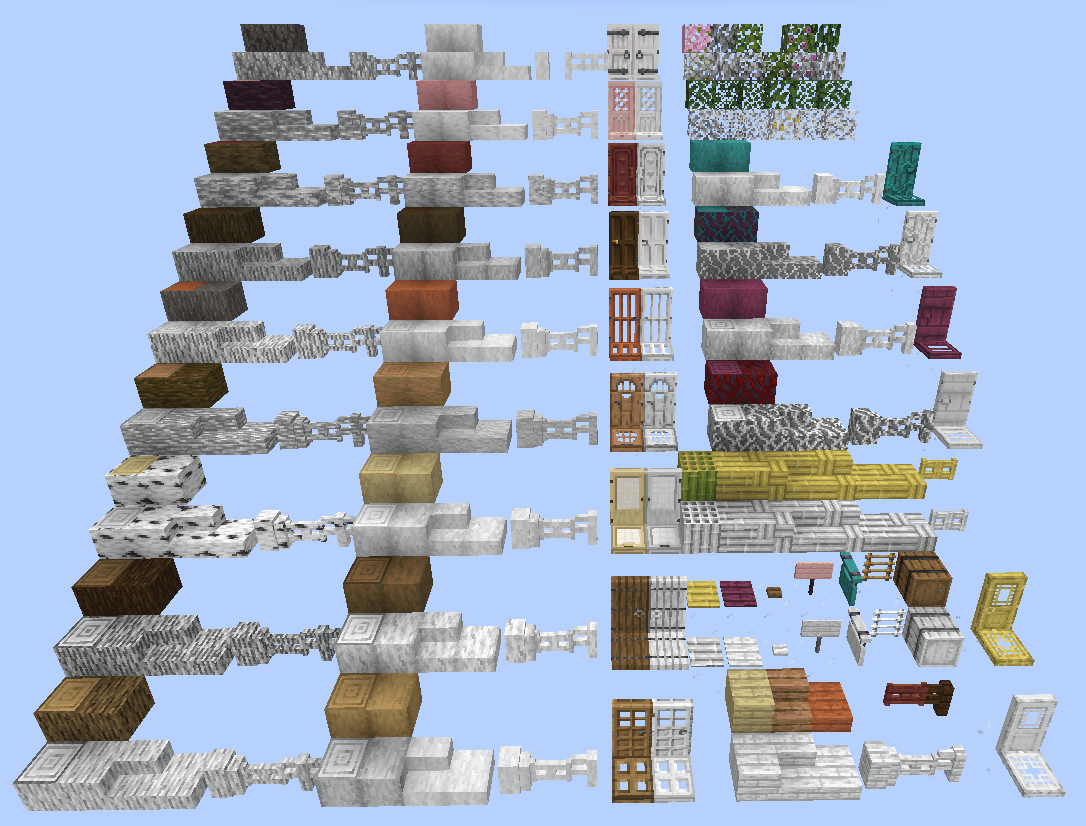 Dyeable Blocks 1 All the white Prism Blocks that are currently added with more to come. (Part 1)
 -
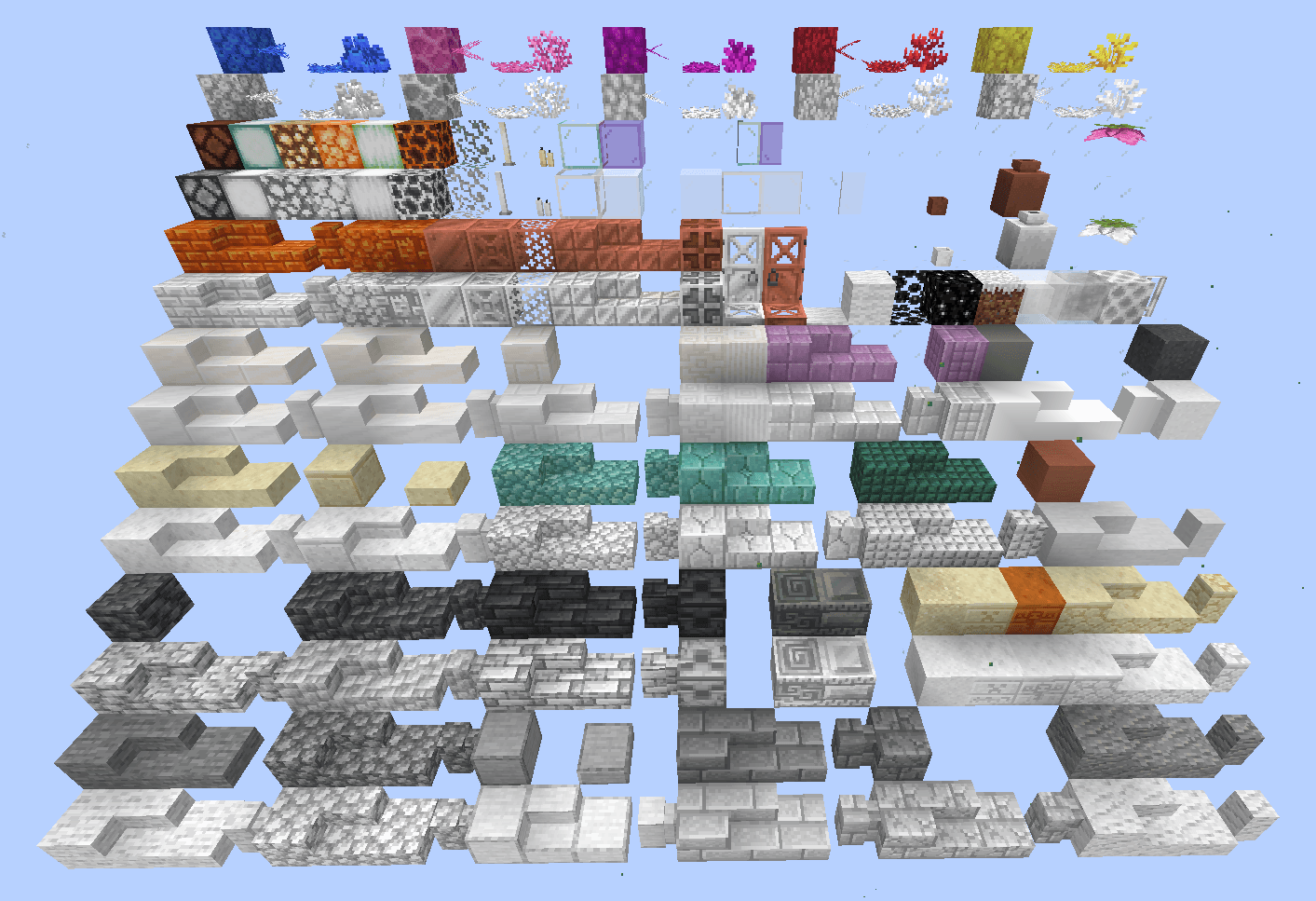 Dyeable Blocks 2 All the white Prism Blocks that are currently added with more to come. (Part 2)
 -
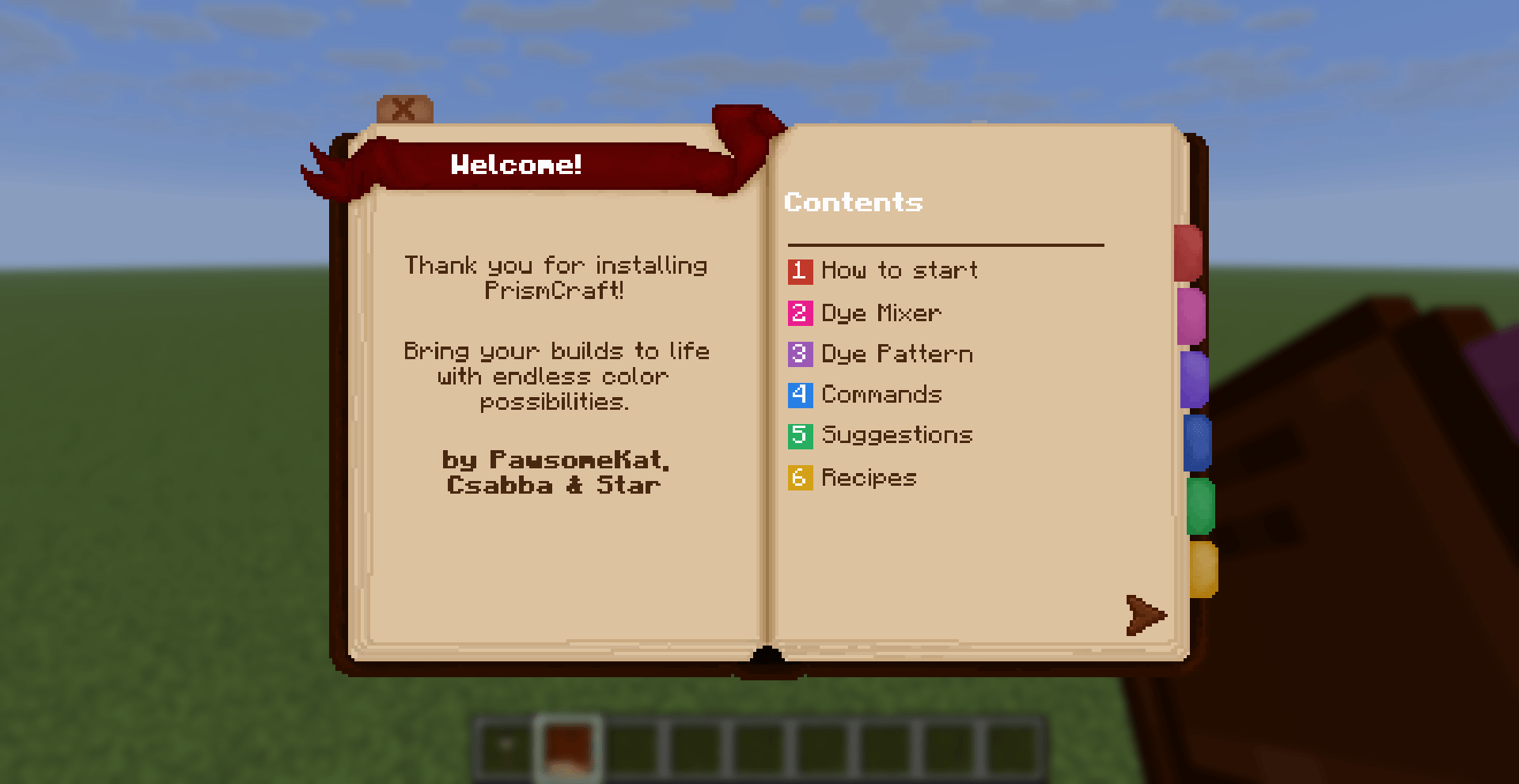 Guidebook Our Guidebook where we explain the basic functions to get you started!
 -
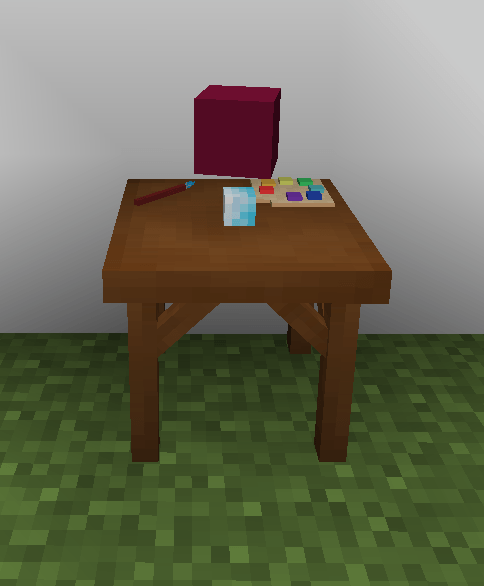 Dye Mixer Workstation The Dye Mixer will render the block that is currently in the workstation.
 -
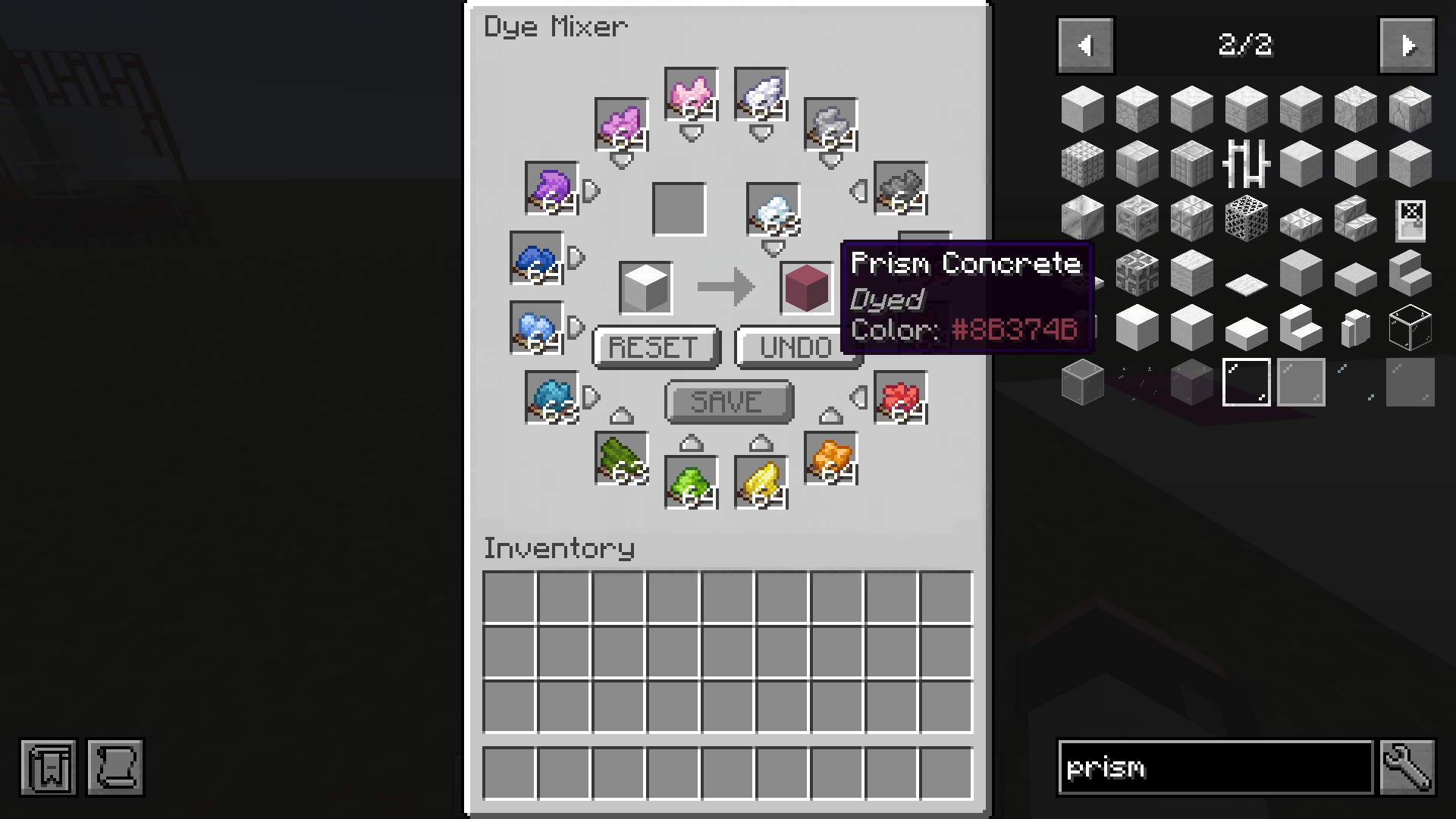 Dye Mixer UI All the dyes can be stored here (up to 1 stack per colour) and used for dyeing. Blocks will then have the Hex code of the color in the tool tip.
 -
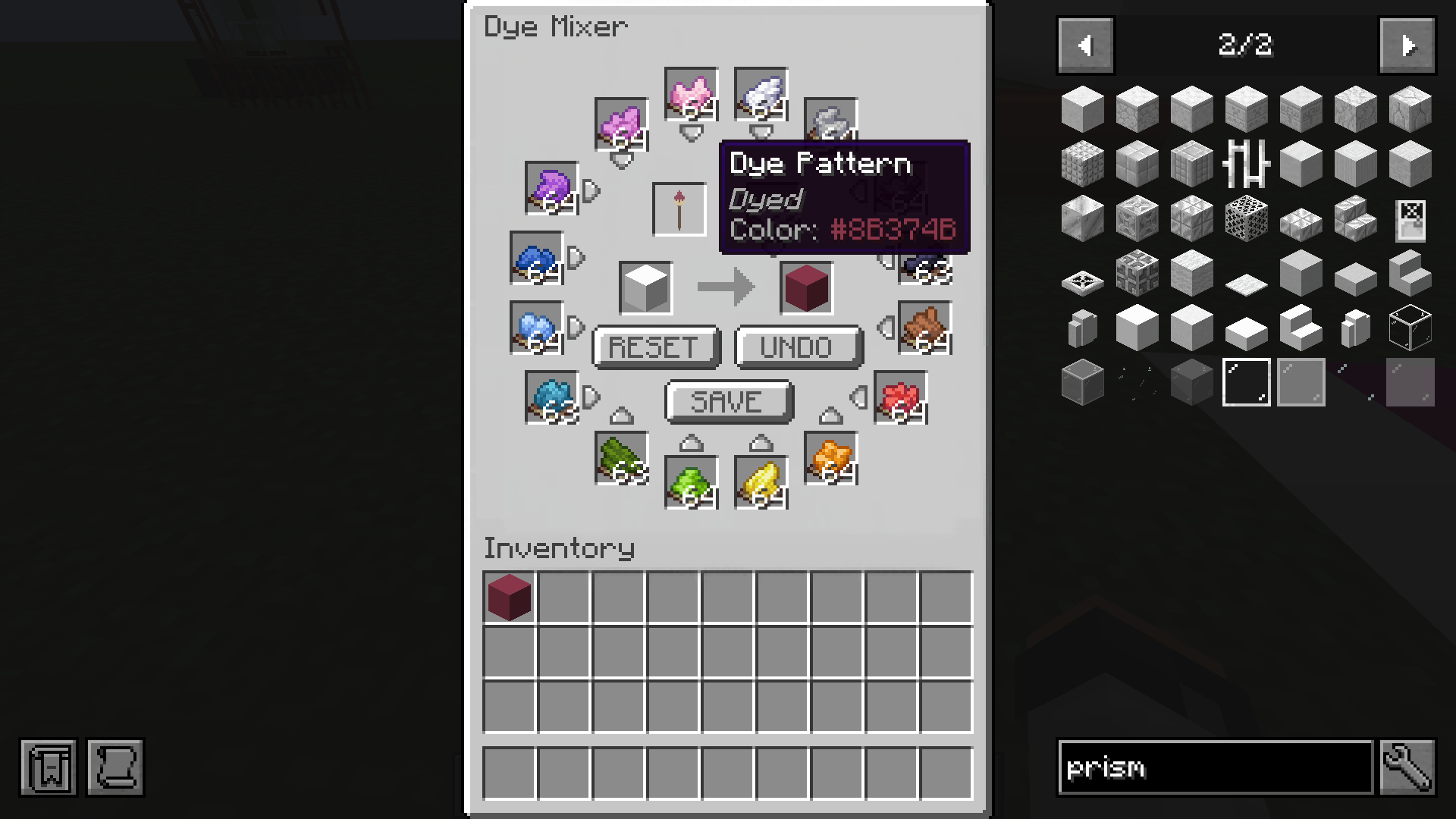 Dye Pattern Use a dyed block to save the color to the Dye Pattern brush, this can be then used to bulk craft the same color (up to a stack each time) without having to manually add the dyes one by one.
 -
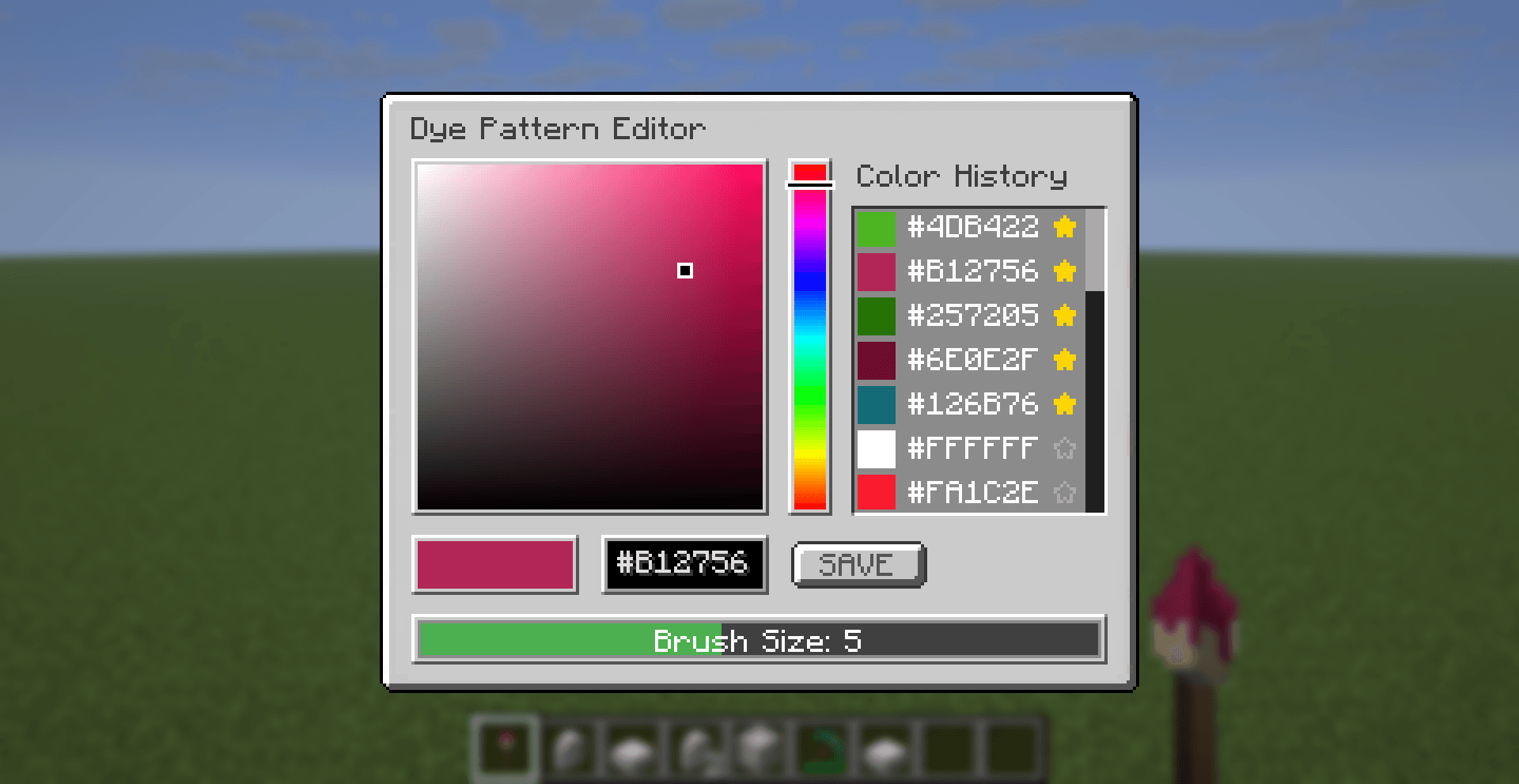 Dye Pattern Editor Pick a color by typing in the Hex code or using the hue selector and color bar. Saved colors will be shown in the color history,favourite colors can be selected with the star icon and will always be disyplayed at the top. Select a brush size here.
 -
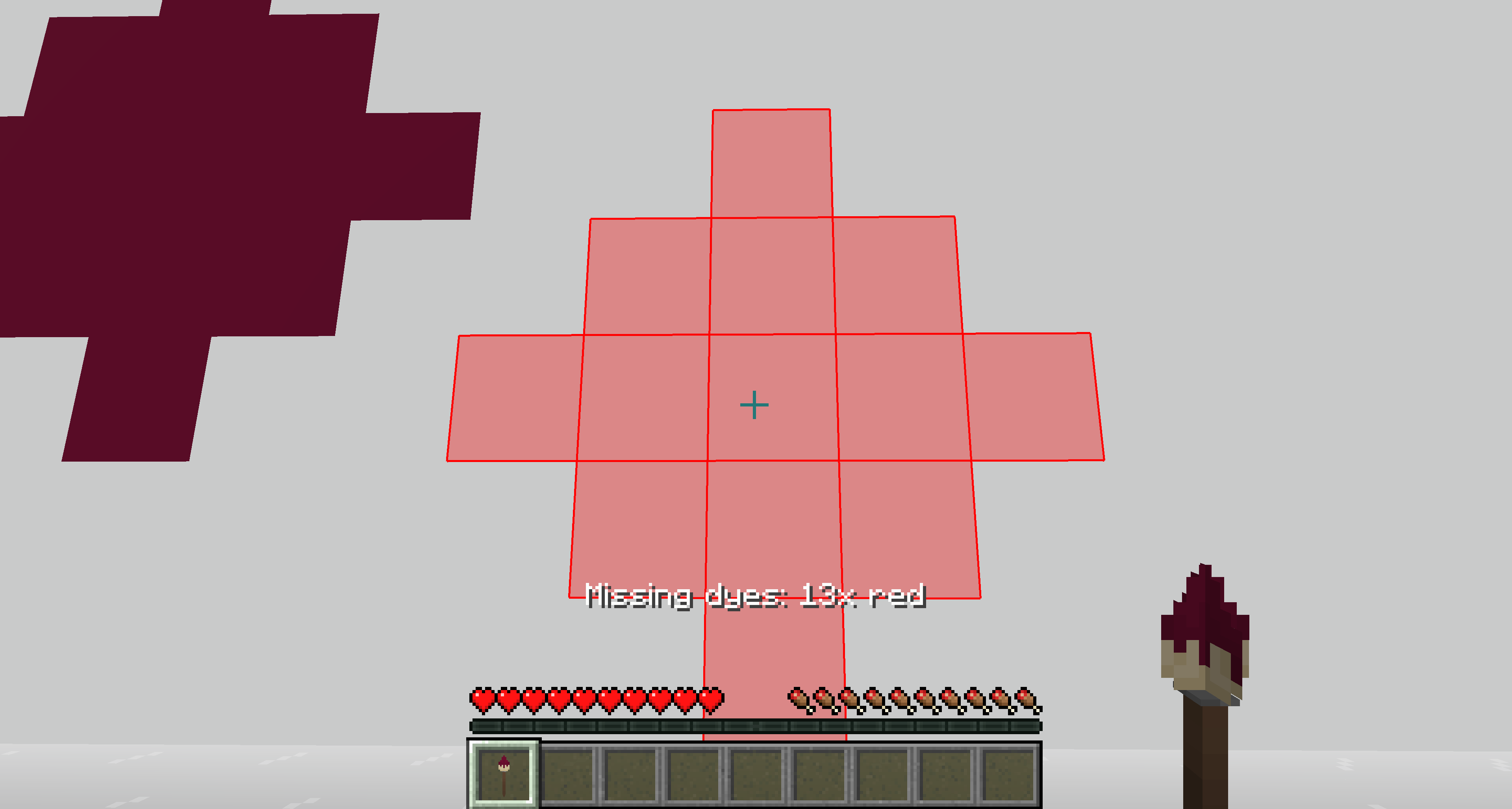 Dye Pattern Brush Overlay Brush Overlay will show the area the dye will apply; red overlay will show if dyes are missing (Survival only).
 -
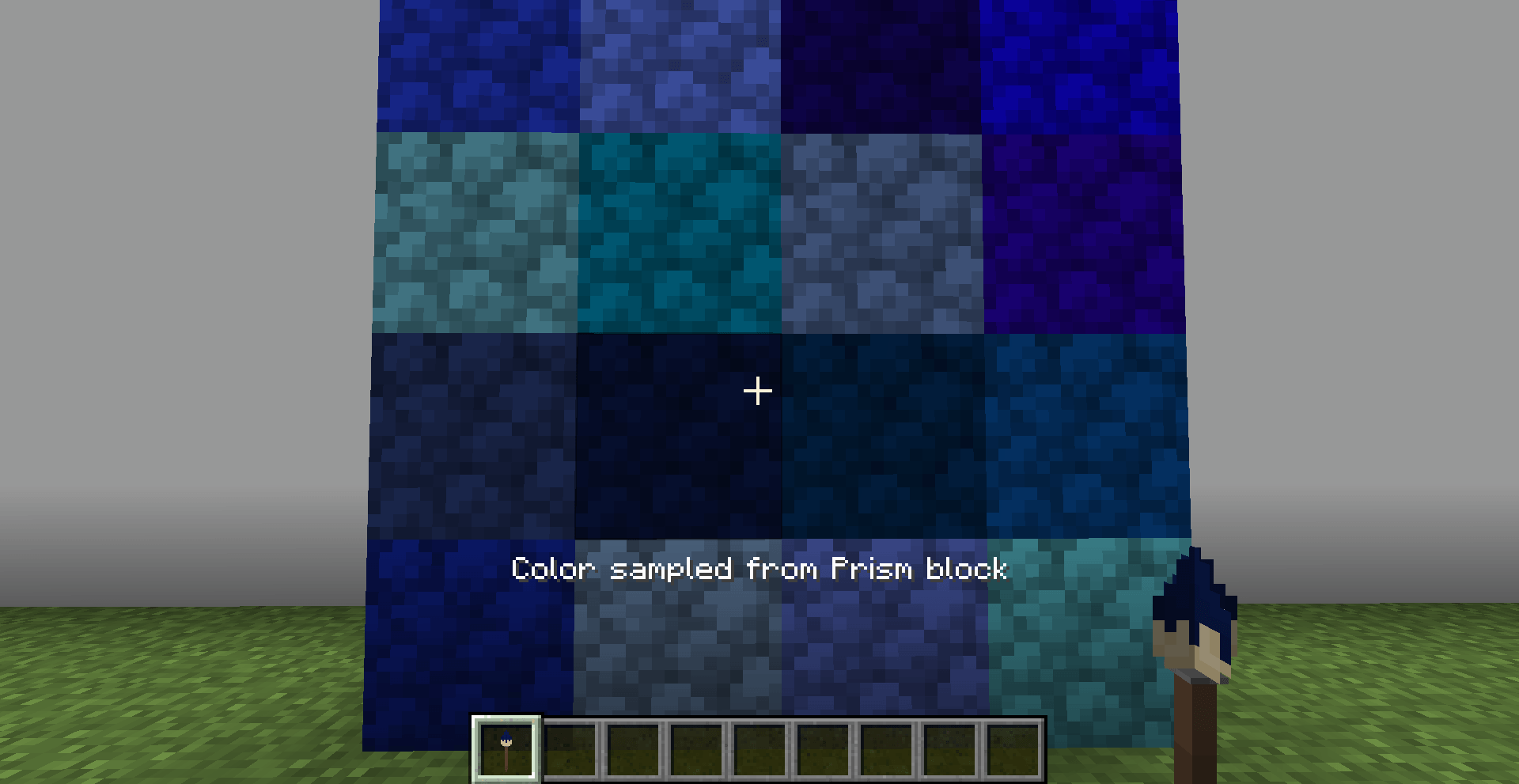 Pick Color Pick up a color of dyed Prism Blocks in your world by using the middle mouse button while holding the Dye Pattern.
 -
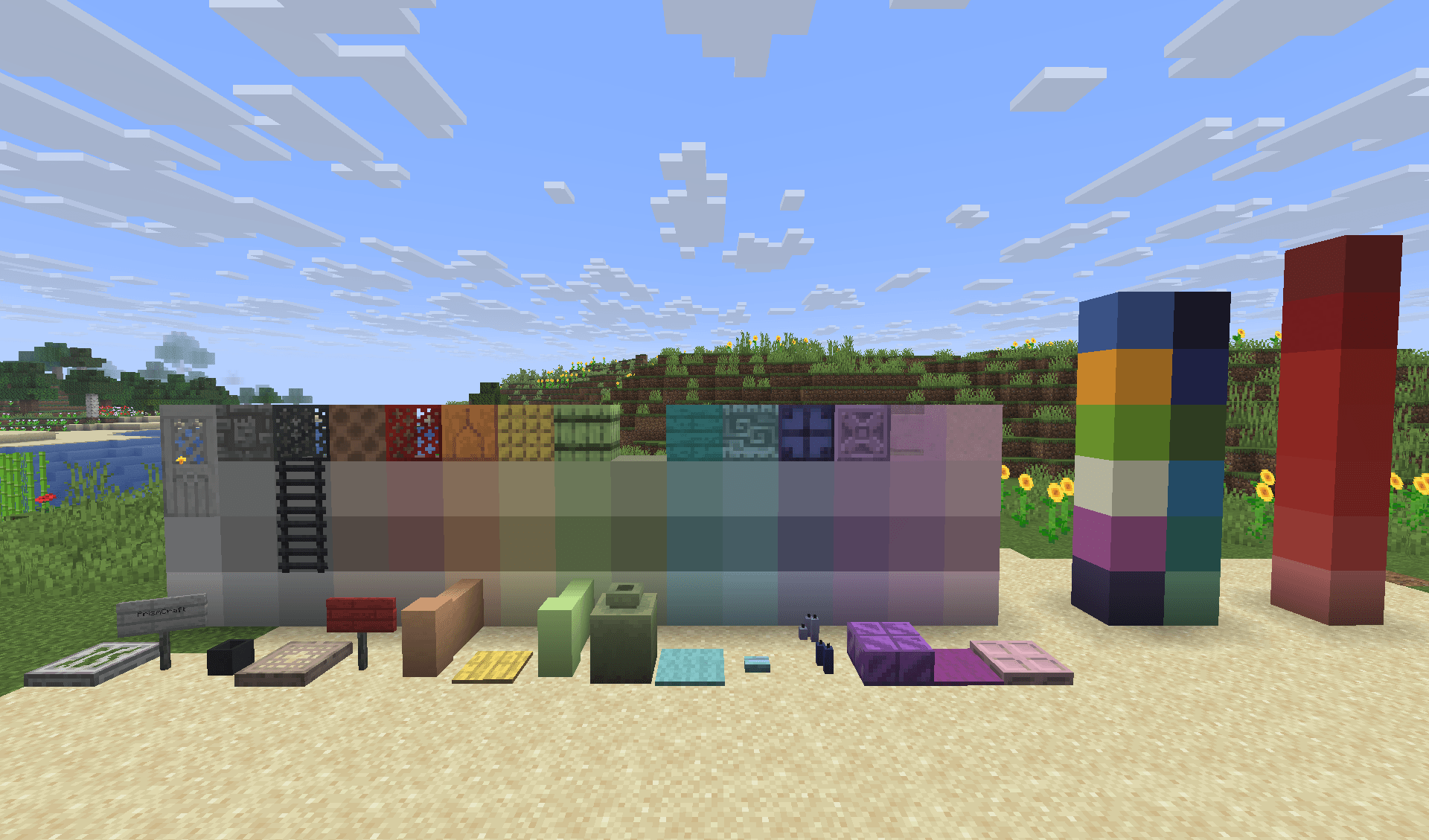 Dyed Blocks A few examples of dyed blocks in various colours.
 -
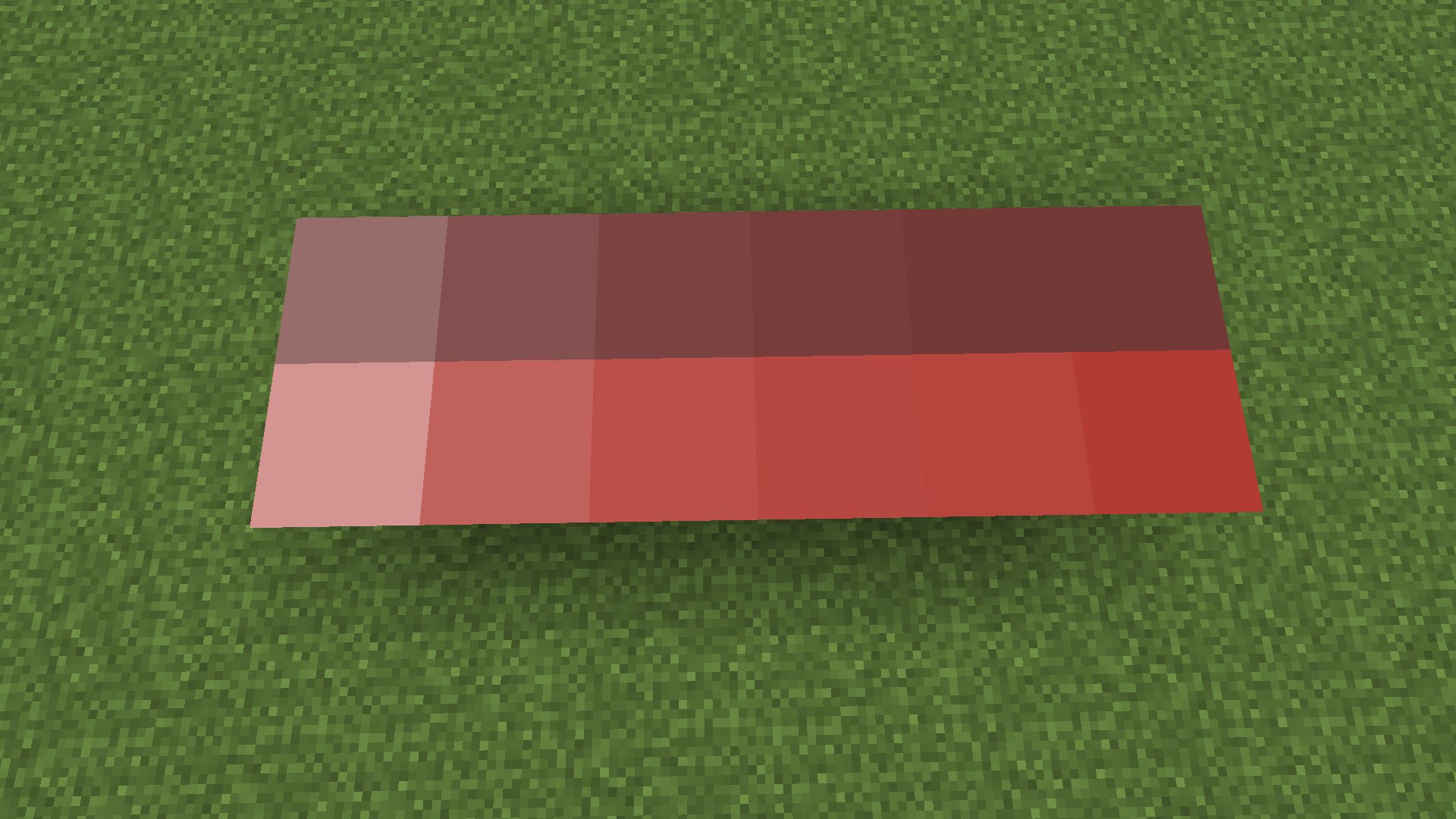 Gradients Make perfect gradients for your builds, perfect for pixel art or structures.
 -
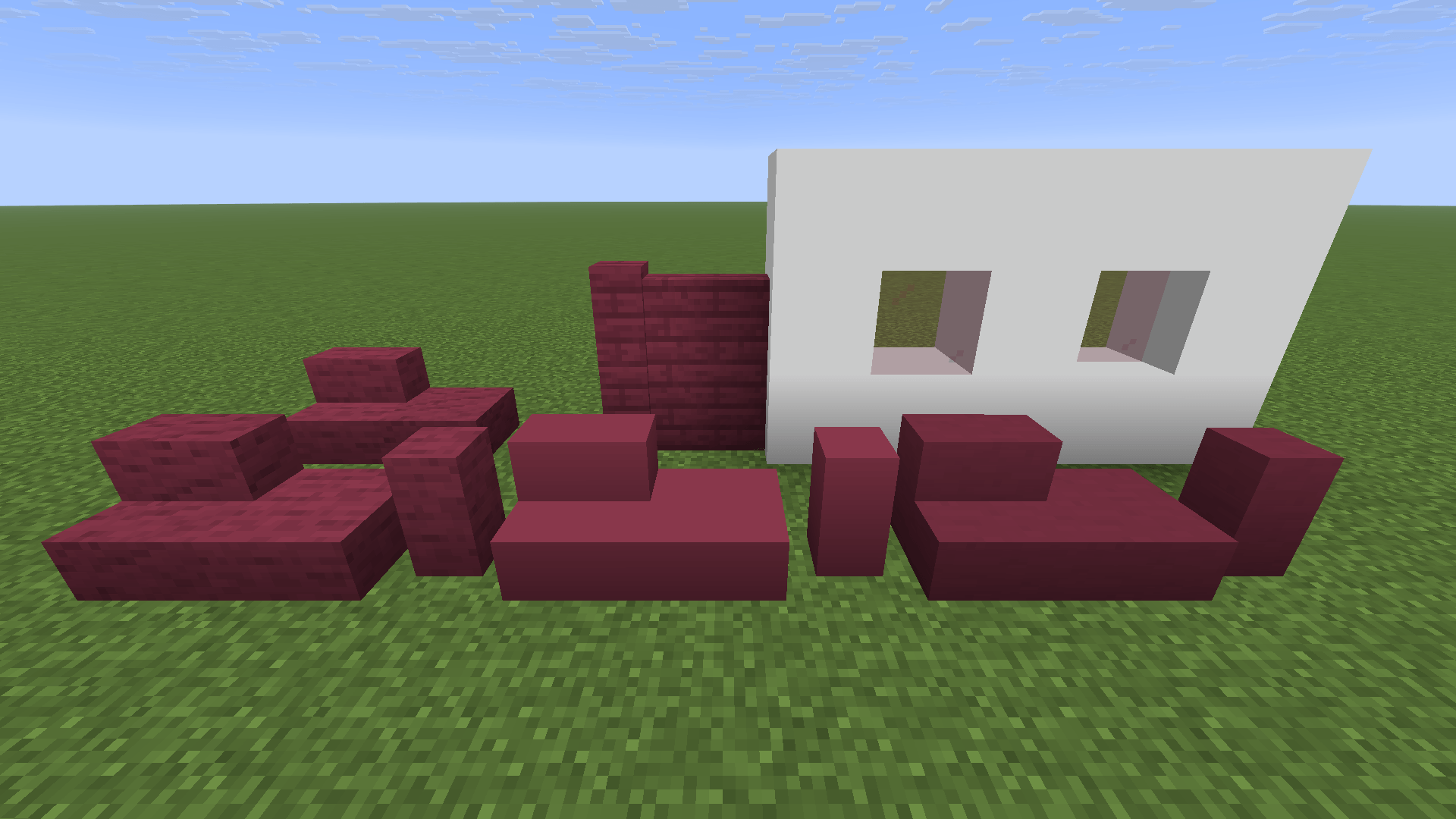 Vanilla+ Blocks Frameless Glass; Plank Walls; Stairs, Slabs and Walls for Blocks like Concrete, Teracotta etc.
 -
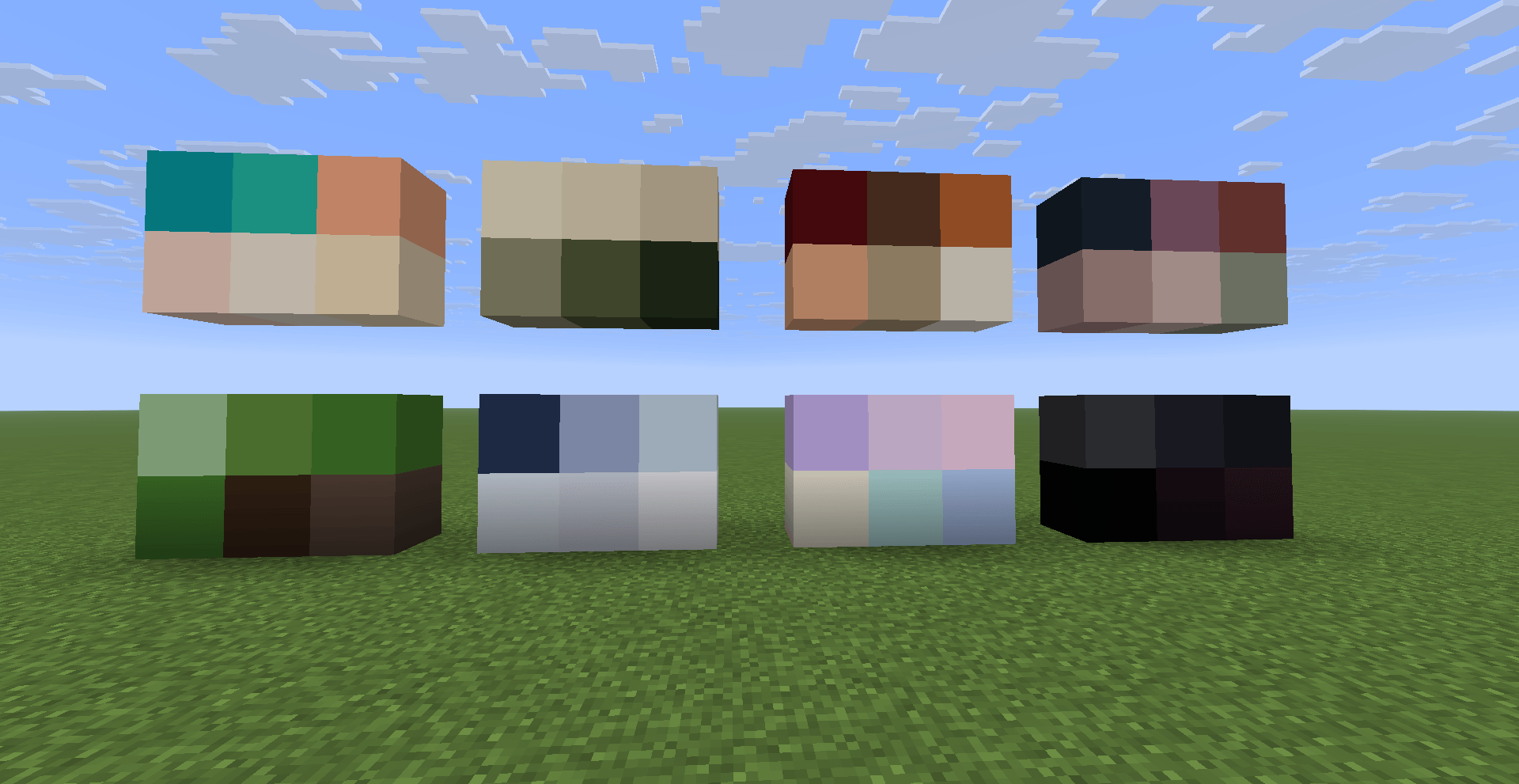 Color Palette Suggestions Try out the color palettes from the Guidebook, just click on the hex code to copy the color and then paste it into the Dye Pattern Editor.
 -
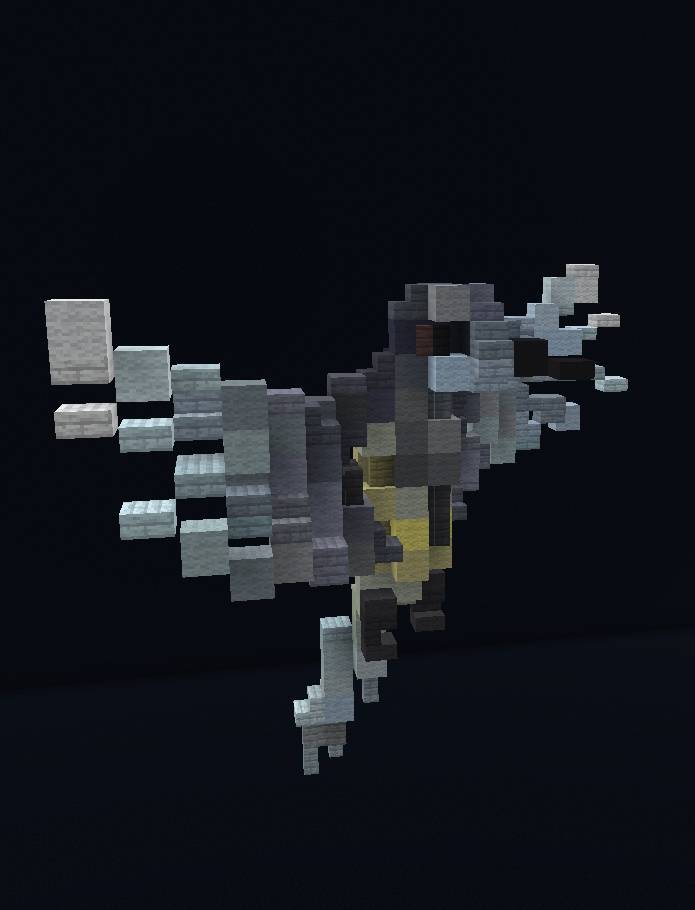 Example Build A beautiful bird made by our Builder Huabun.
 -
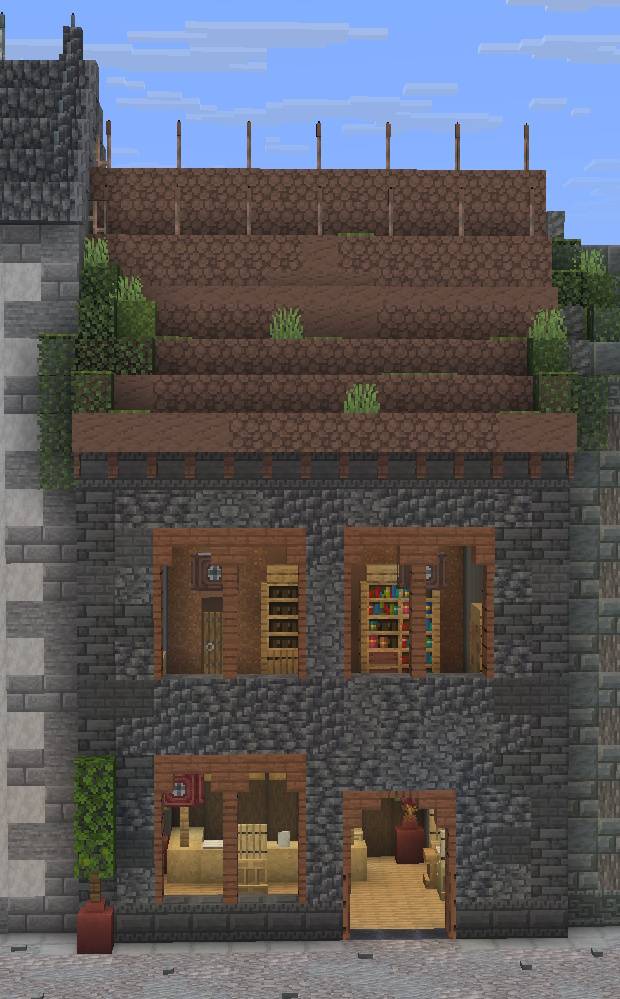 Example Build A nice townhouse made by our Builder Huabun.
 -
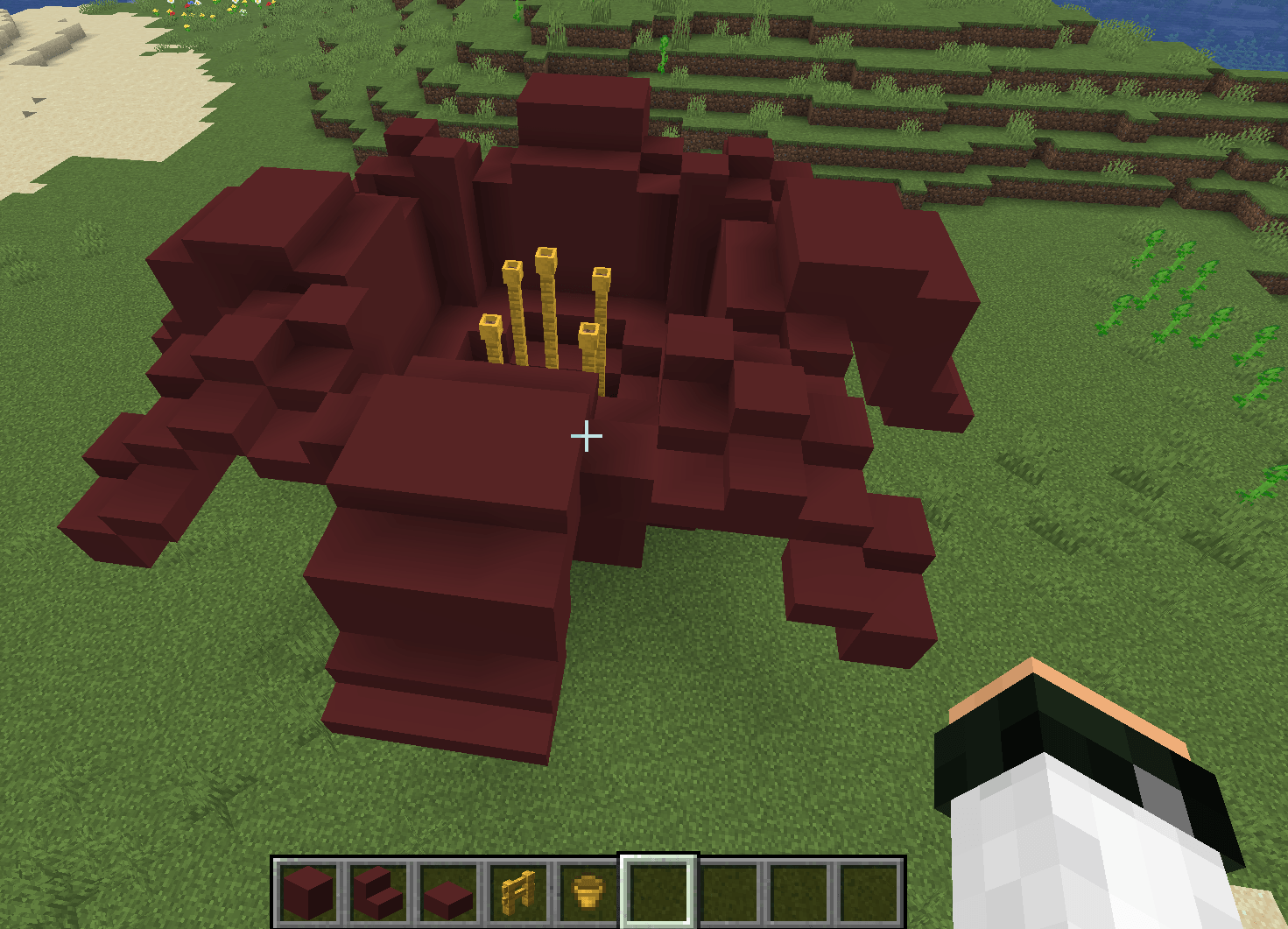 Example Build Beautiful flower made with concrete, fences and flower pots.
-
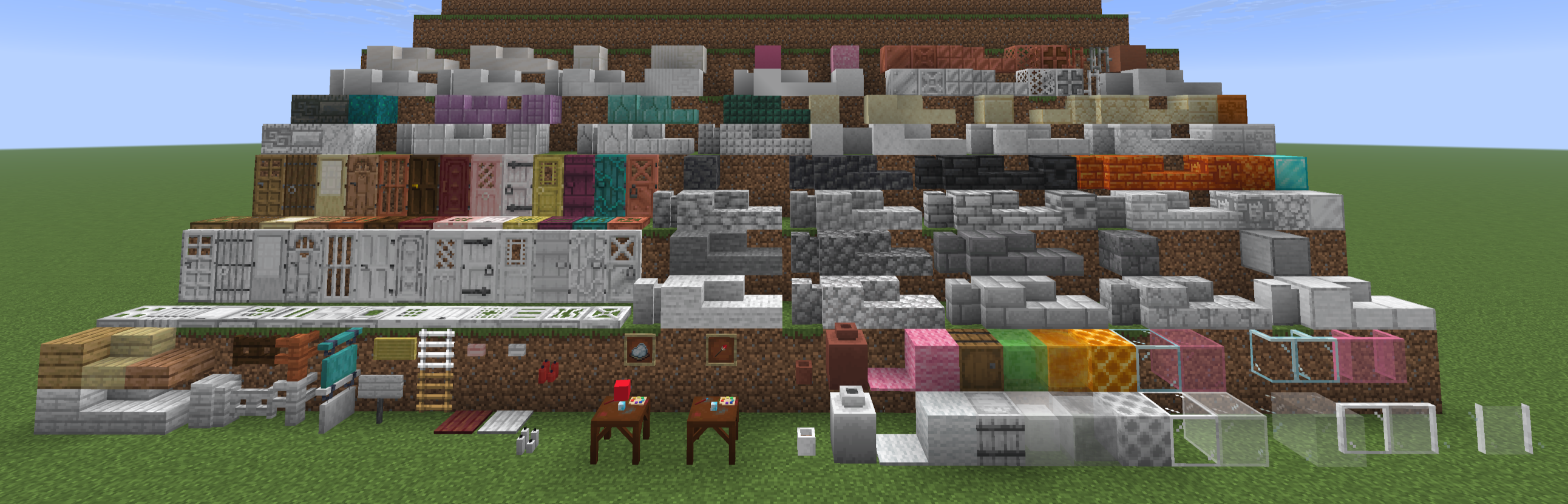 Dyeable Blocks All the white Prism Blocks that are currently added with more to come.
 -
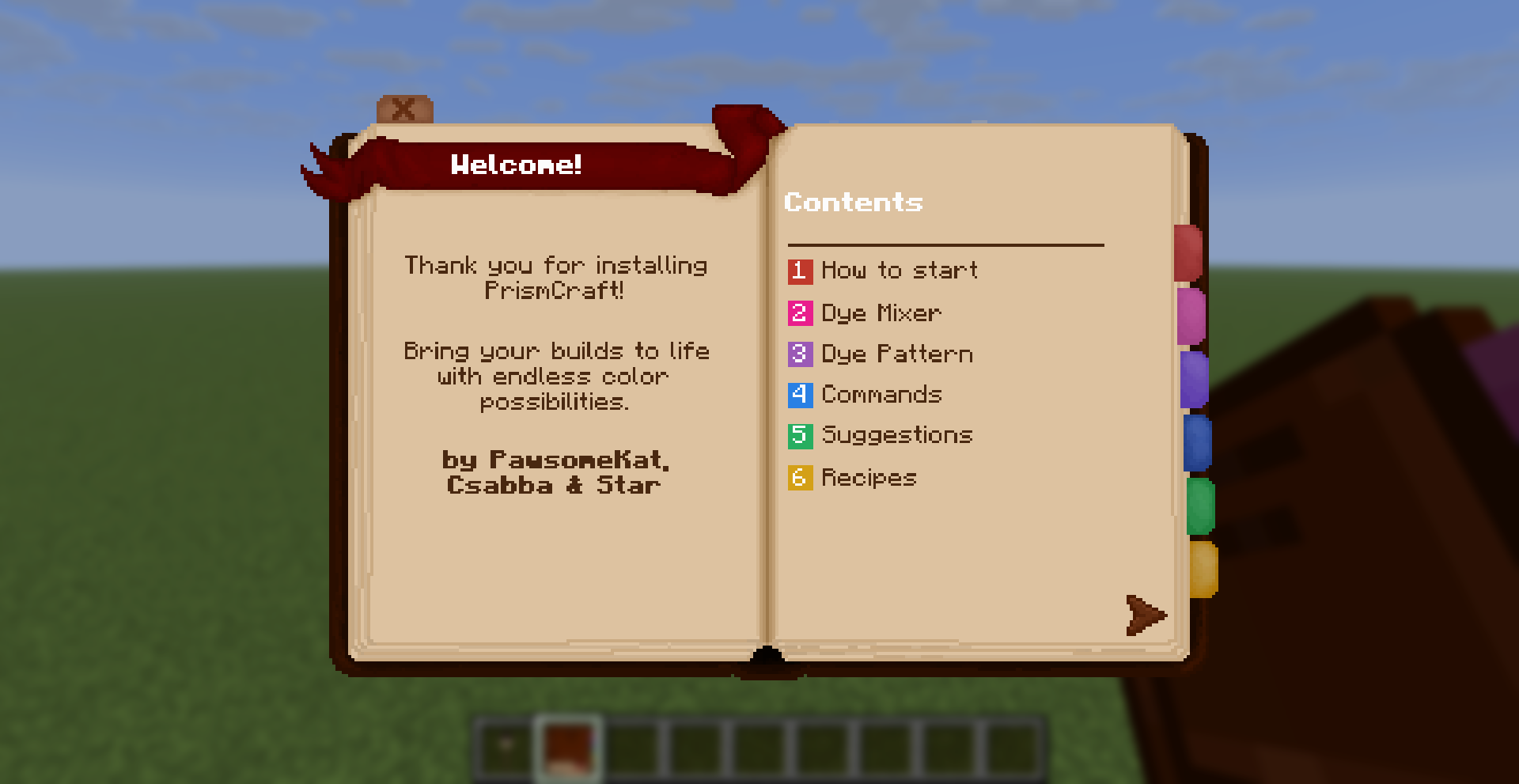 Guidebook Our Guidebook where we explain the basic functions to get you started!
 -
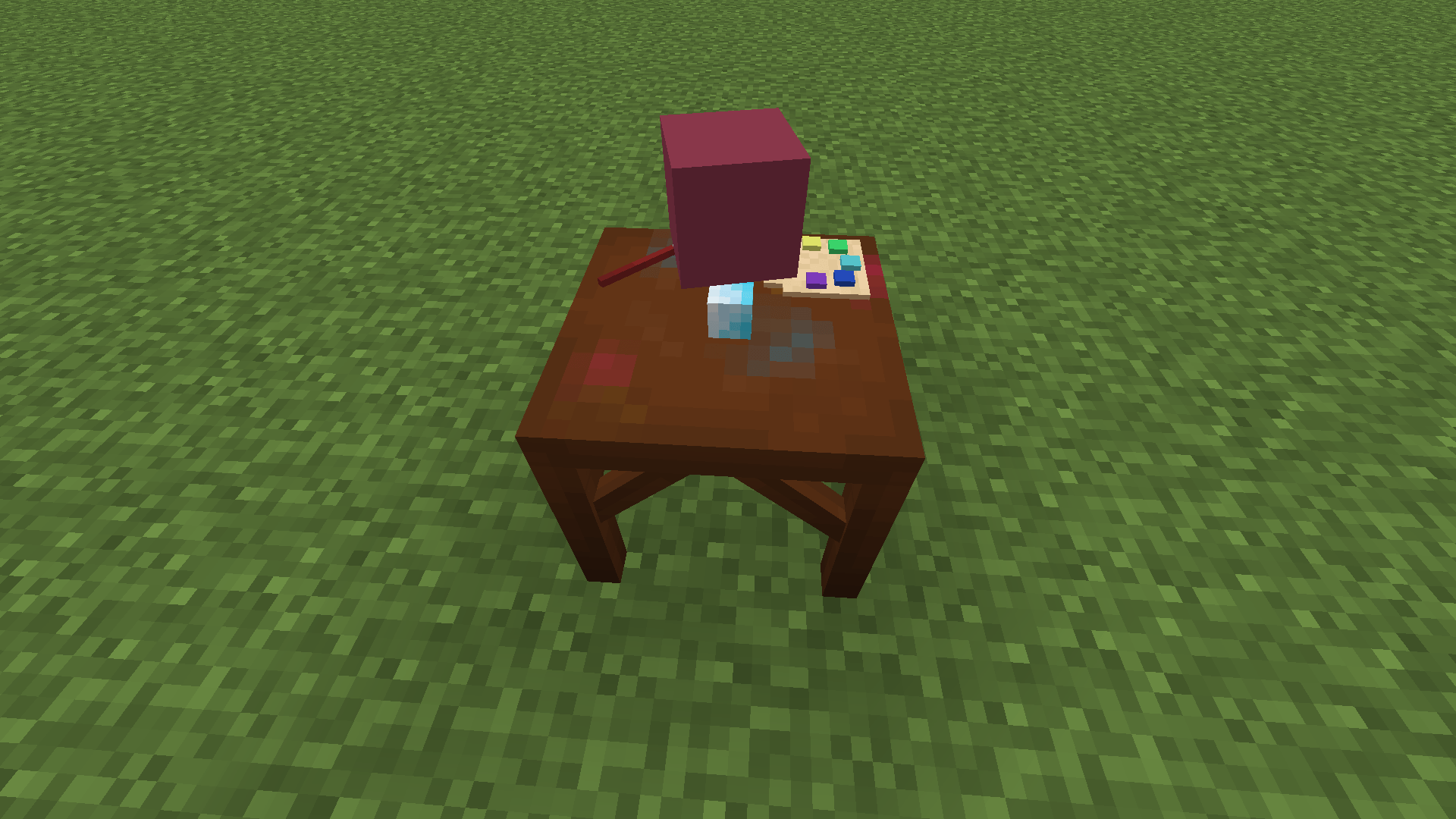 Dye Mixer Workstation The Dye Mixer will render the block that is currently in the workstation.
 -
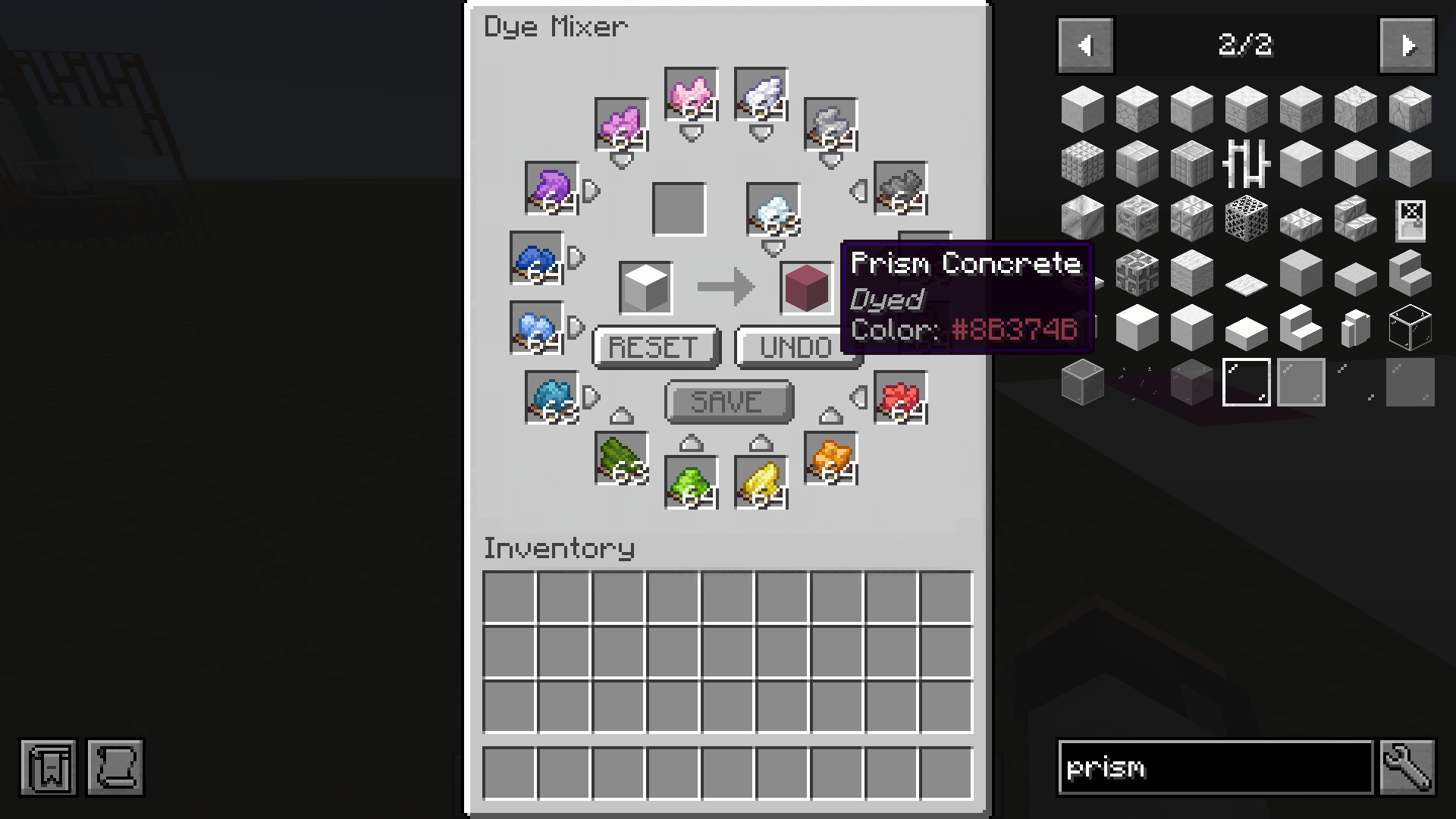 Dye Mixer UI All the dyes can be stored here (up to 1 stack per colour) and used for dyeing. Blocks will then have the Hex code of the color in the tool tip.
 -
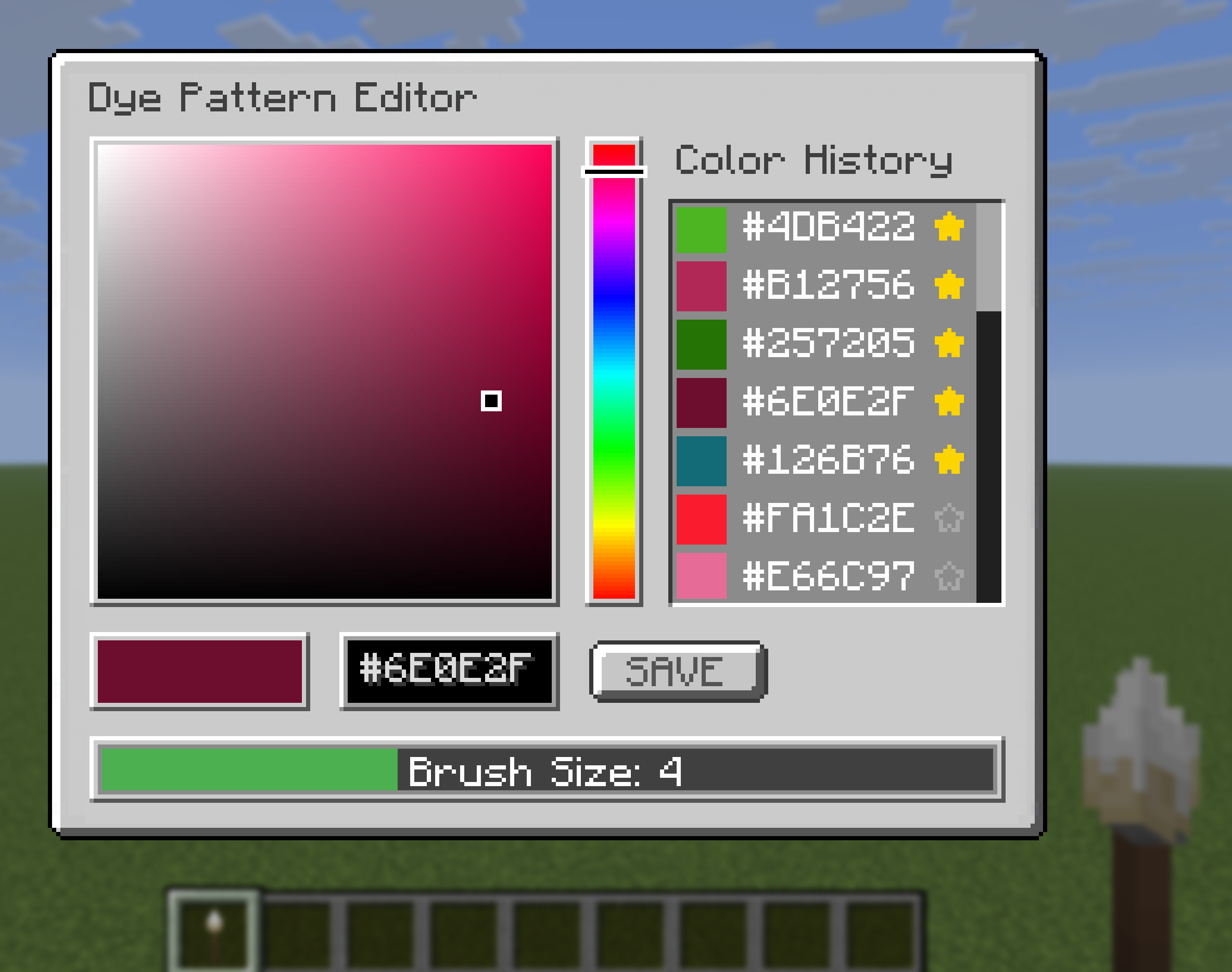 Dye Pattern Editor Pick a color by typing in the Hex code or using the hue selector and color bar. Saved colors will be shown in the color history,favourite colors can be selected with the star icon and will always be disyplayed at the top. Select a brush size here.
 -
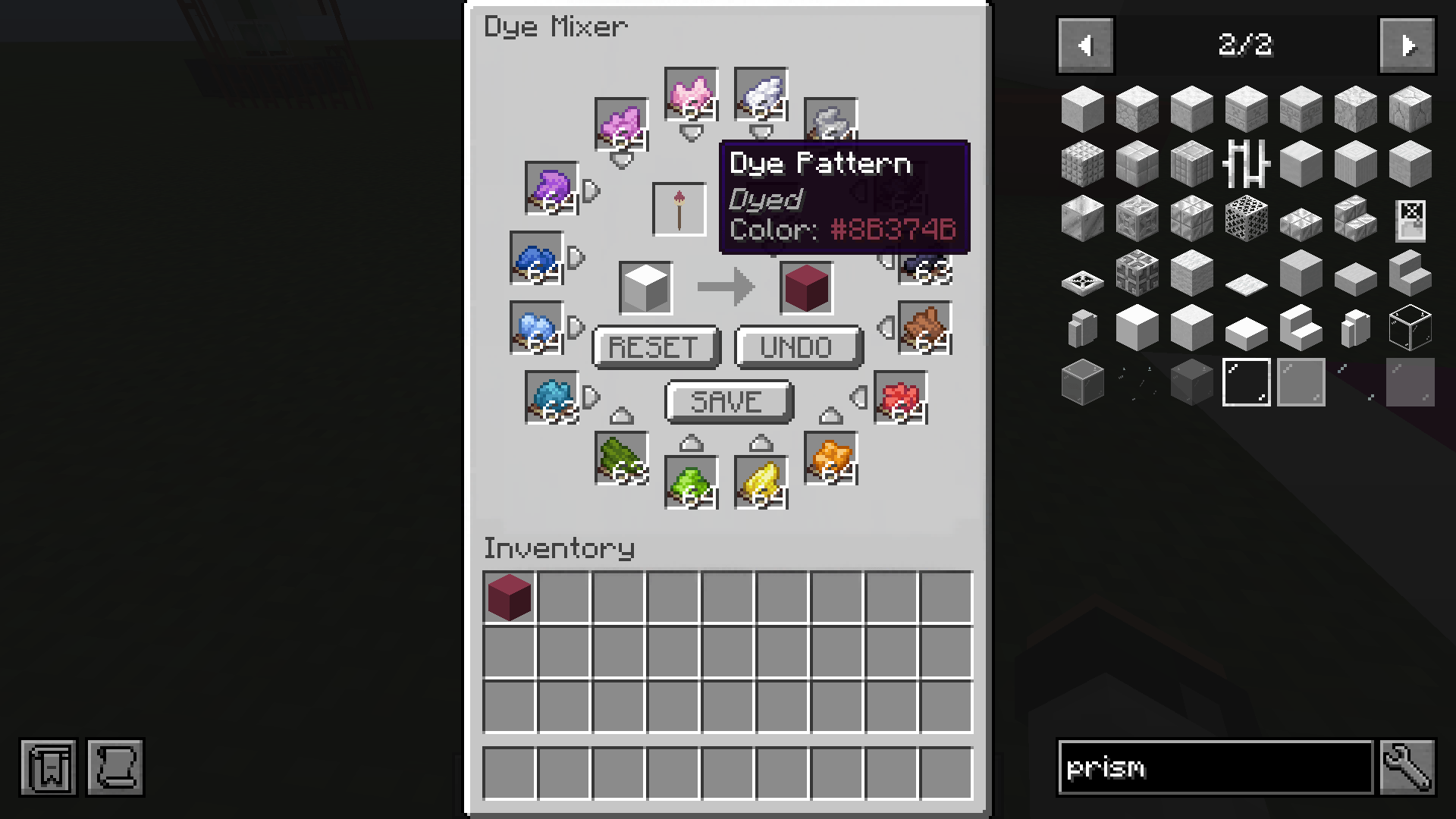 Dye Pattern Use a dyed block to save the color to the Dye Pattern brush, this can be then used to bulk craft the same color (up to a stack each time) without having to manually add the dyes one by one.
 -
 Color Picker Pick up a color of dyed Prism Blocks in your world by using the middle mouse button while holding the Dye Pattern.
 -
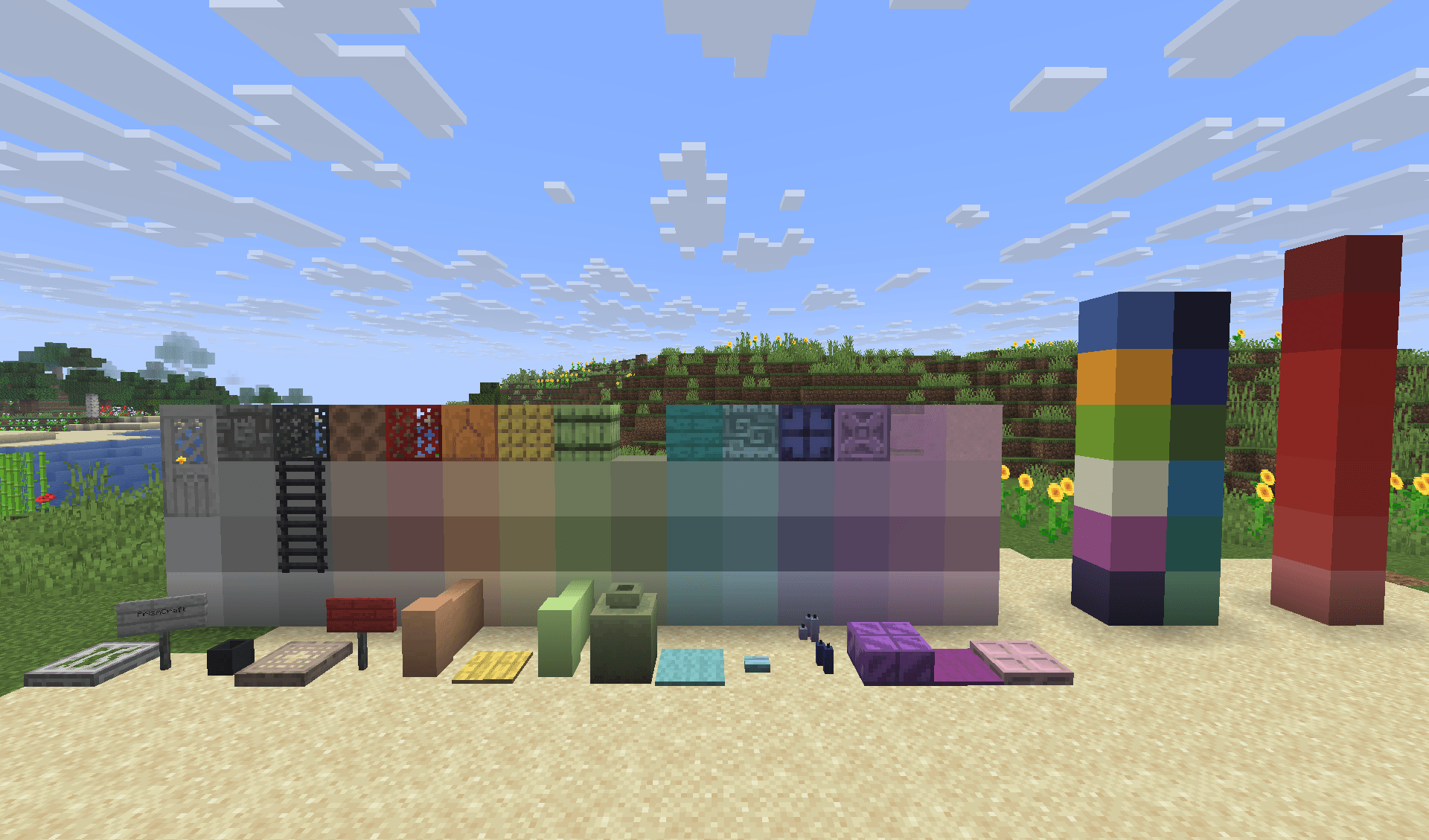 Dyed Blocks A few examples of dyed blocks in various colours.
 -
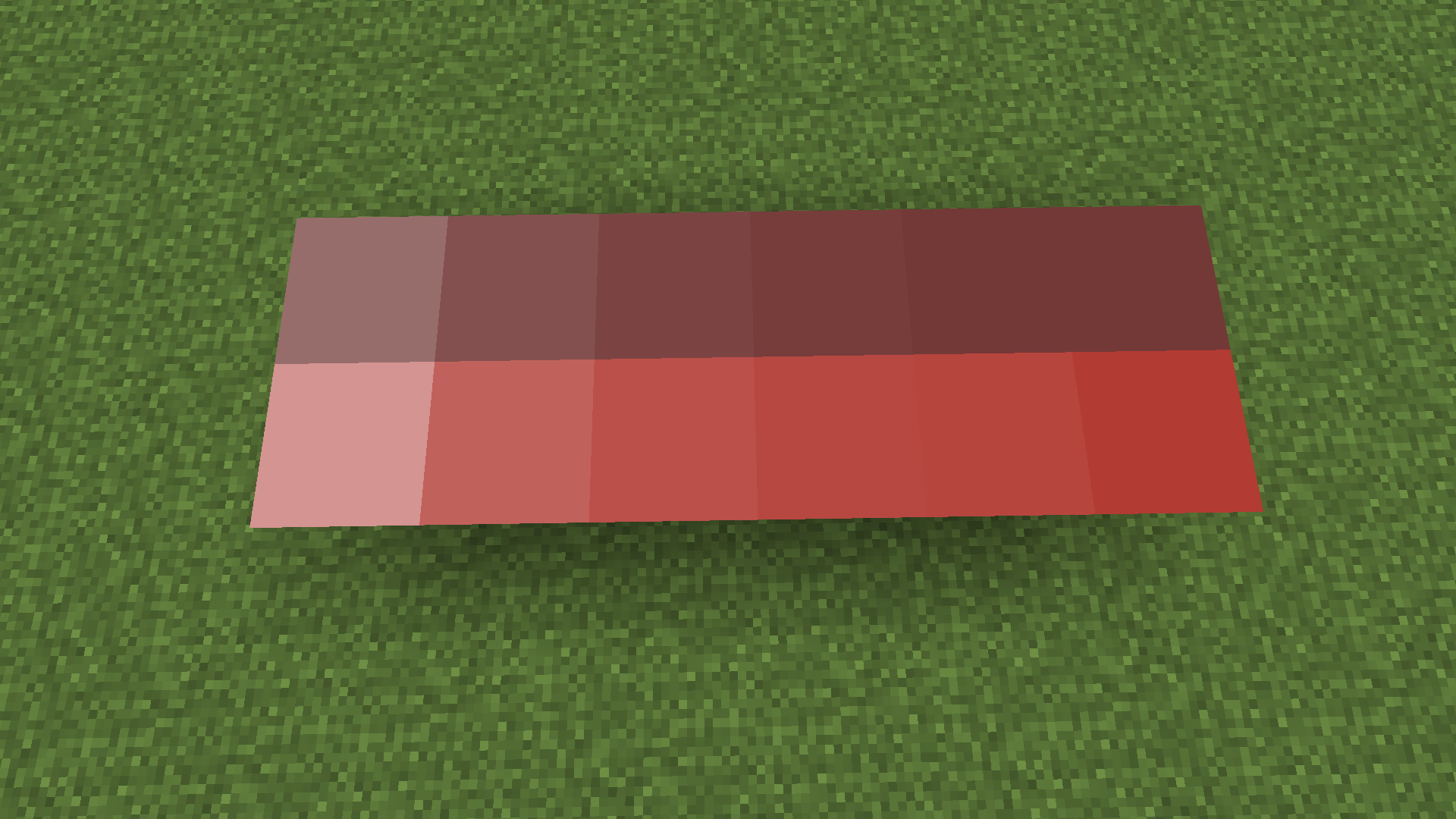 Gradients Make perfect gradients for your builds, perfect for pixel art or structures.
 -
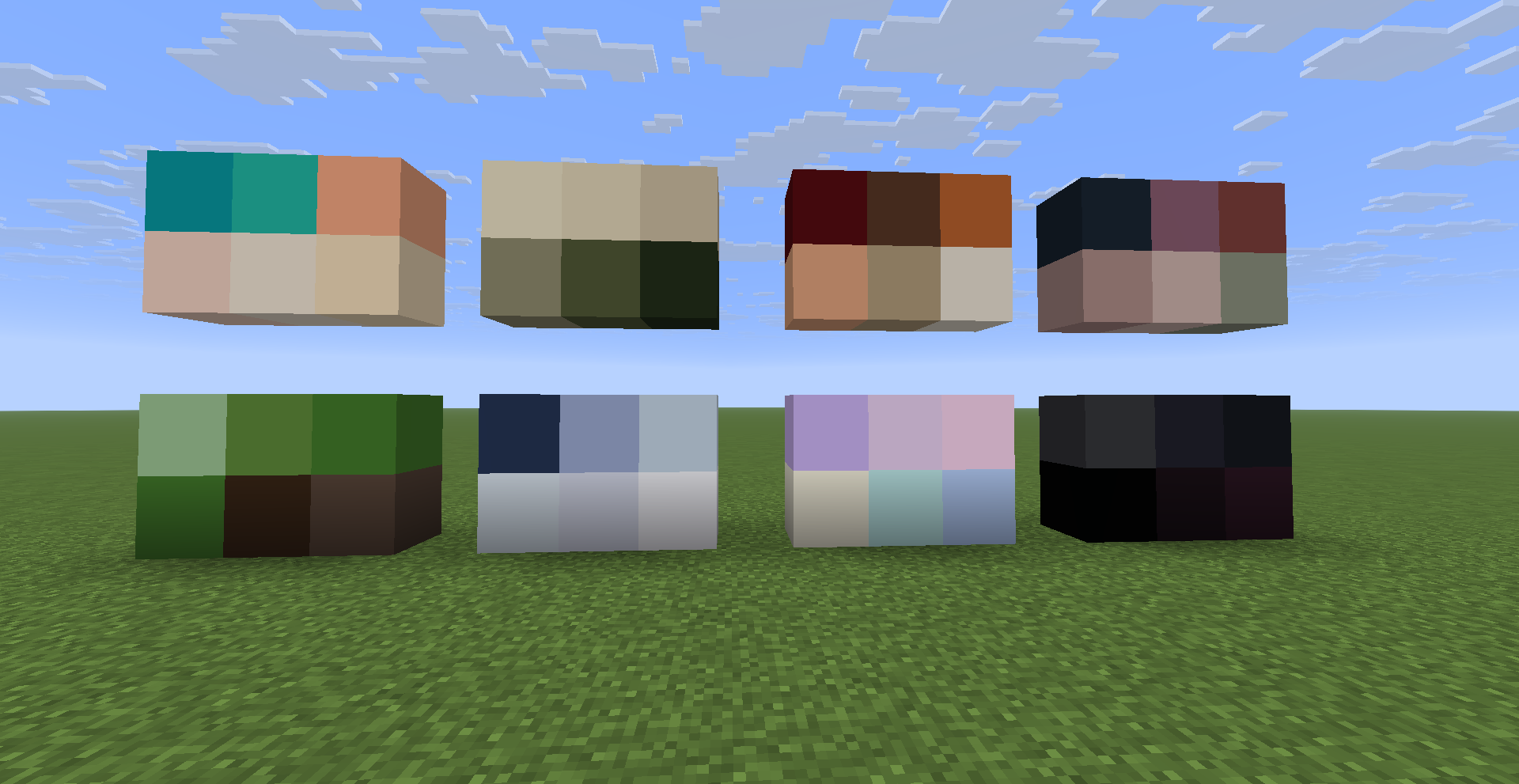 Color Palettes Try out the color palettes from the Guidebook, just click on the hex code to copy the color and then paste it into the Dye Pattern Editor.
 -
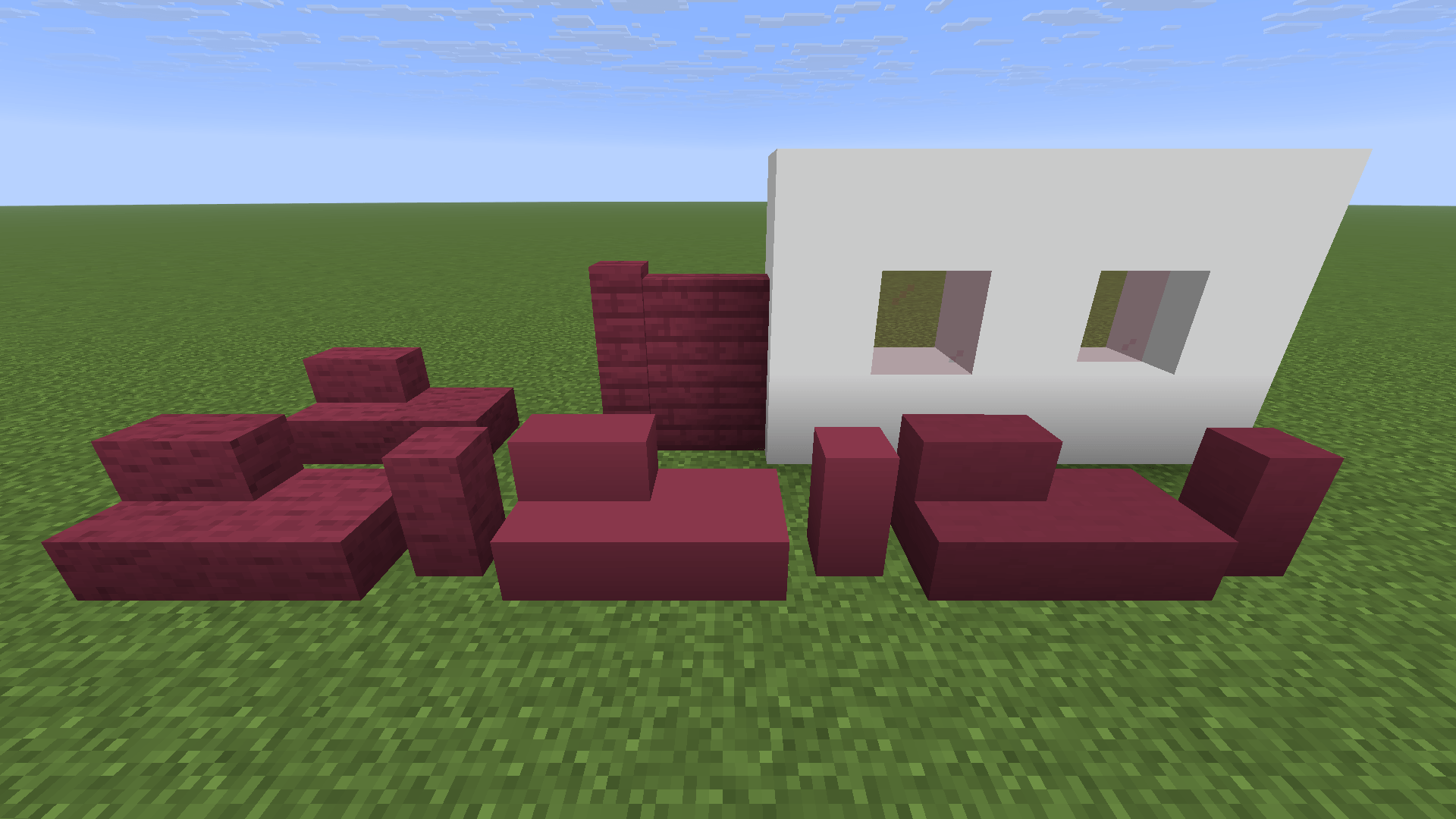 Vanilla+ Blocks Frameless Glass; Plank Walls; Stairs, Slabs and Walls for Blocks like Concrete, Teracotta etc.
 -
 Example Build A nice townhouse made by our Builder Huabun.
 -
 Example Build A beautiful bird made by our Builder Huabun.
 -
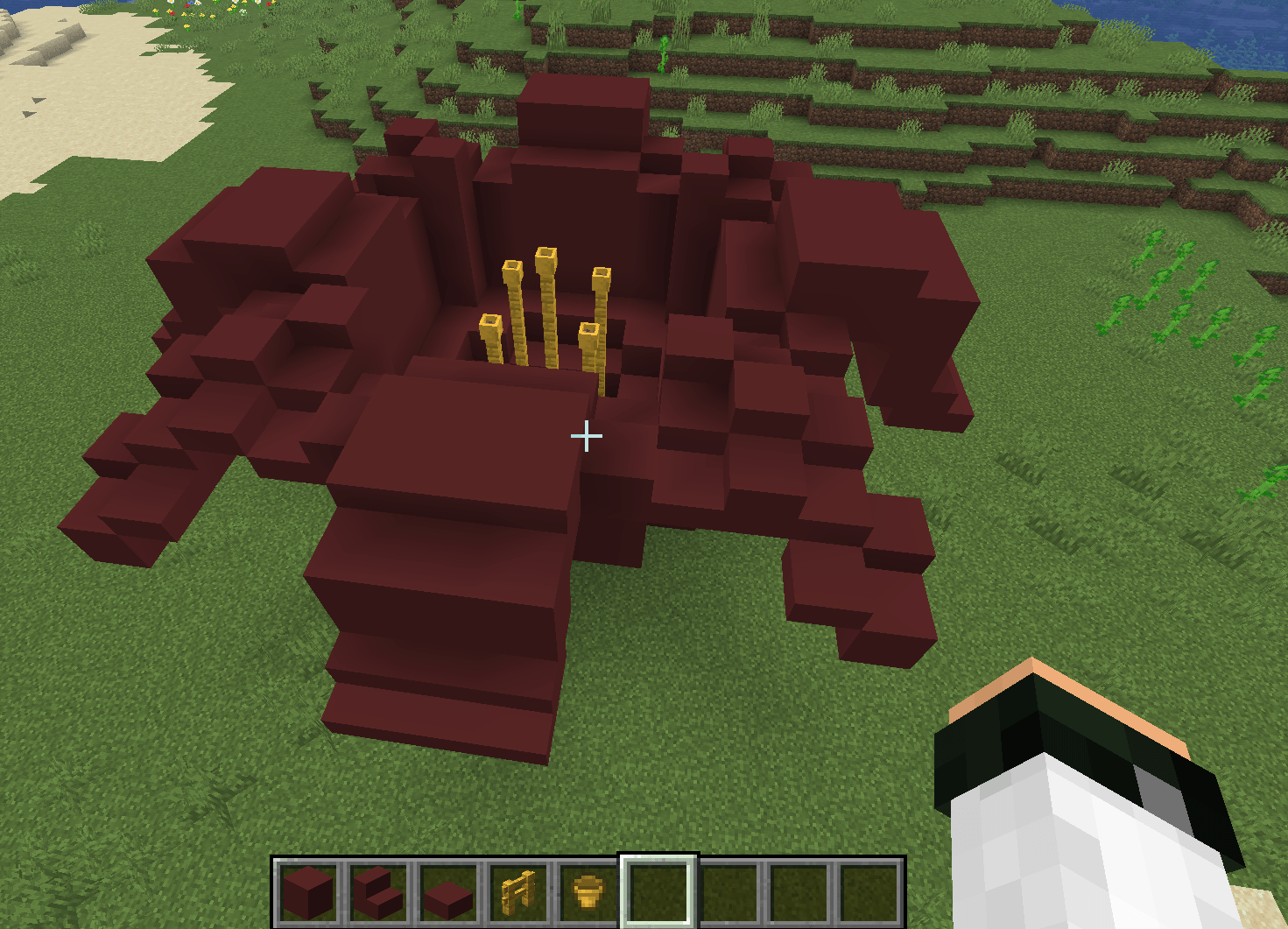 Example Build Beautiful flower made with concrete, fences and flower pots.
Versions
Files
Relations
Project Relations
More like this
Similar Mods
Suggestions use data such as tags, dependencies, dependents, descriptions, titles, and more to rank how much they overlap with this mod.
On ModDex
Community snapshot
By the numbers
Statistics
Want to reach Minecraft players?
We're looking for a server hosting partner to feature here and other parts of the site. Interested? Send us a message!
Get in touchGet it on
Available Platforms
On ModDex
Community snapshot
By the numbers
Statistics
Resources