
Community listing page, reviews here may not be monitored by the author.
Professional Profiles

No reviews yet
Professional Profiles lets you save and auto-apply per-server and per-world Minecraft settings profiles.

Community voices
Reviews
No reviews yet. Be the first to review this project!
Get it on
Available Platforms
Compatibility
Supported Environments
Runs entirely on the client. Works on vanilla servers.
About
Project Details
For authors
Embed Badge
If you're the author of this project, you can embed a live badge anywhere that supports HTML or Markdown. It updates automatically whenever ratings change.
Use HTML for any page that supports it, or Markdown for README files and Markdown-based descriptions.
Identifiers
Platform IDs
Resources
External Links
About
Description
Mountain Toolkit: Professional Profiles
Professional Profiles is a lightweight, client-side Fabric mod for Minecraft 1.21.11 that lets you save and auto-apply per-server and per-world options.txt profiles so your settings (including most mod keybinds and even resource packs) stay exactly how you want them everywhere.
Features
Automatic Profile Switching
Server Profiles
- Automatically applies the best-matching profile when you join a server
- Supports multiple servers per profile
World Profiles
- Automatically applies a profile when you load a specific singleplayer world
- Useful for “hardcore,” “creative,” “recording,” “testing,” etc.
Mirror Global vs Override (Per-Setting Control)
For each setting, choose:
Mirror Global (default)
- Always uses your normal global
options.txtvalue
Override
- Profile forces a specific value
This lets you make profiles that only change what matters (like FOV + sensitivity) without duplicating everything.
Screenshot

Profile Manager (In-Game)
Adds a Profiles button to the main Options screen that opens a profile list with:
- Create
- Rename
- Duplicate
- Reset (with confirmation)
- Delete (with confirmation)
- Open Directory (one click to open the profile folder)
Screenshot

Profile Editor + Target Controls
Click any profile to edit it:
-
A persistent footer/toast shows: “Editing profile for: …”
-
Change what servers/worlds the profile applies to
-
Configure what the profile overrides vs mirrors
-
A dedicated Edit Settings… flow that:
- Temporarily applies the profile
- Lets you change settings through normal Minecraft options screens
- Saves differences back into the profile
- Restores your global settings on exit
Screenshot

Active Profile Indicator
Shows a small, unobtrusive label in the Options screen:
- Active profile:
<name> - Active profile: Global when none is active
This makes it obvious when it’s working.
Screenshot

Mod Menu Compatible
- If Mod Menu is installed, Professional Profiles appears like other mods and opens the same UI
- If not, everything still works via the Options button
Screenshot

Compatibility
- Client-side only (no server installation required)
- Allows Resource Packs to be added to Profiles
- Fabric for Minecraft 1.21.11
- Works alongside common client stacks (Sodium/Iris/etc.) because it only manages client settings
Notes / Limitations
- This mod focuses on
options.txt(vanilla settings + most keybind entries) - Mods that store settings in separate config files won’t automatically be profiled
- When editing a targeted world/server's profile while in the targeted world/server, you will need to rejoin to apply changes.
Screenshots
Gallery
-
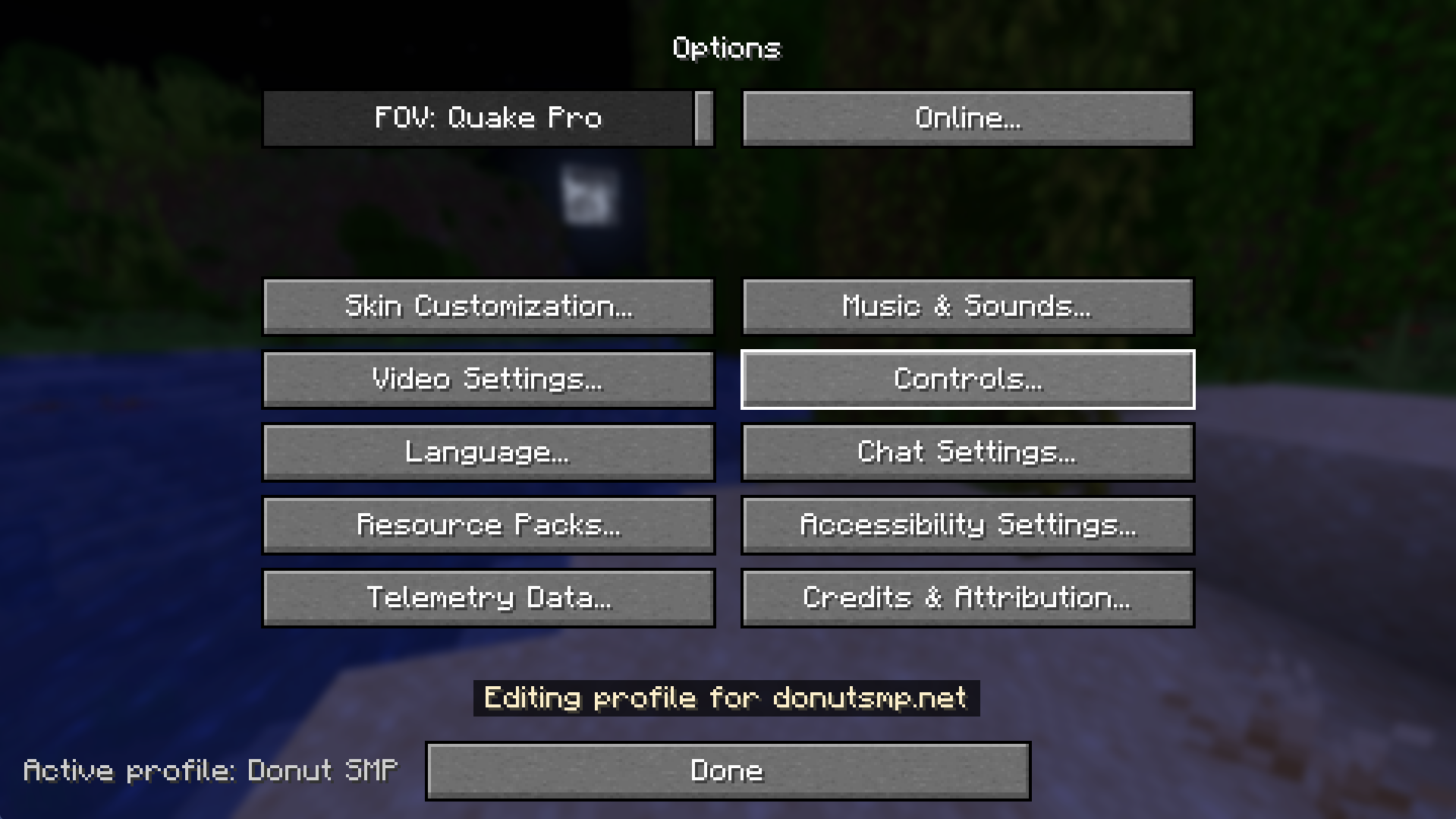 Profile Name Indication The mod will indicate with a small toast which profile is being edited.
 -
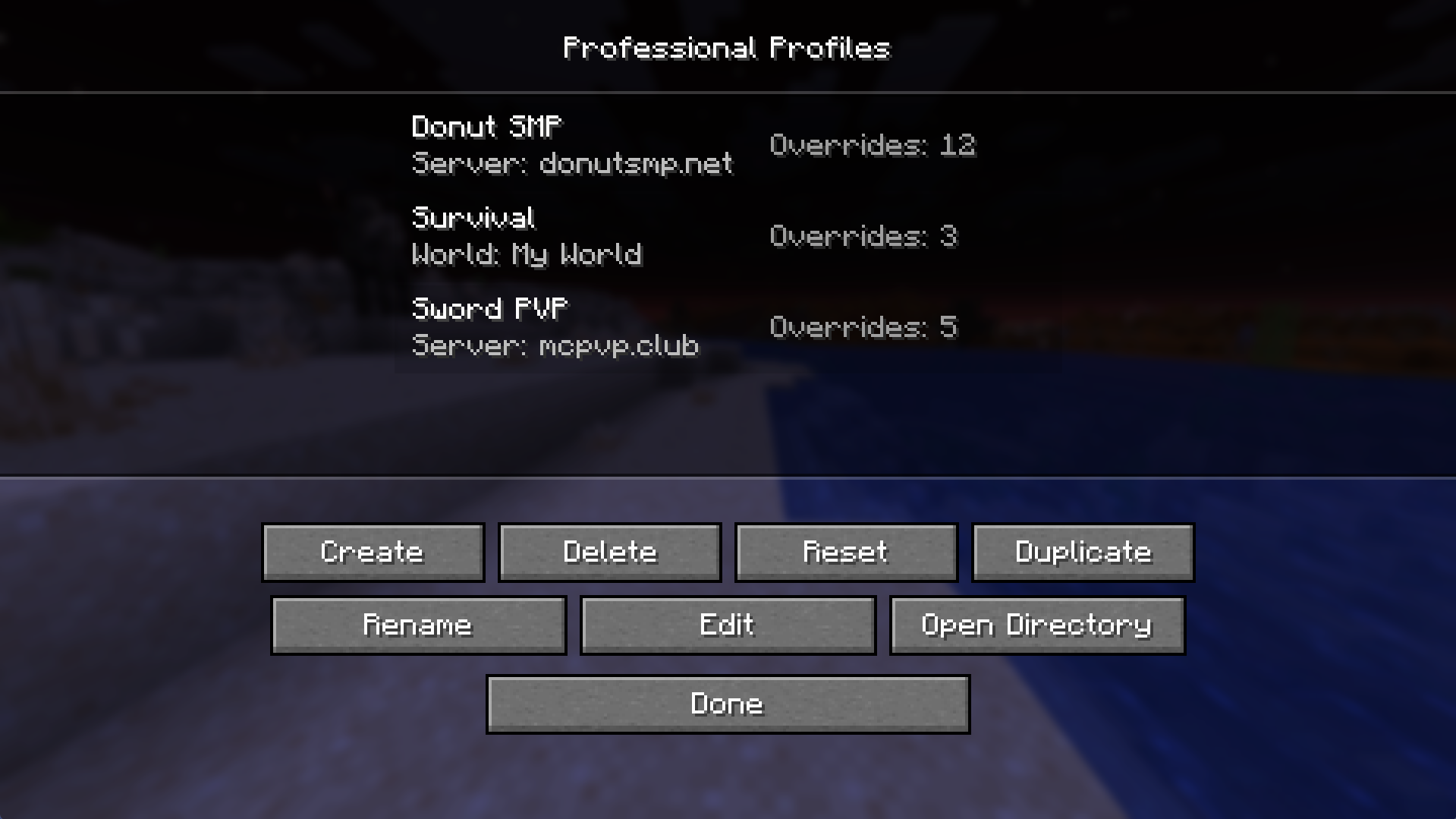 General Profiles Menu A menu to create, edit, and manage your profiles.
 -
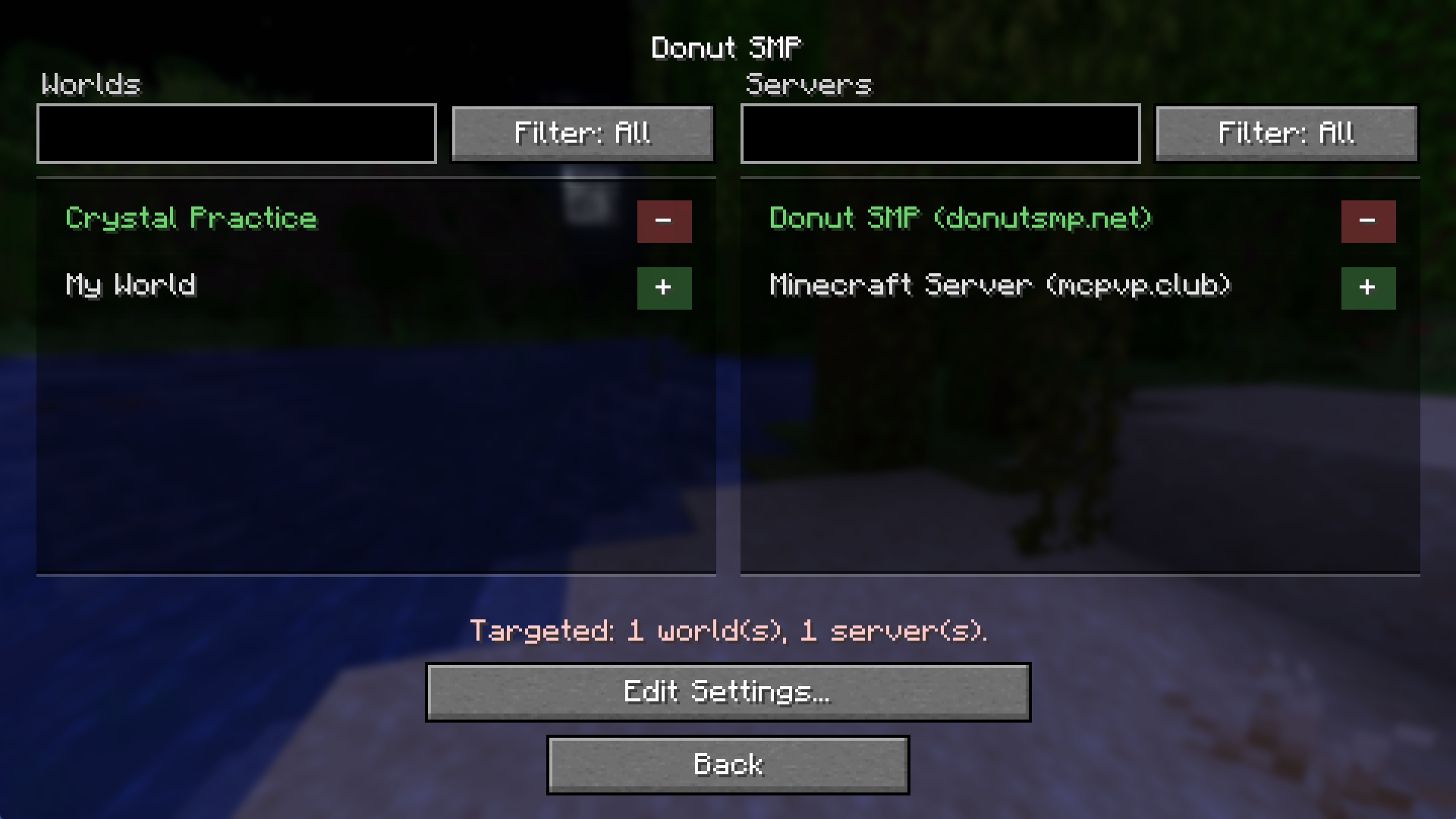 Server Targeting Selection page to choose which servers and world a selected profile will target.
 -
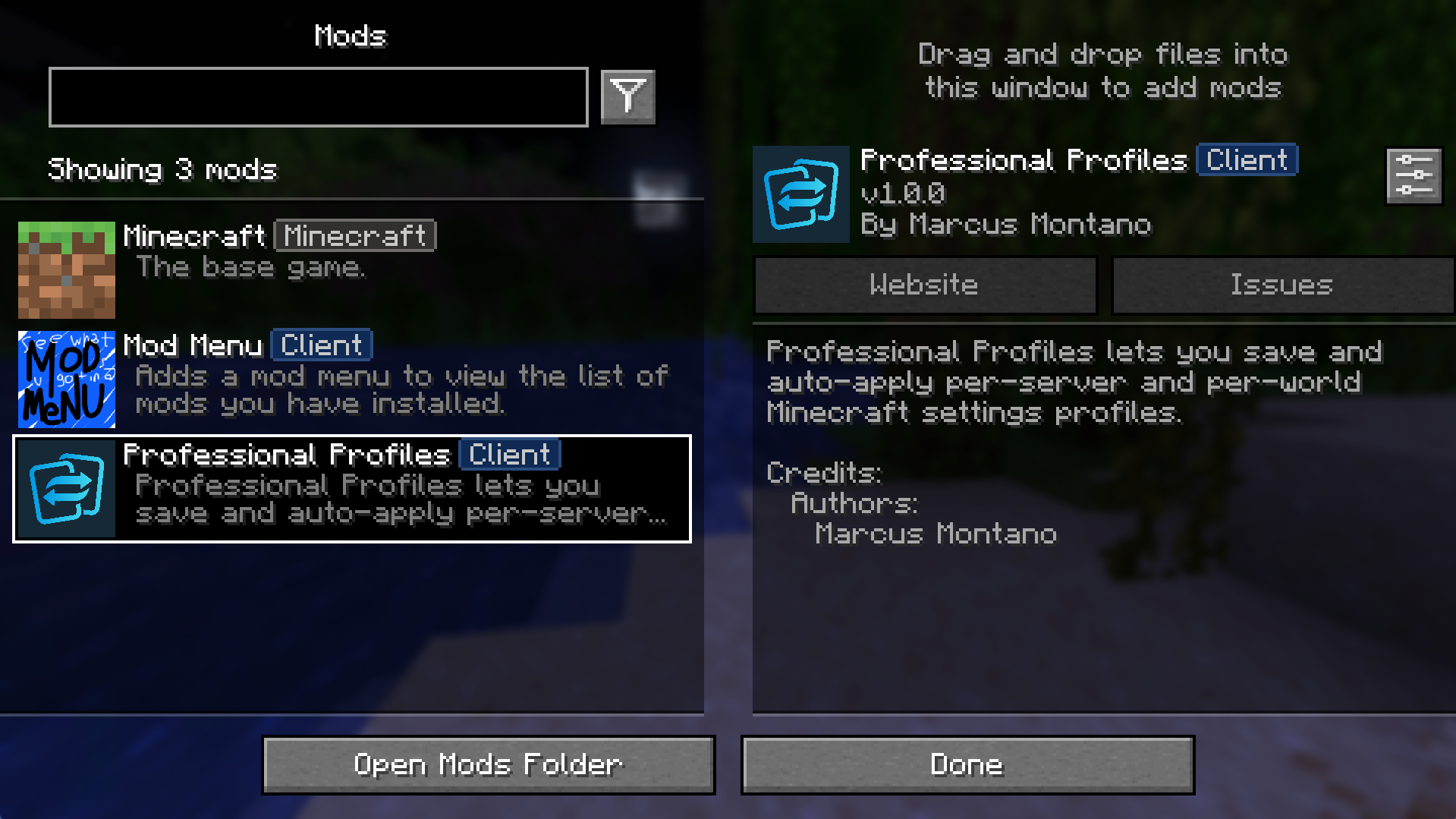 Mod Menu Support Professional Profiles supports Mod Menu!
 -
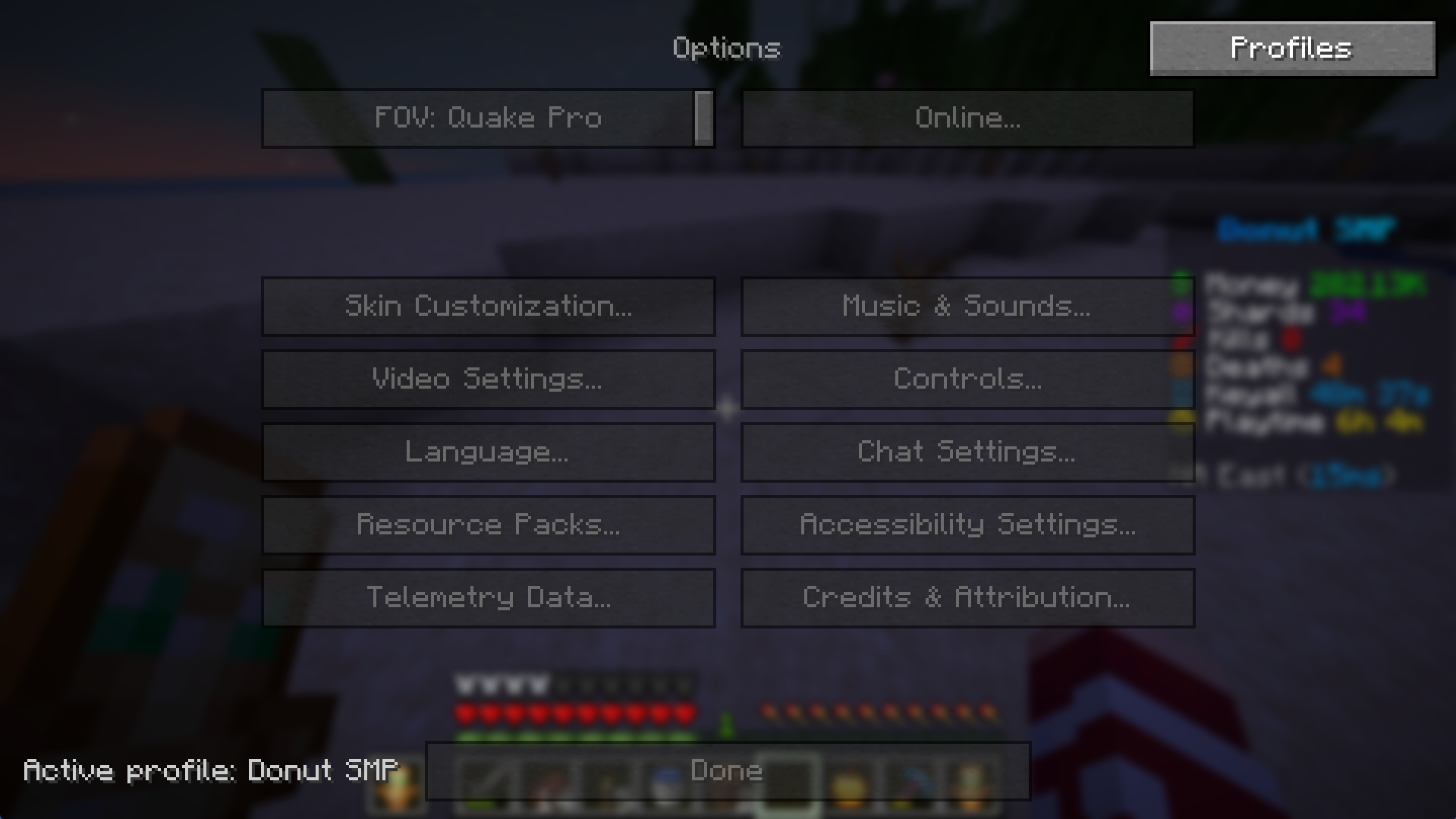 Locked settings When opening the options menu while in a world that a profile is managing, the base global settings are locked. To change the profile settings, click the profiles menu and change the config there. To see changes, you will have to relog the server/world.
Versions
Files
Relations
Project Relations
More like this
Similar Mods
Suggestions use data such as tags, dependencies, dependents, descriptions, titles, and more to rank how much they overlap with this mod.
On ModDex
Community snapshot
By the numbers
Statistics

 (opens in a new tab)
Get it on
Available Platforms
On ModDex
Community snapshot
By the numbers
Statistics
Resources