
Community listing page, reviews may not be monitored by the author.
Project EMapper

No reviews yet
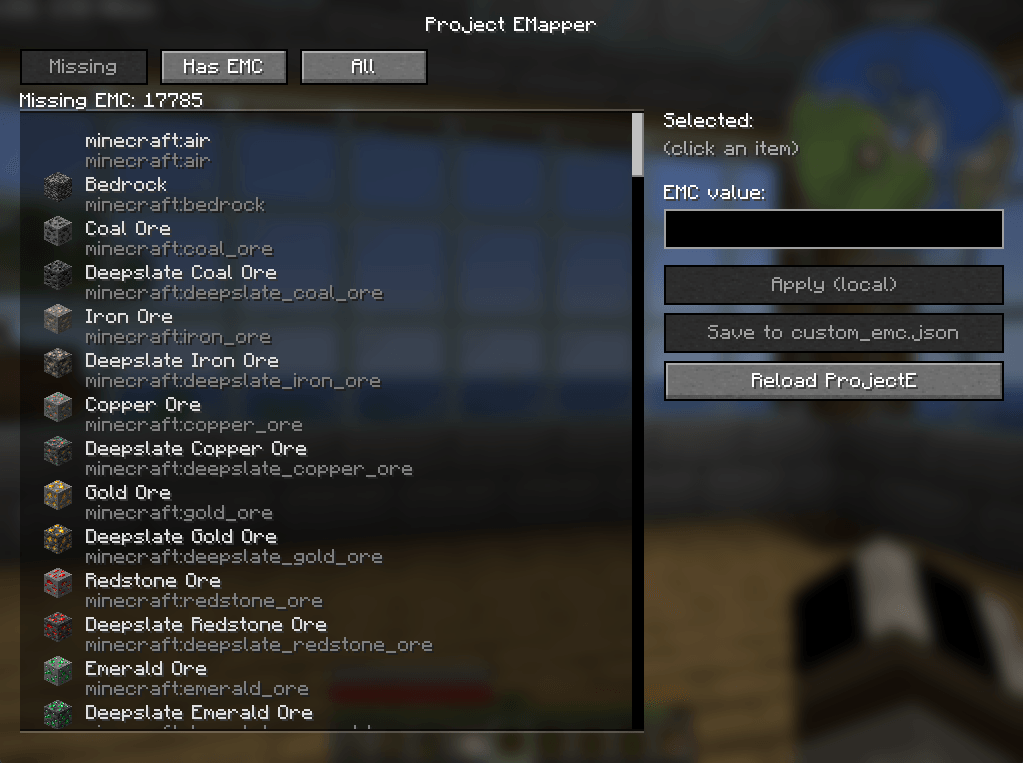
Project EMapper is an in-game helper for ProjectE that makes it easy to find items that are missing EMC (or already have EMC), set custom EMC values via a simple UI, save them directly into ProjectE’s custom_emc.json.

Community voices
Reviews
No reviews yet. Be the first to review this project!
Get it on
Available Platforms
About
Project Details
For authors
Embed Badge
If you're the author of this project, you can embed a live badge anywhere that supports HTML or Markdown. It updates automatically whenever ratings change.
Use HTML for any page that supports it, or Markdown for README files and Markdown-based descriptions.
Identifiers
Platform IDs
Resources
External Links
About
Description
Project EMapper is an in-game helper for ProjectE that makes it easy to find items that are missing EMC (or already have EMC), set custom EMC values via a simple UI, save them directly into ProjectE’s custom_emc.json, and then reload datapacks so ProjectE picks up the changes—without needing to type commands.
Features
- scan Items and Browse:
- Missing EMC Value
- Has EMC Value
- All Items
- Clickable List Ui with Items Icons
- Edit EMC value for selected item stage them locally when done you can push changes and adds to config
- Reload from GUI
Requirements
- Minecraft 1.21.1
- Neoforge 21.1.215
- projecte - ProjectE-1.21.1-PE1.1.0 or newer, may work on older versions have not tested
How to use
- defult Keybind to open UI is k, remapable
Set or change an EMC value
-
Click an item in the list
-
Type a number into EMC value
-
Click Apply (local) to stage the value
Staging lets you set a bunch of values first, then save once.
Reload ProjectE values
- Click Reload ProjectE
- This triggers an internal
/reload, which makes ProjectE rebuild its mapping with your new values.Troubleshooting
“My EMC changes didn’t apply.”
- Make sure you clicked Save to custom_emc.json
- Then click Reload ProjectE
- Confirm the item exists in
config/ProjectE/custom_emc.json“I see items like air/bedrock in the list.”
- Some registries include special or non-survival items. You can ignore them, or filter them out in a future update.
Planned Improvements
- Search bar + sorting
- Show current EMC and custom override side-by-side
- Optional “hide non-survival / technical items”
- Server/OP mode with permission checks
Screenshots
Gallery
-
 Screenshot 2026-02-03 215313.png Screenshot 2026-02-03 215313.png
 -
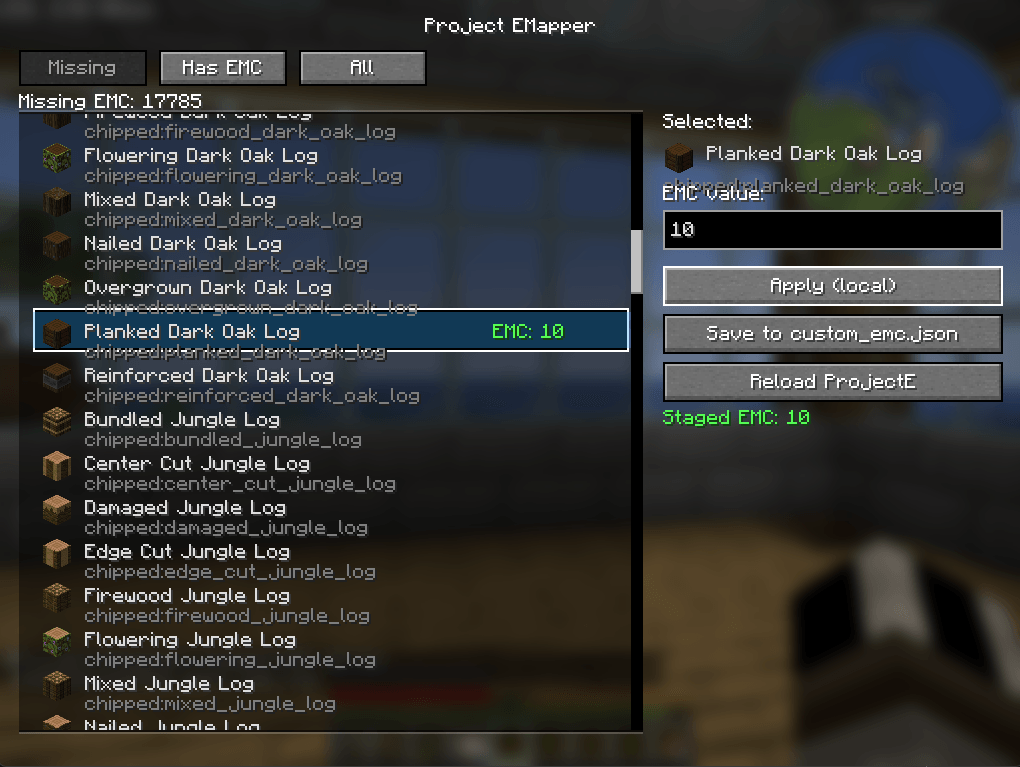 image_2026-02-03_215347745.png image_2026-02-03_215347745.png
Versions
Files
Relations
Project Relations
More like this
Similar Mods
Suggestions use data such as tags, dependencies, dependents, descriptions, titles, and more to rank how much they overlap with this mod.
On ModDex
Community snapshot
By the numbers
Statistics

Get it on
Available Platforms
On ModDex
Community snapshot
By the numbers
Statistics
Resources