
Community listing page, reviews here may not be monitored by the author.
Project MMO


No reviews yet
Provides skills / stats / levels, that provide unique benefits!

Community voices
Reviews
No reviews yet. Be the first to review this project!
Get it on
Available Platforms
Compatibility
Supported Environments
Must be installed on both the client and the server.
About
Project Details
For authors
Embed Badge
If you're the author of this project, you can embed a live badge anywhere that supports HTML or Markdown. It updates automatically whenever ratings change.
Use HTML for any page that supports it, or Markdown for README files and Markdown-based descriptions.
Identifiers
Platform IDs
About
Description

Project MMO is a mod about playing the game and earning experience in skills related to what you do.
The experience you earn levels up specific skills that then unlocks items and gains you special perks. Some perks include:
- faster run speed
- higher jumping
- fasting digging/mining
- longer underwater breath
- more damage
- and more
PMMO also has special features that scale off the items you unlocked or your skill levels, such as:
- Vein mining
- extra drops (like a skill based fortune)
- treasure drops (like rare loot)
- mobs that scale based on your strength
- Party with friends for shared xp and a small boost
- Salvaging items back into their components
- And many more!

Want your own Minecraft server without the effort of setting it up and hosting it? Just rent a ready-to-go one!
Click the picture just above -> Select a Plan -> Use my code “Harmonised”
to get 25% OFF your first month -> Have a great time with your friends!

Huge thanks to BoodlyNeck, the maker of the video, for doing such a great job!
(Project MMO starts at 3:14)







Supported mods:
Craft Tweaker API support (read Source README.txt)
100% Curios Items support
99.9% of the mods are compatible with PMMO
PMMO and NBT Compat - NBT Json Config support
PMMO Bridge - a compatibility mod that adds pmmo support to several mods!
Cooking for for Blockheads Compatibility mod by ToxicMintTea!
1.15 Requires mixin for a few of the features! (nothing major)
Fast Furnace mod will break PMMO Smelting and Cooking,
possibly crash, too. Click Me to get a version of Fast Furnace that will work!
Want to add your own language? Click Me!
Want to integrate your mod with this mod? Contact me on Discord!
Some of the other values can be generated automatically,
while others have to be specified by the player/modpack creator/me.
Feel free to use this mod in a modpack, as long as you link this page,
and the modpack does not require anyone to pay, in order to play it!

Project MMO is a mod about playing the game and earning experience in skills related to what you do.
The experience you earn levels up specific skills that then unlocks items and gains you special perks. Some perks include:
- faster run speed
- higher jumping
- fasting digging/mining
- longer underwater breath
- more damage
- and more
PMMO also has special features that scale off the items you unlocked or your skill levels, like:
- Vein mining
- extra drops (like a skill based fortune)
- treasure drops (like rare loot)
- mobs that scale based on your strength
- Party with friends for shared xp and a small boost
- Salvaging items back into their components
Huge thanks to BoodlyNeck, the maker of the video, for doing such a great job!
(Project MMO starts at 3:14)
Supported mods:
- Craft Tweaker API support
- 100% Curios Items support
- 99.9% of the mods are compatible with PMMO
Feel free to use this mod in a modpack, as long as you link this page, and the modpack does not require anyone to pay, in order to play it!
Screenshots
Gallery
-
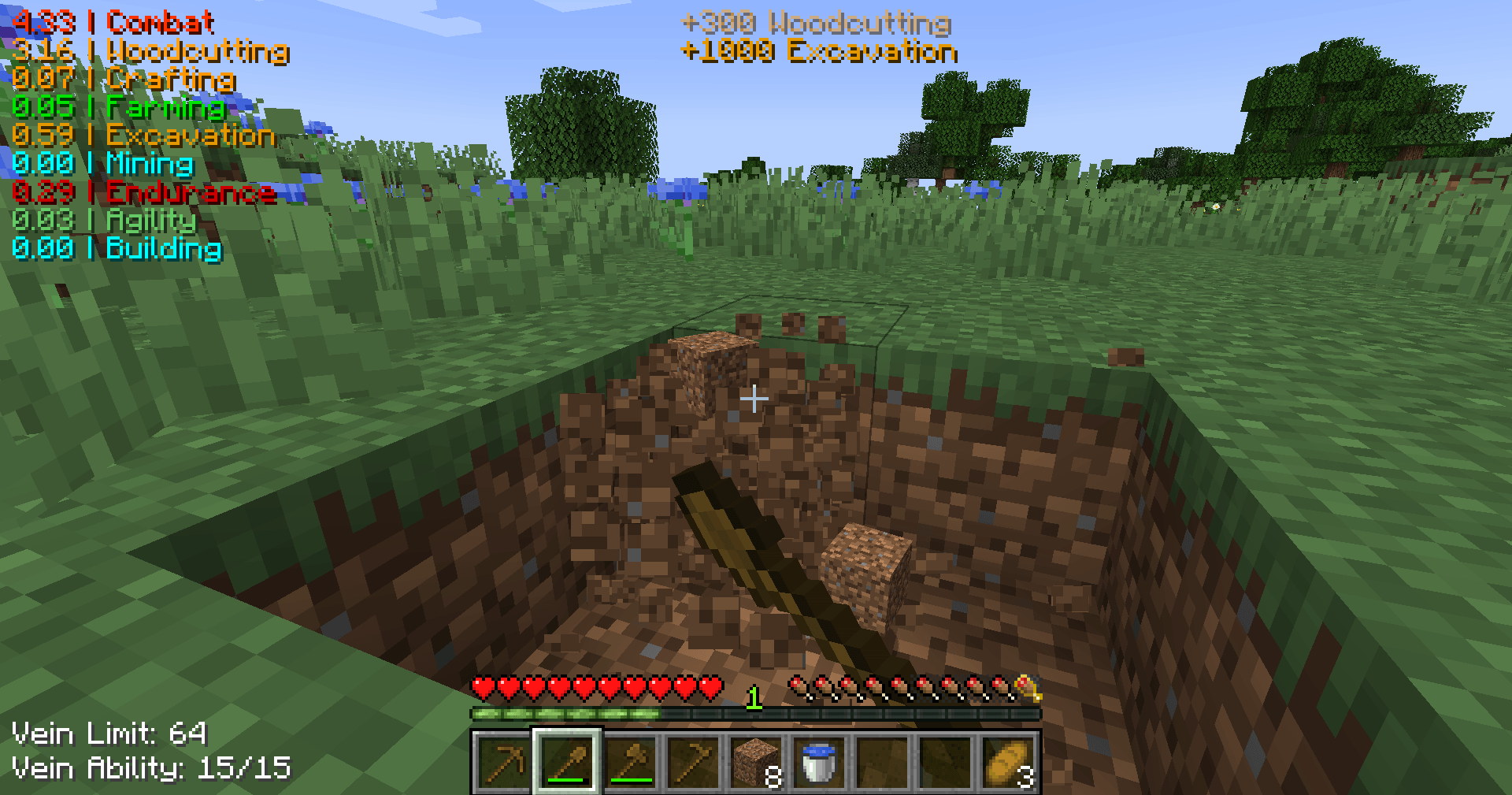 XP Gains As you accumulate XP, the current amount gained shows at the top center of your screen.
 -
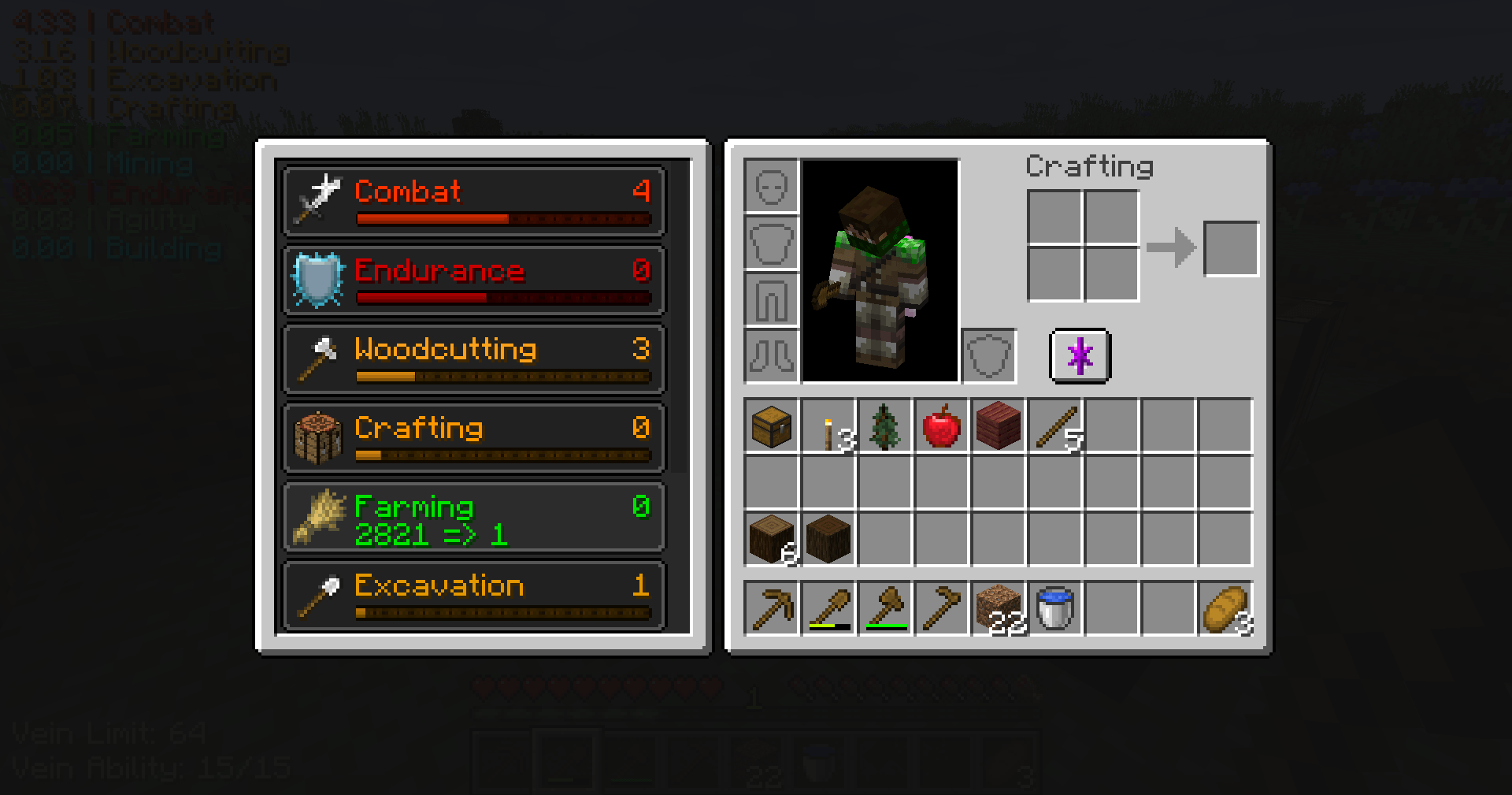 Inventory Skill View The PMMO button in the inventory provides an alternate way to view your skills as well as the XP needed for the next level. The button itself can be moved in the client config if it overlaps with other mods.
 -
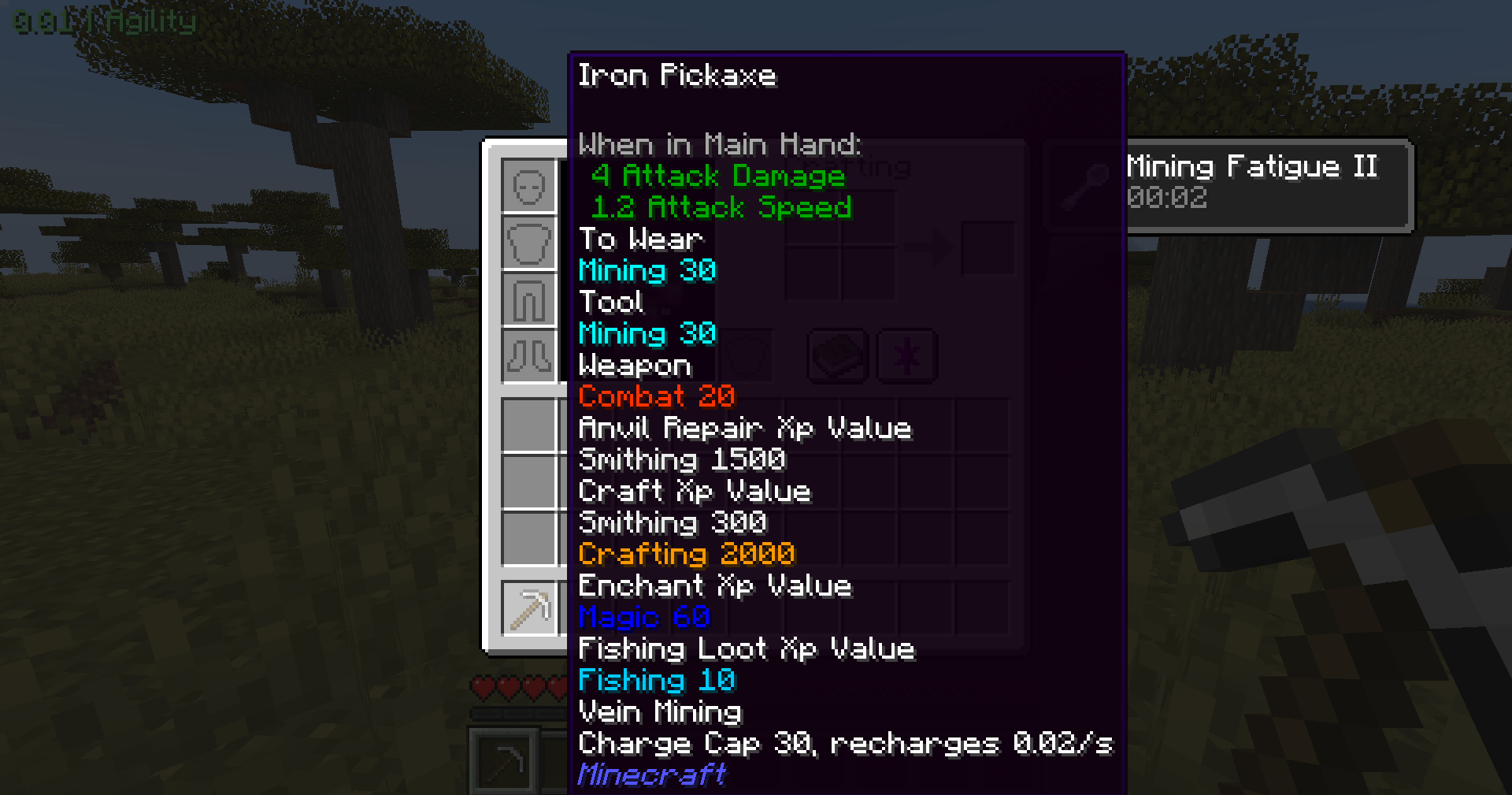 Item Tooltips Most details for items can be seen in the tooltip. The client config lets you disable values you don't want to see.
 -
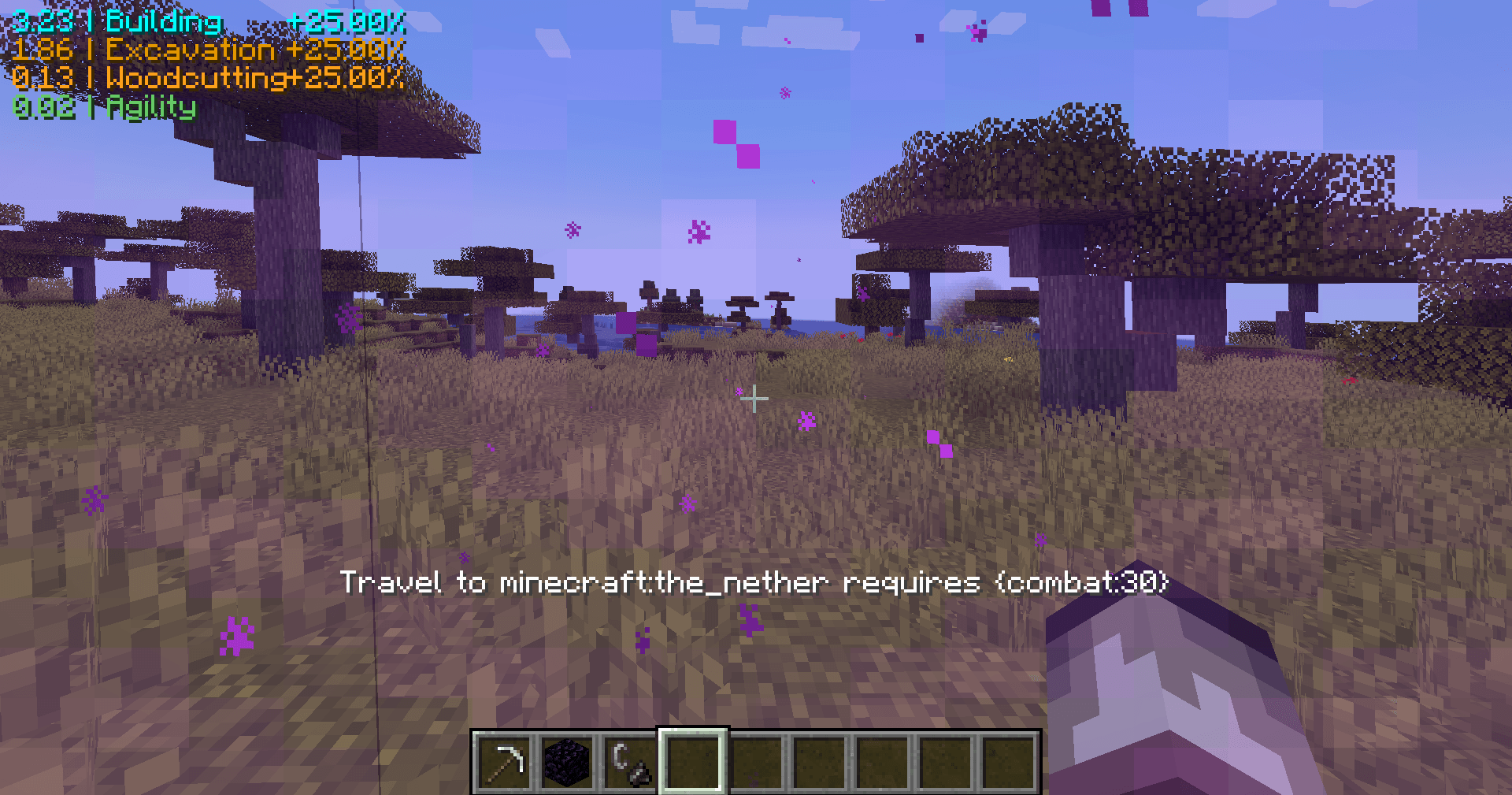 Requirements If you don't meet the requirements to perform an action, PMMO will let you know, such as this example requiring 30 levels of combat to enter The Nether.
 -
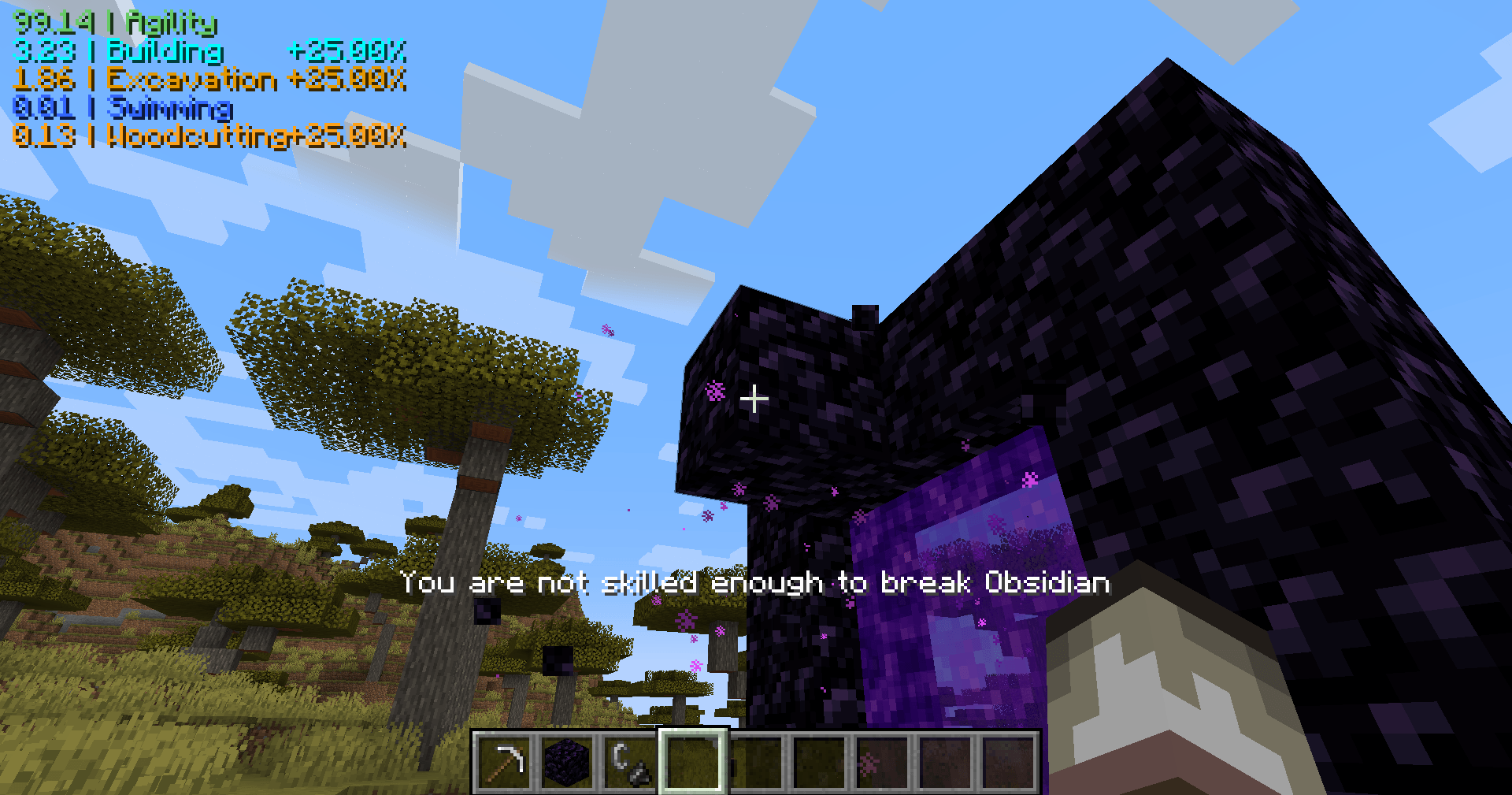 Block Requirement This block has a requirement to break it.
 -
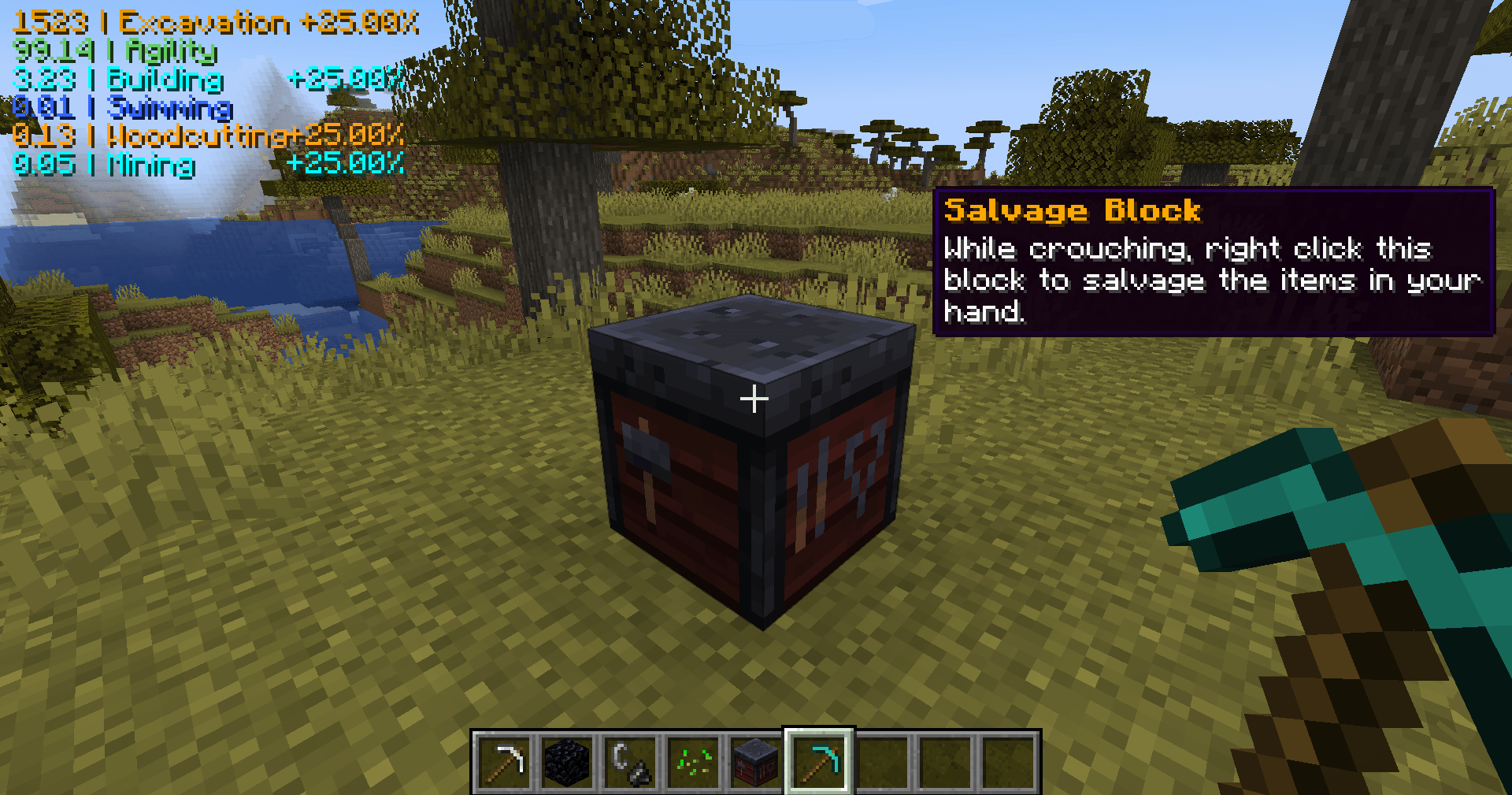 Salvage Blocks The smithing table is the default salvage block, but that is configurable. When looking at the salvage block , this tooltip will appear.
 -
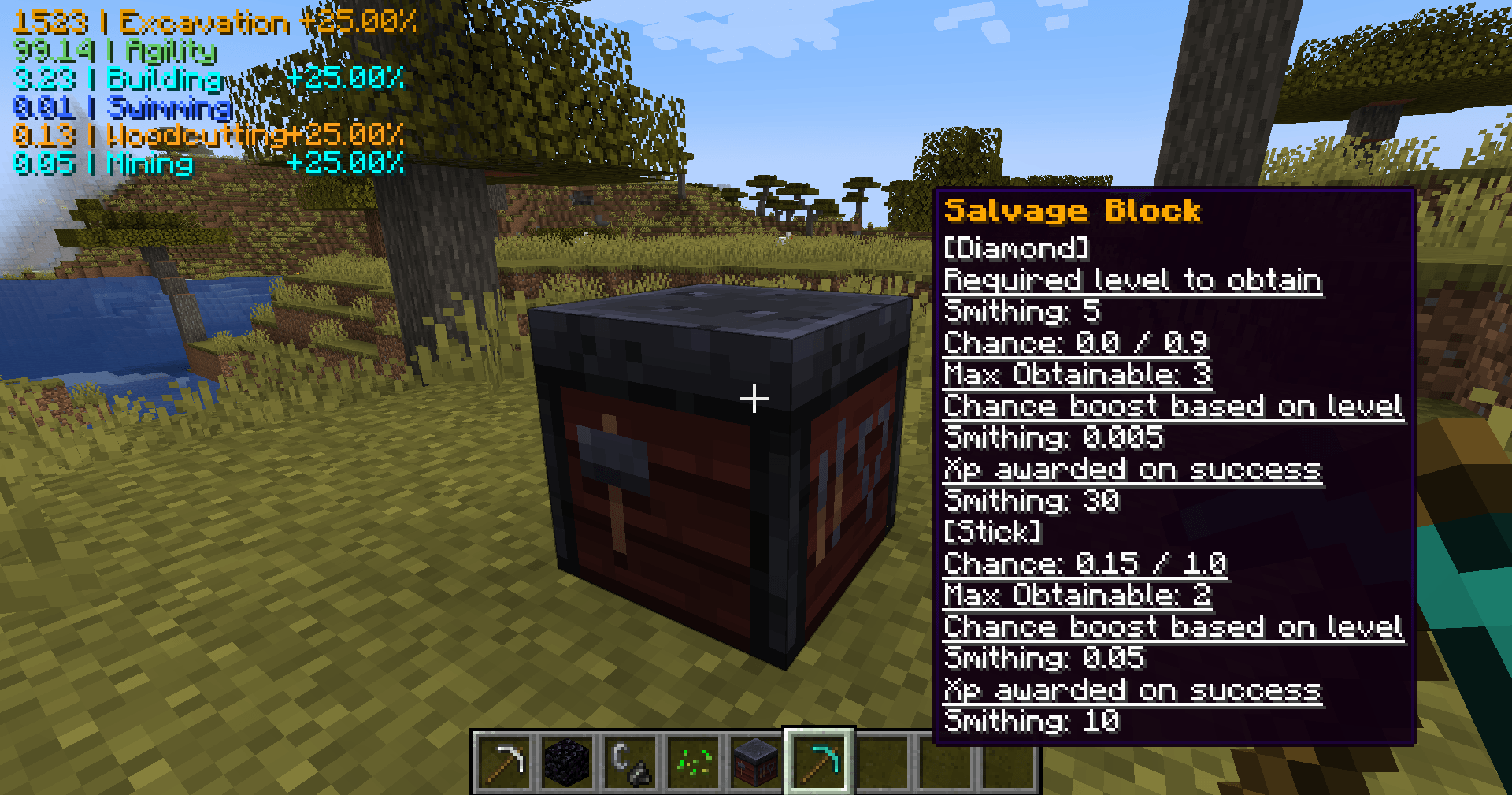 Salvage Preview Tooltip Salvage requires the player crouch. If you are also holding a salvageable item, the tooltip will change to show you the salvage details for that item. Right click the salvage block to attempt the salvage.
 -
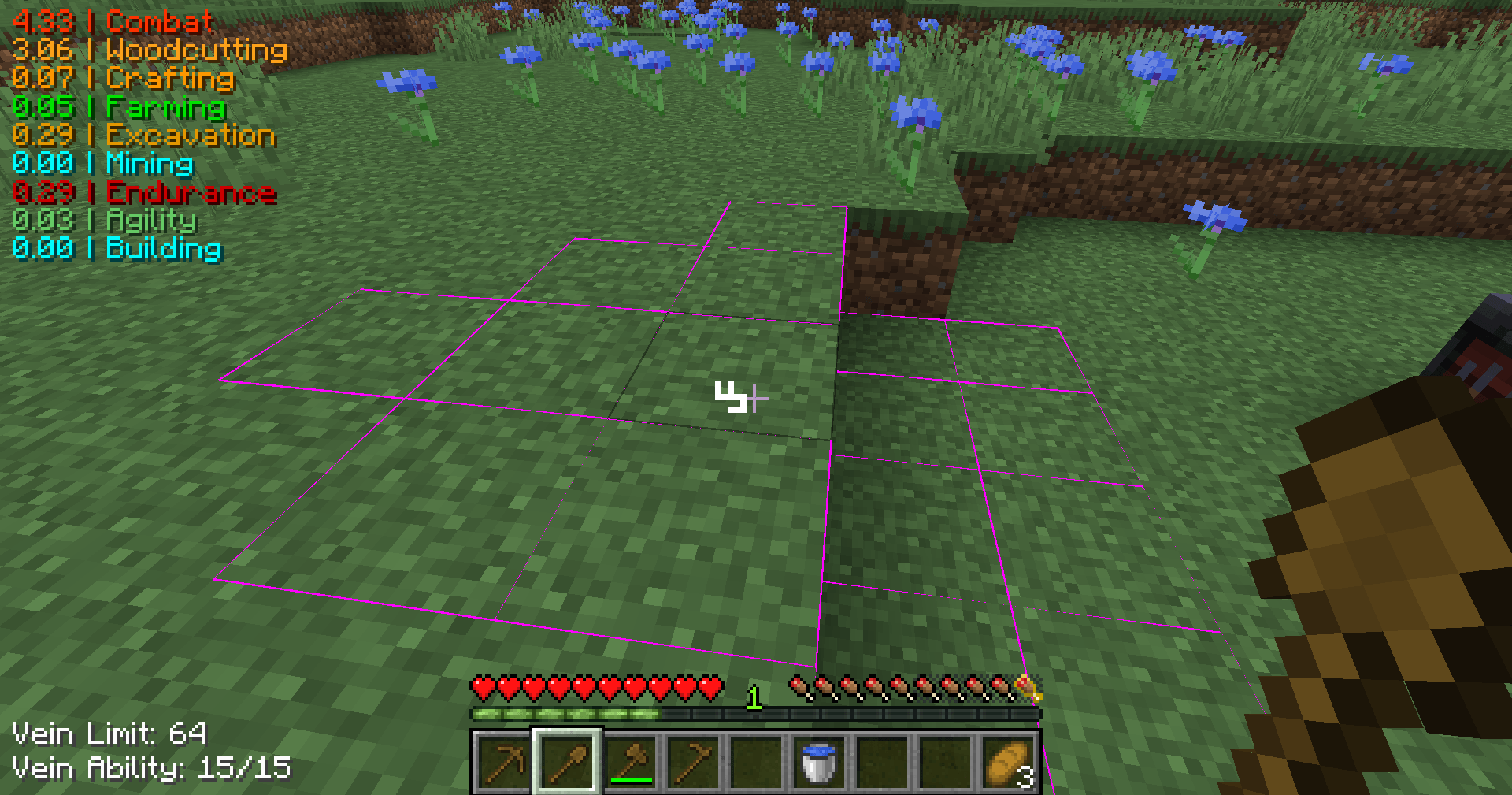 Vein Miner Block outlines When a block is marked for vein mining, all blocks that will be broken highlight.
 -
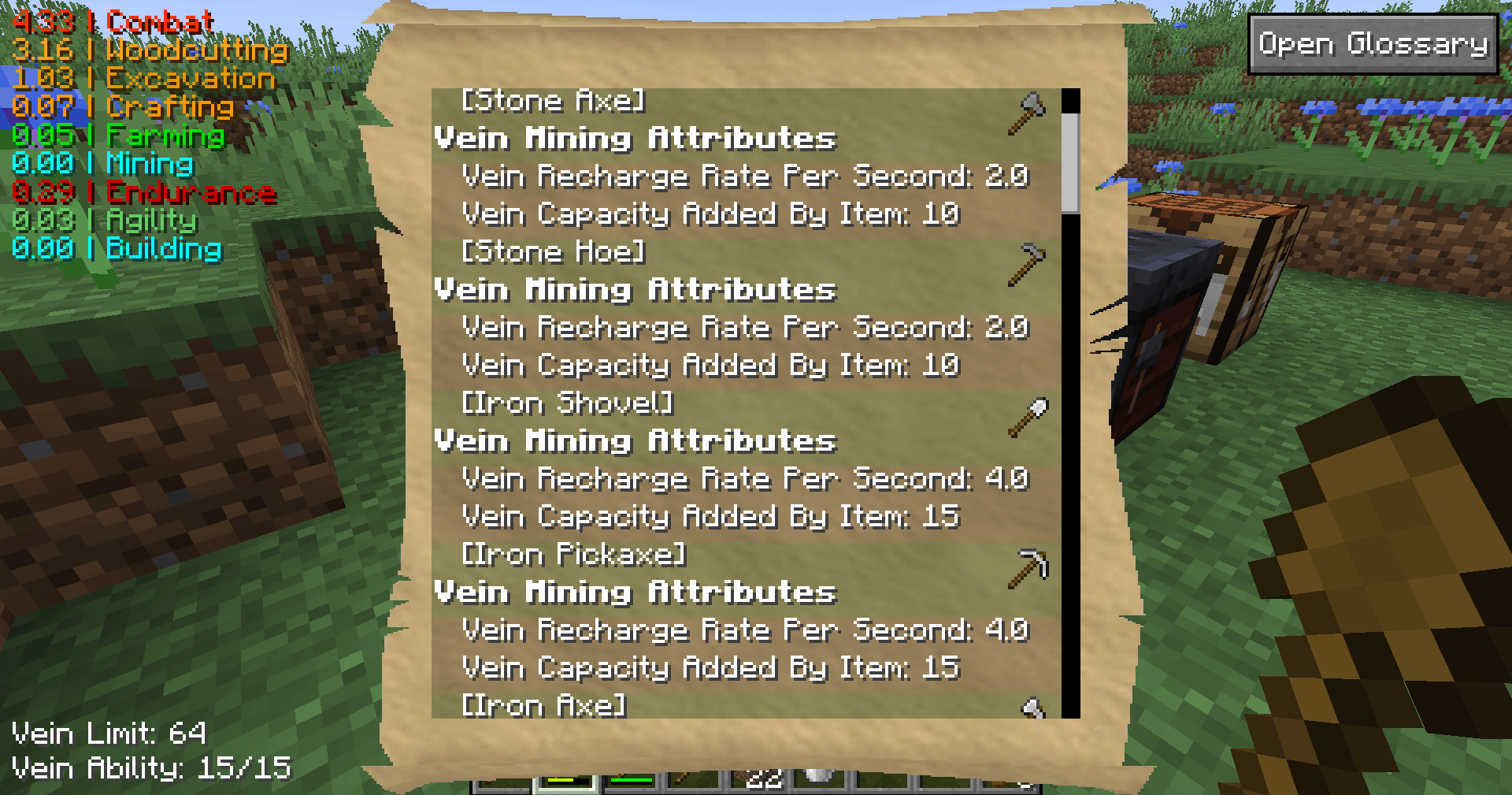 Glossary (Vein Mining) The full glossary shows many things such as how much vein mining each item in the game gives you.
 -
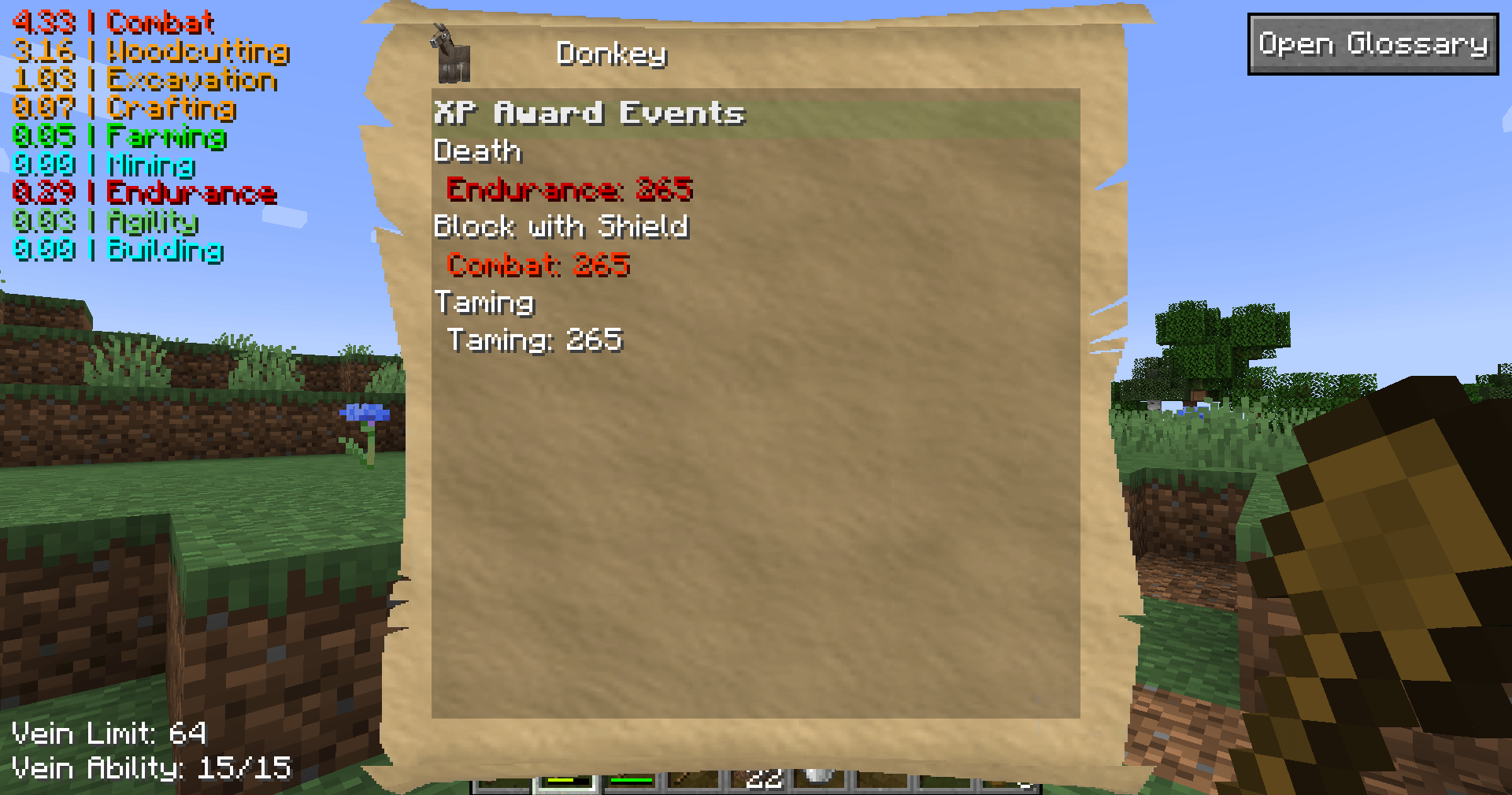 Glossary (Specific Object) When looking at a block or entity, pressing the "P" key will open the glossary for that object.
 -
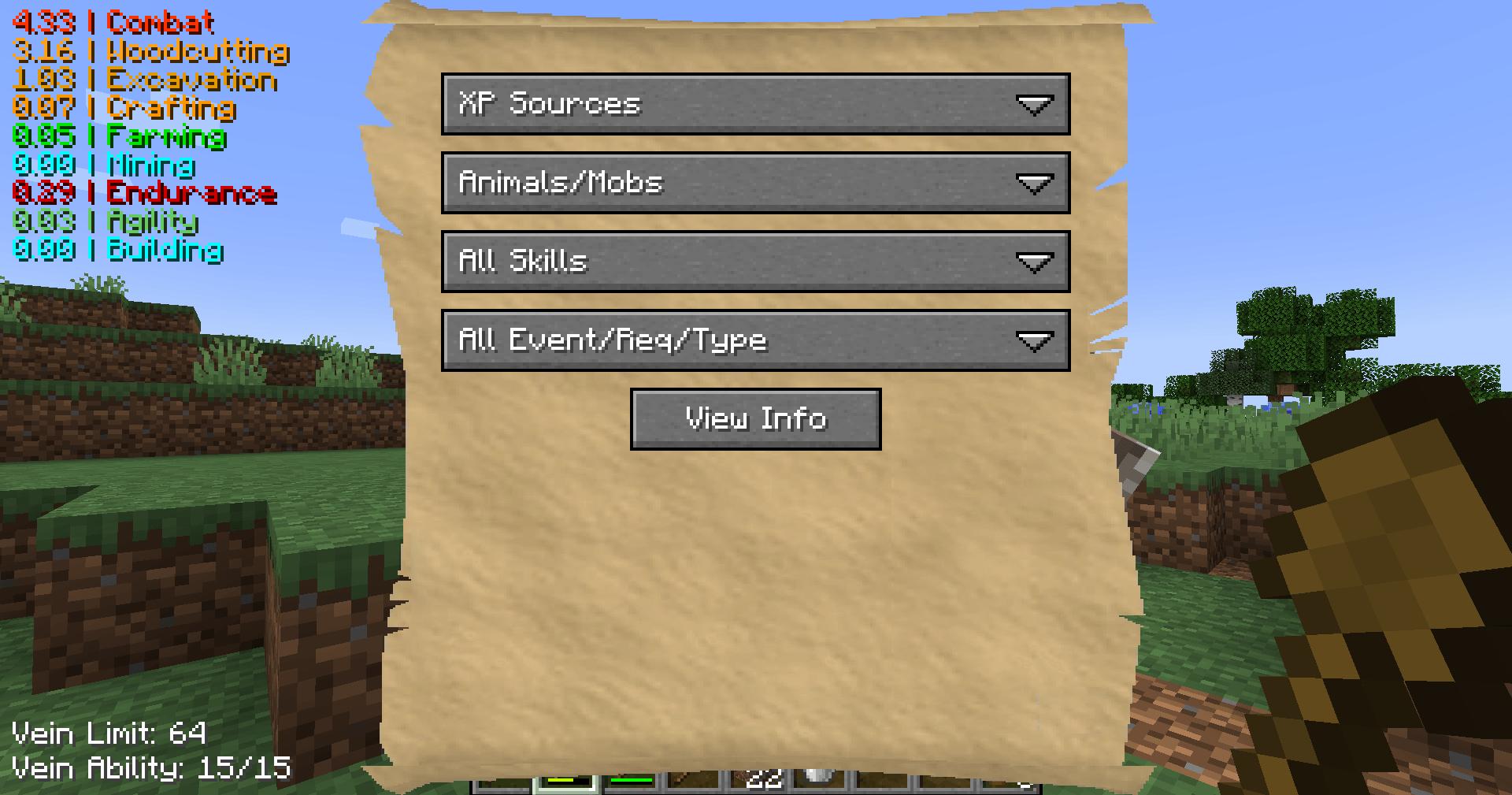 Glossary Select Menu Pressing "Open Glossary" from the P menu opens this screen to let you view all settings from the mod.
 -
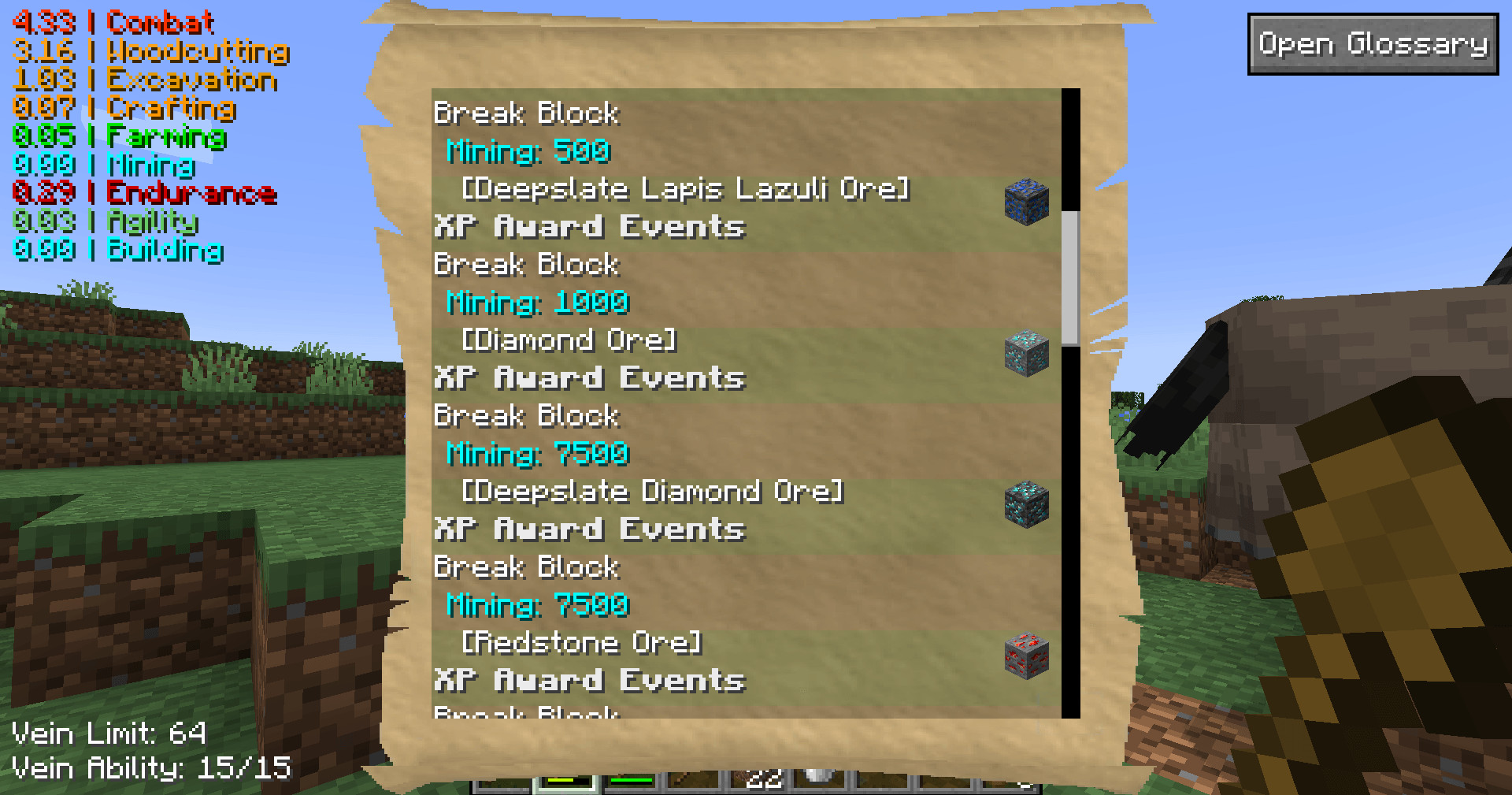 Glossary (Block XP Sources) In the full glossary, you can see detailed information such as the xp gained from breaking blocks.
 -
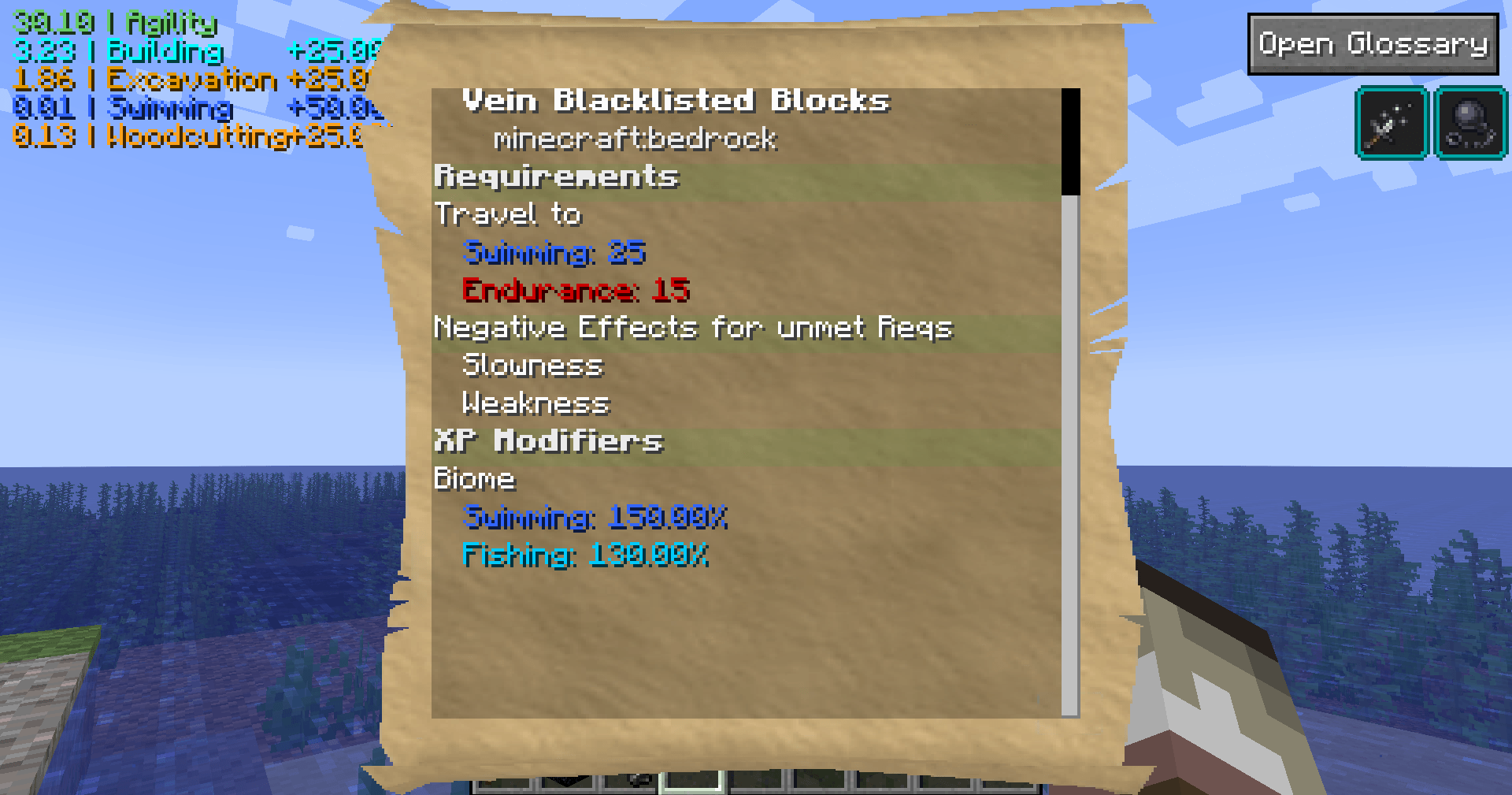 Biome Requirements If you don't meet the requirements to enter a biome, you will receive negative effects, such as this cold ocean requiring 25 swimming and 15 endurance or else you get weakness and slowness.
-
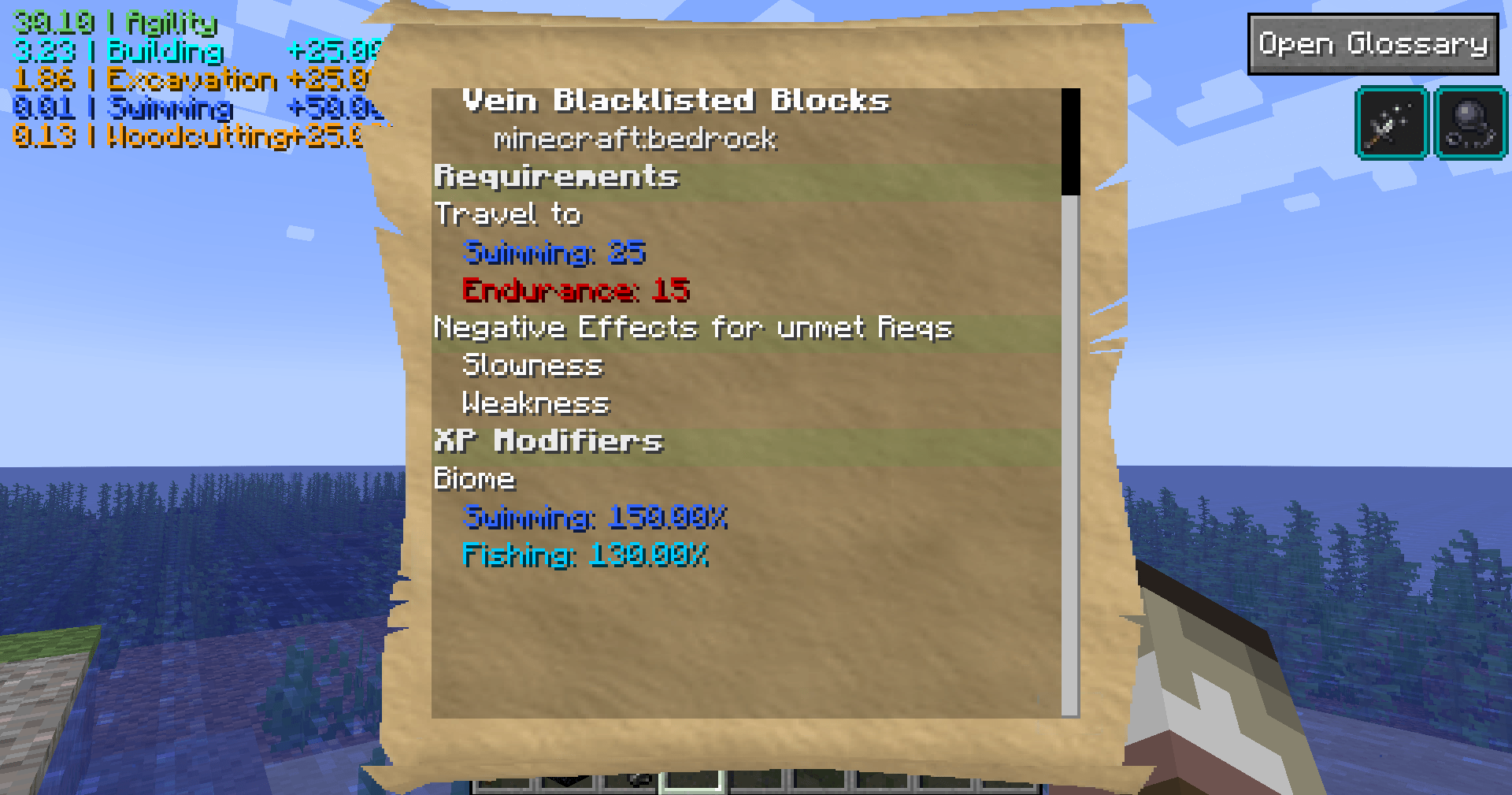 Glossary (Dimension/Biome View) Opening the glossary when not looking at an entity/block will show you the settings for the dimension and biome you are in.
 -
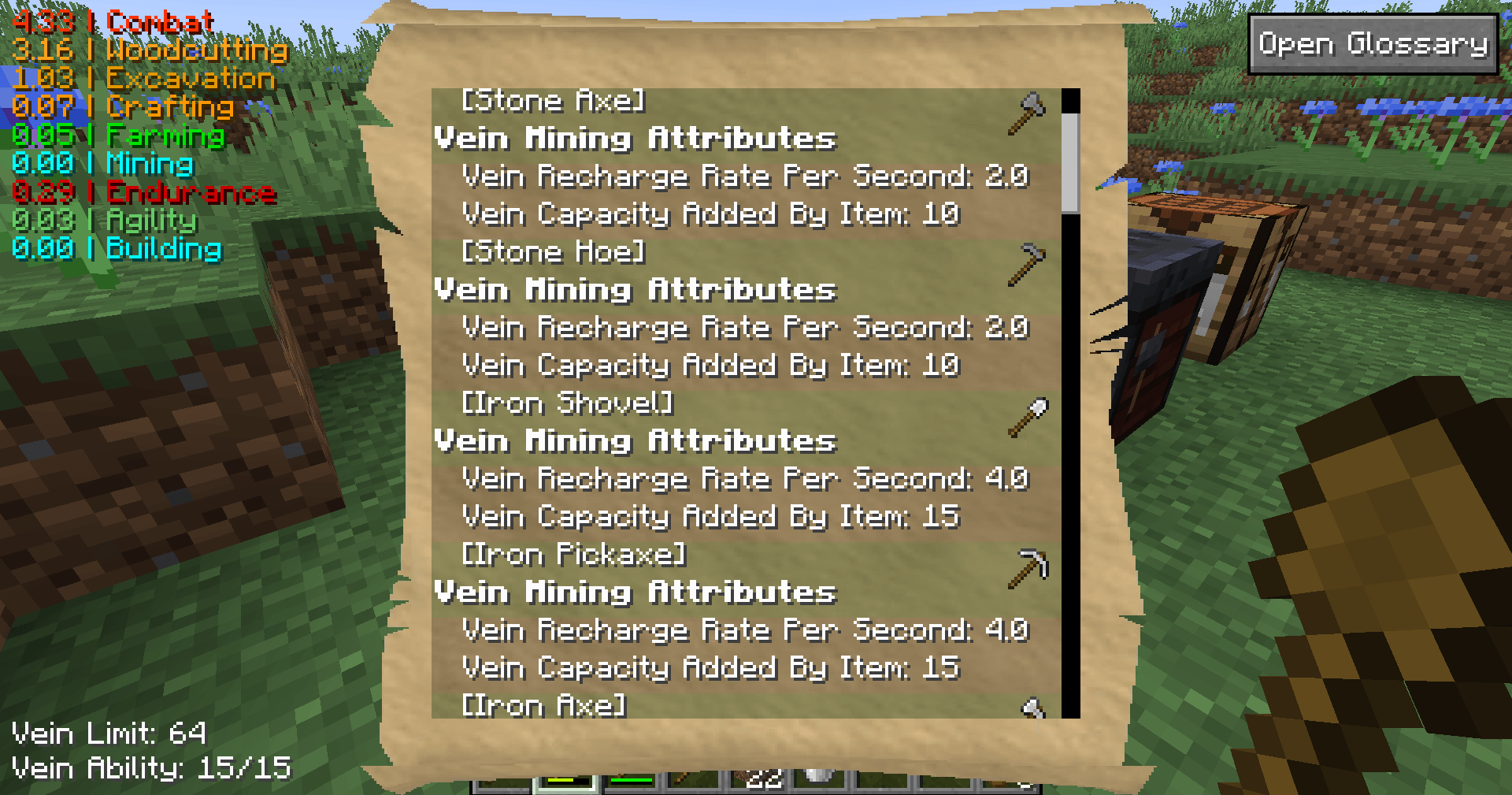 Glossary (full view) The glossary lets you look at all the XP, requirements, bonuses, perks, vein capabilities, and more about objects in the game.
 -
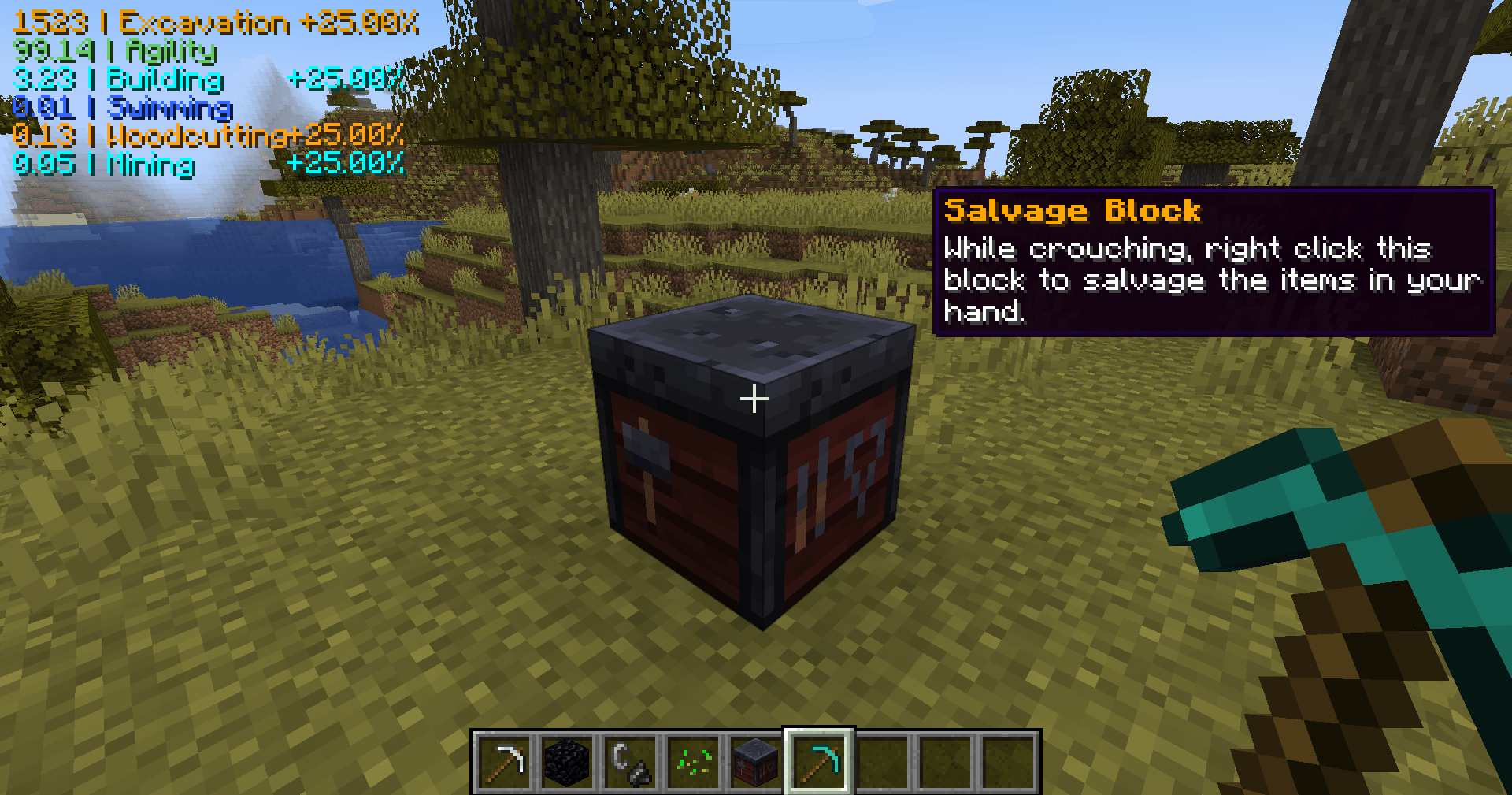 Salvaging The smithing table doubles as a salvage station. You can break down the items in your hands at the smithing table.
 -
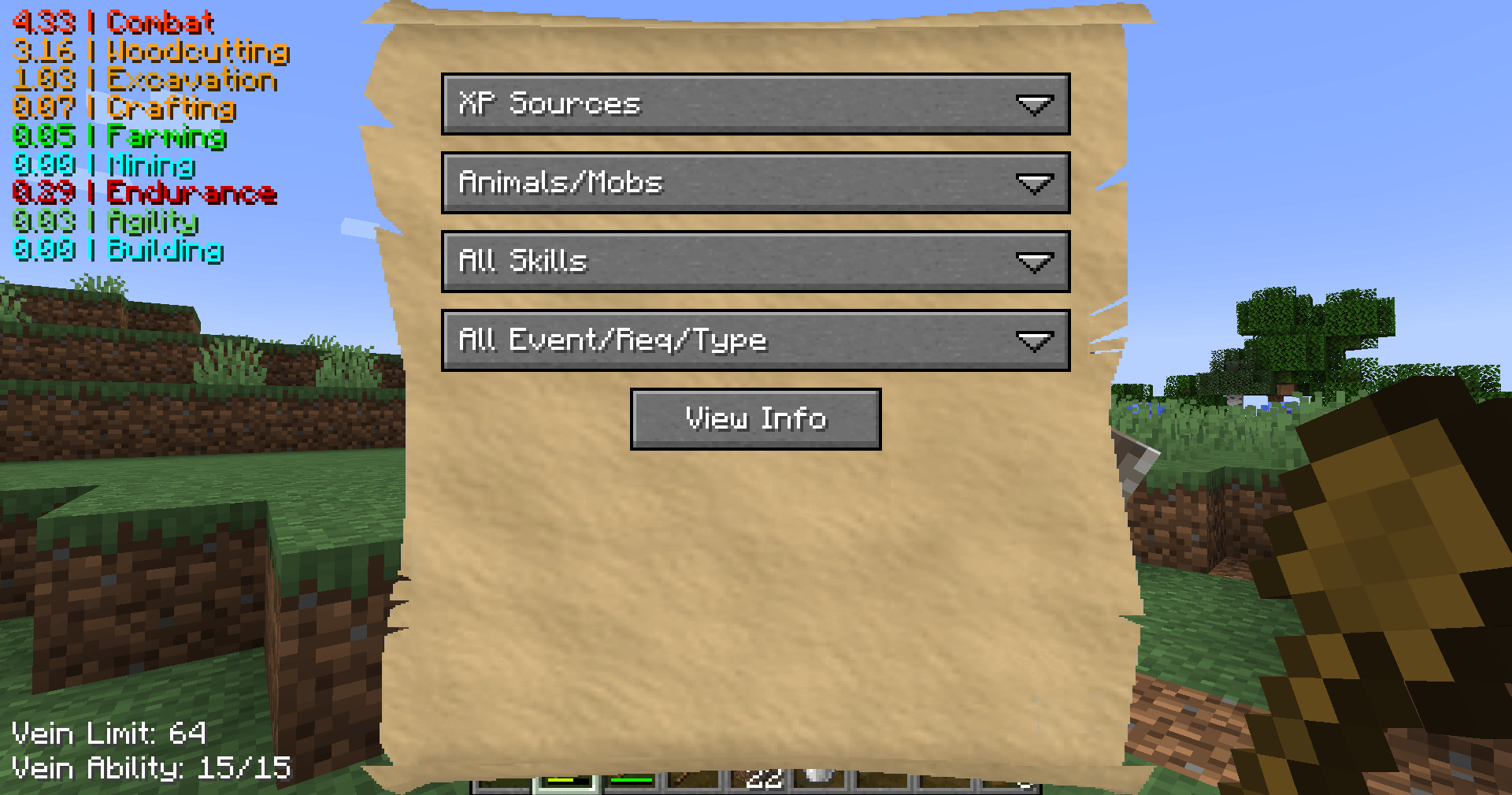 Glossary (Select menu) When first opening the glossary, you will need to select the type of information you want to see.
 -
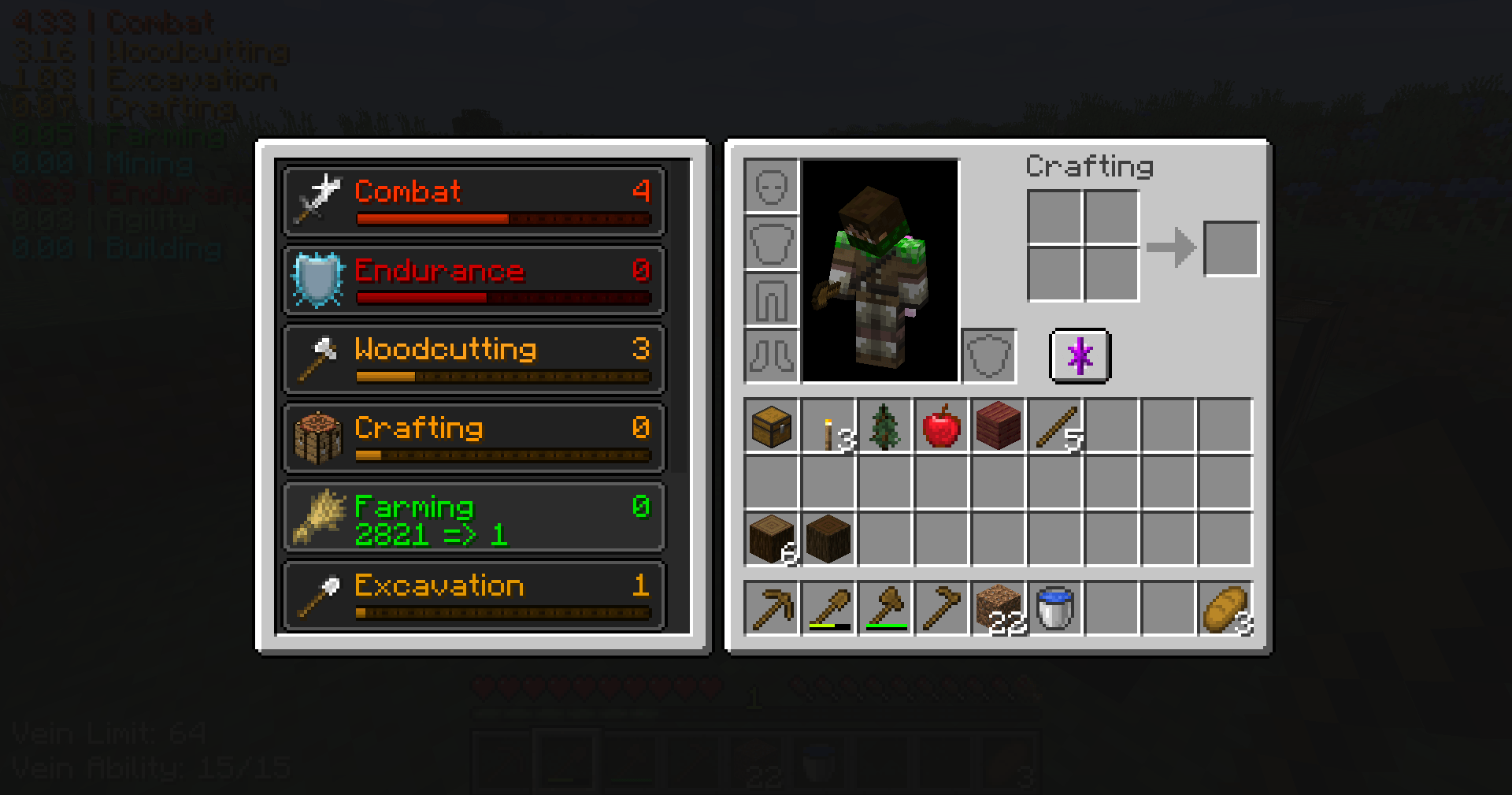 Inventory Skills View View skill progress in your inventory
 -
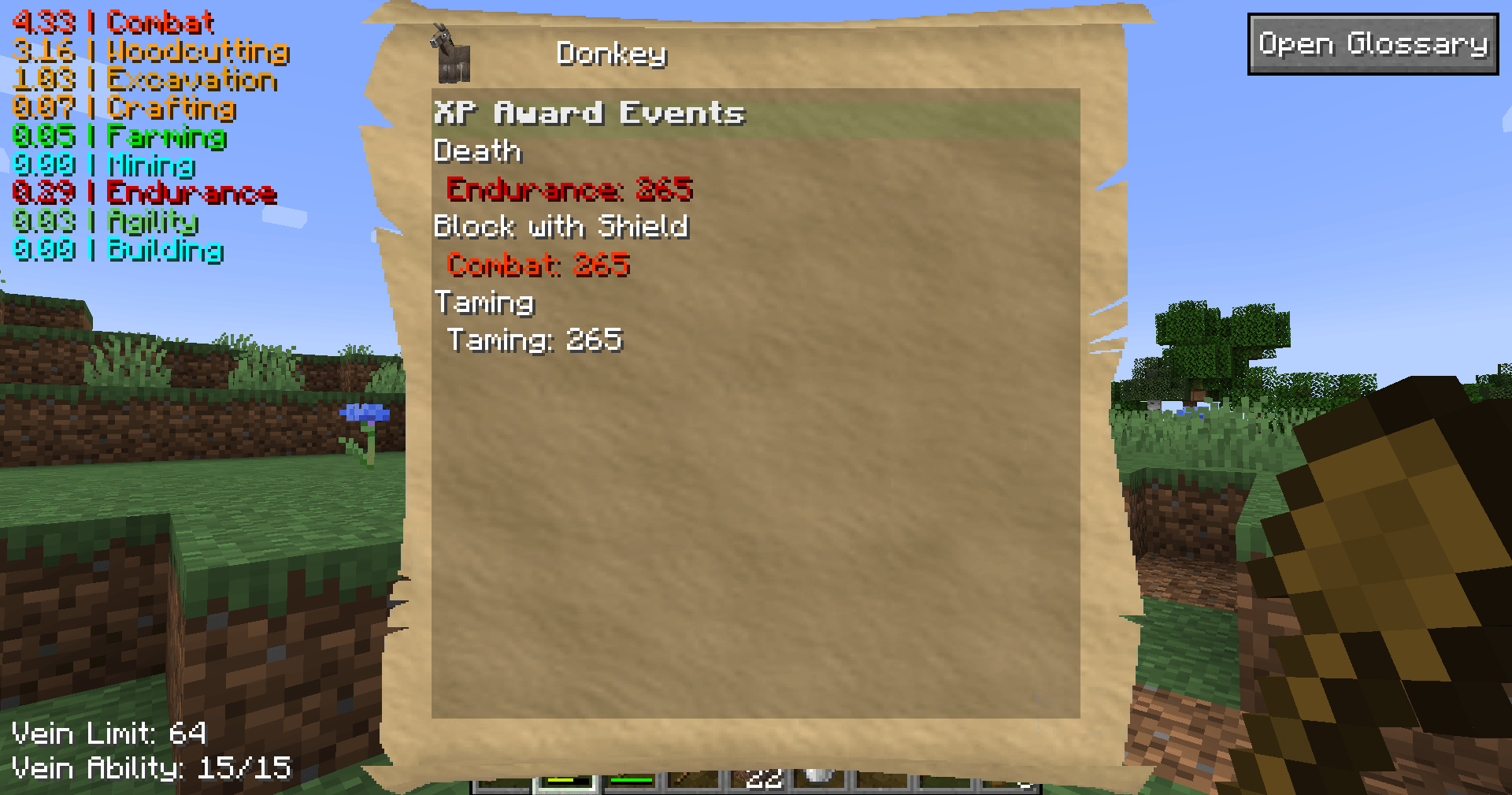 Glossary (Specific view) When looking at/hovering items and using the glossary key (P), you can view the specific settings for that thing. This is especially helpful if your modpack is using NBT values for settings.
 -
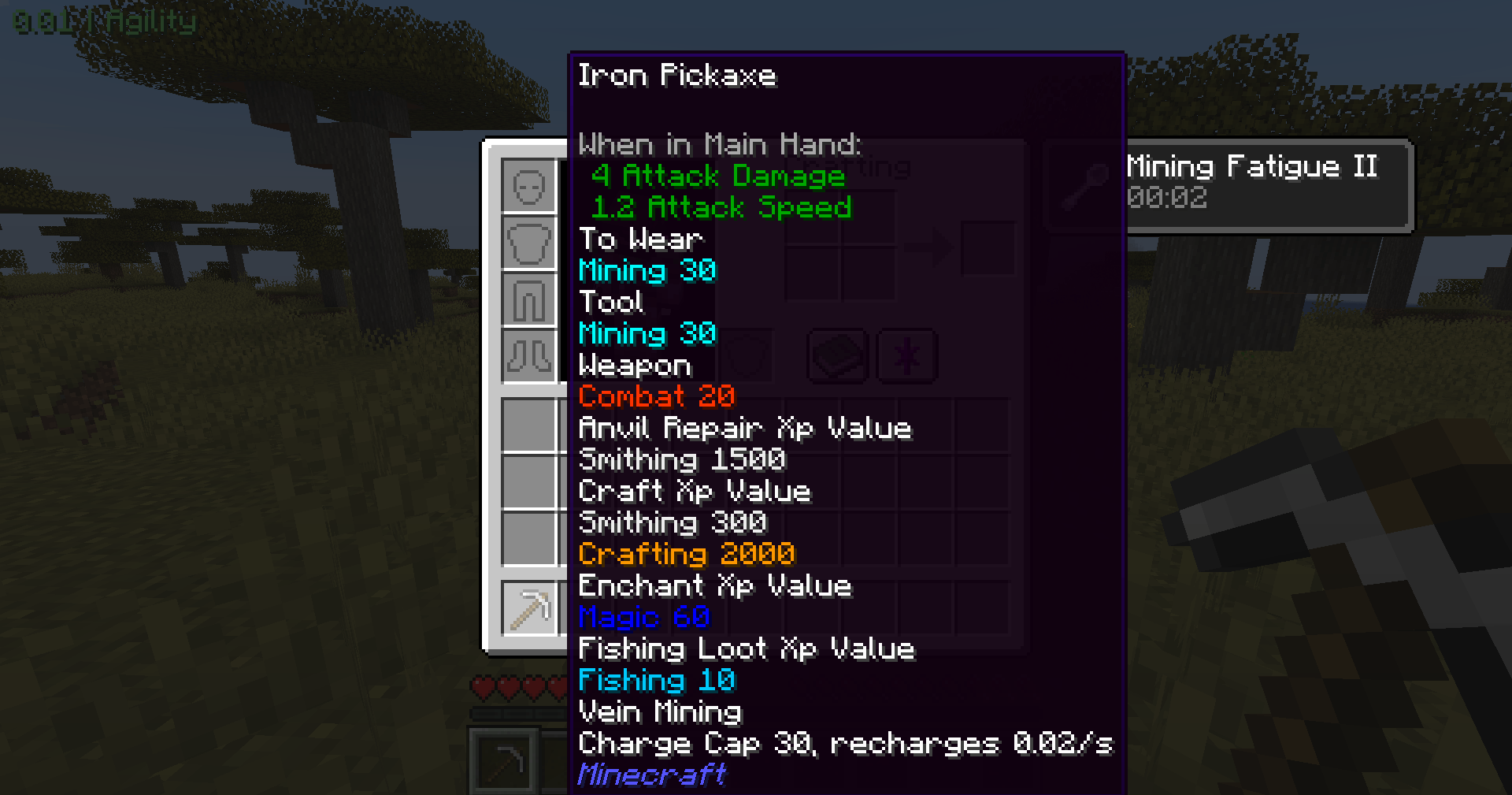 Tooltip Customizable tooltips let you see information about items at a glance
 -
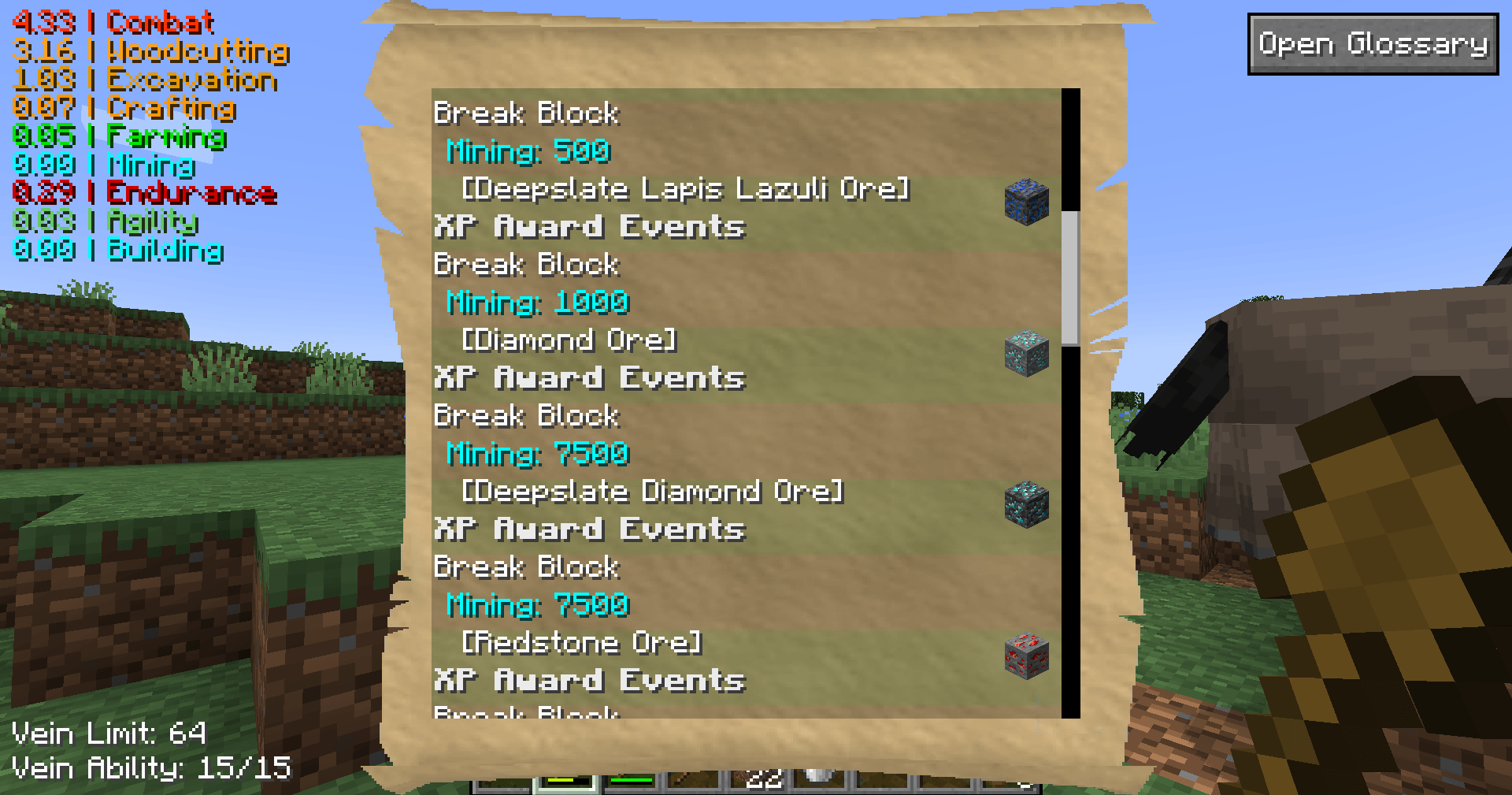 Glossary (Filtered View) This view shows a filtered view where the player chose only to see XP sources for the Mining skill
 -
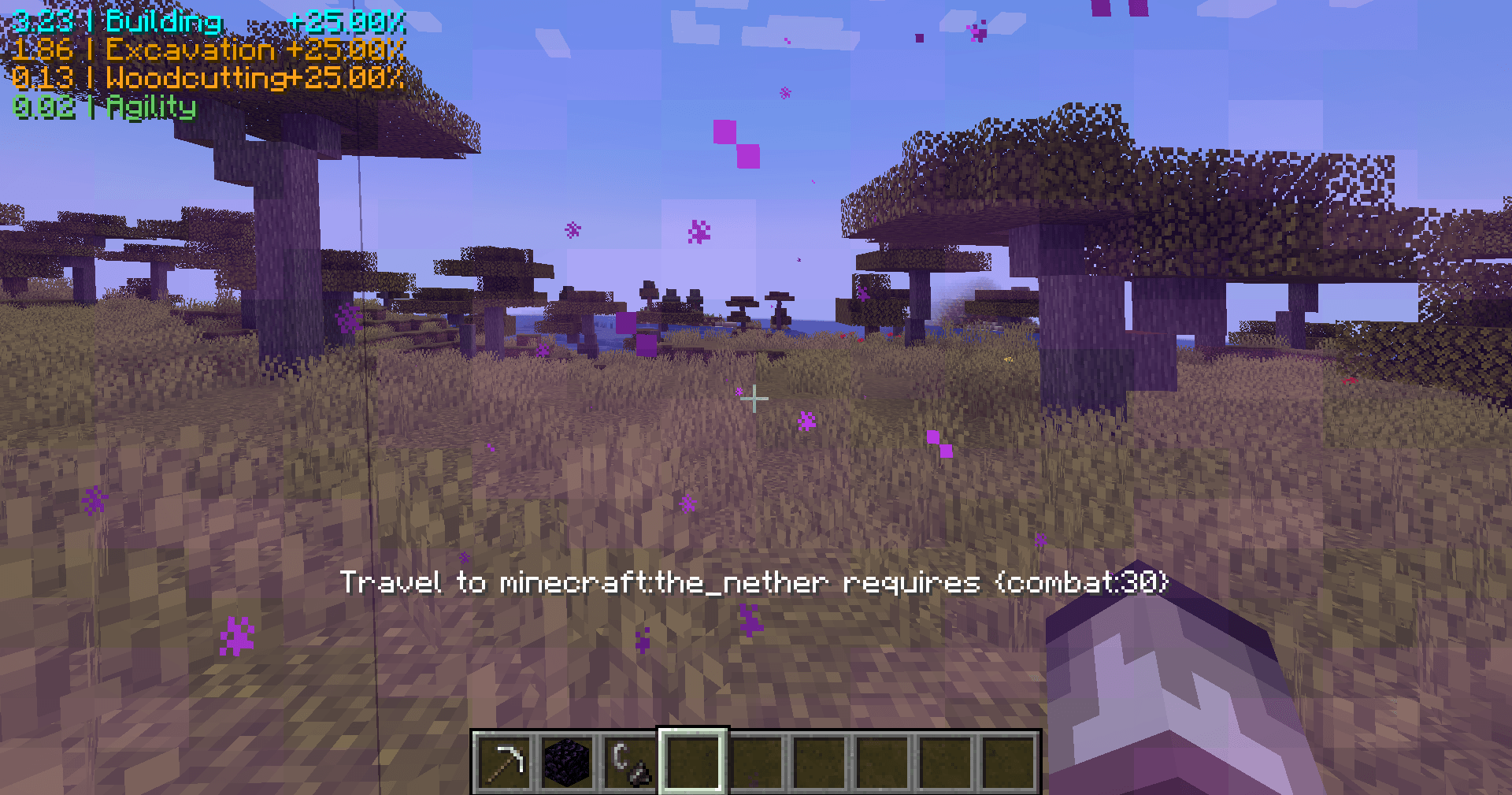 Travel Restrictions Dimensions can be locked to skill requirements
 -
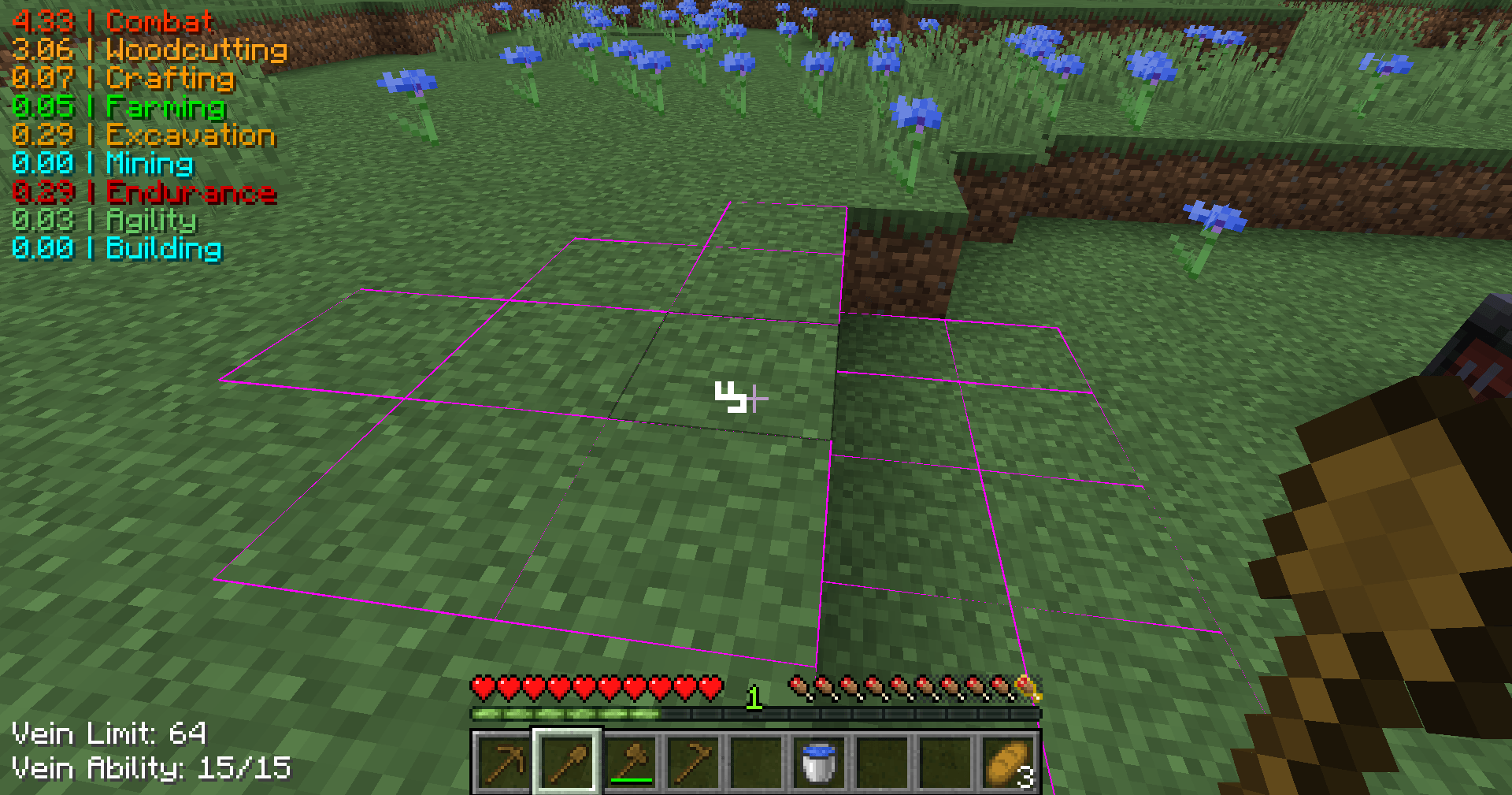 Vein Mining As you get better equipment, you gain even stronger vein mining capabilities. Vein mining allows you to break multiple of the same block in a single action.
 -
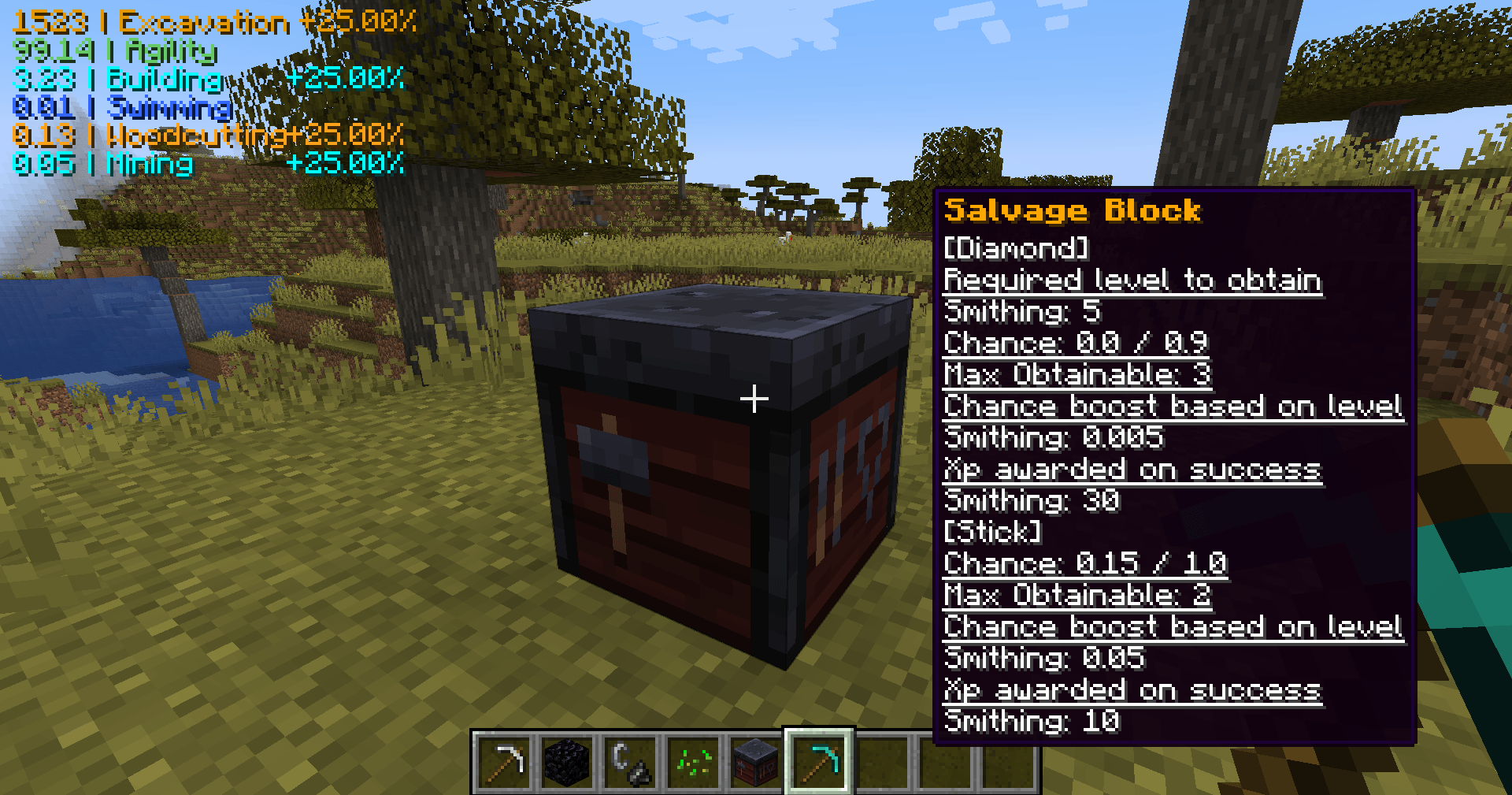 Salvaging (Previewing) To Salvage, shift right click the smithing table with the item in hand you want to salvage. Before you right-click, the tooltip will show you what you might get based on your salvage chances.
 -
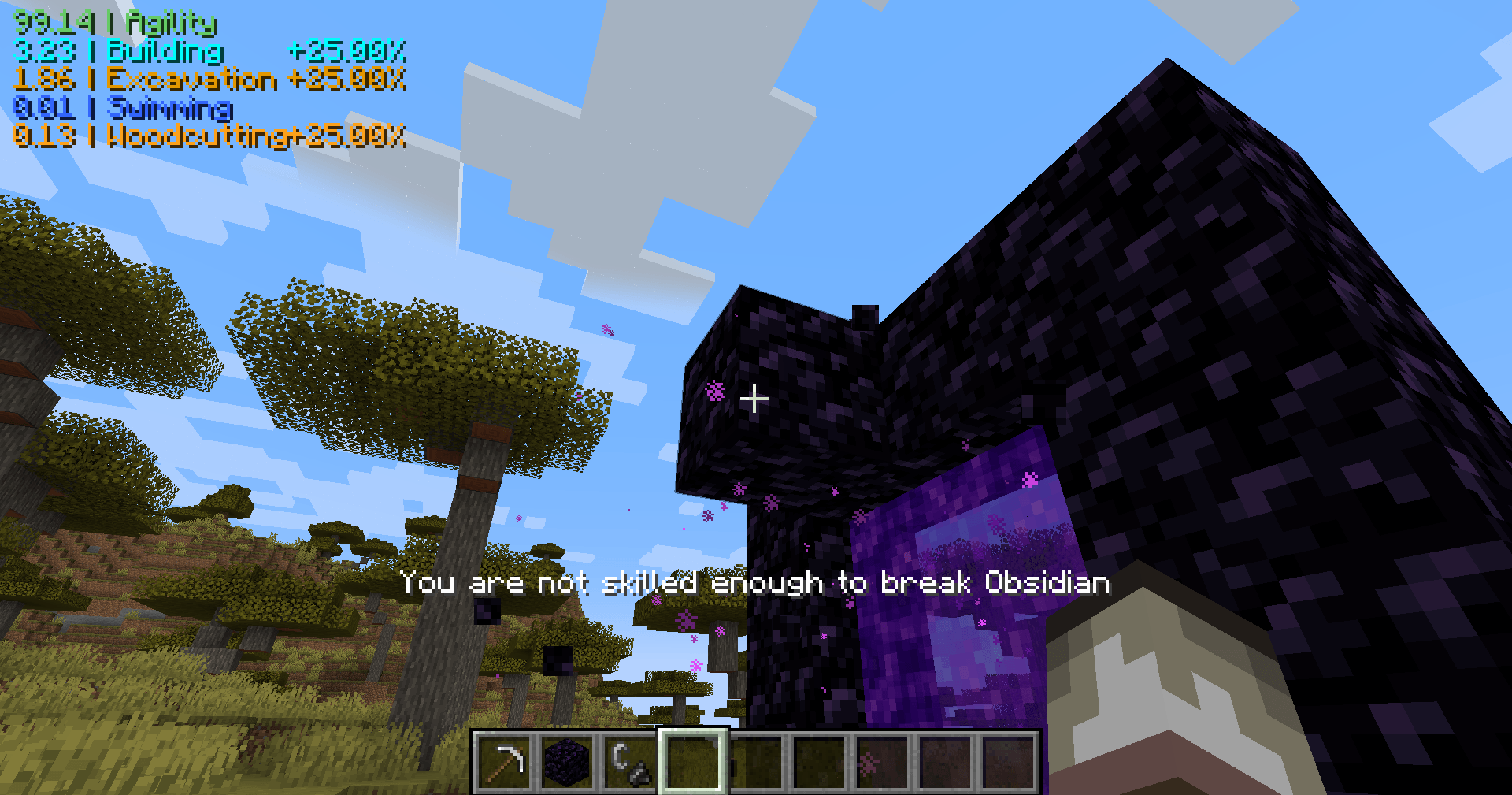 Requirements Everything in the game can be given requirements for skill levels needed to perform an action. In this case, the player needs to level up their Mining skill to break Obsidian.
 -
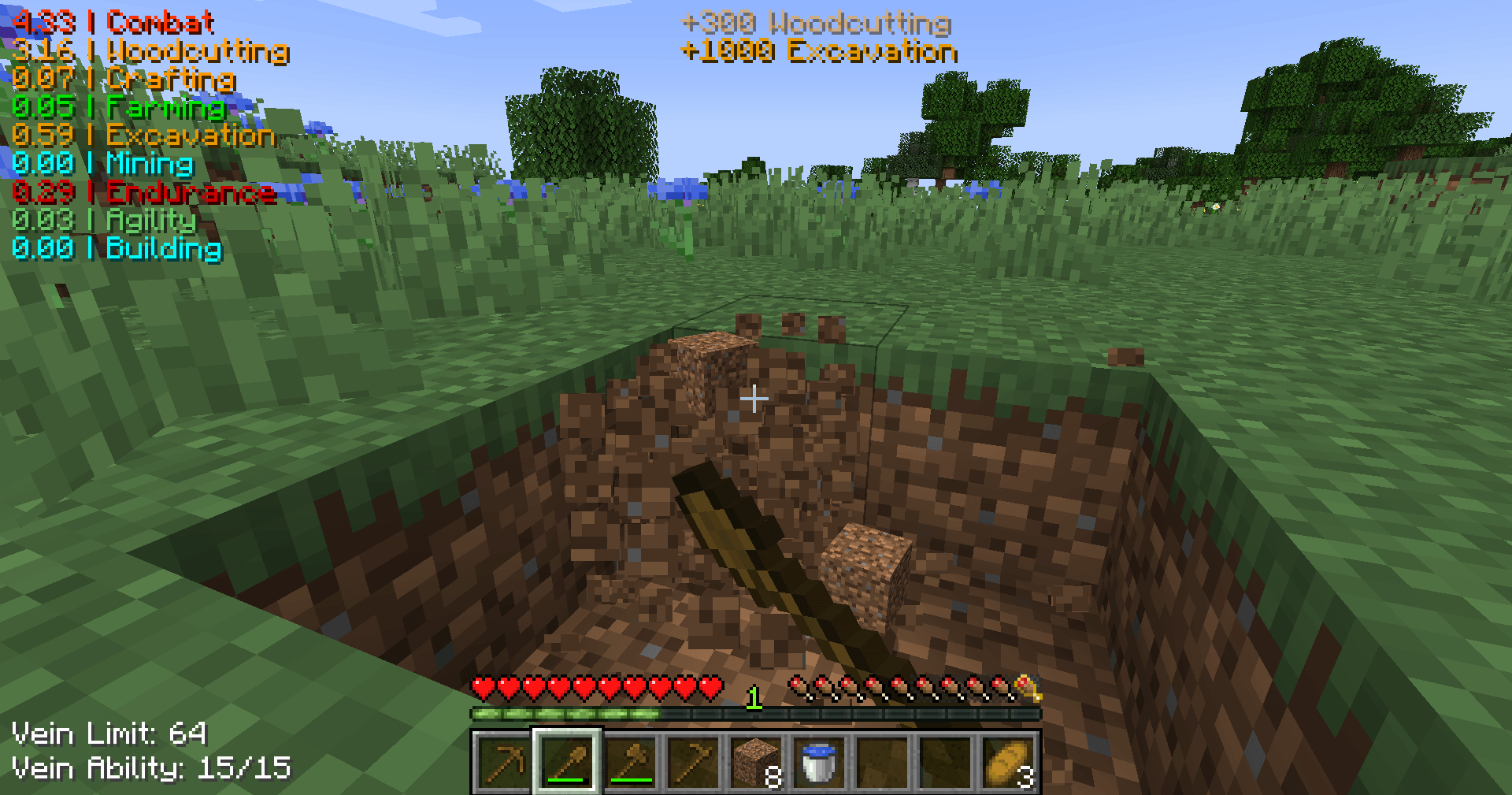 Earning XP Actions in game, like breaking blocks, award you XP based on the type of block!
Versions
Files
Relations
Project Relations
More like this
Similar Mods
Suggestions use data such as tags, dependencies, dependents, descriptions, titles, and more to rank how much they overlap with this mod.
On ModDex
Community snapshot
By the numbers
Statistics
 (opens in a new tab)
Get it on
Available Platforms
On ModDex
Community snapshot
By the numbers