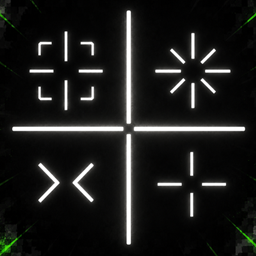
Community listing page, reviews here may not be monitored by the author.
PvP Crosshair


No reviews yet
Clean and customizable PvP Crosshair. Lightweight and supports mod menu
Community voices
Reviews
No reviews yet. Be the first to review this project!
Get it on
Available Platforms
Compatibility
Supported Environments
Runs entirely on the client. Works on vanilla servers.
About
Project Details
For authors
Embed Badge
If you're the author of this project, you can embed a live badge anywhere that supports HTML or Markdown. It updates automatically whenever ratings change.
Use HTML for any page that supports it, or Markdown for README files and Markdown-based descriptions.
Identifiers
Platform IDs
About
Description
PvP Crosshair
PvP Crosshair is a lightweight and customizable Fabric mod that enhances Minecraft combat by providing a dynamic crosshair.
Whether you're fighting players or mobs, the crosshair dynamically changes based on your target, giving you instant visual feedback without cluttering your screen.
✨ Features
🎯 Multiple Crosshair Styles
Choose from four built-in styles:
- Corner (Default)
- Star
- Chevron
- Vanilla
🟢 Smart Target Detection
The crosshair automatically detects when you're aiming at a living entity and changes to your configured target color.
🛡 Shield Detection
When your target is actively blocking with a shield, the crosshair switches to a separate shield color, making it easy to identify defensive opponents.
🎨 Fully Customizable
Customize the crosshair to match your preference:
- Crosshair style
- Crosshair size
- Idle opacity
- Target opacity
- Shield opacity
- Idle color
- Target color
- Shield color
⚙️ In-Game Configuration
Configure everything directly in-game using:
- Mod Menu (Optional)
- Cloth Config (Optional)
💾 Automatic Configuration Saving
All settings are automatically saved to a JSON configuration file and persist between game launches.
🎮 Vanilla-Friendly
PvP Crosshair is designed to improve combat without changing Minecraft's core gameplay.
It preserves:
- Vanilla attack cooldown indicator
- Vanilla spectator crosshair behavior
- Vanilla combat mechanics
📦 Requirements
Required
- Fabric Loader
- Fabric API
Optional
- Mod Menu
- Cloth Config (required only for the in-game configuration screen)
✅ Supported Version
- Minecraft 26.2
Support for additional Minecraft 1.21.x versions is planned in future releases.
❤️ Feedback
Found a bug or have a feature suggestion?
Please open an issue on GitHub or leave feedback on the project page. Community feedback helps shape future updates.
Enjoy!
PvP Crosshair
PvP Crosshair is a lightweight and customizable Fabric mod that enhances Minecraft combat by providing a dynamic crosshair.
Whether you're fighting players or mobs, the crosshair dynamically changes based on your target, giving you instant visual feedback without cluttering your screen.
✨ Features
🎯 Multiple Crosshair Styles
Choose from four built-in styles:
- Corner (Default)
- Star
- Chevron
- Vanilla
🛡 Shield Detection
When your target is actively blocking with a shield, the crosshair switches to a separate shield color, making it easy to identify defensive opponents.
🟢 Smart Target Detection
The crosshair automatically detects when you're aiming at a living entity and changes to your configured target color.
🎨 Fully Customizable
Customize the crosshair to match your preference:
- Crosshair style
- Crosshair size
- Idle opacity
- Target opacity
- Shield opacity
- Idle color
- Target color
- Shield color
⚙️ In-Game Configuration
Configure everything directly in-game using:
- Mod Menu (Optional)
- Cloth Config (Optional)
💾 Automatic Configuration Saving
All settings are automatically saved to a JSON configuration file and persist between game launches.
🎮 Vanilla-Friendly
PvP Crosshair is designed to improve combat without changing Minecraft's core gameplay.
It preserves:
- Vanilla attack cooldown indicator
- Vanilla spectator crosshair behavior
- Vanilla combat mechanics
📦 Requirements
Required
- Fabric Loader
- Fabric API
Optional
- Mod Menu
- Cloth Config (required only for the in-game configuration screen)
✅ Supported Version
- Minecraft 26.2
Support for additional Minecraft 1.21.x versions is planned in future releases.
❤️ Feedback
Found a bug or have a feature suggestion?
Please open an issue on GitHub or leave feedback on the project page. Community feedback helps shape future updates.
Enjoy!
Screenshots
Gallery
-
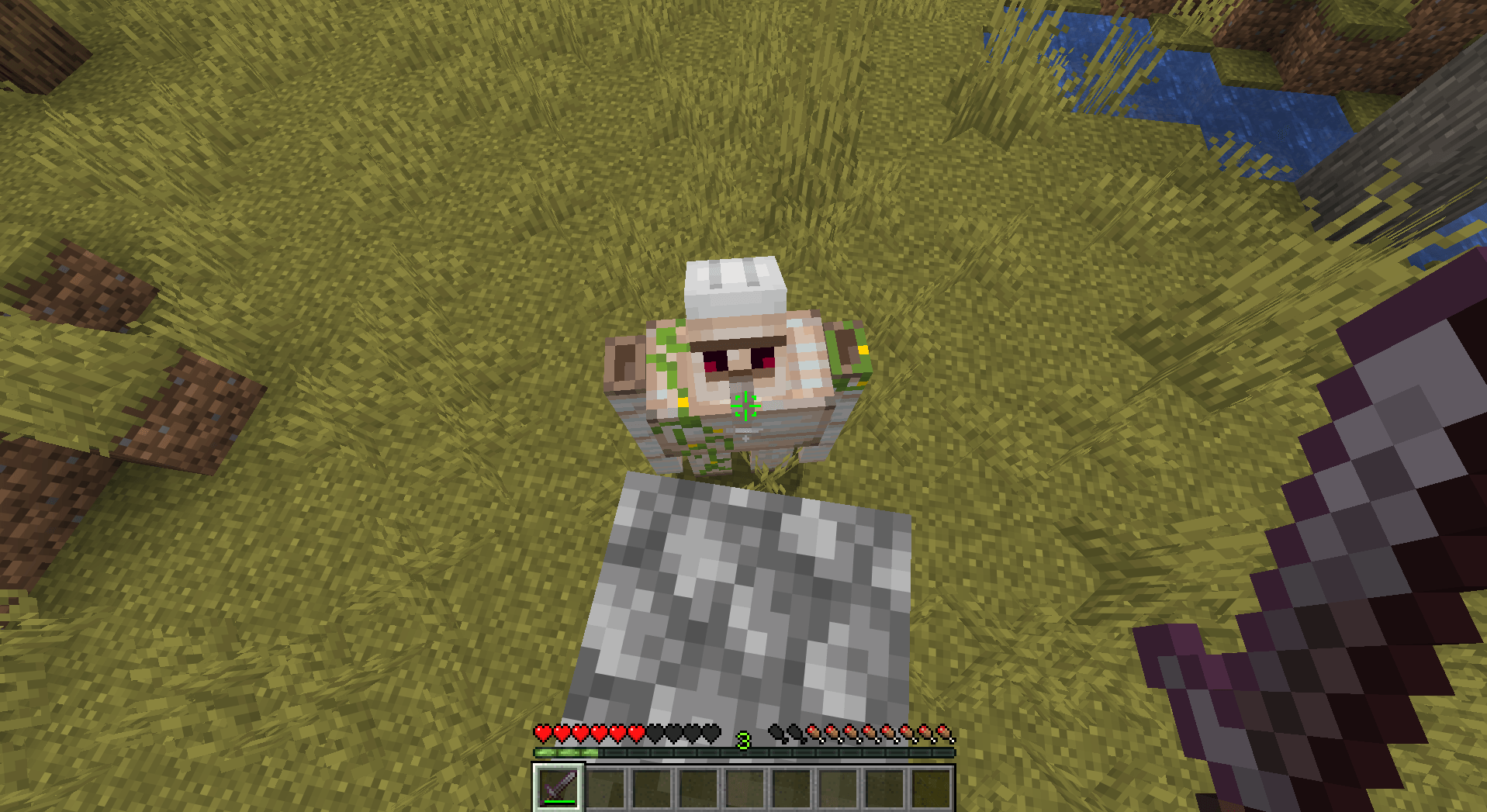 corners crosshair.png corners crosshair.png
 -
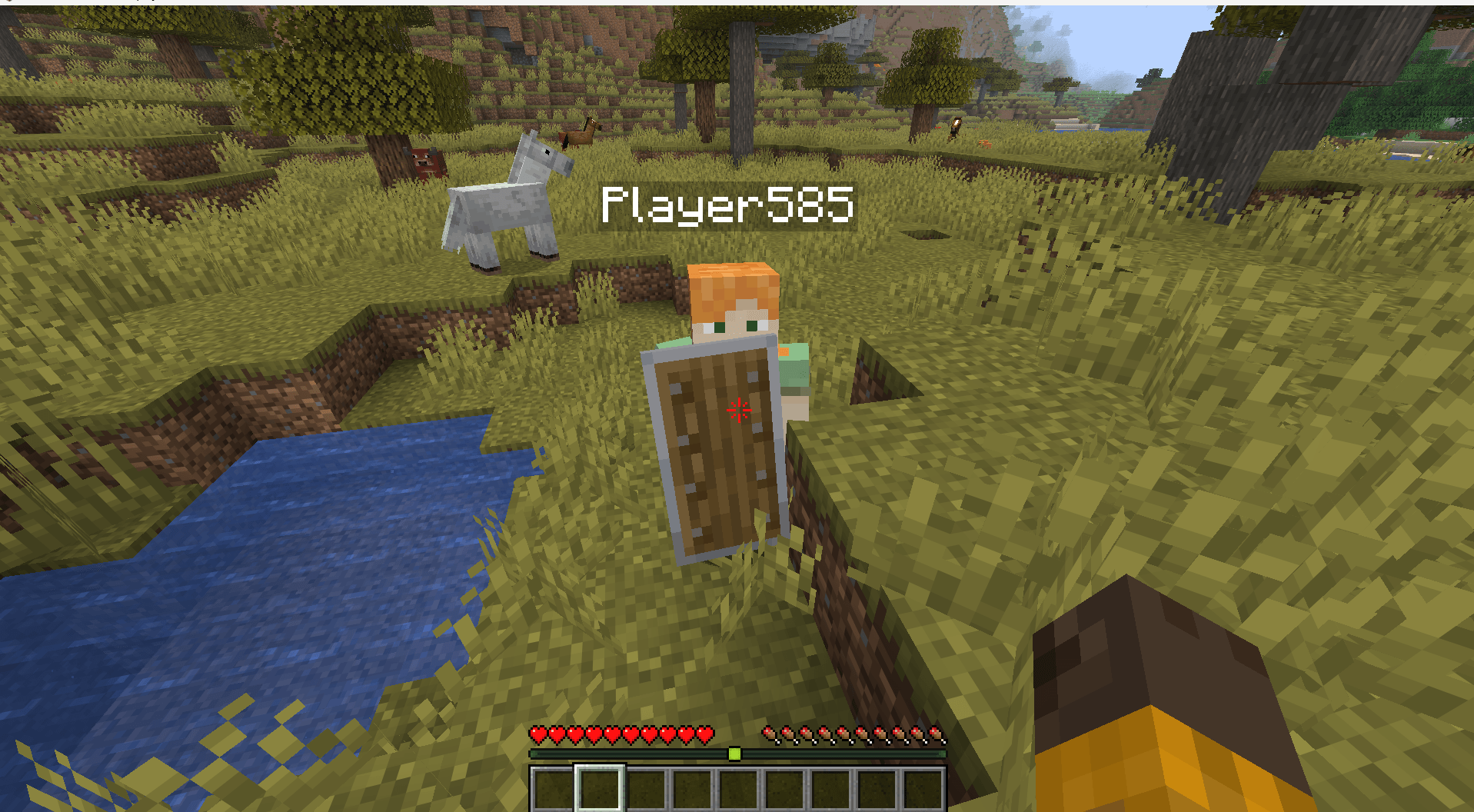 shield.png shield.png
 -
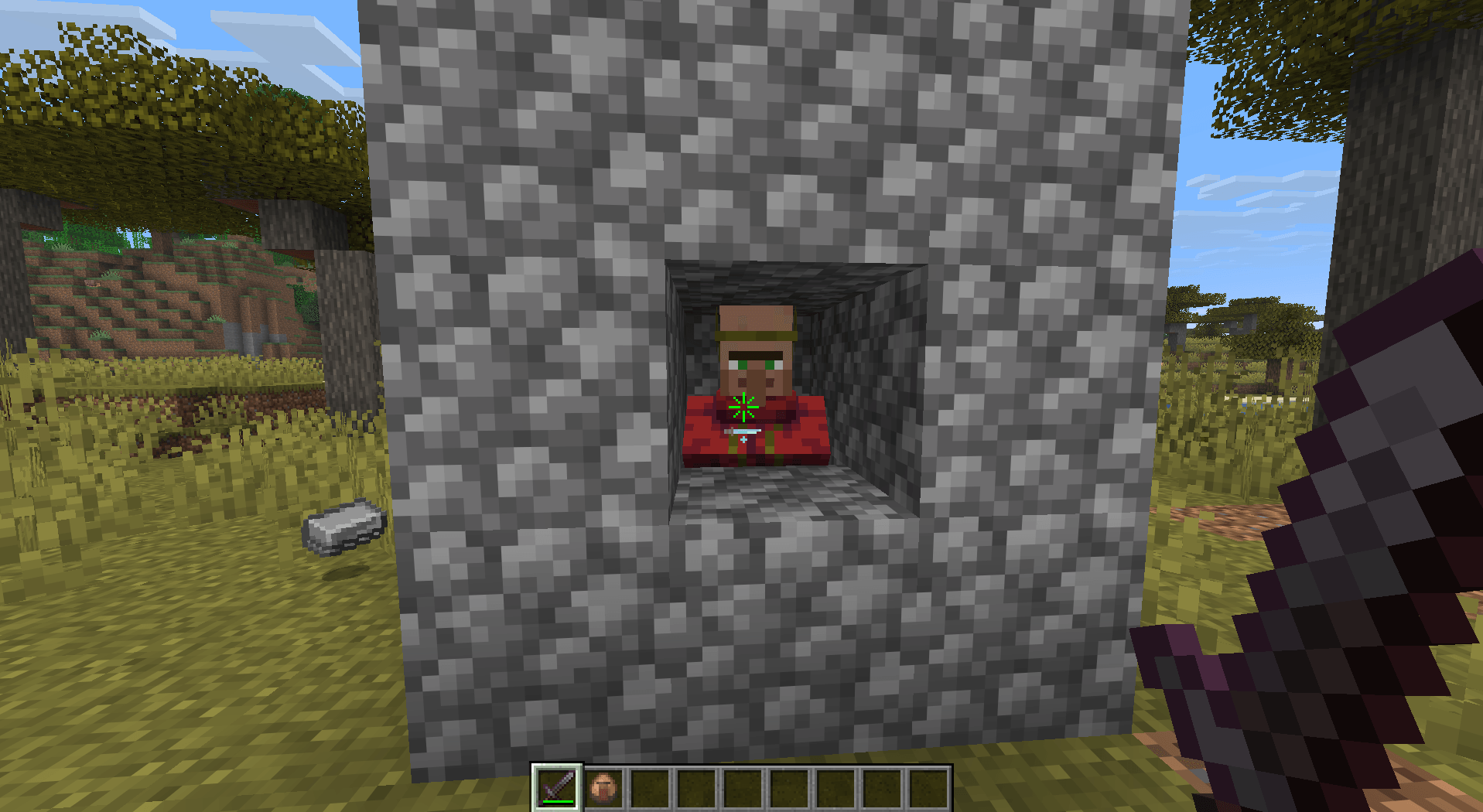 star crosshair.png star crosshair.png
 -
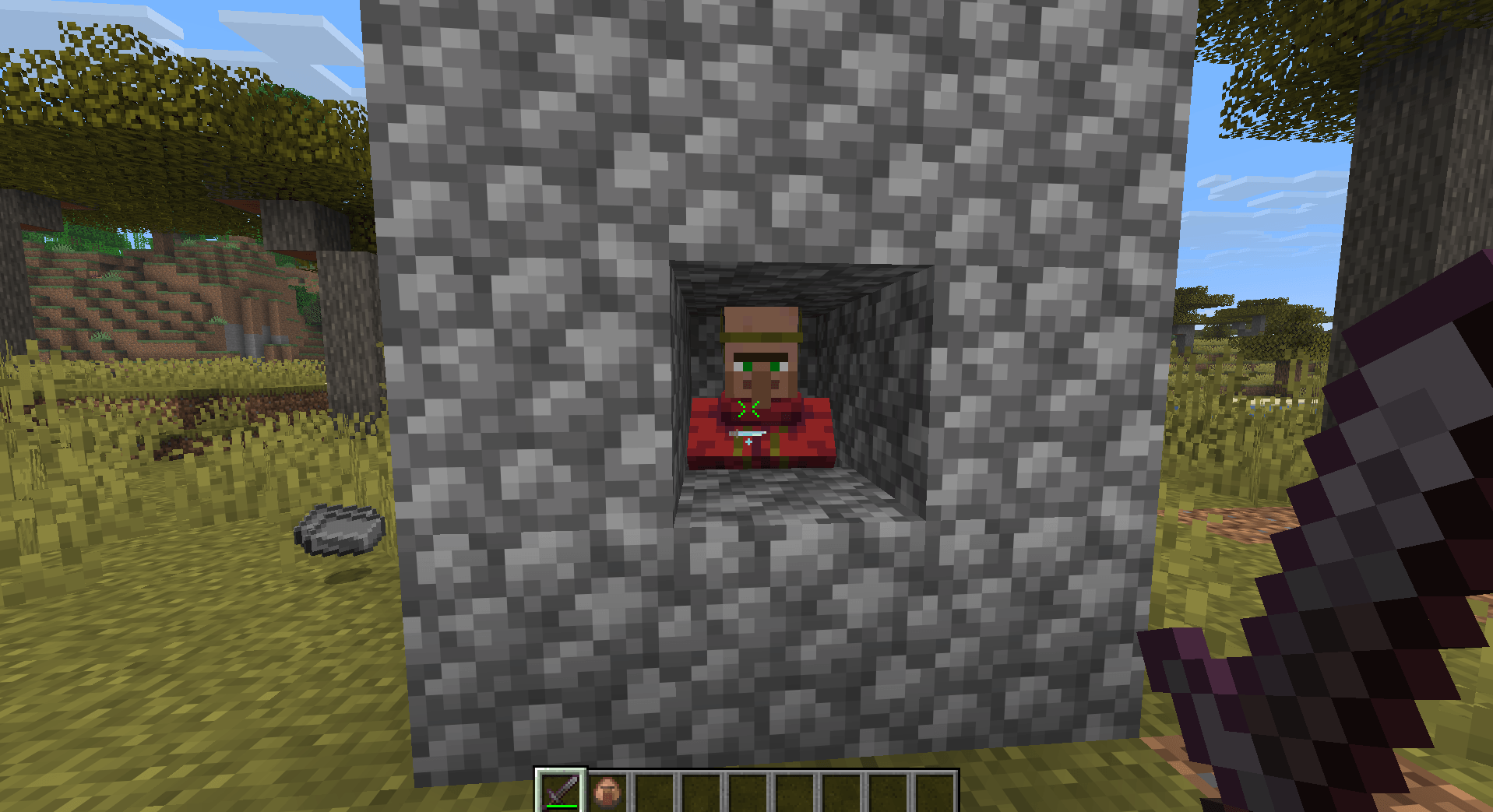 chevron crosshair.png chevron crosshair.png
 -
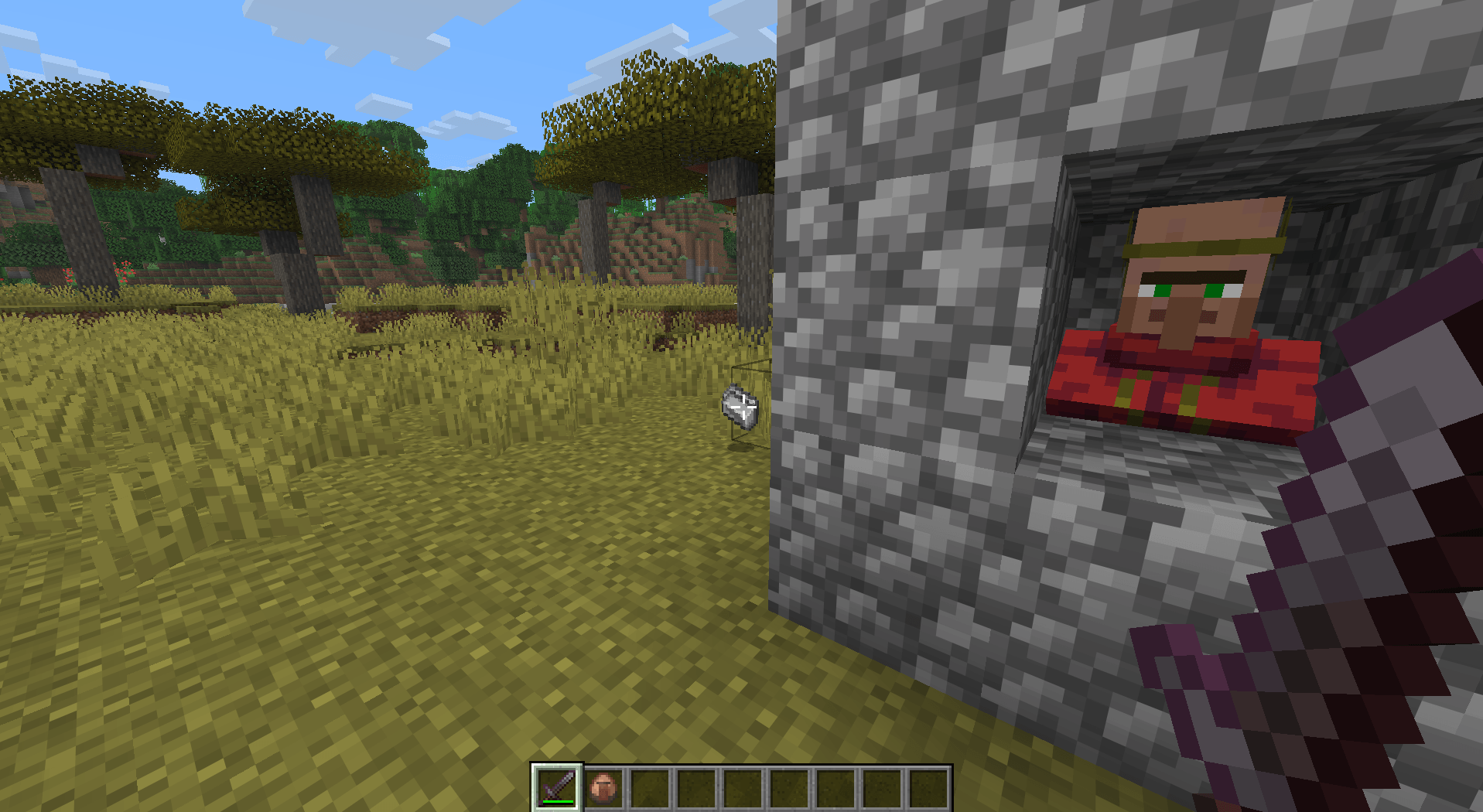 default crosshair.png default crosshair.png
 -
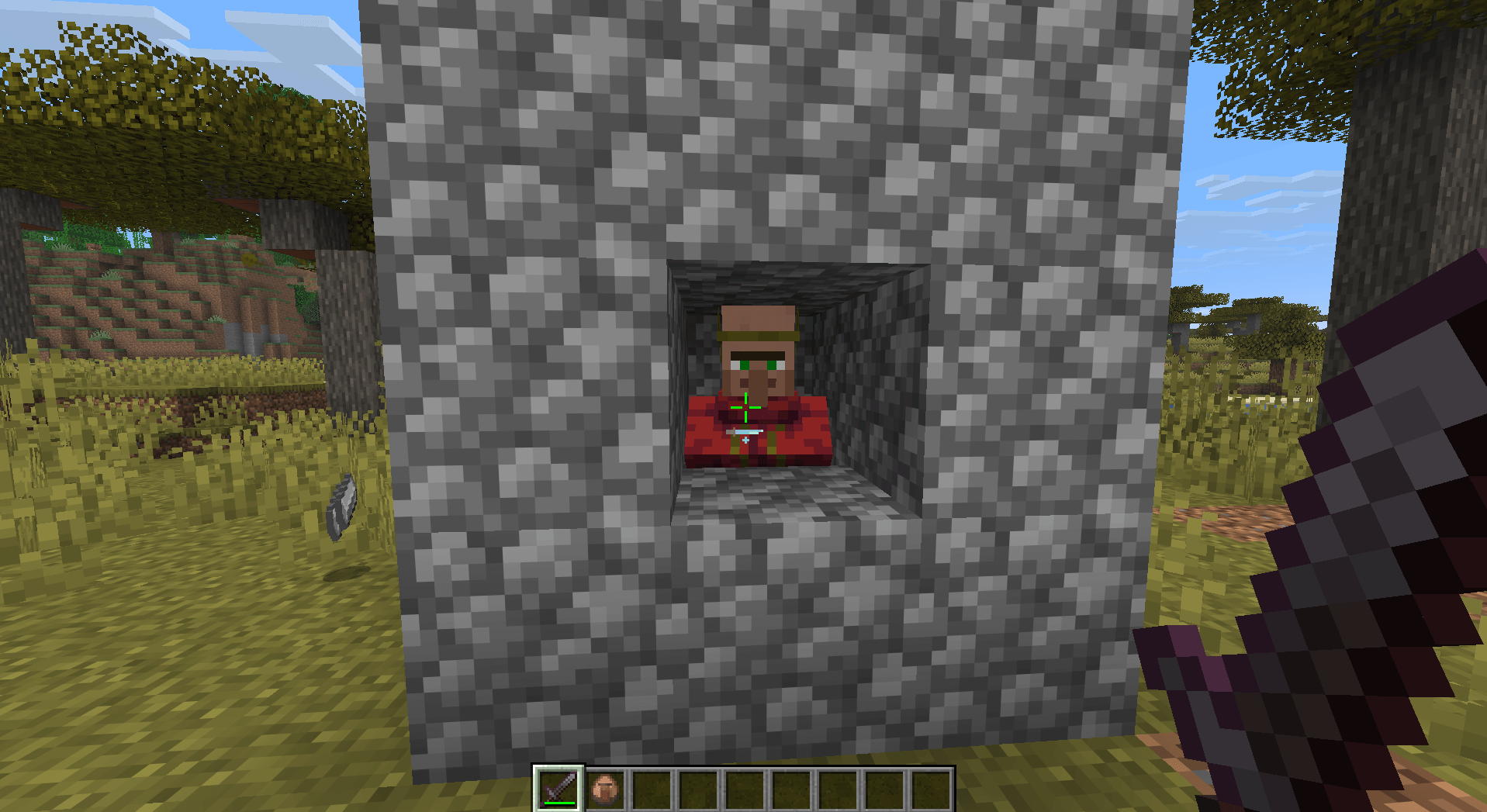 vanilla crosshair.png vanilla crosshair.png
-
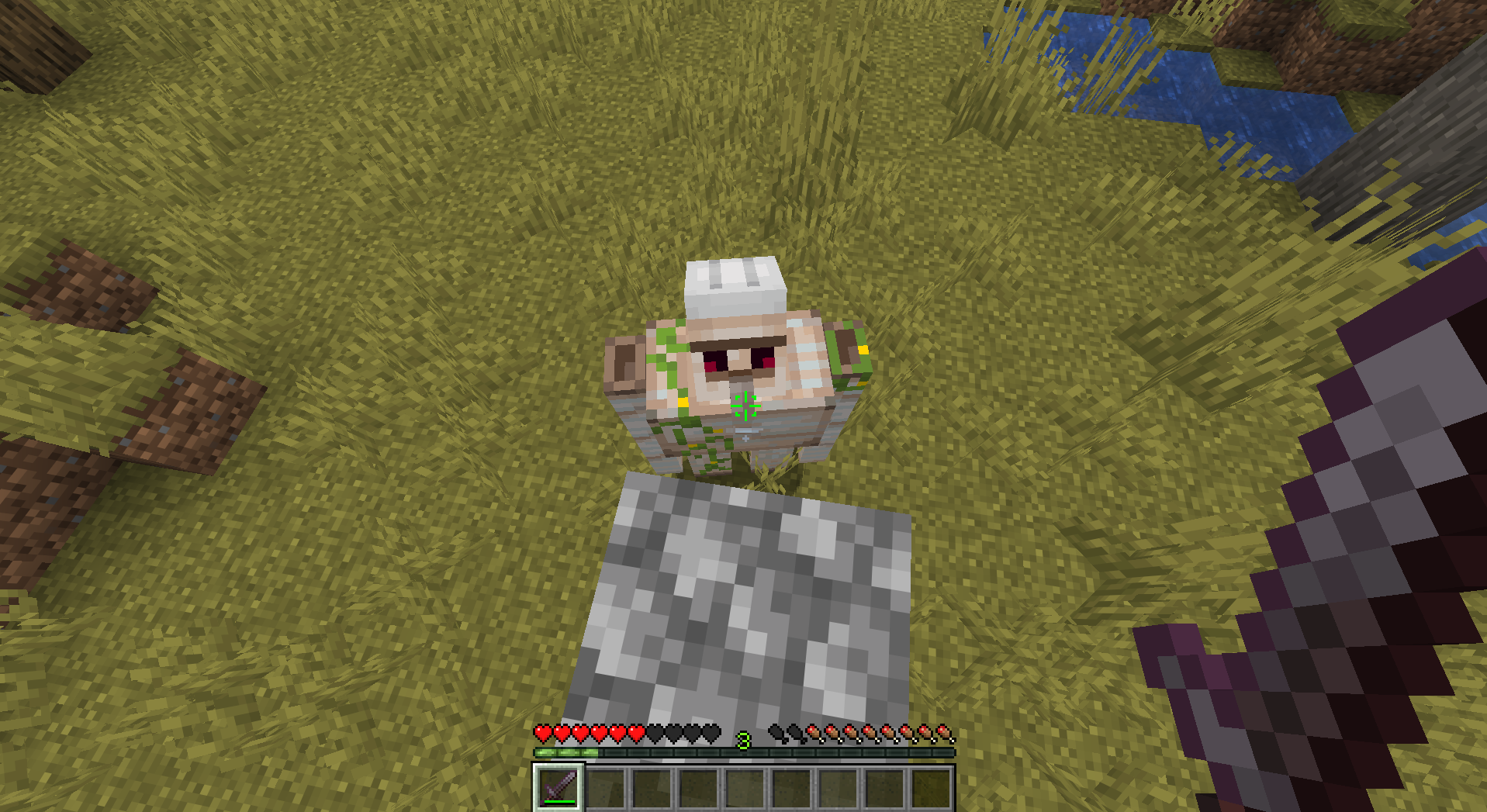 Corners Crosshair
 -
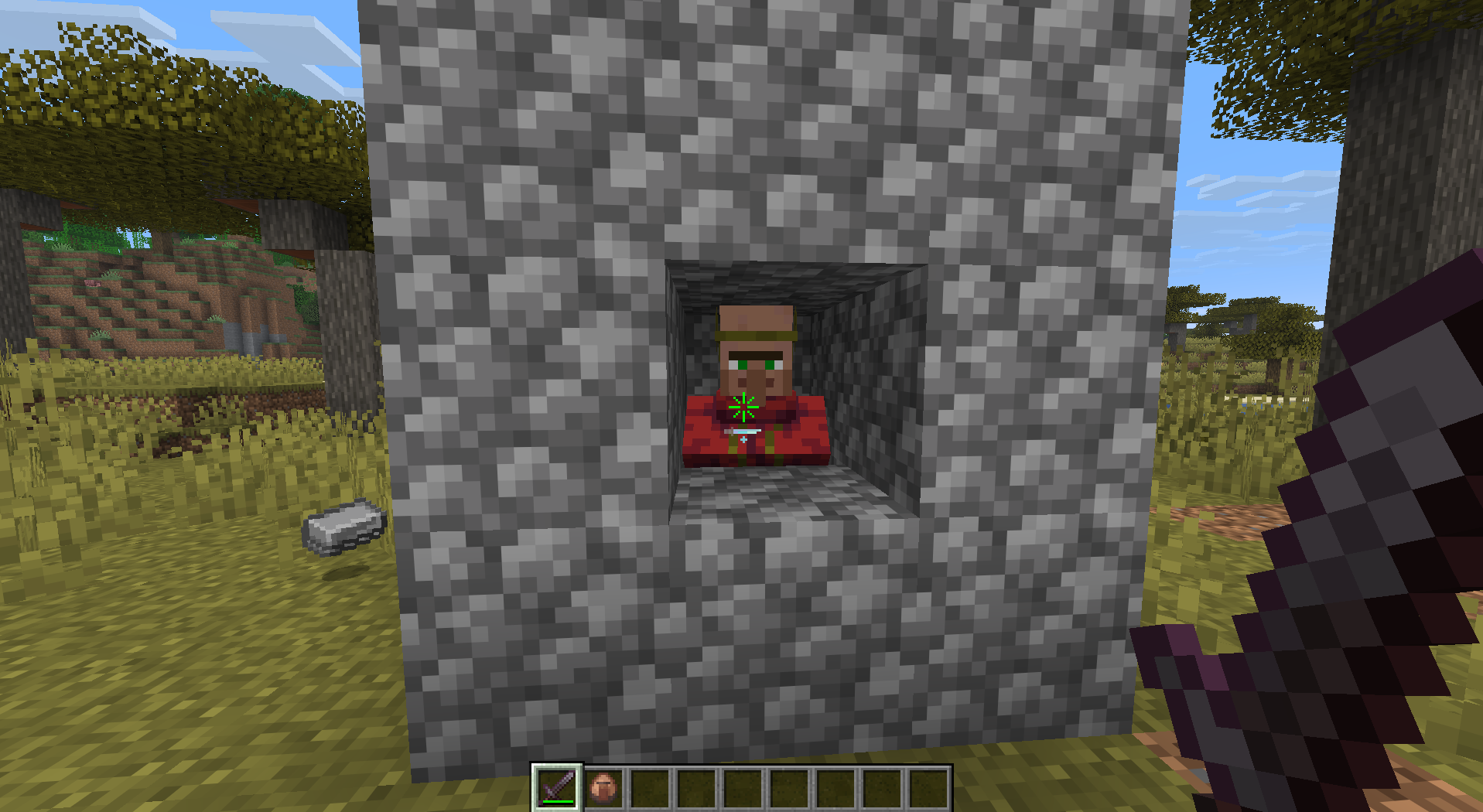 Star Crosshair
 -
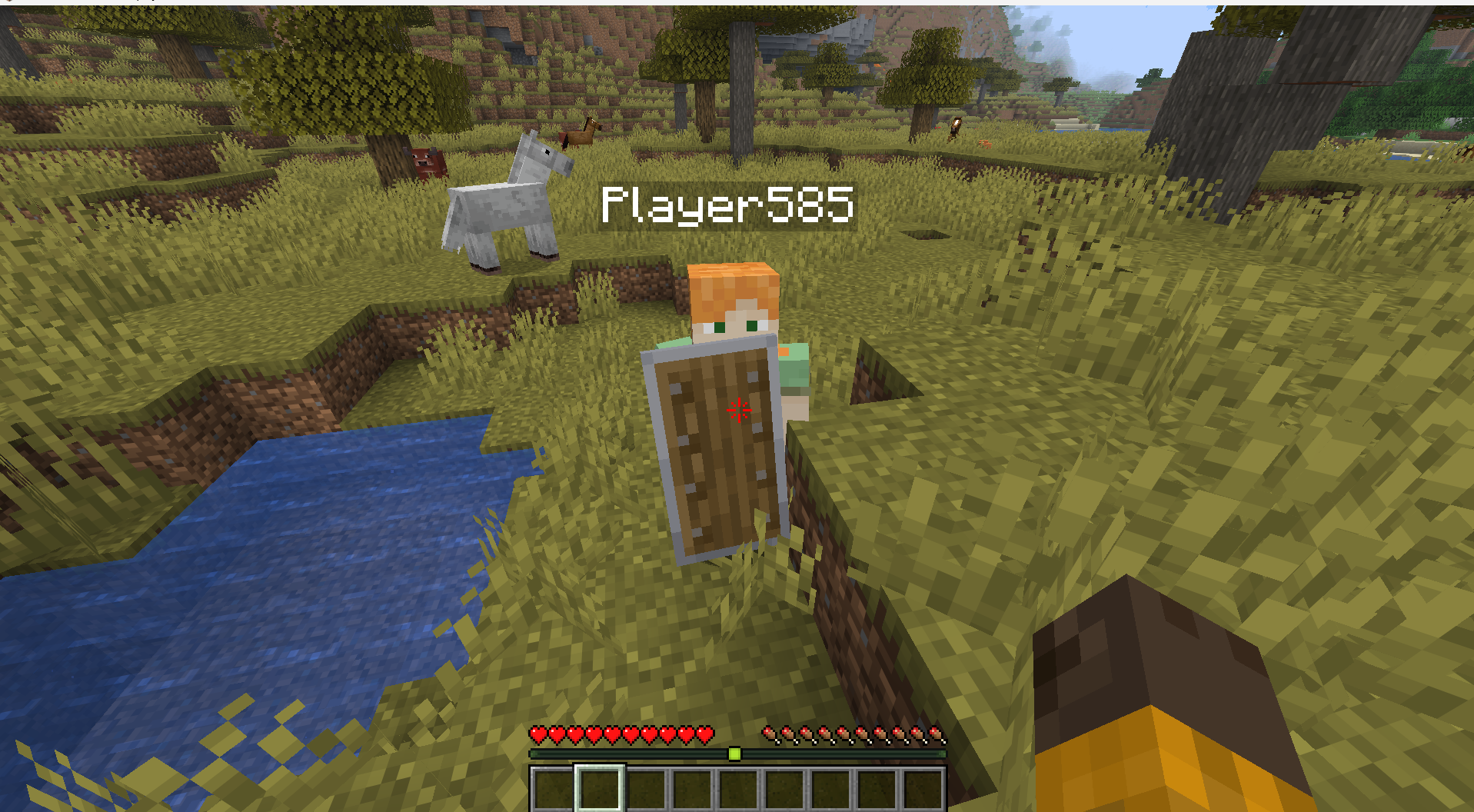 Shield detection
 -
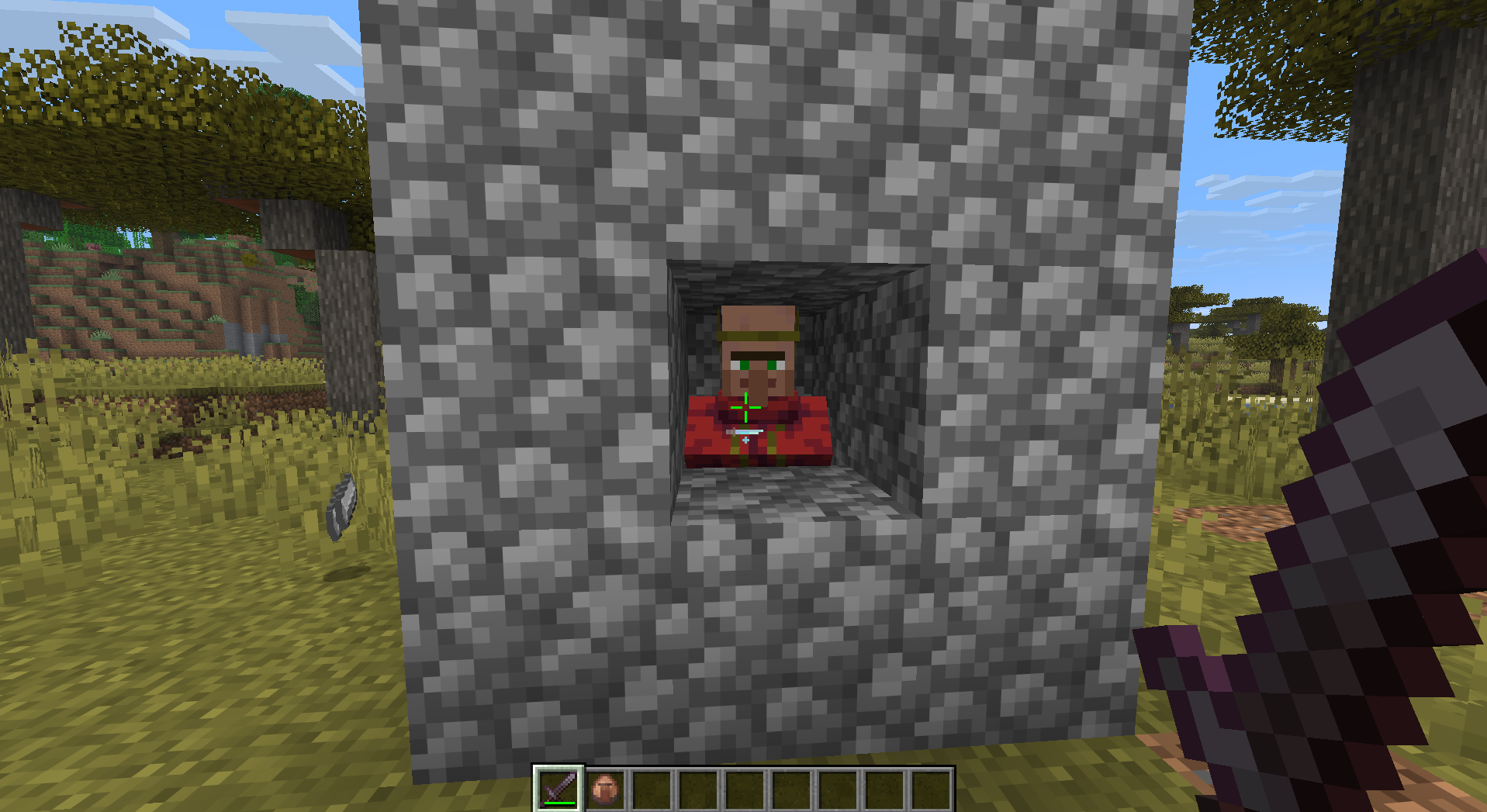 Simple Crosshair (vanilla) This is very close to vanilla crosshair but still better
 -
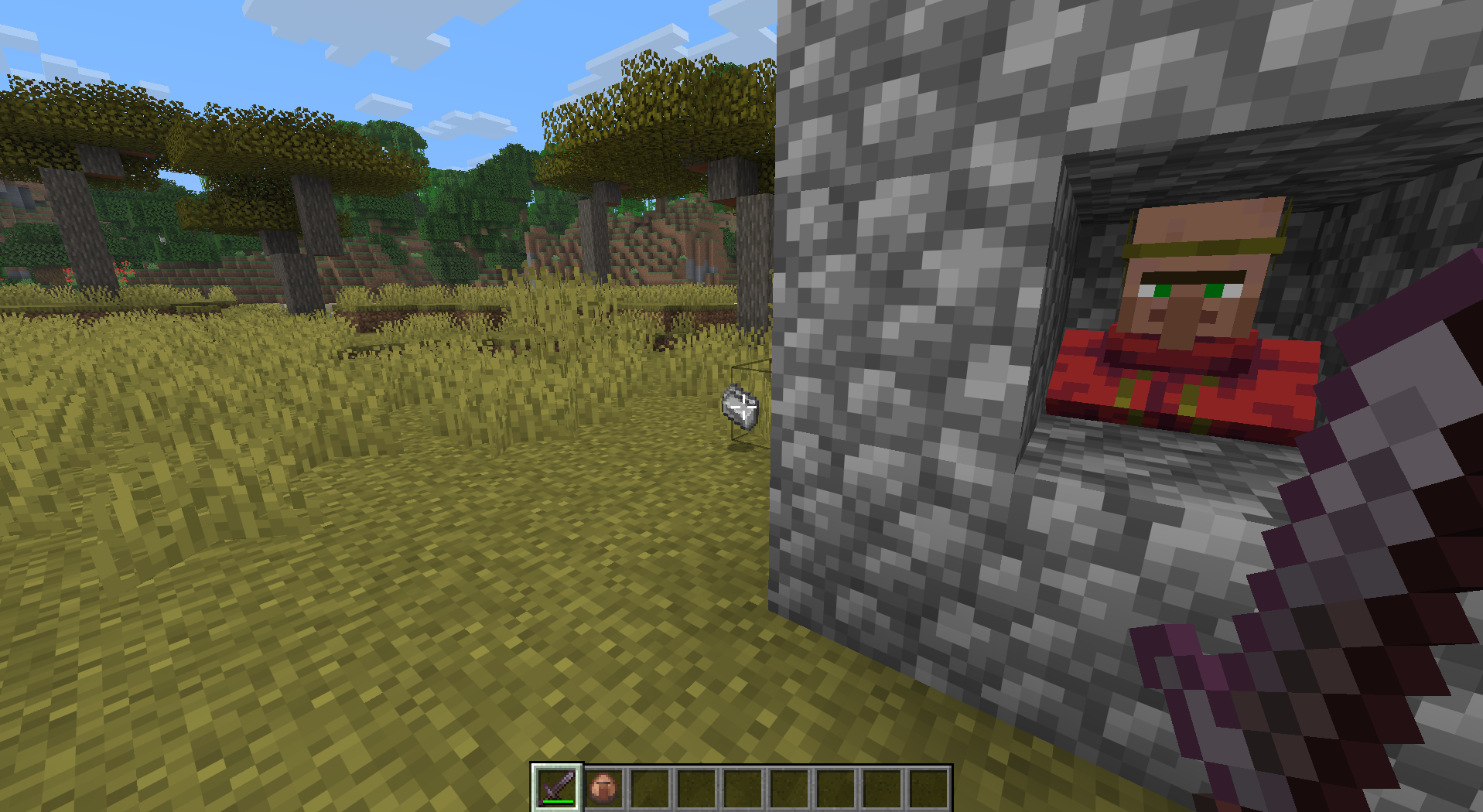 Default Crosshair
 -
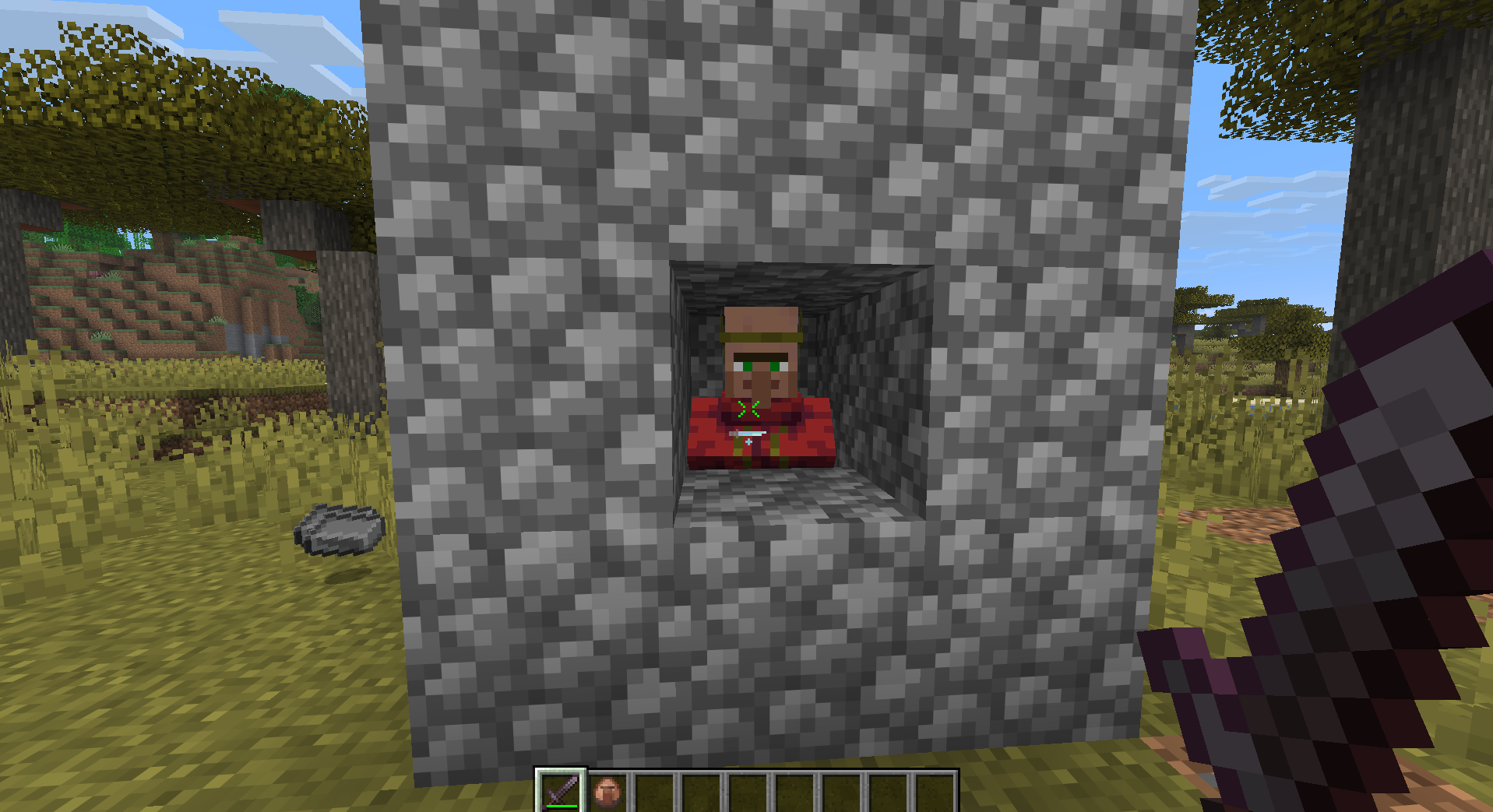 Chevron Crosshair
Versions
Files
Relations
Project Relations
More like this
Similar Mods
Suggestions use data such as tags, dependencies, dependents, descriptions, titles, and more to rank how much they overlap with this mod.
On ModDex
Community snapshot
By the numbers
Statistics
Want to reach Minecraft players?
We're looking for a server hosting partner to feature here and other parts of the site. Interested? Send us a message!
Get in touchGet it on
Available Platforms
On ModDex
Community snapshot
By the numbers