Community listing page, reviews here may not be monitored by the author.
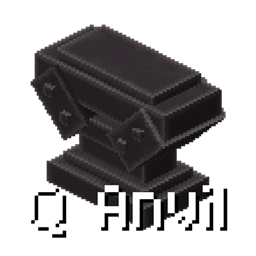
Q Anvil

No reviews yet
Q Anvil replaces experience-based anvil costs with player health, optional QShop currency, and flexible KubeJS customization.
Community voices
Reviews
No reviews yet. Be the first to review this project!
Get it on
Available Platforms
About
Project Details
For authors
Embed Badge
If you're the author of this project, you can embed a live badge anywhere that supports HTML or Markdown. It updates automatically whenever ratings change.
Use HTML for any page that supports it, or Markdown for README files and Markdown-based descriptions.
Identifiers
Platform IDs
Resources
External Links
About
Description
Q Anvil
Q Anvil adds a new anvil for Forge 1.20.1 that uses player health instead of experience levels.
It is designed for modpacks that want an anvil system based on survival resources rather than XP. The Q Anvil does not break during normal use, so players can use it repeatedly without losing the block.
Features
- Use player health to operate the anvil instead of experience levels.
- The Q Anvil does not break during normal use.
- Optional integration with Q Shop. When Q Shop is installed, the Q Anvil can use currency such as
coinsinstead of, or together with, health. - Configure the default payment mode, currency id, health cost, and currency cost in the common configuration file.
- Input slots support up to 9999 items when
max_input_stack_sizeis set to9999inconfig/qanvil-common.toml. The default remains 64. Items with a native stack limit of1, such as enchanted books, remain limited to one. - KubeJS integration lets you customize outputs, payment types, payment amounts, material consumption, prompt text, and other per-operation behavior.
- The original vanilla anvil recipes remain available; KubeJS can also replace the result for specific left and right inputs.
Configuration
The common configuration file is:
config/qanvil-common.tomlThe default payment mode is health. Available payment modes are health, currency, and both. Q Shop is optional; the Q Anvil still works in health mode when Q Shop is not installed. Currency mode requires Q Shop 1.1.0 or newer.
To allow stacks larger than 64 in the two input slots, change:
max_input_stack_size = 9999The allowed range is 1 to 9999. Items with a native stack limit of 1, such as enchanted books, cannot be stacked.
KubeJS Integration
KubeJS integration is optional. Put scripts in kubejs/server_scripts/ and listen for QAnvilEvents.update.
The event provides:
event.leftorevent.input: the left input item.event.rightorevent.addition: the right input item.event.originalOutput: the result calculated by the vanilla anvil.event.output: the final item displayed and produced by the Q Anvil.event.currencyId: the currency id used for this operation.event.currencyCost: the currency amount charged for this operation.event.healthCost: the player health amount charged for this operation.event.materialCost: the number of right-side items consumed after taking the result.event.playerorevent.getPlayer(): the player using the Q Anvil.- Calling
event.setText(...)replaces theQ Anviltitle at the top of the GUI. Passing an empty string restores the normal title. This is the only supported prompt-text API; callback return values are ignored and cannot be used as prompt text.
KubeJS values have higher priority than the configuration for that individual operation. This allows a script to use currency for one recipe and health for another, even when the default configuration uses a different payment mode.
Custom Output and Currency Payment
QAnvilEvents.update(event => {
  const left = event.left;
  const right = event.right;

  if (left.id != 'minecraft:diamond_sword') return;
  if (right.id != 'minecraft:netherite_ingot') return;

  event.output = Item.of('minecraft:netherite_sword');
  event.currencyId = 'coins';
  event.currencyCost = 25;
  event.healthCost = 0;
  event.materialCost = 1;
});
Prompt Text
QAnvilEvents.update(event => {
  if (event.left.id != 'minecraft:diamond_sword') return;
  if (event.right.id != 'minecraft:netherite_ingot') return;

  event.output = Item.of('minecraft:netherite_sword');
  event.setText('Requires one Netherite Ingot');
});
The text replaces the Q Anvil title at the top of the GUI. Keep it short enough to fit on one line.
Use only event.setText(...); assigning event.text and returning a string from the callback are not supported.
Custom Output with Health Payment
QAnvilEvents.update(event => {
  if (event.left.id != 'minecraft:diamond_sword') return;
  if (event.right.id != 'minecraft:stick') return;

  event.setOutput(Item.of('minecraft:iron_sword'));
  event.healthCost = 4;
  event.currencyCost = 0;
  event.setMaterialCost(1);
});
Preserve the Vanilla Result and Change the Payment
QAnvilEvents.update(event => {
  if (event.originalOutput.empty) return;
  if (event.left.id != 'minecraft:diamond_pickaxe') return;

  event.output = event.originalOutput.copy();
  event.currencyId = 'points';
  event.currencyCost = 30;
  event.healthCost = 0;
});
Forge-style Cost Methods
The event also supports familiar Forge-style methods:
QAnvilEvents.update(event => {
  if (event.left.id != 'minecraft:iron_sword') return;

  event.setOutput(event.left.copy());
  event.setCost(5);
  event.setMaterialCost(1);
});
setCost(5) uses the configured payment mode. Explicit currencyCost and healthCost values take priority over setCost(5). Set both explicit values when an operation should charge both currency and health.
To cancel an operation completely:
QAnvilEvents.update(event => {
  if (event.right.id == 'minecraft:bedrock') {
    event.cancel();
  }
});
The Forge-style event.setCanceled(true) method is also supported and returns
normally, so the script can continue calling event.setText(...) after canceling.
return only exits the current callback and skips the code below it. To show a
warning and reject the operation, call event.setText(...), call event.setCanceled(true),
and then return.
The Q Anvil is obtained by using a Netherite Upgrade Smithing Template, a vanilla anvil, and a netherite ingot in a vanilla smithing table. It can also be given with:
/give @s qanvil:q_anvilScreenshots
Gallery
Versions
Files
Relations
Project Relations
More like this
Similar Mods
Suggestions use data such as tags, dependencies, dependents, descriptions, titles, and more to rank how much they overlap with this mod.
On ModDex
Community snapshot
By the numbers
Statistics
Want to reach Minecraft players?
We're looking for a server hosting partner to feature here and other parts of the site. Interested? Send us a message!
Get in touchGet it on
Available Platforms
On ModDex
Community snapshot
By the numbers
Statistics
Resources