
Community listing page, reviews here may not be monitored by the author.
Quantified


No reviews yet
Your Minecraft statistics, Quantified. Share your hard earned statistics with your unique shareable link with your friends, community and more.

Community voices
Reviews
No reviews yet. Be the first to review this project!
Get it on
Available Platforms
Compatibility
Supported Environments
Install on the client or the server; either alone gives full functionality.
About
Project Details
For authors
Embed Badge
If you're the author of this project, you can embed a live badge anywhere that supports HTML or Markdown. It updates automatically whenever ratings change.
Use HTML for any page that supports it, or Markdown for README files and Markdown-based descriptions.
Identifiers
Platform IDs
Resources
External Links
About
Description
Quantified
Your Minecraft statistics, Quantified.

Quantified is a Minecraft Fabric mod that automatically syncs all online player statistics to the Quantified web interface — every 2 minutes, whether you're playing in singleplayer or on a Fabric-based server.
Checkout demo here: My survival world's statistics
🔍 What does it do?
With Quantified, you can:
- ⏱️ Automatically sync your in-game stats every 2 minutes
- 🌐 View your progress on a beautiful web dashboard
- 🔗 Get a unique shareable link to your personal stats page
- 🧭 Connect your save to a singleplayer world or Fabric server
- 📣 Share your world’s progress with friends, viewers, or your community
🎯 Perfect for:
- Streamers who want to show real-time progress
- Hardcore players tracking every move
- SMP servers looking for an easy way to visualize player data
- Anyone who wants to quantify their Minecraft journey
❓ How do I start using it?
- Download the mod and the Fabric-API and place it in your mods folder.
- Head to quantifiedmc.com, login with Discord or Google.
- Create a new Save.
- Go in-game into your world and copy the connect command with your save's key.
- Your stats will be visible at quantifiedmc.com/<Your Username>/<Your Save's name>
- Share your statistics, and enjoy.
⭐Feature list
- Unique link for your own statistics page.
- You can edit your profile's and your save's description at anytime.
- Connect your social media accounts to your profile.
- The mod syncs your world's icon (the icon that is in the singleplayer browser menu) and displays it. You can change this icon at anytime.
- The mod doesn't effect vanilla gameplay. The only thing it does it collects player's statistics then sends it to the web server.
- You can enable and disable the saving task.
- Easily explore past statistics by choosing a start and end date. Stats are updated every 2 minutes.
✨ Visit quantifiedmc.com to create your save and start syncing today!
🧵 Built for Minecraft Fabric
🛠️ Open source & privacy-conscious
⚠️ Not Quantified API
This page is for Quantified, a discontinued Minecraft statistics syncing mod.
This is not Quantified API, and I am not affiliated with, connected to, or responsible for the Quantified API project in any way. The similar name is only a coincidence.
Looking for the API/library mod used by other Minecraft mods? Go to Quantified API instead.
Quantified
Your Minecraft statistics, Quantified.
Quantified is a Minecraft Fabric mod that automatically syncs all online player statistics to the Quantified web interface — every 2 minutes, whether you're playing in singleplayer or on a Fabric-based server.
Checkout demo here: My survival world's statistics
🔍 What does it do?
With Quantified, you can:
- ⏱️ Automatically sync your in-game stats every 2 minutes
- 🌐 View your progress on a beautiful web dashboard
- 🔗 Get a unique shareable link to your personal stats page
- 🧭 Connect your save to a singleplayer world or Fabric server
- 📣 Share your world’s progress with friends, viewers, or your community
🎯 Perfect for:
- Streamers who want to show real-time progress
- Hardcore players tracking every move
- SMP servers looking for an easy way to visualize player data
- Anyone who wants to quantify their Minecraft journey
❓ How do I start using it?
- Download the mod and the Fabric-API and place it in your mods folder.
- Head to quantifiedmc.com, login with Discord or Google.
- Create a new Save.
- Go in-game into your world and copy the connect command with your save's key.
- Your stats will be visible at quantifiedmc.com//<Your Save's name>
- Share your statistics, and enjoy.
⭐Feature list
- Unique link for your own statistics page.
- You can edit your profile's and your save's description at anytime.
- Connect your social media accounts to your profile.
- The mod syncs your world's icon (the icon that is in the singleplayer browser menu) and displays it. You can change this icon at anytime.
- The mod doesn't effect vanilla gameplay. The only thing it does it collects player's statistics then sends it to the web server.
- You can enable and disable the saving task.
- Easily explore past statistics by choosing a start and end date. Stats are updated every 2 minutes.
✨ Visit quantifiedmc.com to create your save and start syncing today!
🧵 Built for Minecraft Fabric
🛠️ Open source & privacy-conscious
Screenshots
Gallery
-
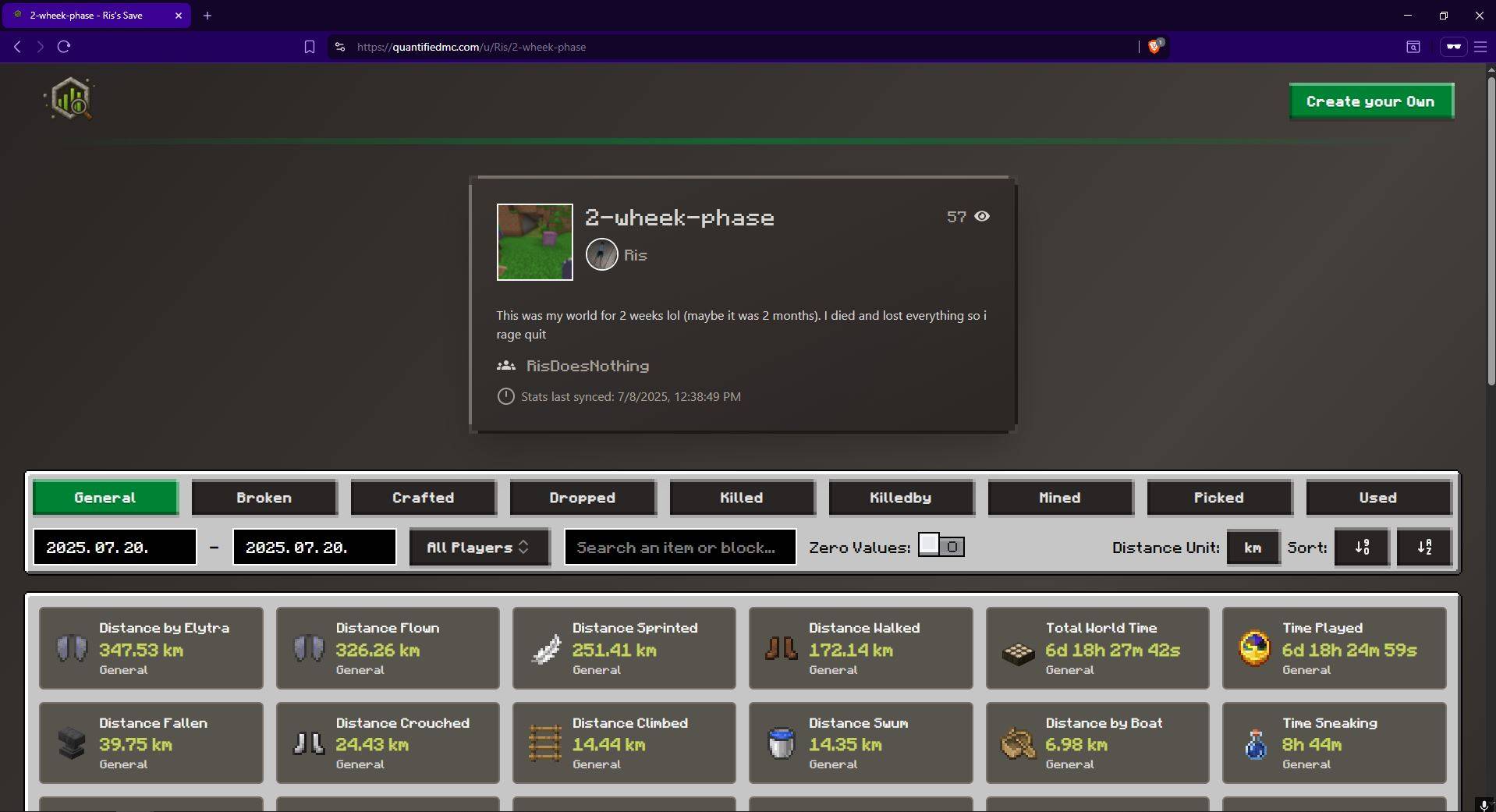 Save Viewer Save viewer
 -
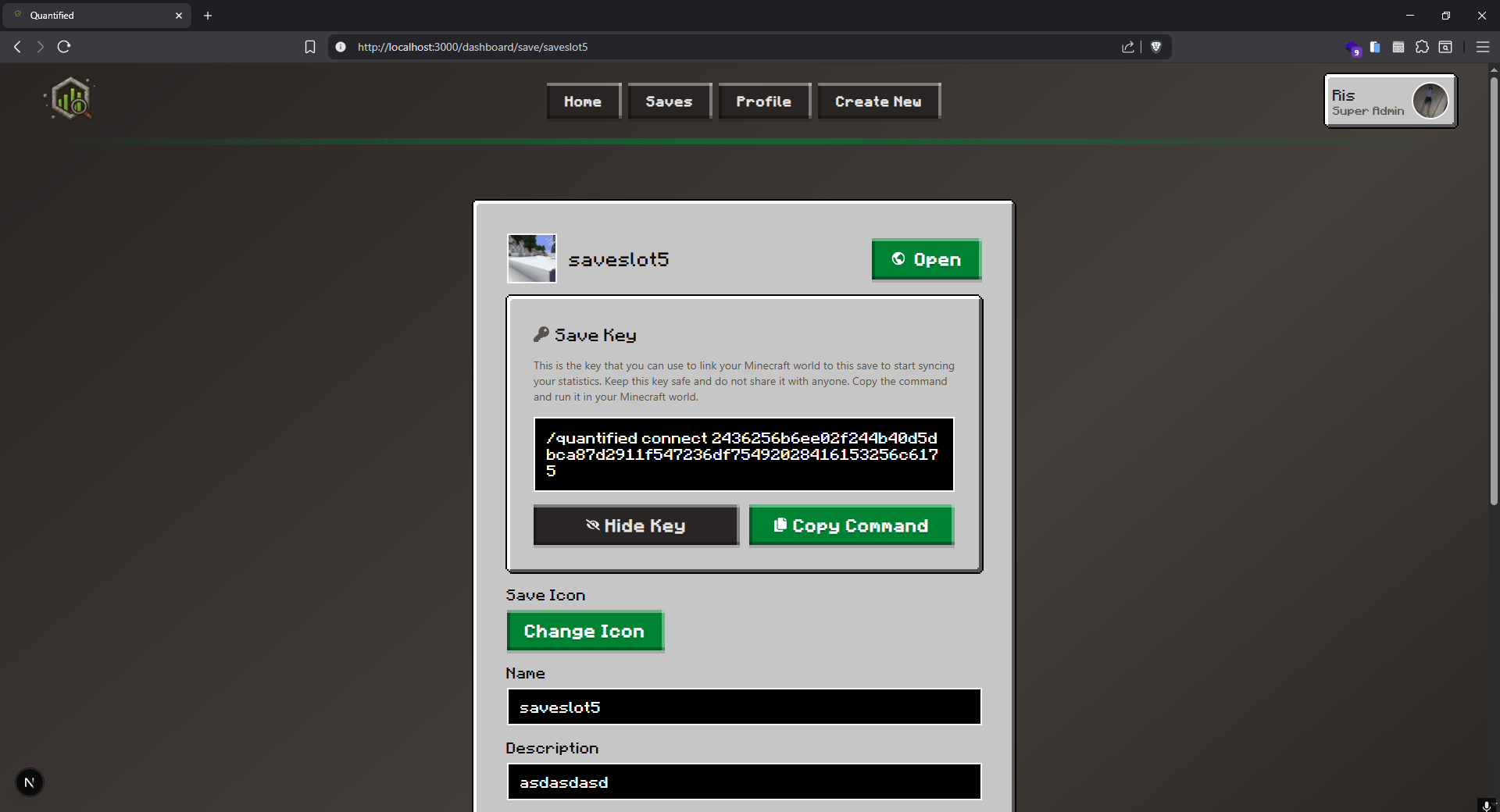 Save Editor editor.png
 -
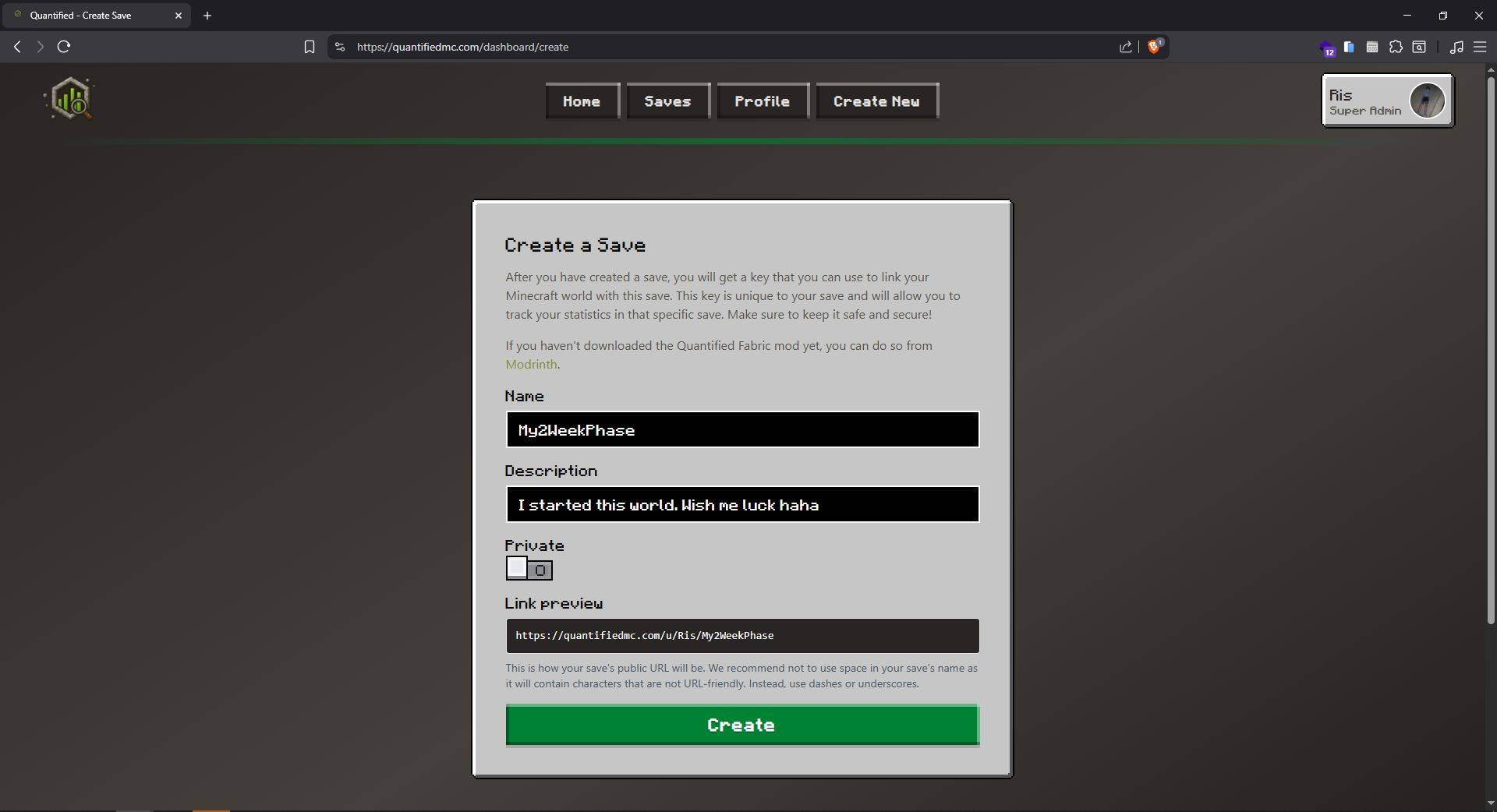 Creating a Save creating.JPG
 -
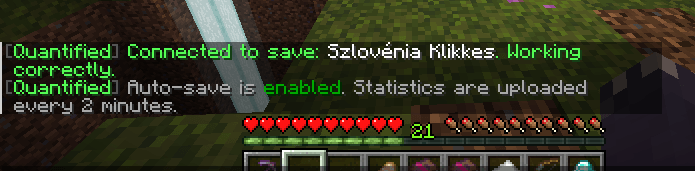 Quantified Connected to world connected.png
-
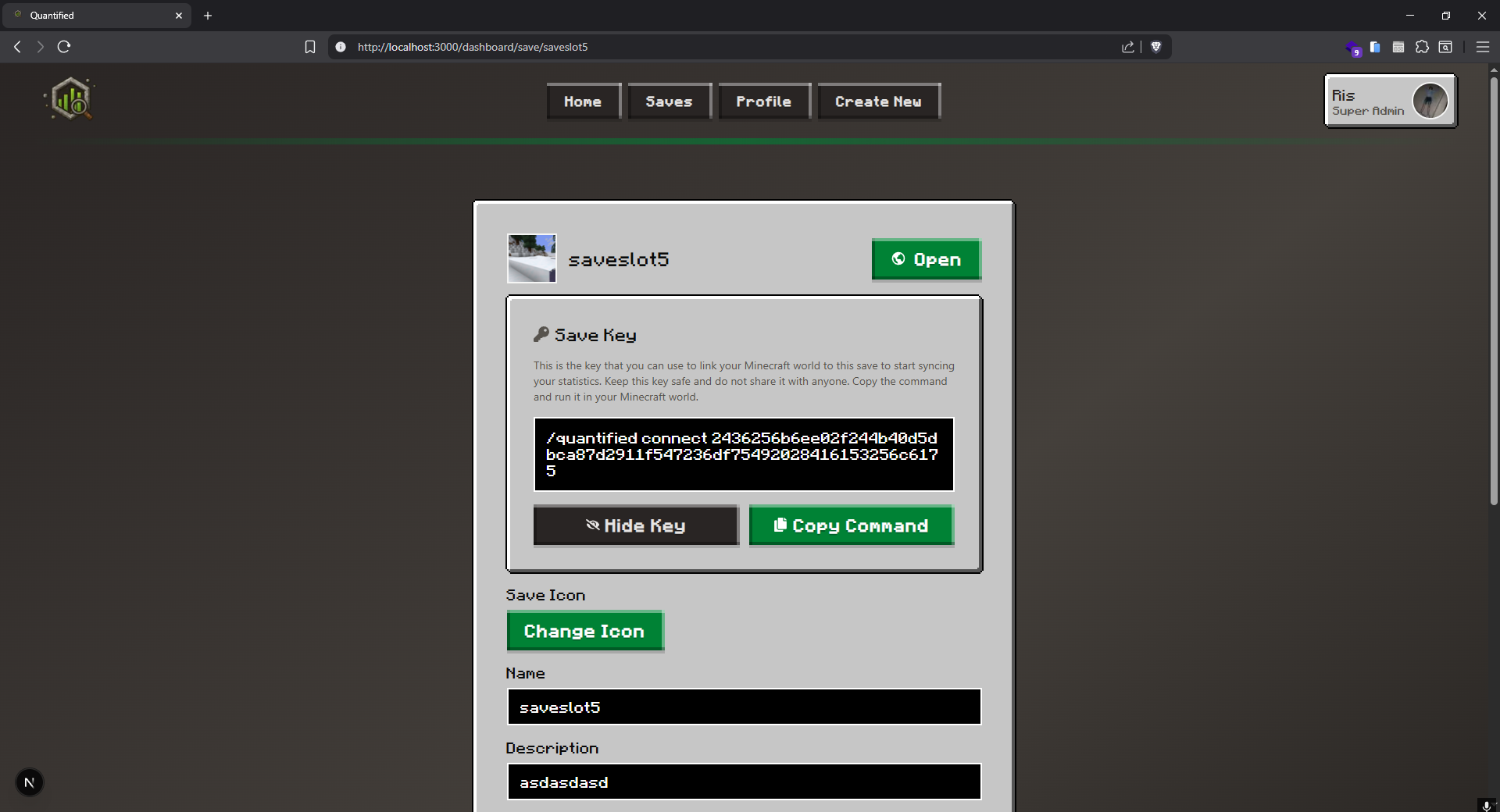 Link your save You can easily copy the connector command to your clipboard for faster setup. Do not ever share your save's key! Also your save's name, and description is always editable.
 -
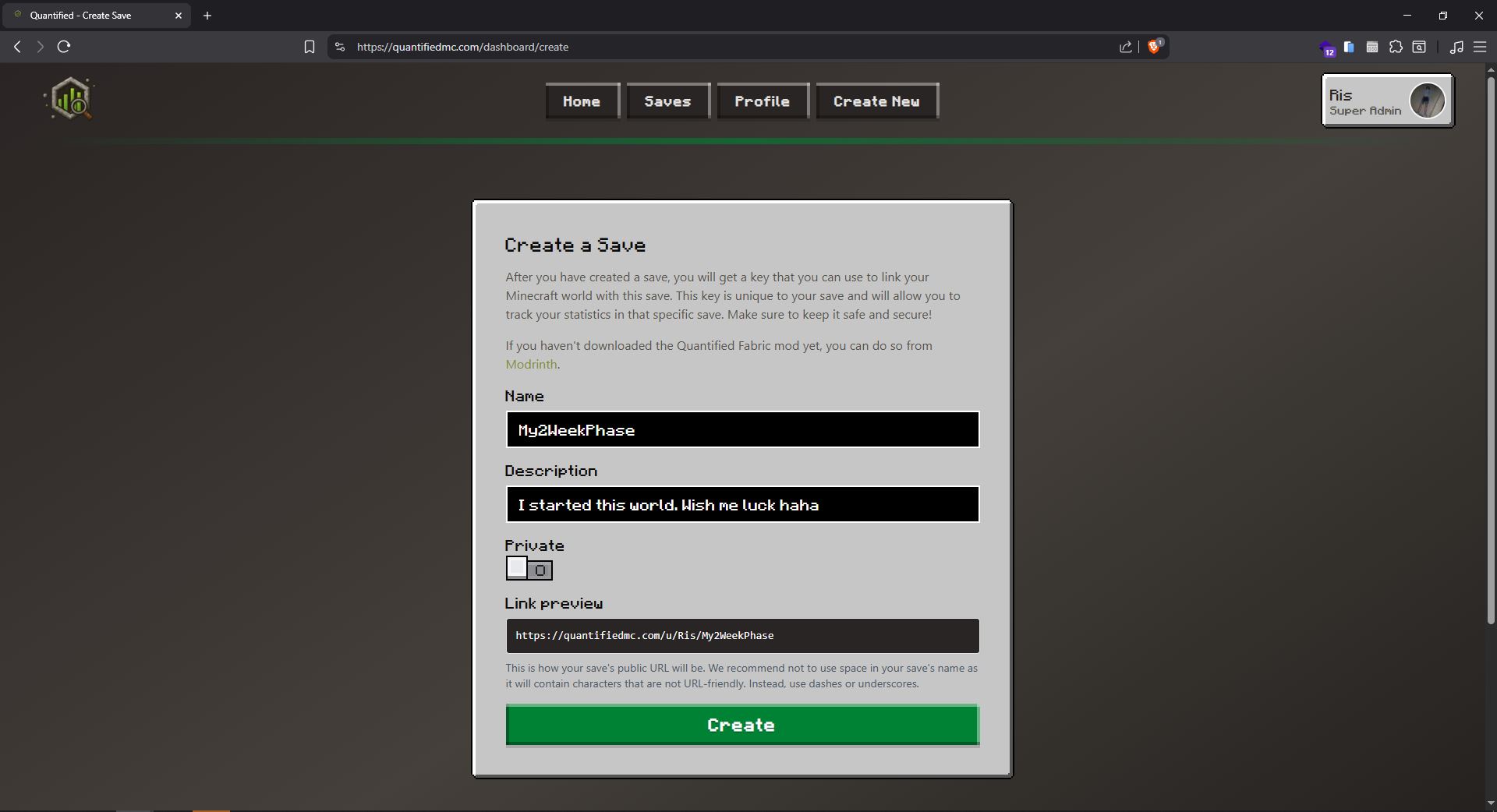 Save creating Create your save, then connect it to your world or server with the in game /quantified connect command.
 -
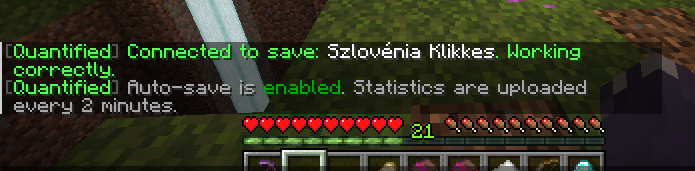 Quantified is connected You can toggle whether you want to stop or start syncing.
 -
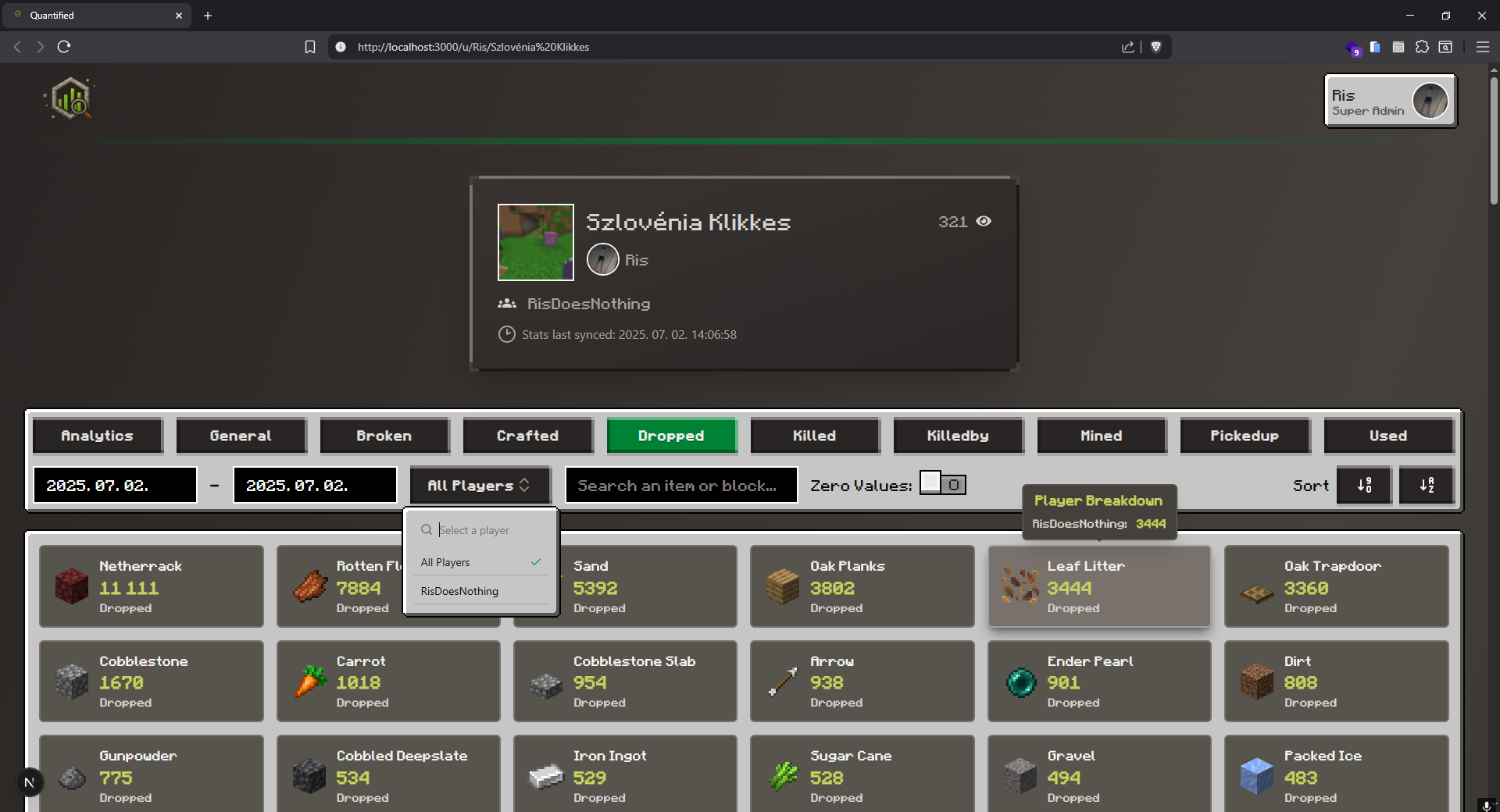 Statistics viewer Everyone gets their own unique link to share their statistics.
Versions
Files
Relations
Project Relations
More like this
Similar Mods
Suggestions use data such as tags, dependencies, dependents, descriptions, titles, and more to rank how much they overlap with this mod.
On ModDex
Community snapshot
By the numbers
Statistics
 (opens in a new tab)
Get it on
Available Platforms
On ModDex
Community snapshot
By the numbers
Statistics
Resources