Community listing page, reviews here may not be monitored by the author.
Quantum Hitbox


No reviews yet
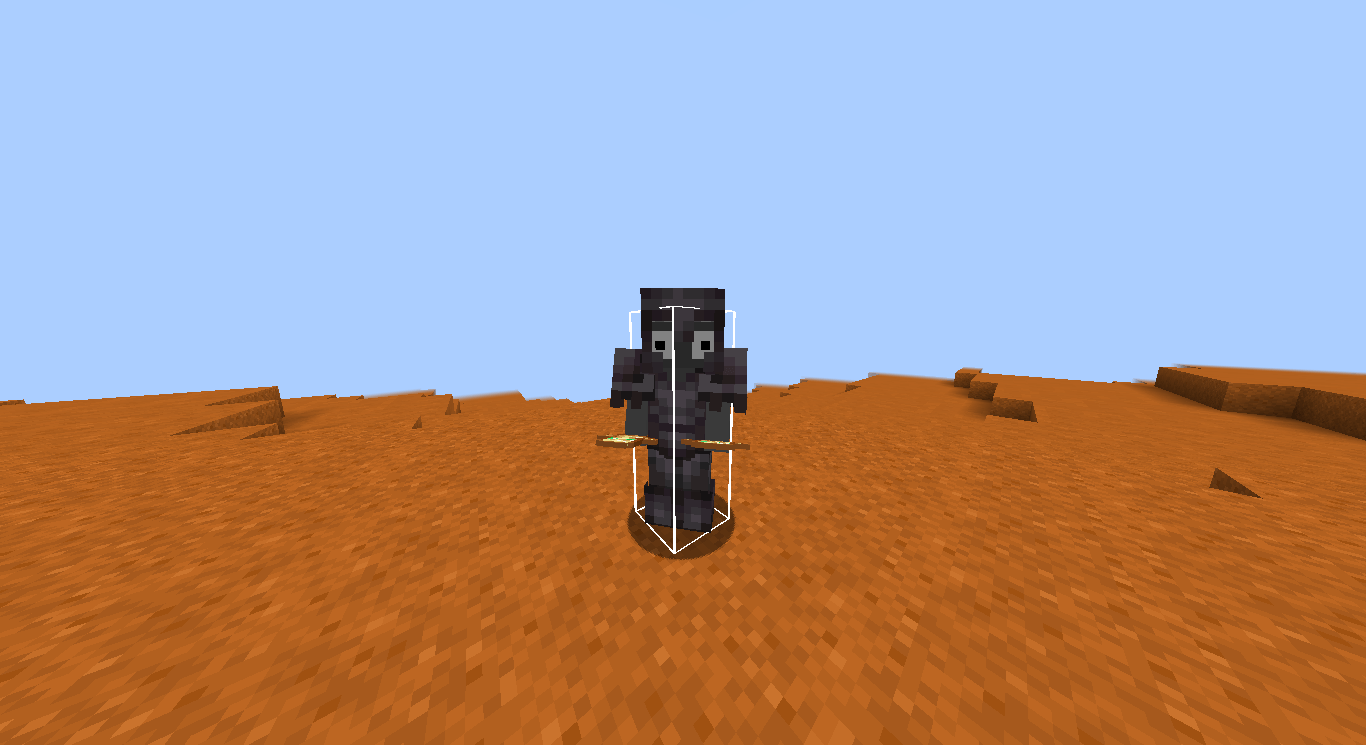
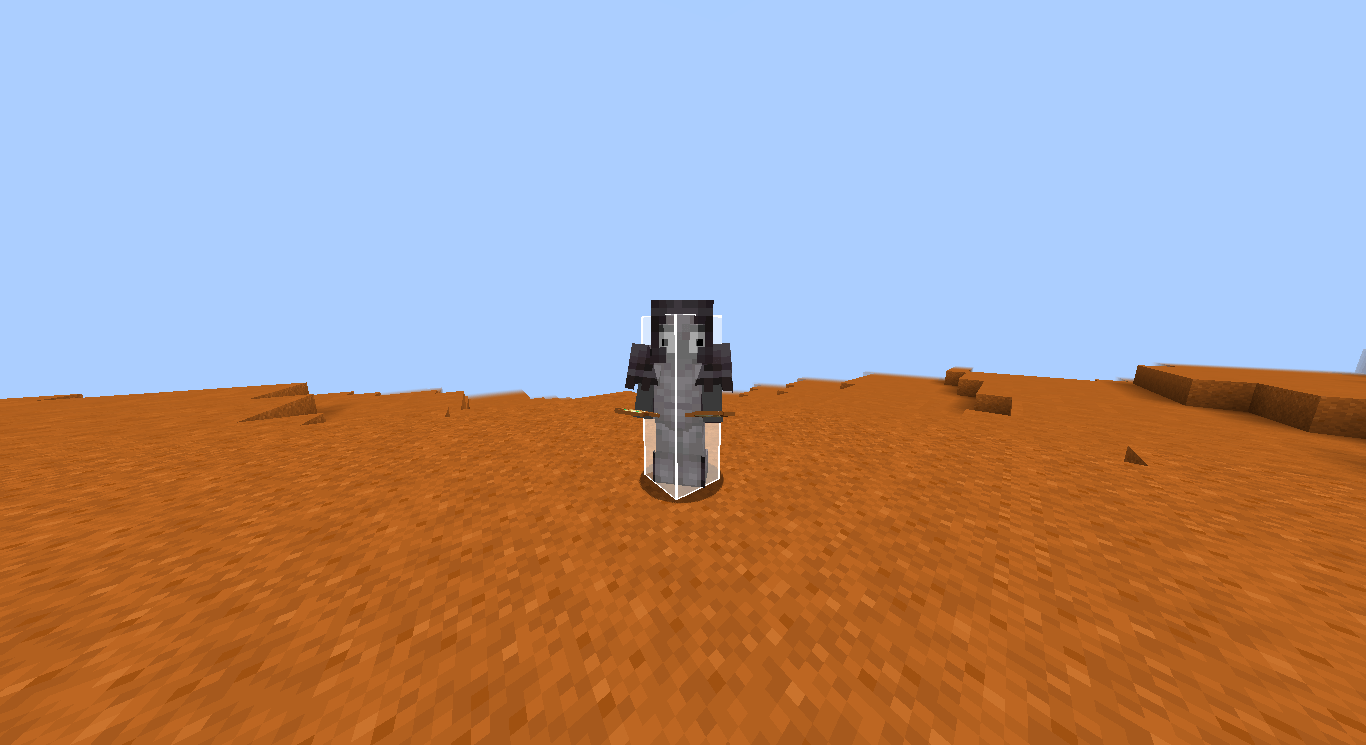
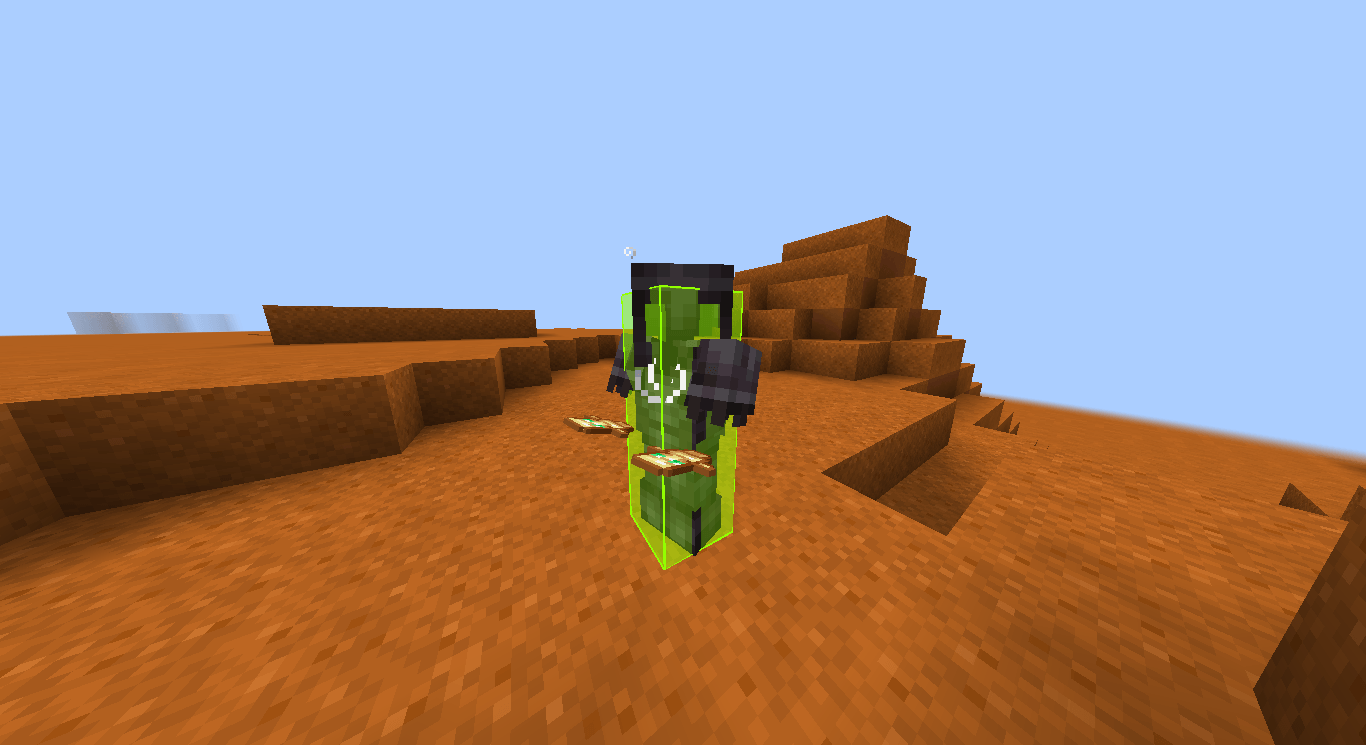
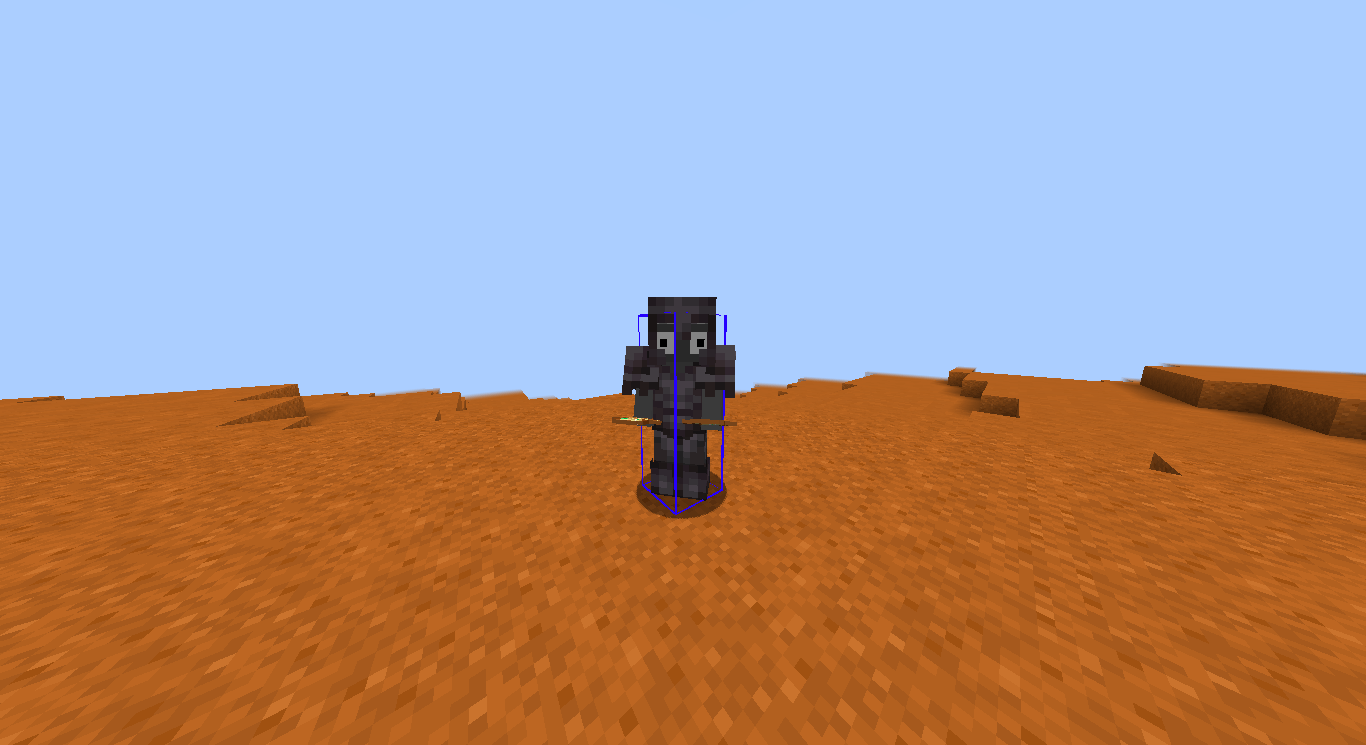
Mod that gives you total control over entity hitboxes. Featuring real-time RGBA customization, smooth Chroma cycling, and advanced visibility filters, it's the ultimate tool for visual clarity and aesthetic Minecraft gameplay.
Community voices
Reviews
No reviews yet. Be the first to review this project!
Get it on
Available Platforms
Compatibility
Supported Environments
Runs entirely on the client. Works on vanilla servers.
About
Project Details
For authors
Embed Badge
If you're the author of this project, you can embed a live badge anywhere that supports HTML or Markdown. It updates automatically whenever ratings change.
Use HTML for any page that supports it, or Markdown for README files and Markdown-based descriptions.
Identifiers
Platform IDs
Resources
External Links
About
Description
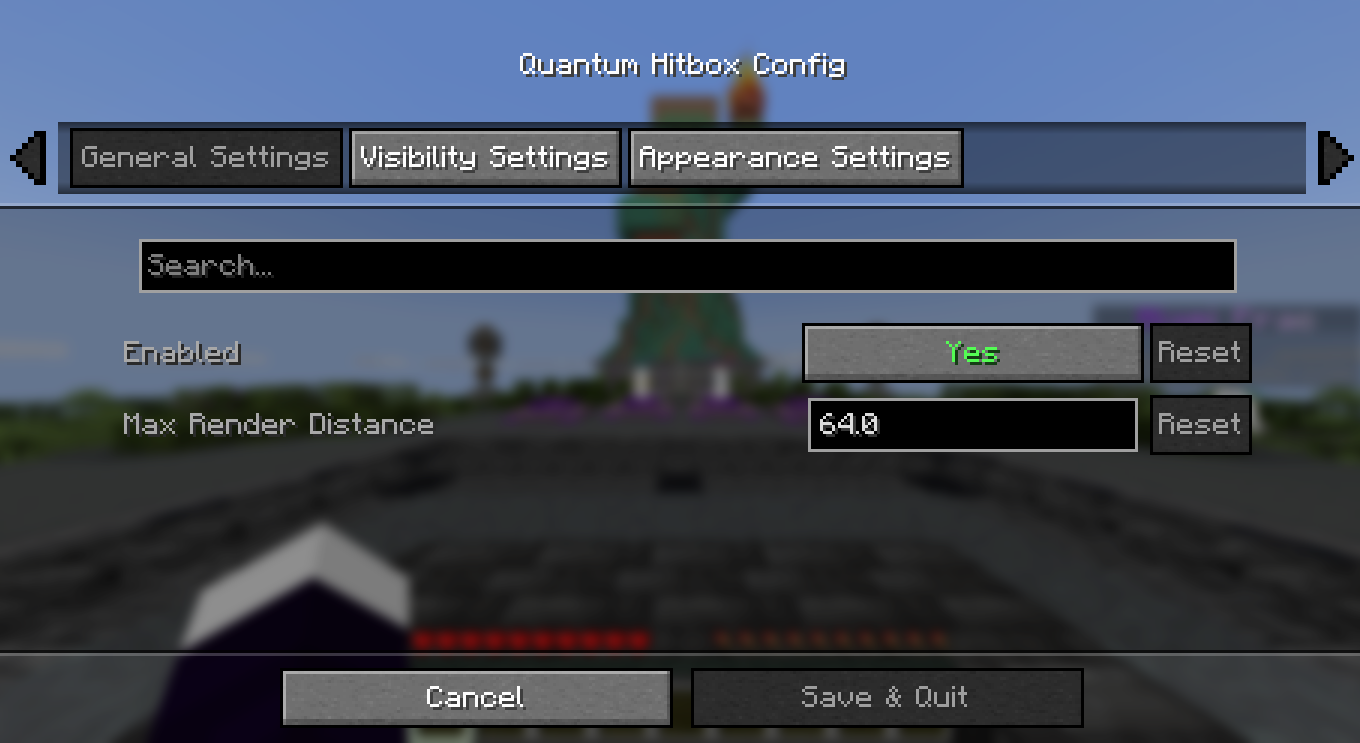
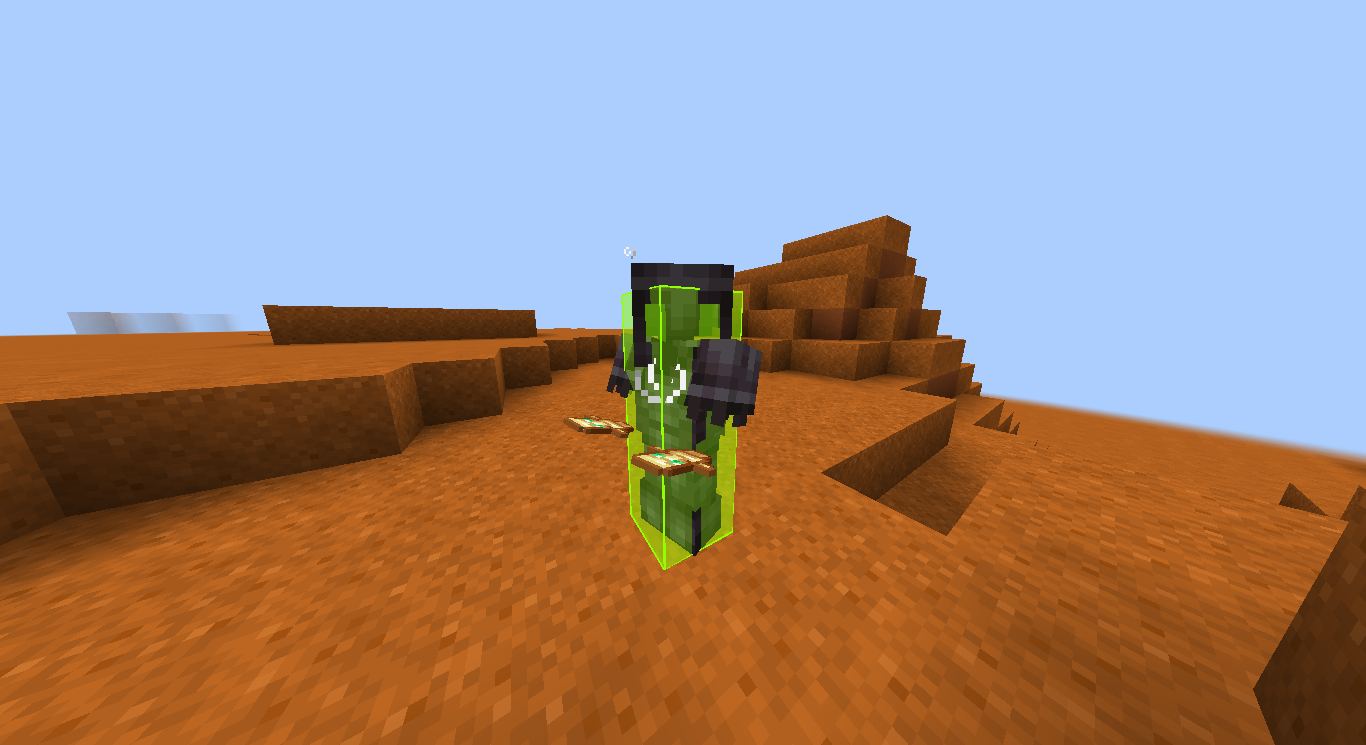
✨ Quantum Hitbox Features
- Real-time RGBA Customization – Use intuitive sliders to pick any color and transparency level. Watch the changes happen instantly in the world as you move the bars!
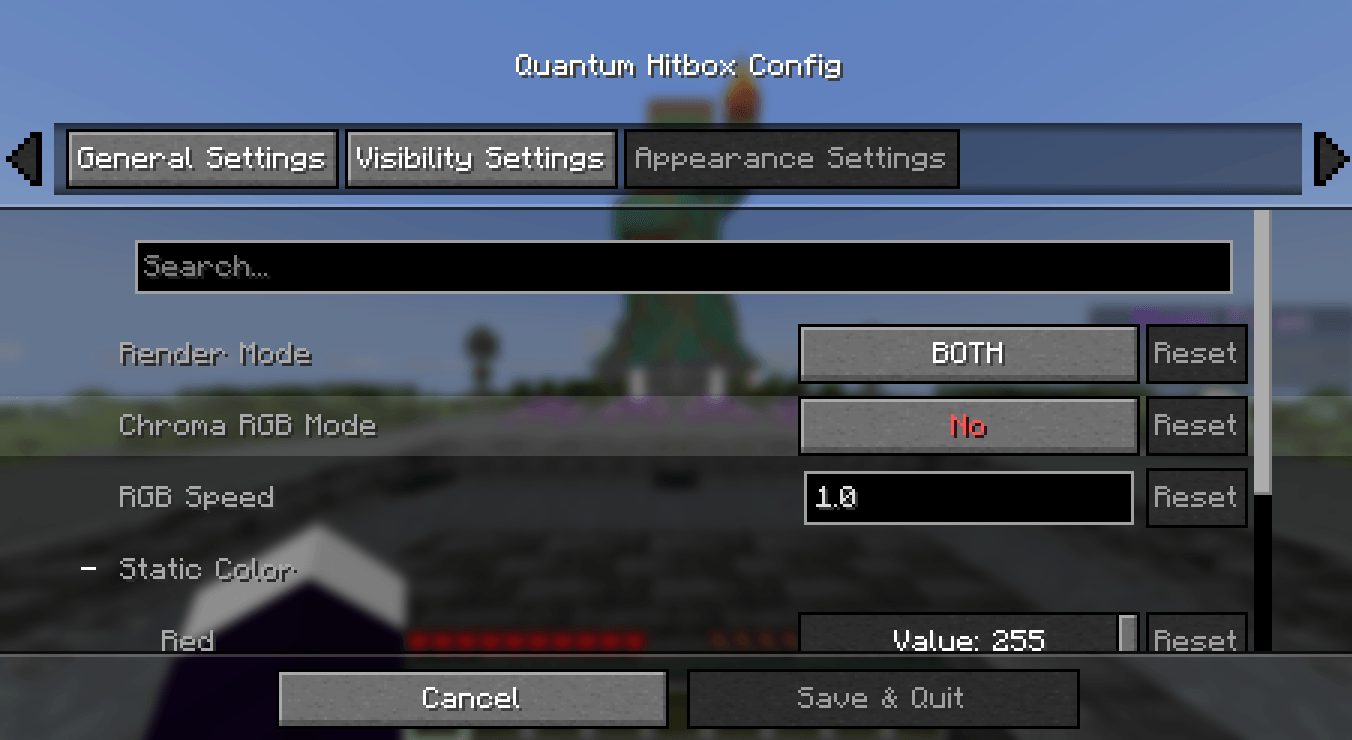
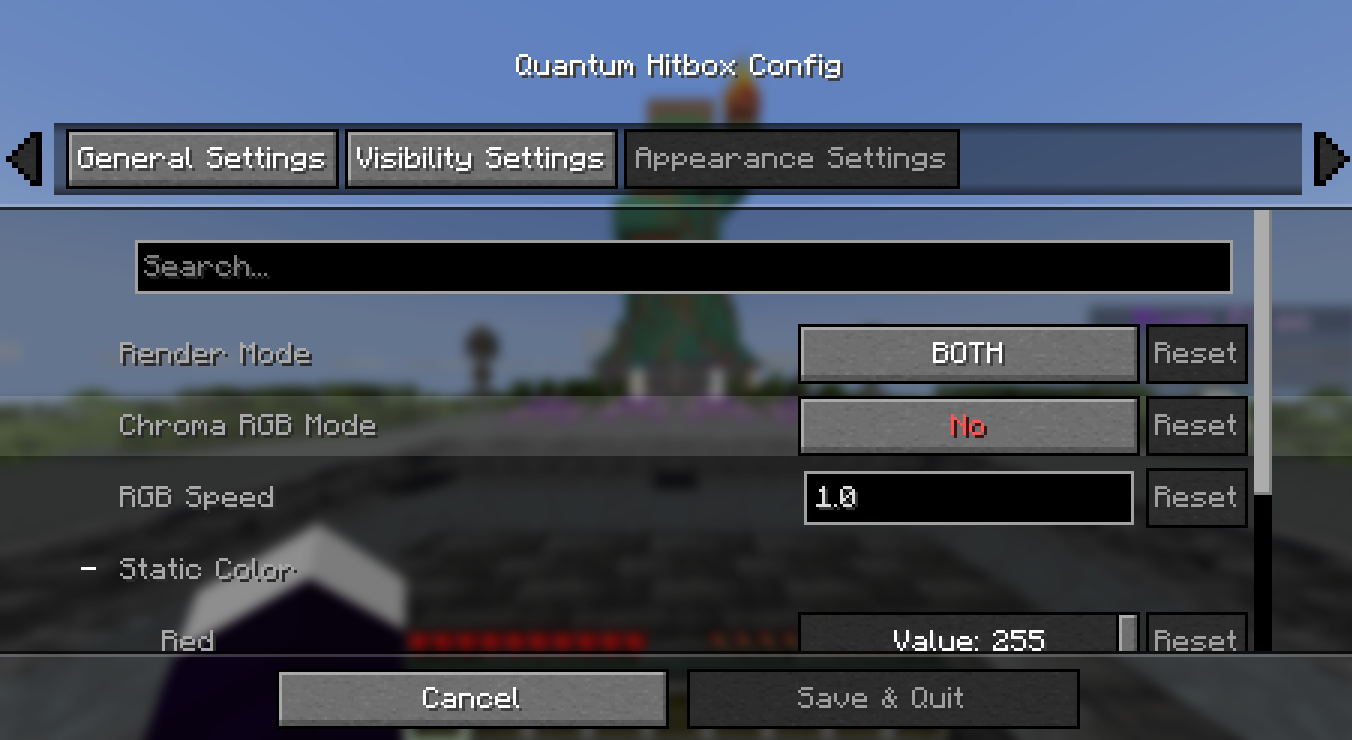
- Smooth Chroma (RGB) Mode – Enable dynamic color cycling with adjustable speed for a vibrant, animated hitbox experience.
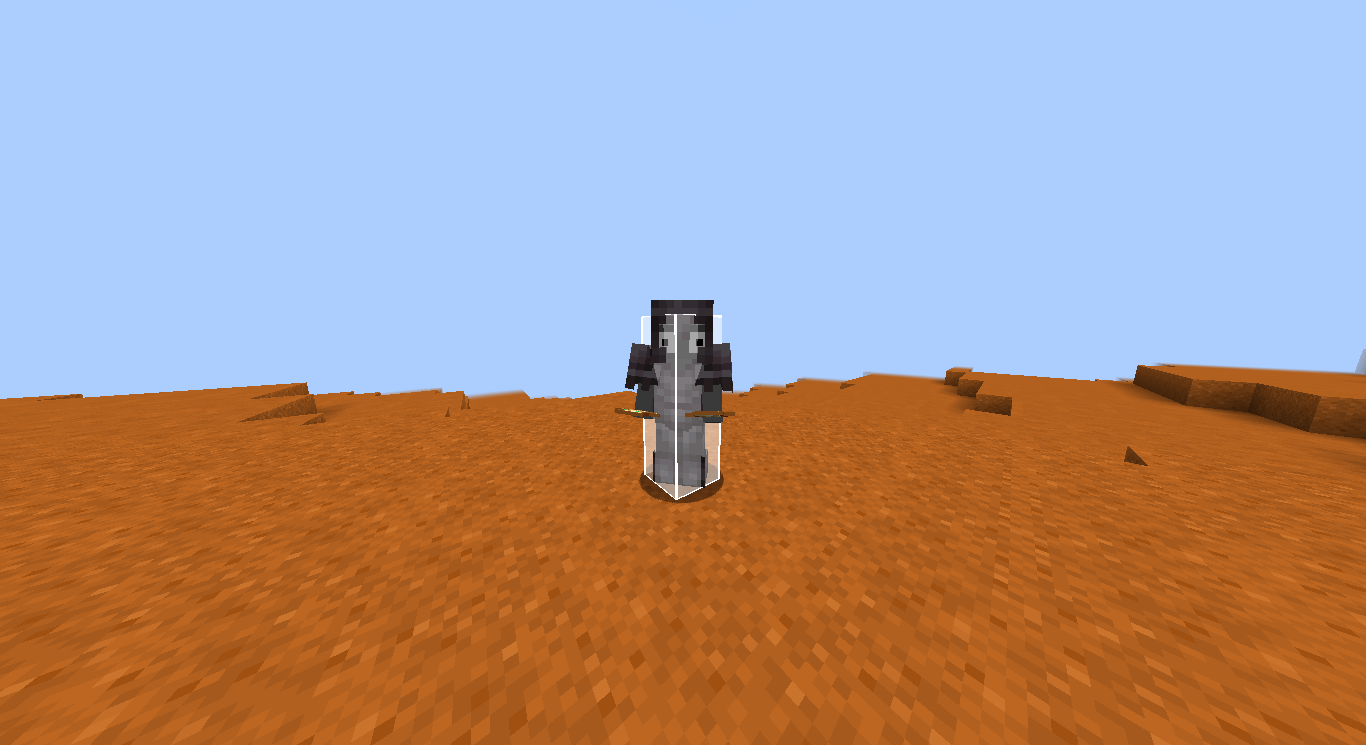
- Multiple Render Modes – Choose between a solid Fill, a sleek Outline, or Both to match your preferred visual style.
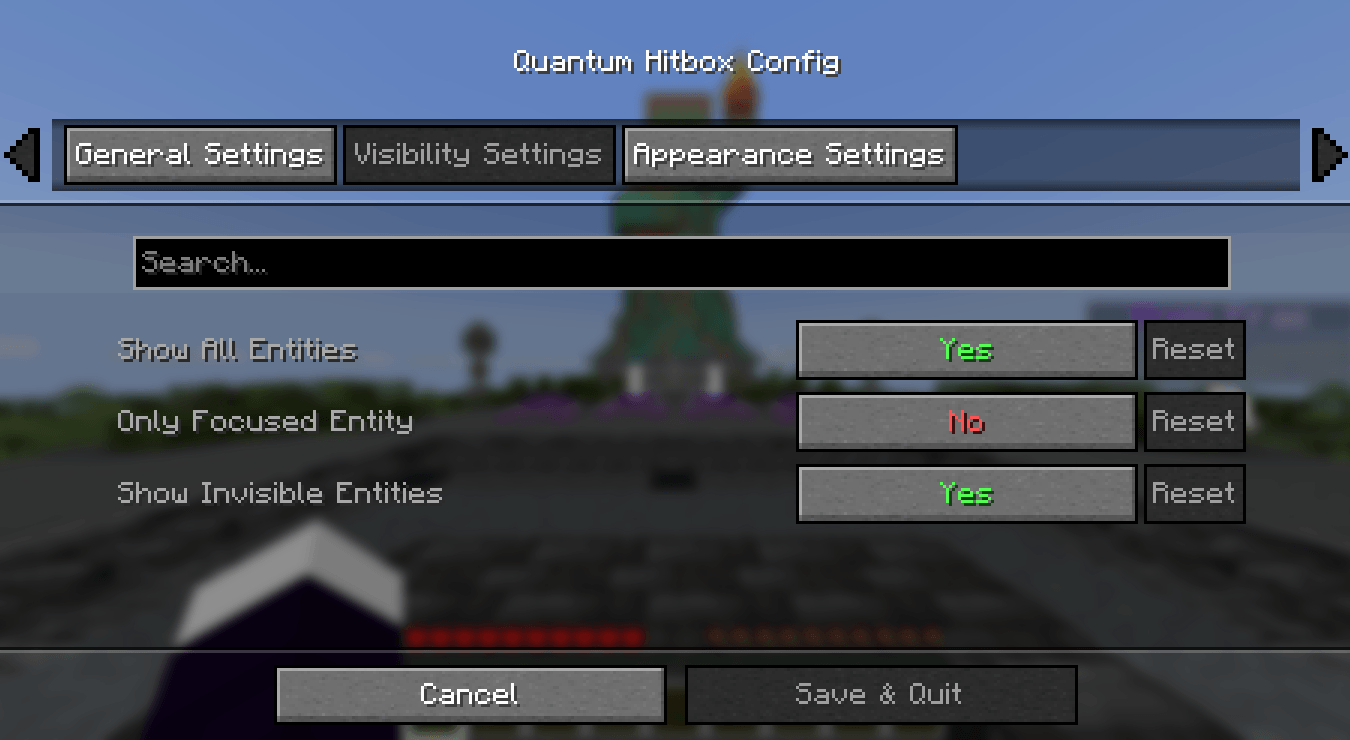
- Advanced Visibility Filters – Fine-tune what you see: toggle hitboxes for all entities, only the one you're looking at (crosshair), or even invisible entities.
- Self-Hitbox Hiding – Intelligently hides your own hitbox in first-person view to keep your screen clear while maintaining full visibility of others.
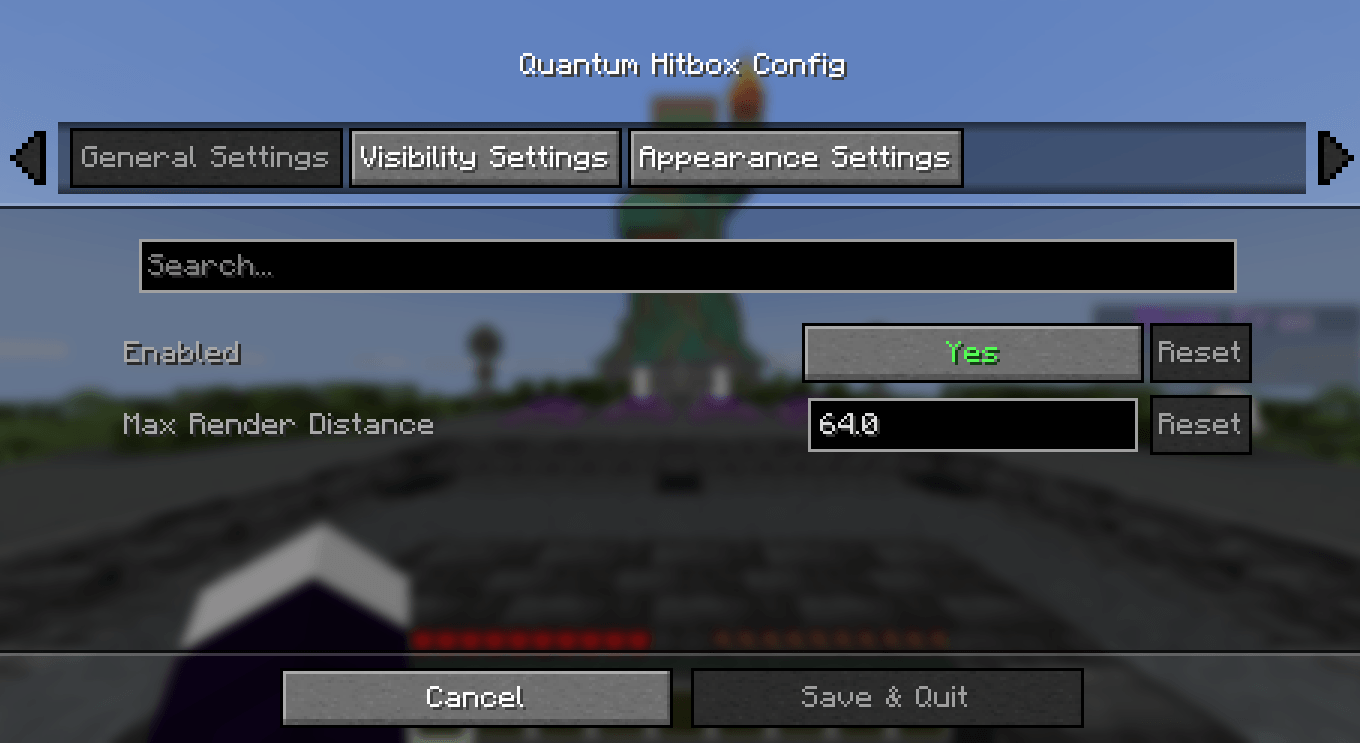
- Native & Professional UI – A clean, intuitive configuration menu that integrates seamlessly via Mod Menu & Cloth Config.
- Persistent Config – Your settings are automatically saved to a JSON file and reloaded every time you launch the game.
🎮 How to use
- Install the mod and launch Minecraft.
- Open the config screen via Mod Menu or using your assigned keybinding (Check "Controls" to set your favorited key).
- Adjust the Red, Green, and Blue sliders to find your perfect color.
- Use the Alpha slider to set the transparency (affects both fill and outline!).
- Toggle Chroma for a rainbow effect or change the Render Mode to switch between solid and outline looks.
- Click Done to save. Your changes are visible instantly!
🐛 Bug reports & suggestions
Send me a DM on Discord: marcellesa
✨ Quantum Hitbox Features
Real-time RGBA Customization – Use intuitive sliders to pick any color and transparency level. Watch the changes happen instantly in the world as you move the bars!
Smooth Chroma (RGB) Mode – Enable dynamic color cycling with adjustable speed for a vibrant, animated hitbox experience.
Multiple Render Modes – Choose between a solid Fill, a sleek Outline, or Both to match your preferred visual style.
Advanced Visibility Filters – Fine-tune what you see: toggle hitboxes for all entities, only the one you're looking at (crosshair), or even invisible entities.
Self-Hitbox Hiding – Intelligently hides your own hitbox in first-person view to keep your screen clear while maintaining full visibility of others.
Native & Professional UI – A clean, intuitive configuration menu that integrates seamlessly via Mod Menu & Cloth Config.
Persistent Config – Your settings are automatically saved to a JSON file and reloaded every time you launch the game.
🎮 How to use
Install the mod and launch Minecraft.
Open the config screen via Mod Menu or using your assigned keybinding (Check "Controls" to set your favorited key).
Adjust the Red, Green, and Blue sliders to find your perfect color.
Use the Alpha slider to set the transparency (affects both fill and outline!).
Toggle Chroma for a rainbow effect or change the Render Mode to switch between solid and outline looks.
Click Done to save. Your changes are visible instantly!
🐛 Bug reports & suggestions
Send me a DM on Discord:
marcellesa
Screenshots
Gallery
-
 Screenshot 2026-03-21 141228.png Screenshot 2026-03-21 141228.png
 -
 Screenshot 2026-03-21 141237.png Screenshot 2026-03-21 141237.png
 -
 Screenshot 2026-03-21 141245.png Screenshot 2026-03-21 141245.png
 -
 2026-03-21_13.08.02.png 2026-03-21_13.08.02.png
 -
 2026-03-21_13.07.57.png 2026-03-21_13.07.57.png
 -
 2026-03-21_13.00.57.png 2026-03-21_13.00.57.png
 -
 2026-03-21_13.08.07.png 2026-03-21_13.08.07.png
Versions
Files
Relations
Project Relations
More like this
Similar Mods
Suggestions use data such as tags, dependencies, dependents, descriptions, titles, and more to rank how much they overlap with this mod.
On ModDex
Community snapshot
By the numbers
Statistics
Want to reach Minecraft players?
We're looking for a server hosting partner to feature here and other parts of the site. Interested? Send us a message!
Get in touchGet it on
Available Platforms
On ModDex
Community snapshot
By the numbers
Statistics
Resources