
Community listing page, reviews here may not be monitored by the author.
Quest Queen

No reviews yet
Tile Based Quest Mod

Community voices
Reviews
No reviews yet. Be the first to review this project!
Get it on
Available Platforms
About
Project Details
For authors
Embed Badge
If you're the author of this project, you can embed a live badge anywhere that supports HTML or Markdown. It updates automatically whenever ratings change.
Use HTML for any page that supports it, or Markdown for README files and Markdown-based descriptions.
Identifiers
Platform IDs
About
Description
👑 Quest Queen 👑
A quest book that's actually fun to open.
Pixel-grid quest boards for NeoForge 1.21.1, plus a quest editor that runs right in your browser.
📜 So what is it?
Quest Queen is a quest book for modpacks. Hit J and each chapter opens up as a board of quest tiles, connected by arrows, so you can see where you've been and where you're headed. Finished quests turn green. Quests you can start right now are lit up. Locked ones sit behind a red border until you've done what they need.
We wanted a book that feels like part of the game instead of a spreadsheet you check now and then. So we put a lot of love into the little things.
⚡ The book keeps up with you
You never have to wonder how close you are. If a quest wants 16 iron and you're holding 7, the tile says 7/16, and the bar fills a bit more with every ingot you pick up.
The sidebar keeps track of every chapter for you: how many quests are done, how many there are in total, and a little badge when rewards are waiting. When something's ready, the tile shows a shiny yellow CLAIM chip, so you won't miss it.
Click a quest and its card opens with every task listed. Each task's dotted line lights up as you make progress on it. Like the look of a quest? Drag the card wherever you want and pin it, and it stays on screen while you play.
✨ Little touches
- Claim with flair: when you claim a reward, it flies across the book into the sidebar.
- Unlock animations: when a quest unlocks, it fades in, the title unscrambles, and the border turns from locked red to its real colour.
- Claim All: grab everything a chapter owes you in one go.
- Search: as you type, it shows matching quests from the whole book.
- Recipe lookup: click an item in a task to jump to its recipe in EMI, REI or JEI, whichever you have installed.
- Log: keeps track of everything you've finished and claimed.
- Calm mode: rather keep it quiet? Turn the animations off in the config.
🔀 Choices, forks and secrets
Not every quest line has to be a straight path.
- Choice rewards put a few rewards on the table and let the player pick one. You just click the one you want.
- Forks let players commit to one branch, and the others close for good. It's great for giving players a real decision.
- Hidden quests stay invisible until the player has earned the right to see them.
- Scrolls are readable notes you can hand out as rewards, so your pack's lore ends up in the player's hands instead of a wiki.
🤝 Playing with friends?
If you've got FTB Teams installed, your party shares one quest book. Progress is shared, rewards are shared, and items held by any online teammate count toward collection quests. No more "hold on, give me your iron so the quest ticks."
🛠️ For pack makers
Writing quests by hand in JSON is a pain, so Quest Queen comes with a full editor. As an op, type /questqueen editor and it opens in your browser, hooked straight into the game you're playing. It only runs on your own computer (127.0.0.1), so nobody else can reach it.
- Drag and drop: place quests on the grid and draw arrows between them to link them up.
- Your pack's actual stuff: items, mobs, biomes, structures, loot tables and advancements, with real icons pulled from the game.
- Save and see it instantly: hit save and the change is in your game right away. No restart, no
/reload. - Undo for each chapter, including when you move things around.
- Problem checker: catches broken links, loops, missing fields and duplicate ids before your players find them.
- Unsaved changes: chapters you haven't saved get a little dot, and the editor warns you before you close the tab and lose work.
- Search across chapters, and export your whole pack in one click.
Prefer writing JSON by hand? That's fine too. Chapters are plain files in a datapack (data/<pack>/questqueen/chapters/), which are easy to put on GitHub and compare between versions. If something's wrong in a file, Quest Queen tells you in the log when the pack loads.
🧩 What can quests do?
Tasks: there are 19 types.
- collect items or anything in an item tag, or hand them in;
- kill mobs, win raids, earn advancements;
- reach a biome, dimension, structure or exact spot;
- use blocks, interact with mobs, or just look at something;
- gather fluids, hit a stat, spend XP levels;
- talk to NPCs, fire custom triggers from other mods, or tick a simple checkbox.
Rewards:
- items and XP (points or levels);
- loot tables;
- commands, advancements and toast pop-ups;
- stages;
- choice rewards.
Unlocking: a quest can need all of its parents, any one of them, or none of them, and forks let players pick a path. Whole chapters can stay locked until a condition is met. Chapters can have intro pages that set the scene before the quests start.
🪜 Stages
Quest Queen works with Stagelock and ProgressiveStages. You can:
- lock a quest behind a stage;
- keep a quest hidden until a stage is reached;
- unlock a whole chapter with a stage;
- hand out a stage as a quest reward.
If a stage gets granted some other way (a command, an advancement, a KubeJS script), the book notices right away. Nobody needs to relog.
🗄️ Server-side, the way it should be
Progress lives on the server, saved per world, so it can't be faked from the client. Ops get /questqueen commands to reset players, take back a claim, or grant progress when something goes sideways.
🔌 Works great with
| Mod | What you get |
|---|---|
| FTB Teams | Shared progress for your party |
| Stagelock / ProgressiveStages | Stage locks, stage unlocks and stage rewards |
| EMI / REI / JEI | Click a task item to see its recipe |
None of these are required. Quest Queen is happy on its own.
📝 Good to know
- Install on both sides: it's needed on the client and the server.
- Showcase chapter: out of the box there's a Feature Showcase chapter so you can poke around. It hides itself once your pack adds its own chapters.
- Key conflict: JourneyMap also uses J by default, so rebind one of them if you run both.
- License: MIT. Go wild.
👑 Long live the Queen. 👑
Screenshots
Gallery
-
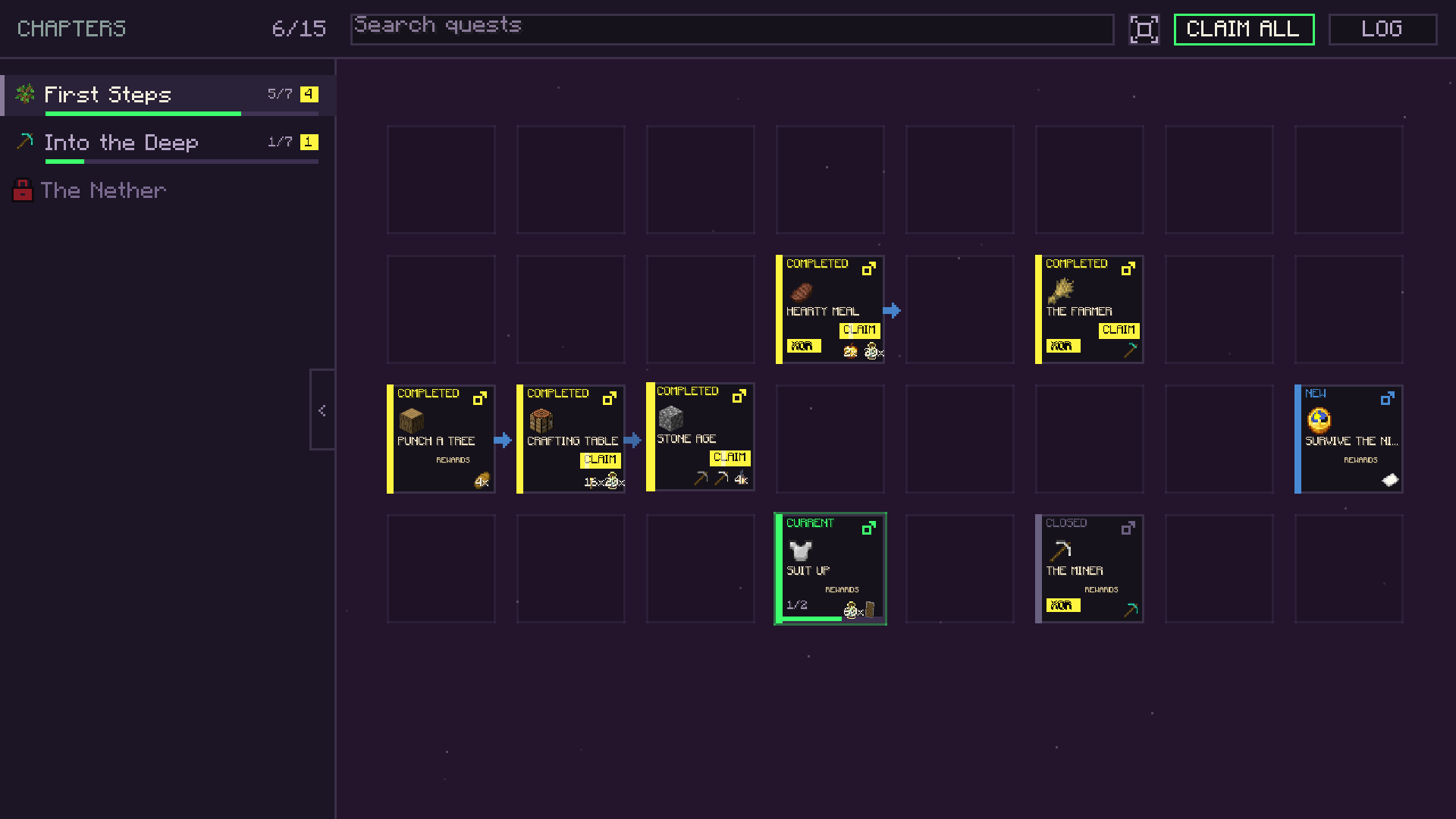 image-attachment_882f41ef-8074-4f7c-b60d-cf0501bb1f6d.png
 -
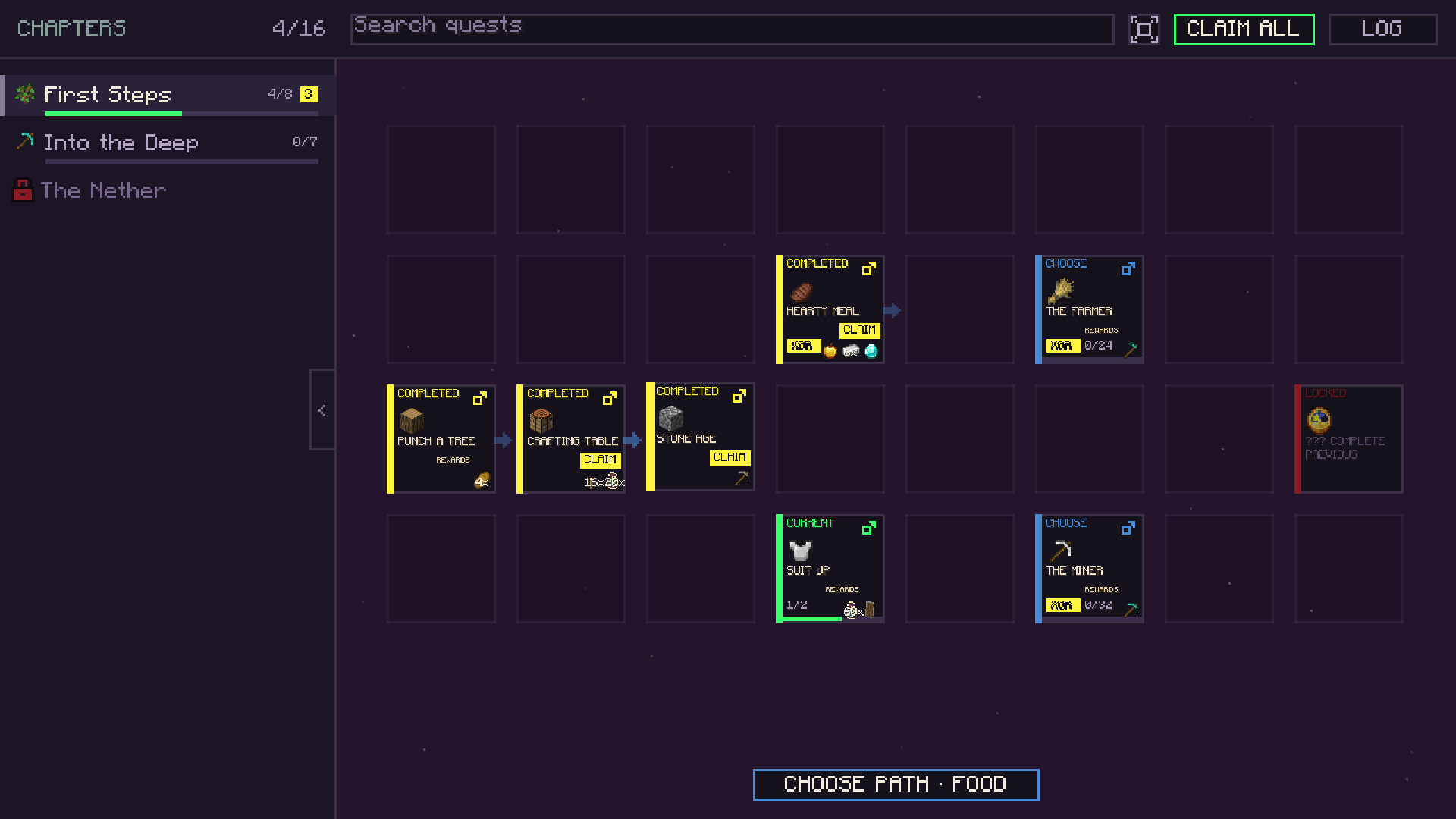 06-fork-choose-path.png 06-fork-choose-path.png
 -
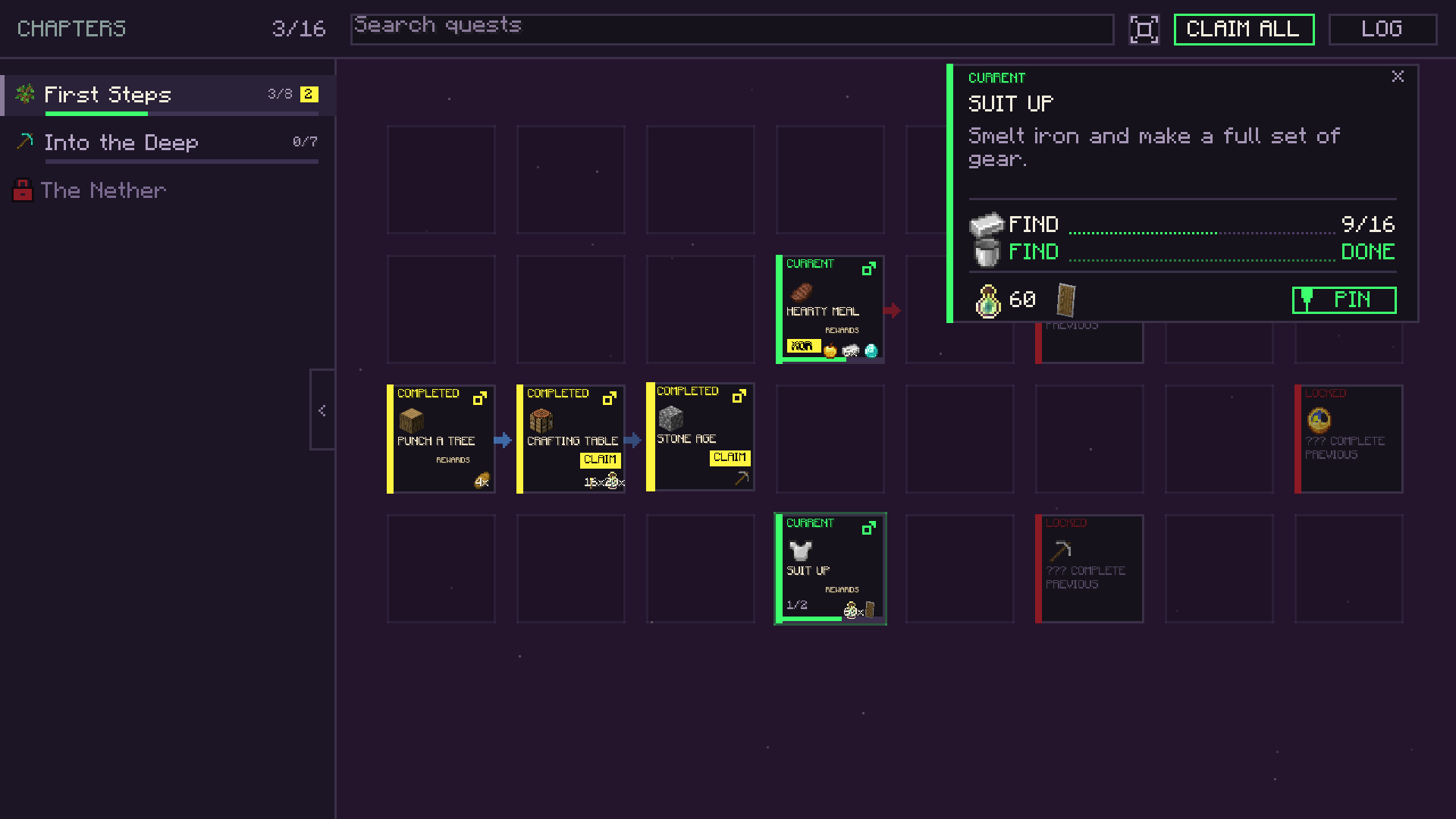 image-attachment_84bfe3fa-8c2a-4315-aea2-7f0291f47790.png
 -
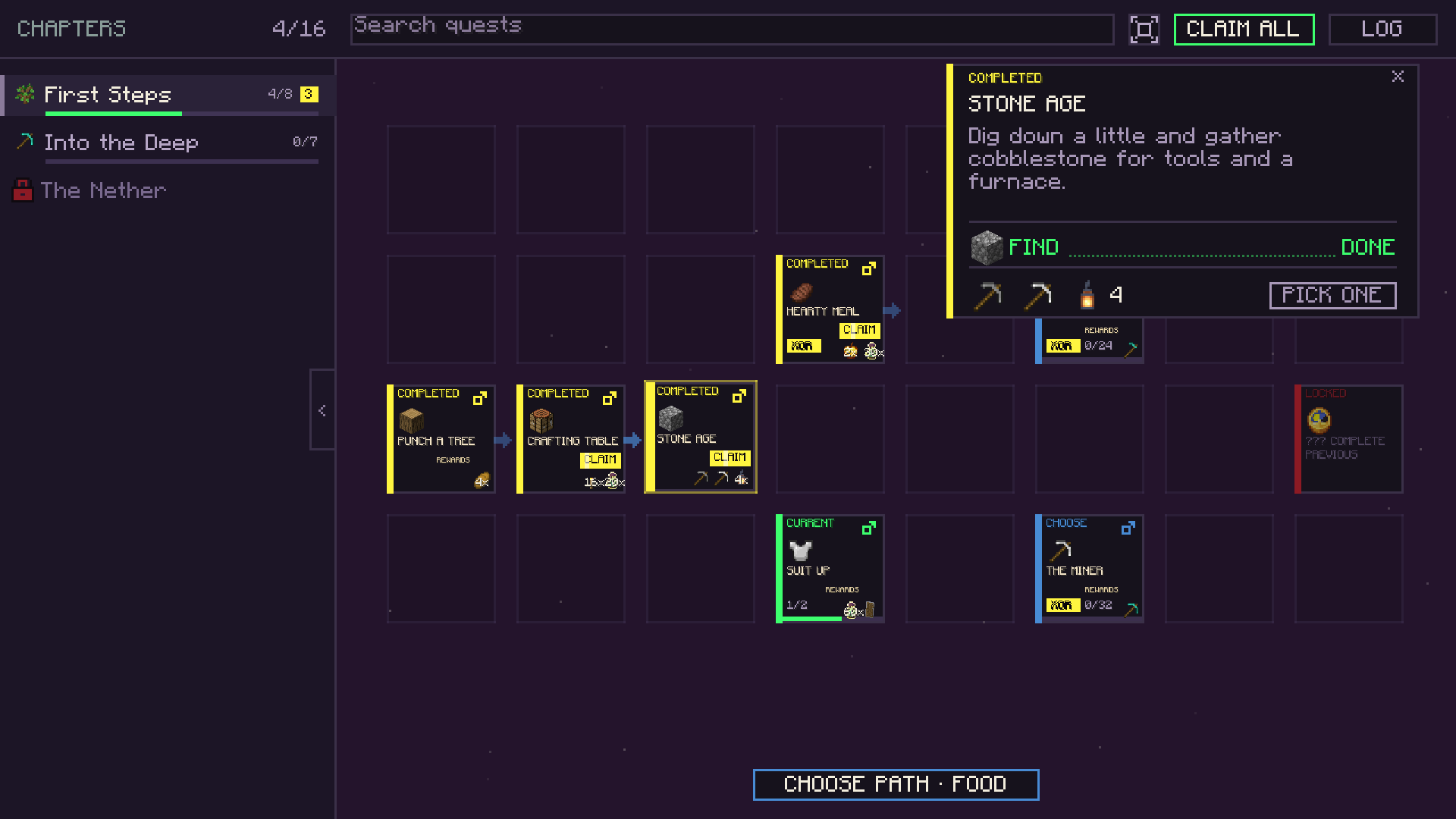 03-quest-card-choice-reward.png 03-quest-card-choice-reward.png
 -
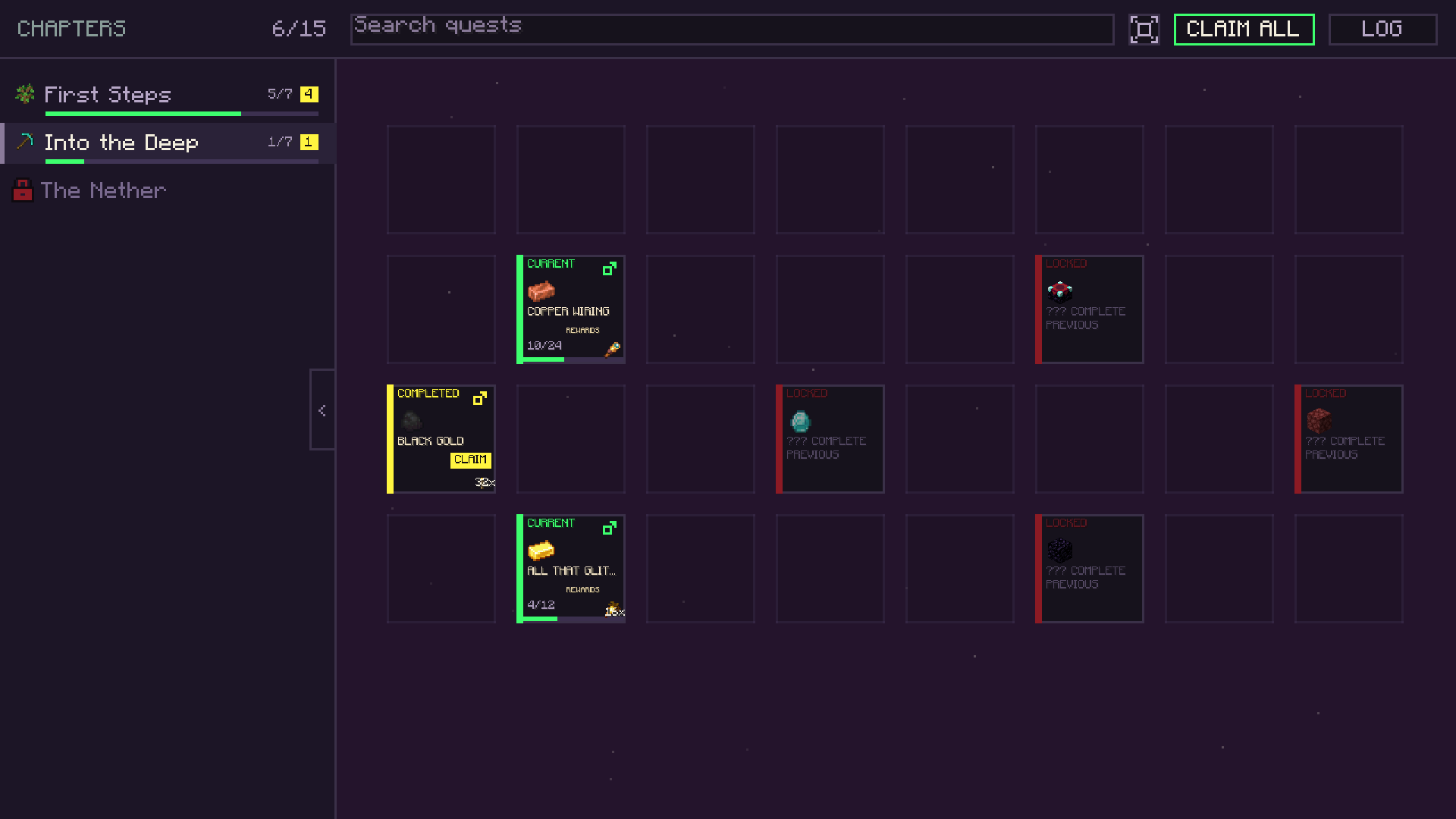 04-second-chapter.png 04-second-chapter.png
 -
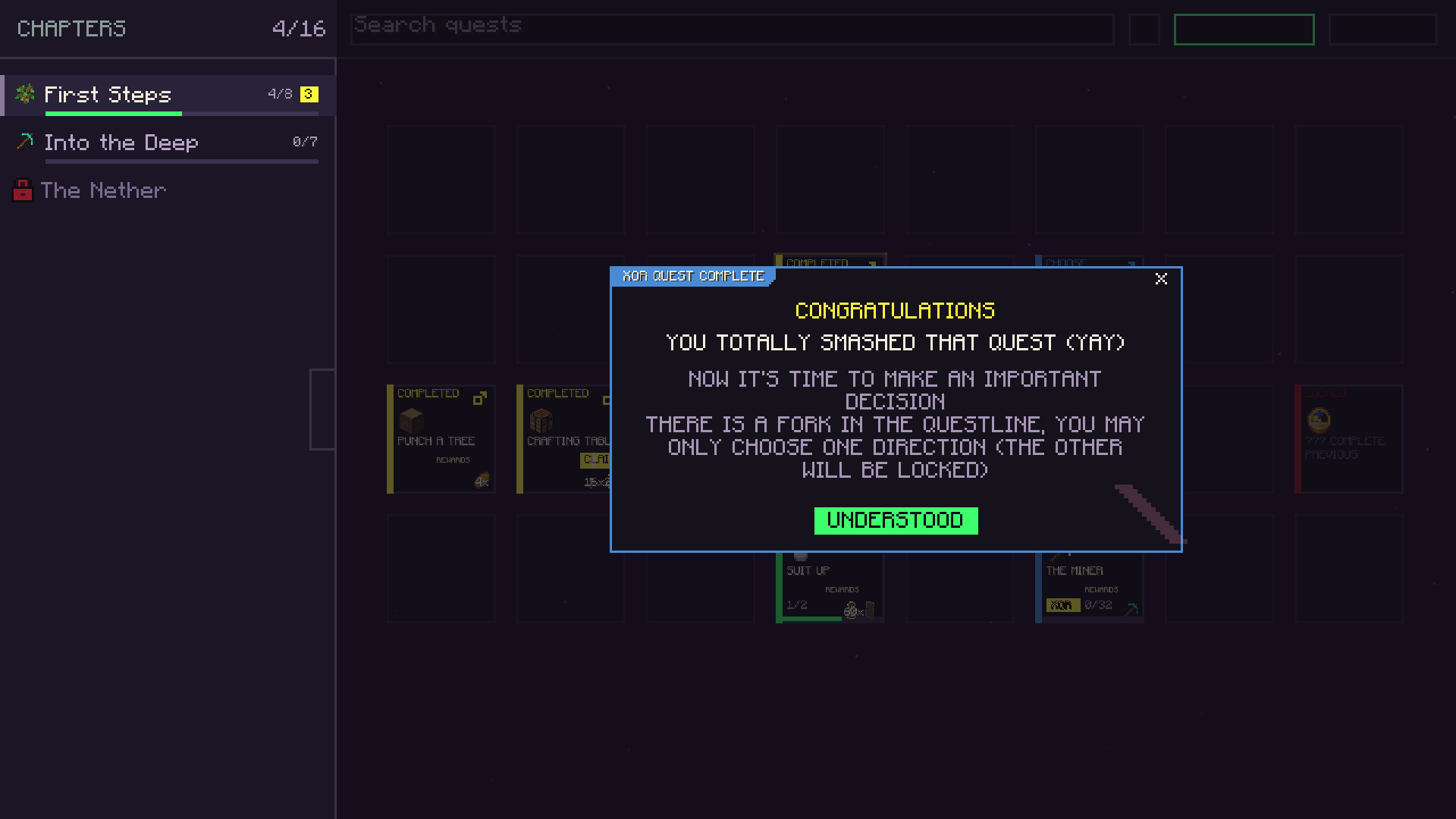 05-fork-prompt.png 05-fork-prompt.png
 -
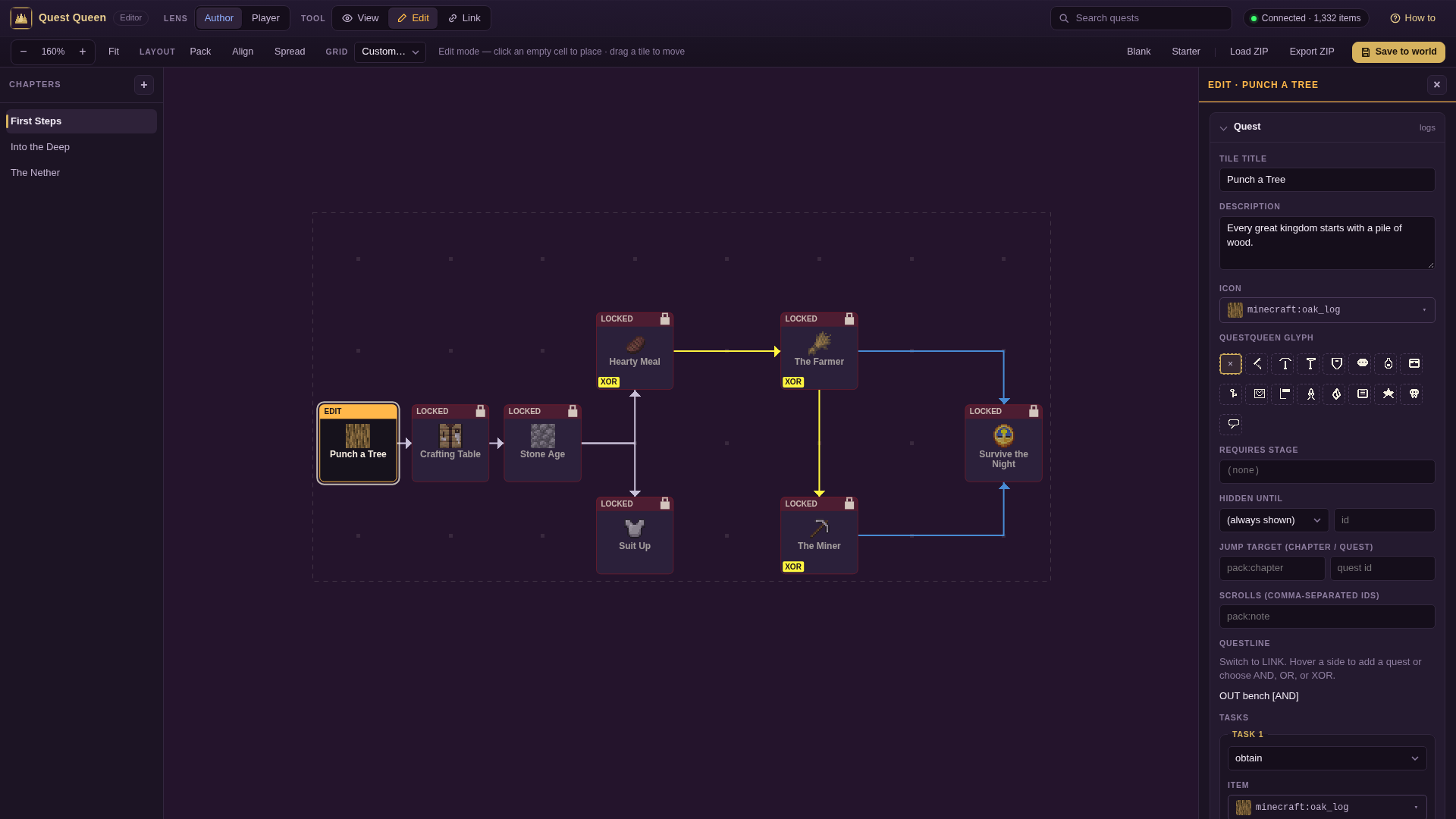 image-attachment_3ea2a05e-6a2c-49ed-9557-cf9485f5dff0.png
 -
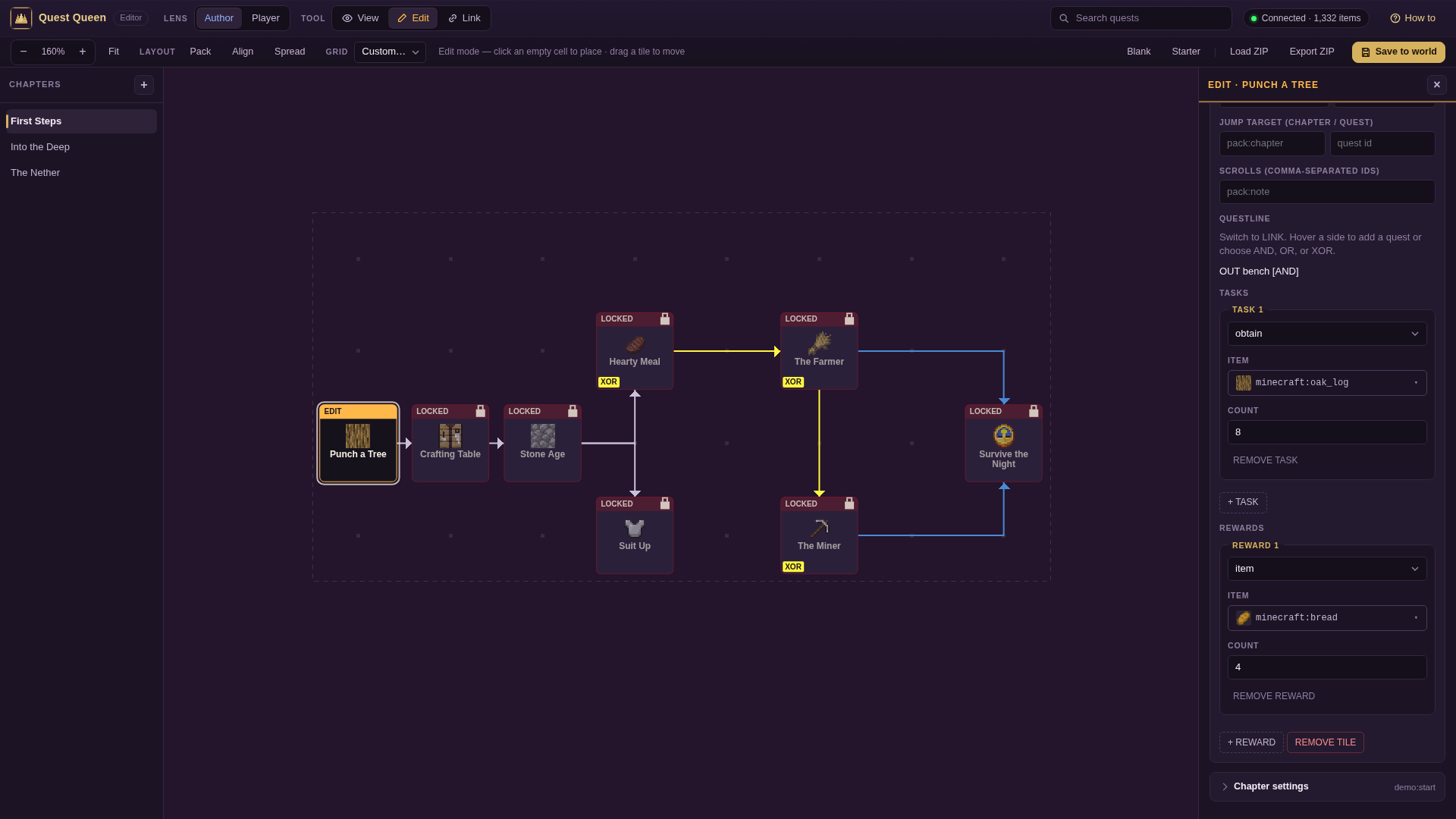 image-attachment_6fd67c2f-1b40-4ead-9431-03486f95ac6c.png
Versions
Files
Relations
Project Relations
More like this
Similar Mods
Suggestions use data such as tags, dependencies, dependents, descriptions, titles, and more to rank how much they overlap with this mod.
On ModDex
Community snapshot
By the numbers
Statistics
 (opens in a new tab)
Get it on
Available Platforms
On ModDex
Community snapshot
By the numbers