Community listing page, reviews here may not be monitored by the author.
Quick Link (Wireless Logistics)


No reviews yet
A lightweight mod that adds Quick Link blocks for early-game wireless item, energy, Mekanism chemical and fluid transfer with color channels and side configuration.
Community voices
Reviews
No reviews yet. Be the first to review this project!
Get it on
Available Platforms
Compatibility
Supported Environments
Must be installed on both the client and the server.
About
Project Details
For authors
Embed Badge
If you're the author of this project, you can embed a live badge anywhere that supports HTML or Markdown. It updates automatically whenever ratings change.
Use HTML for any page that supports it, or Markdown for README files and Markdown-based descriptions.
Identifiers
Platform IDs
About
Description
Quick Link
Quick Link adds a lightweight and intuitive wireless item, fluid, energy, and chemical transfer system to Minecraft.
What's New
Cross-Dimension & Unloaded Chunks
- Networks survive chunk unloading – plugs stay registered in their network even when their chunk is unloaded
- Works across dimensions – including setups where the target chunk is almost never loaded and no chunkloader can reach it
- Verified with Compact Machines rooms
Jade & WTHIT Integration
- Native Jade and WTHIT support – look at any Plug block to see live transfer information
- View the current upgrade tier and speed multiplier
- See the configured maximum transfer rate
- Monitor actual incoming and outgoing transfer amounts
- Idle plugs are clearly marked as Idle
FTB Teams & FTB Chunks Integration
- Team-isolated networks – with FTB Teams installed, matching colors only connect blocks belonging to the same team
- Claim-aware networks – with FTB Chunks installed, a plug inside a claimed chunk takes its network from the claim's owning team instead of from whoever placed it
- Claims make blocks permanently the team's – a plug inside your team's claim keeps serving the team even after the player who placed it leaves it, while plugs outside any claim drop out of the network with their owner. The same applies to plugs with no recorded owner and to plugs placed by guests
- Claims do not split networks – a claim and plain team membership of the same team form one and the same network
- A plug placed inside another team's claim joins that team's network — check whose claim you are building in
- Perfect for multiplayer servers and shared bases, preventing accidental connections to another team's network
Note: Installing FTB Chunks on an existing world normally changes nothing — plugs inside your own team's claims keep the network they already had. Only plugs sitting inside another team's claim will move.
Color Removal
- Clear individual network colors – hold Shift + RMB with any dye on a quadrant to remove its color
- Easily reconfigure networks without breaking or replacing the Plug block
New Block Design
- Chemical Plug support – added a new Chemical Plug block for Mekanism chemical transfer
- Completely redesigned visuals – a fully modeled 3D block with legs and side cones
- Concrete-style textures with colored quadrant insets on every face
- Matching particles – block breaking and mining particles now reflect the block's color
Inventory Icons
- Proper 3D item models – all plug blocks now display their full 3D appearance in the inventory and hotbar
Upgrade System
- Four upgrade tiers – insert upgrade items directly into the Plug block
- Higher throughput – each tier increases transfer speed by ×2 / ×4 / ×8 / ×16
- Non-destructive removal – Shift + RMB with an empty hand pulls the upgrade back out
HUD Overlay
- On-screen upgrade indicator – when looking at a Plug block, the current upgrade tier is displayed
Item Tooltips
- Multilingual tooltips – all items now include helpful descriptions in English, Russian, and Chinese
Bug Fixes
- Fixed round-robin distribution when a single Plug has multiple POINT sides — all destinations are now cycled evenly
- Fixed several fluid transfer edge cases for improved robustness
- Improved Chemical Plug compatibility with Mekanism Pressurized Tubes
- Fixed plugs being permanently dropped from their saved network after a chunk unload
- Fixed stale network entries left behind when a Plug was reloaded
Main Features
- Instant wireless item, fluid, energy, and chemical transfer between compatible containers at any distance, across dimensions, even into unloaded chunks
- Color-based networks – paint quadrants to link blocks together
- Team and claim-aware networks with FTB Teams and FTB Chunks
- Live transfer statistics through Jade and WTHIT
- Easy color editing – use Shift + RMB with any dye to clear an individual quadrant color
- Per-side configuration – each face can act as sender or receiver (RMB + empty hand, Shift + RMB + empty hand to disable a side)
- Visual role indicators – easy to understand at a glance
- Configurable transfer speed – adjust item, energy, fluid, and chemical throughput via the config file
- Infinite Fluid Source – right-click a Plug side of a Fluid Plug with a water bucket to turn it into an infinite water source
- Settings survive relocation – breaking a Plug keeps its quadrant colors on the dropped item, and installed upgrades drop alongside it
- No cables, no pipes, no clutter
Compatibility
Tested and works alongside Pipez and Mekanism transport pipes and logistics systems without conflicts.
Jade / WTHIT
When Jade or WTHIT is installed, looking at a Plug displays:
- Current upgrade tier and multiplier
- Maximum transfer rate
- Last outgoing transfer amount
- Last incoming transfer amount
- Current idle status
Supports Item, Fluid, Energy, and Chemical Plugs.
FTB Teams / FTB Chunks
- With FTB Teams installed, networks additionally require matching team membership, not just matching colors.
- With FTB Chunks also installed, blocks placed inside a claimed chunk join the network of the claim's owning team instead of the placer's own team.
- Why claim: claiming is how a block becomes the team's permanently. If a player leaves the team, their blocks inside the claim stay in the team network, while their blocks outside any claim drop out of it. The same applies to blocks with no recorded owner, and to blocks placed by guests who are not team members at all.
- Claim-based and membership-based networks of the same team are one network, not two.
How It Works
- Craft the Quick Link block.
- Place it next to a container, tank, energy storage, or compatible chemical handler.
- Paint quadrants to assign it to a network.
- Set each side as Plug (output) or Point (input).
- Items, fluids, energy, or chemicals will automatically transfer between linked blocks.
- To remove a quadrant color, hold Shift and right-click it with any dye.
Design Goals
- Simple to learn
- Minimal setup
- High performance
- Vanilla-friendly aesthetics
Perfect for compact bases, automation builds, multiplayer servers, and long-distance logistics without messy pipe systems.
Download
- CurseForge: https://www.curseforge.com/minecraft/mc-mods/quick-link
- Modrinth: https://modrinth.com/mod/quick-link
Quick Link
Quick Link adds a lightweight and intuitive wireless item, fluid, energy, and chemical transfer system to Minecraft.
What's New
Cross-Dimension & Unloaded Chunks
- Networks survive chunk unloading – plugs stay registered in their network even when their chunk is unloaded
- Works across dimensions – including setups where the target chunk is almost never loaded and no chunkloader can reach it
- Verified with Compact Machines rooms
Jade & WTHIT Integration
- Native Jade and WTHIT support – look at any Plug block to see live transfer information
- View the current upgrade tier and speed multiplier
- See the configured maximum transfer rate
- Monitor actual incoming and outgoing transfer amounts
- Idle plugs are clearly marked as Idle
FTB Teams & FTB Chunks Integration
- Team-isolated networks – with FTB Teams installed, matching colors only connect blocks belonging to the same team
- Claim-aware networks – with FTB Chunks installed, a plug inside a claimed chunk takes its network from the claim's owning team instead of from whoever placed it
- Claims make blocks permanently the team's – a plug inside your team's claim keeps serving the team even after the player who placed it leaves it, while plugs outside any claim drop out of the network with their owner. The same applies to plugs with no recorded owner and to plugs placed by guests
- Claims do not split networks – a claim and plain team membership form one and the same network
- A plug placed inside another team's claim joins that team's network — check whose claim you are building in
- Perfect for multiplayer servers and shared bases, preventing accidental connections to another team's network
Note: Installing FTB Chunks on an existing world normally changes nothing — plugs inside your own team's claims keep the network they already had. Only plugs sitting inside another team's claim will move.
Color Removal
- Clear individual network colors – hold Shift + RMB with any dye on a quadrant to remove its color
- Easily reconfigure networks without breaking or replacing the Plug block
New Block Design
- Chemical Plug support – added a new Chemical Plug block for Mekanism chemical transfer
- Completely redesigned visuals – a fully modeled 3D block with legs and side cones
- Concrete-style textures with colored quadrant insets on every face
- Matching particles – block breaking and mining particles now reflect the block's color
Inventory Icons
- Proper 3D item models – all plug blocks now display their full 3D appearance in the inventory and hotbar
Upgrade System
- Four upgrade tiers – insert upgrade items directly into the Plug block
- Higher throughput – each tier increases transfer speed by ×2 / ×4 / ×8 / ×16
- Non-destructive removal – Shift + RMB with an empty hand pulls the upgrade back out
HUD Overlay
- On-screen upgrade indicator – when looking at a Plug block, the current upgrade tier is displayed
Item Tooltips
- Multilingual tooltips – all items now include helpful descriptions in English, Russian, and Chinese
Bug Fixes
- Fixed round-robin distribution when a single Plug has multiple POINT sides — all destinations are now cycled evenly
- Fixed several fluid transfer edge cases for improved robustness
- Improved Chemical Plug compatibility with Mekanism Pressurized Tubes
- Fixed plugs being permanently dropped from their saved network after a chunk unload
- Fixed stale network entries left behind when a Plug was reloaded
Main Features
- Instant wireless item, fluid, energy, and chemical transfer between compatible containers at any distance, across dimensions, even into unloaded chunks
- Color-based networks – paint quadrants to link blocks together
- Team and claim-aware networks with FTB Teams and FTB Chunks
- Live transfer statistics through Jade and WTHIT
- Easy color editing – use Shift + RMB with any dye to clear an individual quadrant color
- Per-side configuration – each face can act as sender or receiver (RMB + empty hand, Shift + RMB + empty hand to disable a side)
- Visual role indicators – easy to understand at a glance
- Configurable transfer speed – adjust item, energy, fluid, and chemical throughput via the config file
- Infinite Fluid Source – right-click a Plug side of a Fluid Plug with a water bucket to turn it into an infinite water source
- Settings survive relocation – breaking a Plug keeps its quadrant colors on the dropped item, and installed upgrades drop alongside it
- No cables, no pipes, no clutter
Compatibility
Tested and works alongside Pipez and Mekanism transport pipes and logistics systems without conflicts.
Jade / WTHIT
When Jade or WTHIT is installed, looking at a Plug displays:
- Current upgrade tier and multiplier
- Maximum transfer rate
- Last outgoing transfer amount
- Last incoming transfer amount
- Current idle status
Supports Item, Fluid, Energy, and Chemical Plugs.
FTB Teams / FTB Chunks
- With FTB Teams installed, networks additionally require matching team membership, not just matching colors.
- With FTB Chunks also installed, a block inside a claimed chunk takes its network from the claim's owning team instead of from its placer. Outside any claim, a block follows its owner's current team.
- Why claim: claiming is how a block becomes the team's permanently — it keeps serving the team network even if the player who placed it leaves the team.
- Claim-based and membership-based networks of the same team are one network, not two.
How It Works
- Craft the Quick Link block.
- Place it next to a container, tank, energy storage, or compatible chemical handler.
- Paint quadrants to assign it to a network.
- Set each side as Plug (output) or Point (input).
- Items, fluids, energy, or chemicals will automatically transfer between linked blocks.
- To remove a quadrant color, hold Shift and right-click it with any dye.
Design Goals
- Simple to learn
- Minimal setup
- High performance
- Vanilla-friendly aesthetics
Perfect for compact bases, automation builds, multiplayer servers, and long-distance logistics without messy pipe systems.
Download
- CurseForge: https://www.curseforge.com/minecraft/mc-mods/quick-link
- Modrinth: https://modrinth.com/mod/quick-link
Screenshots
Gallery
-
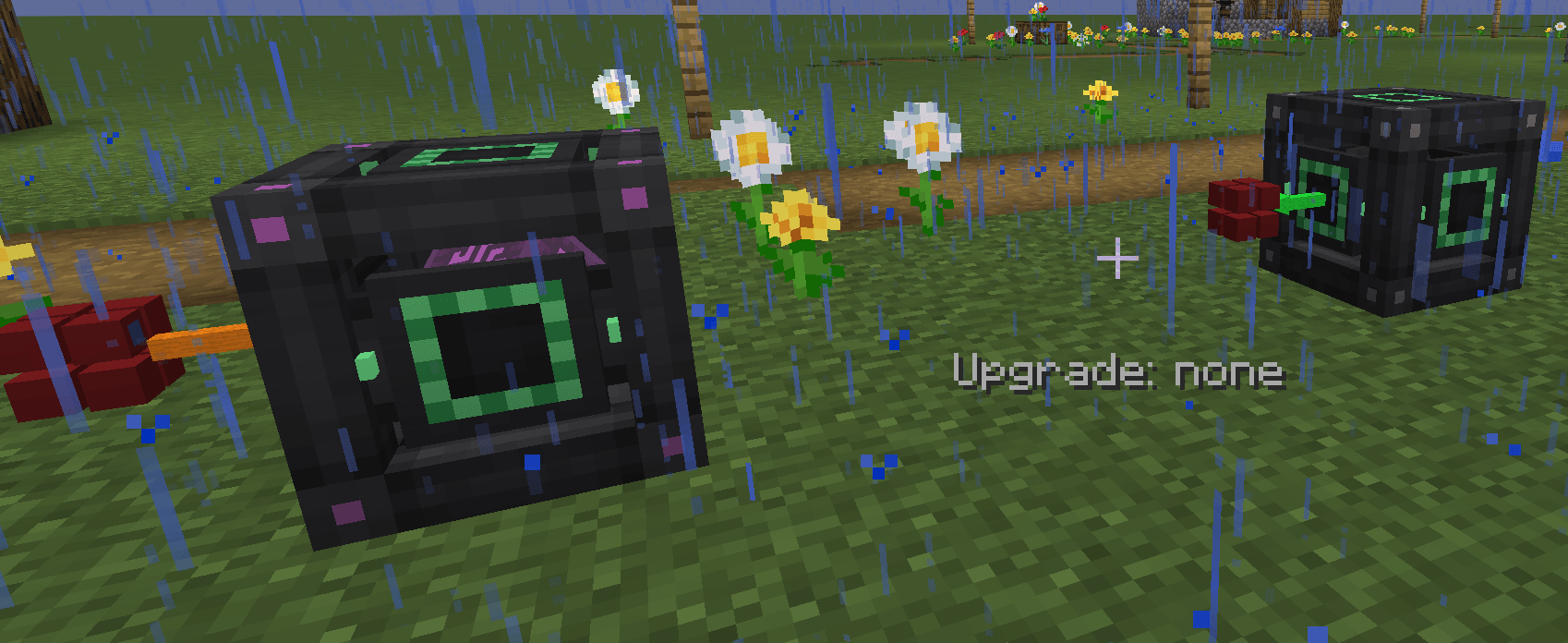 energy energy
 -
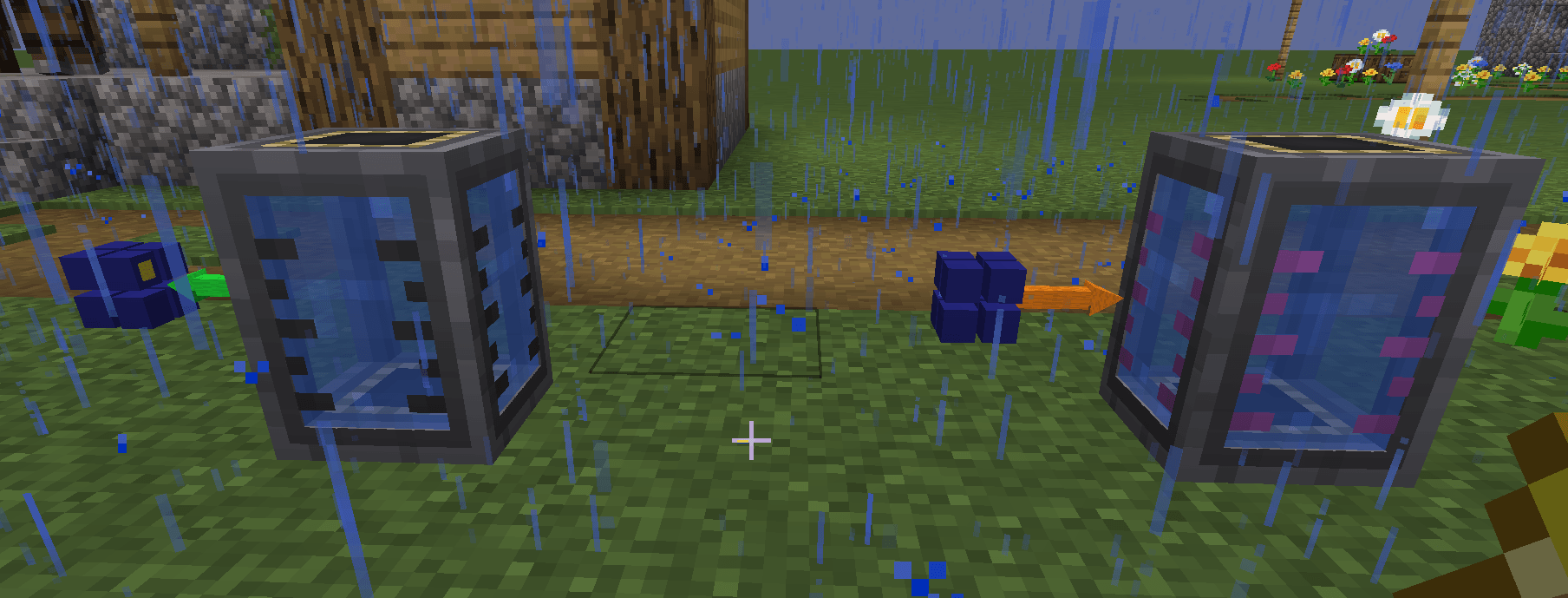 fluid fluid
 -
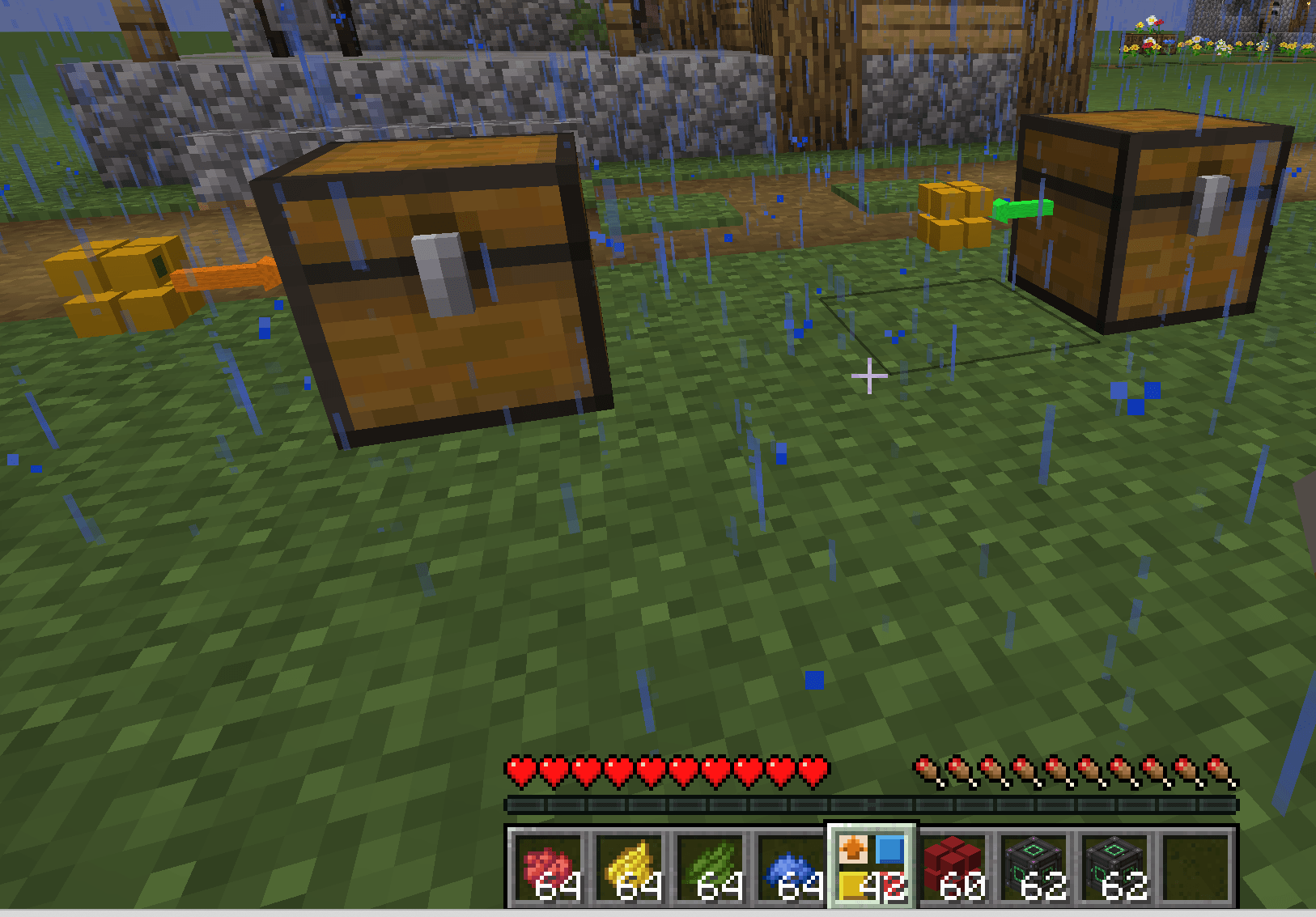 items items
 -
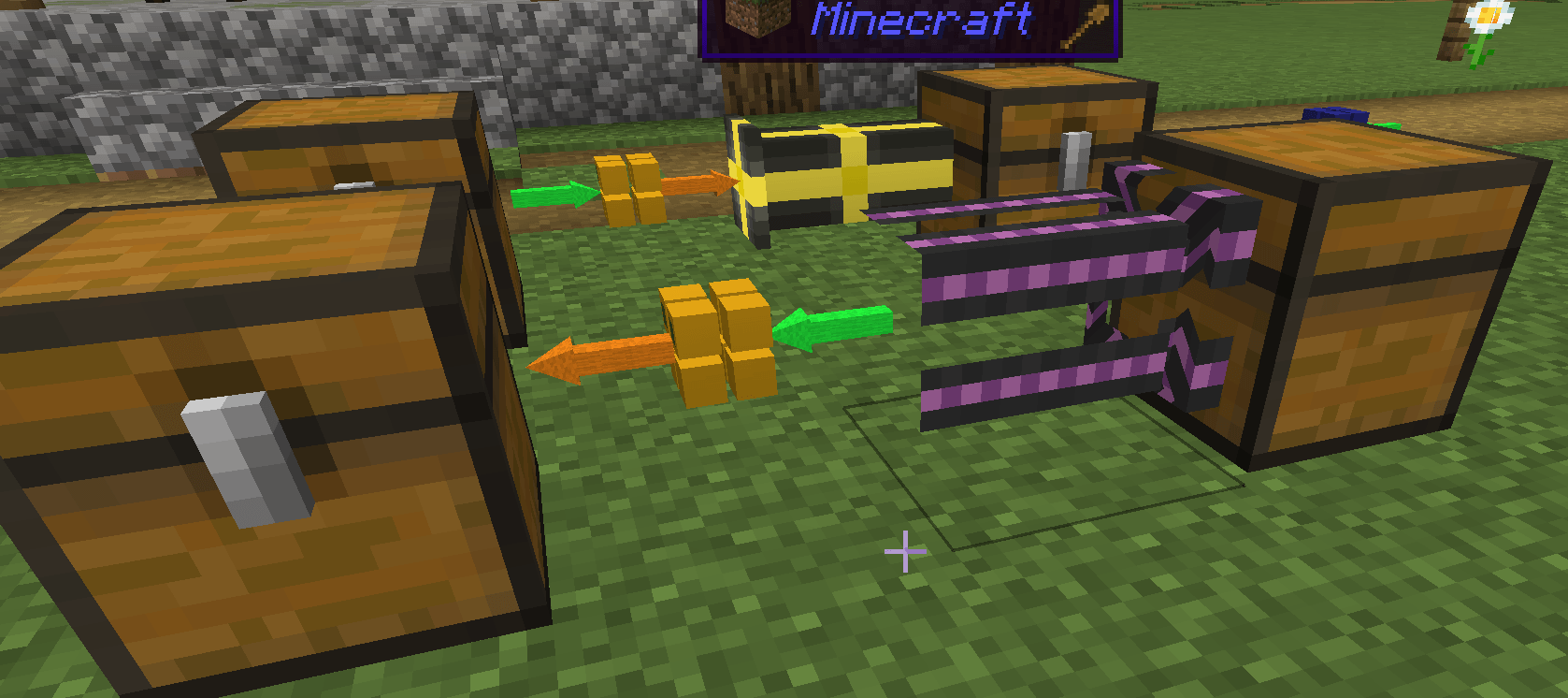 connected to pipes connected to pipes
 -

 fluids transfer fluids transfer
 -
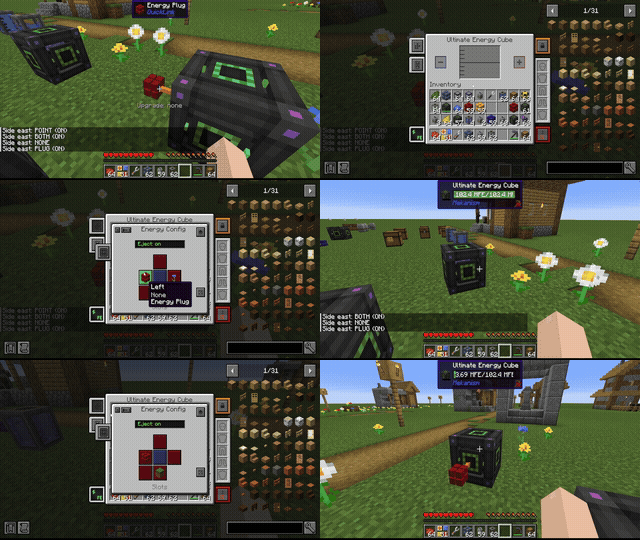 energy transfer energy transfer
 -
 Change channel by color Change channel by color
 -
 items transfer items transfer
 -
 Mekanism pipes Mekanism pipes
 -
 Pipez pipes Pipez pipes
-
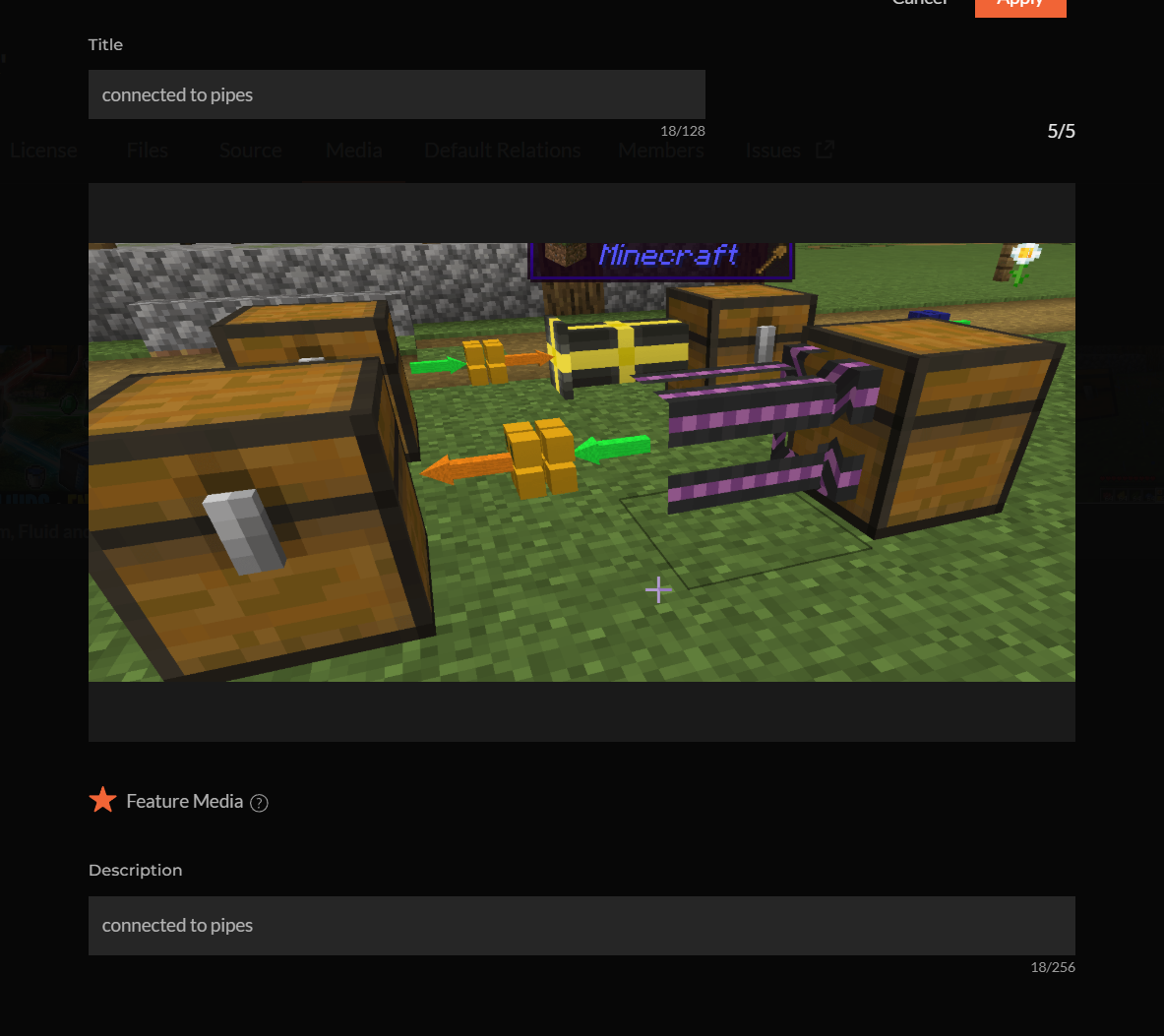 Connected to pipes Connected to pipes
 -
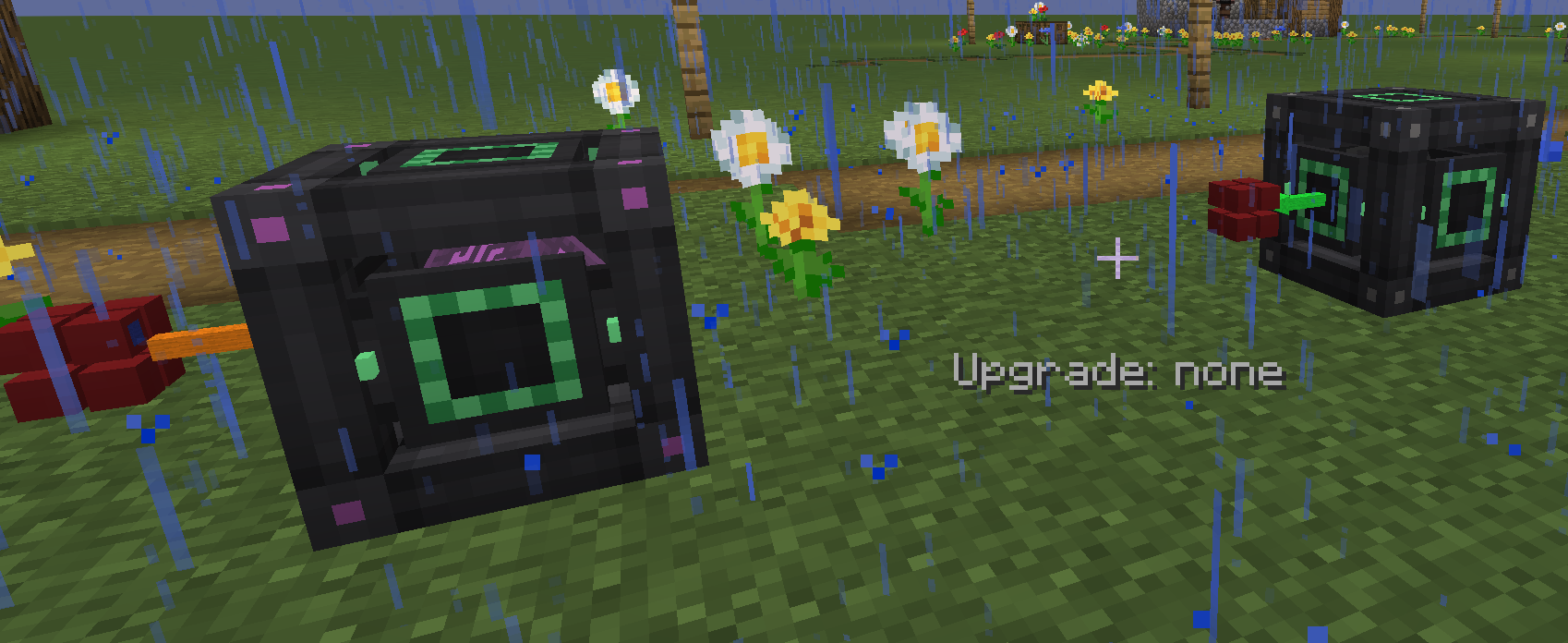 energy energy
 -
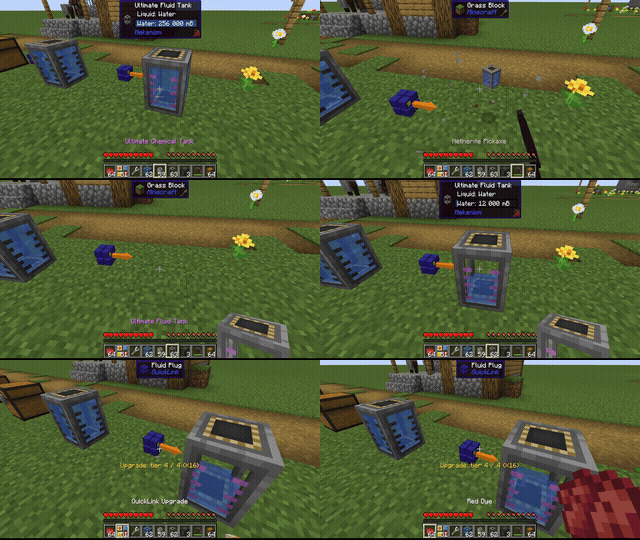 fluid transfer fluid transfer
 -
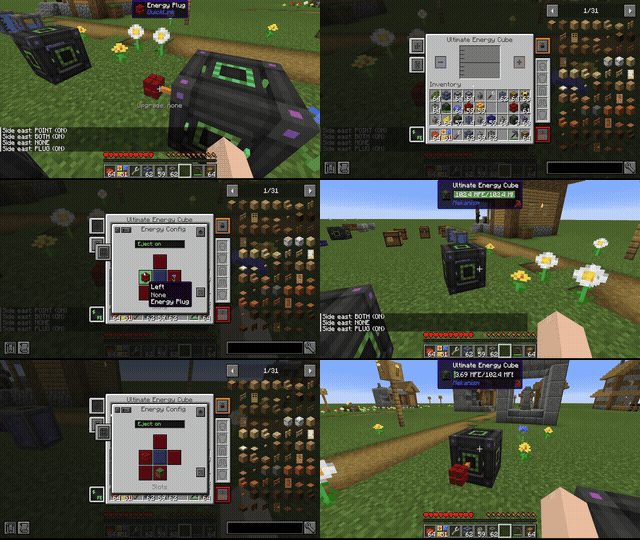 energy transfer energy transfer
 -
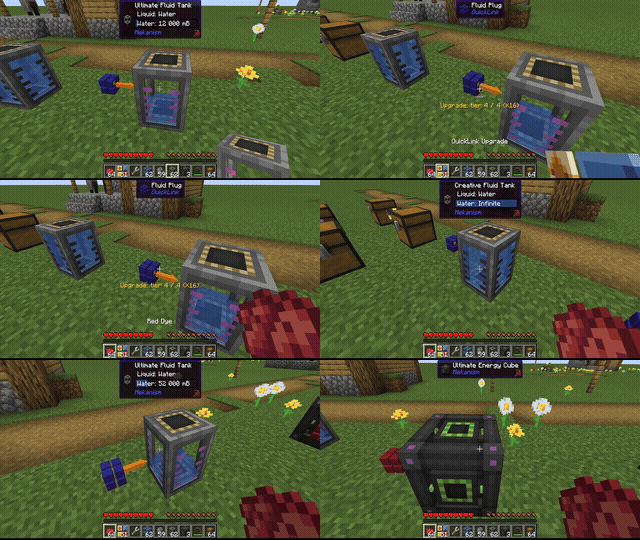 Change channel by color Change channel by color
 -
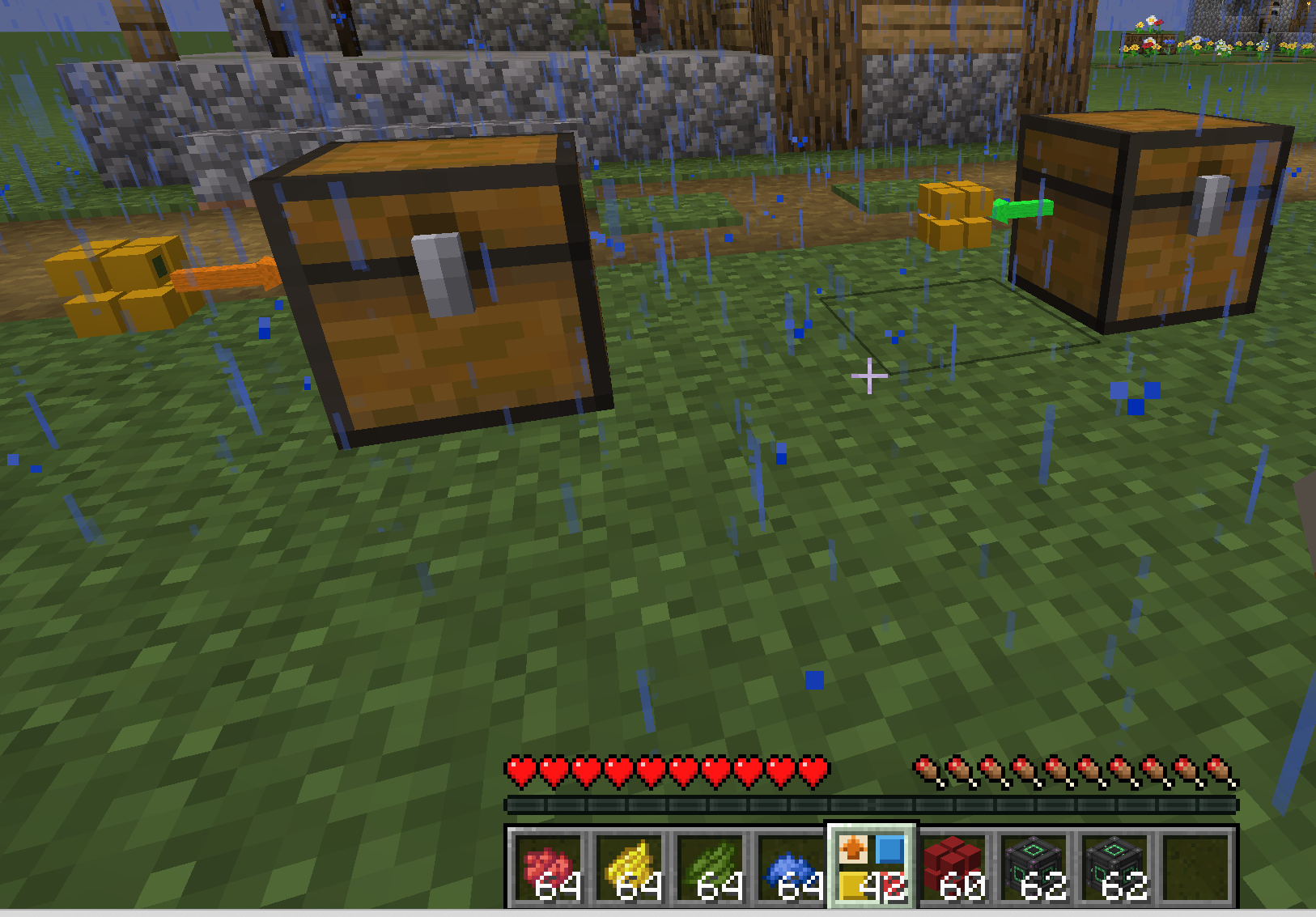 items items
 -
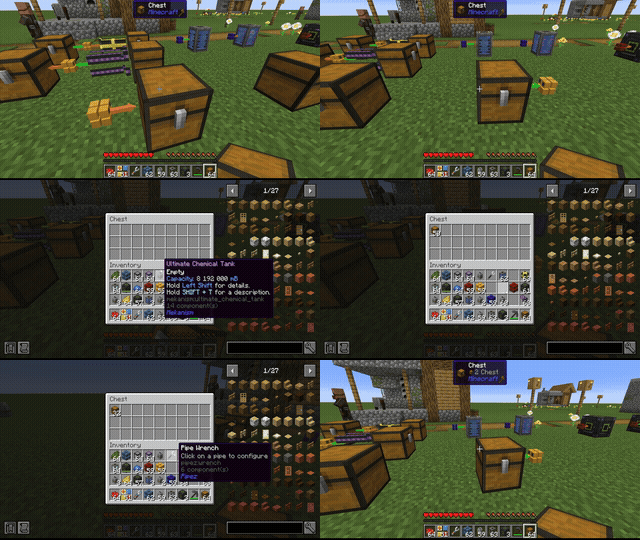 items transfer items transfer
 -
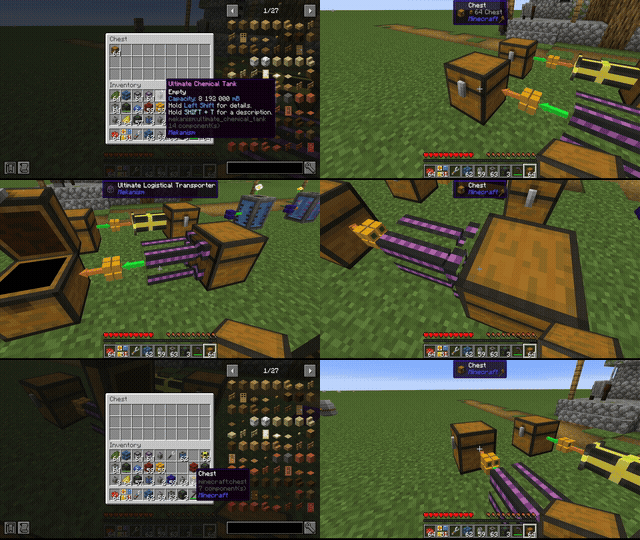 Mekanism pipes Mekanism pipes
 -
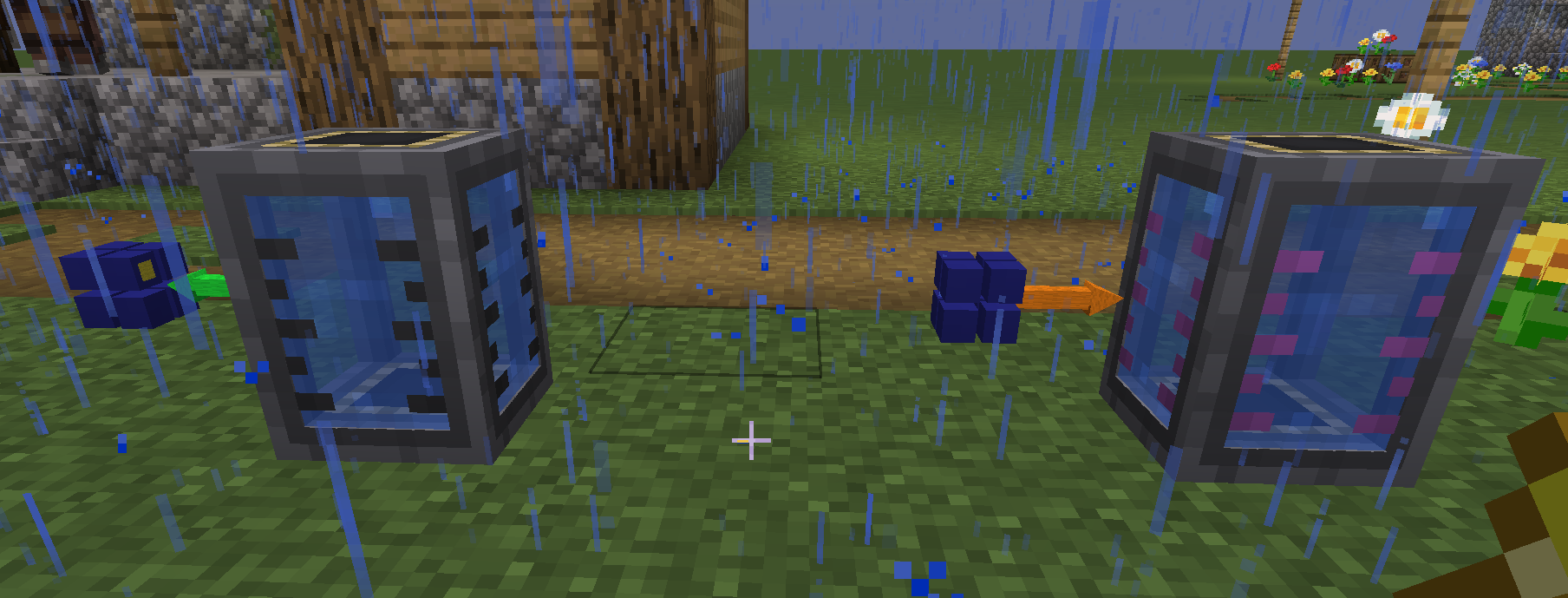 fluid fluid
 -
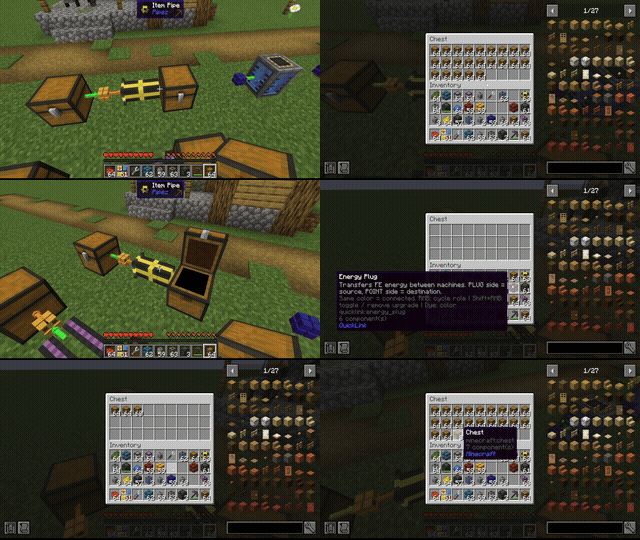 Pipez pipes Pipez pipes
Versions
Files
Relations
Project Relations
More like this
Similar Mods
Suggestions use data such as tags, dependencies, dependents, descriptions, titles, and more to rank how much they overlap with this mod.
On ModDex
Community snapshot
By the numbers
Statistics
Want to reach Minecraft players?
We're looking for a server hosting partner to feature here and other parts of the site. Interested? Send us a message!
Get in touchGet it on
Available Platforms
On ModDex
Community snapshot
By the numbers