Community listing page, reviews may not be monitored by the author.
Quick Measure

No reviews yet
Measure distance, size and the middle between two blocks with one key. Client-side, no items needed.

Community voices
Reviews
No reviews yet. Be the first to review this project!
Get it on
Available Platforms
About
Project Details
For authors
Embed Badge
If you're the author of this project, you can embed a live badge anywhere that supports HTML or Markdown. It updates automatically whenever ratings change.
Use HTML for any page that supports it, or Markdown for README files and Markdown-based descriptions.
Identifiers
Platform IDs
Resources
External Links
About
Description
Quick Measure
Measure anything with one key. Look at a block, press M, look at another block, press M again – done. Quick Measure shows the distance, the size and the exact middle, right in your world.
Perfect for building symmetric houses, centering doors and windows, planning farms or just checking how far something is.
✨ Features
🎯 One key, no items – no tape measure to craft, no inventory slot needed
📏 Distance in blocks (straight line, block center to block center)
📐 ΔX / ΔY / ΔZ and the size in blocks – counting both end blocks, so a 10-block wall really shows 10
⬆️ Height in blocks
🟨 Middle block marked in the world with its coordinates – for even lengths both middle blocks are marked (X 10/11)
👀 Markers and line visible through blocks (can be turned off)
🔭 Works up to 128 blocks away (32 / 64 / 128 / 256)
🖱️ Custom HUD – drag the info box wherever you like, make it bigger or smaller and set the background opacity
🌍 Client-side only – works on every server, even without the mod on the server
🇬🇧 🇩🇪 English and German
🎮 How to use
| Press | What happens |
|---|---|
| M (1st) | Sets point A (green) on the block you are looking at |
| M (2nd) | Sets point B (red), draws the line and marks the middle |
| M (3rd) | Clears the measurement |
Extra keys (not bound by default): Clear Measurement and Quick Measure Settings. Change them under Options → Controls → Key Binds → Quick Measure.
Settings: On NeoForge open Mods → Quick Measure → Config. On Fabric bind the Quick Measure Settings key. There you can move and resize the HUD box, change its background opacity, choose the max. distance and toggle "visible through blocks".
📦 Requirements
Minecraft 26.3, 26.2, 26.1.2 or 1.21.1
Fabric: Fabric API
NeoForge: no other mods needed
Client only – do not put it on a server (it would do nothing there)
❓ FAQ
Does it work on servers? Yes. Everything happens on your client, the server doesn't need the mod.
Is this allowed on servers with anti-cheat? It only uses block positions you can already see (like F3 coordinates). Still, check the server rules if you're unsure.
Can I use it in my modpack? Yes! The mod is MIT licensed.
Made by 5vali · MIT License
Screenshots
Gallery
-
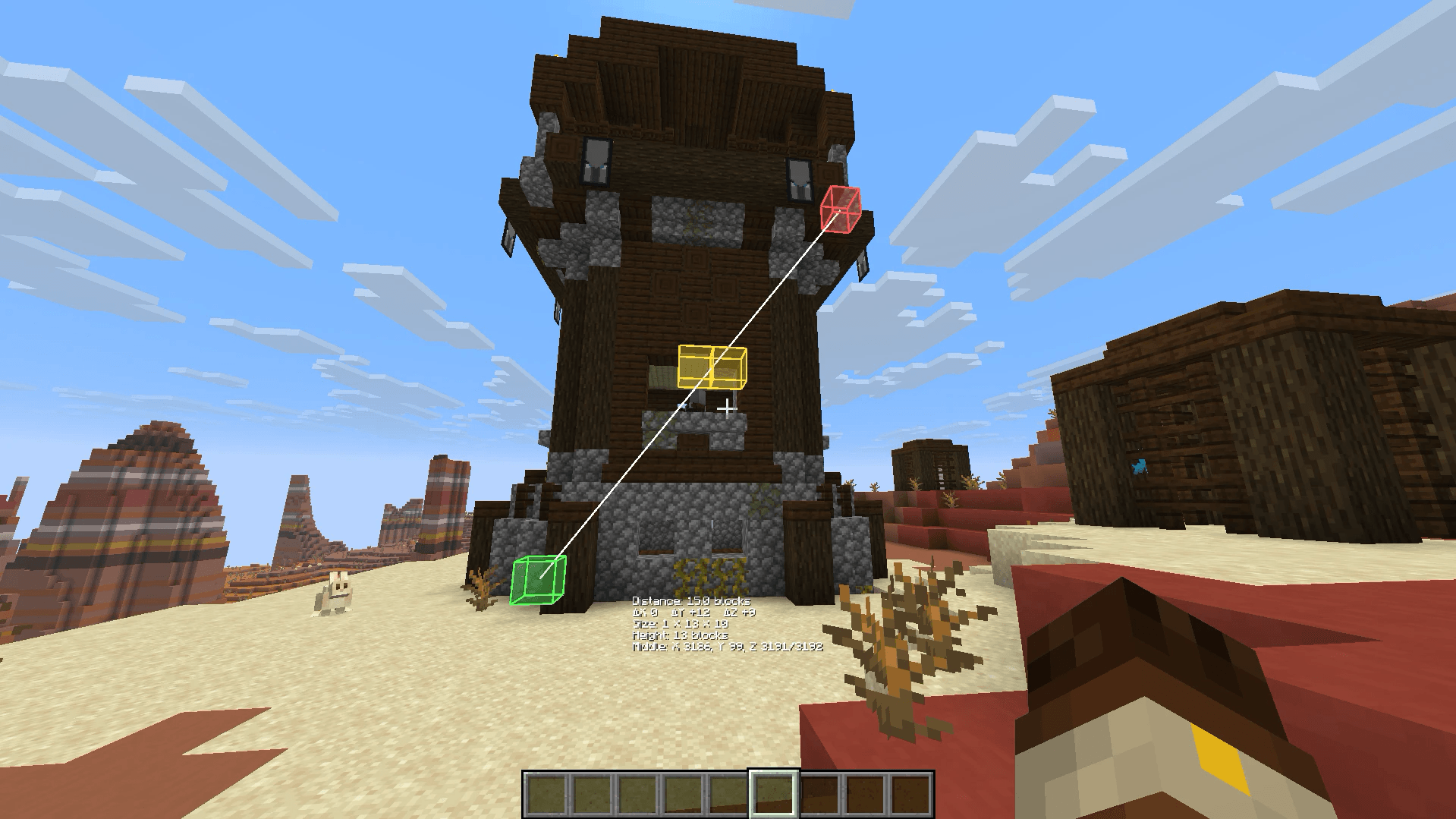 Measure anything Point A (green) at the bottom, point B (red) at the top: distance, size, height and the middle – in any direction.
-
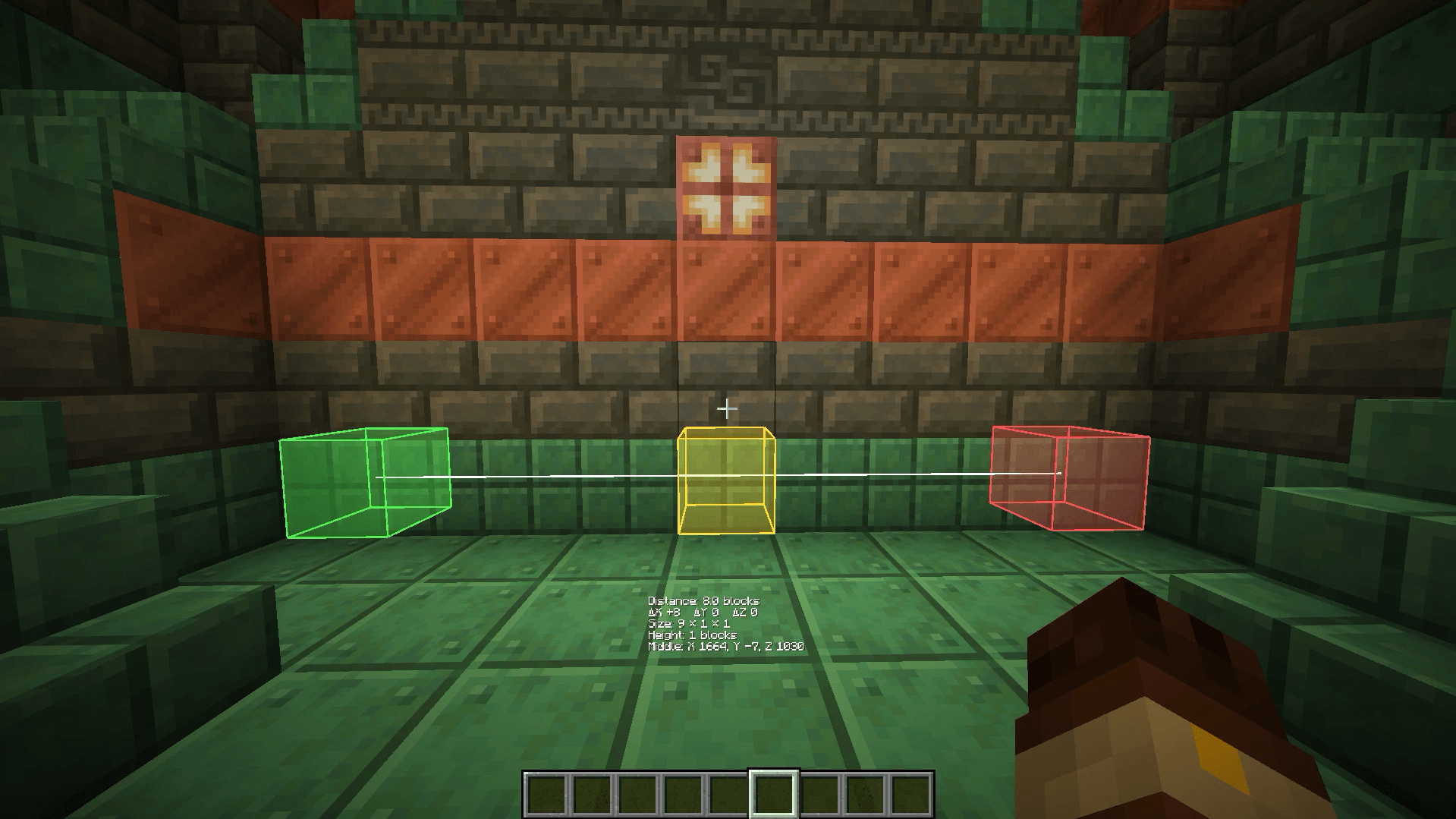 Find the exact middle 9 blocks wide, one middle block. Perfect for centering doors, windows and decorations.
-
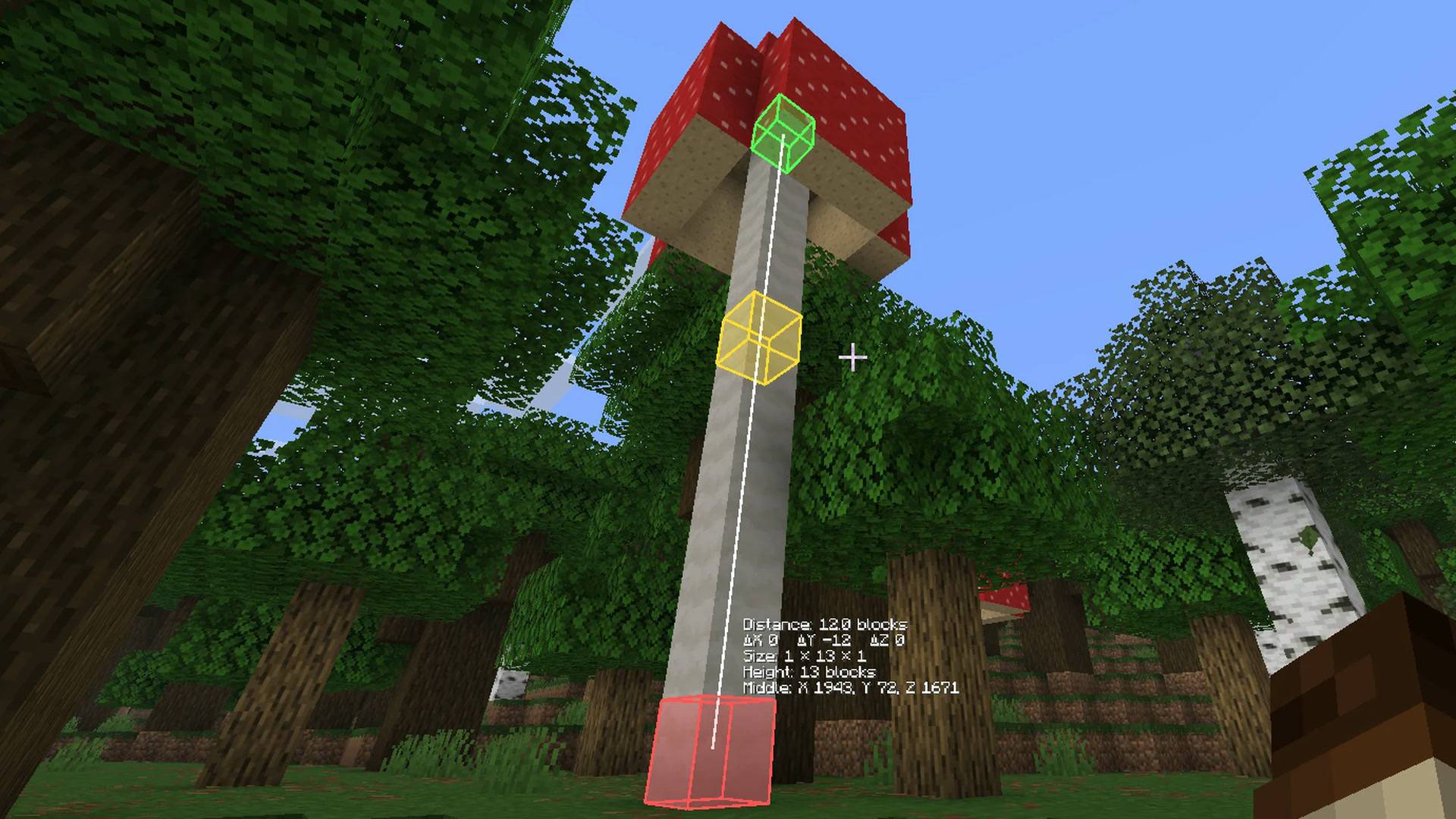 Check heights Measure from top to bottom and see the height in blocks right away.
-
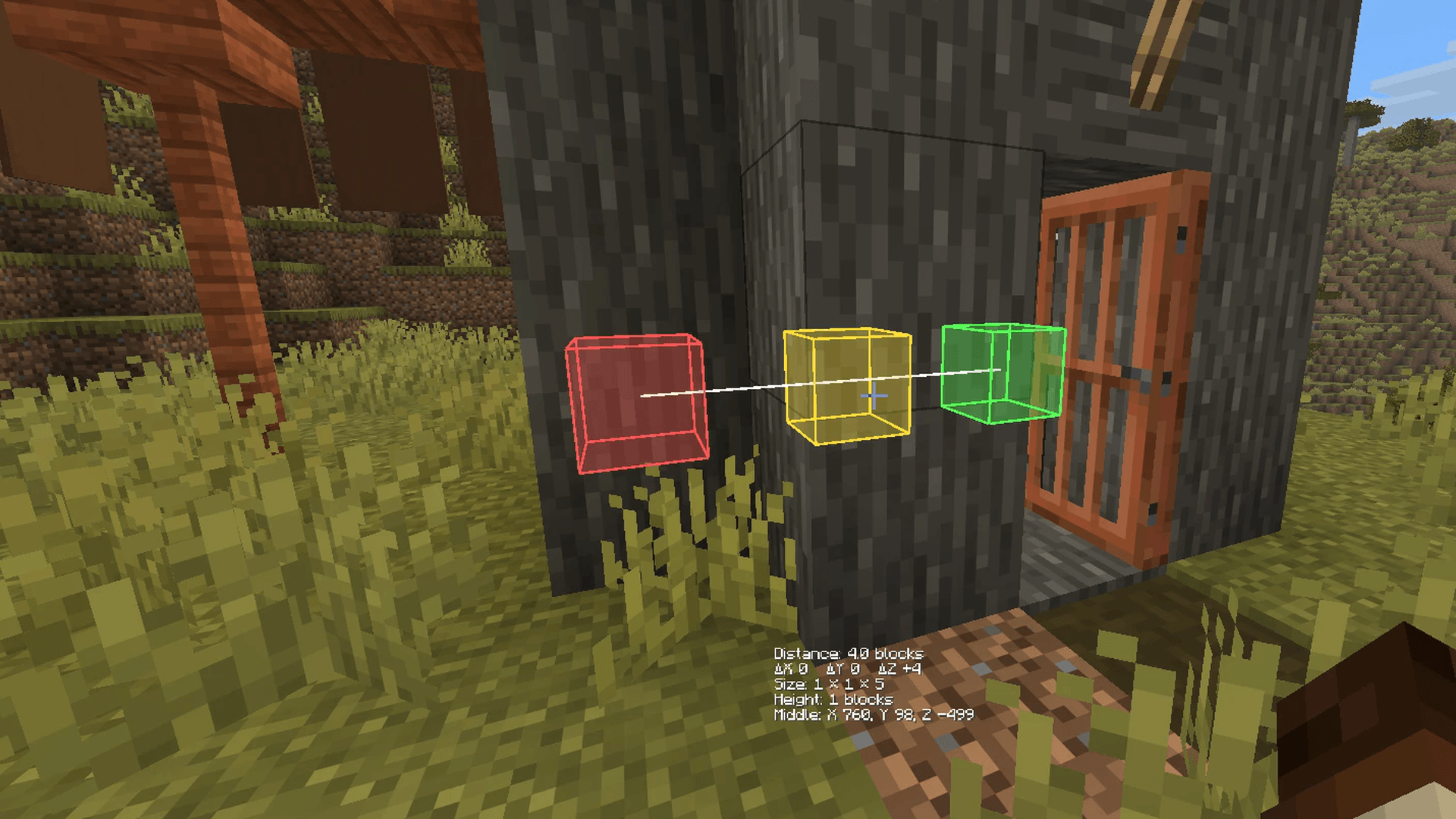 Visible through blocks Markers and line stay visible behind walls (can be turned off in the settings).
-
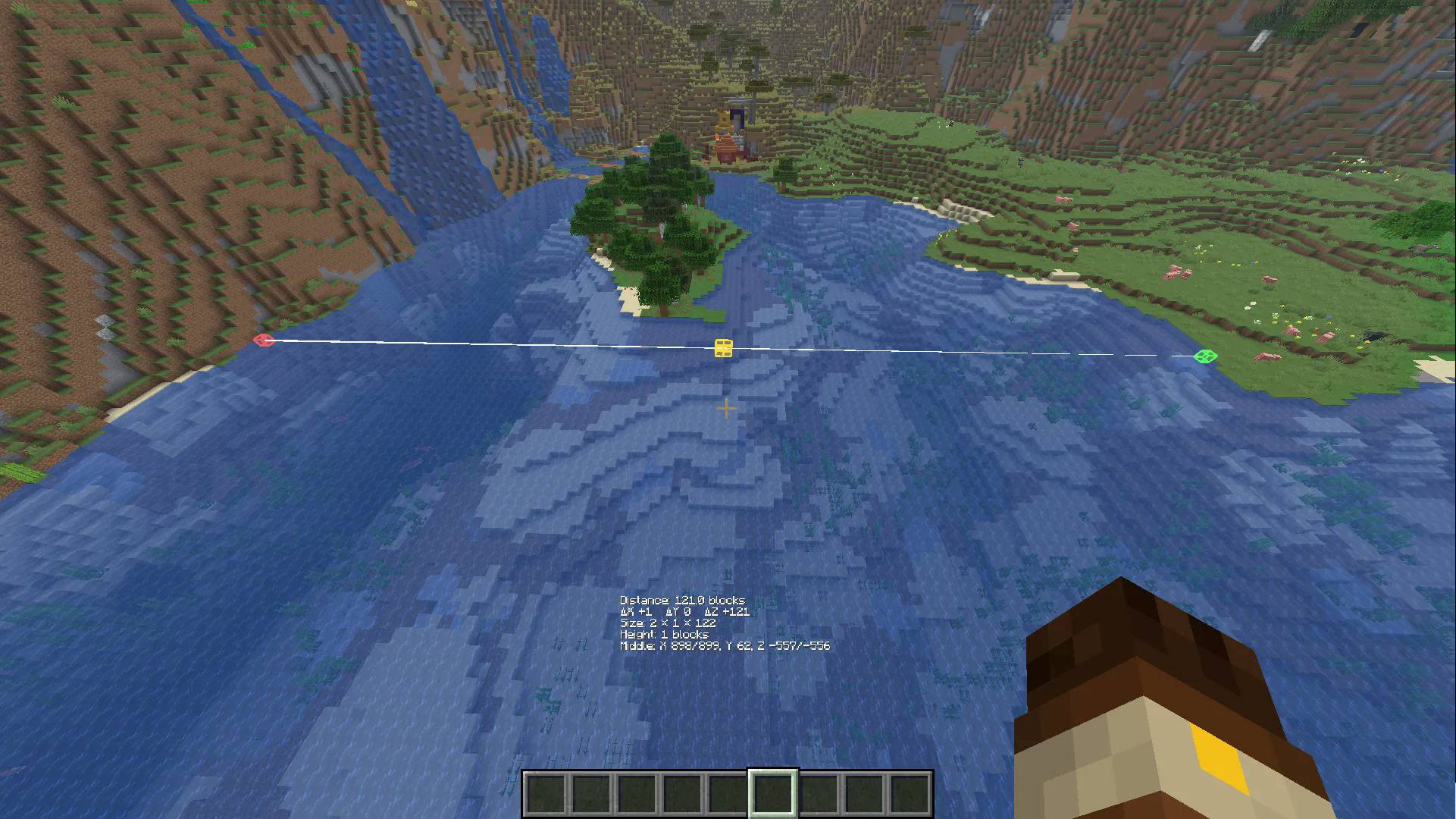 Long distances Up to 256 blocks. Even lengths show both middle blocks (Z -557/-556).
-
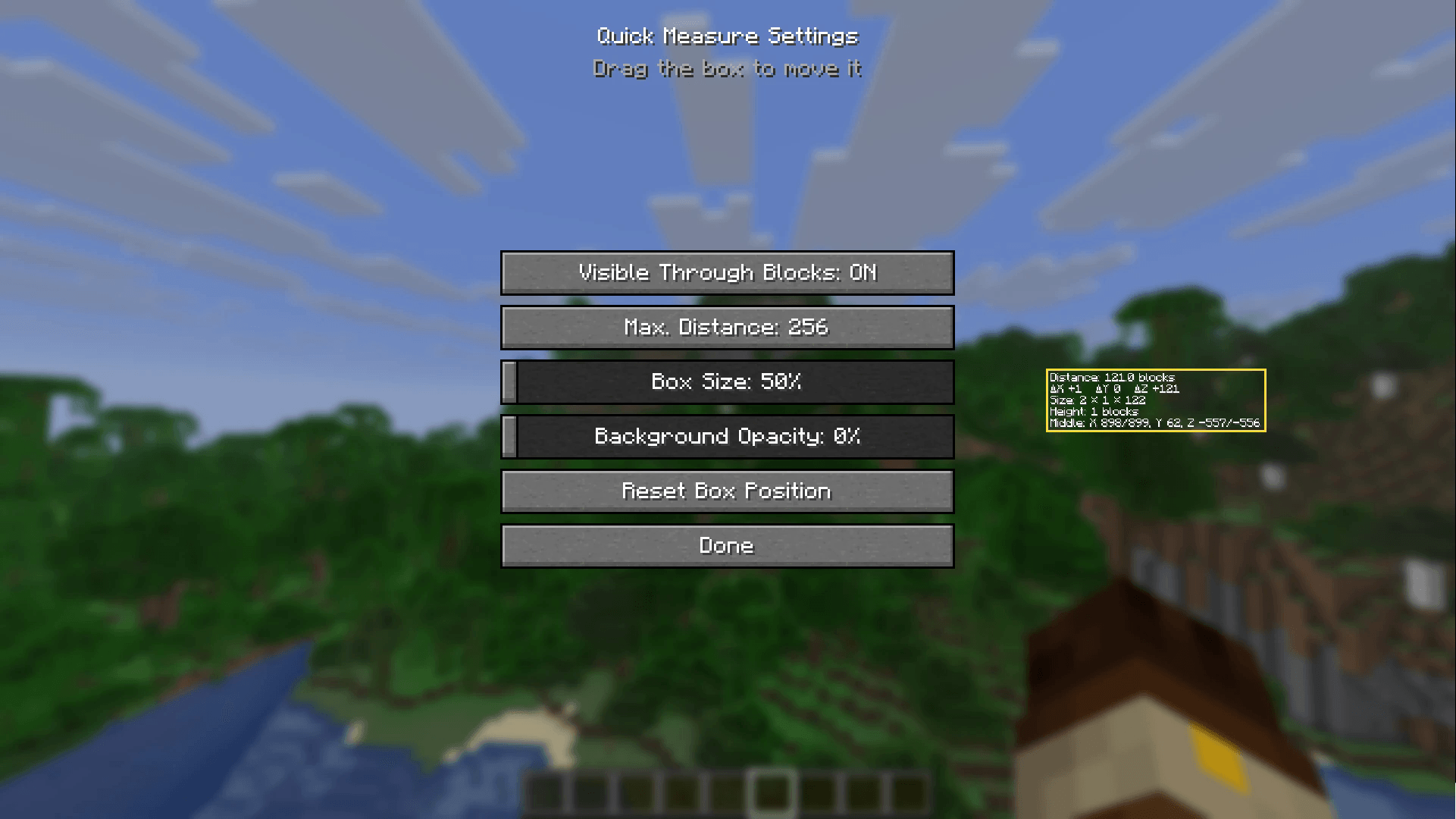 Settings Drag the info box anywhere, change its size and background, set the max. distance.
Versions
Files
Relations
Project Relations
More like this
Similar Mods
Suggestions use data such as tags, dependencies, dependents, descriptions, titles, and more to rank how much they overlap with this mod.
On ModDex
Community snapshot
By the numbers
Statistics

Get it on
Available Platforms
On ModDex
Community snapshot
By the numbers
Statistics
Resources