
Community listing page, reviews may not be monitored by the author.
Re: Pack


No reviews yet
Modular client-side utility pack with custom death effects and in-game brewing guide

Community voices
Reviews
No reviews yet. Be the first to review this project!
Get it on
Available Platforms
Compatibility
Supported Environments
Required on the client. Installing it on the server adds functionality.
About
Project Details
For authors
Embed Badge
If you're the author of this project, you can embed a live badge anywhere that supports HTML or Markdown. It updates automatically whenever ratings change.
Use HTML for any page that supports it, or Markdown for README files and Markdown-based descriptions.
Identifiers
Platform IDs
About
Description
Re: Pack is a modular client-side mod for Minecraft 1.20.1, designed to enhance your experience with toggleable features.
🔸 Death Module – replaces the default death sound with voice lines from Re:Zero, and occasionally triggers a special event. Most for fun.
- Enable/disable;
- “Instant Resurrection” option, which disables the standard “Screen of Death”;
- Regular “The Witch Whispers” event, which plays a custom sound after death;
- Rare event “The Witch Calls”, which plays screen effects after death: particles, shaking, and animation (WIP);
- Chance setting (default - 1/10) for a rare event, as well as switching the screen effect: particles, shaking, or animation (WIP).
🔸 Guide Module – adds a brewing stand tutorial overlay.
Subcategory “Brewing Guide, Part 1”:
- Enable/disable;
- Image position (left, right, top, or bottom);
- Position settings (Y and X coordinates);
- Image size settings (width and height).
Subcategory “Brewing Guide, Part 2”:
- Enable/disable;
- Image position (left, right, top, or bottom);
- Position settings (Y and X coordinates);
- Image size settings (width and height).
P.S. You can change the images by creating a resource pack that contains your images at /assets/repack/textures/gui/brewing_guide/
Re: Pack is a modular client-side mod for Minecraft 1.20.1, designed to enhance your experience with toggleable features.
Death Module
Replaces the default death sound with voice lines from _Re:Zero_, and occasionally triggers a special event.Most for fun.
- Enable/disable;
- “Instant Resurrection” option, which disables the standard “Screen of Death”;
- Regular “The Witch Whispers” event, which plays a custom sound after death;
- Rare event “The Witch Calls”, which plays screen effects after death: particles, shaking;
- Chance setting (default - 1/10) for a rare event, as well as switching the screen effect: particles, shaking.
Guide Module
Adds a brewing stand tutorial overlaySubcategory “Brewing Guide, Part 1”:
- Enable/disable;
- Image position (left, right, top, or bottom);
- Position settings (Y and X coordinates);
- Image size settings (width and height).
Subcategory “Brewing Guide, Part 2”:
- Enable/disable;
- Image position (left, right, top, or bottom);
- Position settings (Y and X coordinates);
- Image size settings (width and height).
P.S. You can change the images by creating a resource pack that contains your images at /assets/repack/textures/gui/brewing_guide/
Screenshots
Gallery
-
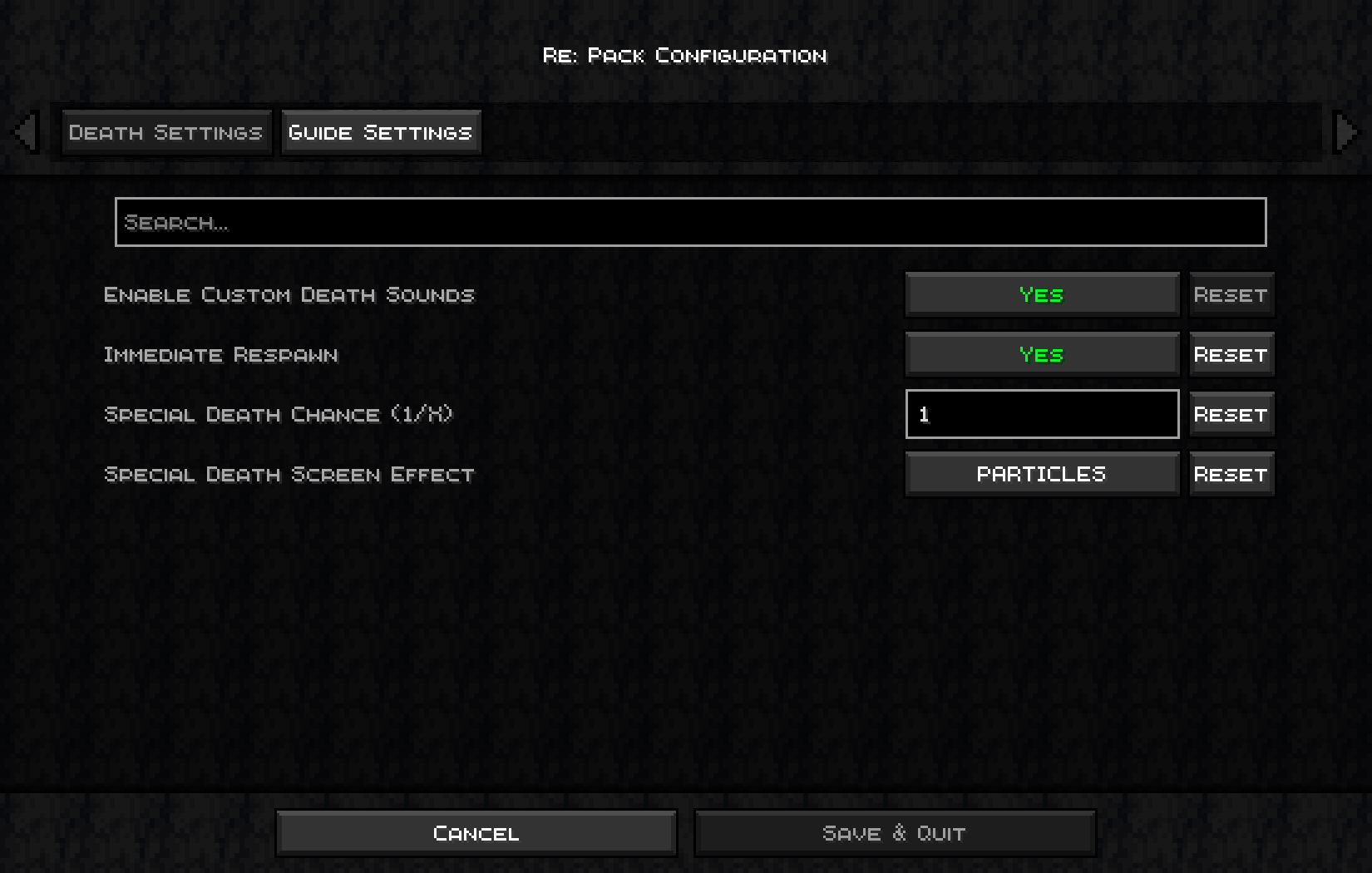 Module Death.png Module Death.png
 -
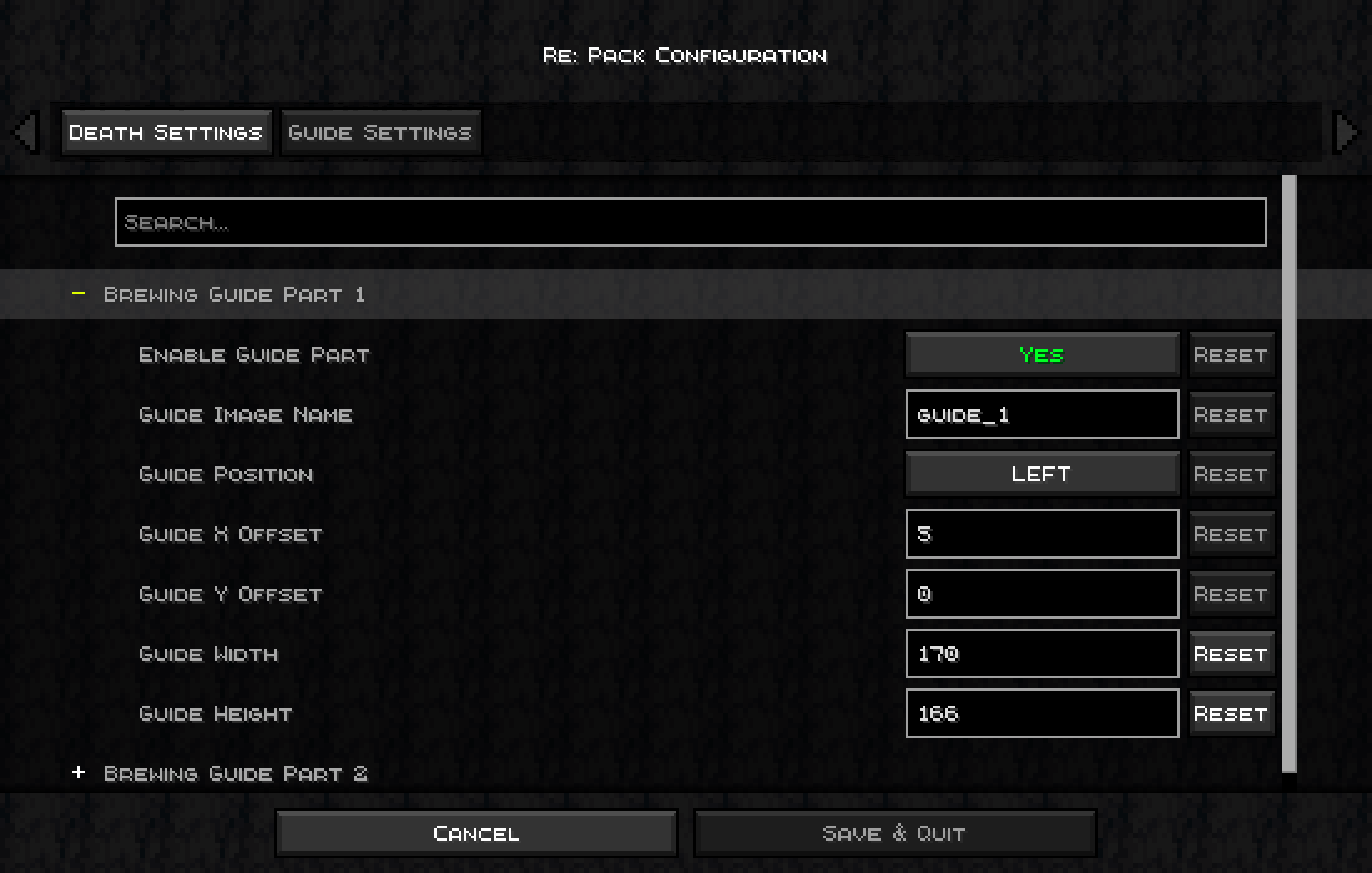 Module Guide.png Module Guide.png
 -
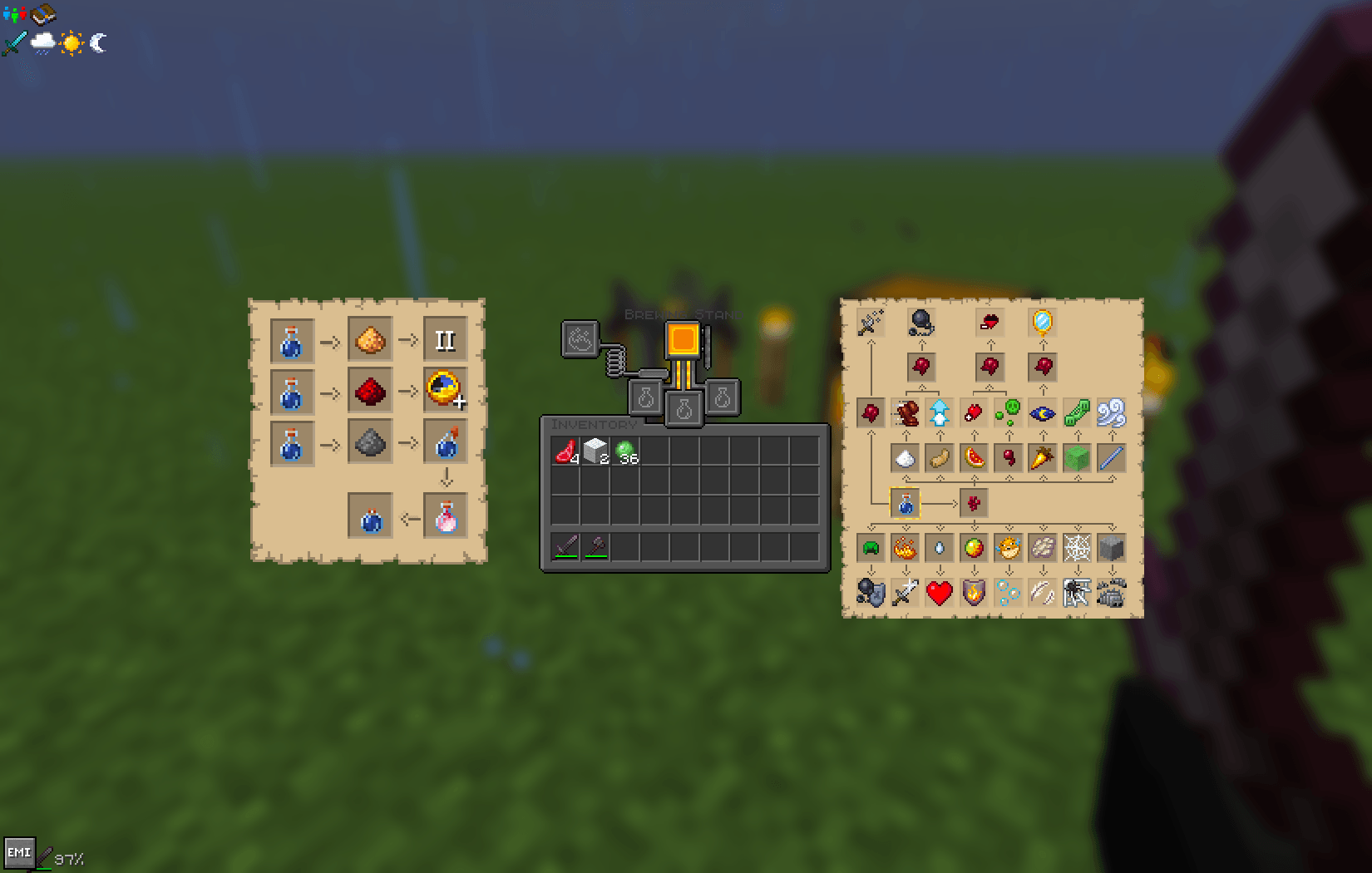 Guide.png Guide.png
-
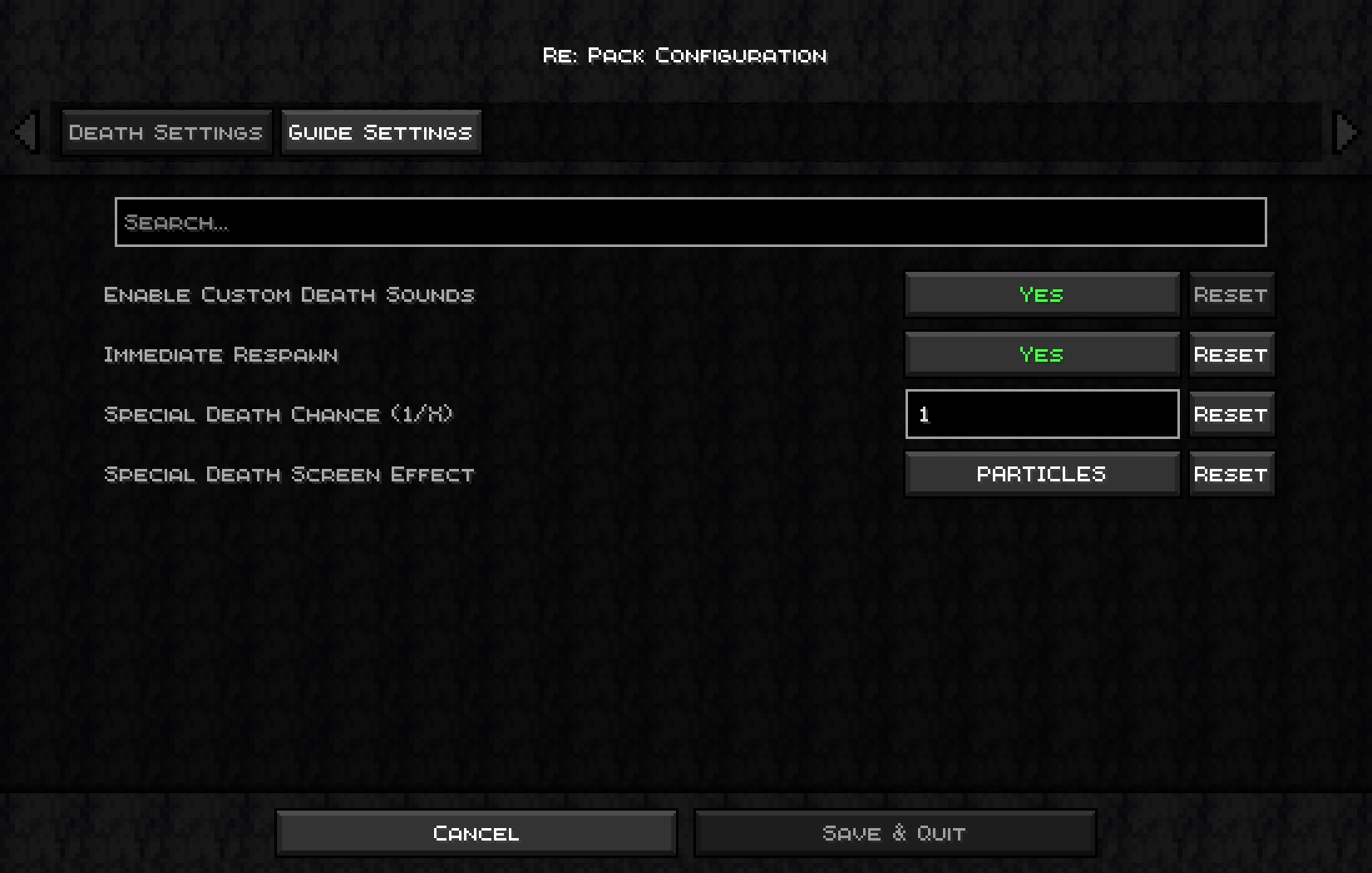 Module "Death"
 -
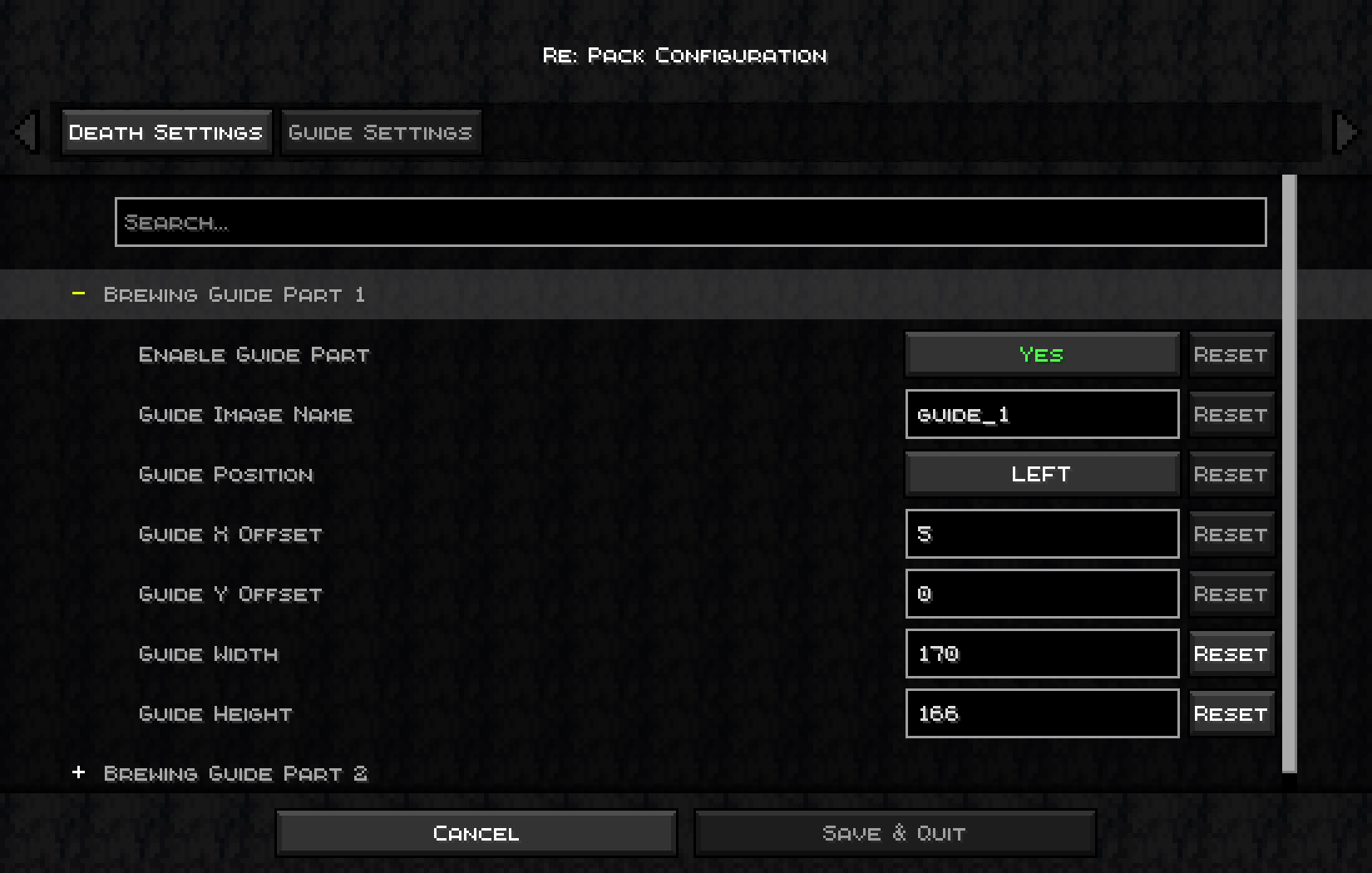 Module "Guide"
 -
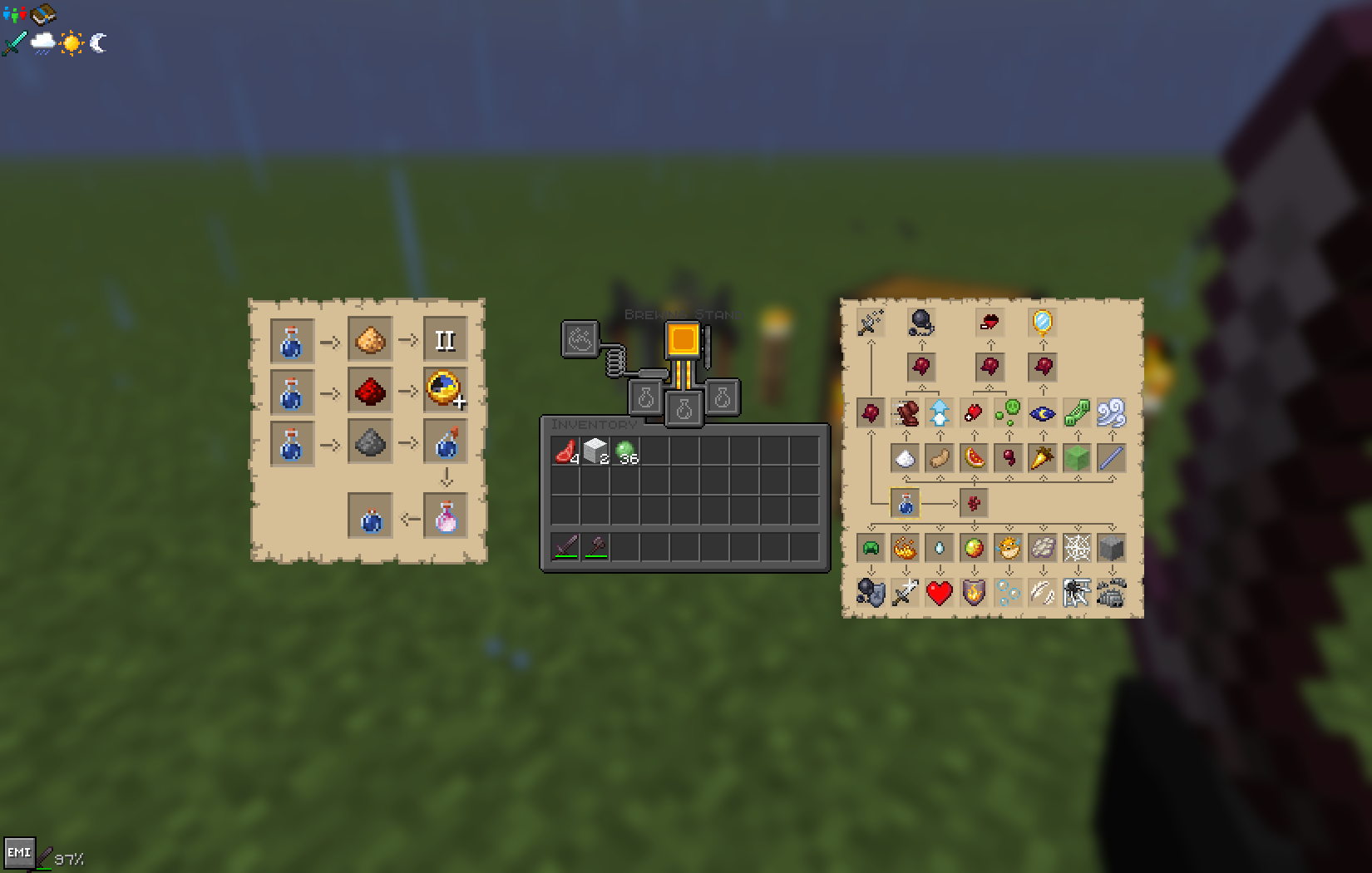 Guide
Guide
Versions
Files
Relations
Project Relations
More like this
Similar Mods
Suggestions use data such as tags, dependencies, dependents, descriptions, titles, and more to rank how much they overlap with this mod.
On ModDex
Community snapshot
By the numbers
Statistics
 (opens in a new tab)
Get it on
Available Platforms
On ModDex
Community snapshot
By the numbers