Community listing page, reviews here may not be monitored by the author.
Reach Control

No reviews yet
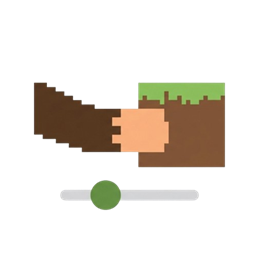
A simple & lightweight mod that increases your block and entity interaction range with an in-game config menu.
Community voices
Reviews
No reviews yet. Be the first to review this project!
Get it on
Available Platforms
About
Project Details
For authors
Embed Badge
If you're the author of this project, you can embed a live badge anywhere that supports HTML or Markdown. It updates automatically whenever ratings change.
Use HTML for any page that supports it, or Markdown for README files and Markdown-based descriptions.
Identifiers
Platform IDs
Resources
External Links
About
Description
Reach Control
Overview
Reach Control is a simple, lightweight Fabric mod that lets you reach blocks and mobs from further away! Whether you're building a large structure, farming, or fighting mobs, this mod gives you a little extra distance to make your life easier. You can fully customize how far you can reach using an in-game slider menu – no need to edit config files manually.
Features
- Extended Block Reach – Place and break blocks from further away.
- Extended Entity Reach – Attack and interact with mobs from a longer distance.
- In-Game Configuration – Adjust both ranges with easy-to-use sliders (0.0 to 6.0 extra blocks).
- Lightweight & Compatible – Works alongside other Fabric mods, including performance mods and shaders.
- No Permanent Changes – The mod only applies its effects while it's installed. Remove it and your game returns to normal.
How It Works
Minecraft has a default reach distance: about 4.5 blocks for blocks and 3.0 blocks for entities in Survival mode. Reach Control adds an extra amount on top of that. You can set the extra amount from 0.0 (no change) up to 6.0 blocks for each category.
- Block Reach Slider: Adds extra distance for placing/breaking blocks. Default is +2.0 blocks.
- Entity Reach Slider: Adds extra distance for hitting mobs. Default is +2.0 blocks.
For example, if you set the block slider to 2.0, your total block reach becomes 4.5 + 2.0 = 6.5 blocks. Set it to 6.0, and you'll reach up to 10.5 blocks!
Installation
Before installing Reach Control, make sure you have:
1. Minecraft Java Edition version 26.1 (or compatible).
2. Fabric Loader installed.
3. Fabric API mod. [CurseForge: https://www.curseforge.com/minecraft/mc-mods/fabric-api ].
4. Cloth Config API mod. Download it from [CurseForge: https://www.curseforge.com/minecraft/mc-mods/cloth-config ].
5. Mod Menu mod (optional but recommended for easy configuration).
Configuration Tutorial
Reach Control comes with an in-game configuration menu, so you don't need to edit any files manually.
1. From the main menu, click Mods (if you have Mod Menu installed).
2. Find Reach Control in the list and click the Config button (or the gear icon).
3. You will see two sliders:
- Block Interaction Range: Adjust how far you can reach blocks. Slide from 0.0 to 6.0.
- Entity Interaction Range: Adjust how far you can reach mobs. Slide from 0.0 to 6.0.
4. Move the sliders to your desired values. The changes apply instantly when you click Save & Quit.
5. Jump into a world and enjoy your new reach distance!
Dependencies
Reach Control requires the following mods to work:
- Fabric API (required)
- Cloth Config API (required for the config menu)
- Mod Menu (optional, but recommended for easy access to the config menu)
Make sure you download the correct versions for Minecraft 26.1 and Fabric.
Compatibility
- Minecraft: 26.1 (Fabric)
- Java: 25 or higher
- Works with: Most Fabric mods, including performance mods (Sodium, Lithium), shaders (Iris), and content mods.
- Not compatible with: Mods that directly alter the same attributes (rare).
Frequently Asked Questions
Q: Does this mod work on servers?
A: Yes, but the server must also have the mod installed for it to work in multiplayer. In single-player, it works out of the box.
Q: Will this mod get me banned on servers?
A: Some servers consider increased reach as cheating. Always check the server rules before using it. Use at your own risk on public servers.
Q: Can I change the reach beyond 6.0?
A: The slider is limited to 6.0 for balance and to prevent issues. If you need more, you can edit the config file manually, but we don't recommend exceeding 10.0.
Q: How do I uninstall the mod?
A: Simply remove the `.jar` file from your mods folder. Your reach will return to normal.
Support & Follow Me
If you enjoy this mod, please consider following me for updates and more content!
- Instagram: [@jermyjryy] (https://www.instagram.com/jermyjryy)
- TikTok: [@jermyjryyyy] (https://www.tiktok.com/@jermyjryyyy)
- CurseForge: [kazufuji04] (https://www.curseforge.com/members/kazufuji04)
- Modrinth: [kazufuji04] (https://modrinth.com/user/kazufuji04)
Your support means a lot! ❤️
Credits
- Mod developed by kazufuji04.
- Thanks to the Fabric community for their amazing tools and documentation.
License
This mod is licensed under the MIT License. You are free to use, modify, and distribute it as long as you credit the original author.
Screenshots
Gallery
Versions
Files
Relations
Project Relations
More like this
Similar Mods
Suggestions use data such as tags, dependencies, dependents, descriptions, titles, and more to rank how much they overlap with this mod.
On ModDex
Community snapshot
By the numbers
Statistics
Want to reach Minecraft players?
We're looking for a server hosting partner to feature here and other parts of the site. Interested? Send us a message!
Get in touchGet it on
Available Platforms
On ModDex
Community snapshot
By the numbers
Statistics
Resources