
Community listing page, reviews here may not be monitored by the author.
Reach (View)

No reviews yet
Not A Cheat. Yet A Highly Customizable Reach Displayer.
Community voices
Reviews
No reviews yet. Be the first to review this project!
Get it on
Available Platforms
Compatibility
Supported Environments
Runs entirely on the client. Works on vanilla servers.
About
Project Details
For authors
Embed Badge
If you're the author of this project, you can embed a live badge anywhere that supports HTML or Markdown. It updates automatically whenever ratings change.
Use HTML for any page that supports it, or Markdown for README files and Markdown-based descriptions.
Identifiers
Platform IDs
Resources
External Links
About
Description
Reach
What Is Reach?
Reach Is A Client-Side Fabric Mod That Gives You Total Control Over Your Crosshair And Real-Time Reach Distance Feedback. Whether You're PvPing, Building, Or Just Exploring, Reach Keeps You Informed And Looking Sharp.
Features
Dynamic Crosshair
- Five Shapes: Plus, Circle, Dot, Diagonal Cross, And A Fully Custom Drawn Shape
- Color Changes Based On Whether Your Target Is In Reach Or Out Of Reach
- Adjustable Size, Gap, Thickness, And Opacity
- Draw Your Own Crosshair Pixel-By-Pixel With The Built-In Canvas Editor (Press G)
Reach Distance HUD
- Displays Your Current Reach Distance In Real Time
- Drag And Drop It Anywhere On Your Screen (Press H)
- Fully Customizable: Font Size, Text Color, Background Color, Border, Padding
- Text Outline Option For A Clean 3D Look
- Supports Prefix, Suffix, And Decimal Place Control
Entity Colorizer
- Tints Entities Green When In Reach, Red When Out Of Reach
- Target Only Players, Or Apply To All Entities (Mobs, Animals, Everything)
- Smooth Or Instant Color Transition
- Option To Apply To All Visible Entities Or Just Your Crosshair Target
Keybinds
| Key | Action |
|---|---|
| R | Open Reach Config Screen |
| H | Open HUD Drag-And-Drop Positioning Screen |
| G | Open Custom Crosshair Draw Canvas |
All Keybinds Are Rebindable In Minecraft's Controls Menu.
Compatibility
- Minecraft: 1.21.1 Java Edition
- Mod Loader: Fabric
- Dependencies: Fabric API, Cloth Config, ModMenu
- Client-Side Only — Works On Any Server
Installation
- Install Fabric Loader For Minecraft 1.21.1
- Download And Install Fabric API (0.116.12+1.21.1)
- Download And Install Cloth Config (15.0.140)
- Drop The Reach
.jarInto Yourmods/Folder - Launch Minecraft And Press R To Configure
Dependencies
Fabric API: 0.116.12+1.21.1 Fabric Loader: 0.16.9 Minecraft: 1.21.1 - Java (Versions: 1.21.2 Through 1.21.11 Will Be Added Soon).
General
- As Of Now, It Is Compatible With Custom Loaders/Clients Such As Lunar Client.
- Can Void Multiplayer Tier Tests - Introduces Some Specific Game Modifying Behaviour (Specifically Entity Coloriser) That May Get Your Tier-Test Voided. Best To Seek Permission/Guidance From A Staff Member.
- Recommended To Keep Out-Of-Range Color As White (#fffffff)
Links
- Website
- Discord Server
- Discord (kyriadon)
Screenshots
Gallery
-
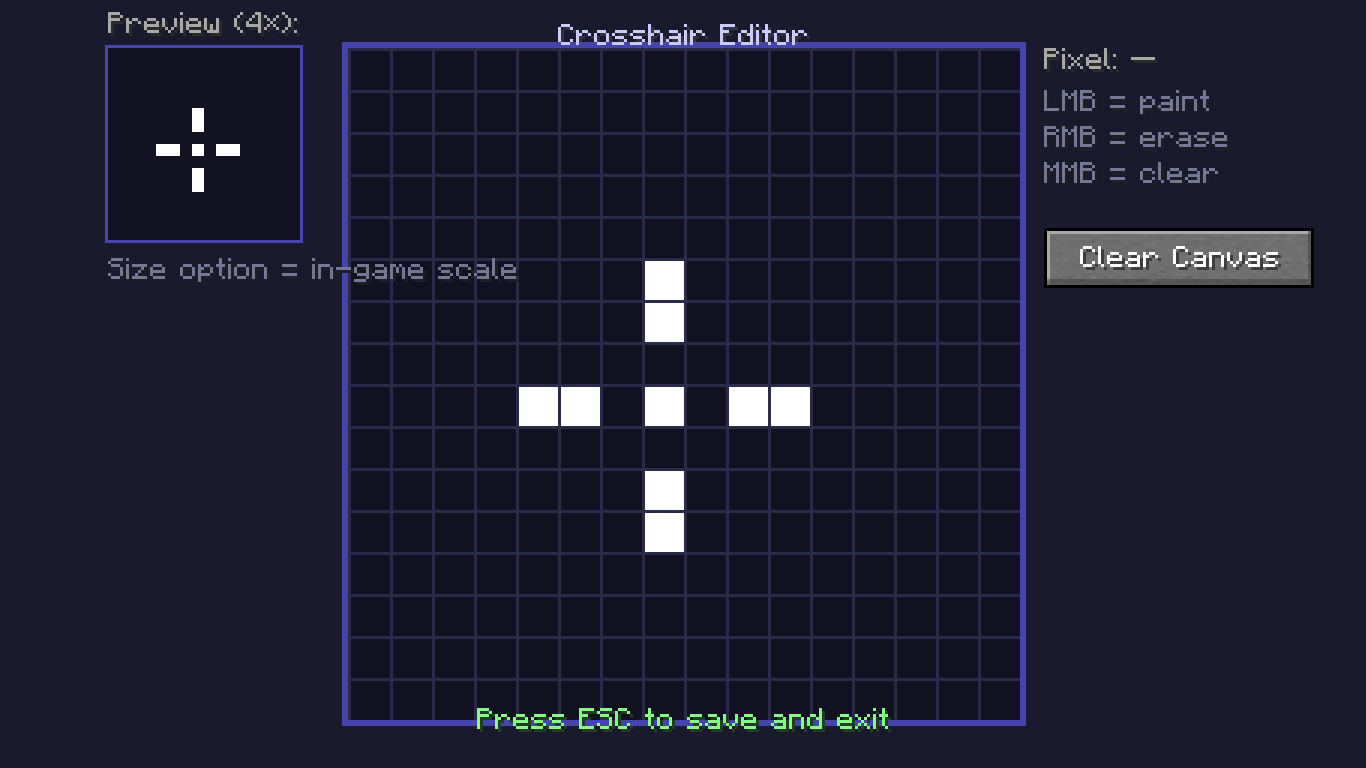 Crosshair Editor (G) Customize Your Crosshair Here!
 -
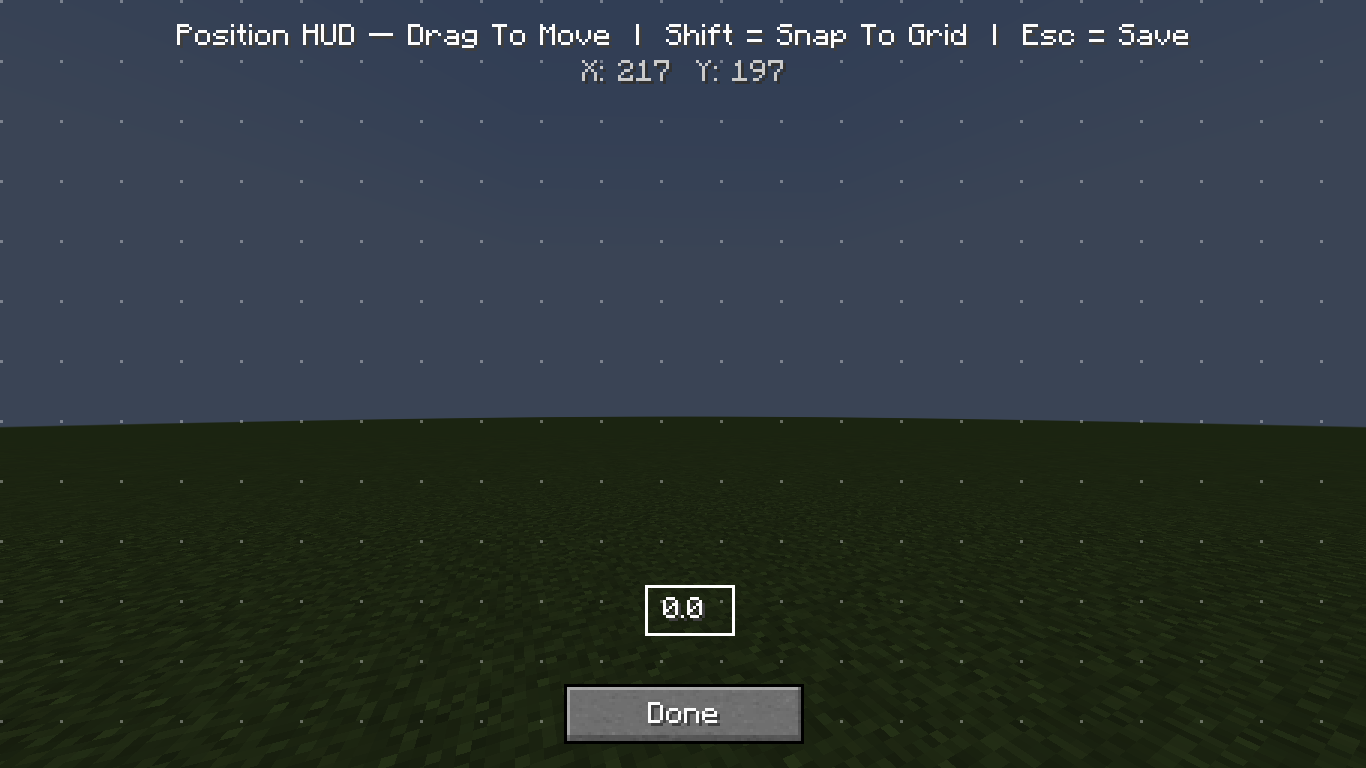 Position HUD (H) Edit The Position Of The HUD Here!
 -
 Banner
 -
 Reach Icon
 -
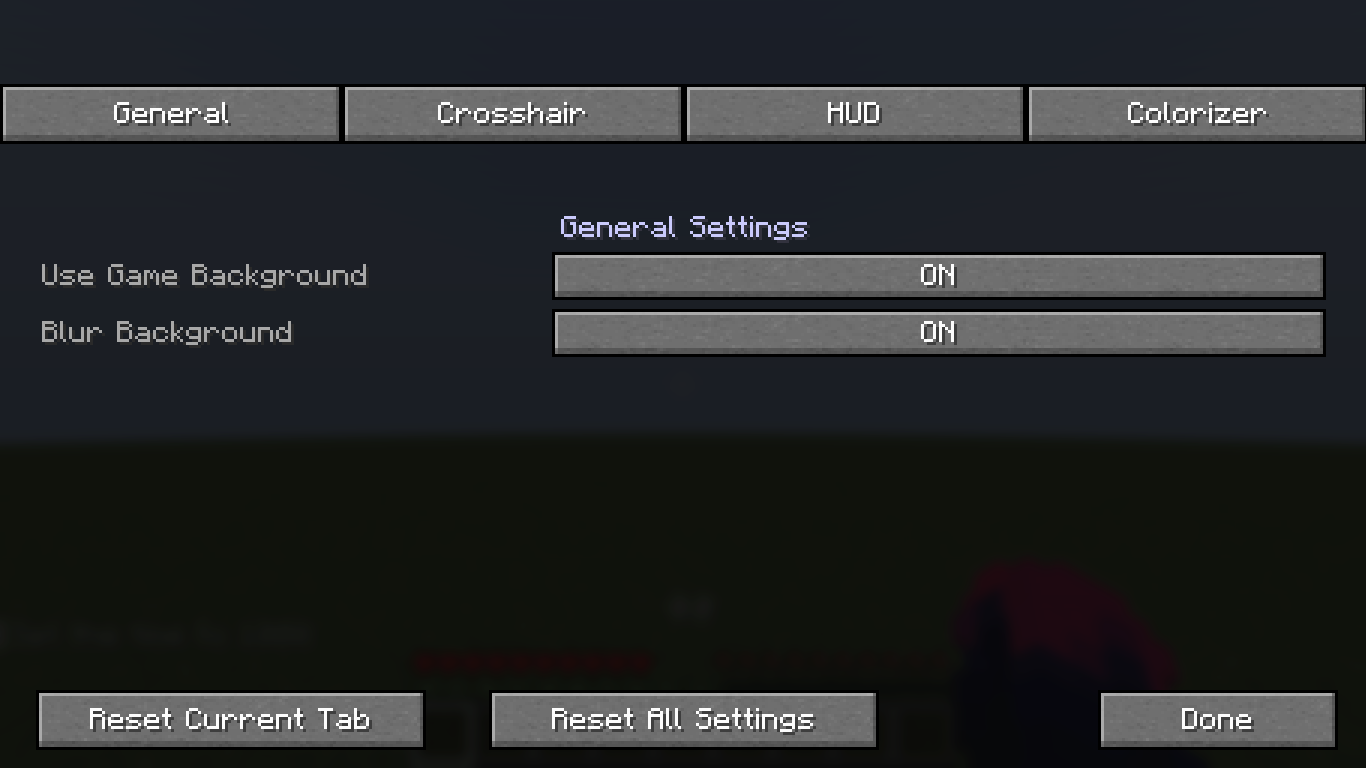 Settings (R) Customize The Client To Your Liking!
Versions
Files
Relations
Project Relations
More like this
Similar Mods
Suggestions use data such as tags, dependencies, dependents, descriptions, titles, and more to rank how much they overlap with this mod.
On ModDex
Community snapshot
By the numbers
Statistics

Want to reach Minecraft players?
We're looking for a server hosting partner to feature here and other parts of the site. Interested? Send us a message!
Get in touchGet it on
Available Platforms
On ModDex
Community snapshot
By the numbers
Statistics
Resources