Community listing page, reviews here may not be monitored by the author.
Real time clock (RTCM)

No reviews yet
For players who want to keep track of time without leaving the game.
Includes quality of life improvements and small tweaks to enhance and customize gameplay.
Forge is a popular mod loader for versions 1.1+ of Minecraft.
Community voices
Reviews
Filters
Click once to include, again to exclude, again to clear
No reviews yet. Be the first to review this project!
Get it on
Available Platforms
About
Project Details
For authors
Embed Badge
If you're the author of this project, you can embed a live badge anywhere that supports HTML or Markdown. It updates automatically whenever ratings change.
Use HTML for any page that supports it, or Markdown for README files and Markdown-based descriptions.
Identifiers
Platform IDs
Resources
External Links
About
Description
⏳ Real Time Clock Mod (Minecraft 1.19.2 - Forge)



🕰️ About
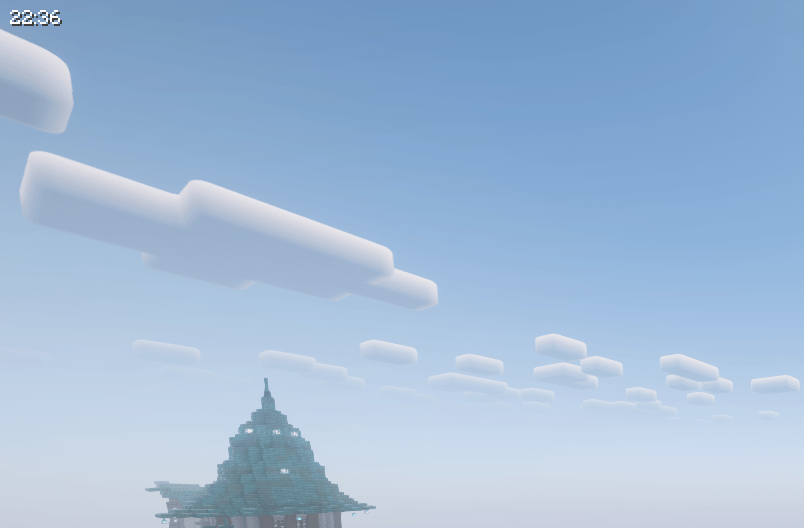
Real Time Clock Mod is a lightweight and user-friendly mod that displays your real-world system time directly on your screen while playing Minecraft. No more losing track of time during long gaming sessions! 🎮
📌 Features
✔ Displays real-time clock above the chat for easy visibility.
✔ Customizable position with a built-in preview mode.
✔ Preview mode: Adjust clock placement with an intuitive UI.
✔ Simple controls:
- Press
Pto enter preview mode. - Use
AWSDor arrow keys to move the clock. - Press
Pagain to save the position.
✔ Minimalist and non-intrusive UI that blends seamlessly with the game.
✔ Optimized for performance and compatibility with other mods.
🔧 Installation
Requirements:
- Minecraft 1.19.2
- Forge Mod Loader (43.4.16 or later)
Steps:
- Download the latest version from the Releases.
- Place the
.jarfile inside your Minecraftmods/folder. - Launch Minecraft with Forge.
- Enjoy! Your system clock will now be visible in-game.
🎮 How to Use
- Press
Pto enable preview mode. - Move the clock using
AWSDor arrow keys. - Press
Pagain to save the new position. - Press
Escto exit without saving.
The clock stays in place until you adjust it again.
⚙️ Configuration
A config file is generated in the config/ folder, allowing you to manually tweak settings if needed.
🛠️ Compatibility & Support
- Designed to work with most UI and HUD mods.
- If you encounter issues:
- Check for mod conflicts.
- Make sure you’re using the latest Forge and mod version.
- Report issues at: GitHub Issues.
📜 License
This mod is licensed under the MIT License, meaning it's free to use, modify, and share! 🎉
📢 Get Involved
Have suggestions or want to contribute?
🔹 GitHub Repo: RealTimeClockMod
🔹 Issue Tracker: GitHub Issues
Enjoy your game without losing track of time! ⏳✨
Screenshots
Gallery
Versions
Files
Relations
Project Relations
More like this
Similar Mods
Suggestions use data such as tags, dependencies, dependents, descriptions, titles, and more to rank how much they overlap with this mod.
On ModDex
Community snapshot
By the numbers
Statistics
Want to reach Minecraft players?
We're looking for a server hosting partner to feature here and other parts of the site. Interested? Send us a message!
Get in touchGet it on
Available Platforms
On ModDex
Community snapshot
By the numbers
Statistics
Resources