Community listing page, reviews may not be monitored by the author.
Realistic Camera by adapts (shaking camera)

No reviews yet
Immersive camera motion for Minecraft: walking sway, breathing, strafe tilt, landing impact, damage and explosion shake. Client-side only!

Community voices
Reviews
No reviews yet. Be the first to review this project!
Get it on
Available Platforms
About
Project Details
For authors
Embed Badge
If you're the author of this project, you can embed a live badge anywhere that supports HTML or Markdown. It updates automatically whenever ratings change.
Use HTML for any page that supports it, or Markdown for README files and Markdown-based descriptions.
Identifiers
Platform IDs
Resources
External Links
About
Description
Realistic Camera (Join us on discord: https://discord.gg/B5sMcUThpv)
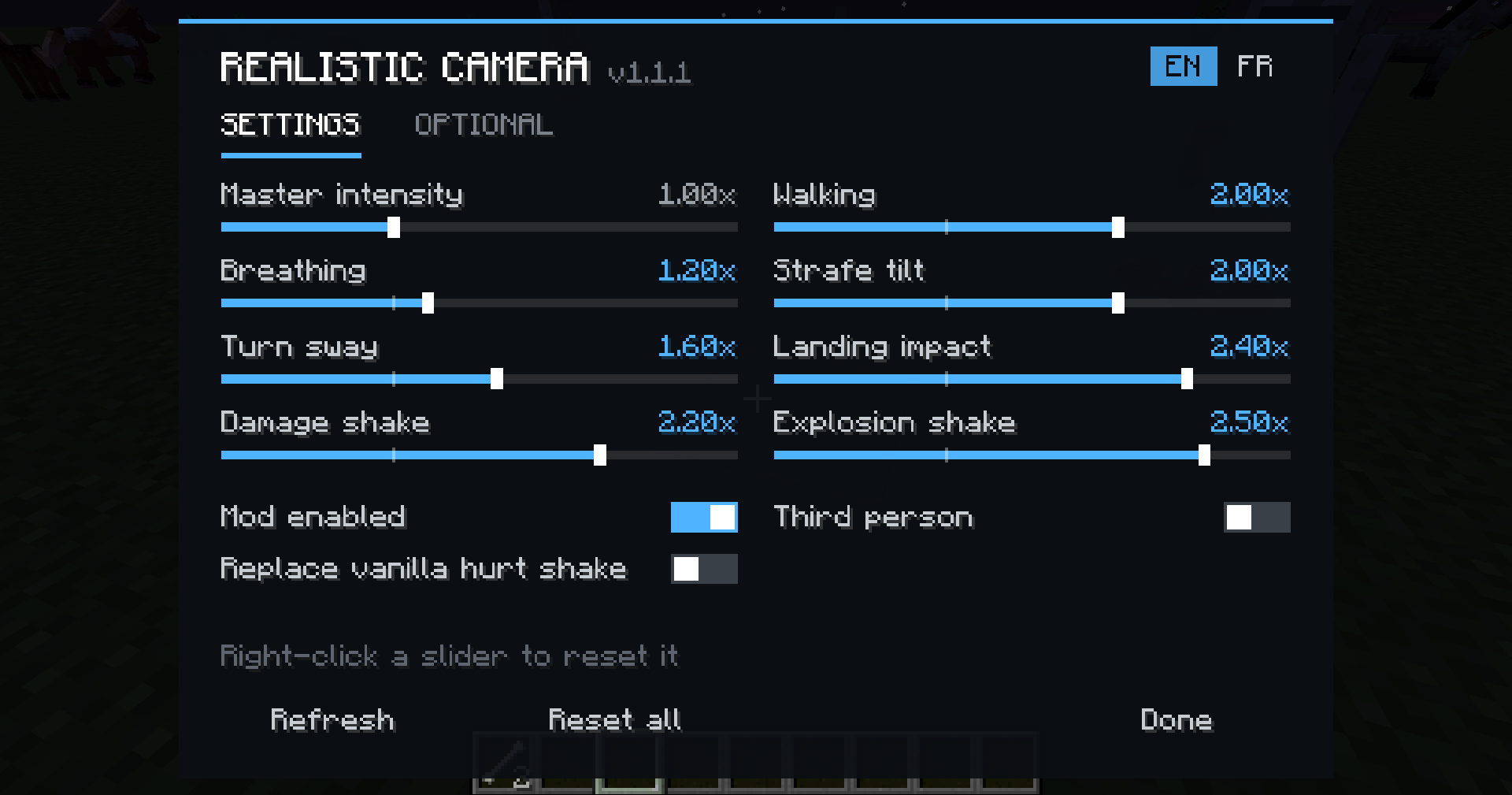
Make Minecraft feel more alive! Realistic Camera adds smooth, subtle camera motion that reacts to everything you do, for a much more immersive experience. Everything can be tuned live from an in-game menu.
✨ EFFECTS
🚶 Walking sway: your head shifts from one foot to the other with a small dip at each step (stronger when sprinting)
🌬️ Breathing: a slow, subtle motion when standing still
↔️ Strafe tilt: the camera leans when moving left or right
🔄 Turn inertia: the camera leans when turning quickly
🦶 Landing impact: your head dips when you hit the ground, and higher falls give a bigger impact
💥 Damage shake: the screen shakes when you get hurt, and can fully replace the vanilla hurt effect (first and third person)
🧨 Explosion shake: nearby TNT and creepers shake your view based on distance
All effects are smoothed every frame for fluid motion. They only affect the view: your aim and hitboxes are never changed.
🎛️ IN-GAME MENU (K)
- Every setting with live preview: the game stays visible behind the menu, so you see each change instantly
- Everything is saved automatically
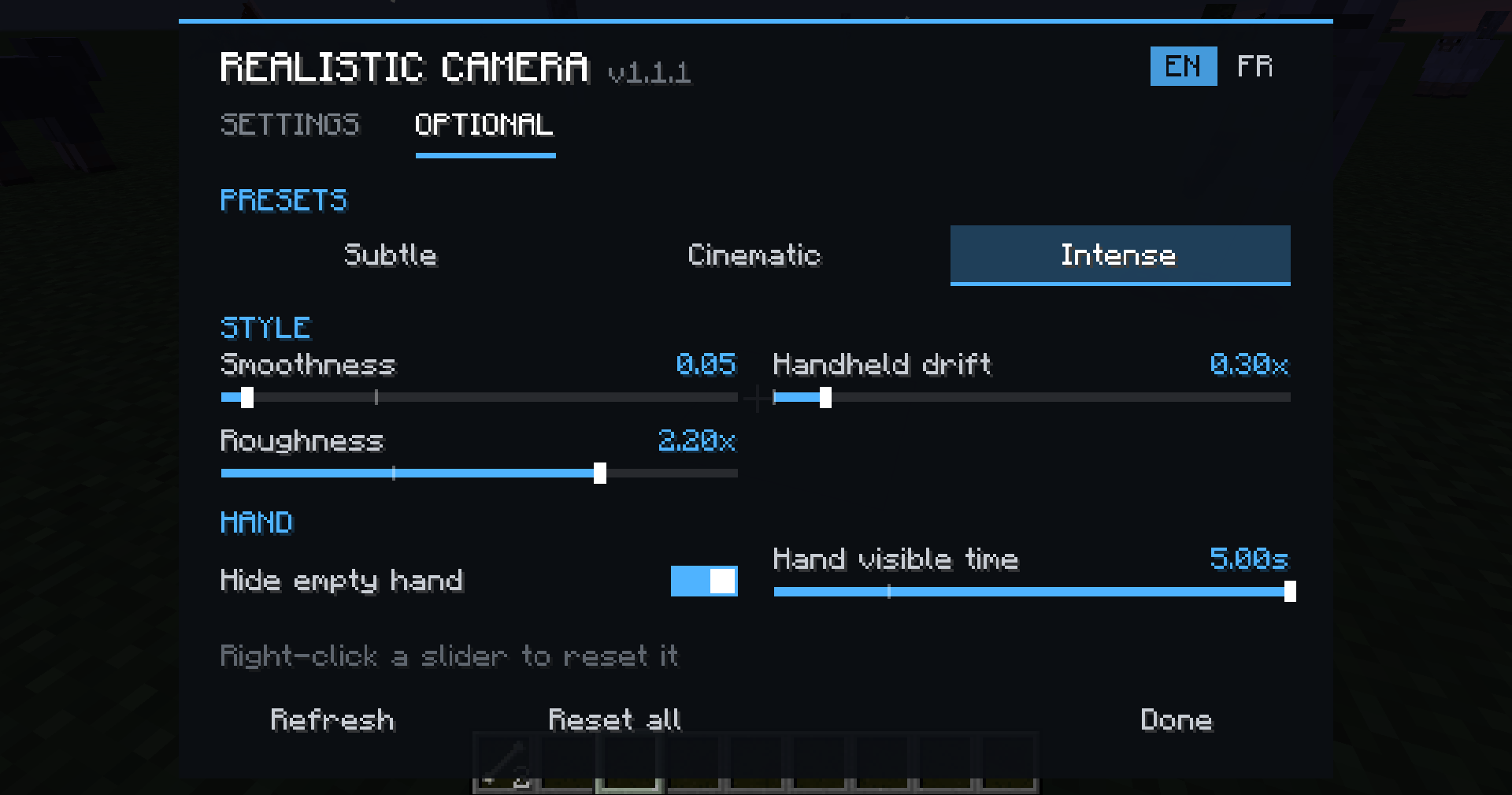
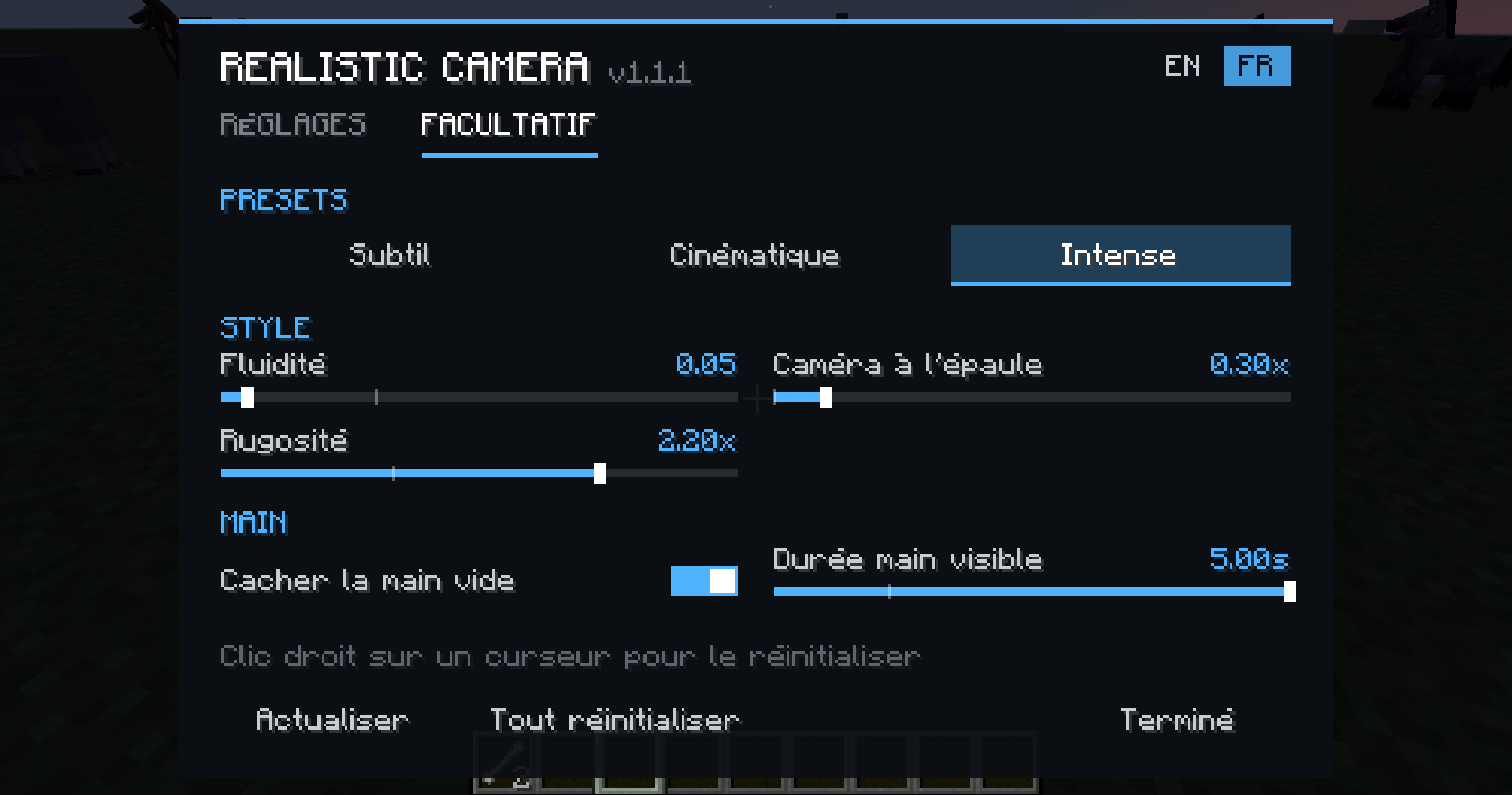
- Two tabs: Settings and Optional
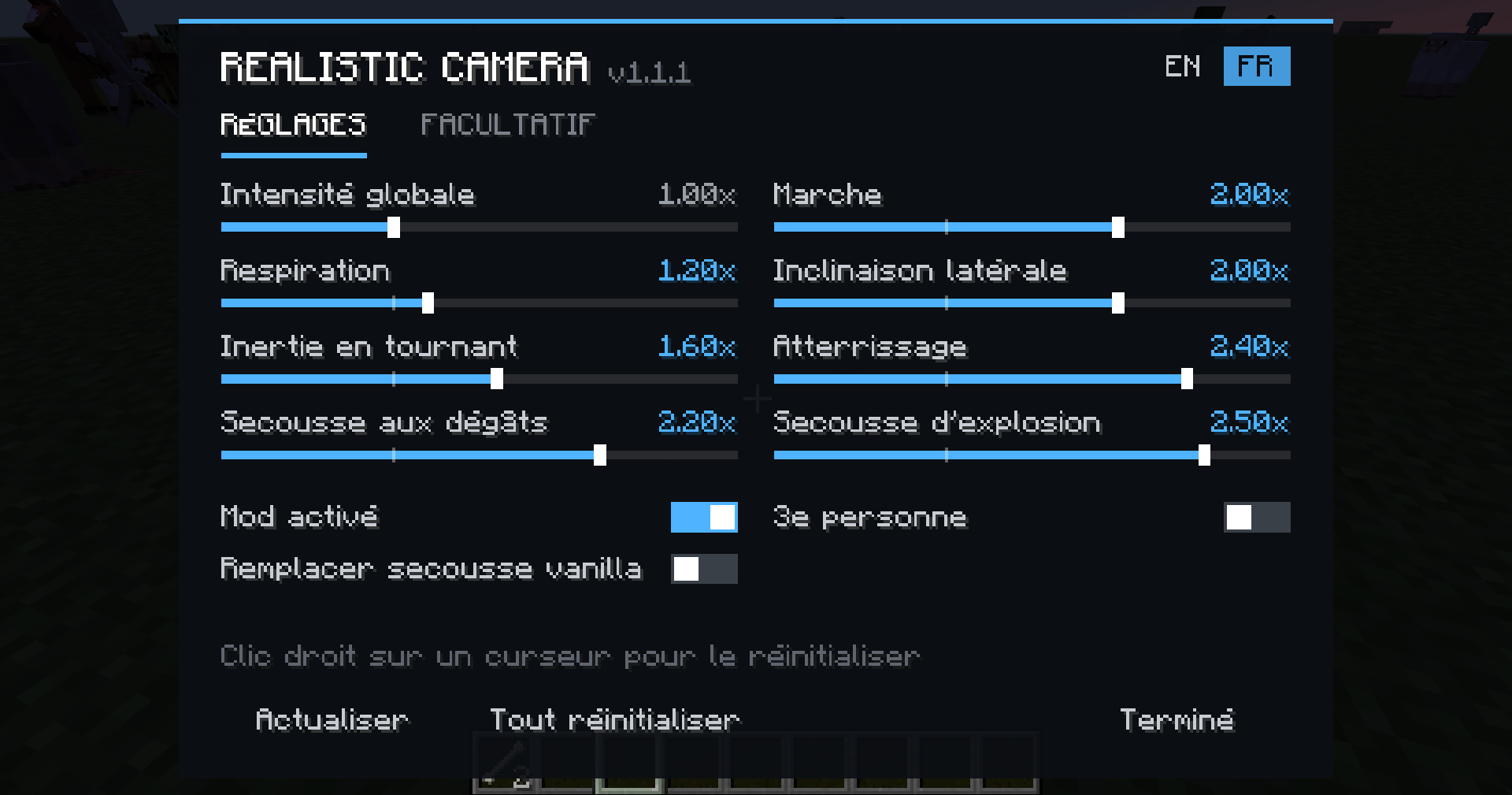
- English by default, with an EN/FR switch
- Mod on/off switch, Refresh button and Reset all button
- Right-click any slider to reset only that setting
🎬 PRESETS
Each preset has its own style, not just a different strength:
- Subtle: light and quick, a small touch of realism
- Cinematic: floaty and delayed, with a hand-held movie camera drift
- Intense: snappy and strong, with sharp steps and shaky sprinting
Want your own feel? The Style section lets you tune Smoothness, Handheld drift and Roughness yourself.
✋ HIDE EMPTY HAND (optional)
Your empty hand stays hidden in first person and slides in smoothly when you mine, place, attack or use something, then slides back down after a delay you can adjust.
🎮 CONTROLS
- K: open the settings menu
- Toggle camera effects: quick on/off key (unbound by default, set it in Controls)
All keys can be changed in Options > Controls.
⚙️ CONFIGURATION
Use the K menu, or edit config/realisticcamera.cfg (also available in Mods > Realistic Camera > Config).
Each effect goes from 0.0 (off) to 3.0 (very strong), 1.0 by default.
💡 Tip: if the motion feels too strong, try the Subtle preset or turn off vanilla View Bobbing in Video Settings.
📦 INSTALLATION
- Minecraft 1.12.2 with Forge
- Drop the .jar into your mods folder
- Client-side only: works on any server, no need to install it server-side!
❓ FAQ
Does it work on multiplayer servers?
Yes, it's 100% client-side.
Discord: https://discord.gg/V3dGcFQmpt
Can I use it in a modpack?
Of course!
Does it affect PvP aim?
No, only the rendering is changed.
Can I remove the vanilla hurt shake?
Yes, the "Replace vanilla hurt shake" option is on by default.
Screenshots
Gallery
-
 2026-10-10_00.07.10.png 2026-10-10_00.07.10.png
 -
 2026-10-10_00.07.21.png 2026-10-10_00.07.21.png
 -
 2026-10-10_00.07.32.png 2026-10-10_00.07.32.png
 -
 2026-10-10_00.07.43.png 2026-10-10_00.07.43.png
Versions
Files
Relations
Project Relations
More like this
Similar Mods
Suggestions use data such as tags, dependencies, dependents, descriptions, titles, and more to rank how much they overlap with this mod.
On ModDex
Community snapshot
By the numbers
Statistics

Get it on
Available Platforms
On ModDex
Community snapshot
By the numbers
Statistics
Resources