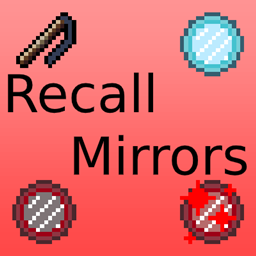
Community listing page, reviews here may not be monitored by the author.
Recall Mirror

No reviews yet
A mod that adds various items to teleport you back home.
Community voices
Reviews
No reviews yet. Be the first to review this project!
Get it on
Available Platforms
About
Project Details
For authors
Embed Badge
If you're the author of this project, you can embed a live badge anywhere that supports HTML or Markdown. It updates automatically whenever ratings change.
Use HTML for any page that supports it, or Markdown for README files and Markdown-based descriptions.
Identifiers
Platform IDs
Resources
External Links
About
Description
RecallMirror Minecraft mod
This mod adds three items based on teleports:
Portal Scroll

This item teleports you to your bed or world spawn.
Single use Recall Mirrors, basically.
Model and idea based on Path of Exile portal scrolls. Stacks up to 40 instead of 64 as a reference to the original portal scrolls.
Recall Mirror

An item that will teleport you to your bed or world spawn.
This item teleports you to your bed or world spawn. Infinite uses.
Based on the Terraria Magic Mirror.
Nether Recall Mirror

An improved Recall Mirror.
It can also teleport you back to your last location before going to bed/spawn. Infinite uses.
If it's ready to bring you to your bed or world spawn, it will display this texture: If it's ready to bring you back to your last location, it will look like this:

You can also clean the mirror putting it in your crafting table (The inventory 2x2 one will do). This will remove any stored coordinates so the item can bring you back to bed.

Changelog
Version 1.3.1 - Current
- Published to Curseforge since I feel it's bug-free and more polished now.
- Removed the Block of Literal Shit. It was put in the game as a test and joke block. It doesn't fit this mod and it didn't have any usage or even proper textures/properties.
Version 1.3.0
- Added a texture change if the Nether Recall Mirror is ready to bring you back to your old location
- Added a recipe to get a Nether Recall Mirror putting another one in the crafting grid. This will clean any old coordinates in the item, making it go to your bed or spawn again.
- Changed the recipe for the Nether Recall Mirror. Now needs four extra diamonds.
- Removed extra info about depth in the Nether Recall Mirror lore.
Version 1.2.1
- Fixed Portal Scroll recipe so it doesn't overlap the "Blueprint" Buildcraft recipe.
Version 1.2.0
- Portal Scrolls now work as a single use Recall Mirror.
- The Nether Recall Mirror has been updated and now works as an improved Recall Mirror that can teleport you back to your original location.
- The crafting needs to be more expensive since the upgrade from Recall Mirror to Nether Recall Mirror is pretty much for free.
- Since the mod is now 100% working without any game-breaking bug, it's out of beta for now. It still has room for improvement.
Version beta 1.1.1
- Added lore on the Nether Mirror to display extra info like depth so you can know if you were in a cave or in the surface for example.
Version beta 1.1.0
- Added Nether Mirrors. They let you go back to your last Recall Mirror teleport position.
Version beta 1.0.1
- Fixed a bug when using the Recall Mirror without a bed.
Version beta 1.0.0
- Mod published on GitHub. Portal Scrolls are not working so they are purely cosmetics for item frames.
How do I set up version number?
No one asked but I'm curious about how do others set their version number. For me it's simple: the first number is reserved for big updates. Will probably stay in 1 forever. The second number is the actual update version, whenever I add something new, it will grow by one. The third and last number grows by one everytime I fix something like a bug or I update a description. Goes back to zero with new "second number" updates.
What does this mean to you? Probably nothing, but if you are in version, let's say 1.4.2 and latest is 1.4.4 I have probably fixed some descriptions or bugs. If latest is for example 1.5.0, you're probably missing out a new item or functionality.
Screenshots
Gallery
Versions
Files
Relations
Project Relations
More like this
Similar Mods
Suggestions use data such as tags, dependencies, dependents, descriptions, titles, and more to rank how much they overlap with this mod.
On ModDex
Community snapshot
By the numbers
Statistics
Want to reach Minecraft players?
We're looking for a server hosting partner to feature here and other parts of the site. Interested? Send us a message!
Get in touchGet it on
Available Platforms
On ModDex
Community snapshot
By the numbers
Statistics
Resources