
Community listing page, reviews may not be monitored by the author.
Recipe Planner

No reviews yet
Plan what you want to craft and see which ingredients you still need

Community voices
Reviews
No reviews yet. Be the first to review this project!
Get it on
Available Platforms
About
Project Details
For authors
Embed Badge
If you're the author of this project, you can embed a live badge anywhere that supports HTML or Markdown. It updates automatically whenever ratings change.
Use HTML for any page that supports it, or Markdown for README files and Markdown-based descriptions.
Identifiers
Platform IDs
Resources
External Links
About
Description
Stop doing math for your farms. Tell Recipe Planner what you want to build, and it shows exactly which ingredients you still need.
How it works
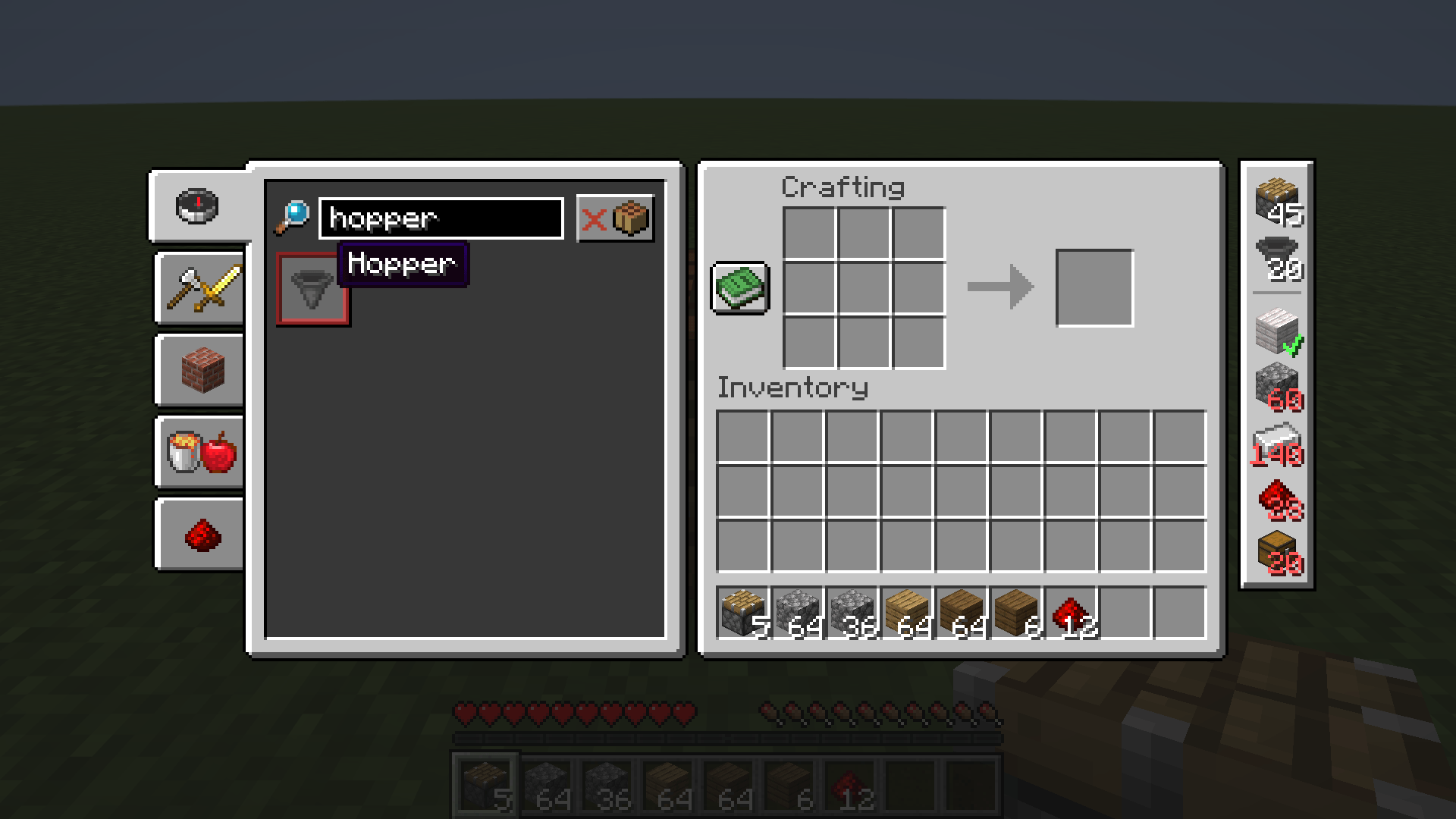
- Add things to build: right-click a recipe in the recipe book at the crafting table (the inventory recipe book works too, for 2×2 recipes). Each right-click adds one; Shift + right-click adds 10.
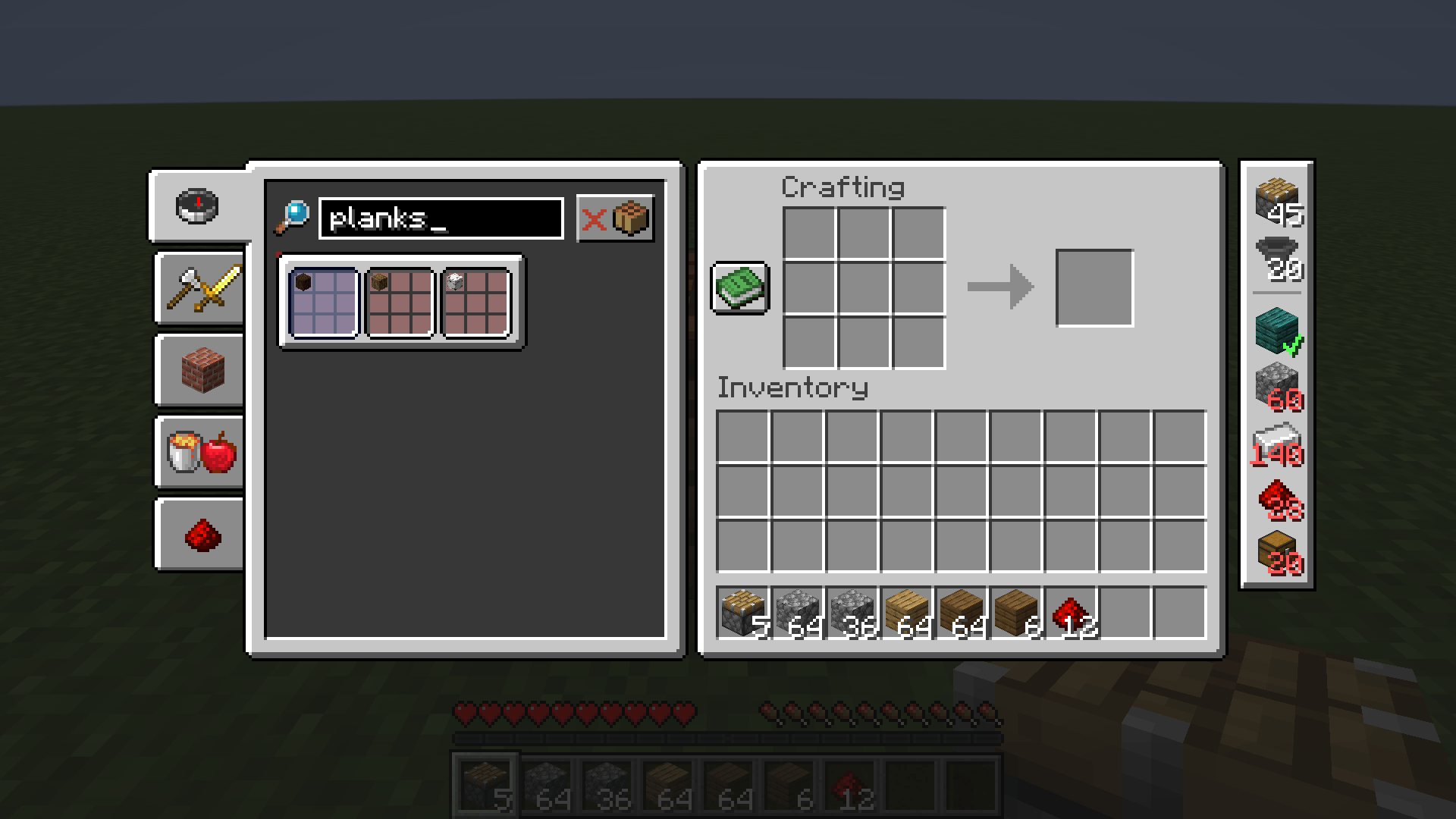
- Recipes with variants (planks, beds, wool …): right-click opens the vanilla variant picker, then right-click the variant you want.
- The list sits next to your inventory as a compact column of item icons. The top part shows what you want to craft, below the line are the ingredients:
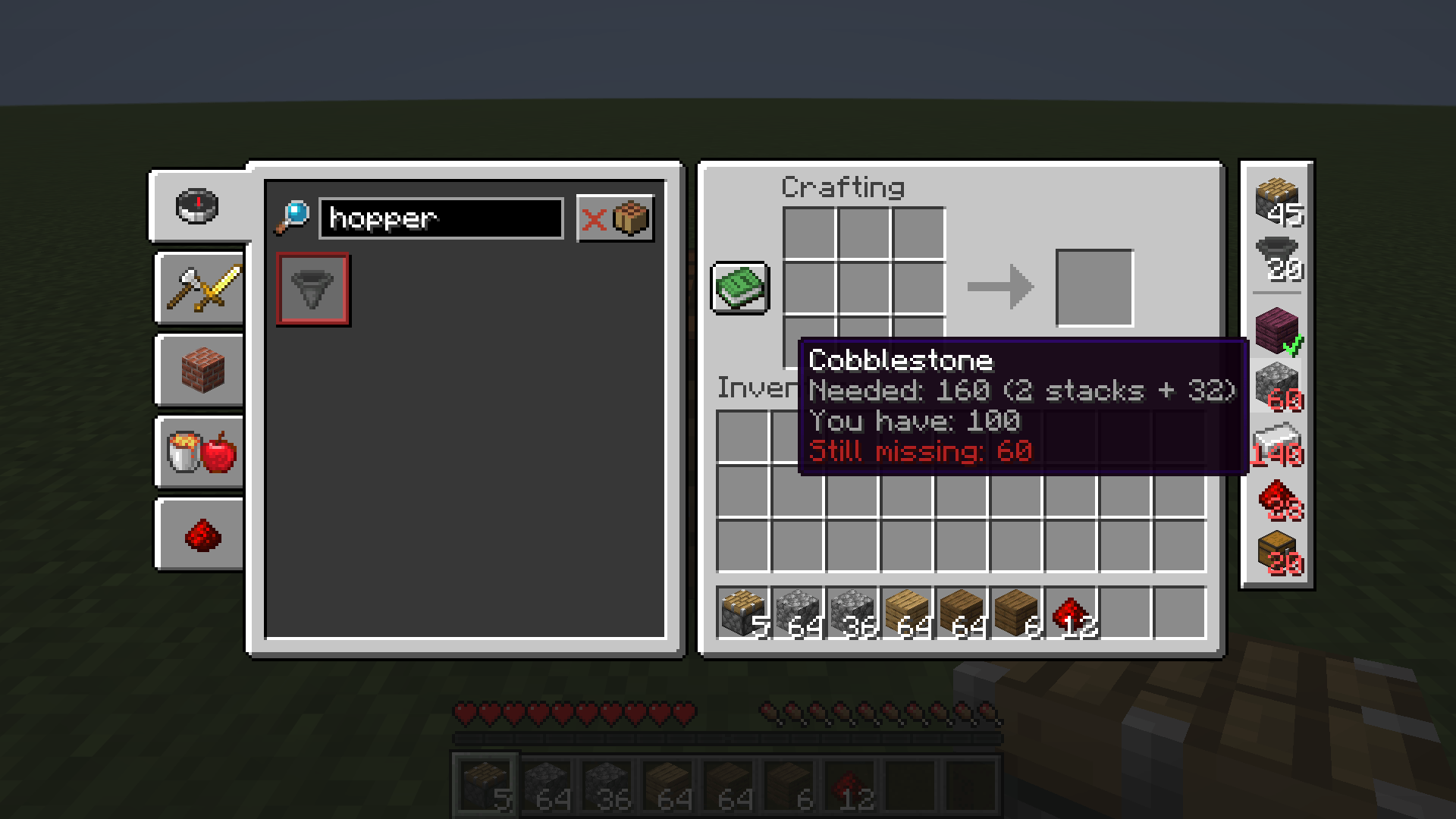
- red number = how many are still missing
- green ✔ = you have enough
- hover for details, like "Still missing: 160 (2 stacks + 32)"
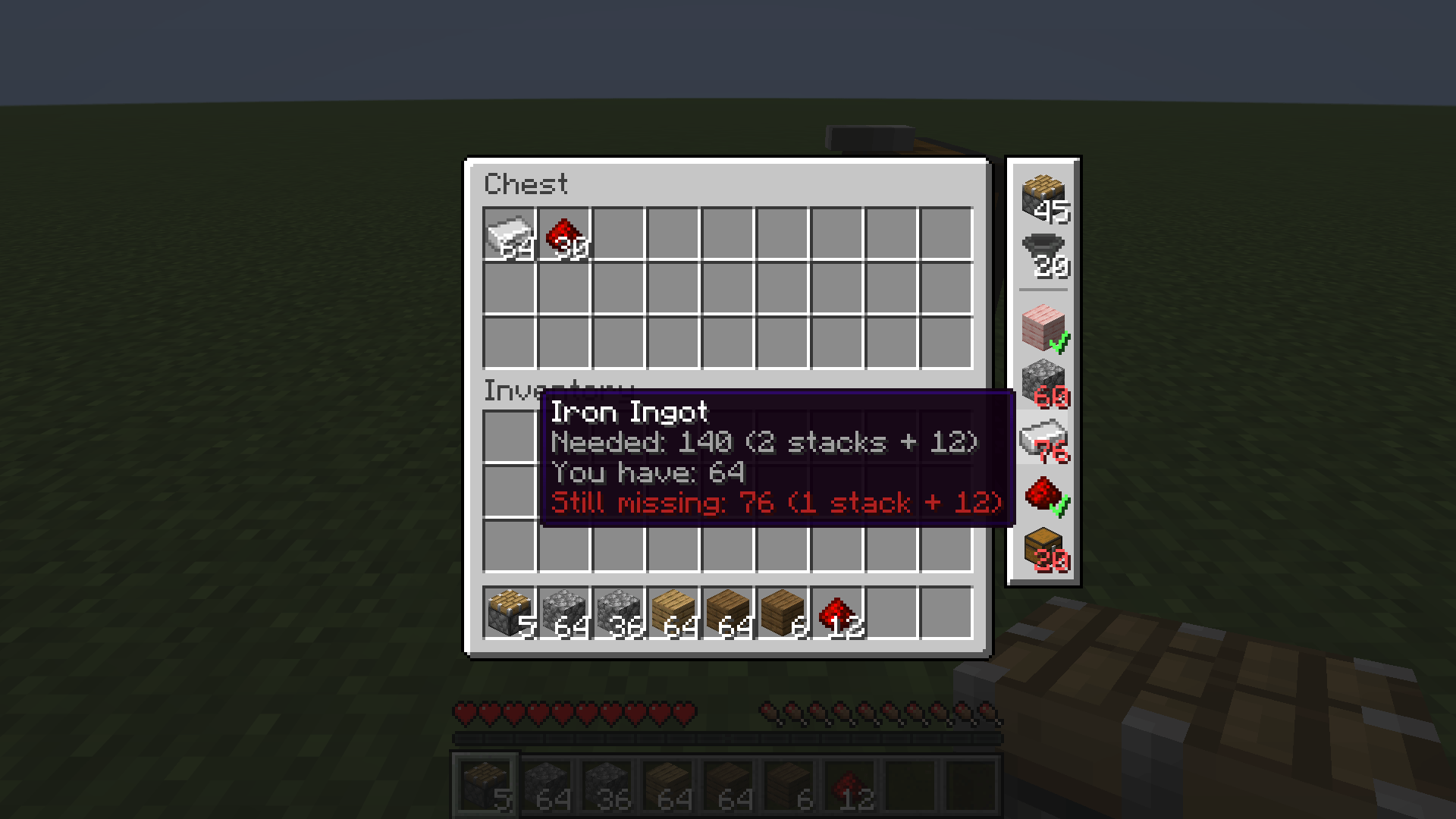
- Counts your inventory and the open chest, including what is inside shulker boxes and bundles. Open a chest and the numbers update instantly.
- Items you already crafted are subtracted automatically.
- In the list: left-click +1, right-click −1, hold Shift for ±10. At 0 the entry is removed.
- Long lists scroll and never reach below the inventory window. If there is no room to the right of the window, the list moves to the left side.
Details
- Client-side only. Works on any server, the server does not need the mod.
- Every world and every server has its own list.
- Only recipes you have unlocked show up, so it works fine in survival and on servers.
- Shows direct ingredients (what goes into the crafting grid). Crafting table recipes are preferred, stonecutter and furnace recipes are used if there is nothing else.
- Languages: English, German.
Requirements
- Minecraft 26.3
- Fabric Loader 0.19.5 or newer
- Fabric API
Feedback
Found a bug or have an idea? Leave a comment or open an issue on GitHub.
Screenshots
Gallery
-
 1-werkbank.png 1-werkbank.png
-
 2-tooltip.png 2-tooltip.png
-
 3-varianten.png 3-varianten.png
-
 4-kiste.png 4-kiste.png
Versions
Files
Relations
Project Relations
More like this
Similar Mods
Suggestions use data such as tags, dependencies, dependents, descriptions, titles, and more to rank how much they overlap with this mod.
On ModDex
Community snapshot
By the numbers
Statistics

Get it on
Available Platforms
On ModDex
Community snapshot
By the numbers
Statistics
Resources