Community listing page, reviews here may not be monitored by the author.
Recipe Tracker HUD

No reviews yet
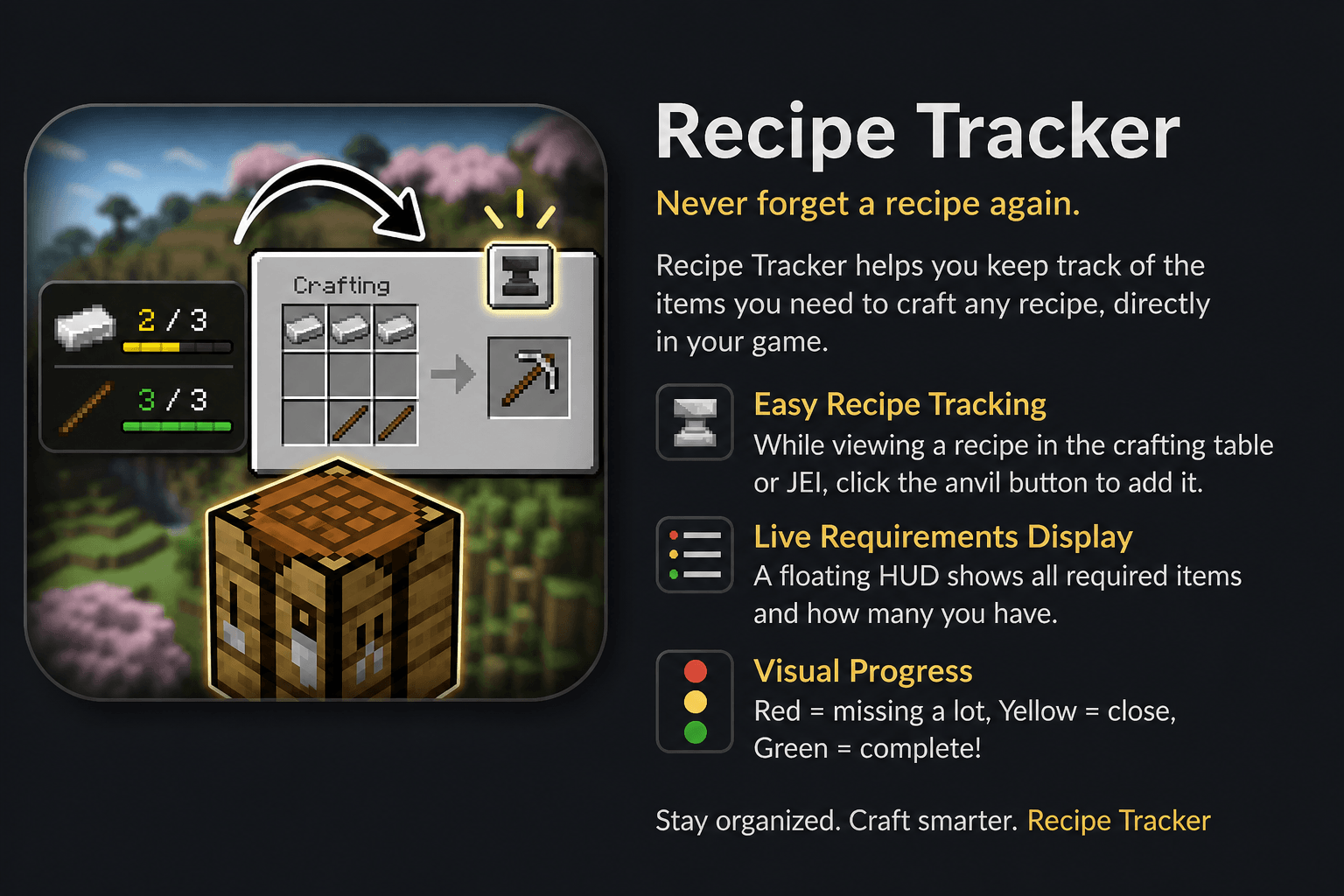
Recipe Tracker helps you keep track of the items you need to craft any recipe, directly in your game.
Community voices
Reviews
No reviews yet. Be the first to review this project!
Get it on
Available Platforms
About
Project Details
For authors
Embed Badge
If you're the author of this project, you can embed a live badge anywhere that supports HTML or Markdown. It updates automatically whenever ratings change.
Use HTML for any page that supports it, or Markdown for README files and Markdown-based descriptions.
Identifiers
Platform IDs
Resources
External Links
About
Description
📋 Recipes HUD
A minimalist and functional mod that lets you track multiple crafting recipes at once directly from a floating HUD — visible in any screen.
✨ Features
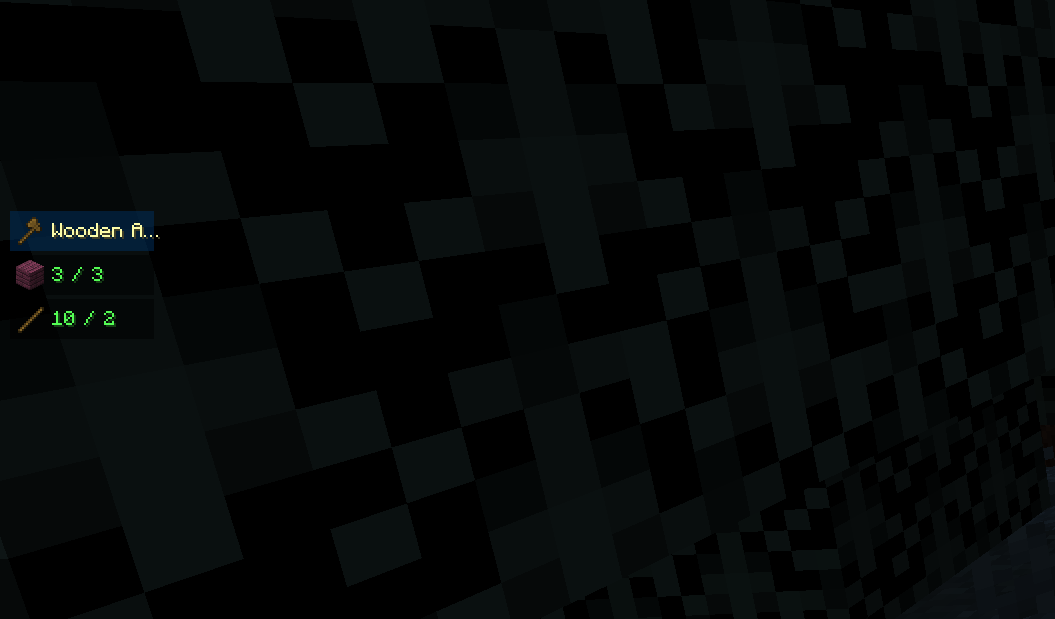
🎯 Track up to 5 recipes simultaneously
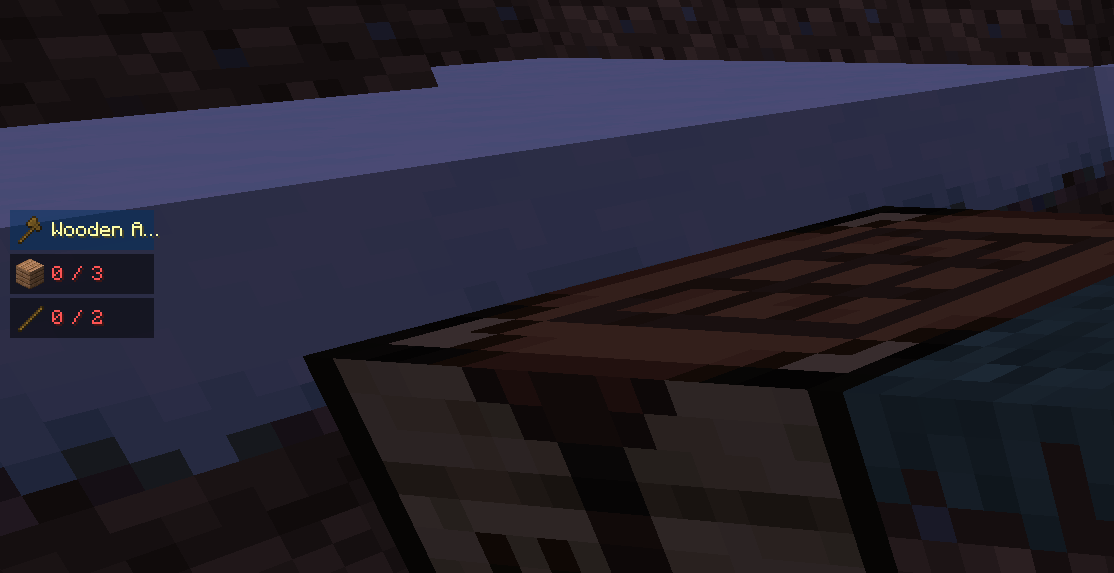
- Select up to 5 items to track. The HUD stacks them vertically on the left side of the screen.
- A greedy craftability check evaluates recipes in order: if your inventory has enough items for a recipe, it shows a ✔ and reserves those items so subsequent recipes are checked against the remaining stock.
- Ingredients are aggregated across all tracked recipes — if two recipes both need sticks, a single combined row is shown.
- Color-coded ingredient counts:
- 🟢 Green — you have enough
- 🟡 Yellow — 75 % or more collected
- 🔴 Red — missing many
👁️ Always visible
- The HUD appears both in-game and on top of any open menu (inventory, crafting table, chests…).
- Fully opaque panels — never obscured by Minecraft's background blur.
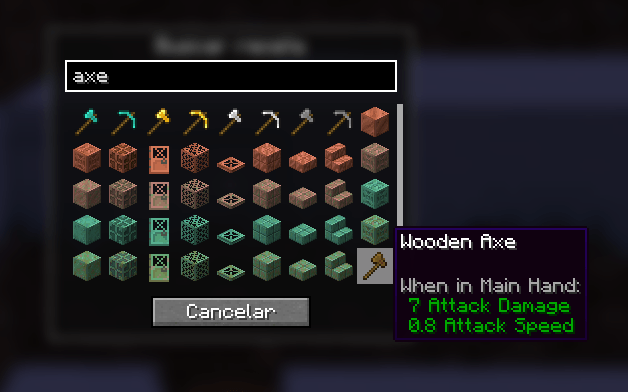
🔍 Item Search Screen
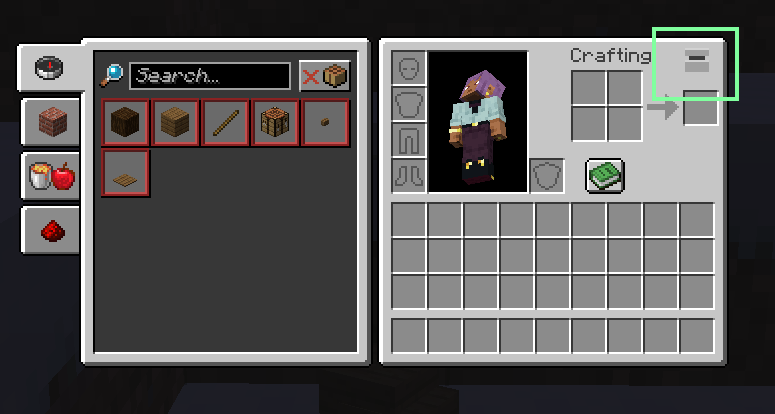
- Press the track button in your inventory or crafting table to open the search screen.
- Search by name or filter by mod with
@modid. - Multi-select: click items to mark them (green border), click again to deselect. Confirm with ✓ or cancel with ✗.
- Counter (X/5) shows remaining slots in real time.
→ Auto-fill crafting grid
- When a recipe is crafteable (✔), an arrow button (→) appears to its right while a menu is open.
- Clicking it places the ingredients automatically in the correct crafting grid slots.
- Works in both the inventory (2×2) and crafting table (3×3), respecting shaped recipe layouts.
🗑️ Per-recipe remove
- Each tracked recipe has an × button visible while a menu is open. Click it to remove only that recipe.
✅ Auto-remove on completion
- Each recipe disappears from the HUD as soon as its result item lands in your inventory.
🎮 How to Use
- Open your inventory or a crafting table
- Press the track button (top-right of the GUI)
- Search and select up to 5 items you want to craft — confirm with ✓
- The HUD appears on the left, showing each recipe and its aggregated ingredients
- Once you have everything for a recipe, the → button appears — click it to auto-fill the grid
- Craft the item — it disappears from the HUD automatically ✨
⚙️ Compatibility
- ✅ NeoForge 1.21.1
- ✅ Vanilla inventory and crafting table
- ✅ Any screen (inventory, chests, shops…)
- ✅ Tag-based ingredients (e.g. any wood plank)
📝 Notes
- Purely client-side — only the player who wants the HUD needs it installed
- No server-side component, no impact on multiplayer
- Lightweight — no ticks, no networking for HUD rendering
🐛 Report Bugs
If something doesn't work as expected:
- Check that the item has a valid vanilla crafting recipe
- Report with the item name and any relevant details
📢 Permissions & Content Creation
- You are free to use this mod in any modpack .
- You are free to make videos, streamings, or any content featuring this mod.
- Donations are welcome via the Donate button on this page — thank you for your support!
Screenshots
Gallery
-
 main.png main
 -
 select_menu.png select_menu.png
 -
 3.png 3.png
 -
 4.png 4.png
 -
 1.png 1.png
Versions
Files
Relations
Project Relations
More like this
Similar Mods
Suggestions use data such as tags, dependencies, dependents, descriptions, titles, and more to rank how much they overlap with this mod.
On ModDex
Community snapshot
By the numbers
Statistics
Want to reach Minecraft players?
We're looking for a server hosting partner to feature here and other parts of the site. Interested? Send us a message!
Get in touchGet it on
Available Platforms
On ModDex
Community snapshot
By the numbers
Statistics
Resources