Community listing page, reviews here may not be monitored by the author.
Recreative


No reviews yet
A powerful, data-driven mod that gives you complete control over Creative Mode tabs!
Community voices
Reviews
No reviews yet. Be the first to review this project!
Get it on
Available Platforms
Compatibility
Supported Environments
Must be installed on both the client and the server.
About
Project Details
For authors
Embed Badge
If you're the author of this project, you can embed a live badge anywhere that supports HTML or Markdown. It updates automatically whenever ratings change.
Use HTML for any page that supports it, or Markdown for README files and Markdown-based descriptions.
Identifiers
Platform IDs
About
Description
Recreative



Recreative is a powerful, data-driven mod that gives modpack developers and players complete control over Creative Mode tabs! Using simple JSON configuration files, you can completely reorganize, modify, hide, or create entirely new Creative Tabs without writing a single line of code.
Features
- Completely hide unwanted vanilla or modded tabs from the Creative Menu.
- Rename tabs, change their icons, or add and remove specific items.
- Build brand new tabs from scratch with your own custom icons and item lists.
- Reorder tabs and force them to appear in a specific order from left to right.
- Instead of just appending items to the end of a tab, you can inject them exactly where you want using
afterorbeforeplacement rules. - Add or remove entire groups of items at once using Minecraft tags (e.g.,
#minecraft:logs,#c:ores). - Tweak your UI on the fly with hot reloading, so you can see your changes instantly without restarting the game.
Usage & Configuration
Recreative watches the ./config/recreative/ folder in your Minecraft instance. You can create as many .json files inside this folder as you want to organize your rules.
Example Rule File
[
  {
    "action": "remove_tab",
    "tabs": ["minecraft:building_blocks"]
  },
  {
    "action": "custom_tab",
    "tabs": ["my_pack:magic"],
    "name": "Magical Items",
    "icon": "minecraft:amethyst_shard",
    "add_items": [
      "minecraft:enchanted_book",
      "#minecraft:potions"
    ]
  }
]
Check out the wiki for documentation on all actions, advanced item placement, and syntax.
Commands
Recreative provides a couple useful commands to help you manage your configuration and easily find IDs without leaving the game.
/recreative reload- Hot-reloads yourrecreative_settings.jsonand all rule files in theconfig/recreative/folder and instantly rebuilds the creative menu./recreative dump <tabs|items|blocks|all>- Exports registered IDs into nicely formatted JSON files located inconfig/recreative_exports/. Perfect for finding the exact namespace IDs needed for your scripts.
In-Game Settings
General config options can be accessed in-game (when Cloth Config is installed). This includes toggling the mod on/off globally, and a debug option to show internal tab IDs, which replaces all tab names with their registry ID to help you write your config files faster.
License

Credits
Icon made by Nekomaster!


Recreative


Recreative is a powerful, data-driven mod that gives modpack developers and players complete control over Creative Mode tabs! Using simple JSON configuration files, you can completely reorganize, modify, hide, or create entirely new Creative Tabs without writing a single line of code.
Features
- Completely hide unwanted vanilla or modded tabs from the Creative Menu.
- Rename tabs, change their icons, or add and remove specific items.
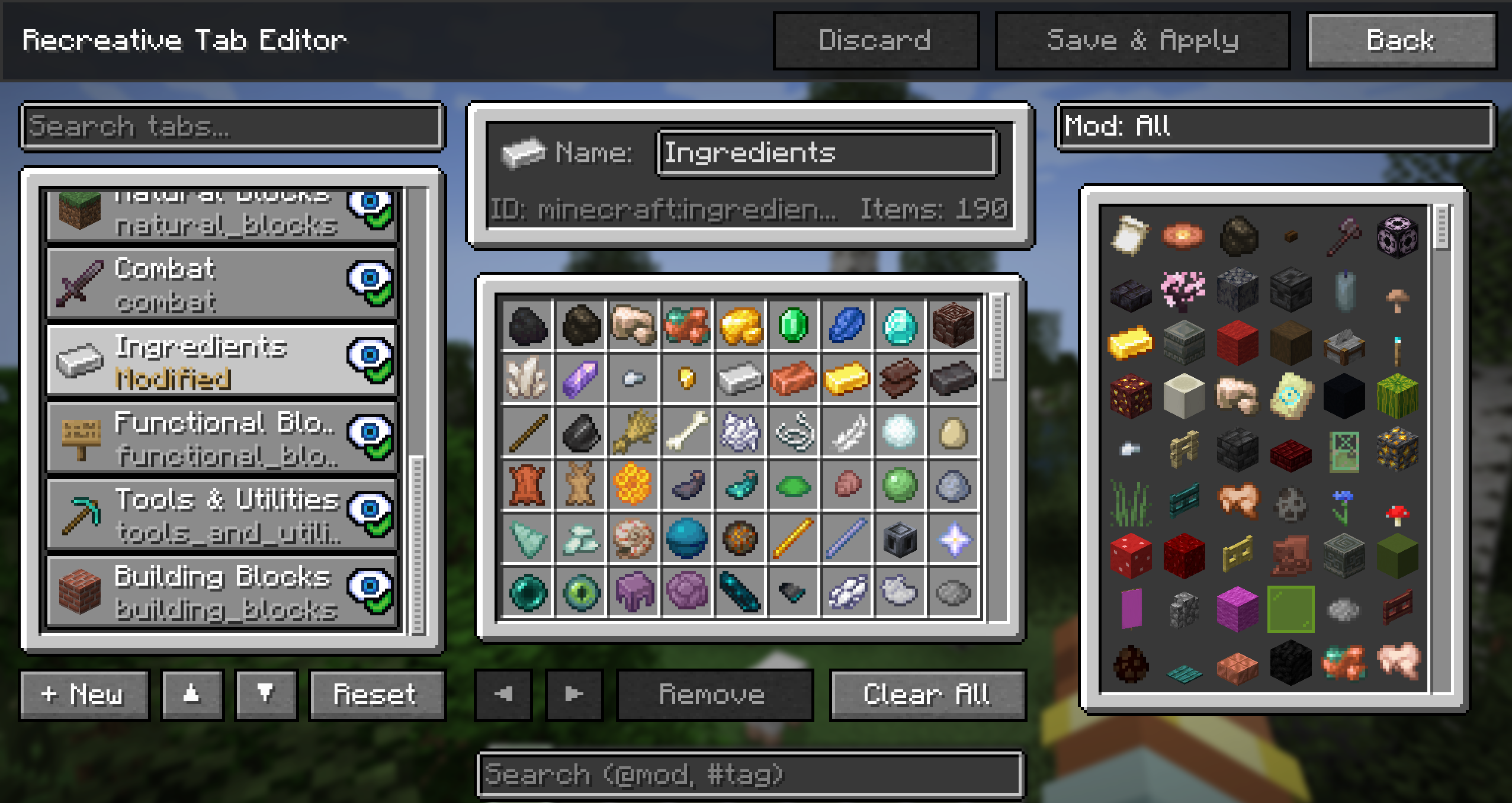
- A fully functional in-game tab editor!
- Build brand new tabs from scratch with your own custom icons and item lists.
- Reorder tabs and force them to appear in a specific order from left to right.
- Instead of just appending items to the end of a tab, you can inject them exactly where you want using
afterorbeforeplacement rules. - Add or remove entire groups of items at once using Minecraft tags (e.g.,
#minecraft:logs,#c:ores). - Tweak your UI on the fly with hot reloading, so you can see your changes instantly without restarting the game.
Usage & Configuration
Recreative watches the ./config/recreative/ folder in your Minecraft instance. You can create as many .json files inside this folder as you want to organize your rules.
Example Rule File
[
  {
    "action": "remove_tab",
    "tabs": ["minecraft:building_blocks"]
  },
  {
    "action": "custom_tab",
    "tabs": ["my_pack:magic"],
    "name": "Magical Items",
    "icon": "minecraft:amethyst_shard",
    "add_items": [
      "minecraft:enchanted_book",
      "#minecraft:potions"
    ]
  }
]
Check out the wiki for documentation on all actions, advanced item placement, and syntax.
Commands
Recreative provides a couple useful commands to help you manage your configuration and easily find IDs without leaving the game.
/recreative reload- Hot-reloads yourrecreative_settings.jsonand all rule files in theconfig/recreative/folder and instantly rebuilds the creative menu./recreative dump <tabs|items|blocks|all>- Exports registered IDs into nicely formatted JSON files located inconfig/recreative_exports/. Perfect for finding the exact namespace IDs needed for your scripts.
In-Game Settings
General config options can be accessed in-game (when Cloth Config is installed). This includes toggling the mod on/off globally, and a debug option to show internal tab IDs, which replaces all tab names with their registry ID to help you write your config files faster.
License
Credits
Icon made by Nekomaster!


Screenshots
Gallery
-
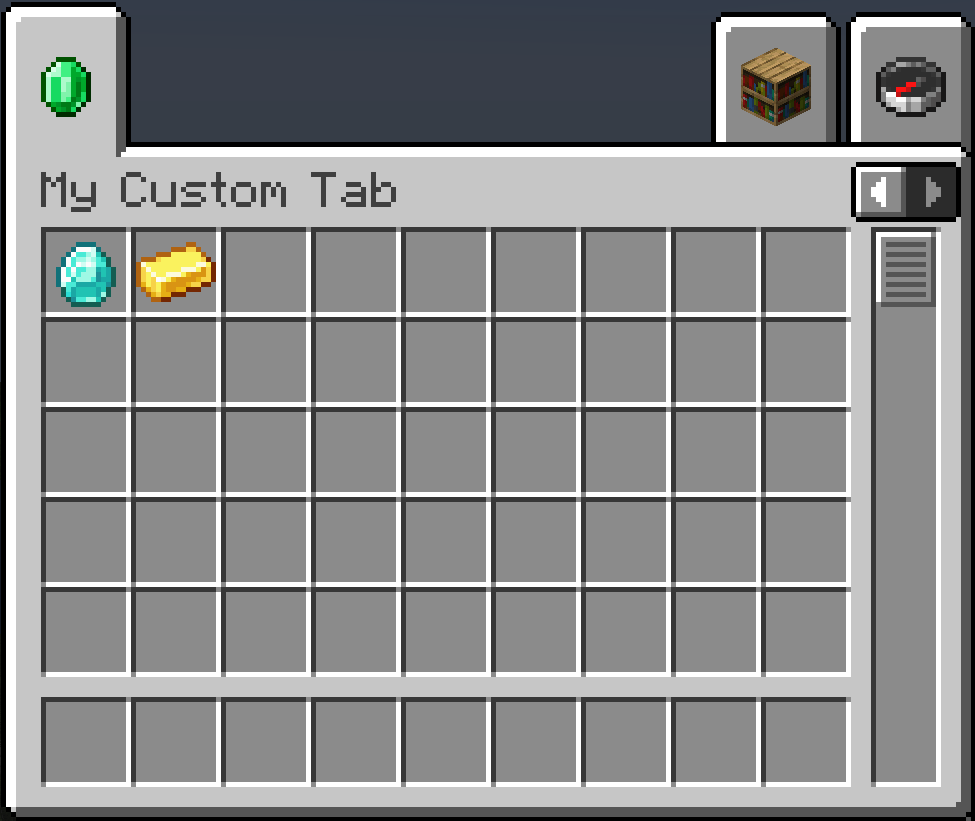 Custom tab example
-
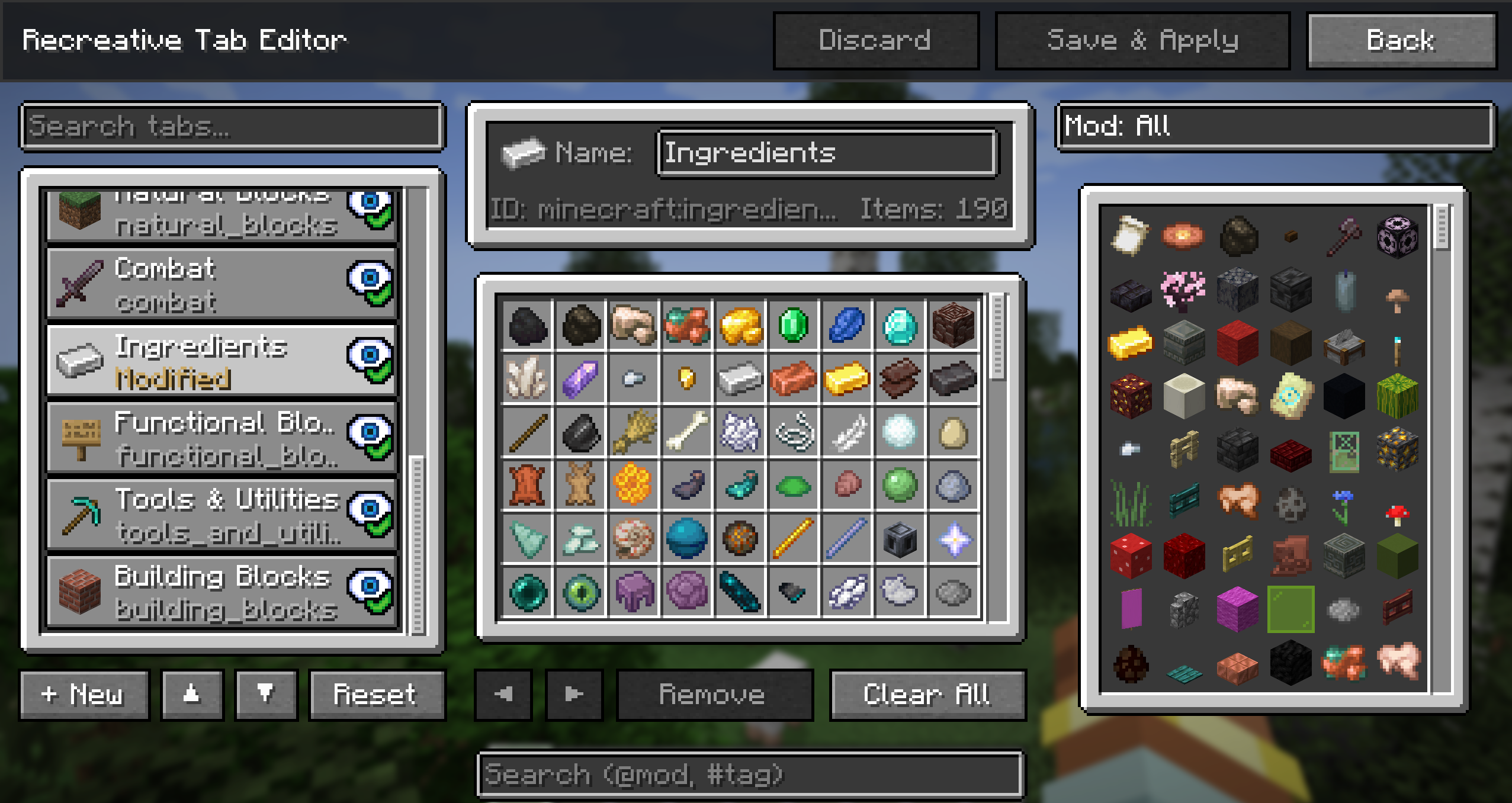 In-game tab editing! I hate making UIs man
 -
 Custom tabs!
Versions
Files
Relations
Project Relations
More like this
Similar Mods
Suggestions use data such as tags, dependencies, dependents, descriptions, titles, and more to rank how much they overlap with this mod.
On ModDex
Community snapshot
By the numbers
Statistics
Want to reach Minecraft players?
We're looking for a server hosting partner to feature here and other parts of the site. Interested? Send us a message!
Get in touchGet it on
Available Platforms
On ModDex
Community snapshot
By the numbers