Community listing page, reviews may not be monitored by the author.
Recrive

No reviews yet
Automatically back up your Minecraft singleplayer worlds to Google Drive. AutoSync, one-click restore, multi-account support. Client-side only.

Community voices
Reviews
No reviews yet. Be the first to review this project!
Get it on
Available Platforms
About
Project Details
For authors
Embed Badge
If you're the author of this project, you can embed a live badge anywhere that supports HTML or Markdown. It updates automatically whenever ratings change.
Use HTML for any page that supports it, or Markdown for README files and Markdown-based descriptions.
Identifiers
Platform IDs
Resources
External Links
About
Description
# ☁ Recrive
**Never lose a Minecraft world again.** Recrive automatically backs up your singleplayer worlds to your own Google Drive — no subscriptions, no third-party servers, just your cloud account.
## ✨ Features
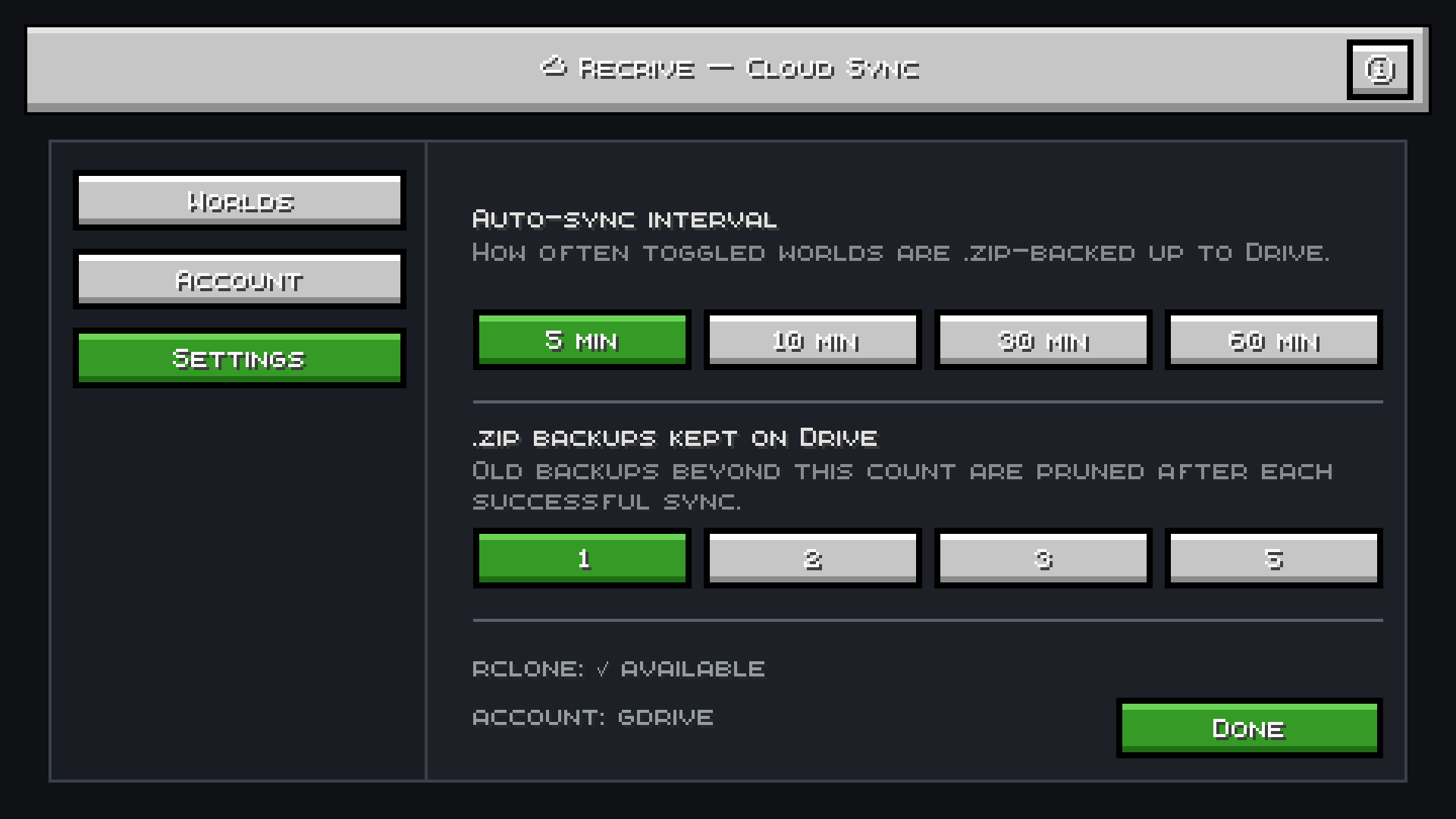
- **🔄 AutoSync** — backup your world to Google Drive every 5/10/30/60 minutes (your choice)
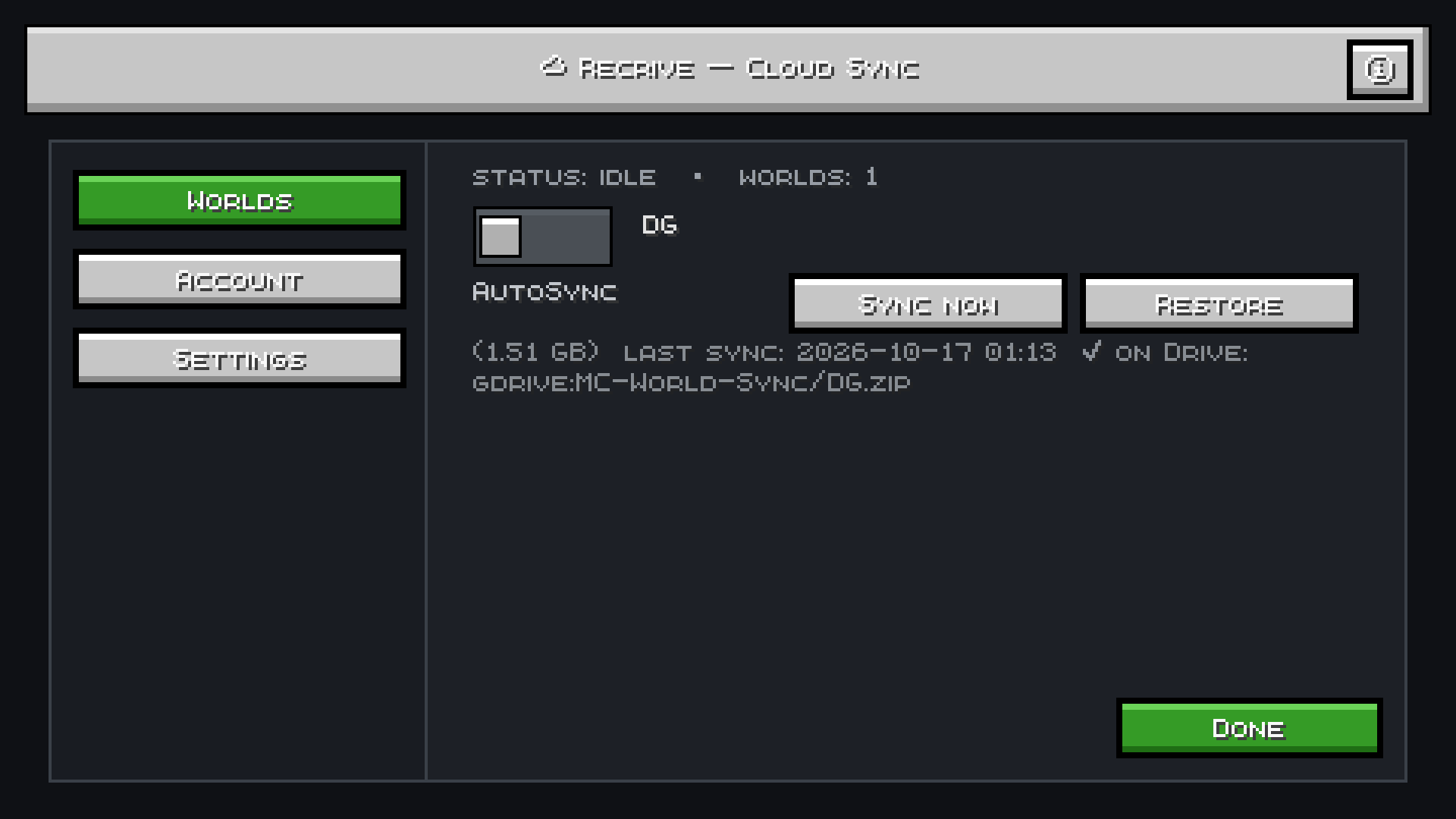
- **⚡ Sync Now** — one-click instant backup anytime
- **♻️ One-Click Restore** — pull any backup back from Drive in-game
- **📦 Backup Retention** — choose how many old backups to keep (1/2/3/5) so Drive never fills up
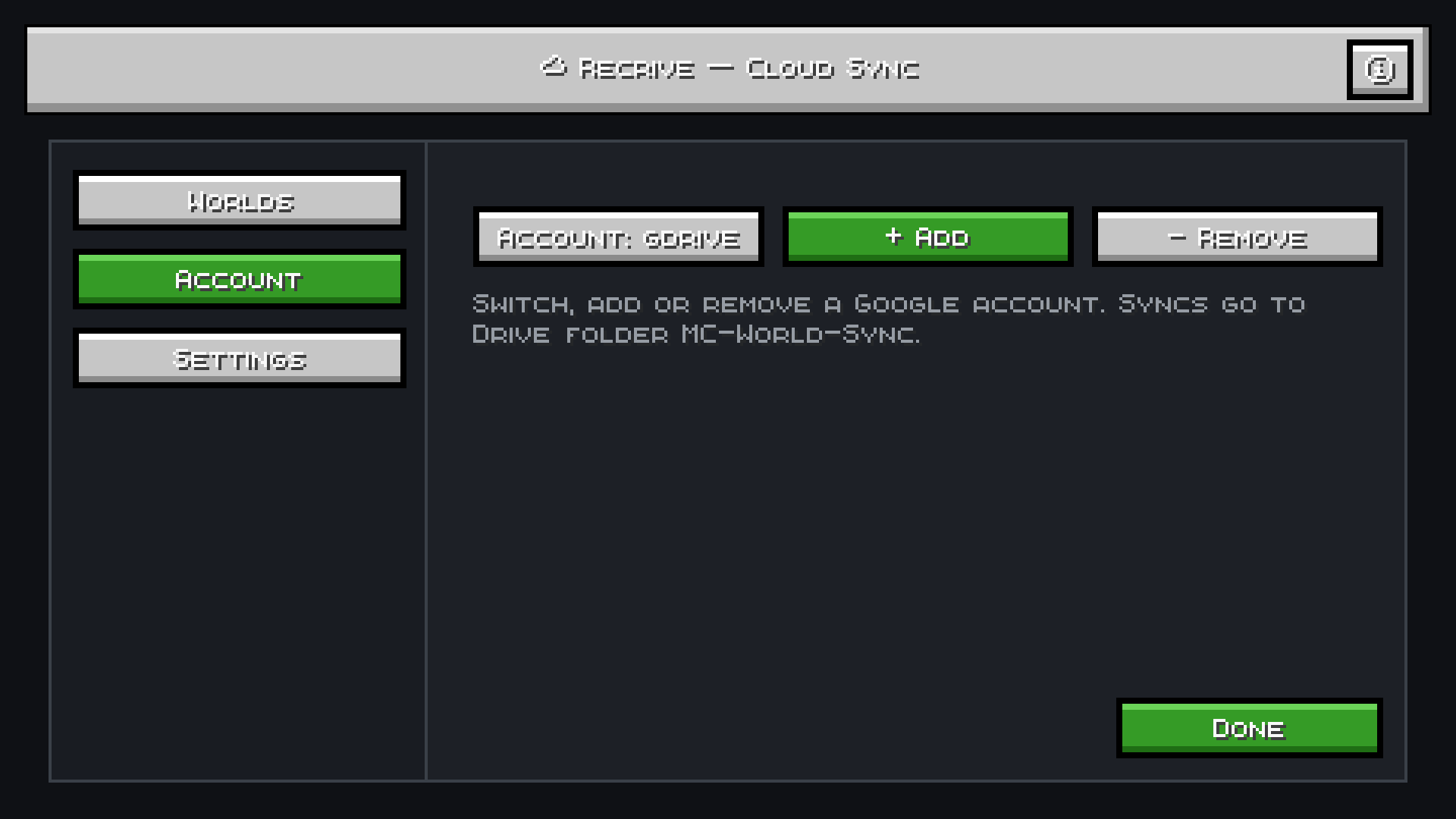
- **👤 Multi-Account** — add and switch between multiple Google accounts
- **🔒 Safe Restores** — every restore saves a local `.bak` copy first, so nothing is ever lost
- **📊 Live Progress** — see sync progress, world size, and last-sync time in-game
- **💡 Built-in Guide** — scrollable Info & Precautions screen explains everything
## 🚀 How to Use
1. **Install rclone** (free, open-source) and add a Google Drive remote
2. Open the **☁ Sync** button (top-right on title screen or pause menu)
3. Click **Account** to select your Google account
4. Toggle **AutoSync** on your worlds — done!
Backups are stored as `.zip` files in your Drive under **MC-World-Sync** folder.
## 📋 Requirements
- Minecraft Java Edition
- [Fabric Loader](https://fabricmc.net/use/installer/)
- [Fabric API](https://modrinth.com/mod/fabric-api)
- [rclone](https://rclone.org/downloads/) installed
## Install rclone (one-time setup)
rclone is the only dependency for Google Drive access. No API keys, no Google Cloud project.
### Windows
1. Download `rclone-v*-windows-amd64.zip` from [rclone.org/downloads](https://rclone.org/downloads/)
2. Extract it to `C:\rclone\`
3. Add `C:\rclone` to your **PATH**:
- Press Win → search "Environment Variables" → "Edit the system environment variables"
- Click **Environment Variables** → under "System variables" find `Path` → **Edit** → **New** → paste `C:\rclone`
- Click OK on all windows
4. Verify: open a new Command Prompt and run `rclone version`
### macOS
```bash
brew install rclone
# or without Homebrew:
curl -O https://downloads.rclone.org/rclone-current-osx-amd64.zip && unzip rclone-current-osx-amd64.zip && sudo cp rclone-current-osx-amd64/rclone /usr/local/bin/
```
### Linux
```bash
# Debian / Ubuntu
sudo apt install rclone
# or universal installer
curl https://rclone.org/install.sh | sudo bash
```
### Verify
```bash
rclone version
```
## ❓ FAQ
**Why rclone?**
Your Google credentials never touch us. Everything runs locally on your machine — Recrive just automates the process.
**Will it slow down my game?**
No. Backups run in the background on a separate thread. Zipping a 1.6 GB world takes ~2 seconds.
**Can I use it on servers?**
Recrive is client-side only and works with singleplayer worlds.
**What if I lose internet?**
AutoSync skips missed cycles. Use Sync Now when you're back online.
## ⚠️ Precautions
1. Close the world before syncing for a perfect backup
2. Ensure you have enough space on Google Drive
3. Don't delete `.zip` backups from Drive unless you have a local copy
---
📄 **License:** MIT | 🐛 **Issues:** [GitHub](https://github.com/pgaming343/RecriveFabric26.3)
Screenshots
Gallery
-
 3.png 3.png
-
 2.png 2.png
-
 1.png 1.png
Versions
Files
Relations
Project Relations
More like this
Similar Mods
Suggestions use data such as tags, dependencies, dependents, descriptions, titles, and more to rank how much they overlap with this mod.
On ModDex
Community snapshot
By the numbers
Statistics

Get it on
Available Platforms
On ModDex
Community snapshot
By the numbers
Statistics
Resources