Community listing page, reviews here may not be monitored by the author.
Reference Image Overlay


No reviews yet
Renders up to 2 reference images on screen while playing. Inspired by Blender's reference image feature.
Community voices
Reviews
No reviews yet. Be the first to review this project!
Get it on
Available Platforms
Compatibility
Supported Environments
Runs entirely on the client. Works on vanilla servers.
About
Project Details
For authors
Embed Badge
If you're the author of this project, you can embed a live badge anywhere that supports HTML or Markdown. It updates automatically whenever ratings change.
Use HTML for any page that supports it, or Markdown for README files and Markdown-based descriptions.
Identifiers
Platform IDs
Resources
External Links
About
Description
Renders up to 2 reference images on screen while playing. Inspired by Blender's reference image feature.
Features:
- Upload up to 10 images using URLs
- Display up to 2 images on screen at a time
- Quickly switch between uploaded images
- Customize the position and size of each image
- Settings menu made with Mod Menu and Cloth Config
Notes:
- Files are uploaded through URLs (read below)
- Minecraft is very particular about file formats, so files must be native PNG files (not just renamed JPG or other)
How to Upload Files:
As mentioned previously, files are uploaded through URLs. The most efficient way I've found to do this is to go to imgur, upload your image(s), wait for it to say "Upload Complete", then right click the image and click "Copy Image Address" (do NOT click "Copy Link"), then paste that into the URL field in this mod's settings. Note: To open the config menu, you will need Mod Menu and Cloth Config API installed.
Summary:
- Upload to imgur
- Wait for "Upload Complete" banner
- Right click - "Copy Image Address"
- Paste into settings
Renders up to 2 reference images on screen while playing. Inspired by Blender's reference image feature.
Features:
- Upload up to 10 images using URLs
- Display up to 2 images on screen at a time
- Quickly switch between uploaded images
- Customize the position and size of each image
- Settings menu made with Mod Menu and Cloth Config
Notes:
- Files are uploaded through URLs (read below)
- Minecraft is very particular about file formats, so files must be native PNG files (not just renamed JPG or other)
How to Upload Files:
As mentioned previously, files are uploaded through URLs. The most efficient way I've found to do this is to go to imgur, upload your image(s), wait for it to say "Upload Complete", then right click the image and click "Copy Image Address" (do NOT click "Copy Link"), then paste that into the URL field in this mod's settings. Note: To open the config menu, you will need Mod Menu and Cloth Config API installed.
Summary:
- Upload to imgur
- Wait for "Upload Complete" banner
- Right click - "Copy Image Address"
- Paste into settings
Screenshots
Gallery
-
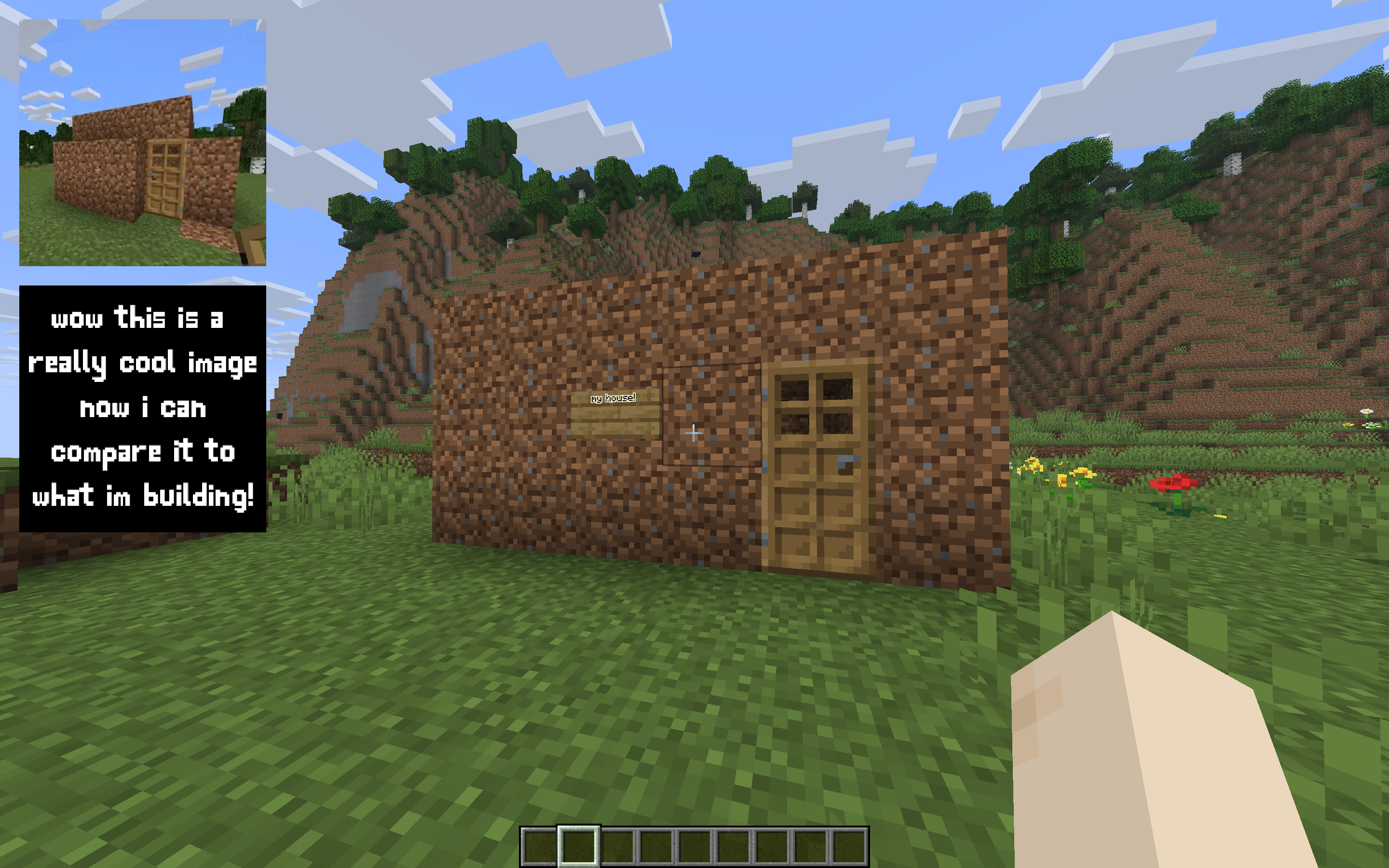 Example Use An example of how you could use the mod, in this case I forgot how to build a dirt house so I added an image that showed me how
 -
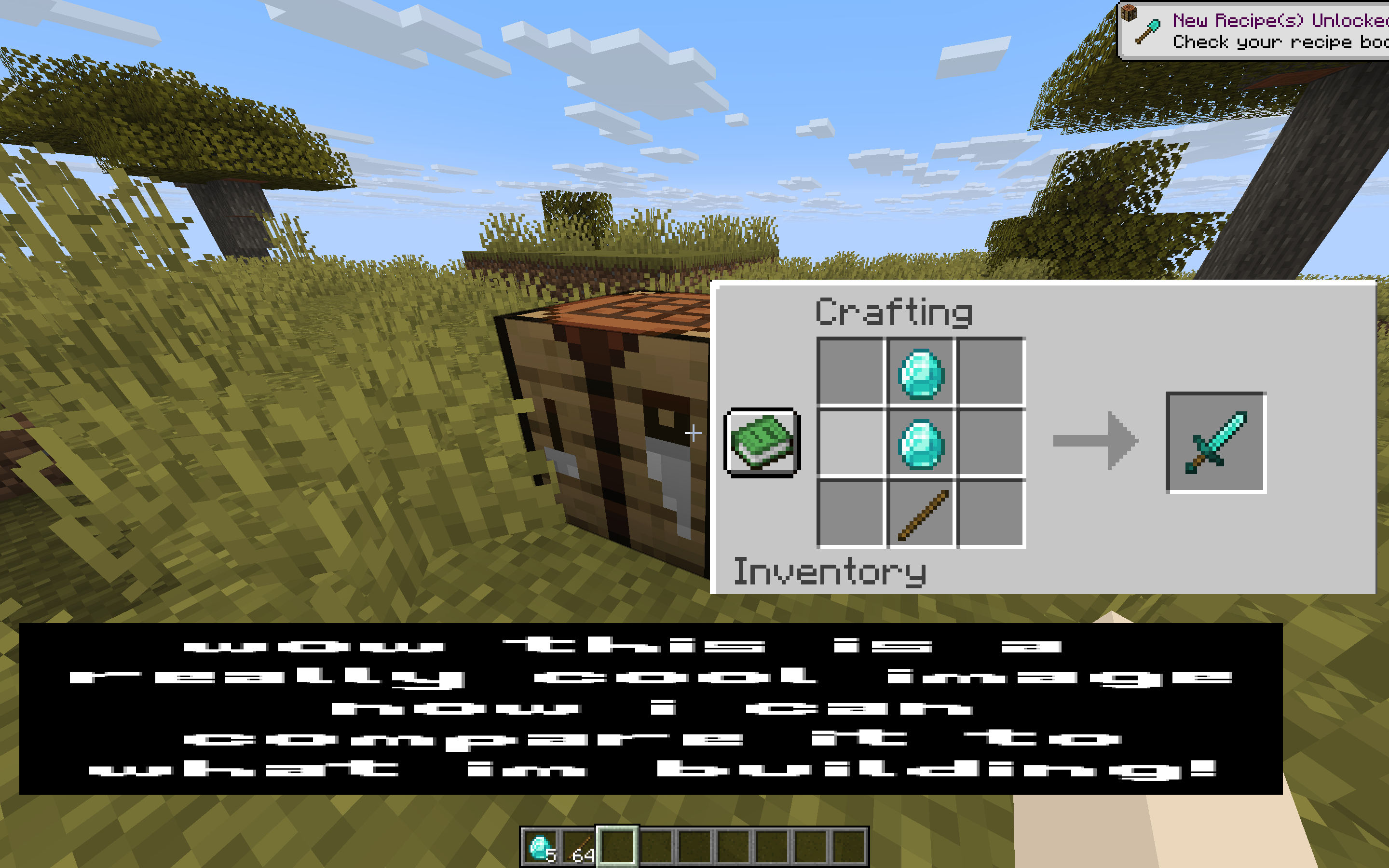 Other Example Use Another way to use the mod is just having information you might forget, like a crafting recipe or a potion recipe. With the mod, I can have this information on screen, and you can stretch it to any dimension/size.
Versions
Files
Relations
Project Relations
More like this
Similar Mods
Suggestions use data such as tags, dependencies, dependents, descriptions, titles, and more to rank how much they overlap with this mod.
On ModDex
Community snapshot
By the numbers
Statistics
Want to reach Minecraft players?
We're looking for a server hosting partner to feature here and other parts of the site. Interested? Send us a message!
Get in touchGet it on
Available Platforms
On ModDex
Community snapshot
By the numbers
Statistics
Resources