Community listing page, reviews here may not be monitored by the author.
Blueprint overlay


No reviews yet
A Minecraft client side mod to project, scale and rotate real blueprint schematics and images into your world as in-place references for creating accurate builds.
Community voices
Reviews
No reviews yet. Be the first to review this project!
Get it on
Available Platforms
Compatibility
Supported Environments
Runs entirely on the client. Works on vanilla servers.
About
Project Details
For authors
Embed Badge
If you're the author of this project, you can embed a live badge anywhere that supports HTML or Markdown. It updates automatically whenever ratings change.
Use HTML for any page that supports it, or Markdown for README files and Markdown-based descriptions.
Identifiers
Platform IDs
About
Description
A client side mod I created to project reference images and schematics into the minecraft world.
- Images can be positioned, scaled, rotated and made transparent.
You need to be holding an ItemFrame in either your hand or your offhand to see the images.
Main Config Screen
The default key "O" will launch the config which will create folders for you to upload images in your filesystem:
{Minecraft}/config/blueprints/{world name}/{dimension name}
![Main config screen] 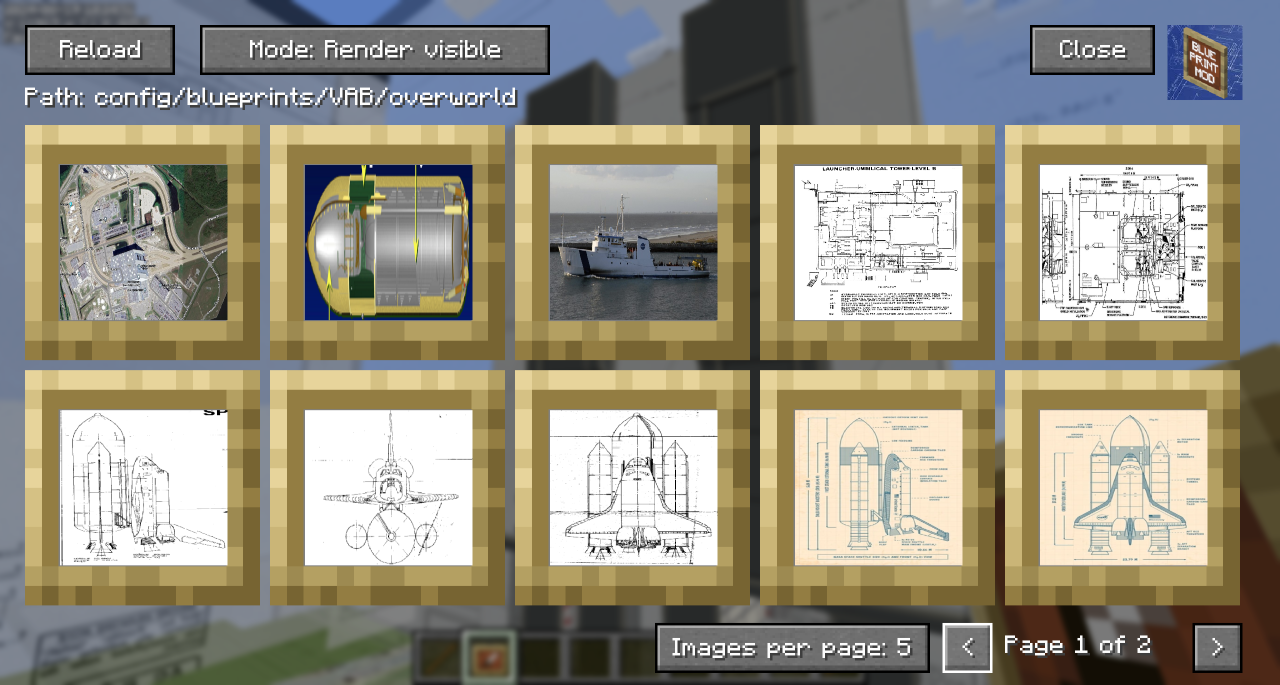
- The Reload button will rescan the filesystem for any files you have uploaded.
- The 'Path' shows the relative position of the filesystem you'll need to work with outside of Minecraft
- You can toggle the Render mode to hide behind blocks or always show through them.
- Blueprints that are hidden show with a dark overlay.
- You can use Control-Click as a shortcut to show/hide the blueprint in the world.
- You can click on a blueprint to get to the moving and positioning screen.
- In the bottom right, you can change the number of images per page to zoom in/out on the selection screen and navigate pages with the left and right chevrons.
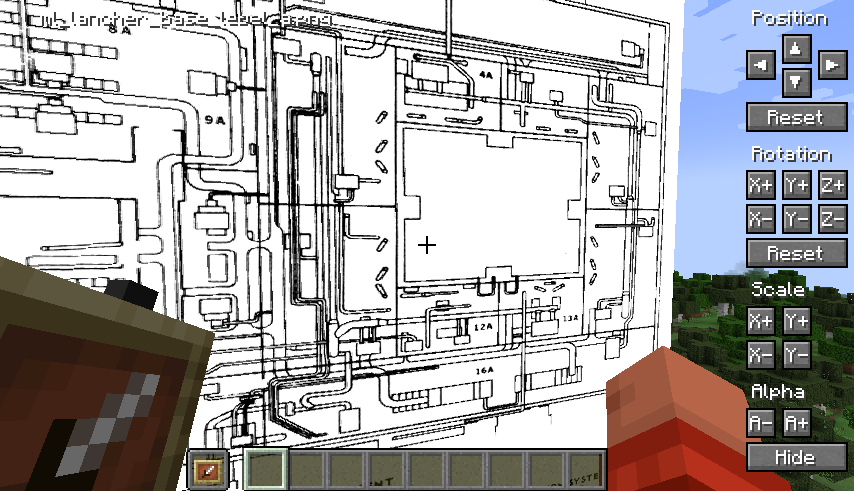
Blueprint Moving and Positioning
-
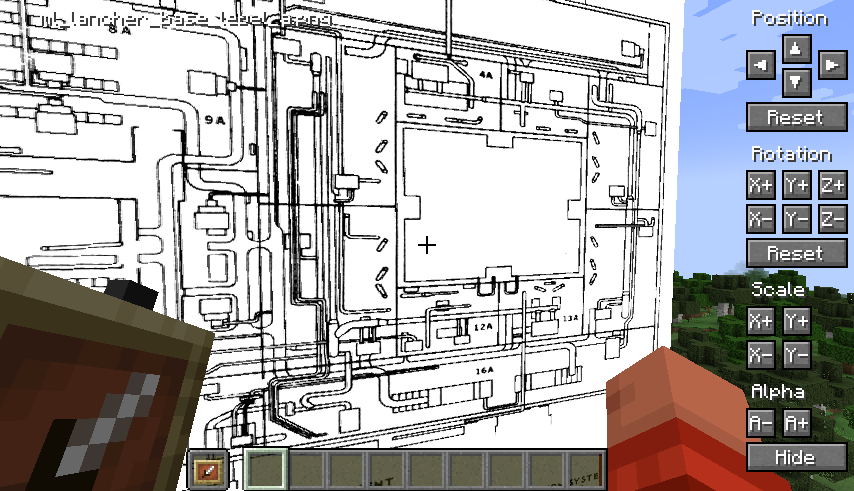
Position tweaking is player-facing aware: e.g. left is always left
-
You can hold down Shift to increase the amount of change each button applies for bigger tweaks.
-
You can hold down Ctrl to reduce the amount of change each button applies for small tweaks.
-
You can hold down both Shift and Ctrl to make big changes to settings on each click.
Demo
A quick overview can be seen in this video which was the reason I created the mod:
[https://youtu.be/8ToyyT0e1bc](https://youtu.be/8ToyyT0e1bc?t=220)
A client side mod I created to project reference images and schematics into the minecraft world.
- Images can be positioned, scaled, rotated and made transparent.
You need to be holding an ItemFrame in either your hand or your offhand to see the images.
Main Config Screen
The default key "O" will launch the config which will create folders for you to upload images in your filesystem:
{Minecraft}/config/blueprints/{world name}/{dimension name}
![Main config screen]
- The Reload button will rescan the filesystem for any files you have uploaded.
- The 'Path' shows the relative position of the filesystem you'll need to work with outside of Minecraft
- You can toggle the Render mode to hide behind blocks or always show through them.
- Blueprints that are hidden show with a dark overlay.
- You can use Control-Click as a shortcut to show/hide the blueprint in the world.
- You can click on a blueprint to get to the moving and positioning screen.
- In the bottom right, you can change the number of images per page to zoom in/out on the selection screen and navigate pages with the left and right chevrons.
Blueprint Moving and Positioning
-
Position tweaking is player-facing aware: e.g. left is always left
-
You can hold down Shift to increase the amount of change each button applies for bigger tweaks.
-
You can hold down Ctrl to reduce the amount of change each button applies for small tweaks.
-
You can hold down both Shift and Ctrl to make big changes to settings on each click.
Demo
A quick overview can be seen in this video which was the reason I created the mod:
[https://youtu.be/8ToyyT0e1bc](https://youtu.be/8ToyyT0e1bc?t=220)
Screenshots
Gallery
-
 0681f87ed54eea703b07ad951976803f24be84b9.webp 0681f87ed54eea703b07ad951976803f24be84b9.webp
 -
 202296a42df78866f1fffb25ca343bc3658400eb.webp 202296a42df78866f1fffb25ca343bc3658400eb.webp
-
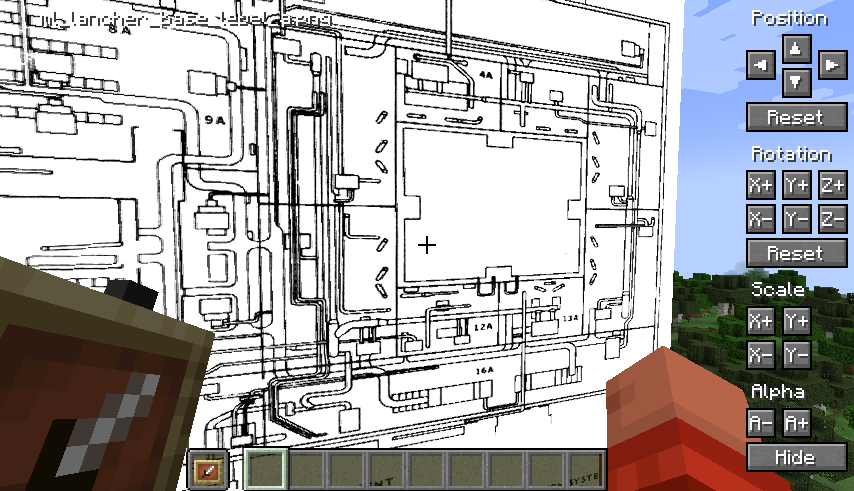 Individual image positioning, scaling, rotation and transparency Move and position real schematics into your Minecraft world for reference while building.
 -
 Using multiple schematics concurrently Building the NASA Vehicle Assembly Building using multiple reference schematics for each axis in real scale.
 -
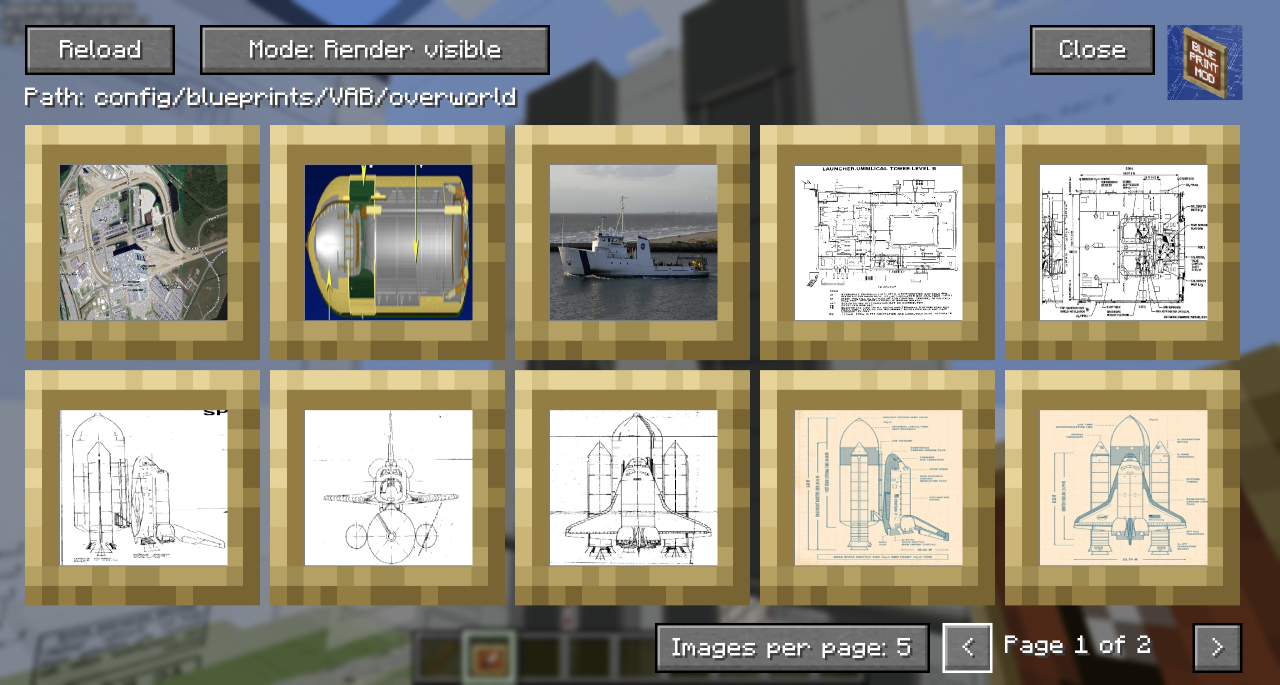
 Grid based selection screen new selection screen to make it easier to find and position blueprints
 -
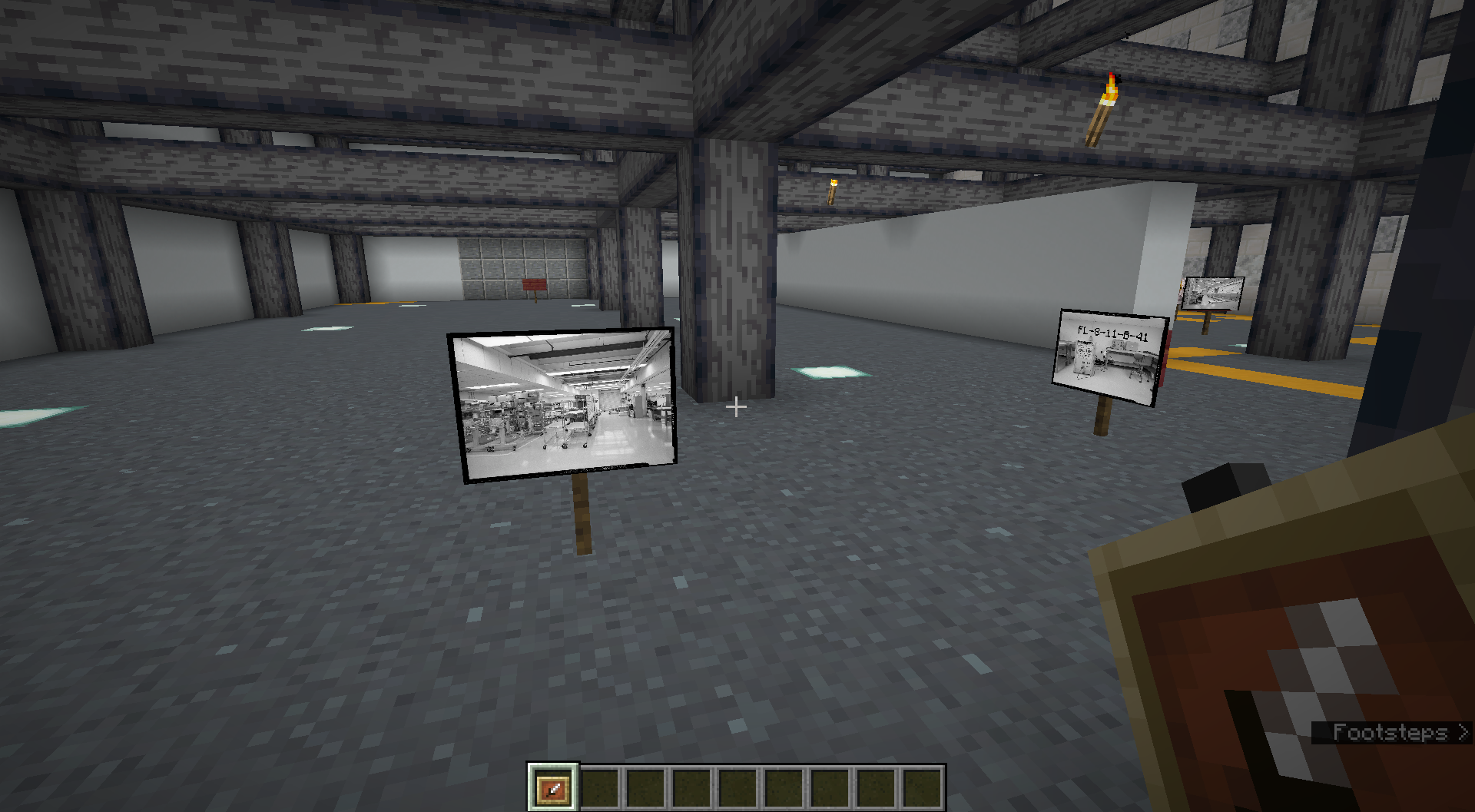 Adding photos for angle checking Adding photos from specific points and angles the camera was taken at to use as a reference when building
 -
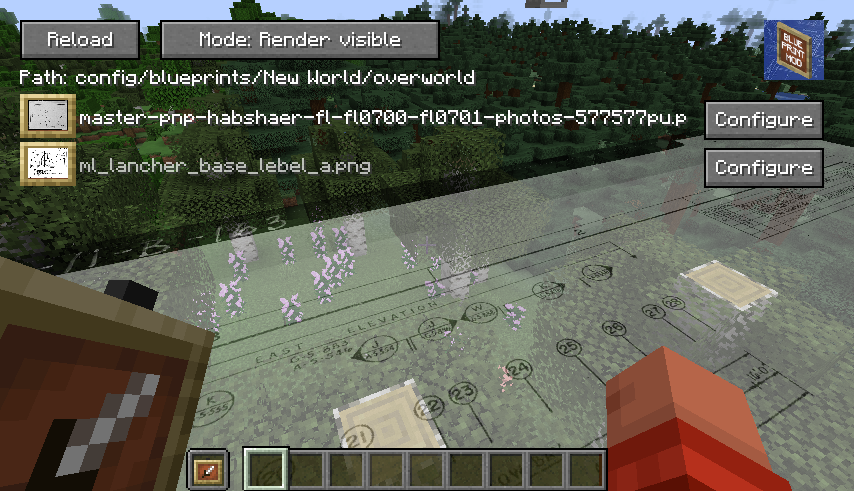 Configure multiple reference images
Versions
Files
Relations
Project Relations
More like this
Similar Mods
Suggestions use data such as tags, dependencies, dependents, descriptions, titles, and more to rank how much they overlap with this mod.
On ModDex
Community snapshot
By the numbers
Statistics
Want to reach Minecraft players?
We're looking for a server hosting partner to feature here and other parts of the site. Interested? Send us a message!
Get in touchGet it on
Available Platforms
On ModDex
Community snapshot
By the numbers