
Community listing page, reviews may not be monitored by the author.
Blueprint HUD

No reviews yet
A client-side mod that overlays reference images on your screen, so you can follow blueprints and build references without leaving the game.

Community voices
Reviews
No reviews yet. Be the first to review this project!
Get it on
Available Platforms
About
Project Details
For authors
Embed Badge
If you're the author of this project, you can embed a live badge anywhere that supports HTML or Markdown. It updates automatically whenever ratings change.
Use HTML for any page that supports it, or Markdown for README files and Markdown-based descriptions.
Identifiers
Platform IDs
About
Description
Blueprint HUD
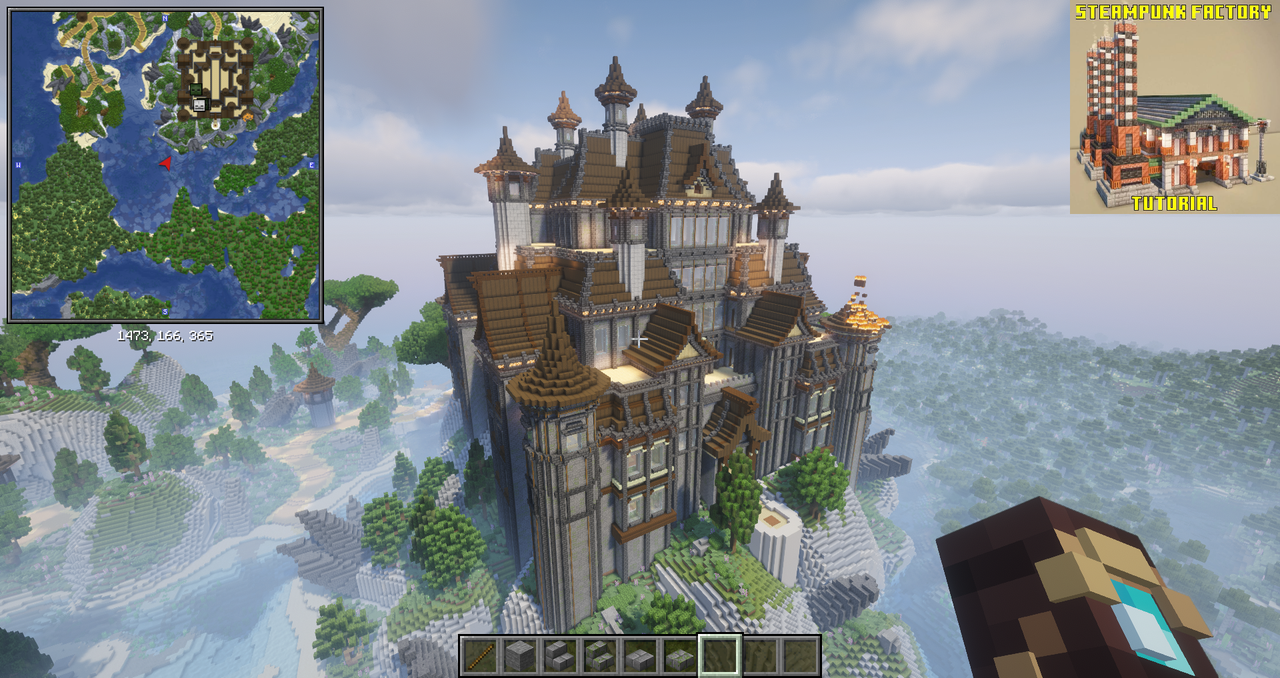
Blueprint HUD is a lightweight client-side Minecraft mod that lets you display reference images as an on-screen overlay. Whether you're following a detailed build guide, recreating a structure from a screenshot, or just need inspiration, Blueprint HUD keeps your references visible while you build.
No more alt-tabbing or switching windows — just build with your blueprint right in front of you.
✨ Features
- On-screen overlay — display any image directly on your screen while playing
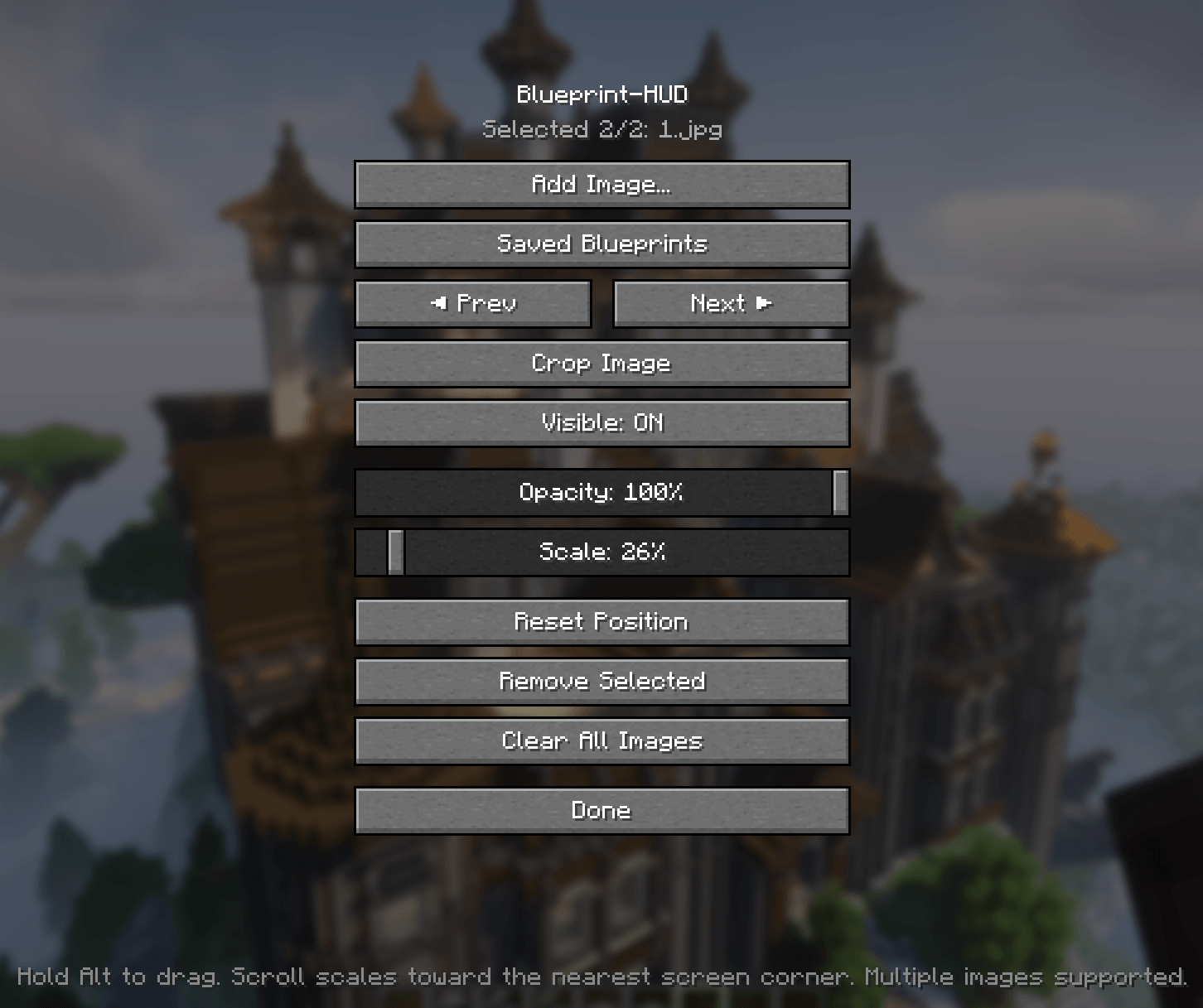
- Adjustable transparency — control how much the reference blends with the game
- Resizable & movable — scale the image and drag it around the screen by holding Alt
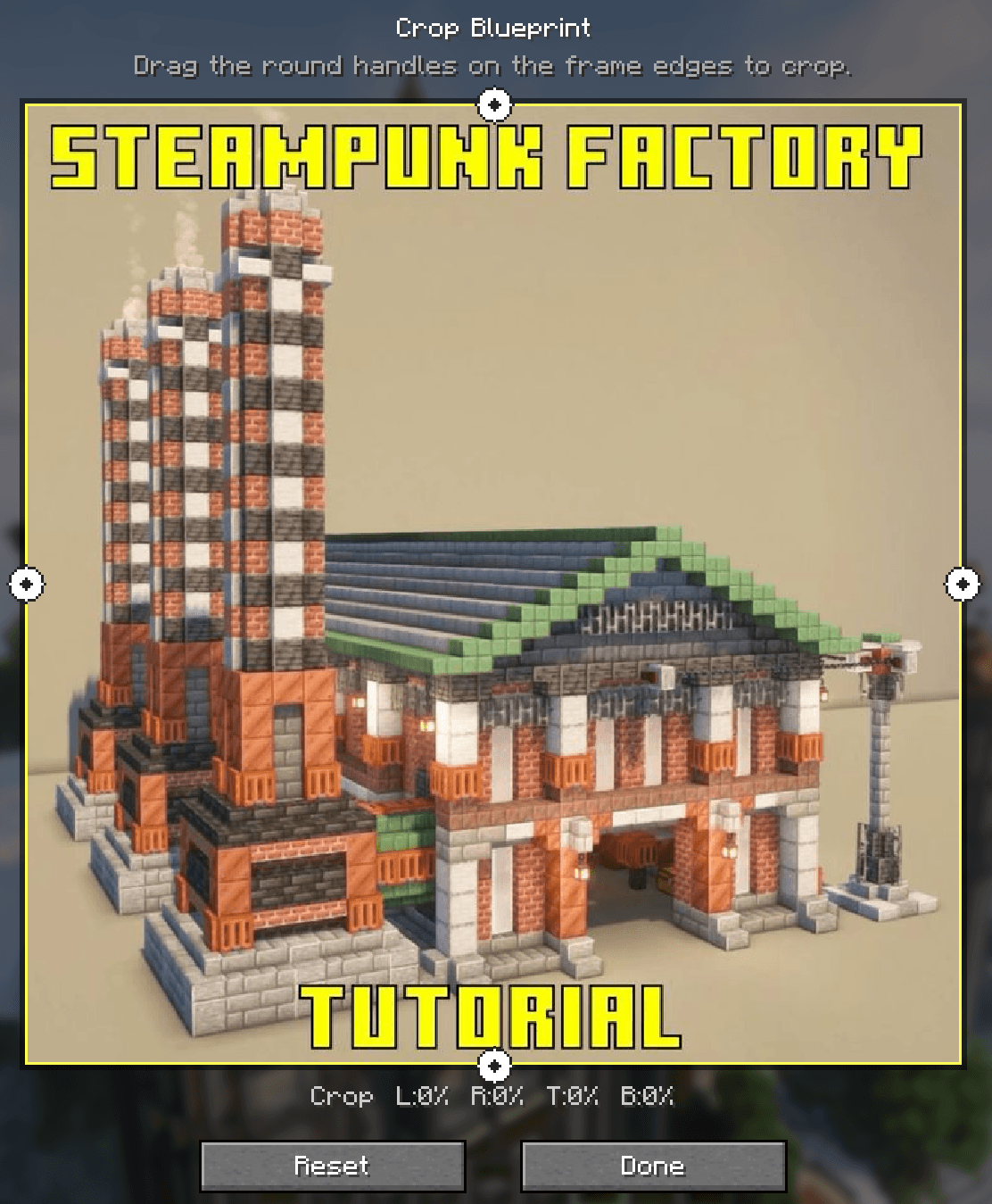
- Built-in image editor — crop and resize reference images directly in-game
- Toggle hotkey — quickly show or hide the reference with a keybind
- Multiple images — cycle through several references on the fly
- Persistent settings — your layout and preferences are saved between sessions
📦 Installation
- Install Fabric Loader
- Install Fabric API (required dependency)
- Download the latest version of Blueprint HUD
- Place the
.jarfile into yourmodsfolder - Launch Minecraft and enjoy!
⚙️ Configuration
All settings can be accessed via the in-game config menu or by editing the config file directly.
- Overlay opacity — transparency level of the overlay (0.0–1.0), default
0.7 - Overlay scale — scale multiplier for the image, default
1.0 - Toggle key — keybind to show/hide the overlay, default
B - Image path — path to the reference image
- Drag modifier — hold Alt to move the overlay around the screen
🔗 Links
📜 License
This project is licensed under the MIT License — see the LICENSE file for details.
Screenshots
Gallery
-
 2 (2).png 2 (2).png
 -
 3 (2).png 3 (2).png
Versions
Files
Relations
Project Relations
More like this
Similar Mods
Suggestions use data such as tags, dependencies, dependents, descriptions, titles, and more to rank how much they overlap with this mod.
On ModDex
Community snapshot
By the numbers
Statistics

Get it on
Available Platforms
On ModDex
Community snapshot
By the numbers