Community listing page, reviews may not be monitored by the author.
Refined Storage & Create : Compat and Improve

No reviews yet
Order Create sequenced assembly from Refined Storage: chambers feed machines, products return to the network. And a lot of other interesting things.

Community voices
Reviews
No reviews yet. Be the first to review this project!
Get it on
Available Platforms
About
Project Details
For authors
Embed Badge
If you're the author of this project, you can embed a live badge anywhere that supports HTML or Markdown. It updates automatically whenever ratings change.
Use HTML for any page that supports it, or Markdown for README files and Markdown-based descriptions.
Identifiers
Platform IDs
Resources
External Links
About
Description
All Changing log please see In Github
所有详细的更改日志请查看github。
### English
**Mechanical Power & Refined Storage: Compatibility and Improvements**
Bridges **Create's sequenced assembly** and **Refined Storage 2's autocrafting**. Place one order in any RS crafting terminal and the whole Create line runs on its own, with products and scraps landing straight back in the network.
| Minecraft | 1.21.1 |
| NeoForge | 21.1.248 (range `[21,)`) |
| Create | 6.0.10-280 (range `[6.0,)`) |
| Refined Storage 2 | 2.0.0 (range `[2.0.0,3.0.0)`) |
| This mod | 1.0.0 |
### Features
- **Sequenced assembly as a native RS autocraft.** Multi-step recipes with probabilistic outputs — sturdy sheets, precision mechanisms, tracks — become ordinary autocrafting patterns you can order from any terminal.
- **No hand-written patterns.** Import a Create sequenced assembly recipe from JEI into the Sequence Pattern Terminal; steps, machine types, chances and scraps are expanded automatically, and one click generates the assembly pattern plus a unit pattern for every step.
- **Chambers move the materials for you.** A Sequence Execution Chamber placed against a machine pulls ingredients from the network, feeds the deployer / press / spout in front of it, and reclaims intermediates, products and scraps — no manual feeding, no rows of funnels.
- **Chance-based recipes and scraps are taken seriously.** Recipes whose main output is not guaranteed advance by expectation, and scraps are tracked as their own category so they can be reclaimed separately without contaminating other recipes' inputs.
- **Scale out, then chain up.** Any number of chambers can work the same machine bank at once, and chambers of the same recipe type placed end to end are treated as **one** logical chamber: capacity, unit patterns and bus ownership are shared, and a bus attached anywhere along the chain counts as attached to all of it.
- **Category-scoped logistics.** Importer and Exporter buses expose six scopes — start ingredients, per-step inputs, fluids, intermediates, products and scraps — filtered per recipe, with multi-candidate inputs such as iron/zinc nuggets rotated consistently.
- **Intermediates stop piling up.** An Intermediate Cache Warehouse becomes a network-wide shared buffer for all chambers (capacity comes from the storage disks you insert), and `reuse on` lets a new order continue from an intermediate that already exists instead of restarting the line.
- **Stalls tell you what is actually wrong.** Missing materials, an offline executor, a refusing downstream machine and a lack of progress are reported separately, suspending the task with a banner naming the failing step and offering "continue" / "change machine".
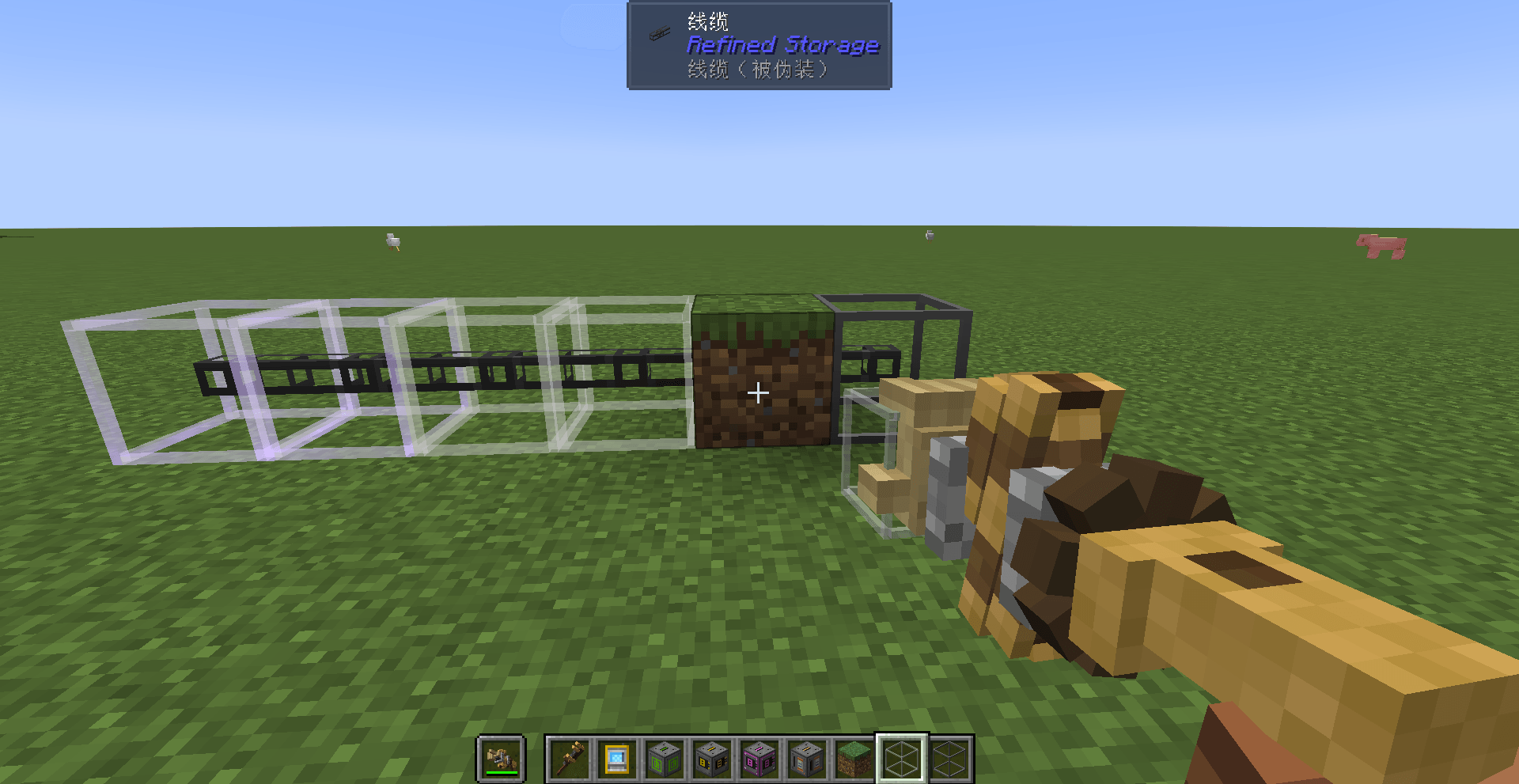
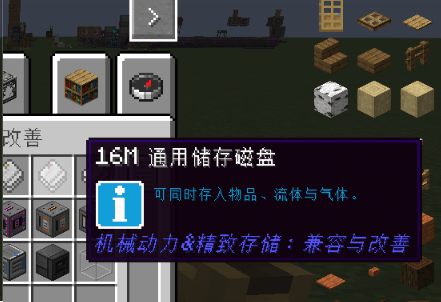
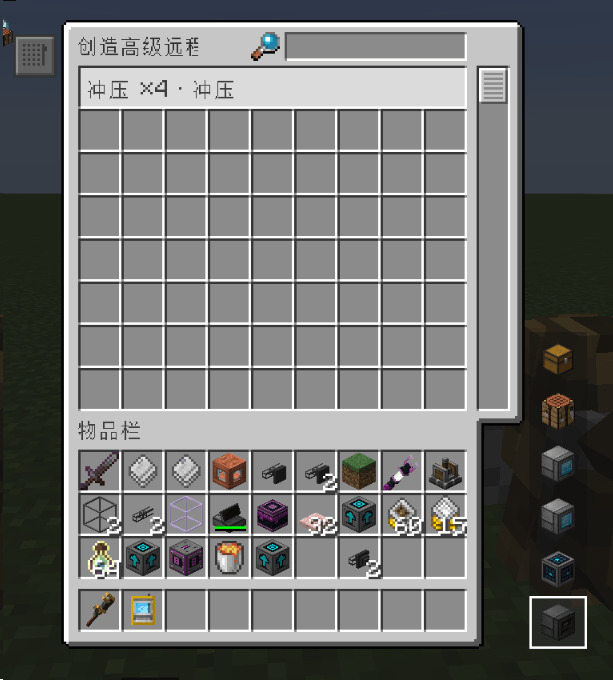
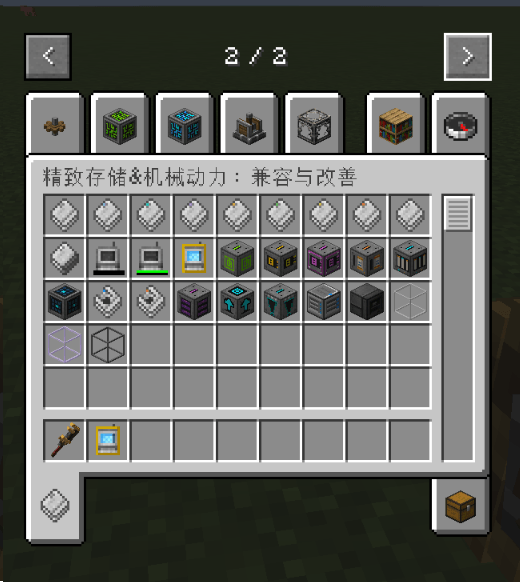
- **Extras.** Schematic Cannon Loader, Collection Cache, Resource Quantity Keeper, Range Charger, Universal Storage Disks (1k through 64M plus a creative tier), an Advanced Remote Terminal, Separation / Infinite Separation / Camouflage Frames, and one-command diagnostic snapshots.
### Installation
**Required**
| Mod | Version range |
|---|---|
| NeoForge | `[21,)` (built against 21.1.248) |
| Create | `[6.0,)` |
| Refined Storage 2 | `[2.0.0,3.0.0)` |
| Curios API | `[9.0.0,)` |
| Refined Storage - Curios Integration | `[1.0.0,)` |
**Optional** (the mod loads and works without them; each only unlocks one extra)
| Mod | Version range | Unlocks |
|---|---|---|
| JEI | `[19.0,20.0)` (client) | Press `+` on a sequenced assembly recipe page to import the whole flow |
| Jade | `[15.0.0,)` (client) | Shows the real identity of camouflaged / sheathed blocks |
| FTB Ultimine | `[2101.1.0,)` | Hold the Ultimine key to frame a whole same-family cable or pipe run at once |
Drop this mod and the required dependencies into `.minecraft/mods`.
### Quick start
1. Place a **Sequence Execution Chamber** next to your Create machine and open its config to set the **recipe type** (for example `create:pressing`) and a name. A unit pattern only fits when its recipe type matches the chamber exactly.
2. Place a **Sequence Pattern Terminal** and put a Refined Storage pattern (`refinedstorage:pattern`) in the pattern input slot — it is consumed when generating.
3. Import a sequenced assembly recipe with JEI's `+` (sequenced assembly pages only) or from inside the terminal UI.
4. Assign a chamber to every step in the flow editor.
5. Press **Generate Patterns**: you get the assembly pattern plus one unit pattern per step. The output slot is take-only, so it greys out while a pattern is sitting in it.
6. Put each unit pattern into the chamber responsible for its step, either by right-clicking it in or via **Store** in the chamber units summary.
7. Place a **Sequence Assembly Pattern Vault**, connect it to your network and put the assembly pattern in its slot — that is the moment the product becomes autocraftable.
8. Run RS cables to your Importer / Exporter buses on the chambers; they turn into "extended" buses with category checkboxes. Adding an **Intermediate Cache Warehouse** with a storage disk is strongly recommended.
9. Order the product from any RS terminal and watch progress in the Autocrafting Monitor.
### Commands
Root command is `/rs_create_compat`. **No permissions are required — every player can run them.**
| Command | Effect |
|---|---|
| `/rs_create_compat autocrafter storage on` / `off` | Enable / disable internal storage of autocrafters within 32 blocks (flushes contents back to the network before disabling) |
| `/rs_create_compat blockcontent network` / `drop` / `block` | Where block contents go when broken: back to the network / dropped (default) / kept inside the block item |
| `/rs_create_compat supply materials` / `target` | Feed materials only, or craft up to the target product (default) |
| `/rs_create_compat shortagemode suspend` / `wait` | Suspend the task when short on materials (default), or keep waiting |
| `/rs_create_compat refill off` / `on` / `machines` | Refill one at a time (default) / exactly the shortfall / one batch per machine fed |
| `/rs_create_compat reuse on` / `off` | Prefer reusing existing intermediates when starting a new item (default `off`) |
| `/rs_create_compat assemblydebug on` / `off` | Sequenced assembly diagnostic logging (on by default); `debug assembly` is an alias |
| `/rs_create_compat diag` / `diag run` | Export a diagnostic snapshot to `run/rscc_diag/latest/snapshot.json` (read-only, idempotent) |
Keybinds: `G` opens the Advanced Remote Terminal, `H` toggles Separation Frame display, `K` hides / restores sheathed blocks (the latter two need goggles).
### FAQ
**The line does nothing and consumes no materials.**
Check, in order: is the assembly pattern in the Pattern Vault; is there a "bus not configured: paused, will not consume materials" banner naming a step; is each step's chamber online with a matching recipe type; are the unit patterns actually inside the chambers? `/rs_create_compat diag` exports a snapshot that answers all four.
**The bus GUI reverted to a plain Importer / Exporter.**
Its ownership became ambiguous, so the extended bus was disabled. Use "show reachable area", then isolate the cabling with a Separation Frame or by cutting the seam with a wrench, or simply move the chambers apart. You can also press "Plain" to demote it on purpose and "Restore" later.
**The monitor says the output is blocked.**
The downstream station refuses the item — usually a scrap or another in-progress item is sitting on the machine or depot. Clear it, then press **Continue** in the monitor: a suspended task never resumes by itself. `/rs_create_compat refill machines` reduces how often this happens.
**Intermediates pile up and the terminal cannot see them.**
Add an Intermediate Cache Warehouse, network it and insert a storage disk (27 slots; several warehouses merge into one pool). Then turn on `/rs_create_compat reuse on` and keep the default `supply target`.
### Known limitations
- **FACE output mode is ungated.** Bus output mode carries the full set of safety gates; FACE mode does not, so a start ingredient that the machine has already turned into a transitional item can be fed again, opening an extra in-progress item. Bus-output lines are unaffected.
- **Patterns are a snapshot taken at generation time.** After changing the flow, swapping a machine or updating the mod you must regenerate the assembly and unit patterns. The pattern output slot is take-only.
- **Ambiguous bus ownership disables the whole extended bus** (two or more distinct chains reached, or an inconclusive scan).
- **A suspended task never resumes on its own** — only the player pressing Continue in the monitor restores it.
- **`shortagemode wait` disables stall detection by design** (it never suspends on missing materials).
- **Chains cap at 8 chambers**, matching Refined Storage's autocrafter expansion limit; when a chain forks, only one direction counts as downstream.
- **Shared-machine queueing reads the order time** (wall-clock milliseconds), so changed system clocks or tasks imported from another save can reorder priority unexpectedly.
- **Separation frames and wrench seams do not travel with blueprints.** Create blueprints only store blocks and block entities, so those records are lost on export/paste and the cables reconnect.
- **The Intermediate Cache Warehouse only has disk slots** — no storage disk means no capacity.
### License and feedback
Licensed under **All Rights Reserved**. No additional permissions are granted; redistribution, modification and commercial use of the source or artifacts require the author's consent.
Bug reports and suggestions are welcome on GitHub Issues — please attach a `/rs_create_compat diag` snapshot and `logs/latest.log` when you can:
https://github.com/CookieWYQ/refined_storage_and_create_compat/issues
Homepage: https://github.com/CookieWYQ/refined_storage_and_create_compat
**机械动力&精致存储:兼容与改善**
把 Create 的**序列装配**接进 Refined Storage 2 的**自动合成**:在任意精致存储终端下一次单,整条 Create 产线自动跑完,成品与废料直接进网络。
| 项目 | 版本 |
|---|---|
| Minecraft | 1.21.1 |
| NeoForge | 21.1.248(范围 `[21,)`) |
| Create(机械动力) | 6.0.10-280(范围 `[6.0,)`) |
| Refined Storage 2(精致存储) | 2.0.0(范围 `[2.0.0,3.0.0)`) |
| 本模组 | 1.0.0 |
### 功能特性
- **Create 的序列装配变成 RS 自动合成。** 坚固板、精密构件、列车轨道这类多步骤、带概率产物的产线,注册成自动合成样板后就能像普通合成一样下单。
- **不用手写样板。** 在序列装配样板终端里从 JEI 导入一条 Create 序列装配配方,步骤、处理器类型、概率产物与废料自动展开;点「生成样板」得到总样板,并自动为每一步生成一张单元样板。
- **执行仓替你搬料。** 序列执行仓紧贴机器放置,自动从网络取原料投给机械手 / 冲压机 / 注液机,并把中间产物、成品与废料收回网络,不需要手动喂料或摆一排漏斗。
- **概率与废料被认真对待。** 主产物非必得的配方按期望推进;废料是独立类别,可单独勾选回收,不会和其他配方的原料混在一起。
- **多台机器一起干、还能成链扩容。** 任意数量的执行仓贴在同一批机器旁即可同时开工;同配方的执行仓沿箭头首尾相接时会被当成**一台**逻辑执行仓,容量、单元样板与总线归属整链共享,总线上接在链上任意一台旁都算接上整条链。
- **按类别精细控制物流。** 输入 / 输出总线的「类别详细配置」把资源分成原料、输入时原料、流体、中间产物、成品、废料六组,按配方分页勾选;多候选投入物(列车轨道的铁粒 / 锌粒)按同一节奏轮换。
- **中间产物不再堆积。** 中间产物缓存仓提供一份全网执行舱共享的缓存池(容量来自插入的储存磁盘);开启「优先复用中间产物」后,新订单可以直接接着网络里已有的半成品往下做。
- **卡住了会明确告诉你。** 缺料、执行器掉线、下游拒收、长时间无进展会被分别识别,挂起任务并在自动合成监视器里给出横幅与出错步序,以及「继续 / 更换机器」按钮。
- **配套内容。** 蓝图加农炮装填器、归流缓存仓、资源定量保持器、范围充电器、通用储存磁盘(1K 至 64M 及创造版)、高级远程多功能终端、分隔框架 / 无限分隔框架 / 伪装框架,以及一键诊断快照。
### 安装
**必装前置**
| 模组 | 版本范围 |
|---|---|
| NeoForge | `[21,)`(开发基线 21.1.248) |
| Create(机械动力) | `[6.0,)` |
| Refined Storage 2(精致存储) | `[2.0.0,3.0.0)` |
| Curios API | `[9.0.0,)` |
| Refined Storage - Curios Integration | `[1.0.0,)` |
**可选前置**(不装也能正常加载,只是少一项功能)
| 模组 | 版本范围 | 装了之后 |
|---|---|---|
| JEI | `[19.0,20.0)`(仅客户端) | 在 JEI 的序列装配配方页面按 `+`,直接把整条流程导入序列装配样板终端 |
| Jade | `[15.0.0,)`(仅客户端) | 瞄准被伪装 / 套壳的方块时显示它的真实身份 |
| FTB Ultimine | `[2101.1.0,)` | 手持框架按住连锁键右键,一次给整段同族线缆 / 流体管道套上框架 |
把本模组的 jar 与上述必装前置一起放进 `.minecraft/mods` 即可。
### 快速上手
1. 在 Create 机器旁放一台**序列执行仓**,打开「配置」设好**配方类型**(例如 `create:pressing`)与**名字**。单元样板只有在配方类型与本仓完全一致时才放得进去。
2. 放一台**序列装配样板终端**,在样板输入槽里放一张精致存储样板(`refinedstorage:pattern`)作为生成耗材。
3. 用 JEI 的 `+`(只对序列装配类别生效)或界面内的导入,导入一条 Create 序列装配配方。
4. 在流程编排里为每一步指派一台执行仓。
5. 点「生成样板」,得到总样板与每一步的单元样板。总样板槽只出不进,槽里有样板时按钮置灰。
6. 把单元样板放进对应那一步的执行仓(手持右键,或在「执行舱单元样板汇总」里点「存入」)。
7. 放一台**序列装配样板库**并接入网络,把总样板放进它的槽里 —— 这一刻起该产物成为网络中的一条自动合成。
8. 用线缆把输入 / 输出总线连到执行仓上(它们会自动变成「延长型」,界面换成类别勾选);建议再放一台**中间产物缓存仓**并插入储存磁盘。
9. 在任意精致存储终端下单,然后在「自动合成监视器」里看进度。
### 指令
根指令 `/rs_create_compat`,**任何玩家均可执行,不需要权限**。
| 指令 | 作用 |
|---|---|
| `/rs_create_compat autocrafter storage on` / `off` | 开启 / 关闭执行者周围 32 格内自动合成仓的内部存储(关闭时先写回网络) |
| `/rs_create_compat blockcontent network` / `drop` / `block` | 拆方块时内容物去向:写回网络 / 掉落出来(默认)/ 存进方块物品 |
| `/rs_create_compat supply materials` / `target` | 原料供应:只管输出原料 / 直到目标产物达标(默认) |
| `/rs_create_compat shortagemode suspend` / `wait` | 缺料处置:缺料即挂起(默认)/ 一直等待 |
| `/rs_create_compat refill off` / `on` / `machines` | 补合成请求量:一次一份(默认)/ 按缺口要足 / 按机器台数 |
| `/rs_create_compat reuse on` / `off` | 开新件时是否优先复用网络中已有的中间产物(默认 `off`) |
| `/rs_create_compat assemblydebug on` / `off` | 序列装配诊断日志开关(默认开启);`debug assembly` 为等价写法 |
| `/rs_create_compat diag` / `diag run` | 导出诊断快照 `run/rscc_diag/latest/snapshot.json`(只读、幂等) |
快捷键:`G` 打开高级远程多功能终端、`H` 切换分隔框架显示、`K` 隐藏 / 恢复填充方块(后两者需要护目镜)。
### 常见问题
**机器一动不动、也不消耗原料?**
依次确认:总样板是否已放进序列装配样板库;是否有「总线未配置:已暂停,不会消耗原料」横幅;每一步的执行仓是否在线且配方类型匹配;单元样板是否已放进执行仓。执行 `/rs_create_compat diag` 导出快照可进一步定位。
**总线界面变回普通的输入 / 输出总线界面?**
说明这条延长型的归属未确定并被停用。用「显示可达区域」看清它够到了哪些执行仓,再用分隔框架或扳手接缝断开把线缆隔离,或把那几台执行仓分开放。也可以点类别条上的「普通」主动降级,之后可点「恢复」。
**监视器提示「输出阻塞」?**
下游工位推不进去,通常是机器或置物台上压着废料或另一件在制件。清掉堵住的东西后回监视器点「继续」——它不会自动恢复。想减少这类阻塞可用 `/rs_create_compat refill machines`。
**中间产物越堆越多,终端里还看不到?**
放一台中间产物缓存仓并接入网络、插上储存磁盘(27 个盘位,多台自动合成一个池子),再开启 `/rs_create_compat reuse on`,并使用默认的 `supply target`。
### 已知限制
- **面输出模式(FACE)未设防。** 执行仓的总线输出模式有完整的多重闸门;切到面输出模式时没有同等保护,起步原料在已被机器转成过渡件时可能被再次投放,多开一件在制件。使用总线输出的产线不受影响。
- **样板是生成时的静态快照。** 改流程、换机器或升级模组后需**重新生成**总样板与单元样板;总样板槽只出不进。
- **总线归属未确定会停用整条延长型**(够到两条以上不同的链,或探查未穷尽)。
- **挂起不会自动恢复**,恢复的唯一入口是玩家在监视器上点「继续」。
- **缺料处置切到「一直等待」后卡住判定失效**,这是该档位的设计语义。
- **长链上限 8 台**,链出现分叉时只有一个方向算作下游。
- **共享机器排队读的是下单时刻**(墙上时钟毫秒),服务器时间被改动或任务从别的存档导入时,先后可能与直觉不一致。
- **分隔框架与扳手断开不随蓝图走**,导出再粘贴之后这两条记录会丢、两条线缆会重新连通。
- **中间产物缓存仓本身只有盘位**,不插储存磁盘就没有缓存容量。
### 许可与反馈
许可为 **All Rights Reserved**(保留所有权利)。作者未授予任何额外许可,源码与制品的再分发、修改与商用请先取得作者同意。
问题反馈与功能建议请到 GitHub Issues,并尽量附上 `/rs_create_compat diag` 导出的快照与 `logs/latest.log`:
https://github.com/CookieWYQ/refined_storage_and_create_compat/issues
项目主页:https://github.com/CookieWYQ/refined_storage_and_create_compat
Screenshots
Gallery
-
 2026-10-07_16.34.24.png 2026-10-07_16.34.24.png
 -
 img_49a654645ebe29e1.png img_49a654645ebe29e1.png
 -
 img_75d0bdbec7035726.png img_75d0bdbec7035726.png
 -
 img_e50515972bb5c848.png img_e50515972bb5c848.png
Versions
Files
Relations
Project Relations
More like this
Similar Mods
Suggestions use data such as tags, dependencies, dependents, descriptions, titles, and more to rank how much they overlap with this mod.
- Repurposed Structures - Create: Dynamic Village Compat
- Refined Storage × Create Autocrafting
- Create Refined Storage Recipes
- Custom Disks JS | Create Custom Refined Storage Disks with KubeJS
- StockBridge:Refined Strotage+Create
- RS Grid Filtering | Refined Storage Filter Cards
- Create Refined Recipes
- rsoncreate
- ME Proxy
- RS Pockets
- Storage Organizer
- Refined Schematics
On ModDex
Community snapshot
By the numbers
Statistics

Get it on
Available Platforms
On ModDex
Community snapshot
By the numbers
Statistics
Resources