Community listing page, reviews here may not be monitored by the author.
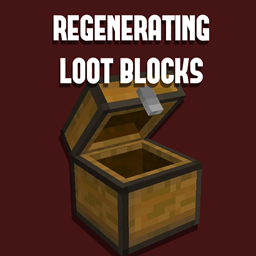
Regenerating Loot Blocks

No reviews yet
A simple mod that adds a block that regenerates it's loot table. Perfect for modpacks.
Includes quality of life improvements and small tweaks to enhance and customize gameplay.
Forge is a popular mod loader for versions 1.1+ of Minecraft.
Community voices
Reviews
Filters
Click once to include, again to exclude, again to clear
No reviews yet. Be the first to review this project!
Get it on
Available Platforms
About
Project Details
For authors
Embed Badge
If you're the author of this project, you can embed a live badge anywhere that supports HTML or Markdown. It updates automatically whenever ratings change.
Use HTML for any page that supports it, or Markdown for README files and Markdown-based descriptions.
Identifiers
Platform IDs
Resources
External Links
About
Description
Details
Regenerating Loot Blocks is a mod made for modpack developers. It adds a singular indestructable block called the Loot Block. This block will automatically restock it's inventory with a provided loot table when it's internal cooldown reaches 0. It is also capable of disguising itself as almost any block, though the default appearance is a chest.
How To Use
To obtain the block, you will need to use /give regenerating_loot_blocks:regen_loot_block as the item is not in the creative menus.
The mod comes with one command: /lootBlock <x> <y> <z> <loot_table> <cooldown> [blockstate]. This command is used to modify existing loot blocks. loot_table is what loot table the game will generate inside the container, cooldown is how many ticks it takes for the inventory to regenerate from the last player to interact, and blockstate is the optional blockstate that the Loot Block will take the appearance of.
Creative mode players are also able to right click the Loot Block with any block, and the Loot Block will instantly copy the appearance of that block. Blocks with the FACING property will automatically rotate to face the player for convenience.
Shift right clicking the Loot Block in creative mode will allow you to display some stats about it's stored data.
To copy a Loot Block and it's settings to your inventory for easy replication, simply use the vanilla method: <Pick Block> + Ctrl (Middle Click + Ctrl by default) to copy the block with nbt.
Known Issues
There are some small issues with the mod:
BlockEntities cannot be used as the display blockstate for the Loot Block, meaning blocks such as chests will not be rotateable if they are used.
Details
You may use this mod in any modpack without asking me, just don't forget to credit.
Please do not ask me to make this mod for different versions of the game, it was originally made for personal use and I do not intend to upkeep it.
Screenshots
Gallery
Versions
Files
Relations
Project Relations
More like this
Similar Mods
Suggestions use data such as tags, dependencies, dependents, descriptions, titles, and more to rank how much they overlap with this mod.
On ModDex
Community snapshot
By the numbers
Statistics
Want to reach Minecraft players?
We're looking for a server hosting partner to feature here and other parts of the site. Interested? Send us a message!
Get in touchGet it on
Available Platforms
On ModDex
Community snapshot
By the numbers
Statistics
Resources