Community listing page, reviews may not be monitored by the author.
Rejoin Scheduler (Catporter utilities)


No reviews yet
Rejoin Scheduler adds a command that makes you disconnect and automatically reconnect after a specified time.

Community voices
Reviews
No reviews yet. Be the first to review this project!
Get it on
Available Platforms
Compatibility
Supported Environments
Runs entirely on the client. Works on vanilla servers.
About
Project Details
For authors
Embed Badge
If you're the author of this project, you can embed a live badge anywhere that supports HTML or Markdown. It updates automatically whenever ratings change.
Use HTML for any page that supports it, or Markdown for README files and Markdown-based descriptions.
Identifiers
Platform IDs
About
Description
Rejoin Scheduler lets you automatically reconnect to a server after a specified delay, putting you in control of exactly when you return. It’s lightweight and entirely client-side.
You can set a custom delay using commands, or create and manage named presets for different scenarios.
Commands like /rejoin delay, /rejoin preset set, and /rejoin with allow you to quickly configure and schedule your reconnects without any server-side setup.
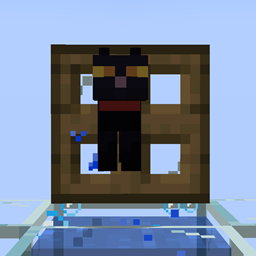
Rejoin Schedulers is designed to work in tandem with Catporters, a system where a cat entity tracks your connection. If you've been offline for a specific window—say, between 10 and 20 seconds—and rejoin within that time, the cat will teleport you as intended. This mod ensures you can reliably hit that timing window, making Catporter mechanics easier to trigger and more consistent.
Commands:
/rejoin delay {ticks} - Disconnects the player and rejoins after the specified amount of time has passed.
/rejoin preset set {name} {delay} - Adds a preset with the specified delay.
/rejoin with {preset} - Rejoins with a delay specified by /rejoin preset set {name} {delay}
/rejoin preset list - Lists all presets and their delays in ticks.
/rejoin preset delete {preset} - Deletes the specified preset.
Do note: 20 ticks is 1 second, so if you want to rejoin in 15 seconds, you should do 20x15 to get the amount of ticks (300 ticks).
Presets are stored in a json file in the config folder.
For more information on catporters, I recommend watching this youtube video:
Join the Discord! You can ask for help, a mod, just suggest something, hangout or request the source code of any mod I have made (if I still have the source code)
Or donate to my Kofi incase you are feeling generous!
Rejoin Scheduler lets you automatically reconnect to a server after a specified delay, putting you in control of exactly when you return. It’s lightweight and entirely client-side.
You can set a custom delay using commands, or create and manage named presets for different scenarios.
Commands like /rejoin delay, /rejoin preset set, and /rejoin with allow you to quickly configure and schedule your reconnects without any server-side setup.
Rejoin Schedulers is designed to work in tandem with Catporters, a system where a cat entity tracks your connection. If you've been offline for a specific window—say, between 10 and 20 seconds—and rejoin within that time, the cat will teleport you as intended. This mod ensures you can reliably hit that timing window, making Catporter mechanics easier to trigger and more consistent.
Commands:
/rejoin delay {ticks} - Disconnects the player and rejoins after the specified amount of time has passed.
/rejoin preset set {name} {delay} - Adds a preset with the specified delay.
/rejoin with {preset} - Rejoins with a delay specified by /rejoin preset set {name} {delay}
/rejoin preset list - Lists all presets and their delays in ticks.
/rejoin preset delete {preset} - Deletes the specified preset.
Do note: 20 ticks is 1 second, so if you want to rejoin in 15 seconds, you should do 20x15 to get the amount of ticks (300 ticks).
Presets are stored in a json file in the config folder.
For more information on catporters, I recommend watching this youtube
Join the Discord! You can ask for help, a mod, just suggest something, hangout or request the source code of any mod I have made (if I still have the source code)
Or donate to my Kofi incase you are feeling generous!
Screenshots
Gallery
Versions
Files
Relations
Project Relations
More like this
Similar Mods
Suggestions use data such as tags, dependencies, dependents, descriptions, titles, and more to rank how much they overlap with this mod.
On ModDex
Community snapshot
By the numbers
Statistics

Get it on
Available Platforms
On ModDex
Community snapshot
By the numbers