
Community listing page, reviews may not be monitored by the author.
Render Distance Command


No reviews yet
A simple Fabric mod for 1.19.3 that lets you set your render distance instantly from chat!

Community voices
Reviews
No reviews yet. Be the first to review this project!
Get it on
Available Platforms
Compatibility
Supported Environments
Runs entirely on the client. Works on vanilla servers.
About
Project Details
For authors
Embed Badge
If you're the author of this project, you can embed a live badge anywhere that supports HTML or Markdown. It updates automatically whenever ratings change.
Use HTML for any page that supports it, or Markdown for README files and Markdown-based descriptions.
Identifiers
Platform IDs
Resources
External Links
About
Description
⚠️IMPORTANT⚠️
This mod requires the Fabric API.
- - - - - - - - - - - - - - - - - - - - - - - - -
Ever just wanted to set your render distance instantly from chat? Well, you came to the right place!
Render Distance Command is a simple client-sided Minecraft mod for the Fabric Loader, that allows you to set your render distance instantly from chat, instead of going to the video settings button. For example, to set the render distance command to 20 chunks with this mod, run: /renderdistance 20.
A demonstration video, showcasing this mod can be found here.
Thanks for 1000+ downloads - you guys are awesome!
⚠️IMPORTANT⚠️
This mod requires Fabric API.
Due to vanilla limitations, you must install Bobby, in order to set render distances past 12 chunks with the command.
Mod Description
Ever just wanted to set your render distance instantly from chat? Then you came to the right place!
Render Distance Command (also published on Curseforge) is a client-sided Minecraft mod for the Fabric Loader, that adds the /renderdistance command, which sets your current render distance to what ever you want (2 chunks min, 128 chunks max). Here's an example command for setting your render distance to 20 chunks:
/renderdistance 20
Also, as of v1.0.1 of the mod, there is a new command that allows you to see the currently set render distance. Here's how you would type it in in chat to get your current render distance:
/getcurrentrenderdistance
For a visual of this mod, please play the Mod Demonstration Video below, or check out this mod's Gallery Tab. In the Gallery Tab, there are screenshots with a feature from another mod, which is called Timestamp Chat, by Abbie.
Mod Demonstration Video
Donation
If you want, you can support me by donating with the link on this page.
Screenshots
Gallery
-
 Icon This image is the mod's in-game icon.
 -
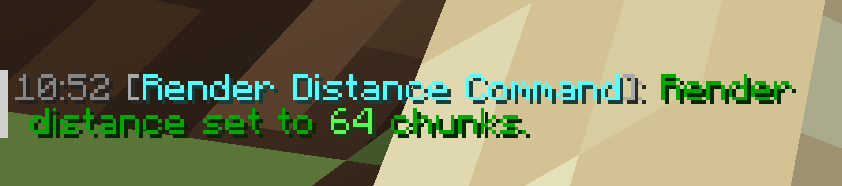 Set Distance Notification This screenshot shows how the mod tells you that you set your render distance (64 chunks in this case). Also, a Villager Yes sound will play: minecraft:entity.villager.yes. The time stamp is from another mod (check out description for link).
 -
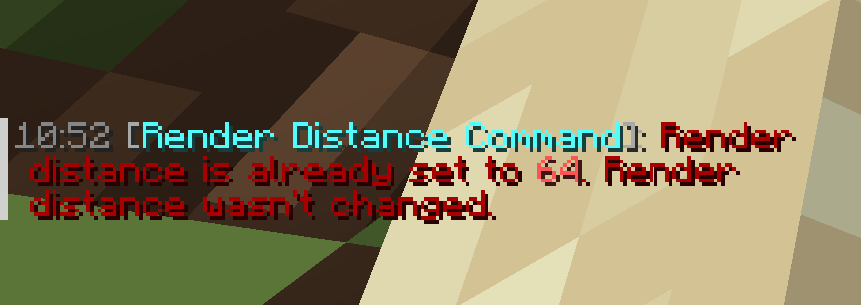 Already Same Distance Set Error Message This screenshot shows how I tried to set the render distance to what it already is, so an error message will appear (a Villager No sound will also play: minecraft:entity.villager.no). The time stamp is from another mod (check out description for link).
 -
 Current Render Distance Info v1.0.1 (new update, yay!!): This screenshot shows how the mod displays the render distance that is currently set by the user.
Versions
Files
Relations
Project Relations
More like this
Similar Mods
Suggestions use data such as tags, dependencies, dependents, descriptions, titles, and more to rank how much they overlap with this mod.
On ModDex
Community snapshot
By the numbers
Statistics

Get it on
Available Platforms
On ModDex
Community snapshot
By the numbers
Statistics
Resources