Community listing page, reviews here may not be monitored by the author.
RenderScale


No reviews yet
RenderScale allows you to change Minecraft's render resolution separately from the HUD elements.

Community voices
Reviews
No reviews yet. Be the first to review this project!
Get it on
Available Platforms
Compatibility
Supported Environments
Runs entirely on the client. Works on vanilla servers.
About
Project Details
For authors
Embed Badge
If you're the author of this project, you can embed a live badge anywhere that supports HTML or Markdown. It updates automatically whenever ratings change.
Use HTML for any page that supports it, or Markdown for README files and Markdown-based descriptions.
Identifiers
Platform IDs
About
Description
RenderScale
RenderScale allows you to change Minecraft's render resolution separately from the HUD elements.
This is a fork of ResolutionControl++, with added support for NeoForge.
Check out Fabrishot if you also want the large screenshot feature that was in ResolutionControl.
How to use
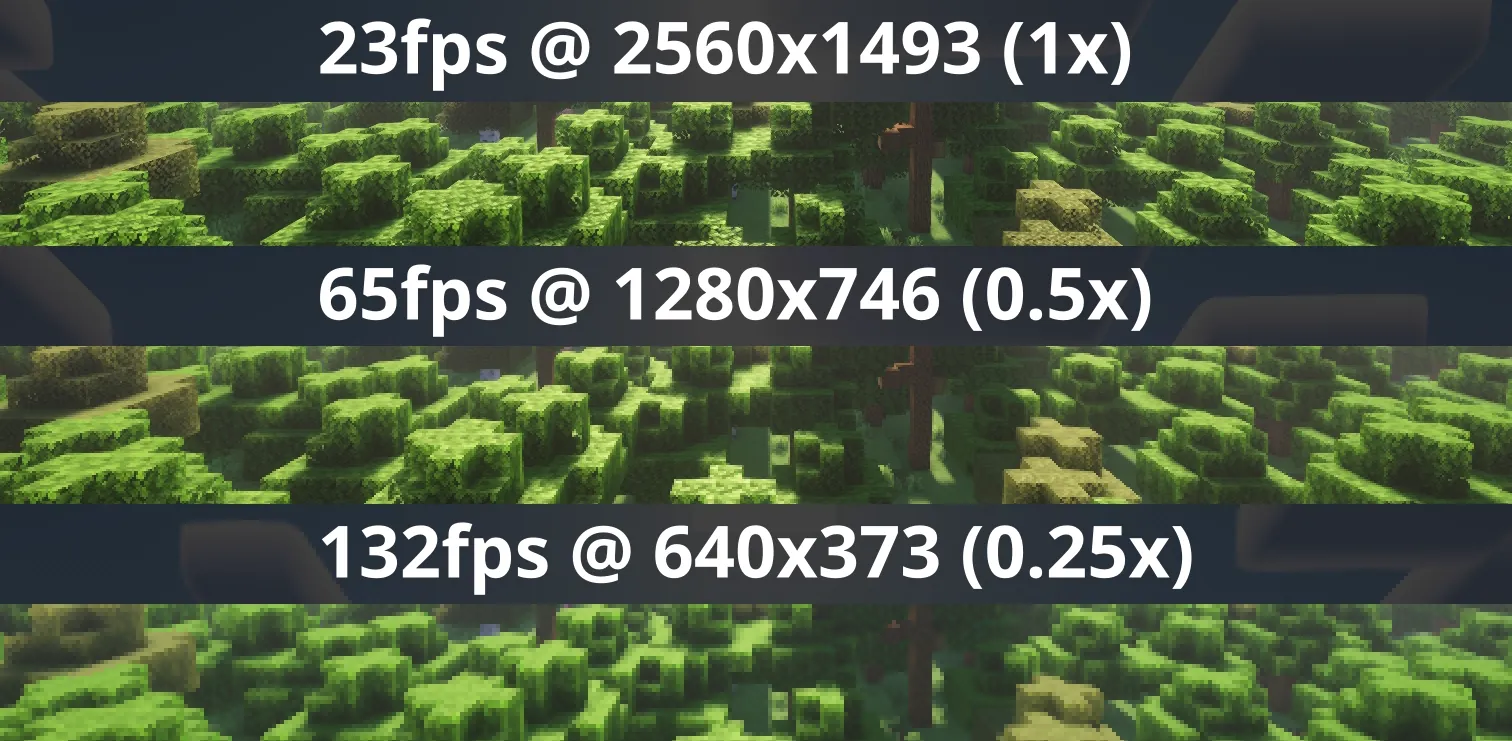
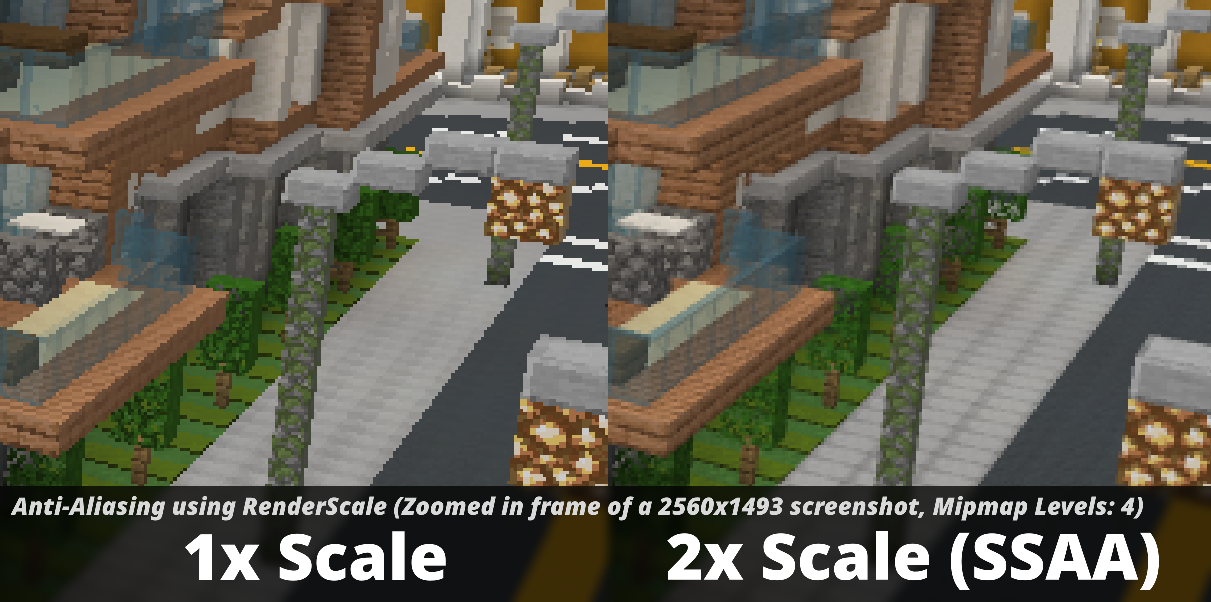
Press U (sometimes O) or, use the mod menu config to control the render scale multiplier. You can increase for antialiasing, or decrease to improve performance. This is heavily recommended for laptops with retina displays!
Other features
On 1.21.11 and above, there is experimental support for FSR 1.0! No plans to support DLSS or FSR 2.0+.
Also, there is experimental support for Dynamic Scaling (1.4.0-alpha.6+), which tries to keep the game at your targeted FPS by changing the multiplier while you play.
Lastly you can force "linear" scale algorithm (similar to FXAA) in lower render scales if you want. It's best to leave it as OFF if you're using shaders since they usually have their own antialiasing.
Compatibility
⚠️ This mod is NOT compatible with Lunar Client / Feather Client. It will break if you use them.
Aims to be compatible with any mod, including Sodium, Iris, etc. However, there are mods that can break RenderScale. You can report any issues here, or on my discord. Make sure to include your latest MC logs!
1.21.5+ Nvidia Note: Very rarely, certain systems with NVIDIA GPUs can get UI artifacts while in inventory, etc. If you're affected by this, check out 1.21.5+ NVIDIA UI Artifacts for updates and potential fixes.
Supported Versions
| Minecraft | Fabric | NeoForge | Forge |
|---|---|---|---|
| 1.21.2 and above | ✅ | ✅ | 🚫 |
| 1.21.0 - 1.21.1 | ✅ [1] | ✅ [1] | 🚫 |
| 1.20.2 - 1.20.6 | 🚫 [2] | 🚫 | 🚫 |
| 1.20.1 | ✅ [2] | 🚫 | ✅ |
[1] Does not support Fabulous graphics
Check out the previous forks, ResolutionControl++, ResolutionControl+, ResolutionControl for older versions
RenderScale
RenderScale allows you to change Minecraft's resolution without affecting the UI.
This is a fork of ResolutionControl++, with added support for NeoForge.
Check out Fabrishot if you also want the large screenshot feature that was in ResolutionControl.
How to use
Press U (sometimes O) or, use the mod menu config to control the render scale multiplier. You can increase for antialiasing, or decrease to improve performance. This is heavily recommended for laptops with retina displays!
Other features
On 1.21.11 and above, there is experimental support for FSR 1.0! No plans to support DLSS or FSR 2.0+.
Also, there is experimental support for Dynamic Scaling (1.4.0-alpha.6+), which tries to keep the game at your targeted FPS by changing the multiplier while you play.
Lastly you can force "linear" scale algorithm (similar to FXAA) in lower render scales if you want. It's best to leave it as OFF if you're using shaders since they usually have their own antialiasing.
Compatibility
⚠️ This mod is NOT compatible with Lunar Client / Feather Client. It will break if you use them.
Aims to be compatible with any mod, including Sodium, Iris, etc. However, there are mods that could break RenderScale. You can report any issues here, or on my discord. Make sure to include your latest MC logs!
Supported Versions
| Minecraft | Fabric | NeoForge | Forge |
|---|---|---|---|
| 1.21.2 and above | ✅ | ✅ | 🚫 |
| 1.21.0 - 1.21.1 | ✅ [1] | ✅ [1] | 🚫 |
| 1.20.2 - 1.20.6 | 🚫 | 🚫 | 🚫 |
| 1.20.1 | ✅ [1] | 🚫 | ✅ [1] |
[1] Does not support Fabulous graphics
Check out the previous forks, ResolutionControl++, ResolutionControl+, ResolutionControl for older versions
Screenshots
Gallery
-
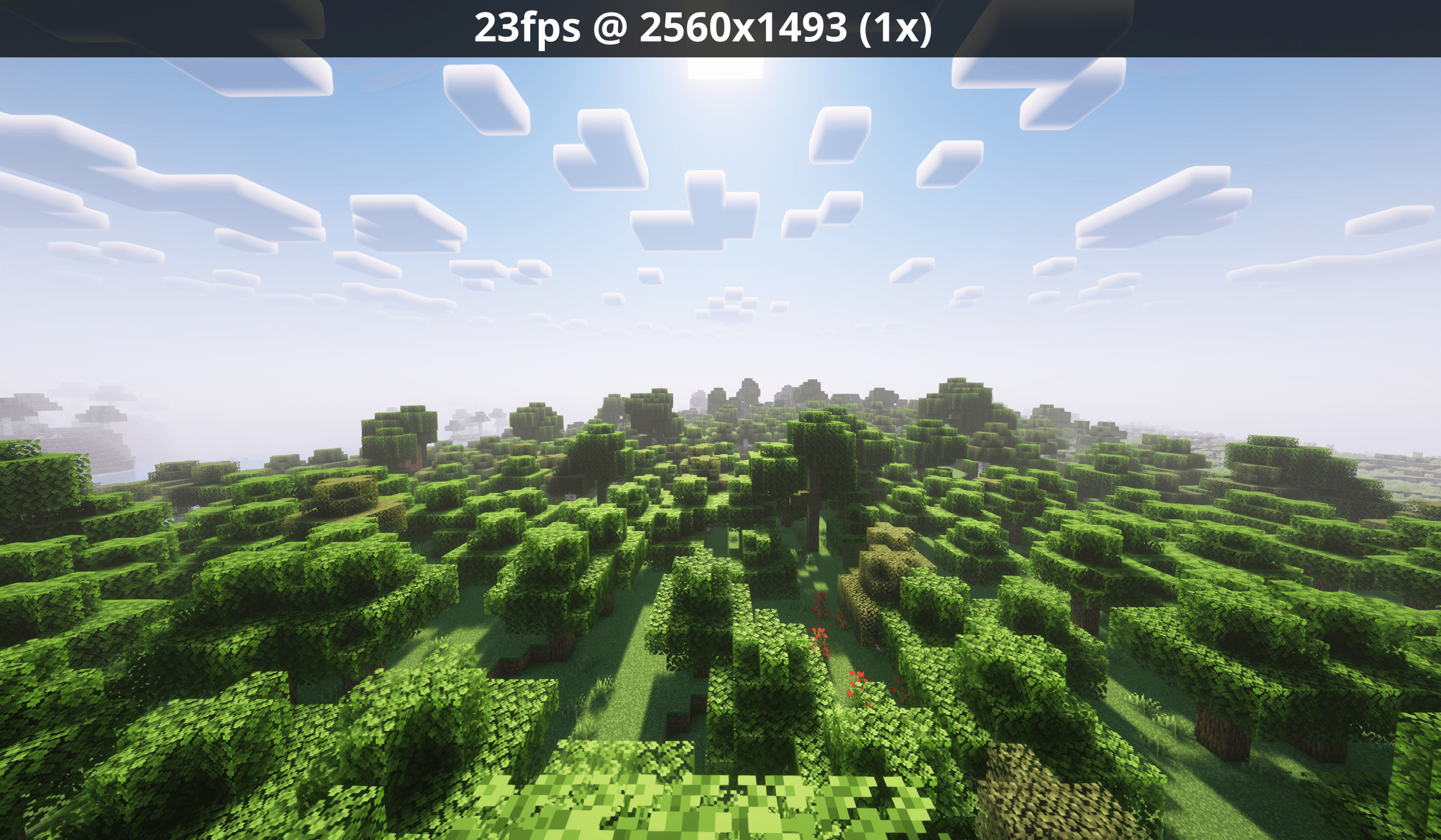 1_optimized.png 1x scale
 -
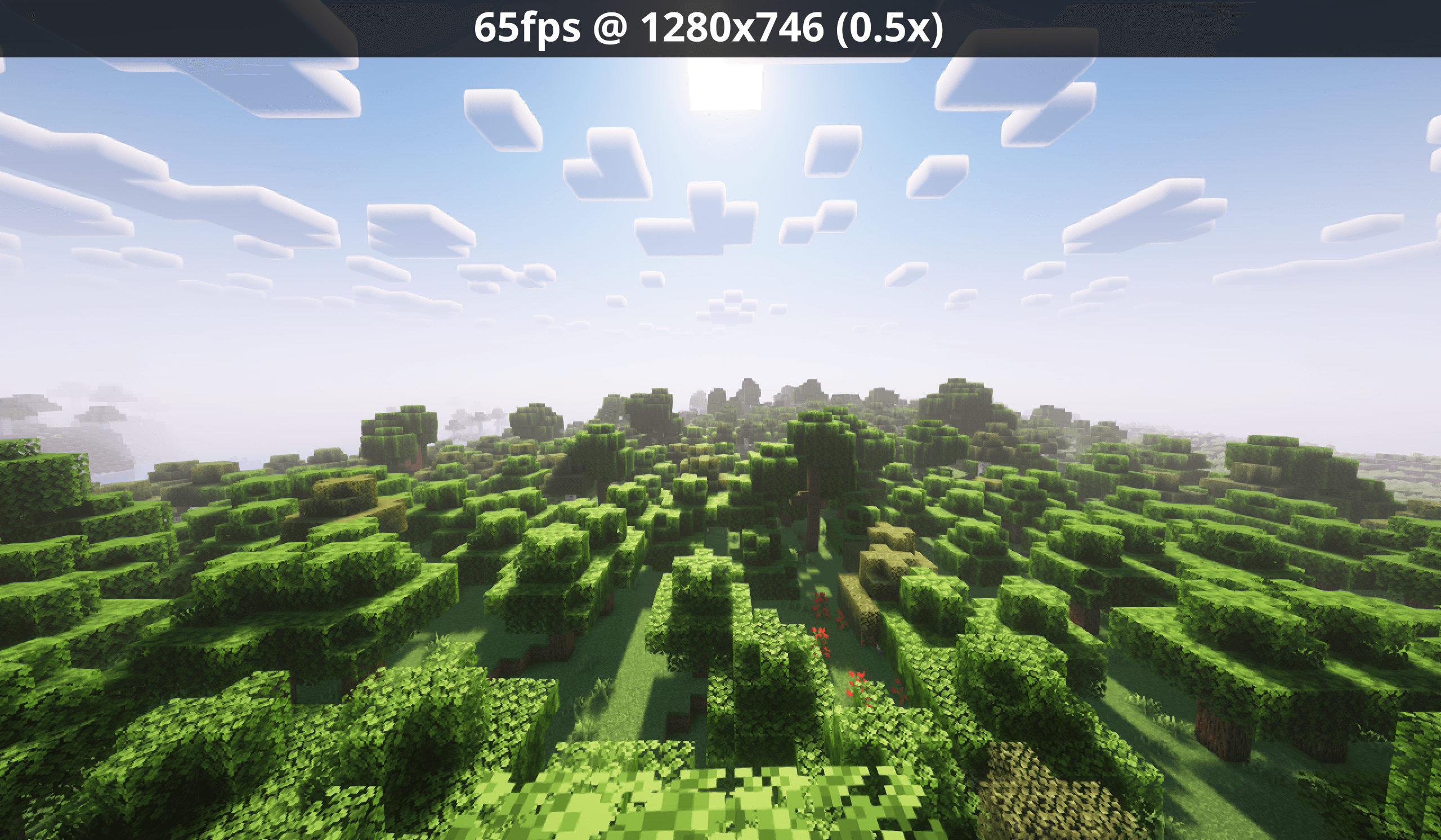 0.5.png 0.5x scale
 -
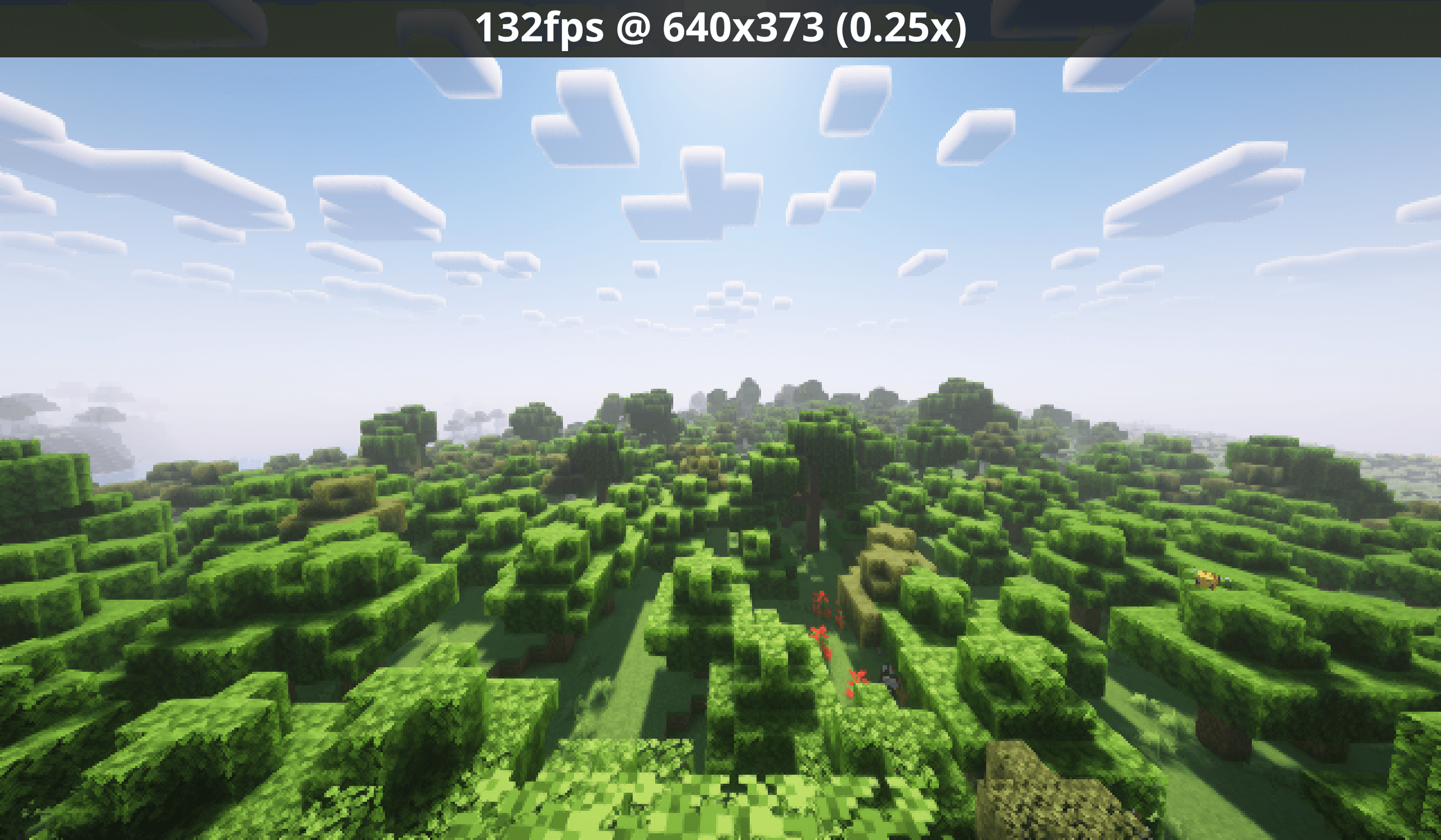 0.25.png 0.25x scale
 -
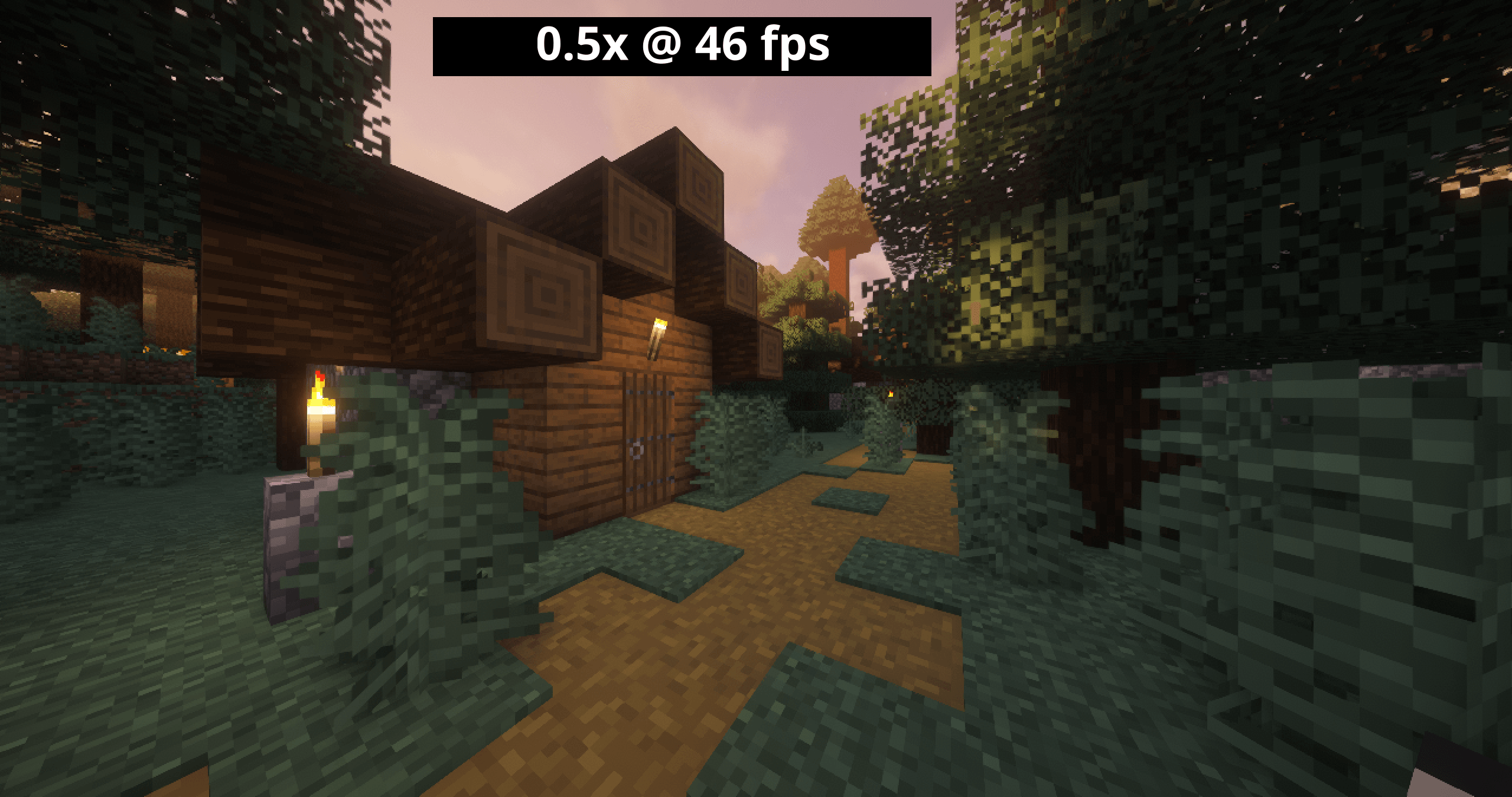 0.5.nofsr.png 0.5x with no fsr
 -
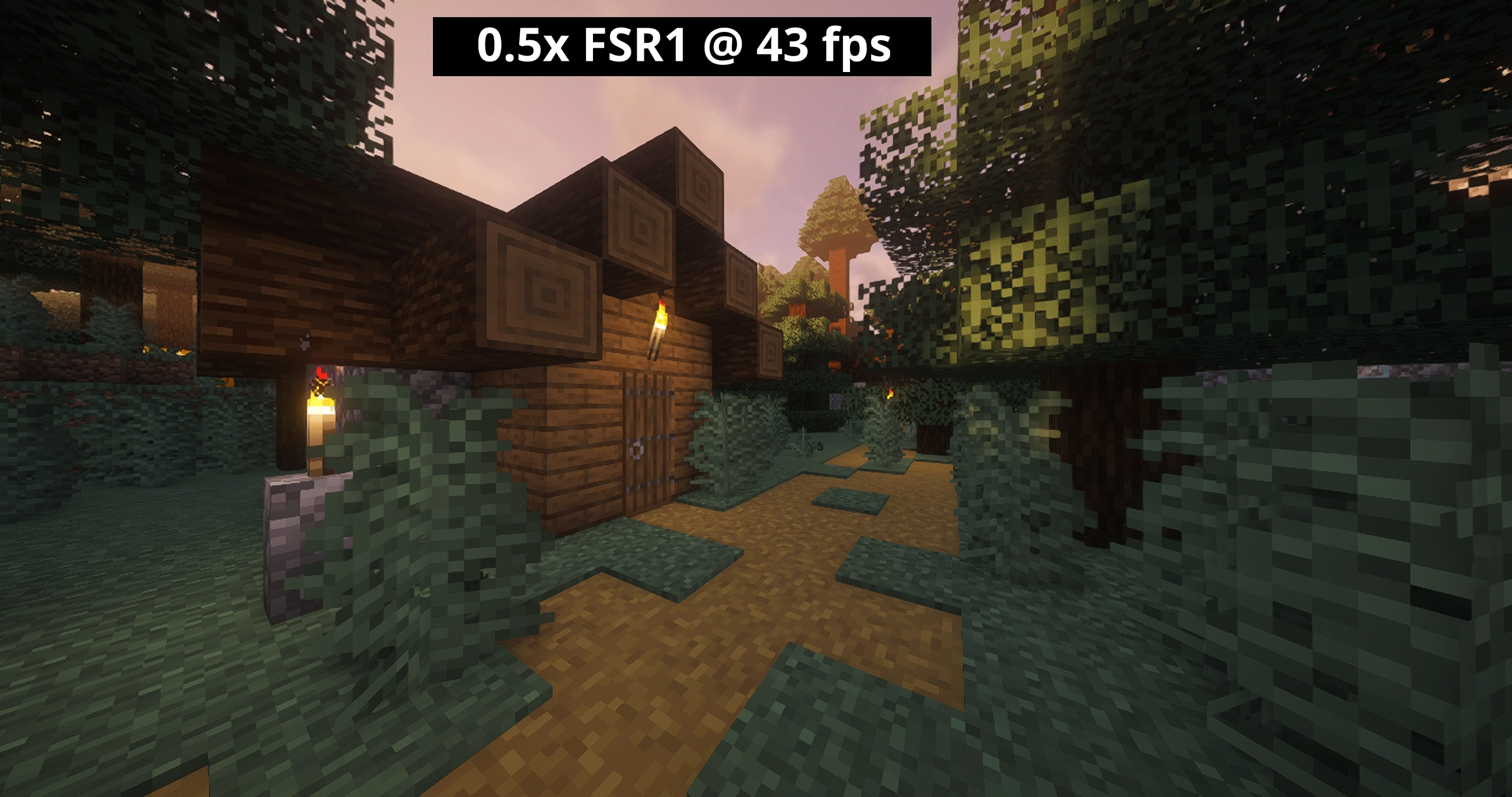 0.5.fsr.webp 0.5x with fsr
-
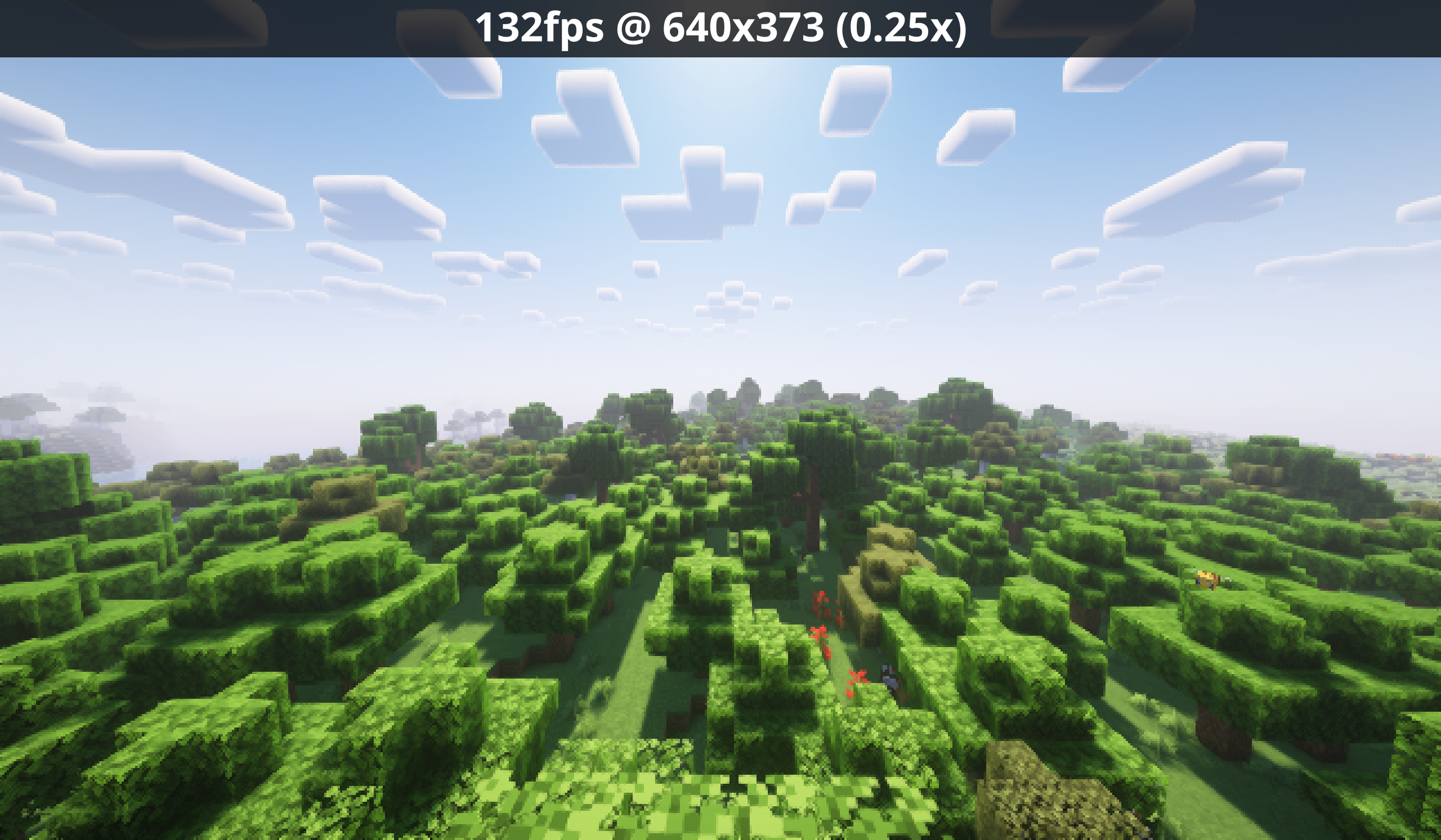 0.25x scale
 -
 0.5x scale, fsr
 -
 0.5x scale, no fsr
 -
 0.5x scale
 -
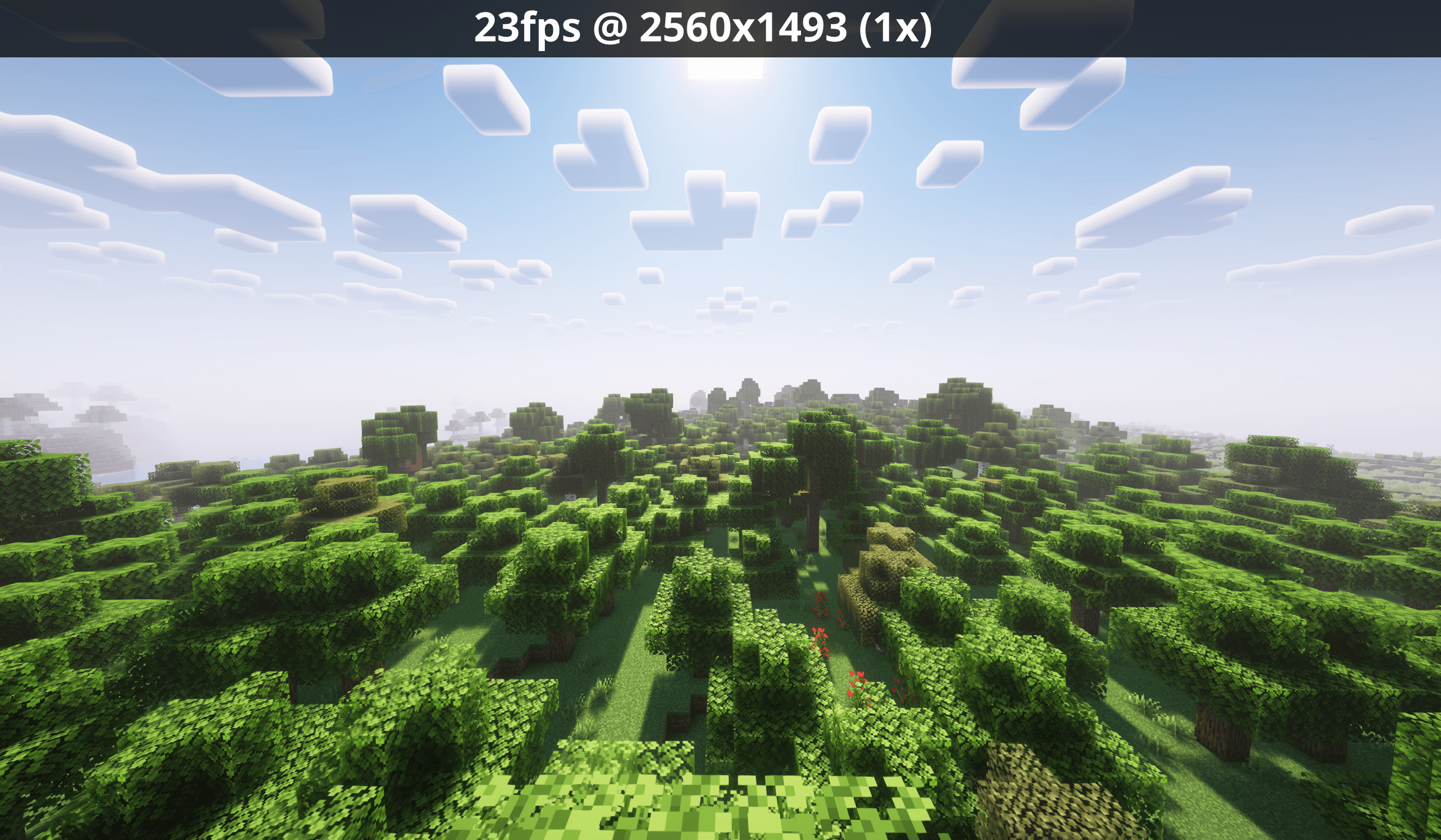 default scale
Versions
Files
Relations
Project Relations
More like this
Similar Mods
Suggestions use data such as tags, dependencies, dependents, descriptions, titles, and more to rank how much they overlap with this mod.
On ModDex
Community snapshot
By the numbers
Statistics
 (opens in a new tab)
Get it on
Available Platforms
On ModDex
Community snapshot
By the numbers