Community listing page, reviews may not be monitored by the author.
Resource Radar

No reviews yet
The project track's items in your inventory.

Community voices
Reviews
No reviews yet. Be the first to review this project!
Get it on
Available Platforms
About
Project Details
For authors
Embed Badge
If you're the author of this project, you can embed a live badge anywhere that supports HTML or Markdown. It updates automatically whenever ratings change.
Use HTML for any page that supports it, or Markdown for README files and Markdown-based descriptions.
Identifiers
Platform IDs
Resources
External Links
About
Description
📡 Resource Radar
Track your resources. Reach your goals. Keep your eyes on the game.
Resource Radar is a lightweight, client-side Fabric mod that helps you keep track of the items you need in Minecraft. Set a target quantity for any item, and Resource Radar automatically counts how many you have, displays your progress on an in-game HUD, and notifies you when you've collected enough!
Whether you're gathering materials for a massive build, preparing for an adventure, or collecting stacks of resources, Resource Radar keeps your goals in sight.
✨ Features
• 📊 Live Resource Tracking: Automatically counts matching items in your inventory and updates your progress.
• 🎯 Custom Collection Goals: Set individual target quantities for the items you want to collect.
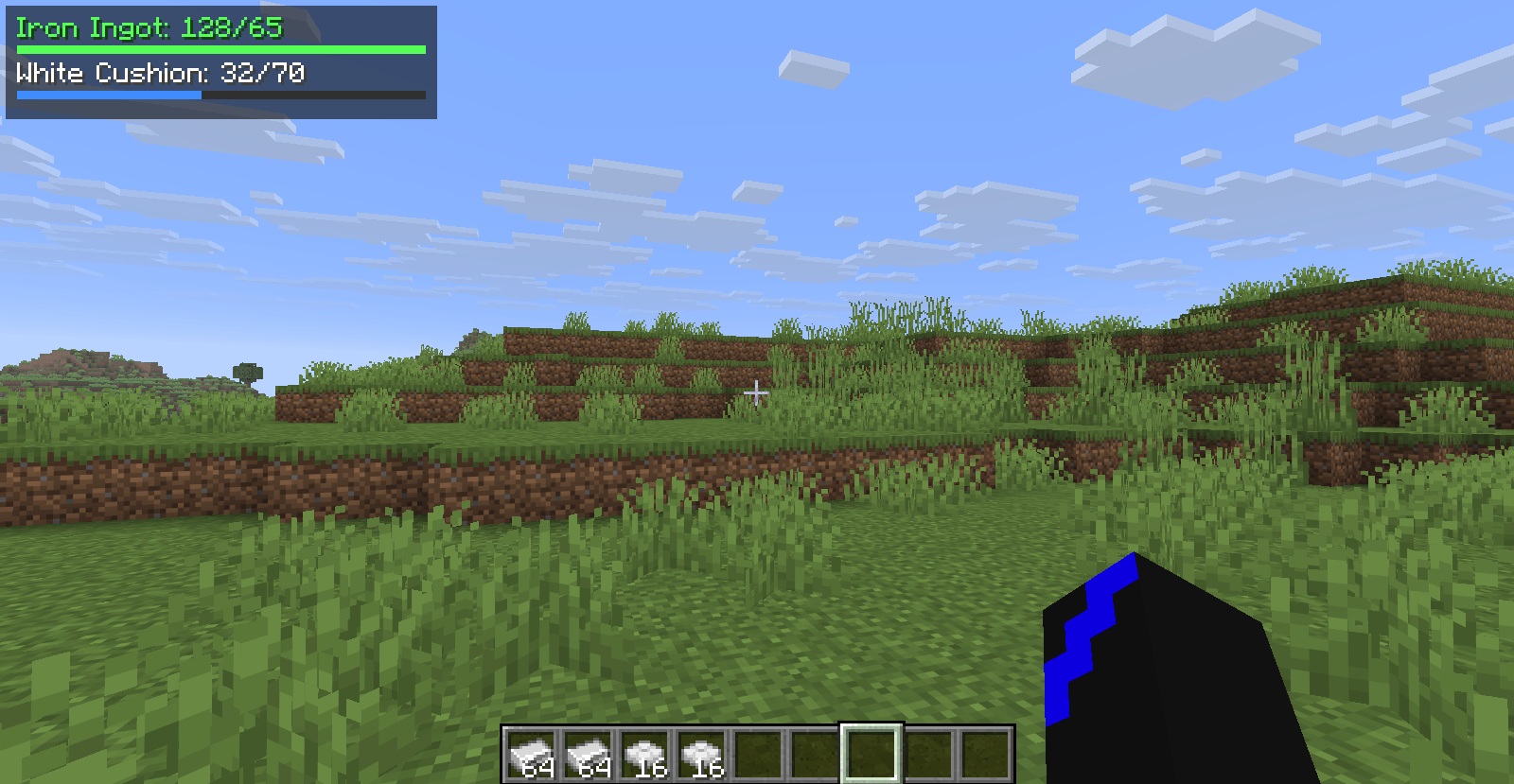
• 🖥️ In-Game HUD: View your tracked items, current quantities, targets, and progress bars without opening your inventory.
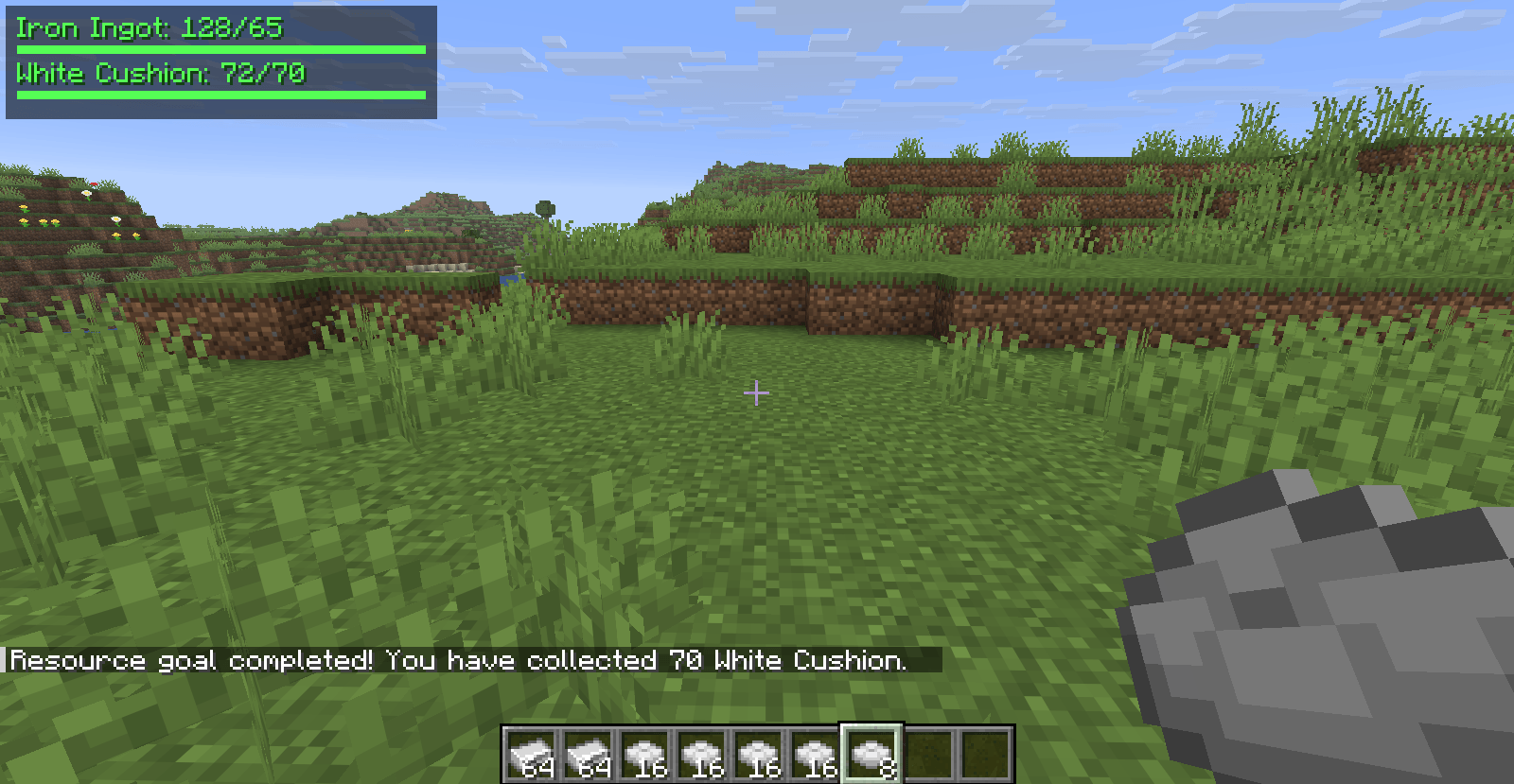
• 🟢 Completion Notifications: Receive a chat message when you reach a resource goal.
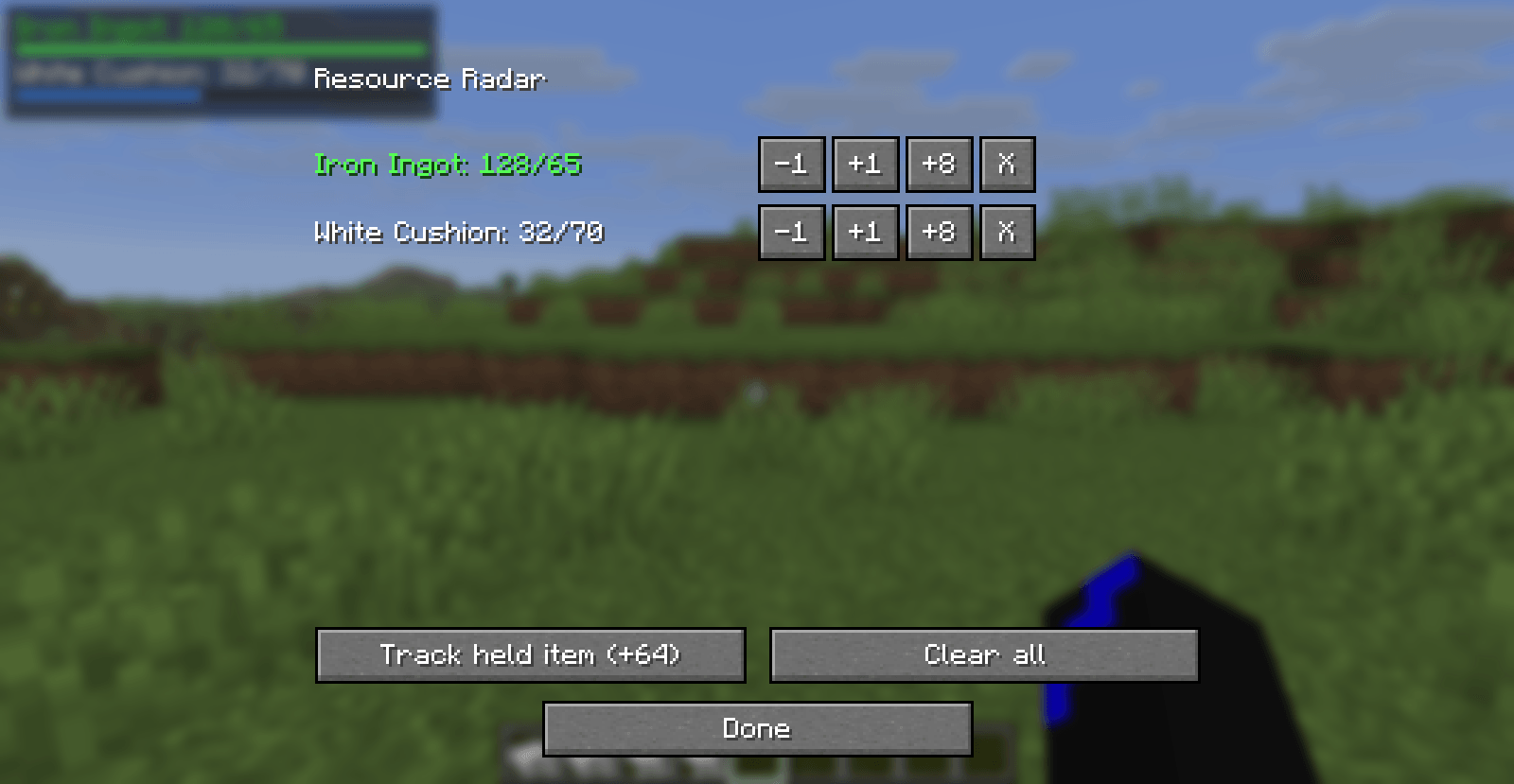
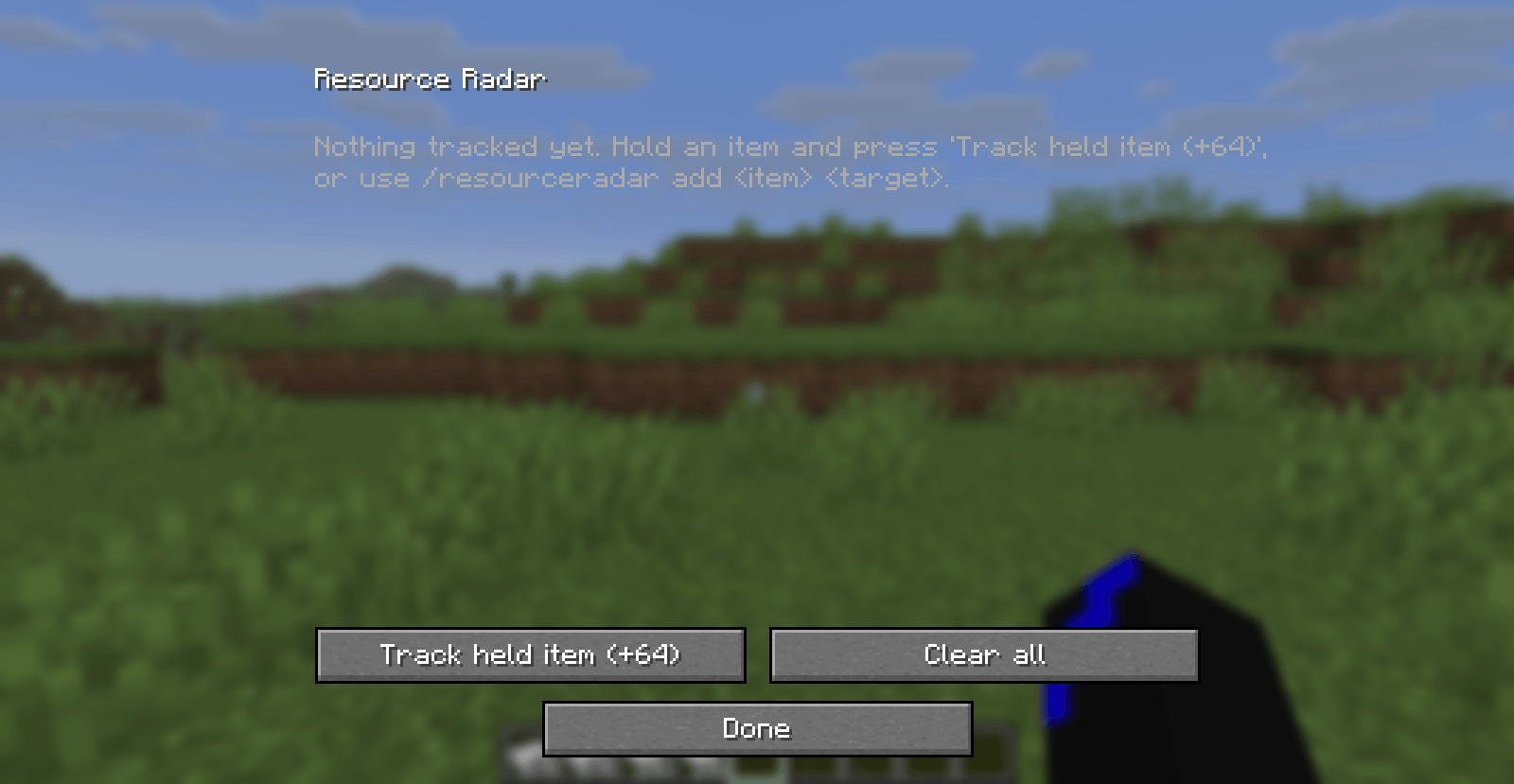
• ⌨️ Quick Configuration: Press R by default to open the configuration screen. The keybind can be changed in Minecraft's Controls menu.
• ➕ Easy Goal Management: Add items, adjust quantities, remove individual goals, or clear all goals.
• 💬 Command Support: Manage your goals with /resourceradar commands.
• 💾 Persistent Configuration: Your goals are saved locally and restored when you launch the game again.
• 🔄 Reusable Goals: If your item count falls below a completed target, the goal can trigger again when you collect enough.
• 🎮 Client-Side: Designed for use on your own client without requiring server-side installation.
🎮 How to Use
-
Install Fabric Loader and the required Fabric API version.
-
Launch Minecraft with Fabric.
-
Press R to open the Resource Radar configuration screen.
-
Add an item and set your target quantity.
-
Close the screen and start collecting!
-
Watch your HUD as your inventory fills up.
You can also use commands:
• /resourceradar add <item> <target> - Add a resource goal.
• /resourceradar remove - Remove a goal using the command's supported arguments.
• /resourceradar list - View your tracked goals.
• /resourceradar clear - Clear all goals.
For example, /resourceradar add diamond 64 sets a target of 64 diamonds.
⚙️ Configuration
Your resource goals are stored in:
config/resource-radar.json
Your current item counts are calculated automatically while playing.
📦 Requirements
• Minecraft Java Edition 26.3
• Fabric Loader 0.19.5
• Fabric API 0.164.0+26.3
This release is built for the versions listed above. Other Minecraft versions are not guaranteed to work.
💡 Feedback & Suggestions
Found a bug or have an idea for a new feature? Leave a comment or report an issue on the project's issue tracker.
Resource Radar: Your next stack is always in sight!
Screenshots
Gallery
-
 2026-10-24_16.01.55.png 2026-10-24_16.01.55.png
 -
 2026-10-24_16.02.14.png 2026-10-24_16.02.14.png
 -
 2026-10-24_16.02.56.png 2026-10-24_16.02.56.png
 -
 2026-10-24_16.03.10.png 2026-10-24_16.03.10.png
Versions
Files
Relations
Project Relations
More like this
Similar Mods
Suggestions use data such as tags, dependencies, dependents, descriptions, titles, and more to rank how much they overlap with this mod.
On ModDex
Community snapshot
By the numbers
Statistics

Get it on
Available Platforms
On ModDex
Community snapshot
By the numbers
Statistics
Resources