Community listing page, reviews here may not be monitored by the author.
Retro Tweaks


No reviews yet
Tweak your Minecraft and send it back in time! Rediscover the Nostalgia of older versions of Minecraft!
Community voices
Reviews
No reviews yet. Be the first to review this project!
Get it on
Available Platforms
Compatibility
Supported Environments
Required on the client. Installing it on the server adds functionality.
About
Project Details
For authors
Embed Badge
If you're the author of this project, you can embed a live badge anywhere that supports HTML or Markdown. It updates automatically whenever ratings change.
Use HTML for any page that supports it, or Markdown for README files and Markdown-based descriptions.
Identifiers
Platform IDs
About
Description
Retro Tweaks
Tweak your Minecraft and send it back in time! Retro Tweaks is a Minecraft mod designed to allow you to apply tweaks to the game in ways to resemble the older versions. Included are options that can change many elements of the game including but not limited to: lighting, game mechanics, hitbox shapes, block rendering, item rendering, sound cues, etc.
Retro Tweaks does not replace resource packs or data packs. Textures, sounds, loot tables, etc. are much more appropriate to be included in a resource pack like Golden Days or a data pack rather than in a mod.
Tweaks Included
Rendering
| Tweak Name | Description |
|---|---|
| Beta Leaves Lighting | When enabled, Leaves will no longer cast an Ambient Occlusion shadow on adjacent blocks. |
| Dark Ambient Occlusion | When enabled, the shadows between adjacent blocks will be darker. |
| Full Face Shading | When enabled, the lighting on block models will be applied to each individual element independent of their position in the model. |
| Big Stars | When enabled, the stars will be ~2x bigger like in Beta. |
| Flat Items | When enabled, dropped items will be rendered 2D and flat. |
| Dark Water Lighting | When enabled, Water will block 3 light levels per layer instead of 1. |
Screens
| Tweak Name | Description |
|---|---|
| Beta Main Menu | When enabled, the main menu will be modified to look like the one that appears in beta versions. |
| Beta Pause Menu | When enabled, the pause menu will be modified to look like the one that appears in beta versions. |
| Old Loading Screen | When enabled, the loading screen will appear as either the Infdev or the Beta loading screen. |
| Dirt GUI Background | When enabled, the panorama will be replaced with a dirt background like in Beta 1.7.3 and before. |
| Old Panorama Blur | When enabled, the panorama will be rendered blurry. |
| Old Button Colors | When enabled, menu buttons will use the colors from older versions of the game. |
| Old World Loading Screen | When enabled, the world loading screen will be modified to appear as the one featured in earlier versions of the game. |
| Old Death Screen | When enabled, the death screen will display no reason of death, and classic Score: &e0 bug will be restored. |
GUI
| Tweak Name | Description |
|---|---|
| Hide Hunger Bar | When enabled, the game hud will be modified to hide the hunger bar, and move other bars to their original locations. |
| Hide Experience Bar | When enabled, the experience bar and the level number will be hidden from the hud, with other elements adjusted to match. |
| Old Crosshair | When enabled, the crosshair will appear in the position it did in older versions, along with appearing in third person. Also removes attack indicators. |
| Move System Messages | When enabled, system messages will appear in chat rather than as a overlay. |
| Chat Screen Style | When set to Beta, the chat screen will be rendered like the one in Beta. Beta+ will still allow command suggestions to show. |
| Top Left Version Text | When enabled, the game will render version text in the top left corner of the screen. |
| Old Bossbar | When enabled, the bossbar will take the appearance of early release, display Boss health instead of the boss name and always display as pink. |
| Hide Extra Tooltip Info | When enabled, any tooltip info apart from the item name will be hidden. |
Gameplay
| Tweak Name | Description |
|---|---|
| Old Hitbox Shapes | When enabled, blocks like Fences and Chests will have their old hitboxes. |
| Old Fence Connections | When enabled, Fences will only connect to other Fences and not blocks. |
| Unstable TNT | When enabled, TNT will explode immediately when broken in Survival. |
| Instant Consumption | When enabled, all consumable items will be consumed instantly, and not produce particles or sound. |
| Remove Hunger | When enabled, the game will not use hunger for healing, and eating food will heal you. |
| Sprinting Style | Modern: The vanilla sprinting system. Infinite: You can sprint forever, regardless of hunger. Disabled: You can never sprint, regardless of hunger. |
Miscellaneous
| Tweak Name | Description |
|---|---|
| Old Footsteps | When enabled, all mobs will make player-like footsteps based on the block they are standing on. |
Retro Tweaks
Tweak your Minecraft and send it back in time! Retro Tweaks is a Minecraft mod designed to allow you to apply tweaks to the game in ways to resemble the older versions. Included are options that can change many elements of the game including but not limited to: lighting, game mechanics, hitbox shapes, block rendering, item rendering, sound cues, etc.
Retro Tweaks does not replace resource packs or data packs. Textures, sounds, loot tables, etc. are much more appropriate to be included in a resource pack like Golden Days or a data pack rather than in a mod.
Tweaks Included
Rendering
| Tweak Name | Description |
|---|---|
| Beta Leaves Lighting | When enabled, Leaves will no longer cast an Ambient Occlusion shadow on adjacent blocks. |
| Dark Ambient Occlusion | When enabled, the shadows between adjacent blocks will be darker. |
| Full Face Shading | When enabled, the lighting on block models will be applied to each individual element independent of their position in the model. |
| Big Stars | When enabled, the stars will be ~2x bigger like in Beta. |
| Flat Items | When enabled, dropped items will be rendered 2D and flat. |
| Dark Water Lighting | When enabled, Water will block 3 light levels per layer instead of 1. |
Screens
| Tweak Name | Description |
|---|---|
| Beta Main Menu | When enabled, the main menu will be modified to look like the one that appears in beta versions. |
| Beta Pause Menu | When enabled, the pause menu will be modified to look like the one that appears in beta versions. |
| Old Loading Screen | When enabled, the loading screen will appear as either the Infdev or the Beta loading screen. |
| Dirt GUI Background | When enabled, the panorama will be replaced with a dirt background like in Beta 1.7.3 and before. |
| Old Panorama Blur | When enabled, the panorama will be rendered blurry. |
| Old Button Colors | When enabled, menu buttons will use the colors from older versions of the game. |
| Old World Loading Screen | When enabled, the world loading screen will be modified to appear as the one featured in earlier versions of the game. |
| Old Death Screen | When enabled, the death screen will display no reason of death, and classic Score: &e0 bug will be restored. |
GUI
| Tweak Name | Description |
|---|---|
| Hide Hunger Bar | When enabled, the game hud will be modified to hide the hunger bar, and move other bars to their original locations. |
| Hide Experience Bar | When enabled, the experience bar and the level number will be hidden from the hud, with other elements adjusted to match. |
| Old Crosshair | When enabled, the crosshair will appear in the position it did in older versions, along with appearing in third person. Also removes attack indicators. |
| Move System Messages | When enabled, system messages will appear in chat rather than as a overlay. |
| Chat Screen Style | When set to Beta, the chat screen will be rendered like the one in Beta. Beta+ will still allow command suggestions to show. |
| Top Left Version Text | When enabled, the game will render version text in the top left corner of the screen. |
| Old Bossbar | When enabled, the bossbar will take the appearance of early release, display Boss health instead of the boss name and always display as pink. |
| Hide Extra Tooltip Info | When enabled, any tooltip info apart from the item name will be hidden. |
Gameplay
| Tweak Name | Description |
|---|---|
| Old Hitbox Shapes | When enabled, blocks like Fences and Chests will have their old hitboxes. |
| Old Fence Connections | When enabled, Fences will only connect to other Fences and not blocks. |
| Unstable TNT | When enabled, TNT will explode immediately when broken in Survival. |
| Instant Consumption | When enabled, all consumable items will be consumed instantly, and not produce particles or sound. |
| Remove Hunger | When enabled, the game will not use hunger for healing, and eating food will heal you. |
| Sprinting Style | Modern: The vanilla sprinting system. Infinite: You can sprint forever, regardless of hunger. Disabled: You can never sprint, regardless of hunger. |
Miscellaneous
| Tweak Name | Description |
|---|---|
| Old Footsteps | When enabled, all mobs will make player-like footsteps based on the block they are standing on. |
Screenshots
Gallery
-
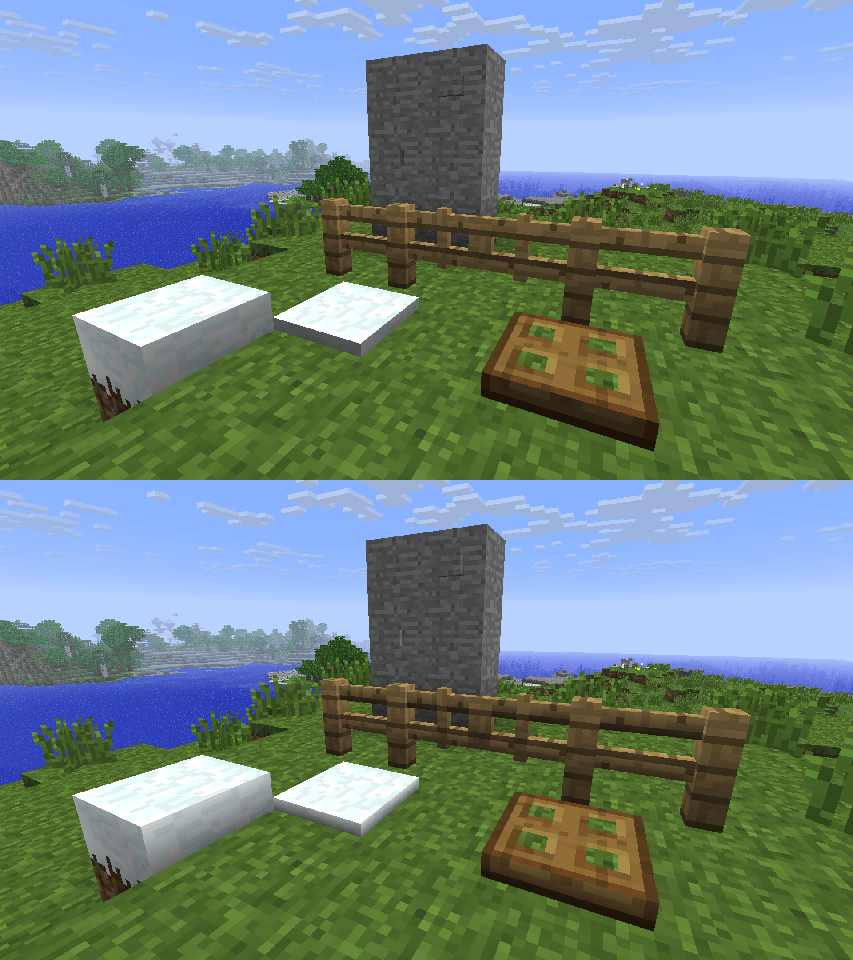 Full Face Shading A comparison of having the Full Face Shading tweak toggled on and off. This was how Smooth Lighting worked from Beta 1.3 up until Release 1.5, where it was then split off into Smooth Lighting: Minimum. It was removed in Release 1.8.
 -
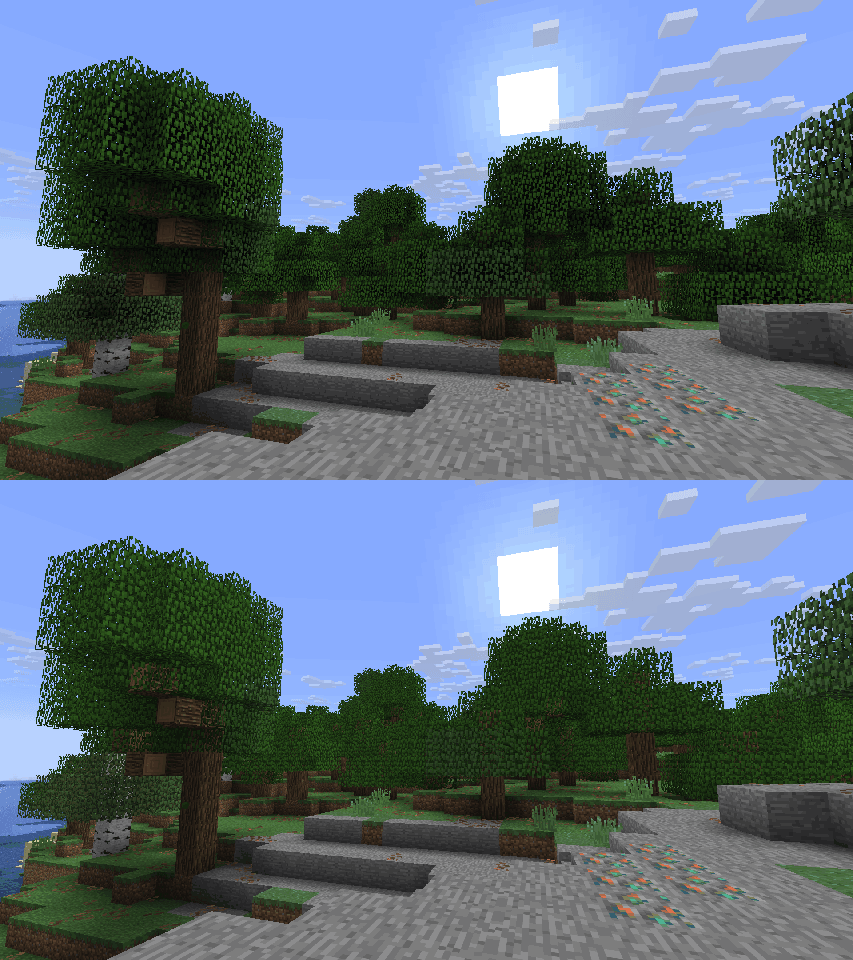 Beta Leaves Lighting A comparison showing the difference between having Beta Leaves Lighting toggled on and off.
 -
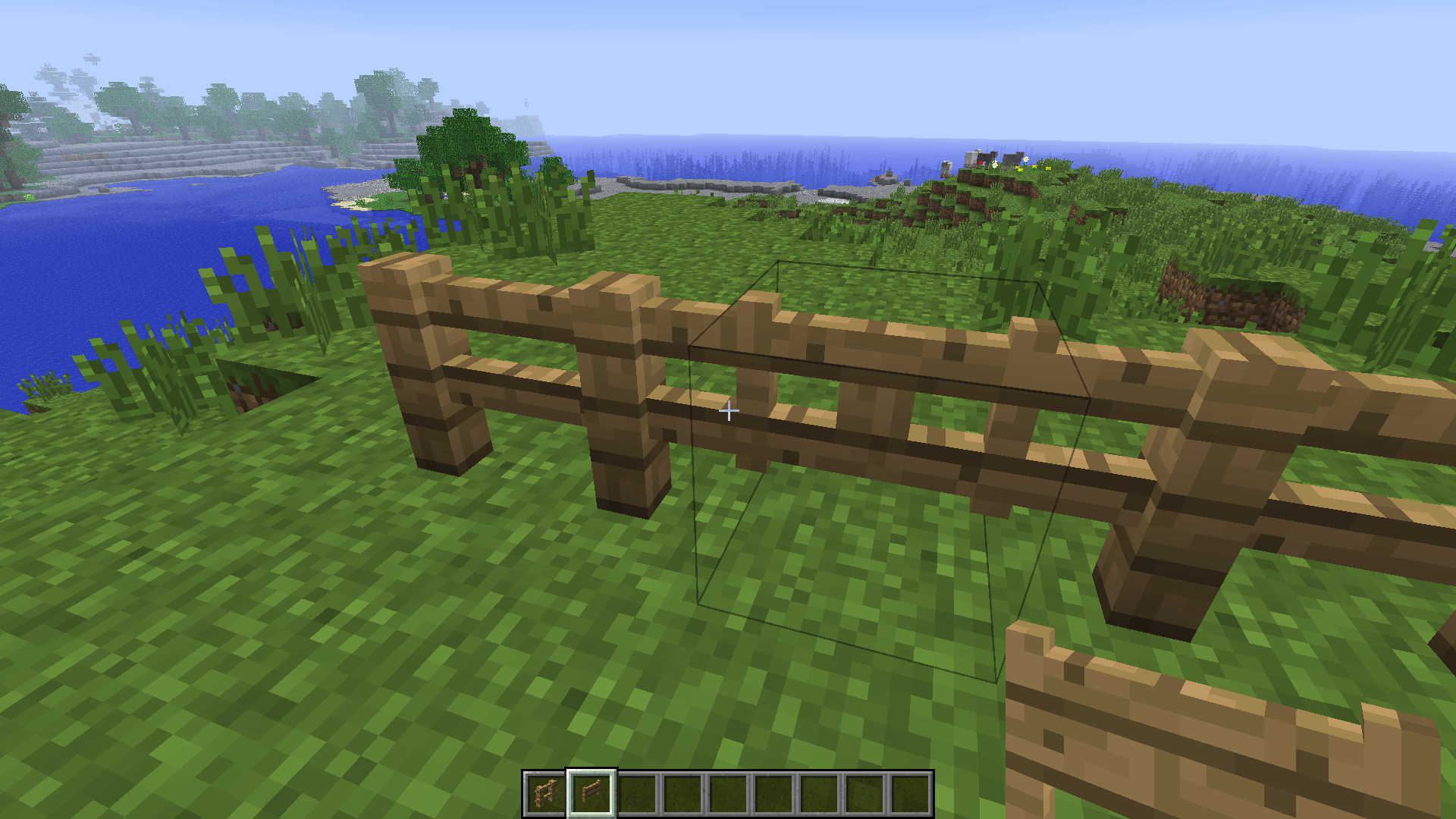 Old Hitboxes Old Hitboxes and Old Collision Shapes are independent tweaks in the mod and controllable via block tags! They are found under #retrotweaks:shapes/hitbox/ and #retrotweaks:shapes/collision/
 -
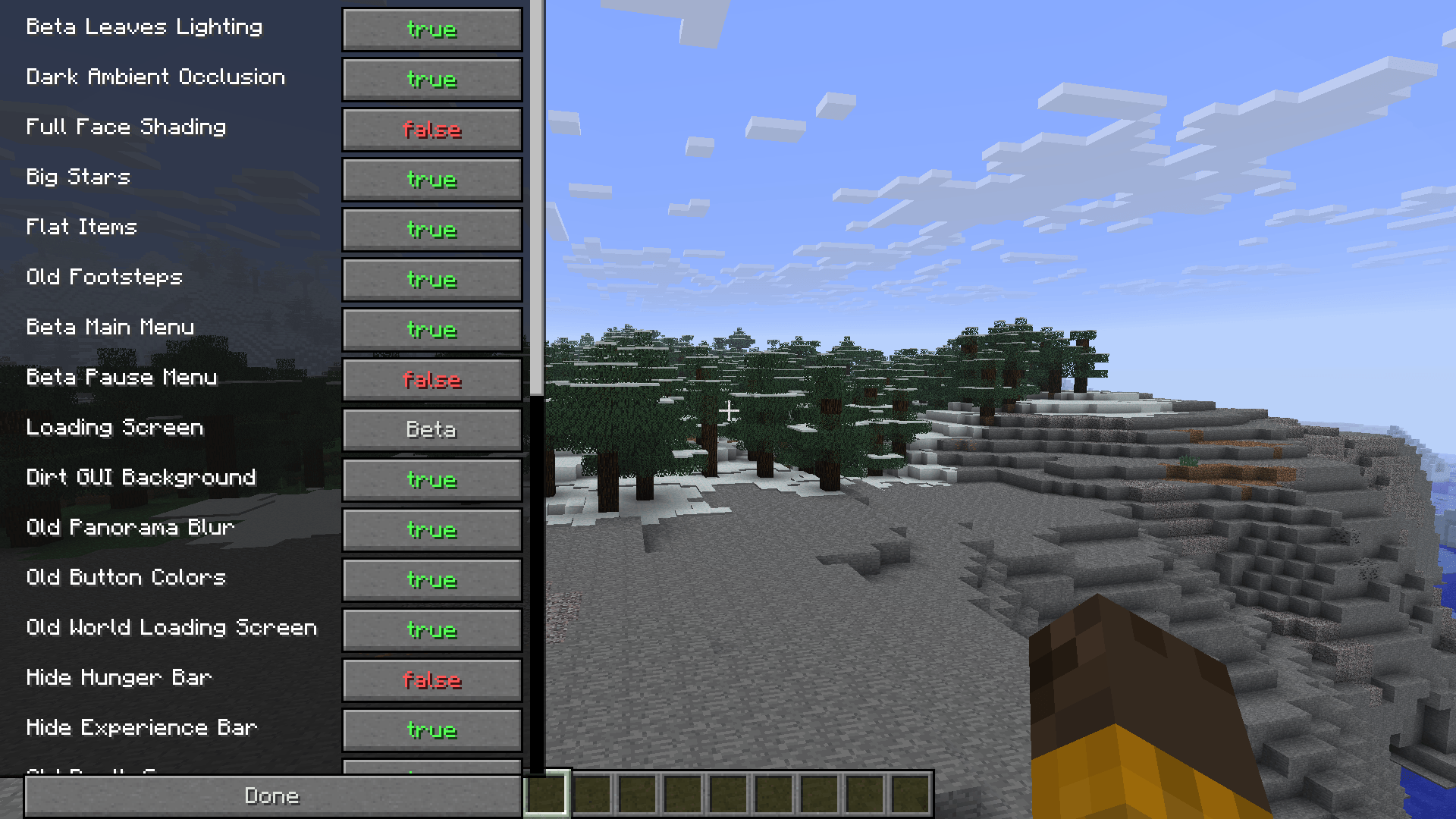 Config Screen The mod's config screen, currently openable with the "O" key. This will most likely change in future versions.
 -
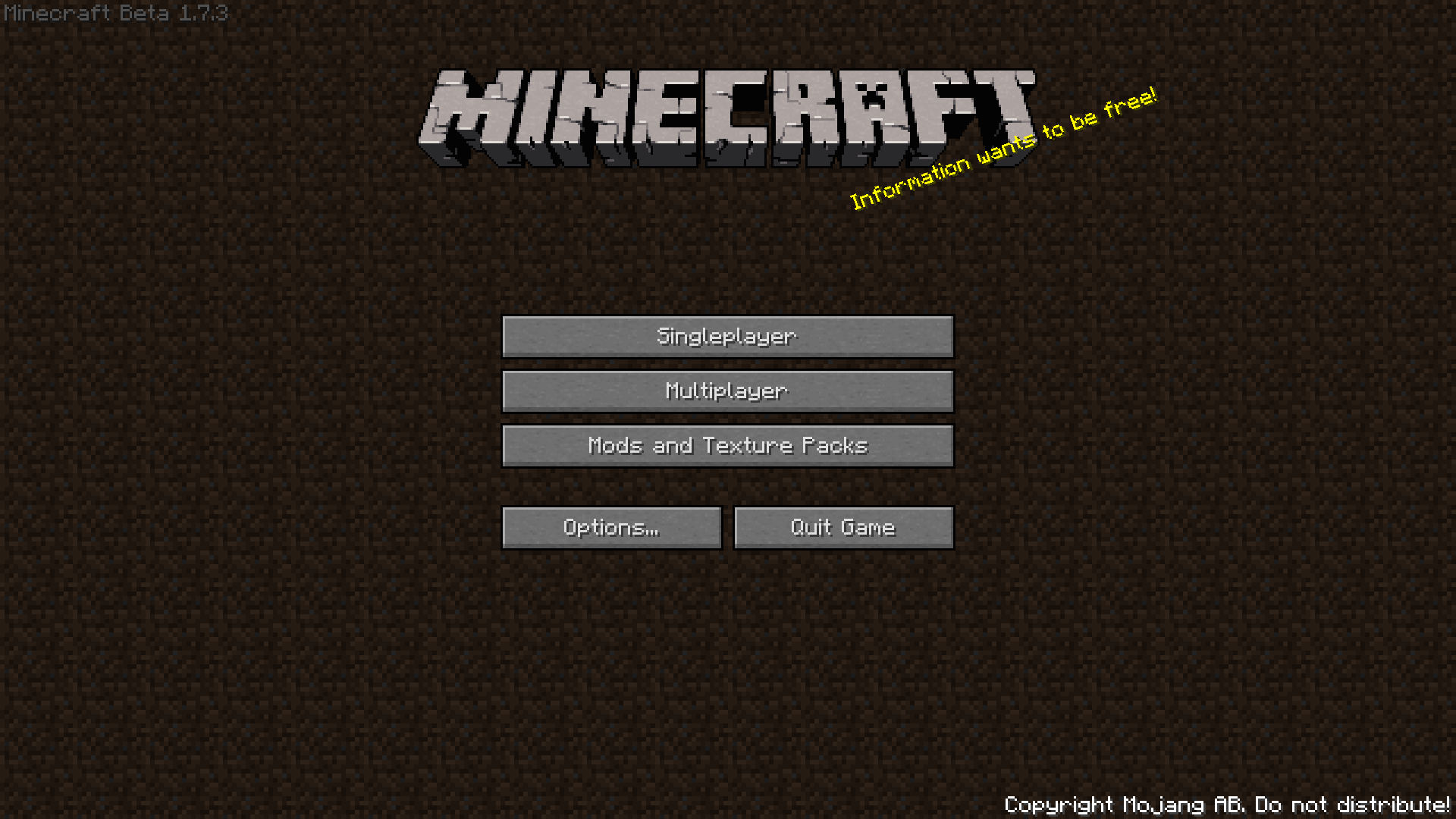 Title Screen A picture of the Minecraft Beta 1.7.3 title screen reimplemented by the mod.
 -
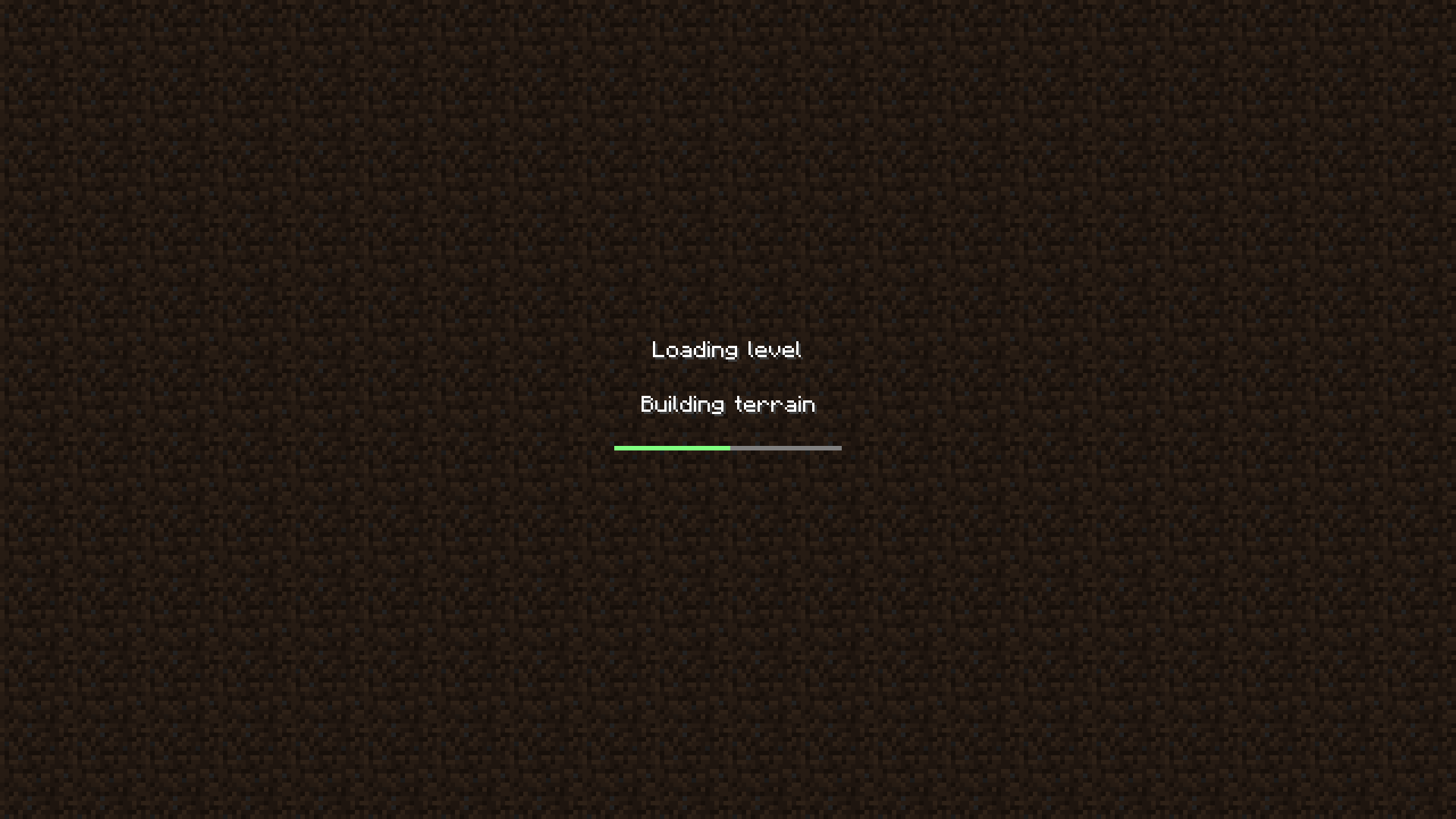 Loading Screen The loading level screen from Beta versions recreated by the mod.
-
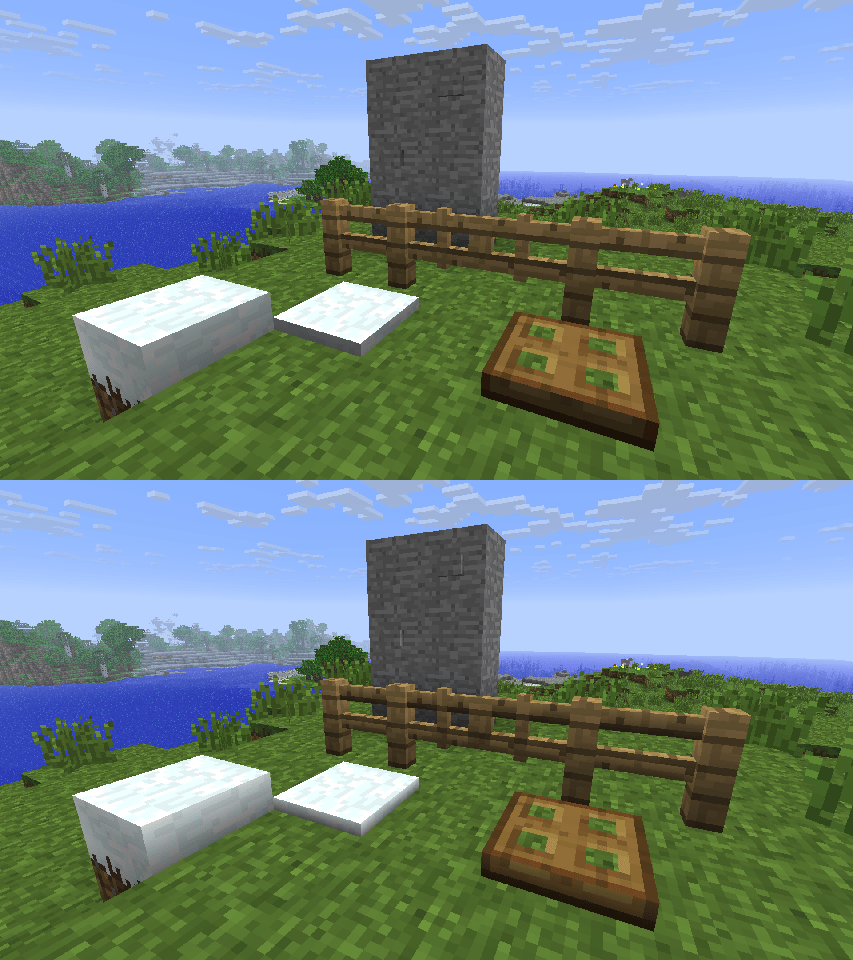 Full Face Shading A comparison of having the Full Face Shading tweak toggled on and off. This was how Smooth Lighting worked from Beta 1.3 up until Release 1.5, where it was then split off into Smooth Lighting: Minimum. It was removed in Release 1.8.
 -
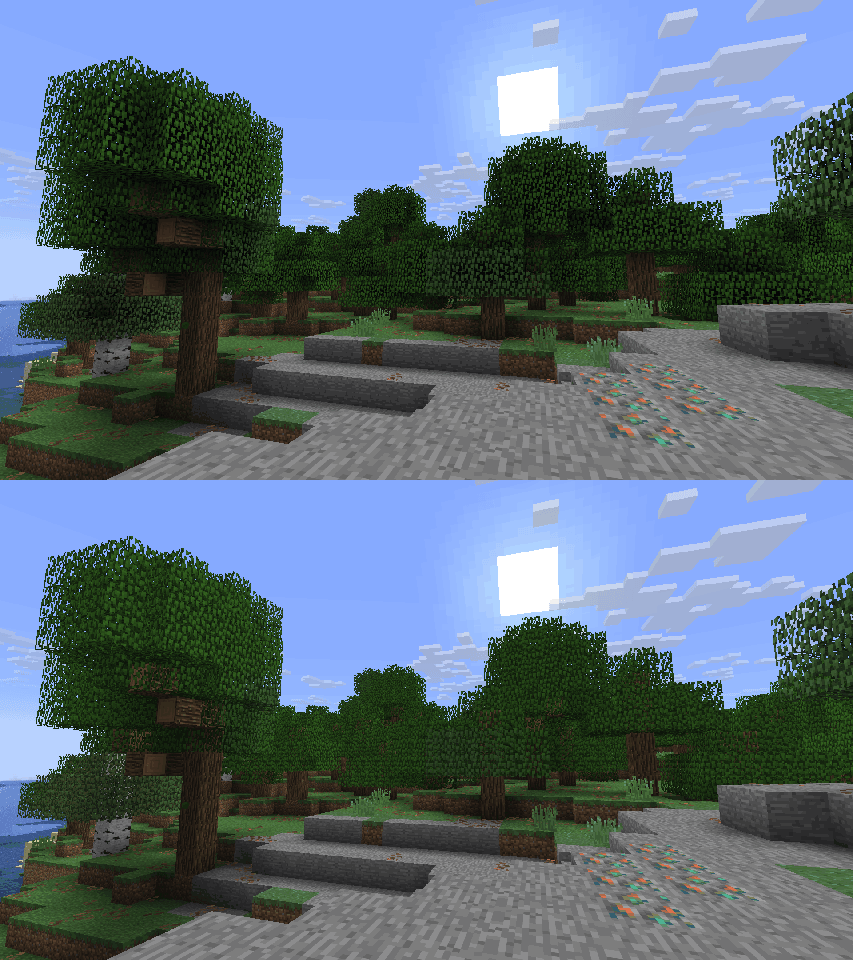 Beta Leaves Lighting A comparison showing the difference between having Beta Leaves Lighting toggled on and off.
 -
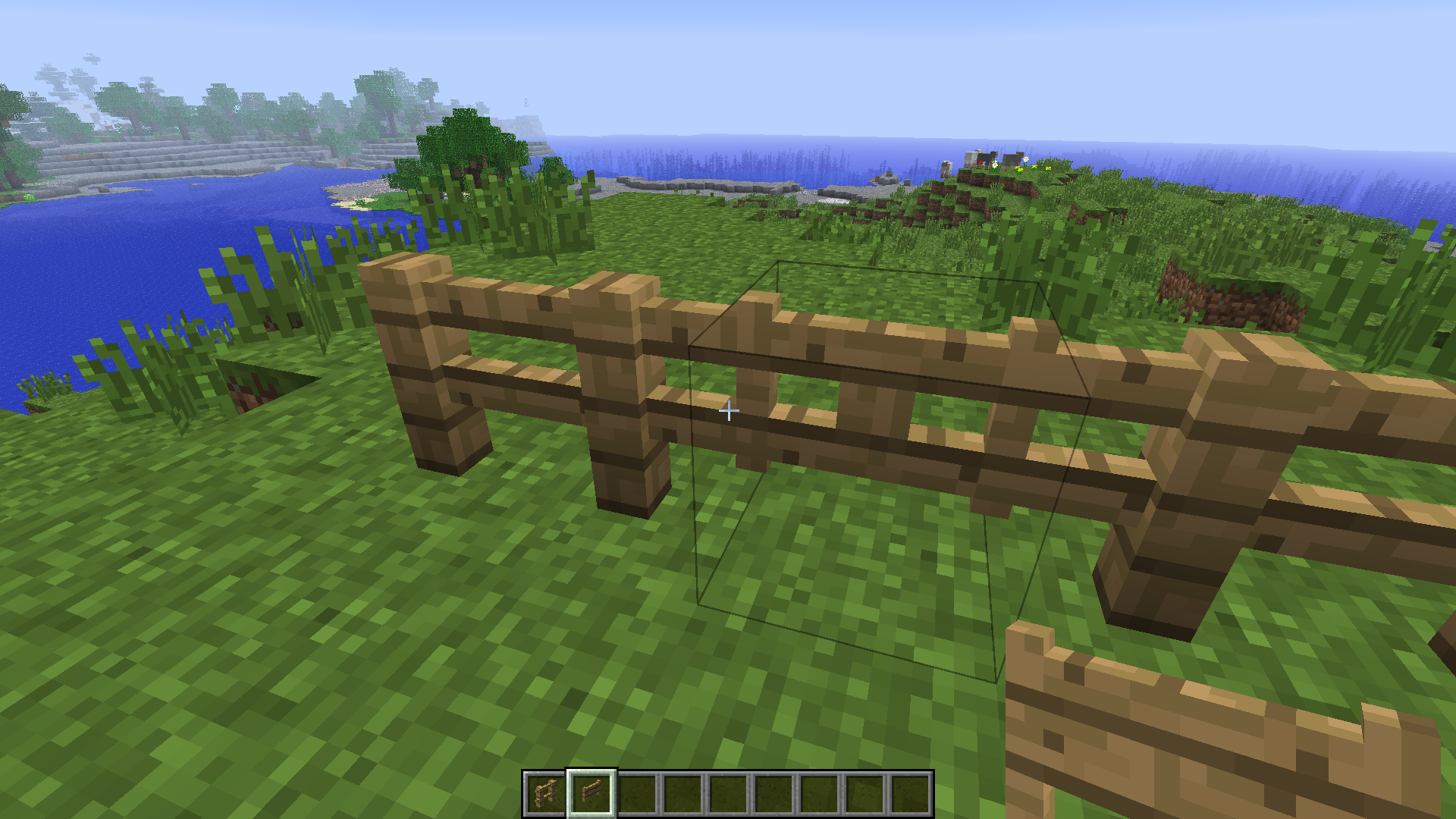 Old Hitboxes Old Hitboxes and Old Collision Shapes are independent tweaks in the mod and controllable via block tags! They are found under #retrotweaks:shapes/hitbox/ and #retrotweaks:shapes/collision/
 -
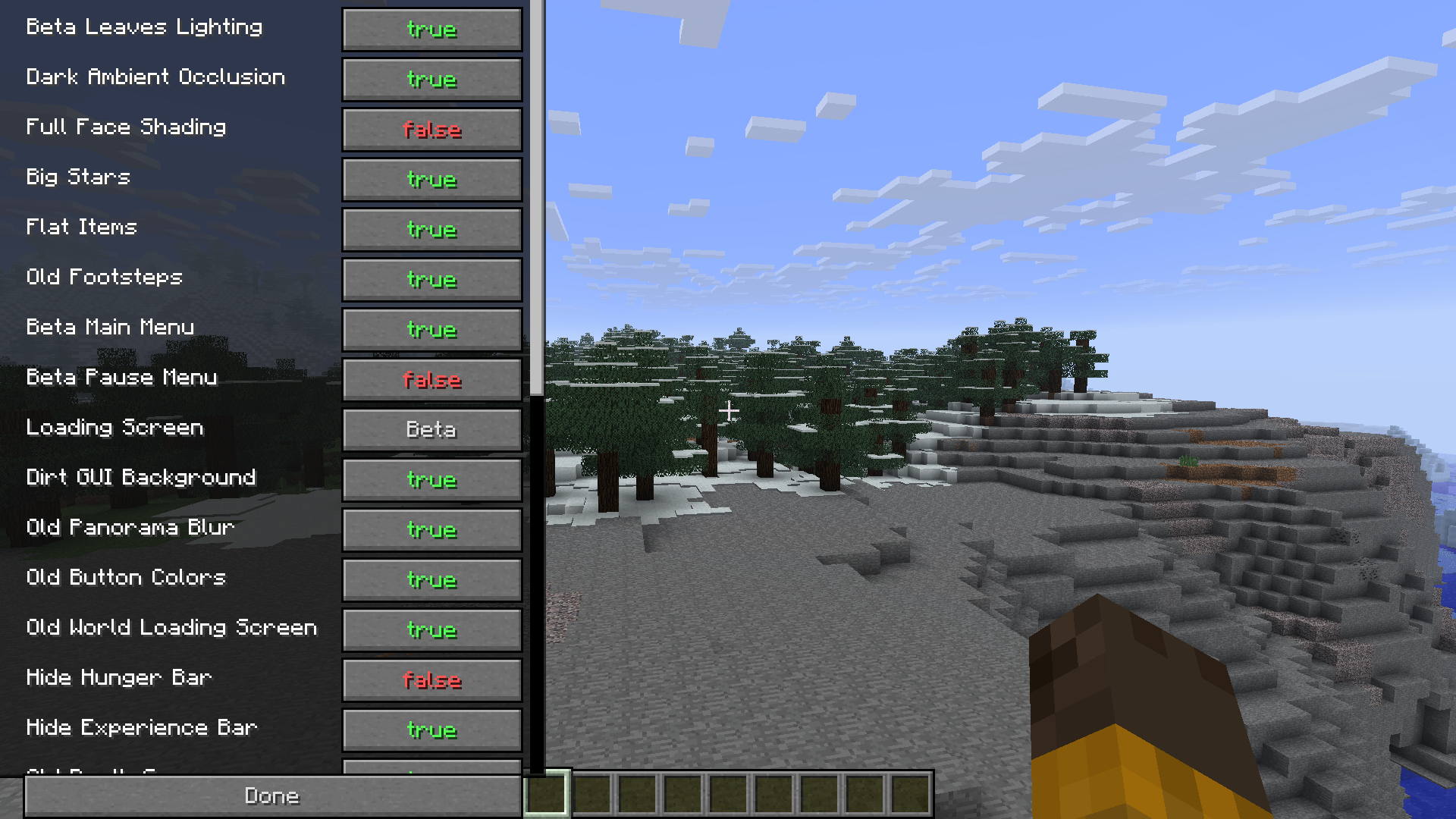 Config Screen The mod's config screen, currently openable with the "O" key. This will most likely change in future versions.
 -
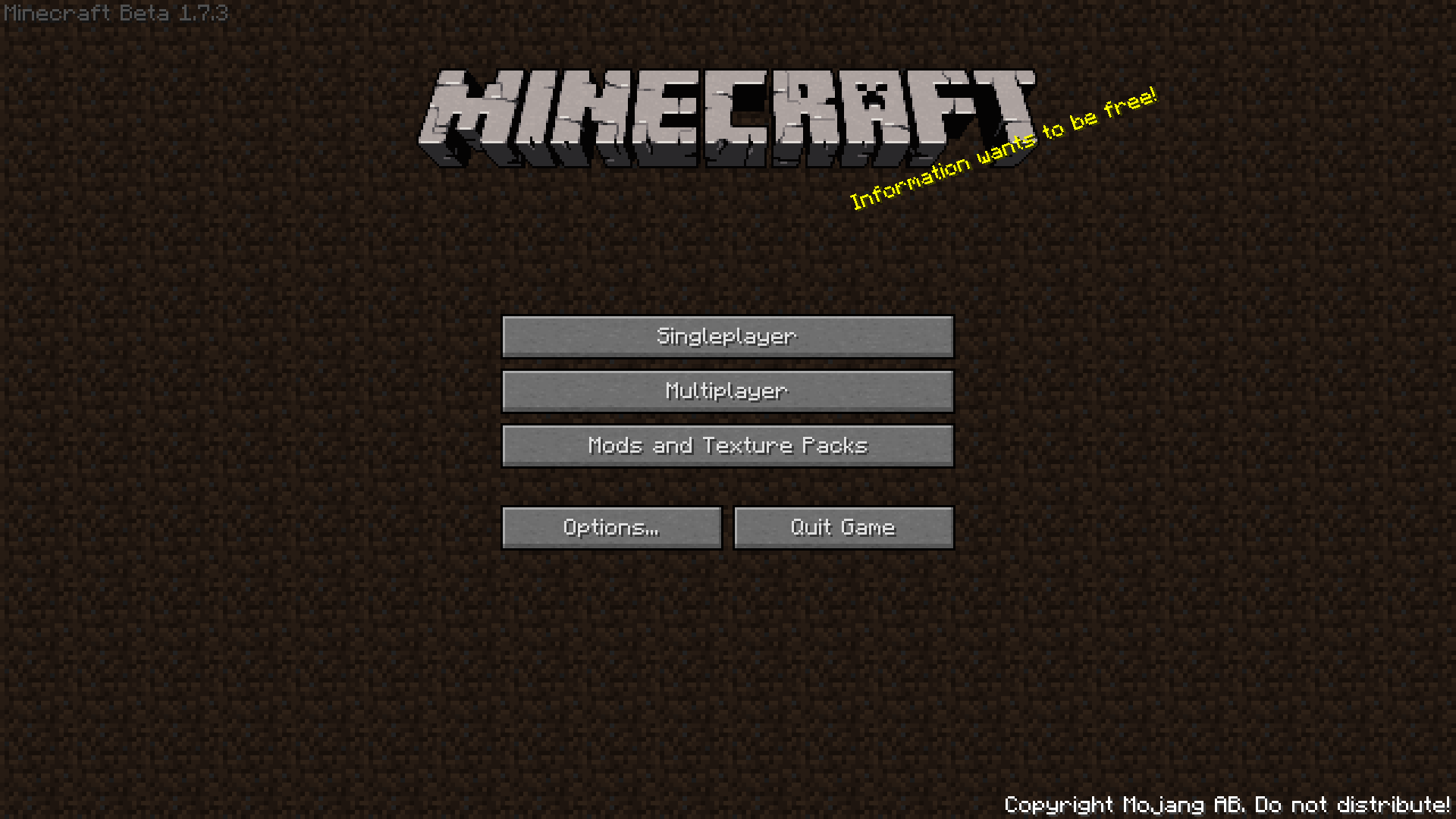 Title Screen A picture of the Minecraft Beta 1.7.3 title screen reimplemented by the mod.
 -
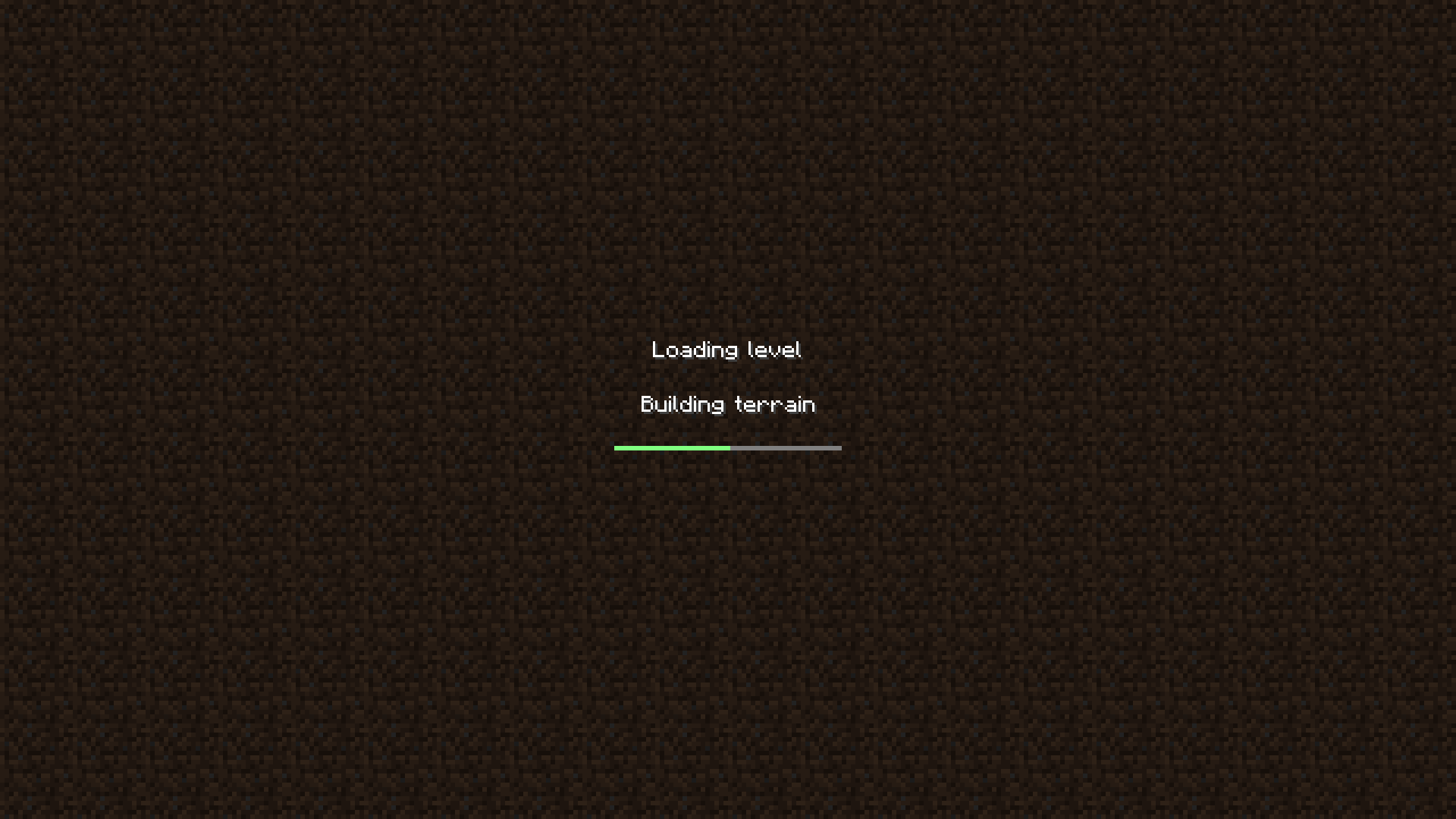 Loading Screen The loading level screen from Beta versions recreated by the mod.
Versions
Files
Relations
Project Relations
More like this
Similar Mods
Suggestions use data such as tags, dependencies, dependents, descriptions, titles, and more to rank how much they overlap with this mod.
On ModDex
Community snapshot
By the numbers
Statistics
Want to reach Minecraft players?
We're looking for a server hosting partner to feature here and other parts of the site. Interested? Send us a message!
Get in touchGet it on
Available Platforms
On ModDex
Community snapshot
By the numbers