
Community listing page, reviews here may not be monitored by the author.
ReviveToken


No reviews yet
Respawn on the spot.
Community voices
Reviews
No reviews yet. Be the first to review this project!
Get it on
Available Platforms
Compatibility
Supported Environments
Must be installed on both the client and the server.
About
Project Details
For authors
Embed Badge
If you're the author of this project, you can embed a live badge anywhere that supports HTML or Markdown. It updates automatically whenever ratings change.
Use HTML for any page that supports it, or Markdown for README files and Markdown-based descriptions.
Identifiers
Platform IDs
About
Description
ReviveToken
Revive Token - Coin 
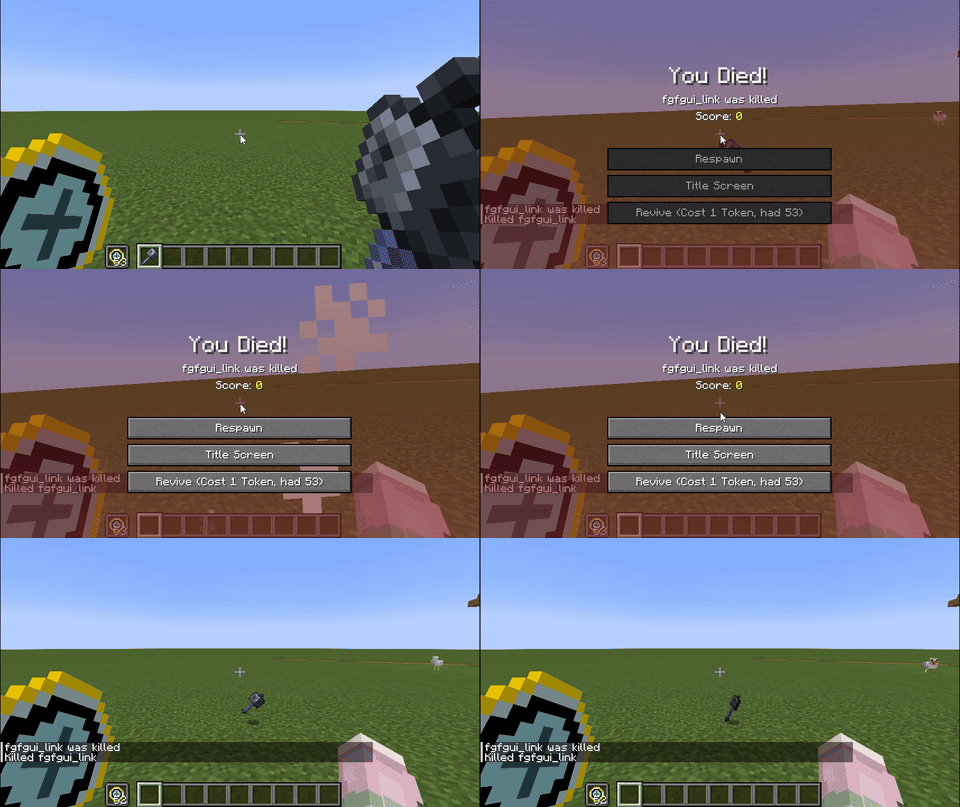
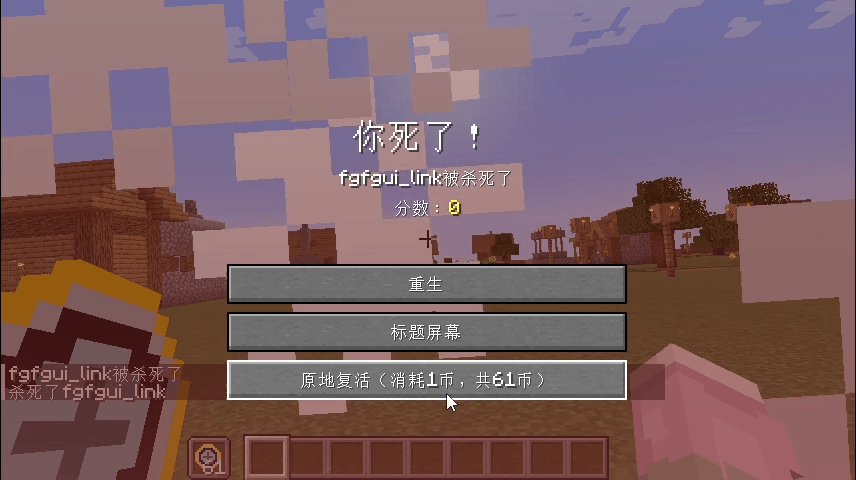
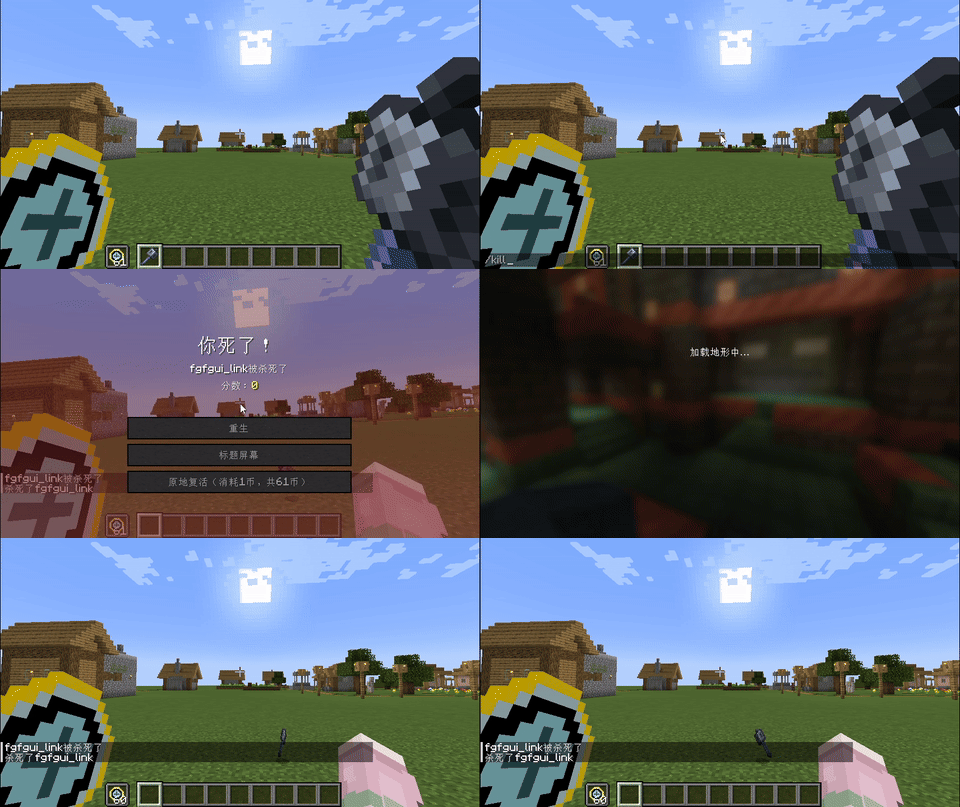
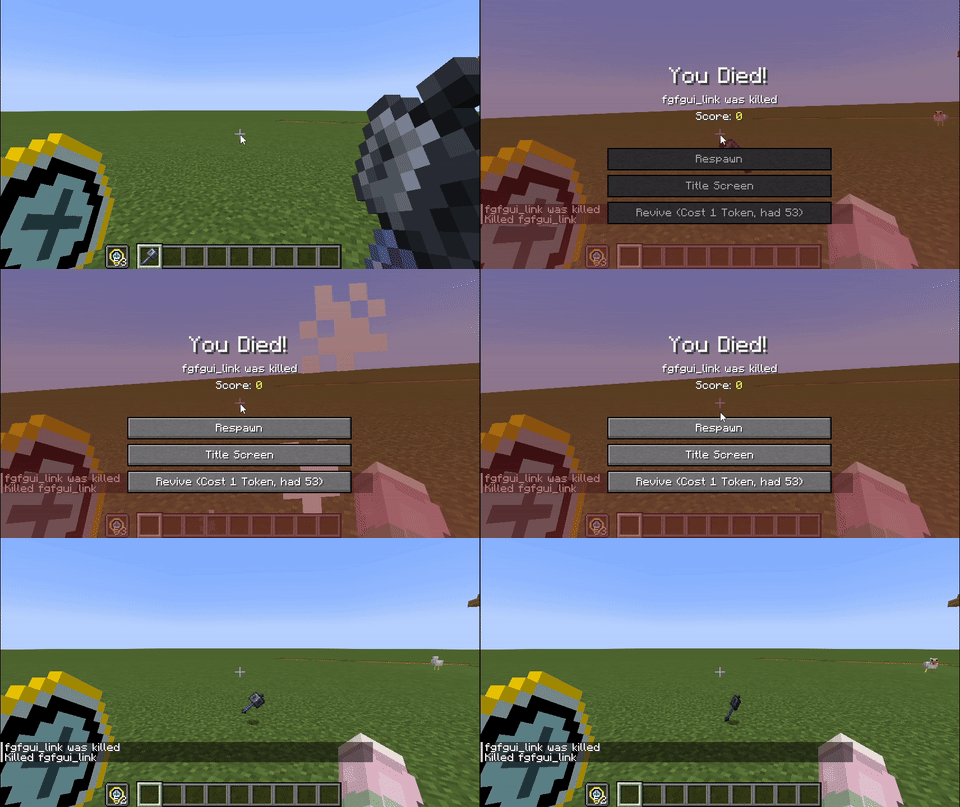
Consuming 1 Revive Token allows you to respawn on the spot. Tokens will not drop on death.
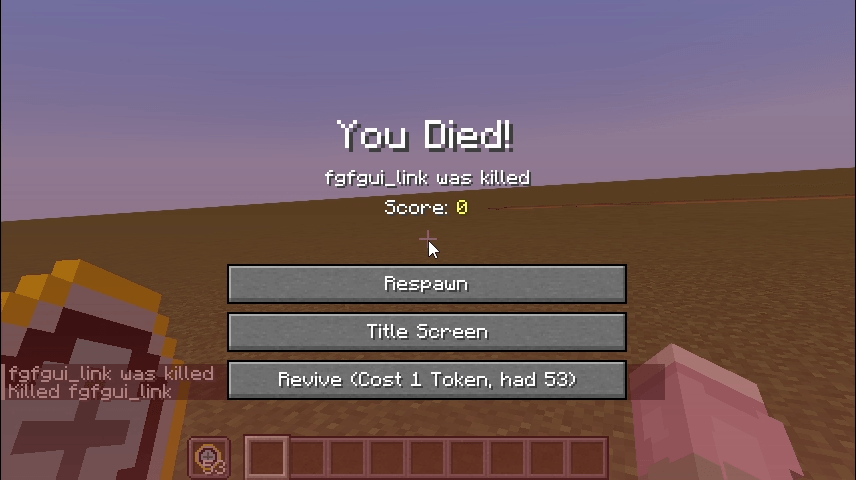
gif:
New Features
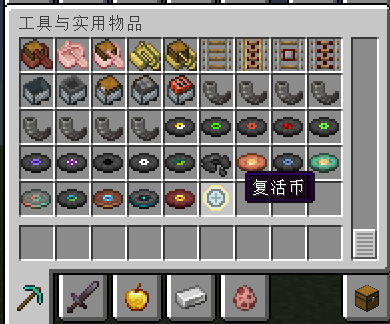
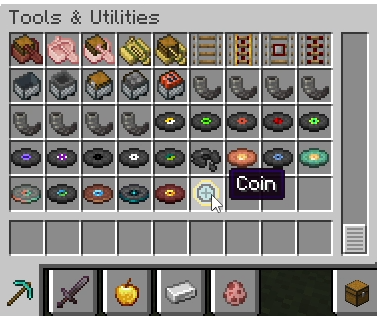
- Item: Coin
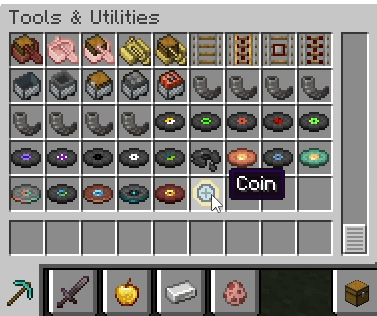
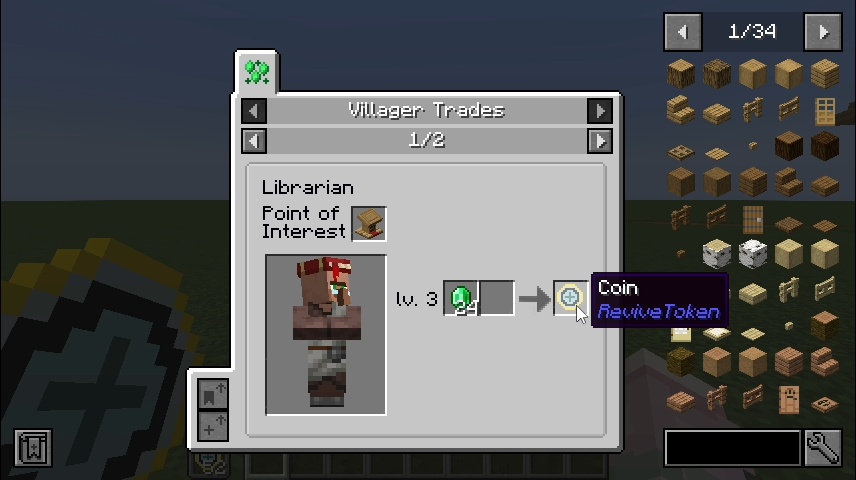
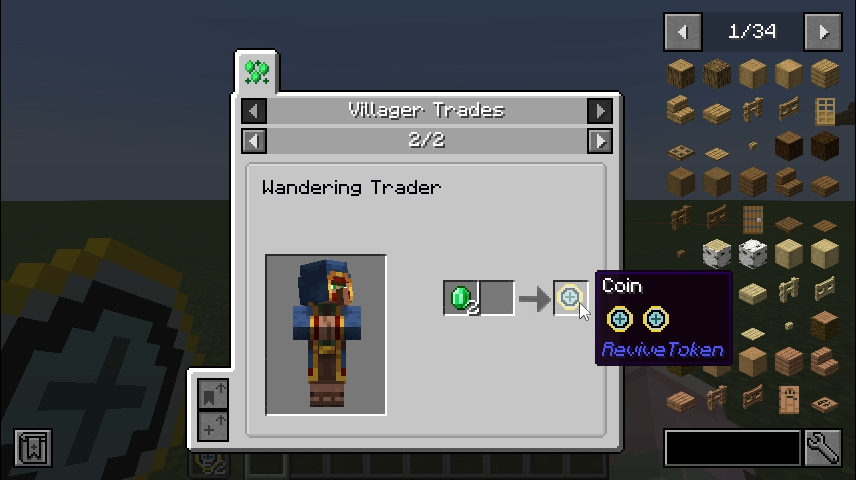
- Trades:
- Librarian
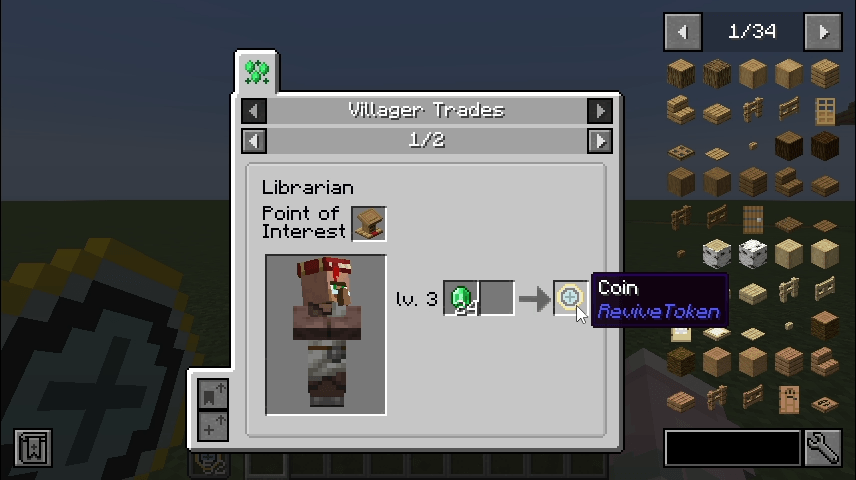
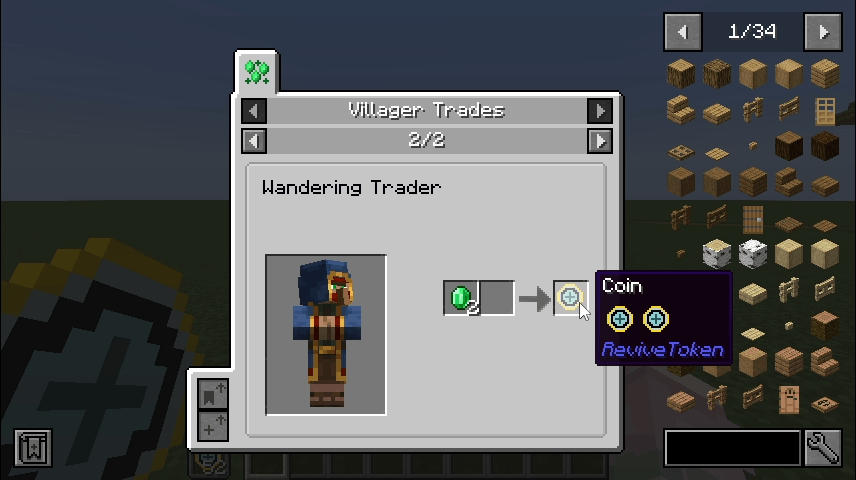
- Wandering Trader – Common Trade
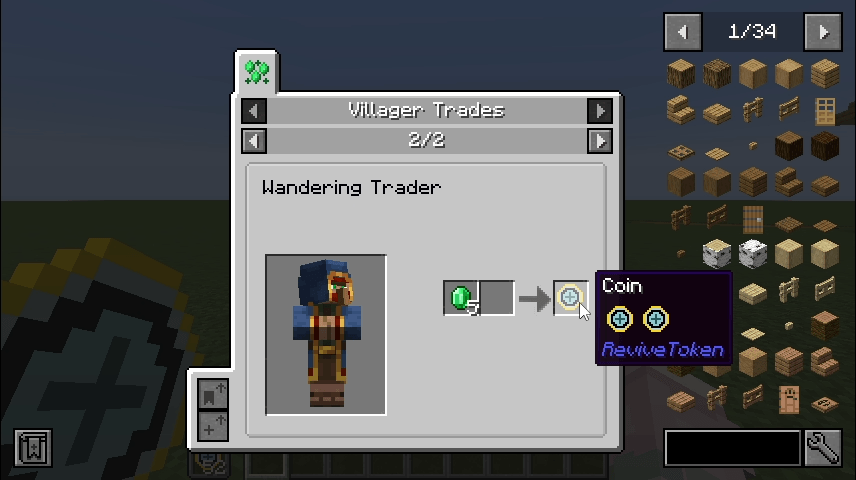
- Wandering Trader – Rare Trade
- Librarian
- "Revive" button
Customizable Settings
Sample configuration file:
#Specify the Token item to consume
token = "revivetoken:coin"
#Specify the Item count to consume
# Default: 1
# Range: > 0
cost = 1
#Disable the trade recipes of Coin
notrade = false
Changing token lets you define which item is consumed upon revival (non-droppable items will also change accordingly).
Changing cost lets you set how many tokens are consumed when reviving.
Set notrade to true to disable the added trade recipes.
FAQ
Q: Why doesn’t the respawn button appear even though I have tokens in my inventory?
A: Not enough tokens / tokens don’t match the item defined in the config file.
Q: Fabric / Forge / 1.20.1 support?
A: Not implemented. PRs are welcome.
复活币
消耗 1 个复活币可以在当前位置原地复活,复活币不会掉落
gif:
新增内容
- 物品:复活币
- 交易:
- 图书管理员
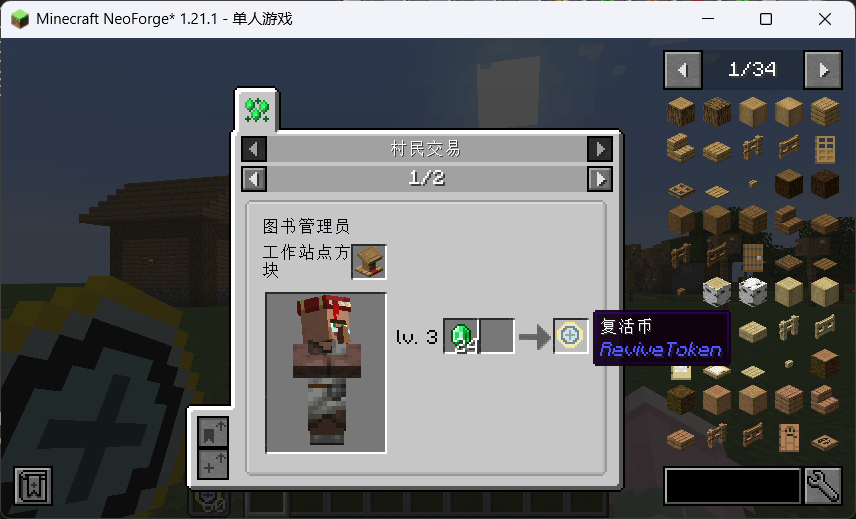
- 流浪商人-一般交易
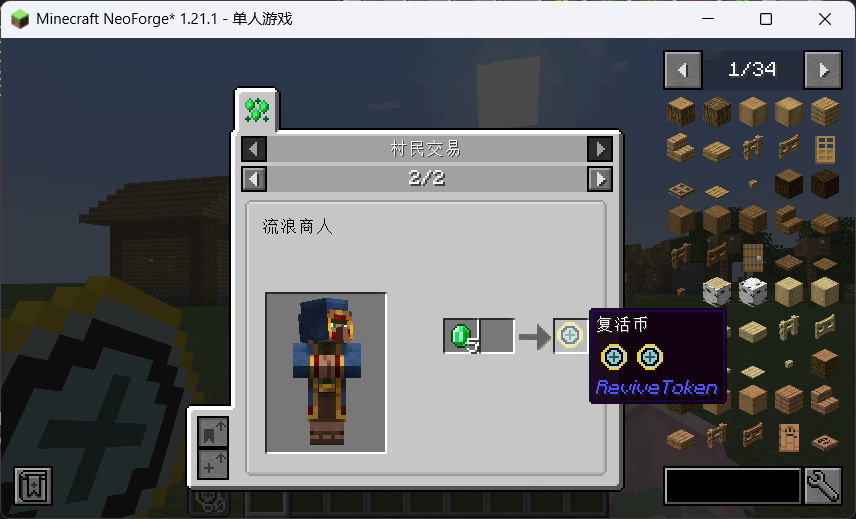
- 流浪商人-稀有交易
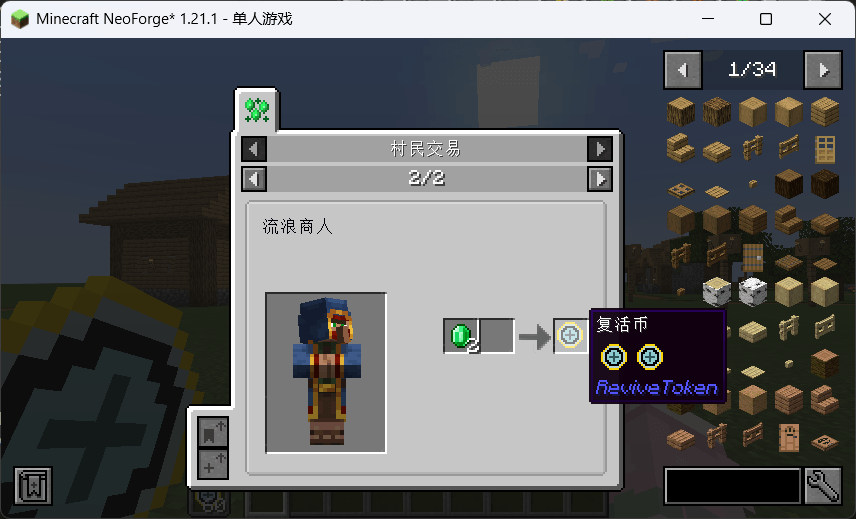
- 图书管理员
- "原地复活"按钮
可自定义内容
配置文件示例:
#Specify the Token item to consume
token = "revivetoken:coin"
#Specify the Item count to consume
# Default: 1
# Range: > 0
cost = 1
#Disable the trade recipes of Coin
notrade = false改变token可以改变复活时消耗什么物品(不掉落的物品也会随之改变)
改变cost可以改变复活时消耗多少币
将notrade改为true可以取消添加的交易配方
FAQ
Q: 为什么我背包里明明有币但是没有立即复活的按钮?
A: 币不够/币不符合你填的配置文件
Q: Fabric / Forge / 1.20.1?
A: 不会做,但欢迎 PR
ReviveToken
Revive Token - Coin
Consuming 1 Revive Token allows you to respawn on the spot. Tokens will not drop on death.
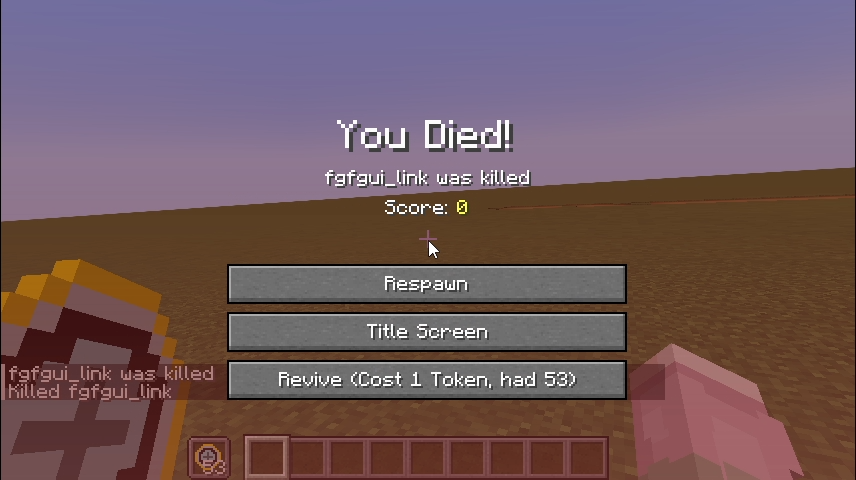
gif:
New Features
- Item: Revive Token
- Trades:
- Librarian
- Wandering Trader – Common Trade
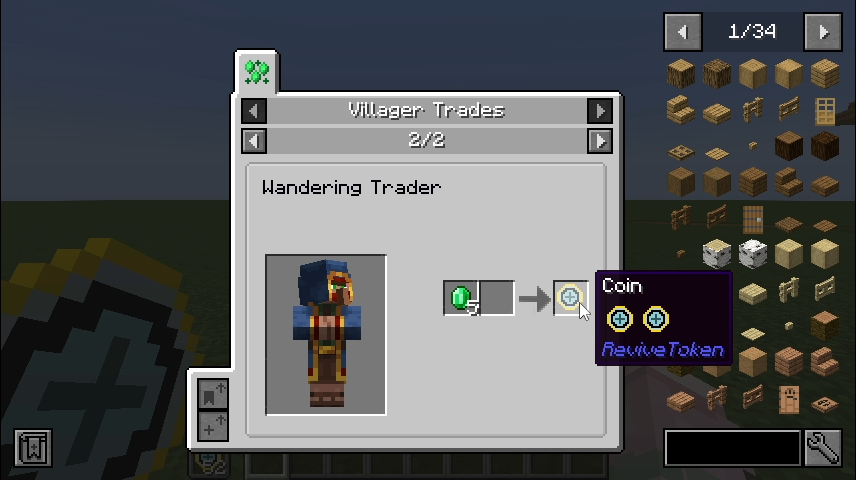
- Wandering Trader – Rare Trade
- "Revive" button
- Librarian
Customizable Settings
Sample configuration file:
#Specify the Token item to consume
token = "revivetoken:coin"
#Specify the Item count to consume
# Default: 1
# Range: > 0
cost = 1
#Disable the trade recipes of Coin
notrade = false
Changing token lets you define which item is consumed upon revival (non-droppable items will also change accordingly).
Changing cost lets you set how many tokens are consumed when reviving.
Set notrade to true to disable the added trade recipes.
FAQ
Q: Why doesn’t the respawn button appear even though I have tokens in my inventory?
A: Not enough tokens / tokens don’t match the item defined in the config file.
Q: Fabric / Forge / 1.20.1 support?
A: Not implemented. PRs are welcome.
Screenshots
Gallery
-
6e.png 6e.png
-
6.png 6.png
-
 5e.png 5e.png
 -
5.png 5.png
-
4e.png 4e.png
-
4.png 4.png
-
3e.png 3e.png
-
3.png 3.png
-
2e.gif 2e.gif
-
2.gif 2.gif
-
1e.png 1e.png
-
1.png 1.png
-
Coin in CreativeTab
-
trade1 Thanks to JEI & JER
-
DeathScreenGIF
-
trade2 Thanks to JEI & JER
-
trade3 Thanks to JEI & JER
-
DeathScreen
Versions
Files
Relations
Project Relations
More like this
Similar Mods
Suggestions use data such as tags, dependencies, dependents, descriptions, titles, and more to rank how much they overlap with this mod.
On ModDex
Community snapshot
By the numbers
Statistics
Want to reach Minecraft players?
We're looking for a server hosting partner to feature here and other parts of the site. Interested? Send us a message!
Get in touchGet it on
Available Platforms
On ModDex
Community snapshot
By the numbers