
Community listing page, reviews here may not be monitored by the author.
RLCraft Death Overhaul

No reviews yet
Dying costs you hearts, not your inventory. Set how many hearts a death takes, how many deaths it takes to lose one, and a floor you can never fall below - so only the hearts you earned are ever at risk.
Community voices
Reviews
No reviews yet. Be the first to review this project!
Get it on
Available Platforms
About
Project Details
For authors
Embed Badge
If you're the author of this project, you can embed a live badge anywhere that supports HTML or Markdown. It updates automatically whenever ratings change.
Use HTML for any page that supports it, or Markdown for README files and Markdown-based descriptions.
Identifiers
Platform IDs
Resources
External Links
About
Description
RLCraft Death Overhaul
Dying costs you hearts, not your whole inventory.
You keep your gear. You drop your loot, and it waits on the ground for you instead of despawning. Your maximum health drops by a heart, down to a minimum you can never fall below.
Works out of the box. No config editing, no second mod to set up.
💬 Join the Discord — bug reports, recipe suggestions, and release pings. It's where I'm most responsive.
What happens when you die
You keep your equipped gear. Armour, hotbar, mainhand, offhand, Baubles, and your Wearable Backpack with everything in it. Your Tool Belt too, since it sits in a Baubles slot.
You drop your main inventory. The 27 non-hotbar slots. Your loot and materials are still on the line, which is what gives you a reason to go back.
Your dropped items last 15 minutes instead of 5. Vanilla's timer is rarely enough to fight your way back in a pack this size, and running out of it is one of the most common ways to lose hours of progress. RLCraft already gives you Corpse Complex's Return Scroll to get there. Configurable, including never despawning at all if you want it.
Everything you kept takes 10% durability. Walking away with your gear still costs repair materials. It can never break an item - anything that would be destroyed stops at 1 durability instead.
You lose a heart of maximum health. Permanently, down to a minimum. Hearts come back only through Scaling Health heart containers.

Why not just use the keepInventory gamerule?
Because it is all or nothing. keepInventory keeps everything - gear, loot, XP - so death stops costing anything at all and turns into fast travel. That is usually what makes people switch it back off and go back to losing entire runs.
This mod is the middle setting the gamerule cannot express:
| keepInventory | This mod | |
|---|---|---|
| Equipped gear | Kept | Kept |
| Main inventory | Kept | Dropped |
| Items left on the ground | None | Last 15 minutes, not 5 |
| Durability cost | None | 10% on kept items |
| Maximum health | Unchanged | A heart, down to a minimum |
You keep enough to survive the trip back, and lose enough to make the trip worth taking.
If you do want the gamerule, turn it on - this mod detects it and leaves your inventory alone rather than fighting it. The heart cost still applies.
The health minimum
MIN_HEARTS defaults to 10, the same as Scaling Health's starting health.
So the hearts you start with can never be taken, and only hearts you added with heart containers are ever at risk. Two things follow:
- Dying early costs you nothing. New players are never dug into a hole they cannot climb out of.
- Every heart container becomes a decision. Using one puts it permanently at risk, so the question changes from "can I make another heart?" to "do I trust myself with what is ahead?"
If you change Scaling Health's Starting Health, change MIN_HEARTS to match.
Paying in items when you run out of hearts
There is a gap at the bottom of the range: once you are at the minimum, a death costs nothing at all. No health left to take, and your gear is kept anyway.
DROP_EVERYTHING_AT_MIN_HEALTH closes it. With it on, the trade runs both ways - hearts while you have them, your whole inventory once you do not. Death always costs something, and heart containers become the thing that buys your gear protection back.
Off by default, and check MIN_HEARTS before turning it on. The minimum defaults to 10, the same as Scaling Health's starting health, so a new player is standing on it from their first spawn and would drop everything on every death until their first heart container. If you want this on, set MIN_HEARTS below starting health so there is a buffer to spend first.
A death that charges no hearts does not charge items either, so exempt deaths and the free ones inside a DEATHS_PER_PENALTY grace period both leave your inventory alone.
Grace period
DEATHS_PER_PENALTY sets how many deaths it takes to be charged. Default 1, so every death costs a heart. Set it to 3 and you get two free deaths before the third one bites.
Scaling Health already has flat per-death health loss and a minimum health setting. The grace period is the part it does not have, and the reason this mod exists rather than being a config change.
Config
config/rlcraftdeathoverhaul.cfg, or in-game via Mods → RLCraft Death Overhaul → Config. Health values are in whole hearts, and every setting is read live - nothing needs a restart.
Settings are split into four groups.
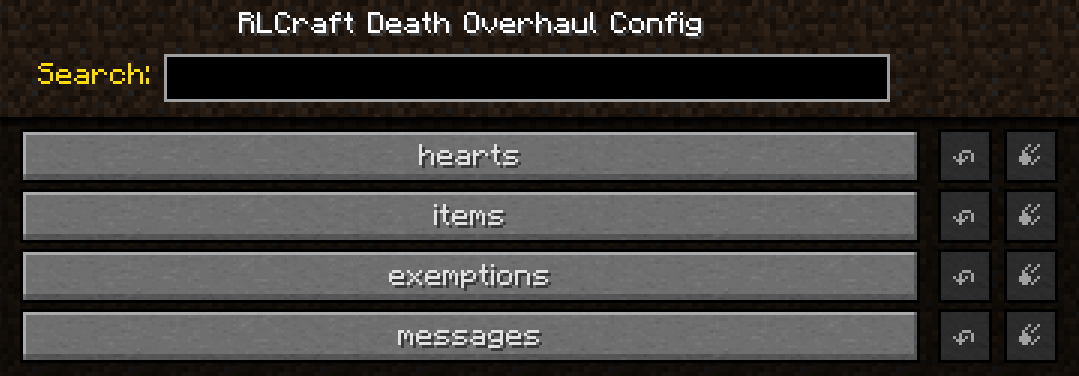
Four groups, all editable in-game and read live.
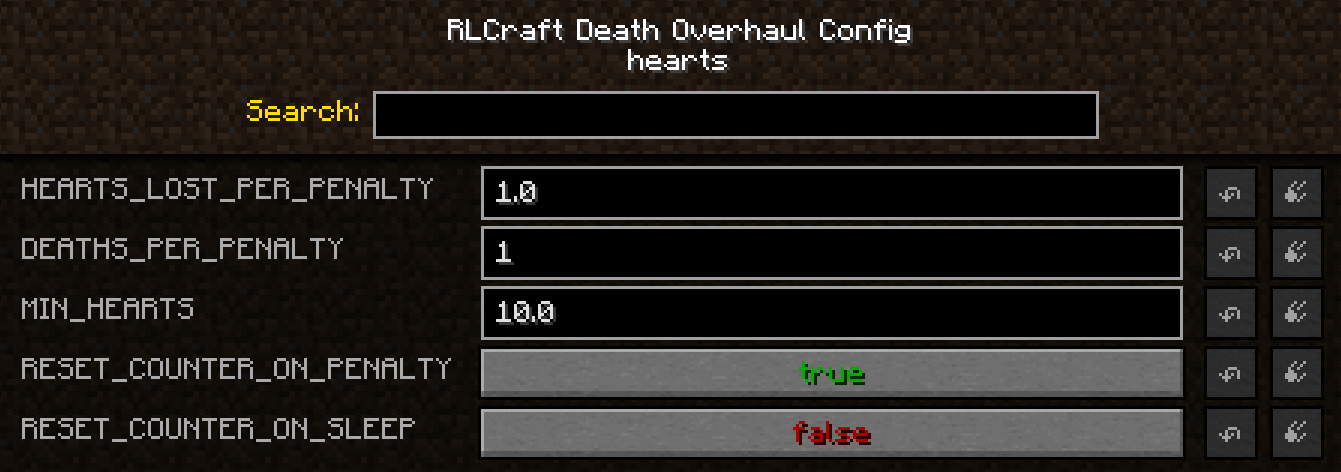
hearts - what dying costs you in health
| Setting | Default | Effect |
|---|---|---|
HEARTS_LOST_PER_PENALTY |
1.0 |
Hearts removed per penalty. Accepts halves. 0 disables health loss. |
DEATHS_PER_PENALTY |
1 |
Deaths needed to trigger a penalty. |
MIN_HEARTS |
10.0 |
Lowest your maximum health can go. |
RESET_COUNTER_ON_PENALTY |
true |
Grace period repeats rather than being one-time. |
RESET_COUNTER_ON_SLEEP |
false |
Sleeping clears pending deaths. Does not refund hearts. |
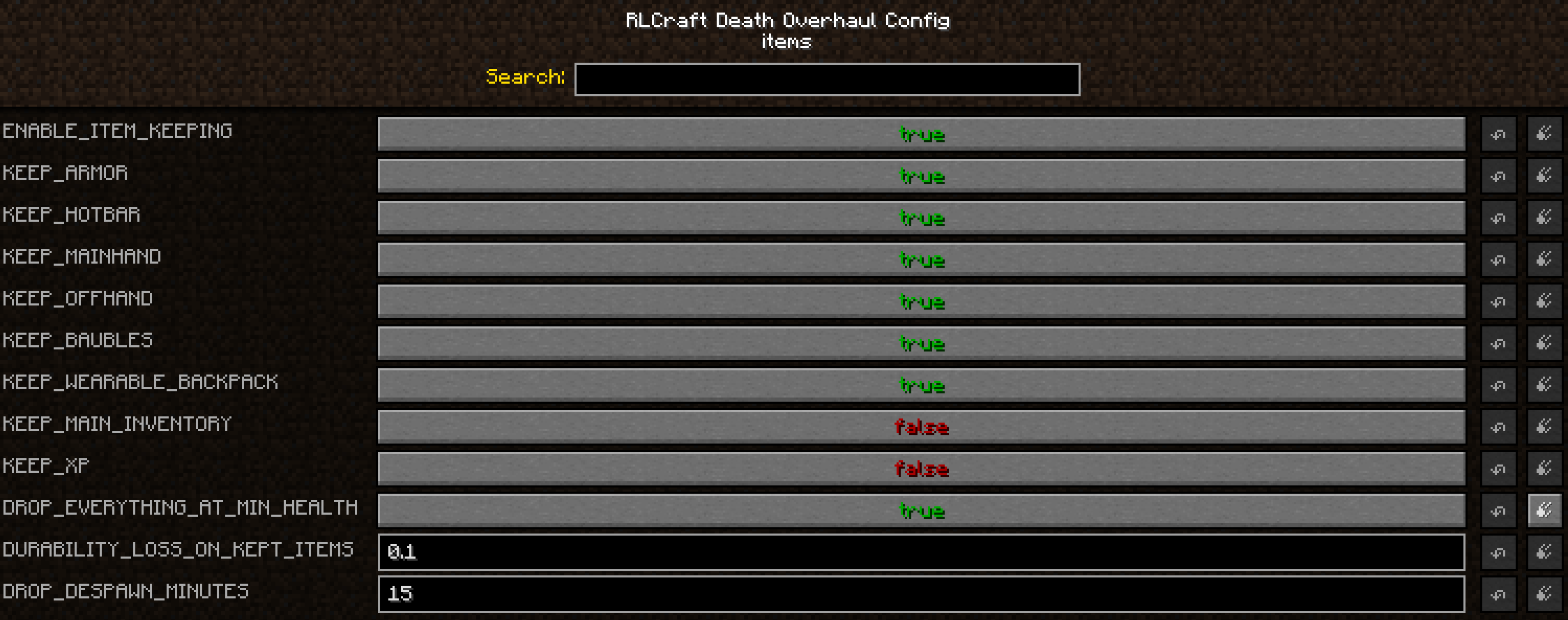
items - what survives, and what keeping it costs
| Setting | Default | Effect |
|---|---|---|
ENABLE_ITEM_KEEPING |
true |
Master on/off for item handling. Does not mean "keep everything". |
KEEP_ARMOR / KEEP_HOTBAR / KEEP_MAINHAND / KEEP_OFFHAND |
true |
Your equipped slots. |
KEEP_BAUBLES |
true |
Baubles, and the Tool Belt with them. |
KEEP_WEARABLE_BACKPACK |
true |
Backpack and contents. |
KEEP_MAIN_INVENTORY |
false |
The 27 loot slots. This is the one you drop. |
KEEP_XP |
false |
Keep experience instead of dropping it. |
DROP_EVERYTHING_AT_MIN_HEALTH |
false |
At the minimum, pay in items instead of hearts. |
DURABILITY_LOSS_ON_KEPT_ITEMS |
0.10 |
Durability charged on kept items. |
DROP_DESPAWN_MINUTES |
15 |
How long death drops last. 0 leaves them alone, -1 never despawns. |
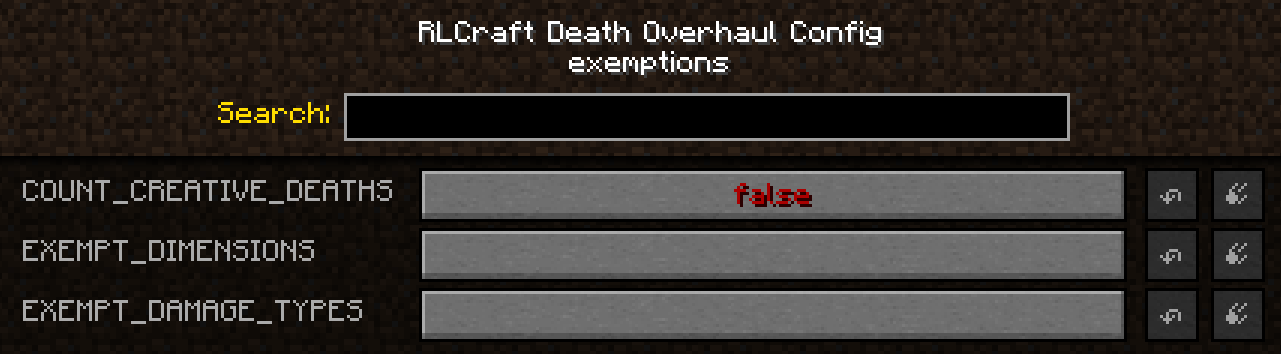
exemptions - deaths that do not count
| Setting | Default | Effect |
|---|---|---|
COUNT_CREATIVE_DEATHS |
false |
Whether creative and spectator deaths count. |
EXEMPT_DIMENSIONS |
(empty) | Dimension IDs where dying is free. |
EXEMPT_DAMAGE_TYPES |
(empty) | Damage types that do not count. |
messages - what players are told
| Setting | Default | Effect |
|---|---|---|
ANNOUNCE_PENALTY |
true |
Chat message when charged. |
ANNOUNCE_PROGRESS |
true |
Chat message showing deaths remaining. |
BROADCAST_PENALTY_TO_SERVER |
false |
Announce penalties to everyone. |
EXEMPT_DAMAGE_TYPES matches Minecraft's internal damage name (fall, lava, cactus), not the death message in chat. Set your log level to debug and the mod prints the damage type of every death it sees.
Commands
| Command | Permission | Effect |
|---|---|---|
/deathoverhaul status |
anyone | Max health, minimum, deaths banked, lifetime totals. |
/deathoverhaul status Steve |
op | Same, for another player. |
/deathoverhaul reset Steve |
op | Clears counters. Does not refund hearts. |
/deathoverhaul sethearts Steve 12 |
op | Sets max health, here to 12 hearts. This is how you give hearts back. |
Aliased to /dov and /dp.
Requirements
- Minecraft 1.12.2, Forge 14.23.5.2847 or newer
- Scaling Health - required. Forge will refuse to load this mod without it rather than misbehave.
Baubles and Wearable Backpacks are optional. Their settings are ignored when those mods are not installed.
Safe to add to an existing world. No world generation, no new items or blocks - it only changes what happens when you die. Removing it later is safe too, though hearts already lost stay lost, since Scaling Health owns your maximum health and keeps it.
Works on servers, and only needs installing on the server. Every decision is made server-side, so players do not need it in their own mods folder to join. BROADCAST_PENALTY_TO_SERVER makes penalties public if you want them to be.
Built for RLCraft and RLCraft Dregora, but nothing in it is pack-specific - it works on any 1.12.2 pack with Scaling Health.
Compatibility
If another mod already keeps items on death - Corpse Complex, a gravestone mod - turn one of the two off. Two mods saving the same inventory can duplicate or lose items. This mod checks at startup and warns in the log if it spots one. Out of the box there is no clash: Corpse Complex ships with RLCraft with its Inventory Module disabled.
To hand item handling back to your pack entirely, set ENABLE_ITEM_KEEPING=false. The heart cost still applies.
The vanilla keepInventory gamerule always takes precedence. With it on, this mod does not touch your inventory at all.
Scaling Health's own Health Lost On Death can be left however you like. This mod takes over health-on-death while it is installed, so the two can never both charge you for the same death.
Links
- Discord: discord.gg/kxQvMDJBTN
- Bug reports: GitHub issue tracker
- Source: github.com/ExiledRadio/RLCraftDeathOverhaul - MIT licensed, fork it or bundle it in your modpack
Unofficial addon. Not affiliated with or endorsed by the RLCraft or RLCraft Dregora teams, or by the author of Scaling Health.
Screenshots
Gallery
-
 ConfigItems.png ConfigItems.png
 -
 ConfigExemptions.png ConfigExemptions.png
 -
ConfigCategory.png ConfigCategory.png
-
 ConfigHearts.png ConfigHearts.png
 -
DeathMessage.png DeathMessage.png
Versions
Files
Relations
Project Relations
More like this
Similar Mods
Suggestions use data such as tags, dependencies, dependents, descriptions, titles, and more to rank how much they overlap with this mod.
On ModDex
Community snapshot
By the numbers
Statistics
Want to reach Minecraft players?
We're looking for a server hosting partner to feature here and other parts of the site. Interested? Send us a message!
Get in touchGet it on
Available Platforms
On ModDex
Community snapshot
By the numbers
Statistics
Resources