Community listing page, reviews here may not be monitored by the author.
Roleplay Chats


No reviews yet
FiveM-style HUD & chat mod for Minecraft. Replaces vanilla chat with styled, icon-tagged message channels built for roleplay servers!
Community voices
Reviews
No reviews yet. Be the first to review this project!
Get it on
Available Platforms
Compatibility
Supported Environments
Must be installed on both the client and the server.
About
Project Details
For authors
Embed Badge
If you're the author of this project, you can embed a live badge anywhere that supports HTML or Markdown. It updates automatically whenever ratings change.
Use HTML for any page that supports it, or Markdown for README files and Markdown-based descriptions.
Identifiers
Platform IDs
About
Description
🎭 Roleplay Chats Forge Mod
FiveM-style chat channels and HUD overlay for Minecraft
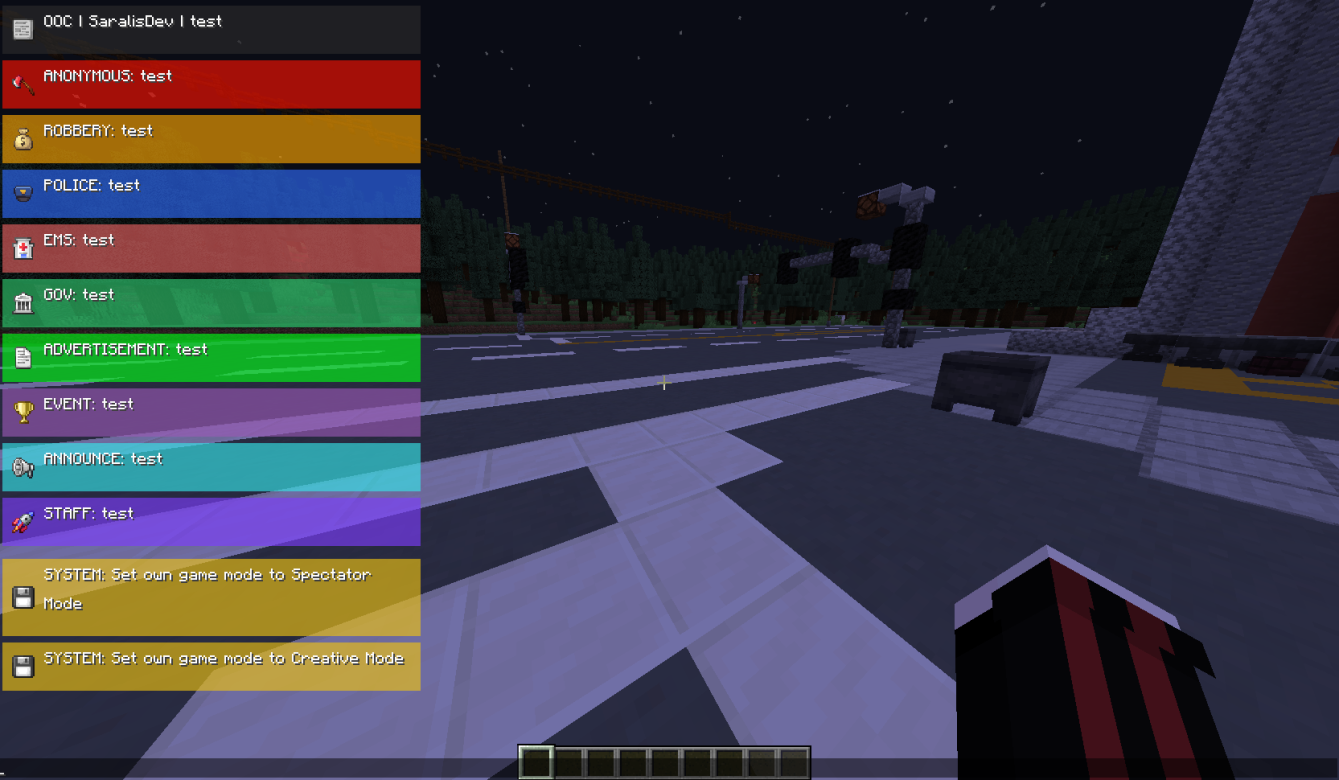
A server-side mod (with a required client component) that replaces Minecraft's default chat with a sleek, GTA/FiveM-inspired HUD. Messages appear as styled, icon-tagged boxes that slide in and fade out — perfect for roleplay servers.
✨ Features
- Custom chat overlay — replaces the vanilla chat with a styled HUD overlay (colored boxes, icons, labels)
- 10+ chat channels — each with its own icon, color, and label
- Staff-only channels — `staff` and `system` are restricted to operators (permission level 2)
- Smooth animations — messages slide in and fade out after a configurable duration
- Scrollable chat history — open chat and scroll through up to 500 past messages
- Server-configurable HUD — the server can push HUD layout settings directly to clients via packets
- System message interception — server system messages are automatically styled and shown through the HUD
💻 Installation
1. Download the `.jar` file from the releases page.
2. Place it in the `mods/` folder of both your server and client.
3. Start the server — the mod registers its config and network channel automatically.
📟 Chat Channels
These commands are available to send styled messages through the HUD. Most are open to all players; staff and system require permission level 2.
| Command | Label | Permission |
|---|---|---|
/staff |
STAFF | OP (lvl 2) |
/system |
SYSTEM | OP (lvl 2) |
/police |
POLICE | All |
/ems |
EMS | All |
/gov |
GOV | All |
/twt |
All | |
/ad |
ADVERTISEMENT | All |
/announce |
ANNOUNCE | All |
/ooc |
OOC | All |
/robbery |
ROBBERY | All |
/anon |
ANONONYMOUS | All |
/event |
EVENT | All |
/me |
[message above the head] |
All |
| /clear chats | It’s deleting the messages | OP (lvl 2) |
> Note: For /twt and /ooc, the sender's name is automatically prepended to the message and displayed as CHANNEL | Username | message.
> You can use /cleat chats all/group/player in order to organize your chats easier!
🔧 Raw HUD Command
/hud
Sends a raw markup string directly to all players. Requires permission level 0 (any player), but is mainly intended for admin/plugin use. See the [Markup Format](#markup-format) section below.
🔨 Markup Format
The HUD uses a simple tag-based markup parsed from a raw string. Tags appear at the start of the message in square brackets.
[emoji=][label=][box][color=#RRGGBB] Your message here
Tags
| Tag | Description |
|---|---|
[emoji=] |
Icon to display. Keys: staff, police, gov, twitter, system, announce, ooc, robbery, anon |
[label=] |
Channel label shown before the message (e.g. POLICE) |
[box] |
Draws a colored background box behind the message |
[color=#RRGGBB] |
Background box color. Accepts hex (#2E6BFF) or named colors |
[bg=#RRGGBB] |
Alias for [color=…] |
Named Colors
`blue`, `red`, `green`, `yellow`, `purple`, `gray`, `black`, `white`, `twitter`
Example
[emoji=police][label=POLICE][box][color=#2E6BFF] Officer down at central bank!
📚 HUD Layout & Configuration
The server can push HUD display settings to clients at any time using the `HudConfigPacket` network packet. The following values are configurable:
| Field | Default | Description |
|---|---|---|
offsetX |
8 |
Horizontal offset from the anchor edge (px) |
offsetY |
8 |
Vertical offset from the anchor edge (px) |
width |
240 |
Width of the HUD panel (120–260 px) |
lineHeight |
18 |
Height of each text line (12–40 px) |
gap |
4 |
Gap between messages (0–30 px) |
maxEntries |
8 |
Max messages visible at once (1–20) |
lifeMs |
9000 |
How long a message stays fully visible (ms) |
fadeMs |
1200 |
Fade-out duration after lifeMs expires (ms) |
showIcon |
true |
Whether to show channel icons |
iconSize |
14 |
Icon size in pixels (8–32) |
The HUD is anchored to the top-left by default. Messages grow downward when chat is closed, and are displayed above the chat input bar when chat is open. A slide-in animation plays for each new message.
📩 Chat History
When the chat screen is open, you can scroll through the last 500 messages:
| Key | Action |
|---|---|
| Scroll wheel | Scroll ±2 entries |
| Page Up | Scroll +10 entries |
| Page Down | Scroll −10 entries |
| Home | Jump to oldest |
| End | Jump to newest |
🏆 Authors
- m4r1os — original concept & development
- MNV — development
- SaralisDev — development & design
📃 License
All Rights Reserved. Do not redistribute without permission.
FiveM-style chat channels and HUD overlay for Minecraft
A server-side mod (with a required client component) that replaces Minecraft's default chat with a sleek, GTA/FiveM-inspired HUD. Messages appear as styled, icon-tagged boxes that slide in and fade out — perfect for roleplay servers.
Features
- Custom chat overlay — replaces the vanilla chat with a styled HUD overlay (colored boxes, icons, labels)
- 10 chat channels — each with its own icon, color, and label
- Staff-only channels —
staffandsystemare restricted to operators (permission level 2) - Smooth animations — messages slide in and fade out after a configurable duration
- Scrollable chat history — open chat and scroll through up to 500 past messages
- Server-configurable HUD — the server can push HUD layout settings directly to clients via packets
- System message interception — server system messages are automatically styled and shown through the HUD
⚠️ Both the server and client must have this mod installed.
Screenshots
Gallery
-
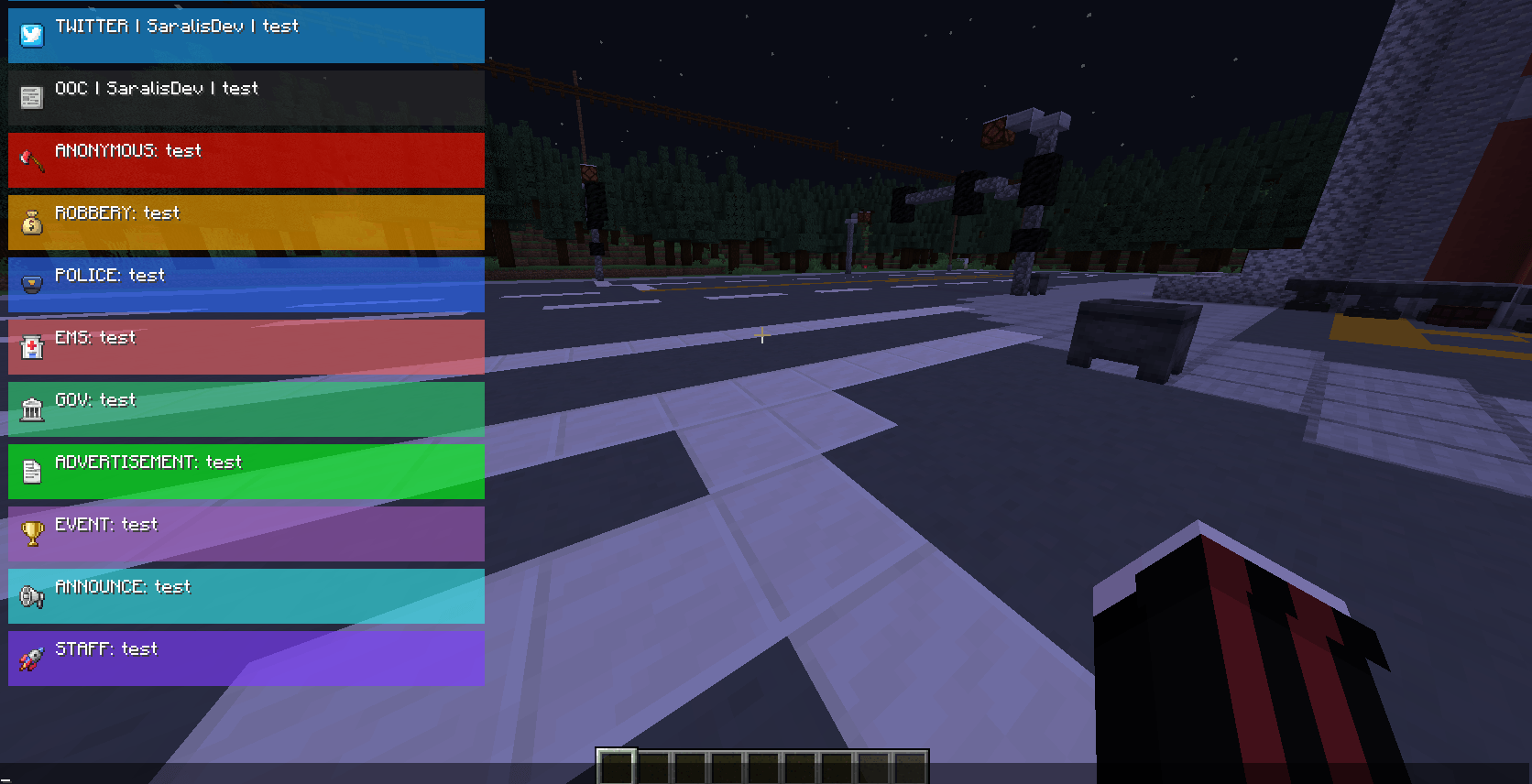 All Chats #1
 -
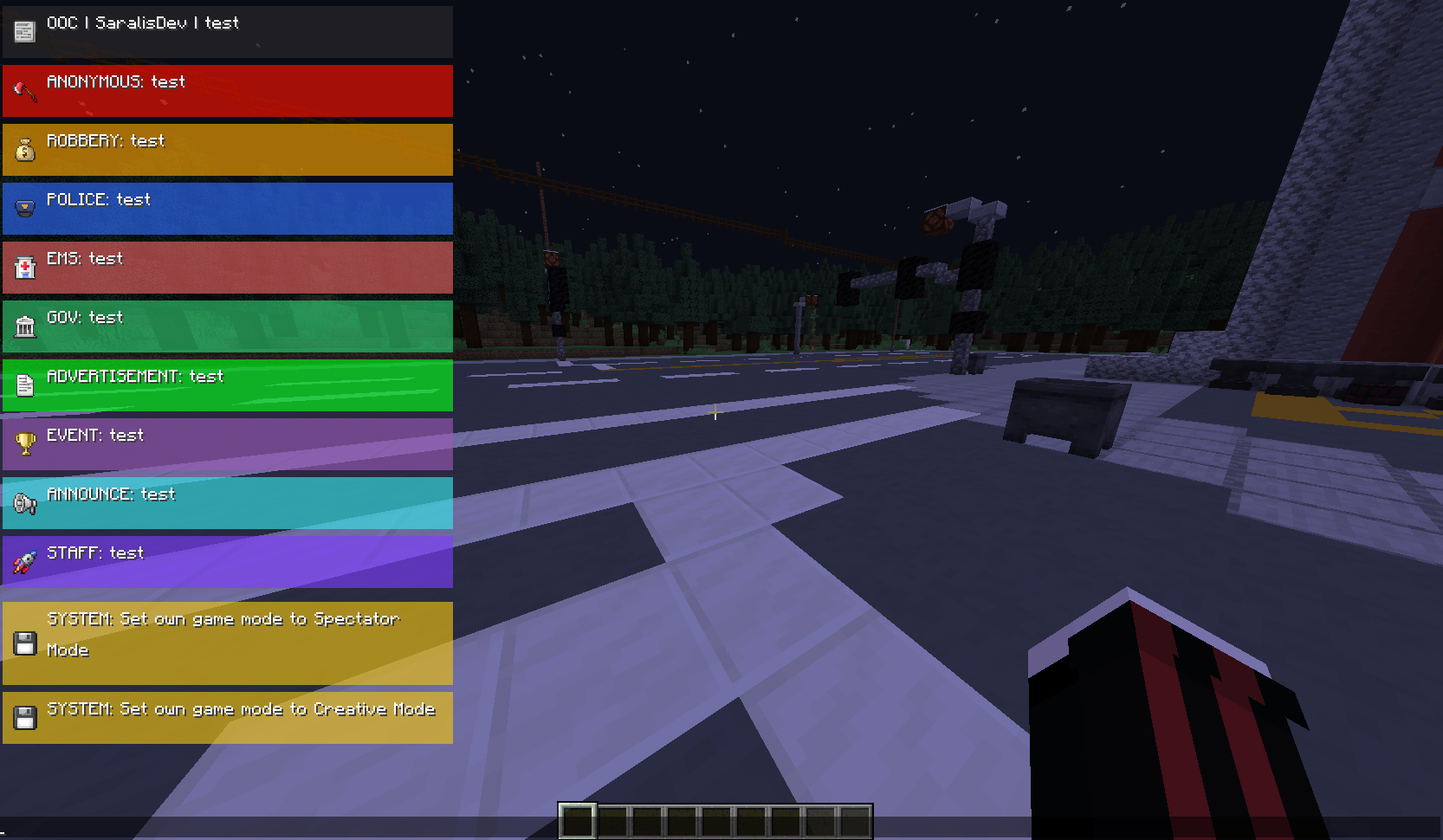 All Chats #2
 -
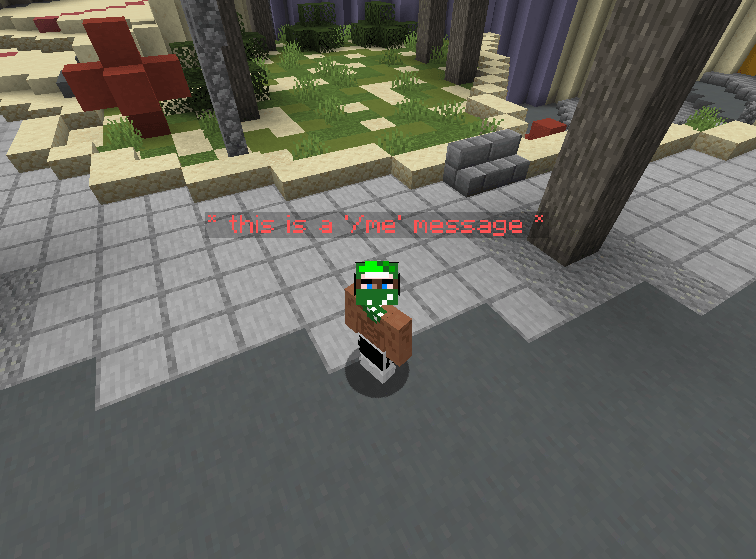 Message through /me command
-
-
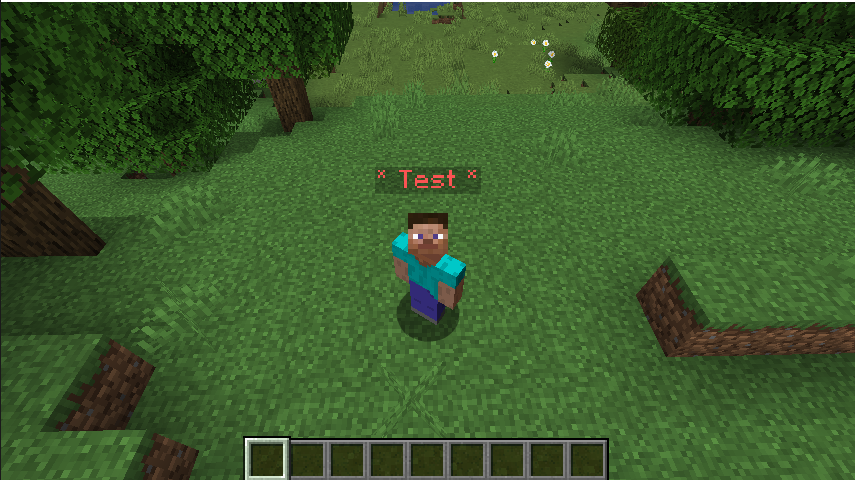 /me function
Versions
Files
Relations
Project Relations
More like this
Similar Mods
Suggestions use data such as tags, dependencies, dependents, descriptions, titles, and more to rank how much they overlap with this mod.
On ModDex
Community snapshot
By the numbers
Statistics
Want to reach Minecraft players?
We're looking for a server hosting partner to feature here and other parts of the site. Interested? Send us a message!
Get in touchGet it on
Available Platforms
On ModDex
Community snapshot
By the numbers