Community listing page, reviews here may not be monitored by the author.
RPG Class Selection (RPG Series Tweaks)


No reviews yet
Adds a class selection screen known from many RPGs.
Fabric is a mod loader for versions 1.14+ of Minecraft, particularly popular for client side and optimization mods.
Community voices
Reviews
Filters
Click once to include, again to exclude, again to clear
No reviews yet. Be the first to review this project!
Get it on
Available Platforms
Compatibility
Supported Environments
Must be installed on both the client and the server.
About
Project Details
For authors
Embed Badge
If you're the author of this project, you can embed a live badge anywhere that supports HTML or Markdown. It updates automatically whenever ratings change.
Use HTML for any page that supports it, or Markdown for README files and Markdown-based descriptions.
Identifiers
Platform IDs
About
Description
RPG Class Selection
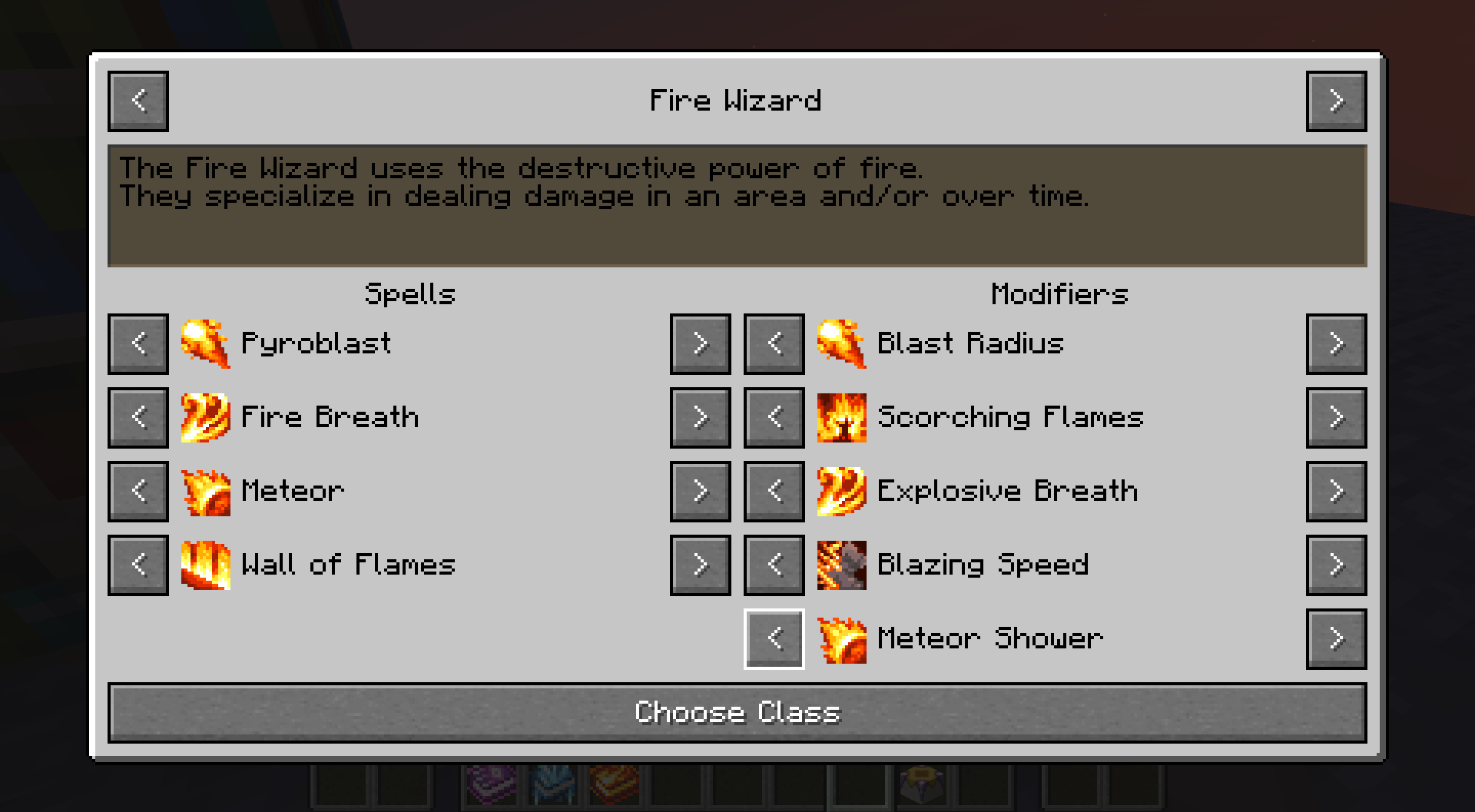
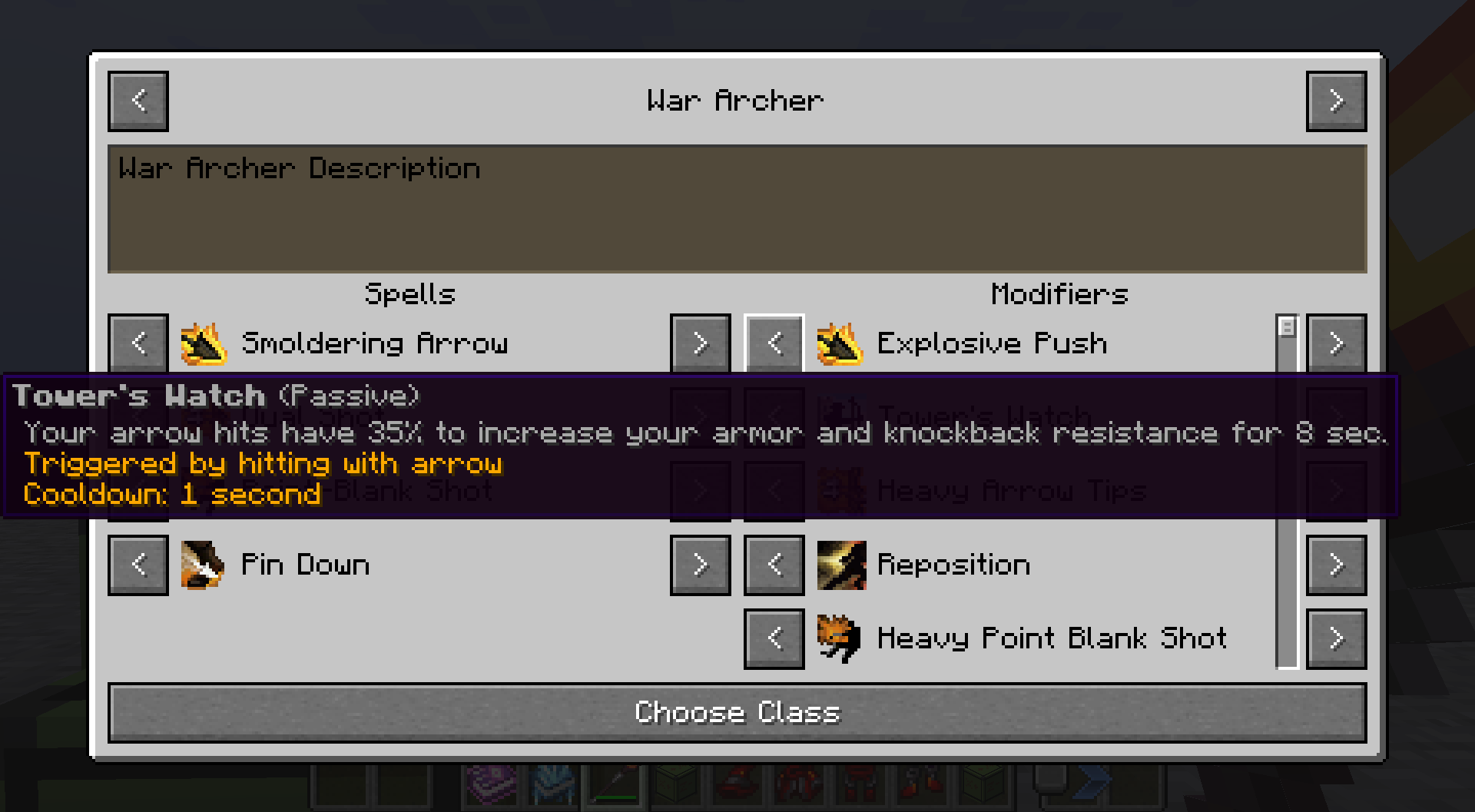
This mod adds a class selection screen known from many RPG games.
Classes consist of "upgrades", which can be spells (powered by Spell Engine), entity attribute modifiers or a combination of both.
Built-in classes
The mod comes with built-in data/resource packs that add classes based on the RPG Series mods by Daedelus and the More RPG Series by Fichte.
Feel free to learn from those packs or use them as a baseline for a more customized experience.
How can the screen be accessed?
There are 4 ways to open the class selection screen:
- a hot key (defaults to "K"). This can be disabled in the server config.
- the screen opens for players when they first join a world. This can be disabled in the server config.
- interacting with the "RPG Class Selection Block". This block is not available in survival and is intended for mapmakers and server admins.
- other mods can implement custom methods to open the screen, using the provided API method.
Each method can customize the screen that is opened using config options, block entity data or method arguments.
Customization options include:
- what class is shown when the screen is opened
- whether the class list is restricted to the initial class and the current class of the player
- whether the player can change the class
- whether the player can change the upgrades of the current class
Additional customization
The mod comes with different layouts for the class selection screen. What layout is used can be changed in the server config.
How does it work?
When a player chooses a class, an item defined by the class is placed into a specific equipment slot. Selected upgrades are stored on that item.
> Currently, the equipment slot used is provided by RPG Inventory.
> Alternative compatibility with Trinkets is getting explored and might be added at a later date.
Classes and class upgrades can be unlocked with advancements.
Classes are defined via data packs.
RPG Class Selection (RPG Series Tweaks)
This mod adds a class selection screen known from many RPG games.
Classes consist of "upgrades", which can be spells (powered by Spell Engine), entity attribute modifiers or a combination of both.
Built-in classes
The mod comes with built-in data/resource packs that add classes based on the RPG Series mods by Daedelus and the More RPG Series by Fichte.
Feel free to learn from those packs or use them as a baseline for a more customized experience.
How can the screen be accessed?
There are 4 ways to open the class selection screen:
- a hot key (defaults to "K"). This can be disabled in the server config.
- the screen opens for players when they first join a world. This can be disabled in the server config.
- interacting with the "RPG Class Selection Block". This block is not available in survival and is intended for mapmakers and server admins.
- other mods can implement custom methods to open the screen, using the provided API method.
Each method can customize the screen that is opened using config options, block entity data or method arguments.
Customization options include:
- what class is shown when the screen is opened
- whether the class list is restricted to the initial class and the current class of the player
- whether the player can change the class
- whether the player can change the upgrades of the current class
Additional customization
The mod comes with different layouts for the class selection screen. What layout is used can be changed in the server config.
How does it work?
When a player chooses a class, an item defined by the class is placed into a specific equipment slot. Selected upgrades are stored on that item.
Currently, the equipment slot used is provided by RPG Inventory.
Alternative compatibility with Trinkets is getting explored and might be added at a later date.
Classes and class upgrades can be unlocked with advancements.
Classes are defined via data packs.
Example class:
{
  "class_identifier": "rpgclassselection:fire_wizard",
  "unlock_advancement_identifier": "minecraft:story/smelt_iron",
  "visible_when_locked": true,
  "description": "class_selection_screen.rpgclassselection.fire_wizard.description",
  "locked_description": "class_selection_screen.rpgclassselection.fire_wizard.locked_description",
  "upgrade_entry_group_list": [
    {
      "upgrade_entry_list": [
        {
          "upgrade_identifier": "rpgclassselection:fire_spell_1",
          "unlock_advancement_identifier": "minecraft:story/mine_diamond",
          "visible_when_locked": true,
          "title": "spell.wizards.fire_blast.name",
          "icon_path": "wizards:textures/spell/fire_blast.png",
          "component_list": [
            {
              "type": "spell",
              "spell_identifier": "wizards:fire_blast",
              "attribute_identifier": "",
              "attribute_modifier_amount": 0.0,
              "attribute_modifier_operation": ""
            },
            {
              "type": "attribute_modifier",
              "spell_identifier": "",
              "attribute_identifier": "minecraft:generic.attack_damage",
              "attribute_modifier_amount": 3.0,
              "attribute_modifier_operation": "ADD_VALUE"
            }
          ]
        }
      ]
    },
    {},
    {
      "upgrade_entry_list": [
        {
          "upgrade_identifier": "rpgclassselection:fire_spell_2",
          "title": "spell.wizards.fire_breath.name",
          "icon_path": "wizards:textures/spell/fire_breath.png",
          "component_list": [
            {
              "type": "spell",
              "spell_identifier": "wizards:fire_breath"
            }
          ]
        }
      ]
    }
  ]
}
Screenshots
Gallery
Versions
Files
Relations
Project Relations
More like this
Similar Mods
Suggestions use data such as tags, dependencies, dependents, descriptions, titles, and more to rank how much they overlap with this mod.
On ModDex
Community snapshot
By the numbers
Statistics
Want to reach Minecraft players?
We're looking for a server hosting partner to feature here and other parts of the site. Interested? Send us a message!
Get in touchGet it on
Available Platforms
On ModDex
Community snapshot
By the numbers