
Community listing page, reviews here may not be monitored by the author.
RS Insert Export Upgrade


No reviews yet
Adds a Insert & Export & Block Picker Upgrade for Refined Storage
Community voices
Reviews
No reviews yet. Be the first to review this project!
Get it on
Available Platforms
Compatibility
Supported Environments
Must be installed on both the client and the server.
About
Project Details
For authors
Embed Badge
If you're the author of this project, you can embed a live badge anywhere that supports HTML or Markdown. It updates automatically whenever ratings change.
Use HTML for any page that supports it, or Markdown for README files and Markdown-based descriptions.
Identifiers
Platform IDs
About
Description
THIS MOD REQUIRES REFINED STORAGE
If you want to put this mod in your modpack, feel free to use it :)
This mod adds a Insert & Export & Block Picker Upgrade for Refined Storage.
The insert upgrade takes items in specific slots of your inventory and dumps them into your network.
Open up your wireless grid and add the insert or export or block picker upgrade in the slot on the right. 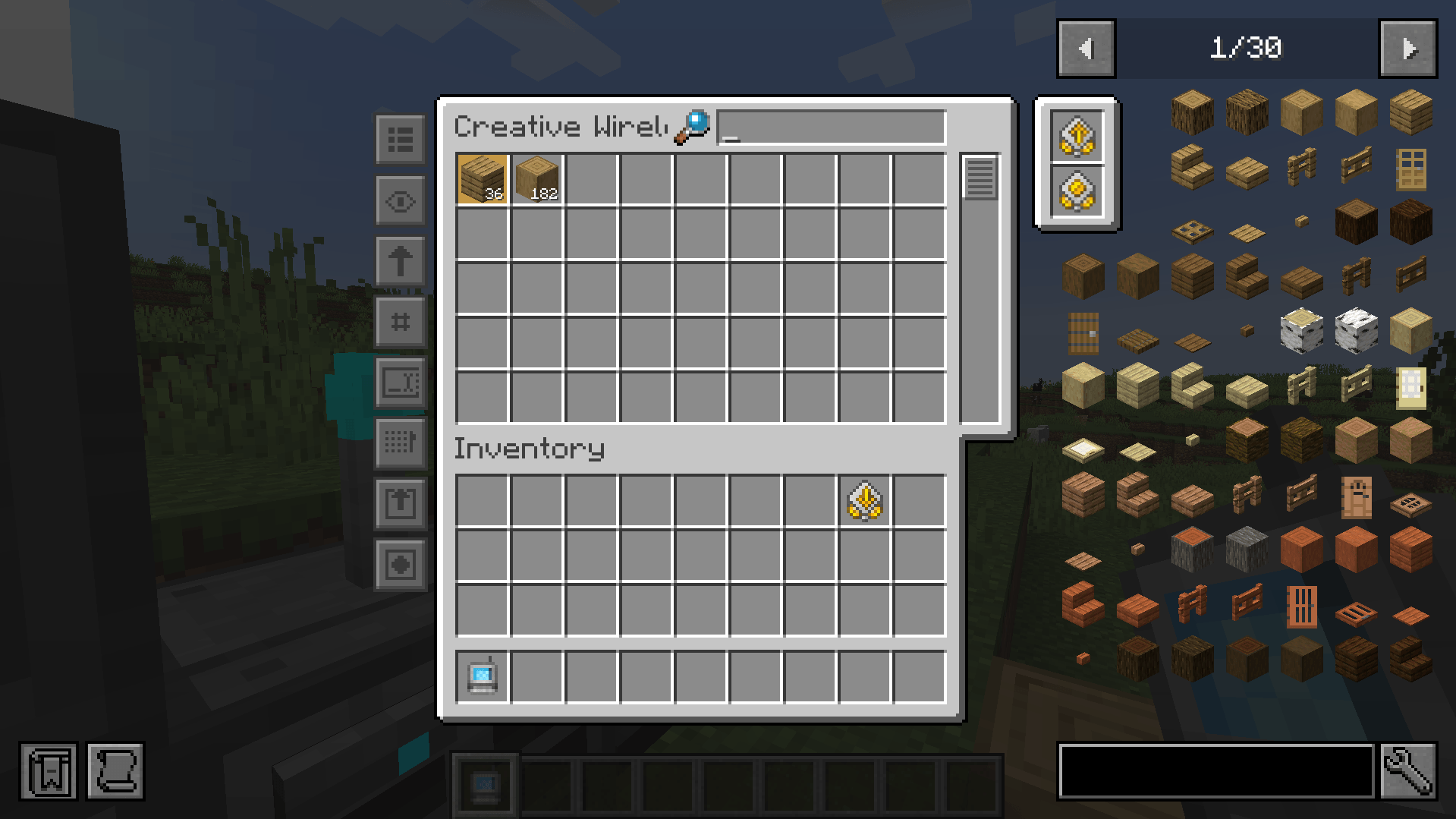
To configure it, click on one of the new left side buttons.
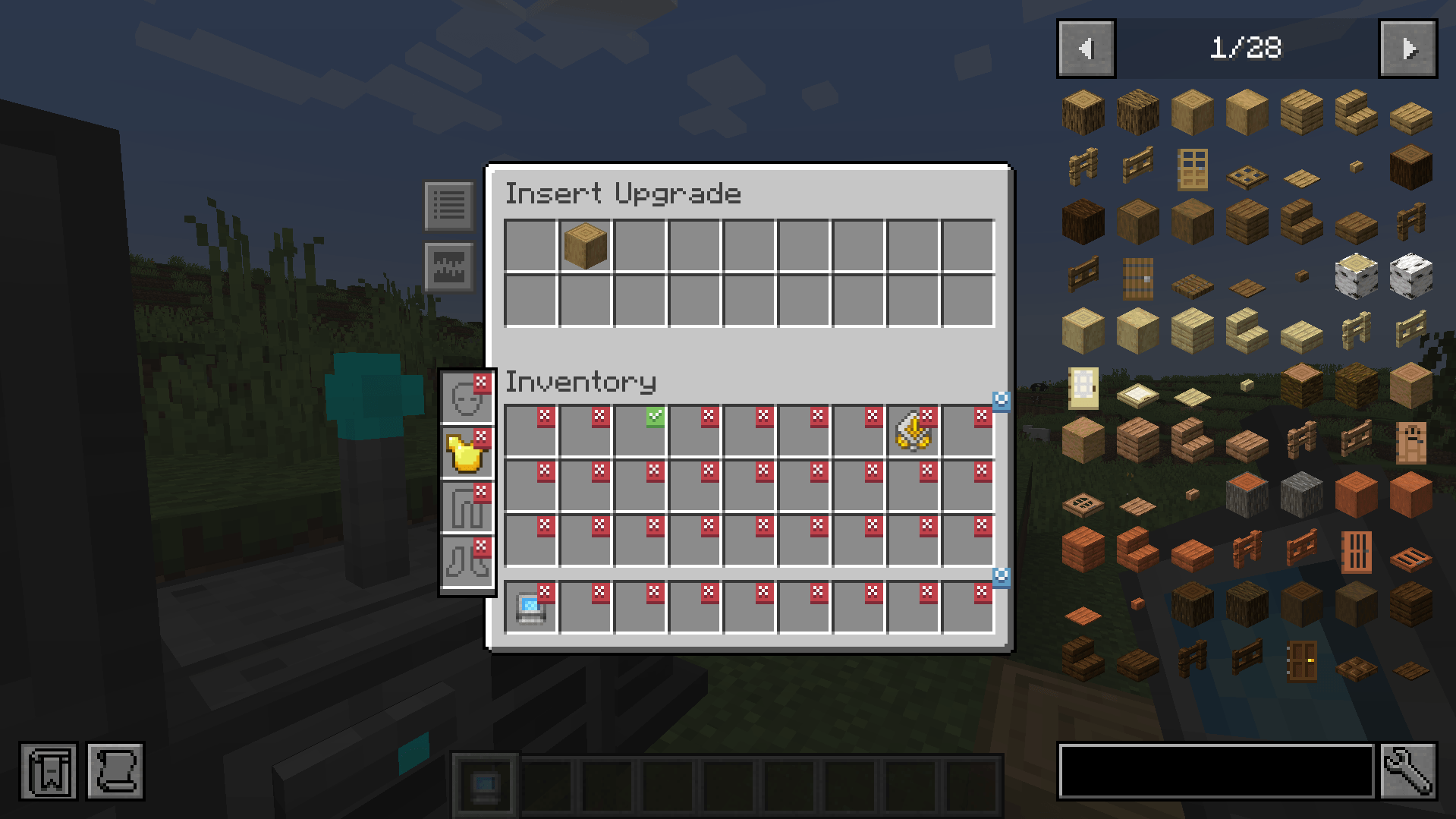
Clicking on slots makes a checkmark. Any item in the slot that has a checkmark will get imported to your network. You can whitelist or blacklist items by adding them to the filters at the top.
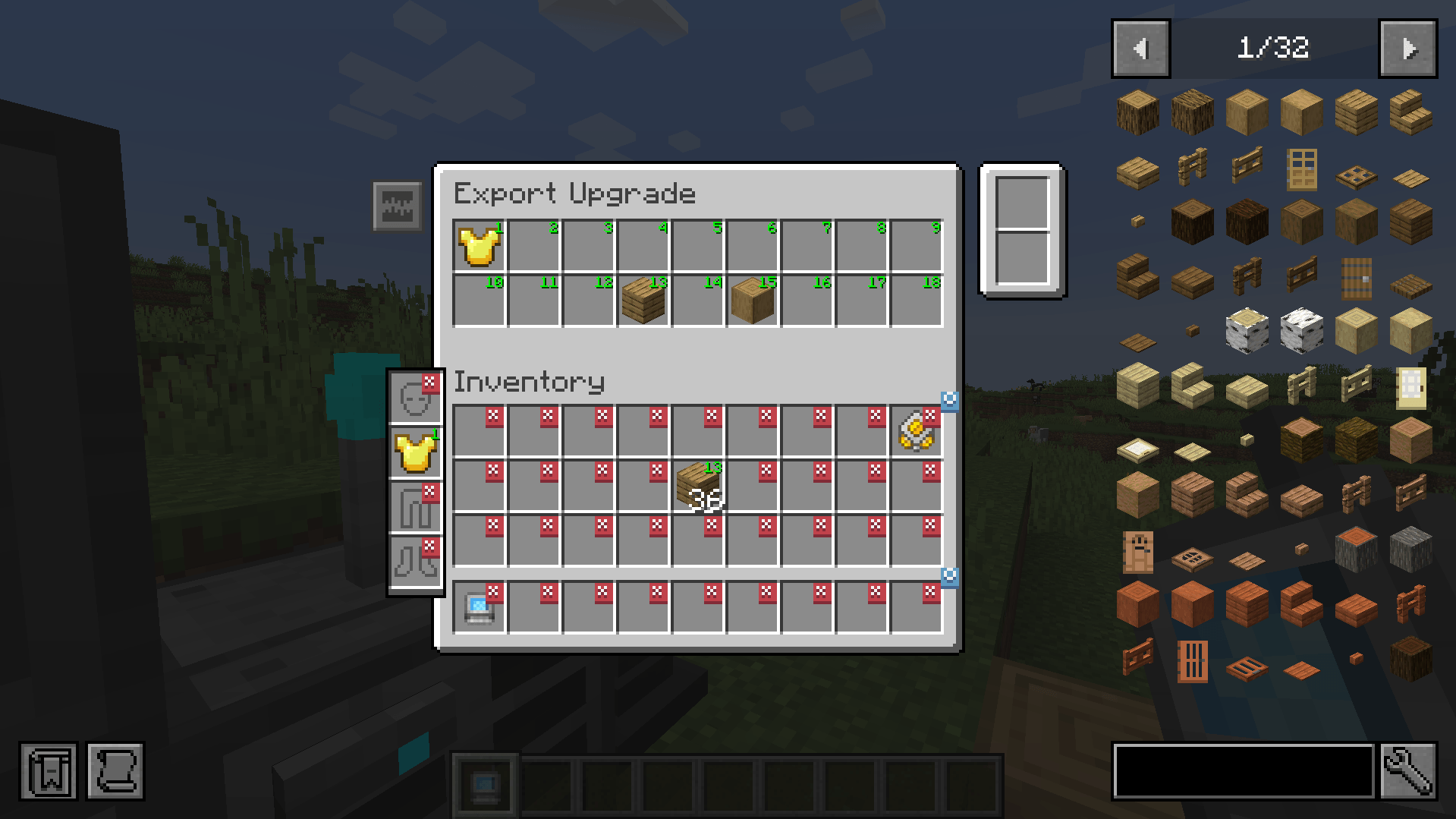
The export upgrade works exactly the same but will pull items from your network into your inventory. To specify what items, drag the item from JEI into one of the slots at the top and click on a slot in your inventory to change it to the desired number. Right clicking clears back to X.
The Block Picker Upgrade lets you extract the block you are currently looking at directly from your Network. Simply aim at a block and press the "Pick Block" keybind. If the matching block is available in your network, it will be extracted into your inventory.
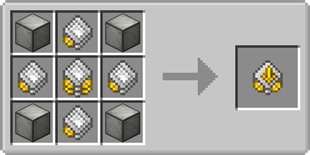
Insert upgrade recipe:
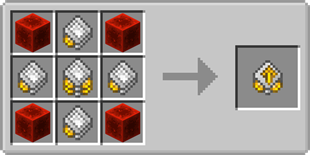
Export upgrade recipe:


This mod adds a Insert & Export & Block Picker Upgrade for Refined Storage.
The insert upgrade takes items in specific slots of your inventory and dumps them into your network.
Open up your wireless grid and add the insert or export or block picker upgrade in the slot on the right.
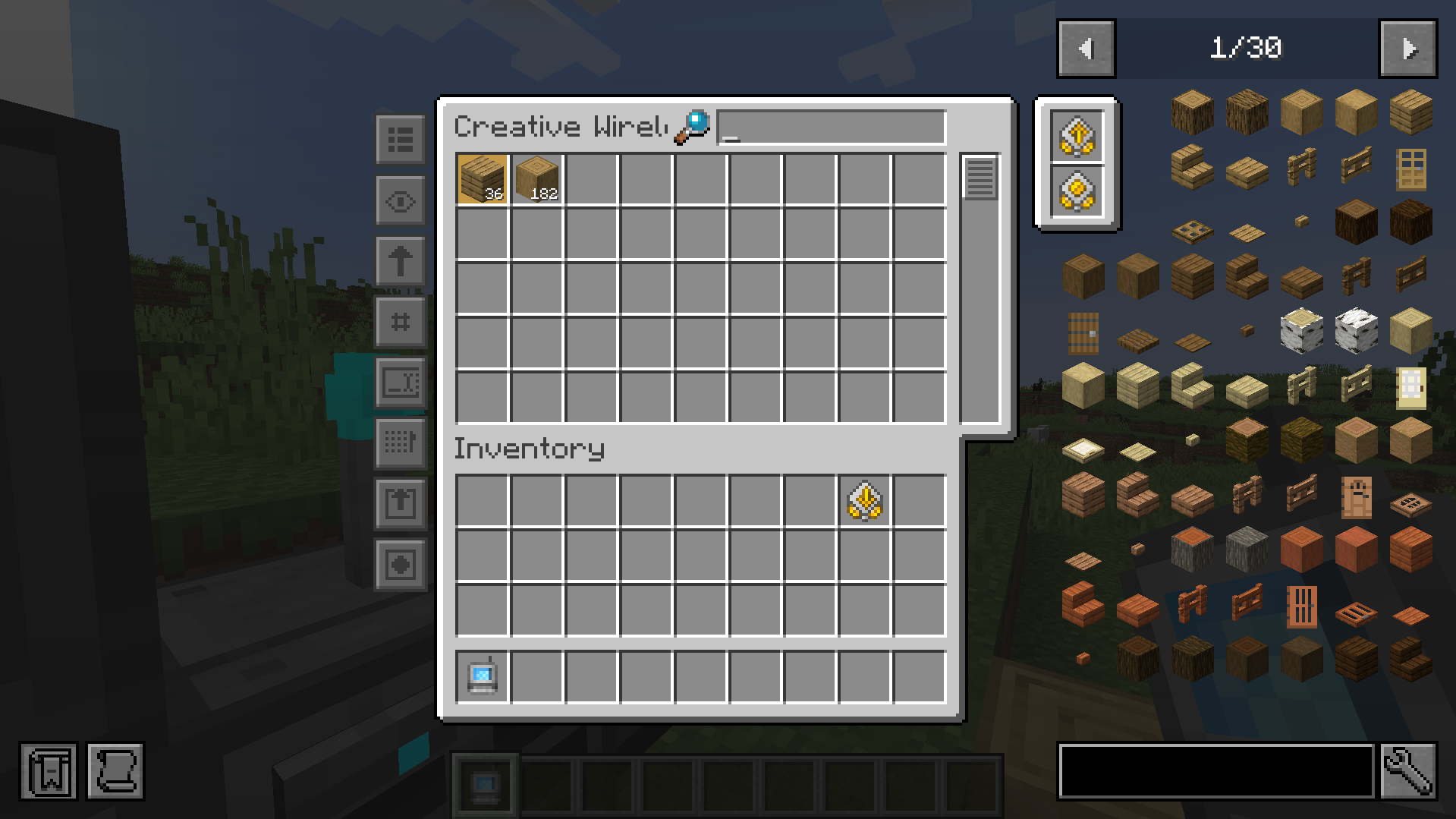
To configure it, click on one of the new left side buttons.
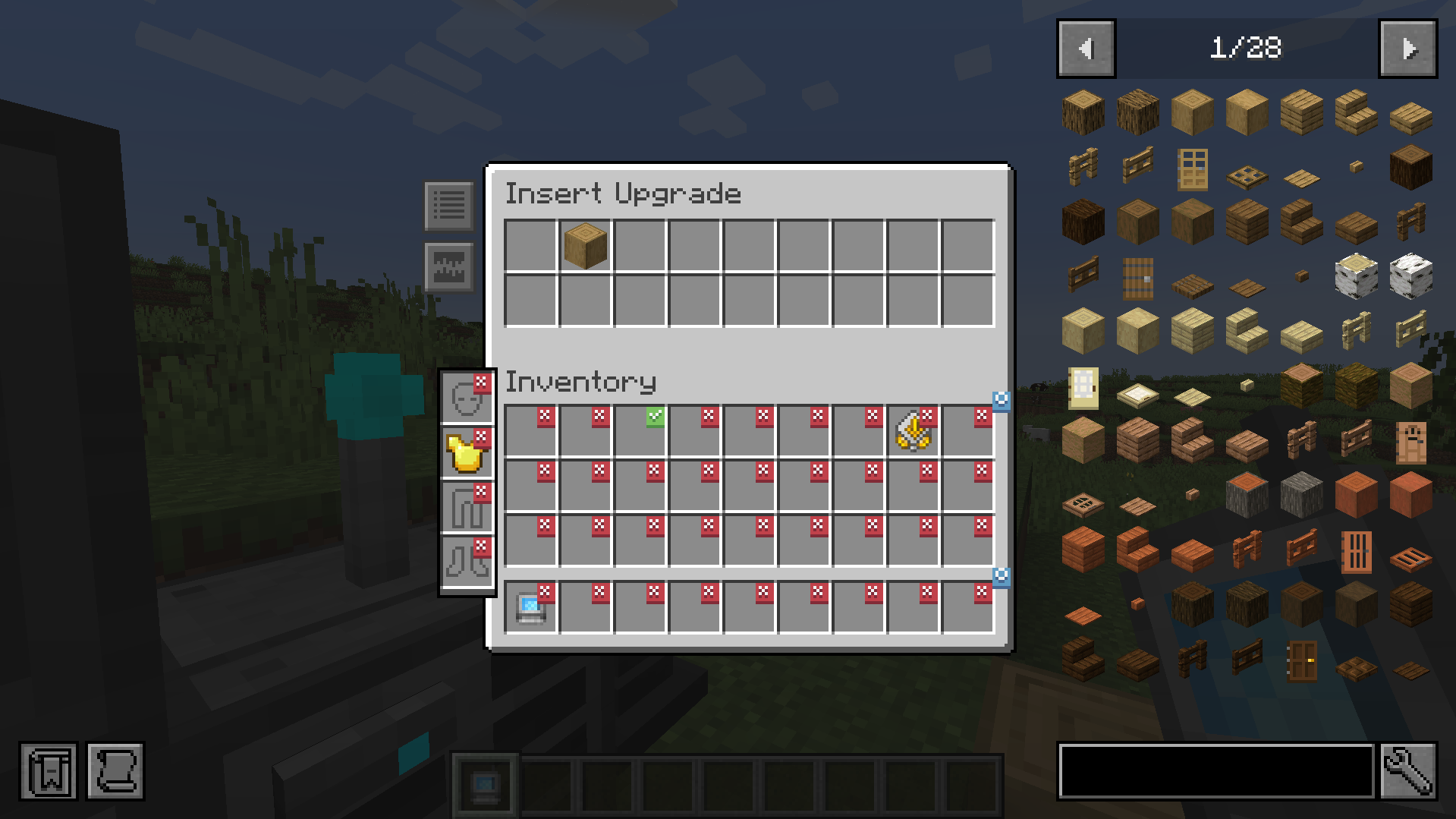
Clicking on slots makes a checkmark. Any item in the slot that has a checkmark will get imported to your network. You can whitelist or blacklist items by adding them to the filter at the top.
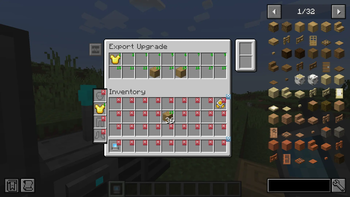
The export upgrade works exactly the same but will pull items from your Refined Storage into your inventory. To specify what items, drag the item from JEI into one of the slots at the top and click on a slot in your inventory to change it to the desired number. Right clicking clears back to X.
The Block Picker Upgrade lets you extract the block you are currently looking at directly from your Network. Simply aim at a block and press the "Pick Block" keybind. If the matching block is available in your network, it will be extracted into your inventory.
Insert Upgrade recipe:
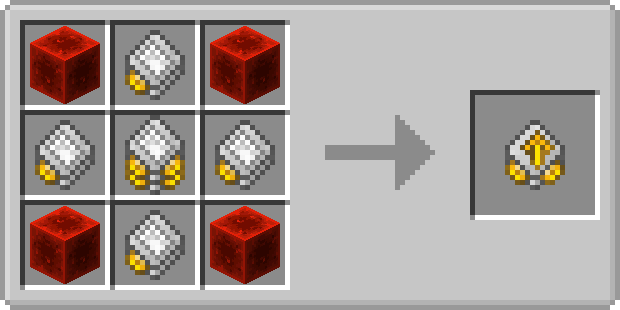
Export Upgrade recipe:
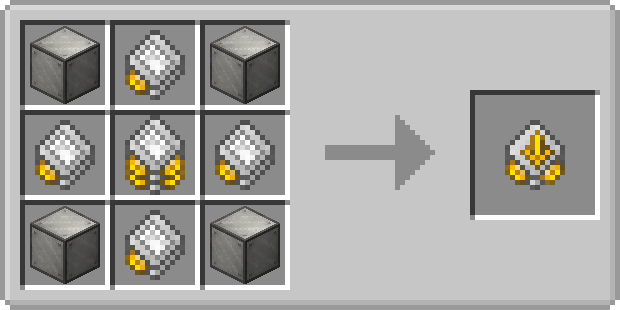
Screenshots
Gallery
-
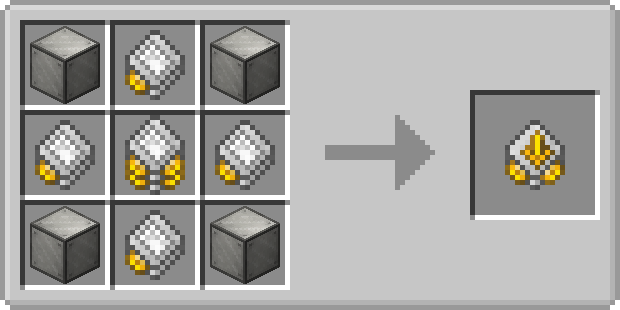 Export Upgrade recipe
 -
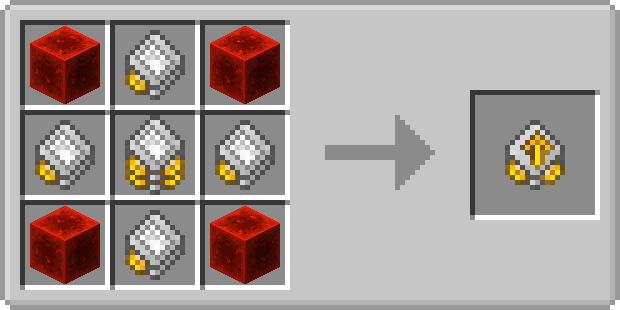 Insert Upgrade recipe
 -
Upgrades in Wireless Grid
-
Insert Upgrade
-
Export Upgrade
-
Export Upgrade Recipe
-
Insert Upgrade Recipe
-
Upgrades in Grid
-
Insert Upgrade
-
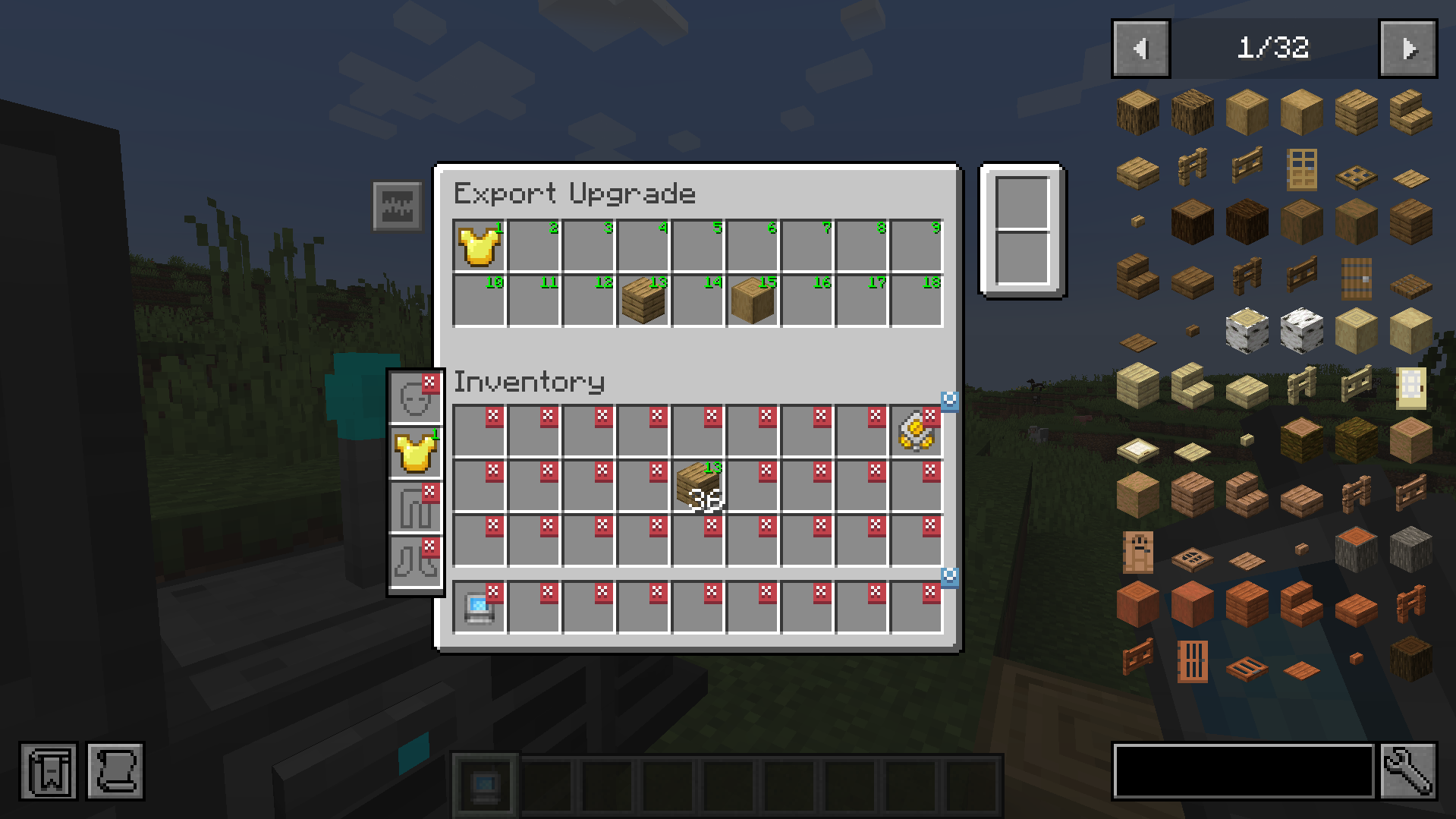 Export Upgrade
Versions
Files
Relations
Project Relations
More like this
Similar Mods
Suggestions use data such as tags, dependencies, dependents, descriptions, titles, and more to rank how much they overlap with this mod.
- Fighting Pickles Vehicle Pack for MTS/IV
- Cheating Free Locate Teleporting
- Atlas Extras
- Superior Ziplines
- Copper Golem Extension (CGE)
- Waystones Teleport Pets
- Create Track Map: Forge
- TelepostMissions - Create: Missions
- Carry On Extend
- Custom Portal Builder
- Nifty Ships + Biomes O'Plenty Compat
- Ender Potions
On ModDex
Community snapshot
By the numbers
Statistics
Want to reach Minecraft players?
We're looking for a server hosting partner to feature here and other parts of the site. Interested? Send us a message!
Get in touchGet it on
Available Platforms
On ModDex
Community snapshot
By the numbers