
Community listing page, reviews here may not be monitored by the author.
RS1+ | Panels & Backports for Refined Storage 1

No reviews yet
Backports some RS2 features to RS1 and adds panel variations of RS1 blocks/grids.
Community voices
Reviews
No reviews yet. Be the first to review this project!
Get it on
Available Platforms
About
Project Details
For authors
Embed Badge
If you're the author of this project, you can embed a live badge anywhere that supports HTML or Markdown. It updates automatically whenever ratings change.
Use HTML for any page that supports it, or Markdown for README files and Markdown-based descriptions.
Identifiers
Platform IDs
Resources
External Links
About
Description
RS1+ backports some features from Refined Storage 2 to Refined Storage 1 v1.12.4 and adds panel variants of RS1's core grids or blocks.
Backported from RS2
- Configuration Card: Copy and paste device configurations onto other devices of the same type. This includes redstone mode, filters, upgrades, etc.
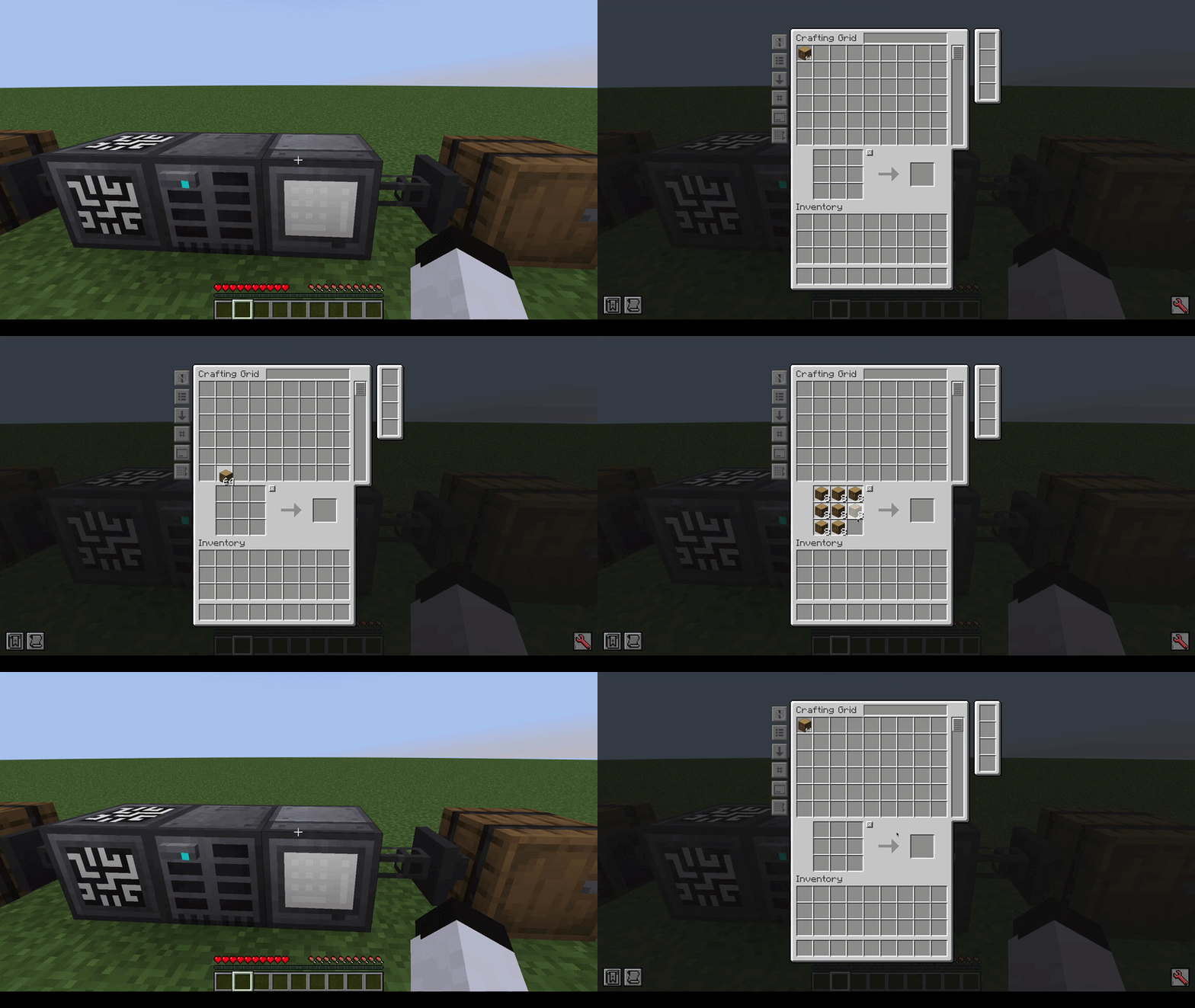
- Clear Crafting Grid on close: Automatically clears the crafting grid to your network when closing it (disabled by default; can be changed in config).
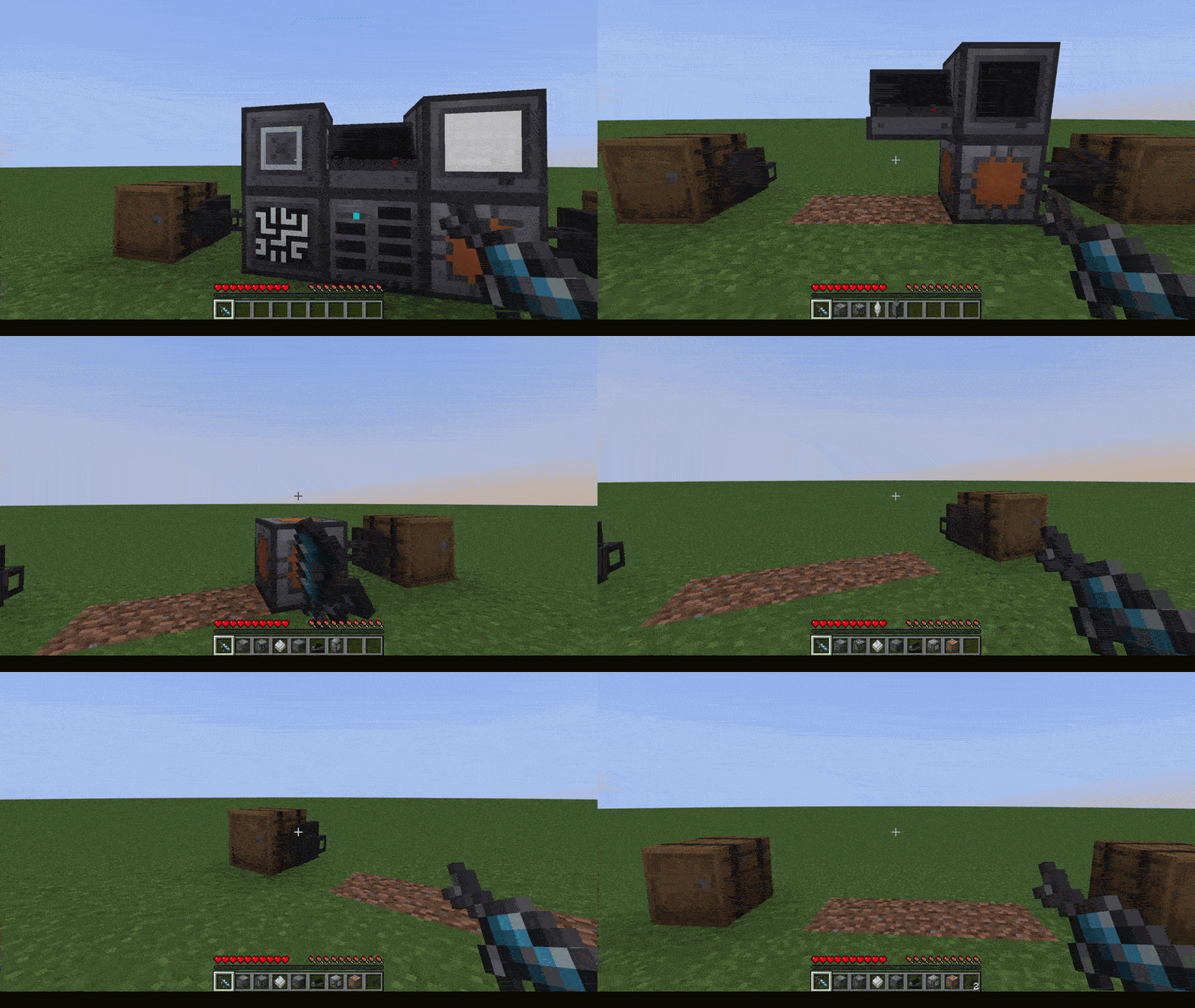
- Wrench support: Use RS wrench on RS blocks to dismantle them. Other mods' wrenches should work as well as long as they have the
#forge:wrenchesor#forge:tools/wrenchtag.
Panels
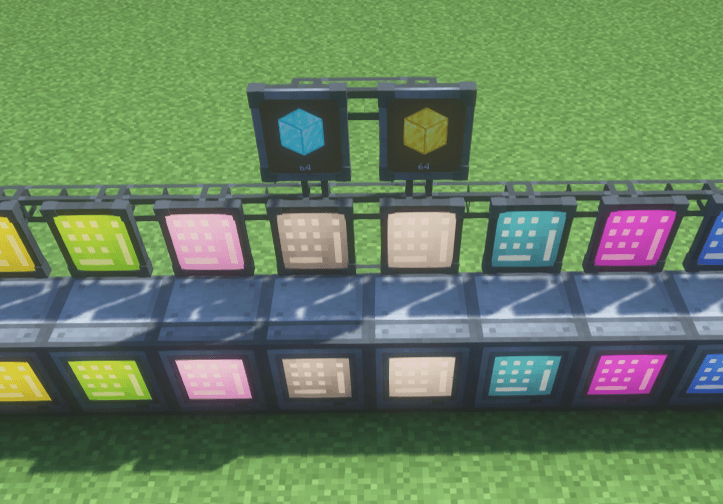
(Crafting Grid panel variants, with 2 Storage Monitor panels above)
Panel variants of Refined Storage 1's blocks that sit almost flat against any surface, including ceilings and floors.
The following panels are currently available:
- Grid Panel
- Crafting Grid Panel
- Fluid Grid Panel
- Pattern Grid Panel
- Crafter Manager Panel
- Crafting Monitor Panel
- Storage Monitor Panel
For aesthetic reasons, panels only connect to cables through their back face. However, they can connect normally to other Refined Storage blocks from any side.
Except for the Storage Monitor Panel, all panels are available in all 16 dye colors. Right-click a panel with a dye to recolor it.
You can switch between the panel and regular models at any time using a crafting table.
Copying/Pasting
Shift + RMB to copy, RMB to paste:
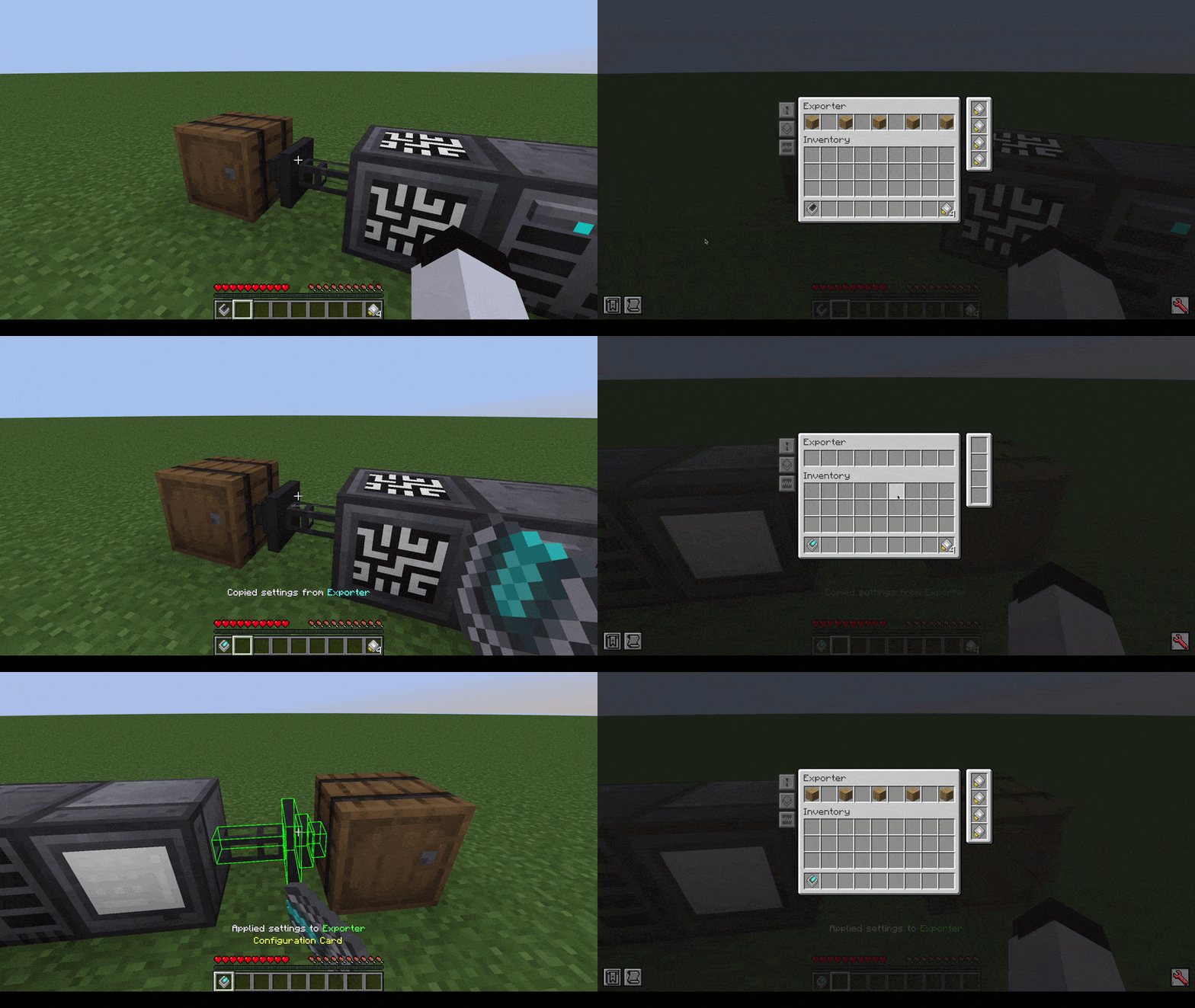
*Shift + RMB looking at non-RS block/air to clear*
Crafting Grid auto-clearing
Wrench dismantling
Shift + RMB to dismantle:
Credits
Thanks to SuperMartijn642 for kindly allowing me to adapt parts of his rendering code from SuperMartijn642's Core Lib!
Screenshots
Gallery
-
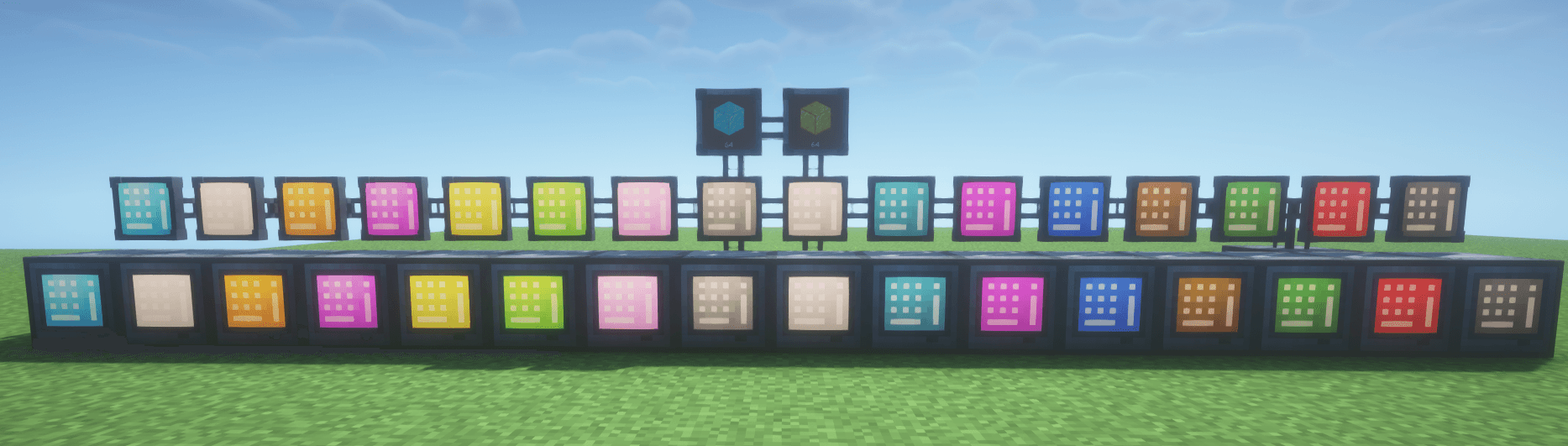 Panels Crafting Grid version
 -
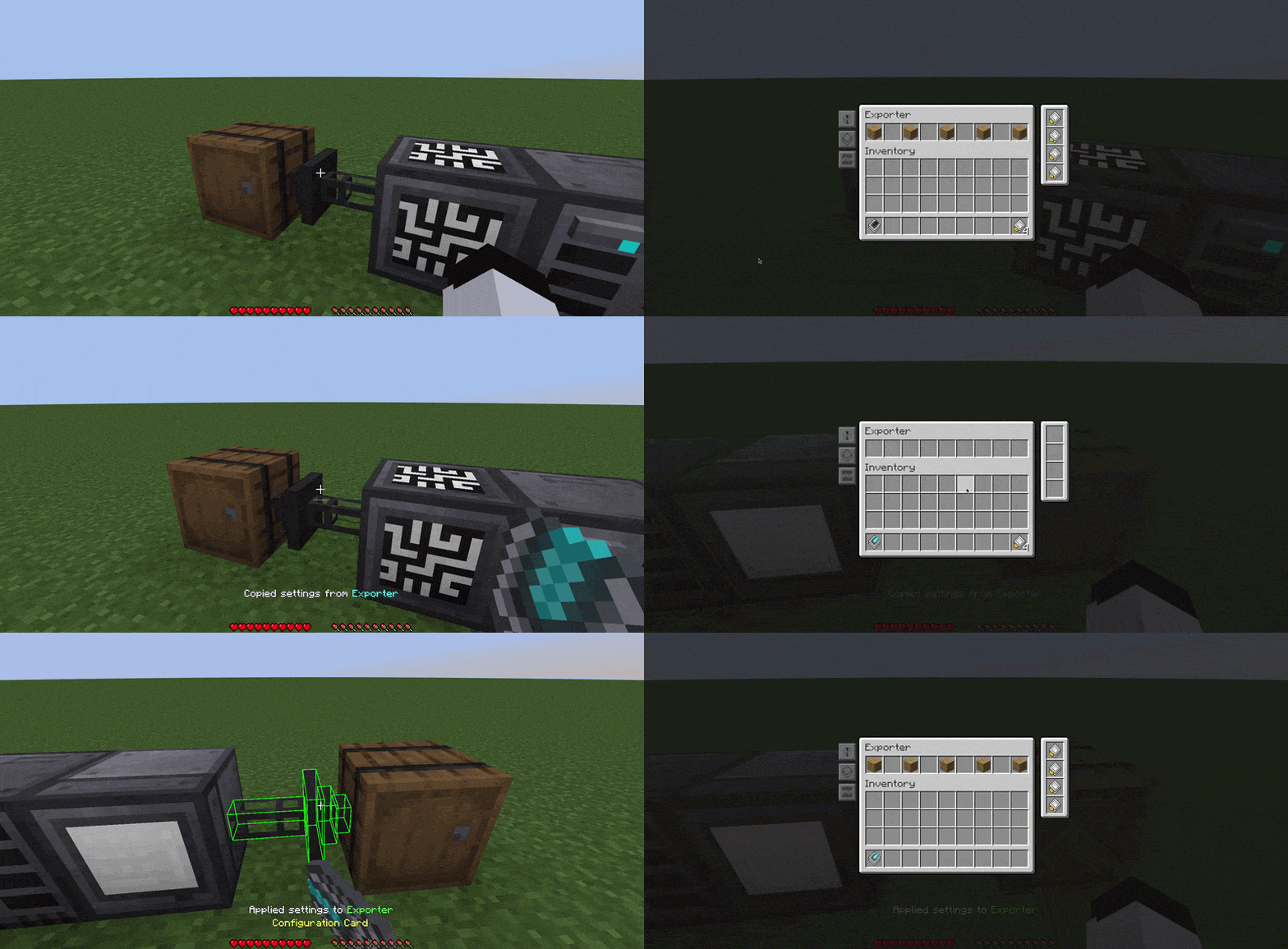 Configuration Card Shift + RMB to copy settings from device, RMB to paste, Shift + RMB on non-RS block or air to clear.
 -
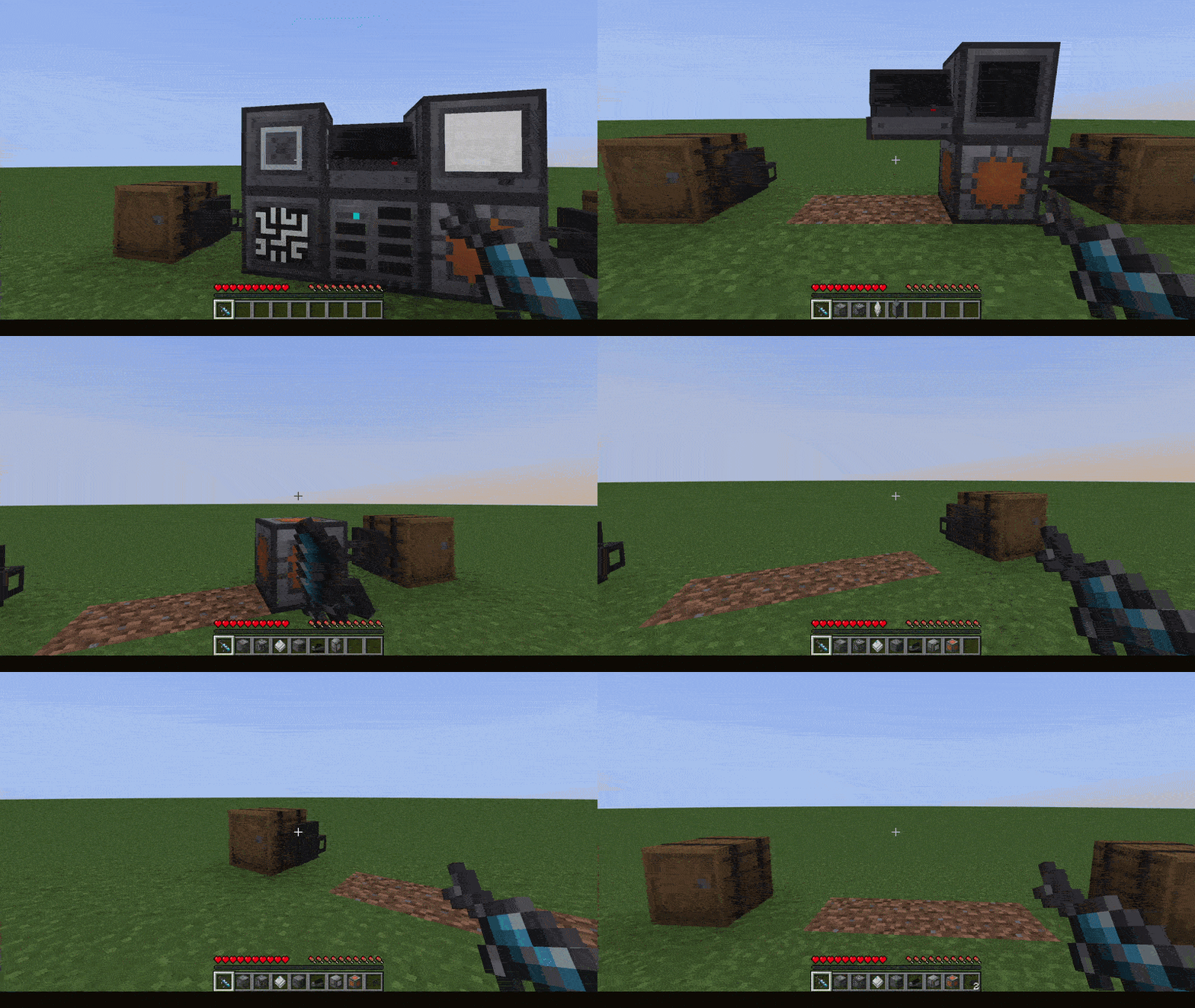 Wrench Dismantling Shift + RMB to dismantle
 -
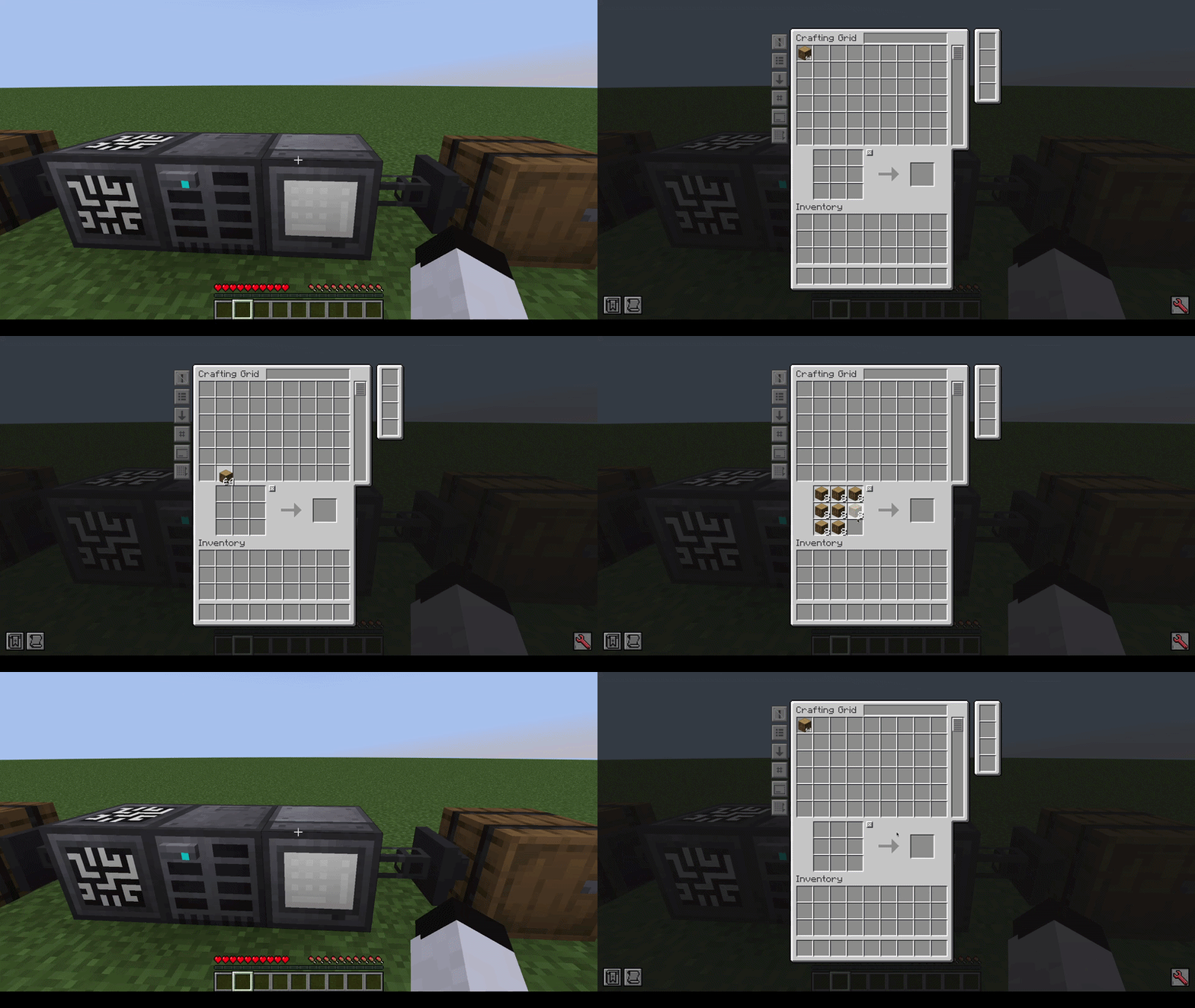 Crafting Grid auto clearing Stores stuff in your network after closing the GUI instead of keeping it in.
Versions
Files
Relations
Project Relations
More like this
Similar Mods
Suggestions use data such as tags, dependencies, dependents, descriptions, titles, and more to rank how much they overlap with this mod.
On ModDex
Community snapshot
By the numbers
Statistics
Want to reach Minecraft players?
We're looking for a server hosting partner to feature here and other parts of the site. Interested? Send us a message!
Get in touchGet it on
Available Platforms
On ModDex
Community snapshot
By the numbers
Statistics
Resources