
Community listing page, reviews here may not be monitored by the author.
Sable Tool


No reviews yet
An add-on for Sable and Create mod to facilitate managing so-called "Sub-Levels"/"Simulated Contraptions"
Community voices
Reviews
No reviews yet. Be the first to review this project!
Get it on
Available Platforms
Compatibility
Supported Environments
Must be installed on both the client and the server.
About
Project Details
For authors
Embed Badge
If you're the author of this project, you can embed a live badge anywhere that supports HTML or Markdown. It updates automatically whenever ratings change.
Use HTML for any page that supports it, or Markdown for README files and Markdown-based descriptions.
Identifiers
Platform IDs
Resources
External Links
About
Description
Controls:
Holding Breeze Rod will show you Sub-Level boundaries and center-of-masses and allow you to do several things.
[Right-Click] - Places single-block Sub-Level. Default Jack O’ Lantern but if you hold any block on your offhand, then that block will be placed.
[Right-Click on Sub-Level] -Creates clone above it.
[Right-Click on Sub-Level while Holding Shift] - Uploads schematic and gives the schematic to the user immediately.
[Hold Alt] (Or Any Key Bound as Create Alt Modifier) - Shows names of the Sub-Levels. Right click on a Sub-Level while holding Alt will allow user to modify the name.
[Left-Click on Sub-Level] - Selects Sub-Level for deletion. Left-Click while not looking at Sub-Level will open menu for confirming deletion.
[Middle-Click on Sub-Level] (Or Any Key Bound As Item Pick) - Will teleport player to the top-center of the Sub-Level that the player is looking at.
[Ctrl-Click on Sub-Level] - It will start to track forces of the looked Sub-Level.
Addition
It adds a button in Contraption Diagram that allows you to track forces of the Contraption(Sub-Level).
Controls:
Holding Breeze Rod will show you Sub-Level boundaries and center-of-masses and allow you to do several things.
[Right-Click] - Places single-block Sub-Level. Default Jack O’ Lantern but if you hold any block on your offhand, then that block will be placed.
[Right-Click on Sub-Level] -Creates clone above it.
[Right-Click on Sub-Level while Holding Shift] - Uploads schematic and gives the schematic to the user immediately.
[Hold Alt] (Or Any Key Bound as Create Alt Modifier) - Shows names of the Sub-Levels. Right click on a Sub-Level while holding Alt will allow user to modify the name.
[Left-Click on Sub-Level] - Selects Sub-Level for deletion. Left-Click while not looking at Sub-Level will open menu for confirming deletion.
[Middle-Click on Sub-Level] (Or Any Key Bound As Item Pick) - Will teleport player to the top-center of the Sub-Level that the player is looking at.
[Ctrl-Click on Sub-Level] - It will start to track forces of the looked Sub-Level.
Addition
It adds a button in Contraption Diagram that allows you to track forces of the Contraption(Sub-Level).
Screenshots
Gallery
-
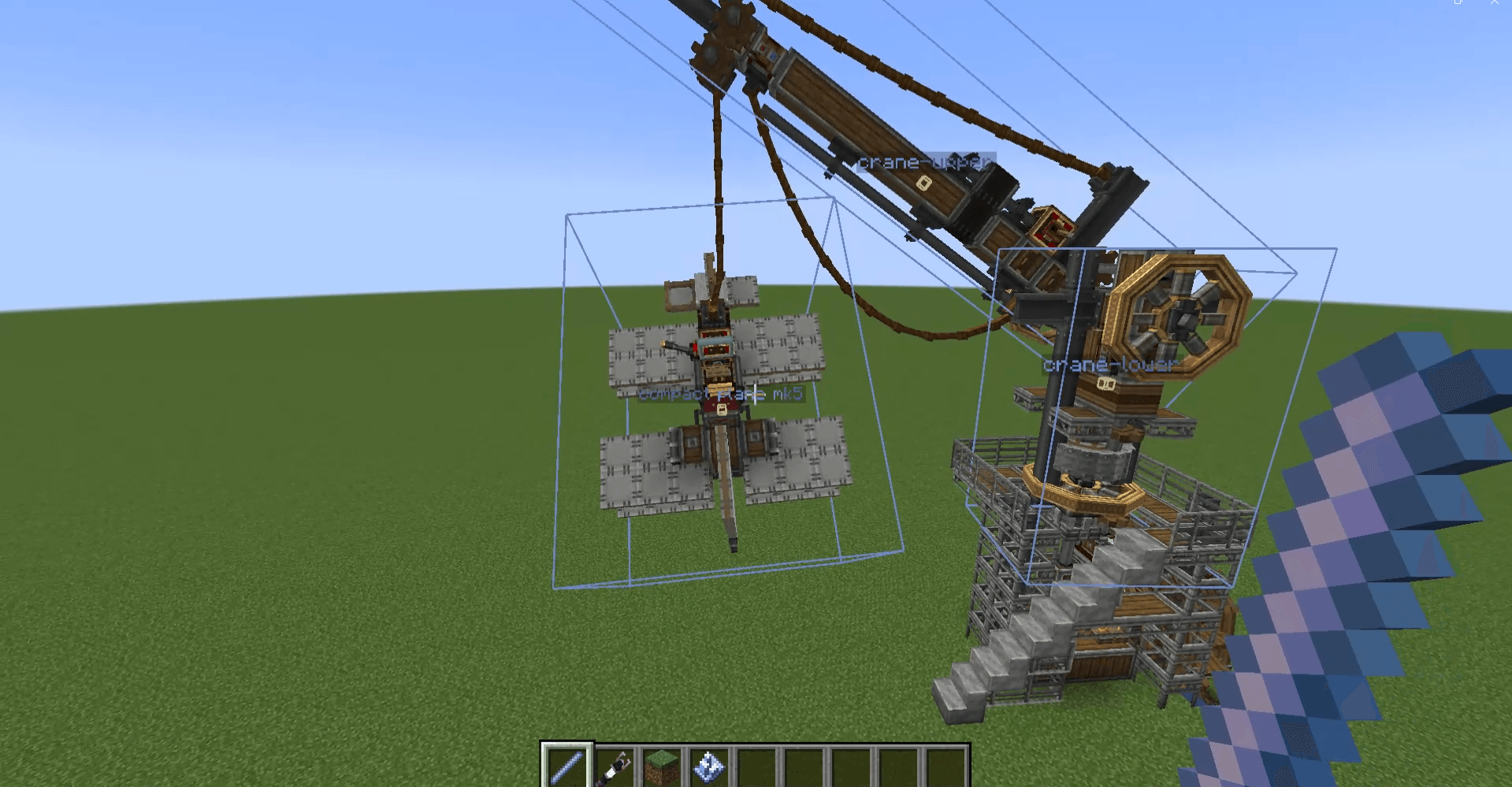 sabletoolsshowcase.png sabletoolsshowcase.png
 -
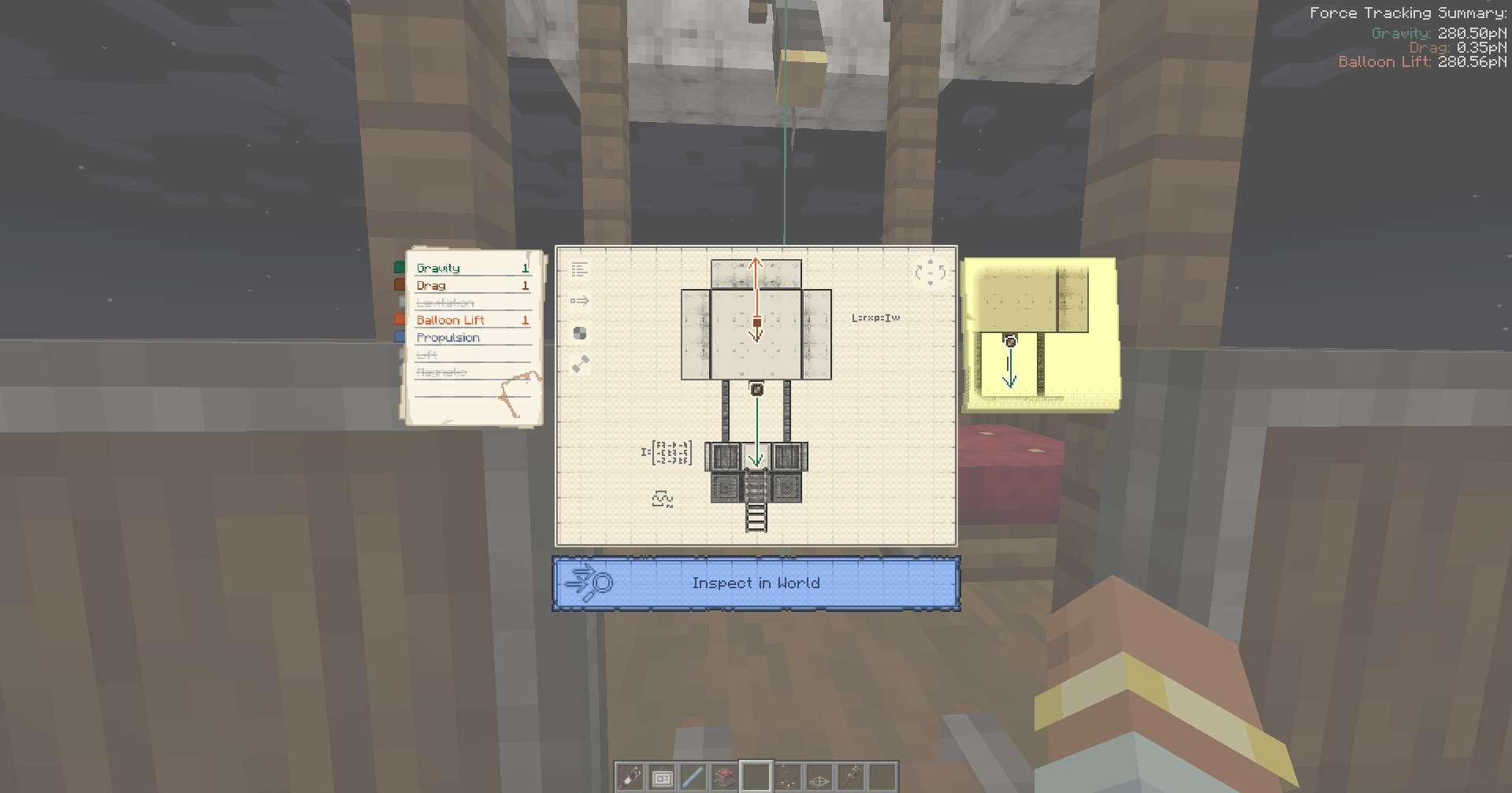 trackbuttonshowcase.png trackbuttonshowcase.png
-
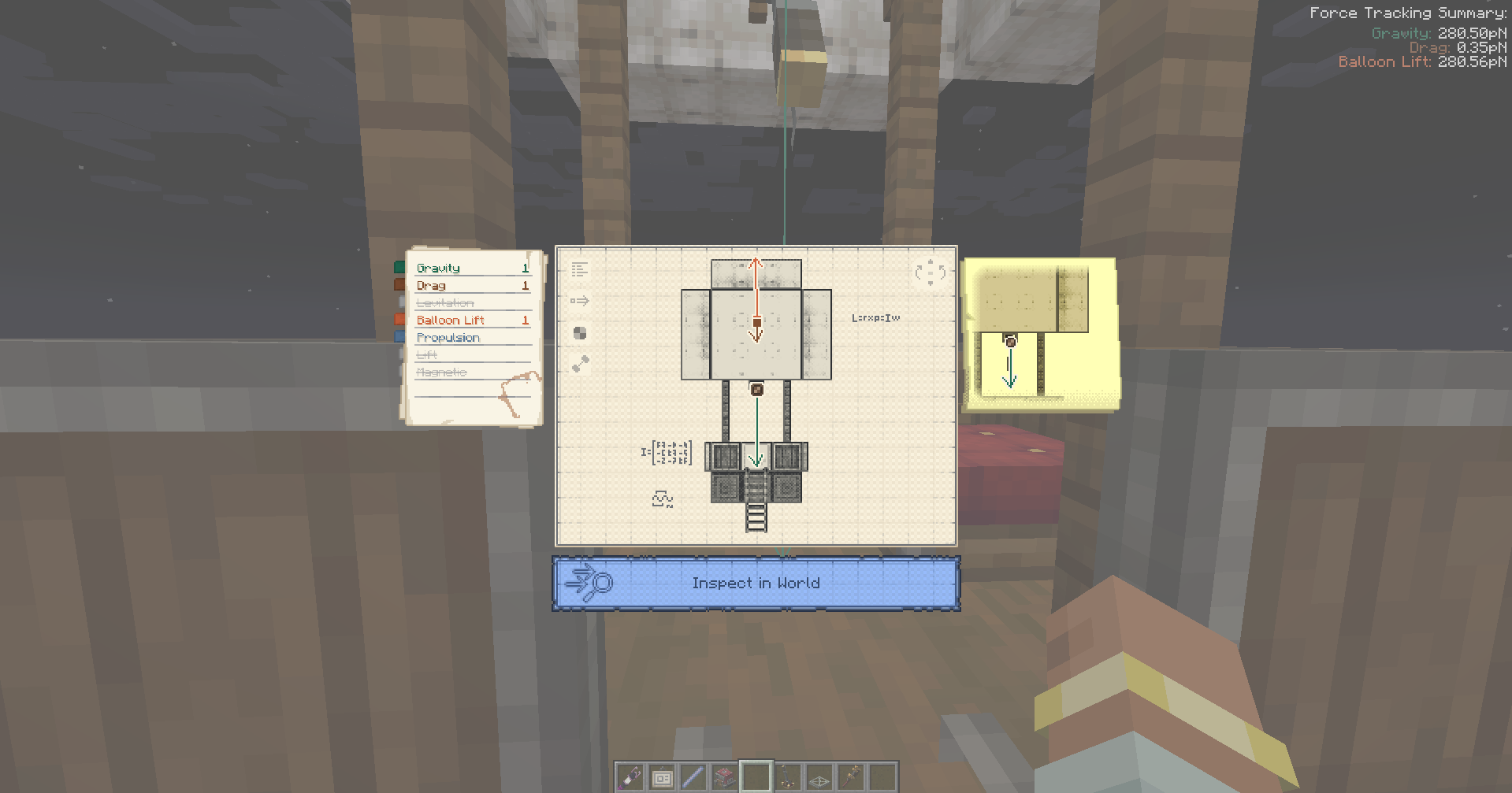 Diagram Contraption
 -
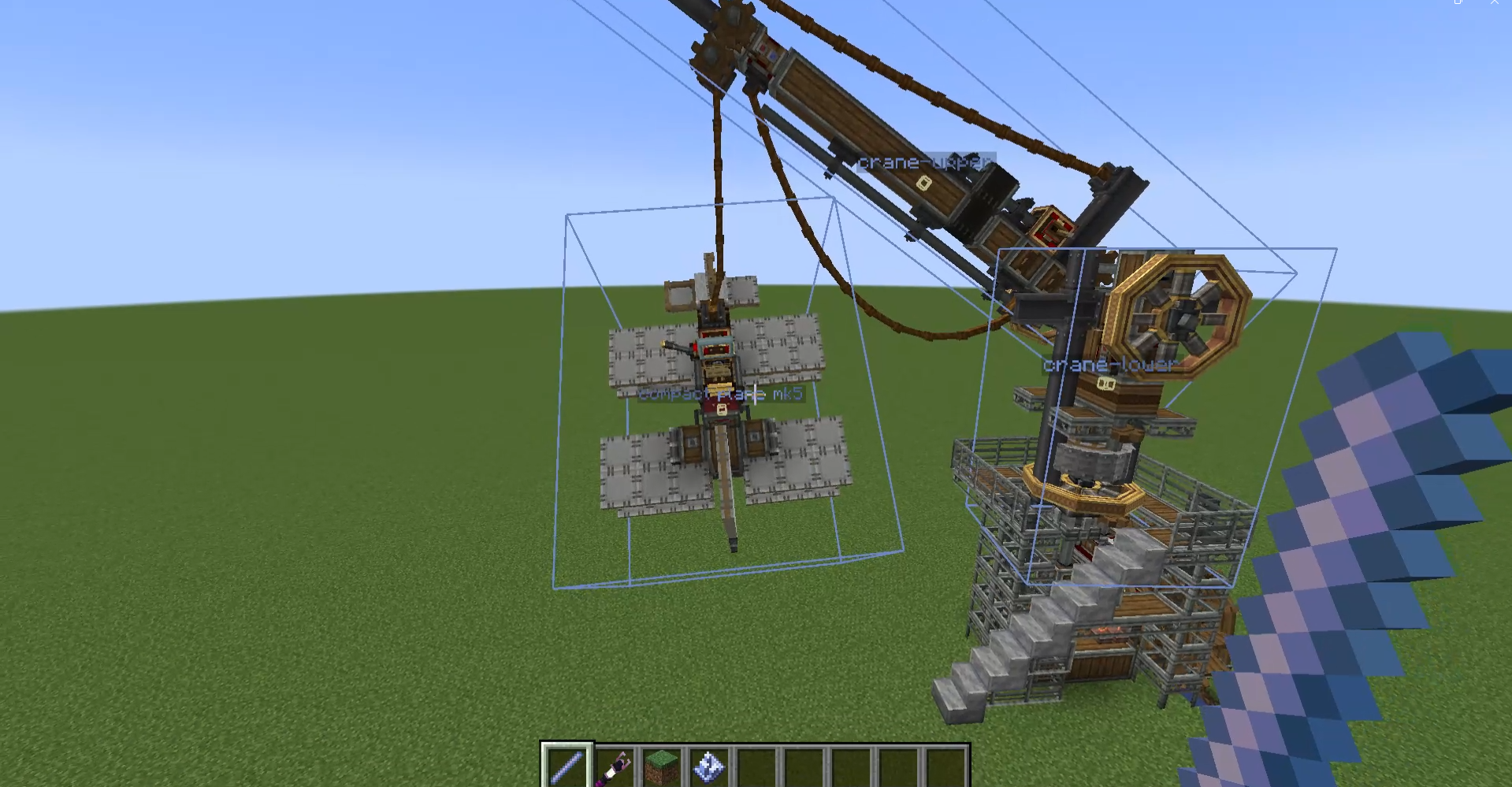 Showcase Ye
Versions
Files
Relations
Project Relations
More like this
Similar Mods
Suggestions use data such as tags, dependencies, dependents, descriptions, titles, and more to rank how much they overlap with this mod.
On ModDex
Community snapshot
By the numbers
Statistics
Want to reach Minecraft players?
We're looking for a server hosting partner to feature here and other parts of the site. Interested? Send us a message!
Get in touchGet it on
Available Platforms
On ModDex
Community snapshot
By the numbers
Statistics
Resources