Community listing page, reviews here may not be monitored by the author.
SAdmin

No reviews yet
SAdmin is a lightweight administration mode for Minecraft servers, featuring inventory-safe admin mode, hidden staff visibility, protected admin tools, player teleportation, gamemode controls, multilingual support, and optional client installation.
Community voices
Reviews
No reviews yet. Be the first to review this project!
Get it on
Available Platforms
About
Project Details
For authors
Embed Badge
If you're the author of this project, you can embed a live badge anywhere that supports HTML or Markdown. It updates automatically whenever ratings change.
Use HTML for any page that supports it, or Markdown for README files and Markdown-based descriptions.
Identifiers
Platform IDs
Resources
External Links
About
Description
SAdmin
SAdmin is a lightweight administration mod for Minecraft Fabric servers.
It adds a dedicated Admin Mode with a separate inventory, protected staff tools, vanish, player inventory inspection, Ender Chest access, teleportation, gamemode controls and support for compatible accessory slots.
✨ Features
Admin Mode
Use:
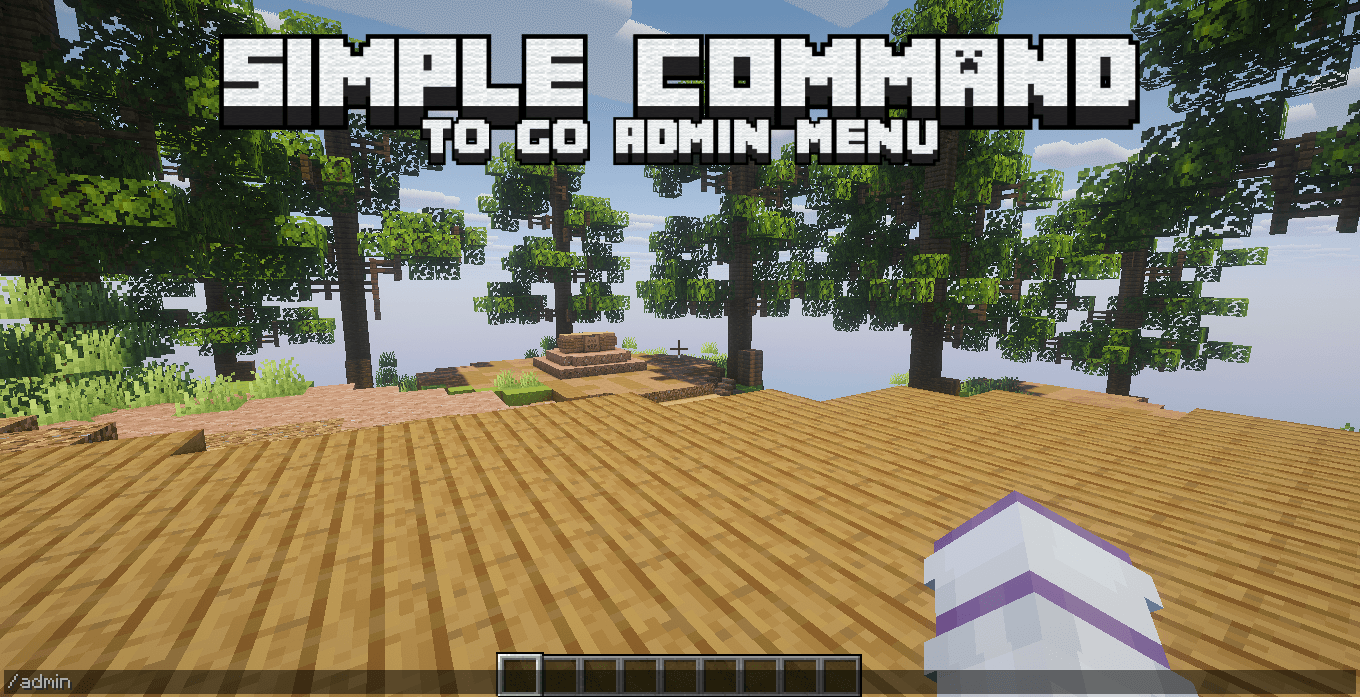
/adminto enter or leave Admin Mode.
While Admin Mode is enabled:
- Your normal inventory is safely stored
- Your separate Admin inventory is loaded
- Admin inventories are saved per world
- Protected staff tools are added to your hotbar
- Vanish is enabled by default
- Your Admin gamemode is remembered
- Your Admin inventory remains saved between sessions
Leaving Admin Mode restores your normal inventory.
Player Inventory
Admins can inspect and manage player inventories using the inventory tool or:
/invsee <player>You can access:
- Main inventory
- Hotbar
- Armor
- Offhand
- Compatible artifact/accessory slots
- Ender Chest
Items can be removed, added or moved normally.
Compatible extra equipment is shown on a separate page to keep the inventory organized.
Ender Chest
Open a player's Ender Chest directly with:
/enderchest <player>or:
/ec <player>The Ender Chest can also be opened directly from /invsee.
Vanish
Use:
/vanishto switch between Hidden and Visible mode.
While hidden, SAdmin reduces normal player tracking, movement sounds and movement particles.
Other administrators using Admin Mode can still see hidden admins.
The visibility item in the Admin hotbar updates automatically.
Player Menu
The Admin player menu displays online players and allows quick teleportation.
Teleportation works between:
- Overworld
- Nether
- End
- Compatible modded dimensions
Protected Admin Tools
Admin hotbar tools are protected against:
- Dropping
- Moving
- Shift-clicking
- Number-key swapping
- Offhand swapping
- Accidental placement
The server automatically restores protected tools to their correct slots.
📦 Recommended Versions
| Requirement | Recommended |
|---|---|
| Minecraft | 1.20.1 or 1.21.1 |
| Mod Loader | Fabric |
| Fabric Loader | 0.18.4+ |
| Fabric API | Required |
| Java — 1.20.1 | Java 17 |
| Java — 1.21.1 | Java 21 |
Recommended Fabric Loader: 0.18.4 or newer.
🖥️ Client-Side or Server-Side?
SAdmin is designed primarily as a Server-Side mod.
Recommended
Server: SAdmin installed
Client: Not required
Normal players do not need SAdmin installed.
It can also be installed on both sides for:
- Modpacks
- LAN worlds
- Singleplayer
- Testing environments
| Setup | Supported |
|---|---|
| Server only | ✅ Recommended |
| Client + Server | ✅ Supported |
| Singleplayer | ✅ Supported |
| Required for players | ❌ No |
⌨️ Commands
/admin
/adminEnables or disables Admin Mode.
/admin gm
/admin gm survival
/admin gm creative
/admin gm spectator
Changes your Admin Mode gamemode.
/vanish
/vanishSwitches between Hidden and Visible mode.
/invsee
/invsee <player>Opens and manages a player's inventory.
/enderchest
/enderchest <player>Opens a player's Ender Chest.
/ec
/ec <player>Short alias for /enderchest.
🌐 Languages
SAdmin includes:
- English
- Portuguese (Brazil)
- Spanish
- Japanese
- Simplified Chinese
- Hindi
- Arabic
Player-facing messages and menus automatically use the language reported by the Minecraft client.
Screenshots
Gallery
-
 2026-09-12_22.47.54.png 2026-09-12_22.47.54.png
 -
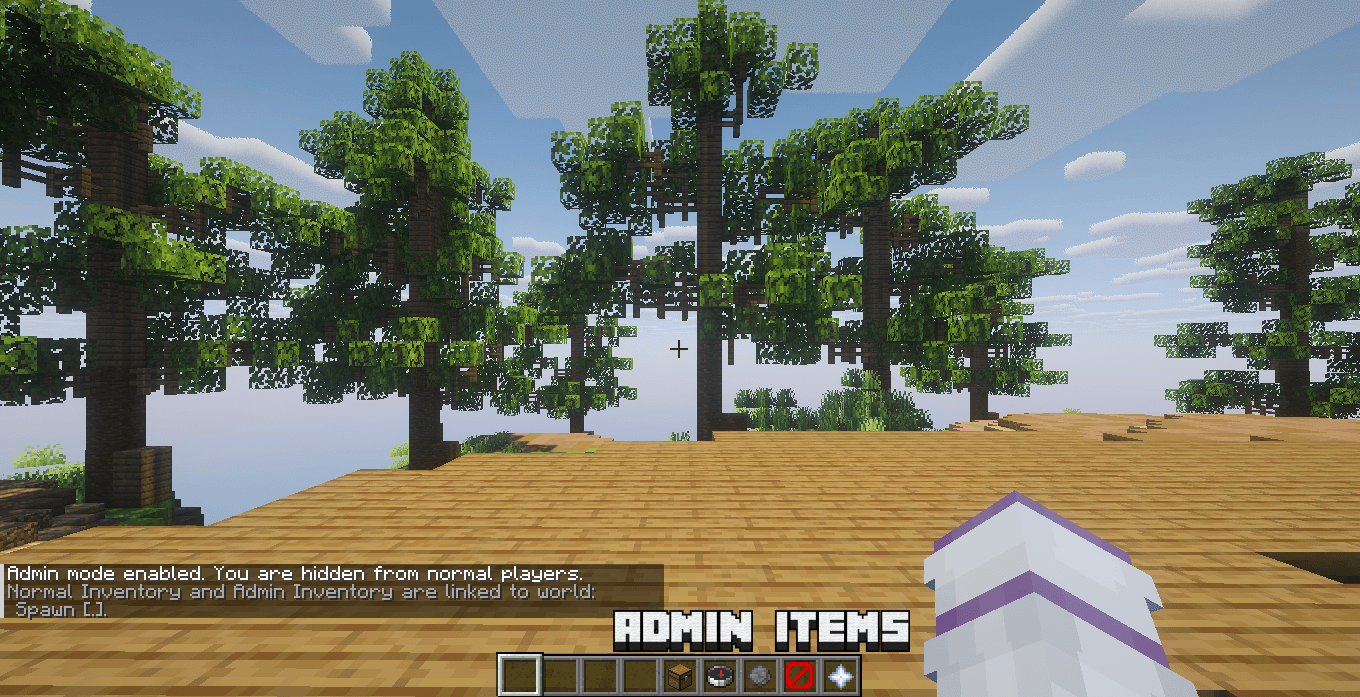 image-attachment_8ec17647-2413-47c5-aae4-f6a9b346b88a.png
 -
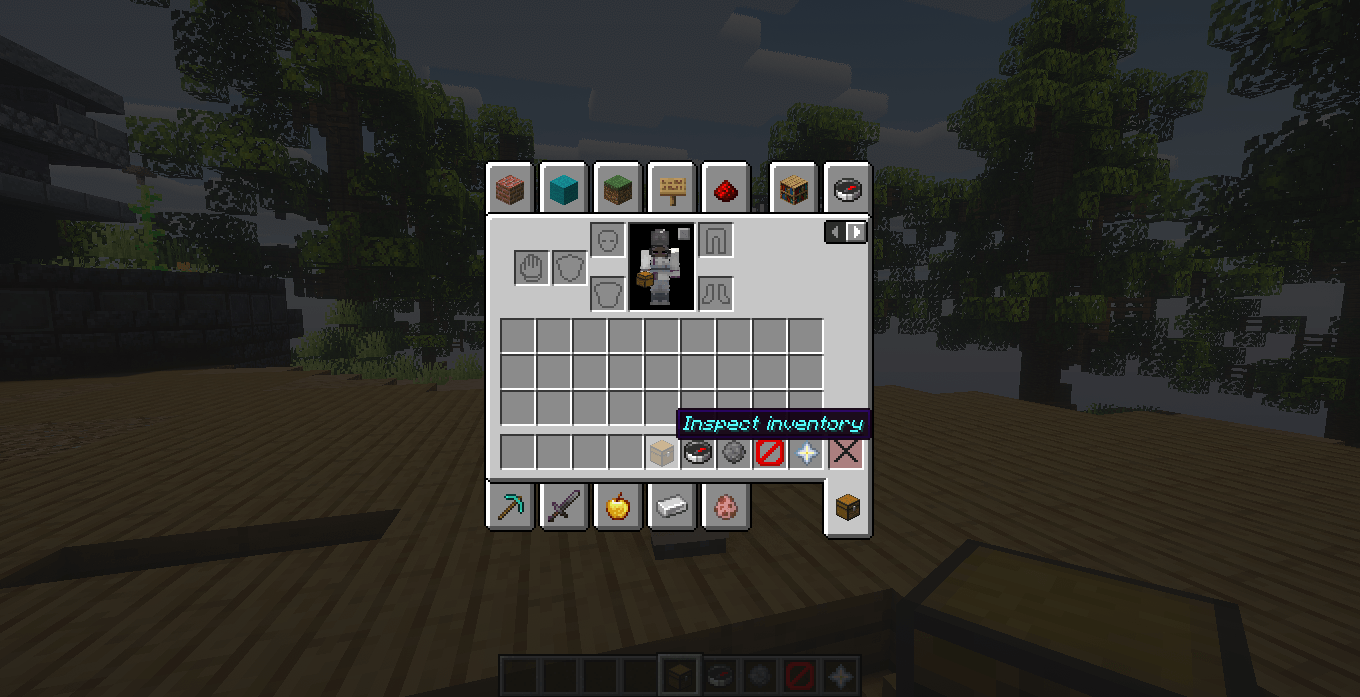 image-attachment_eff6914d-4770-4019-a3de-2dd0b6739b42.png
 -
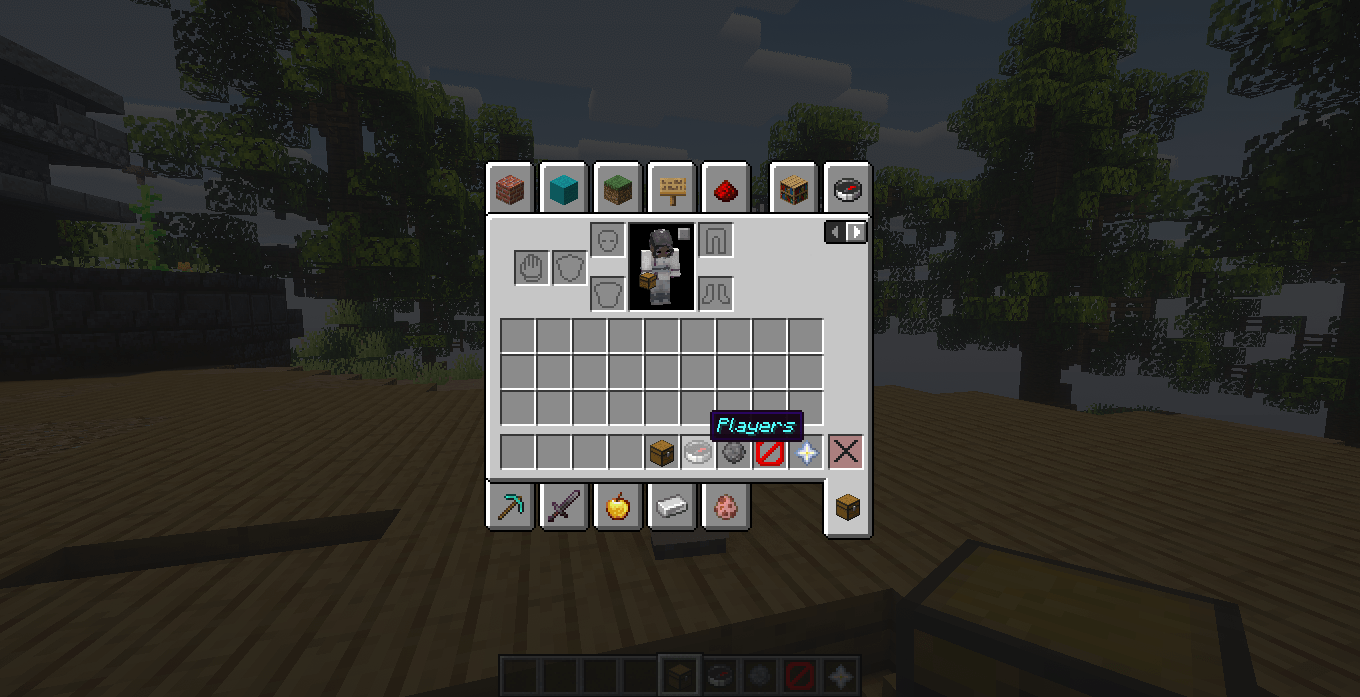 image-attachment_1f294622-5cf5-429f-a418-6bf9e6fc6f5f.png
 -
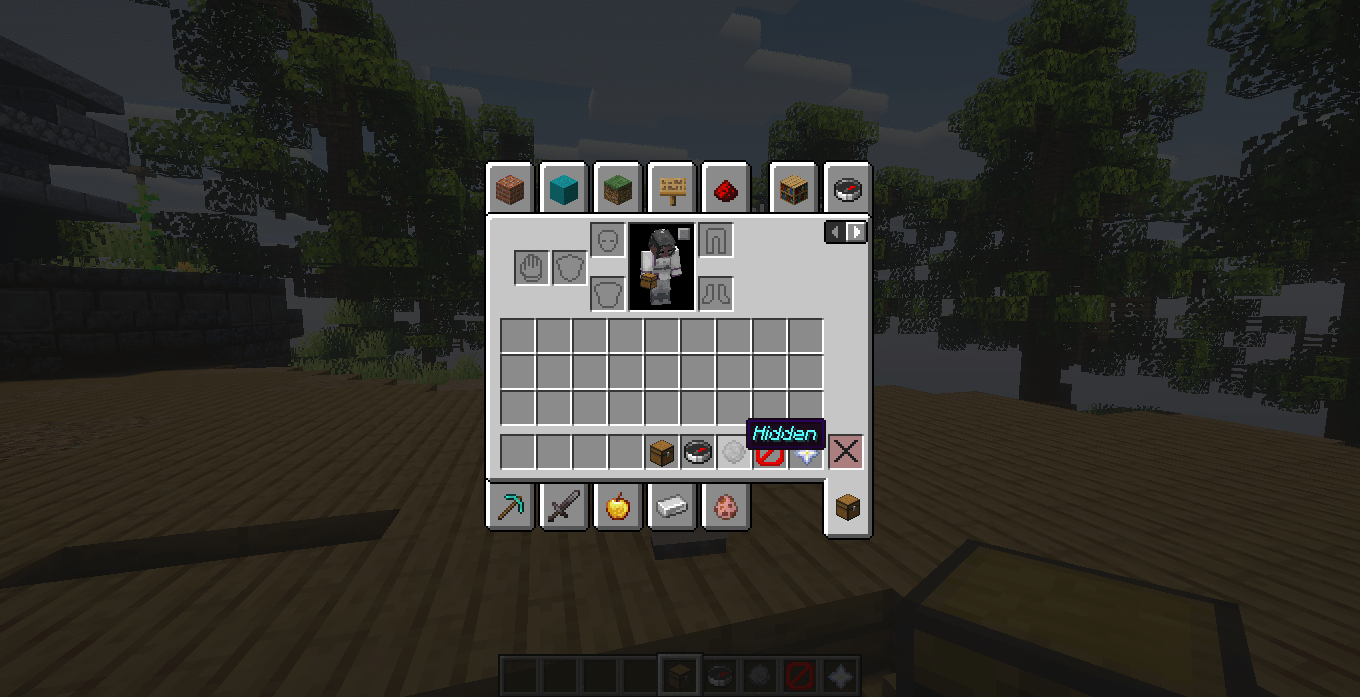 image-attachment_ce0a486e-5e42-4610-b31a-06b51ae9829b.png
 -
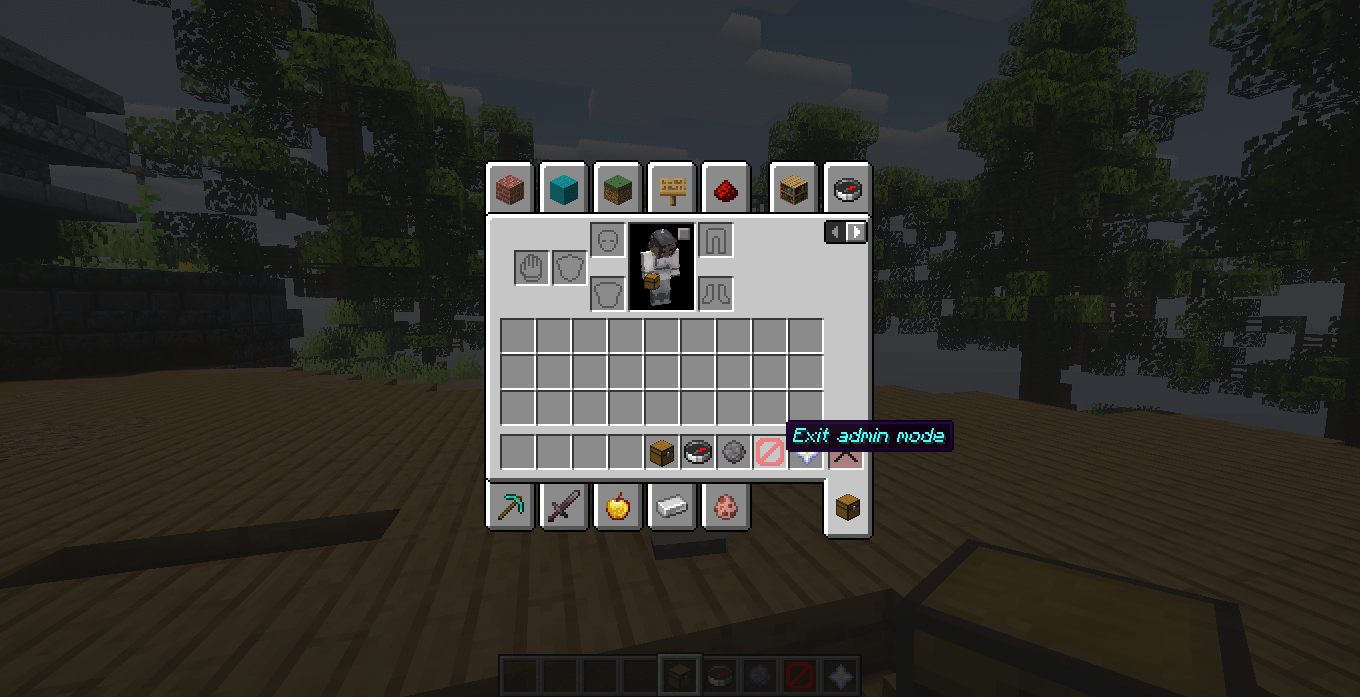 image-attachment_175c3e65-db93-4754-85f7-d52dfc47d465.png
 -
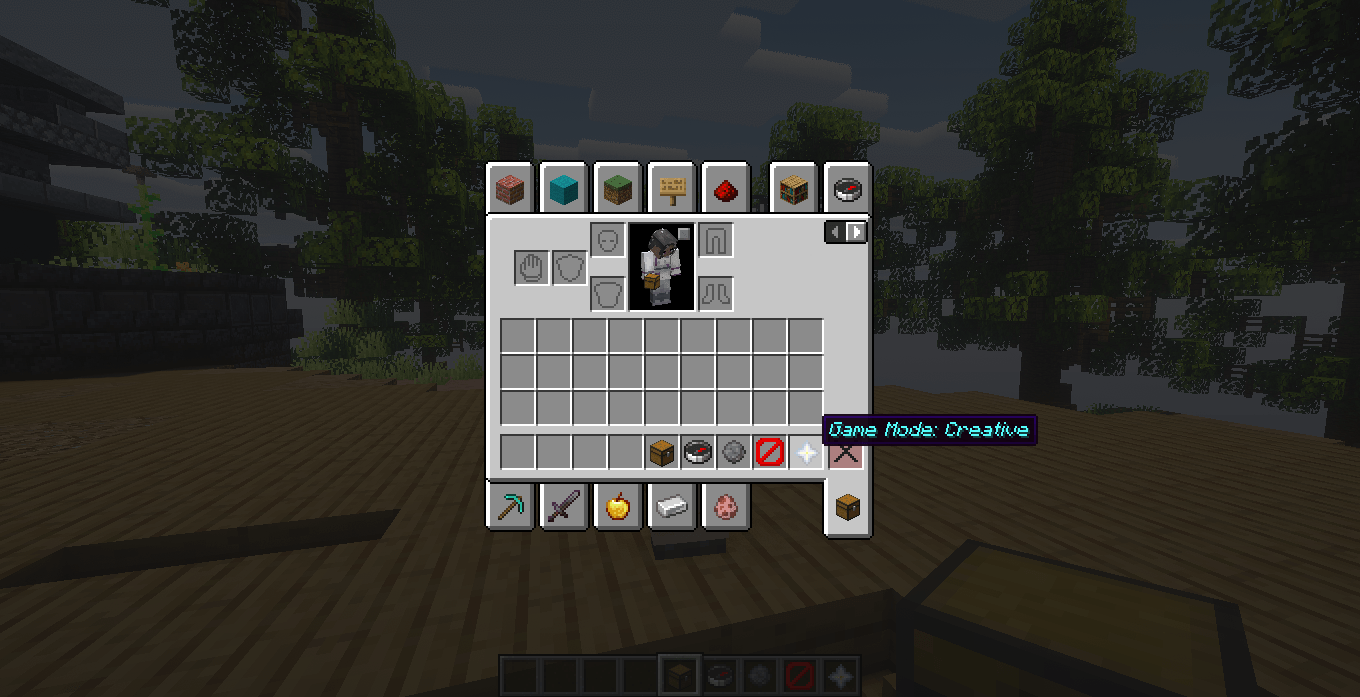 image-attachment_c3a71aa1-232f-4878-878c-e14894e406e1.png
 -
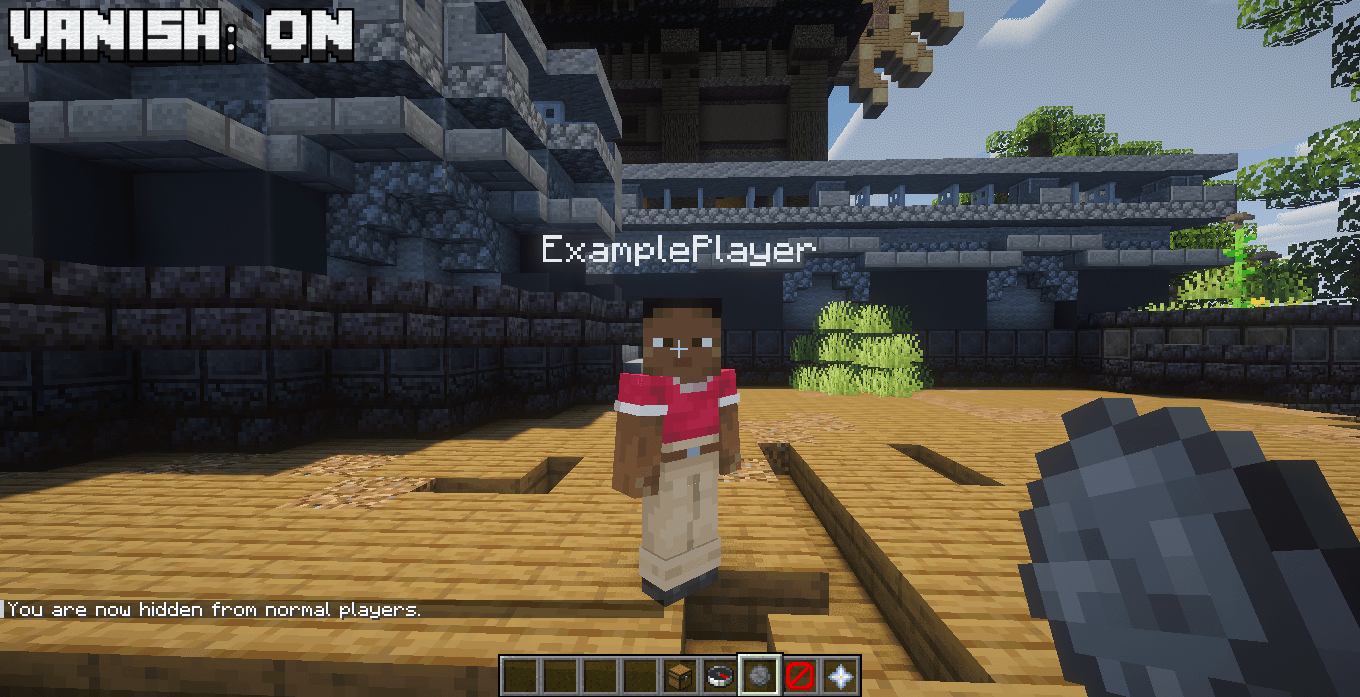 image-attachment_c65b8fee-2e0e-4b6d-9092-57fa7e3614b2.png
 -
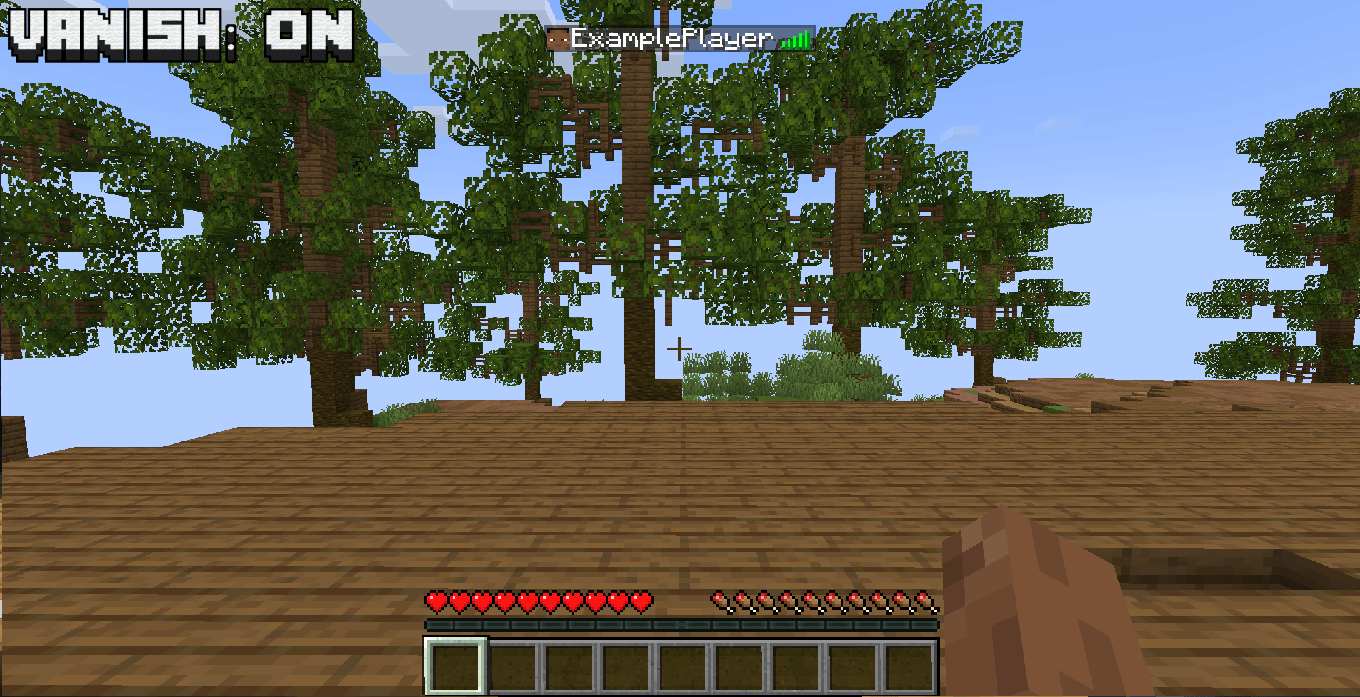 image-attachment_fe83267a-fe5d-4115-b6ef-130f50a849c5.png
 -
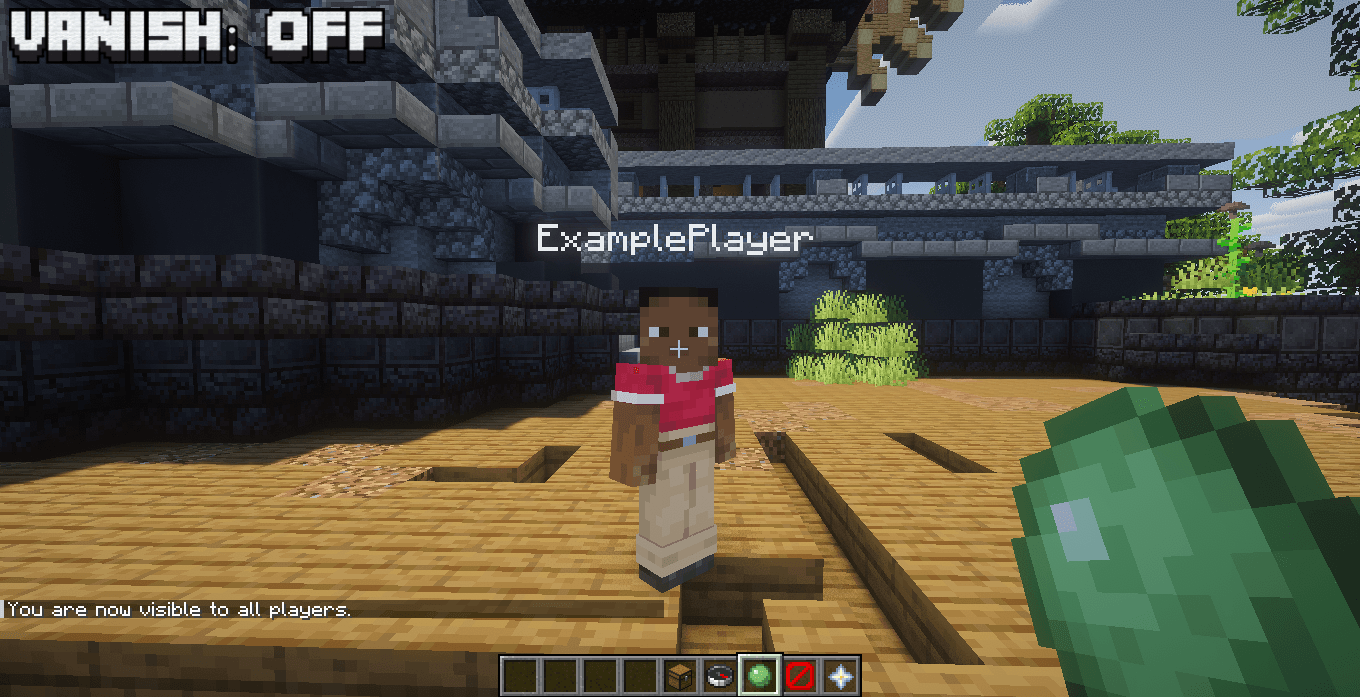 image-attachment_48b7f64c-1125-40fb-bab0-1f6a1f6a6250.png
 -
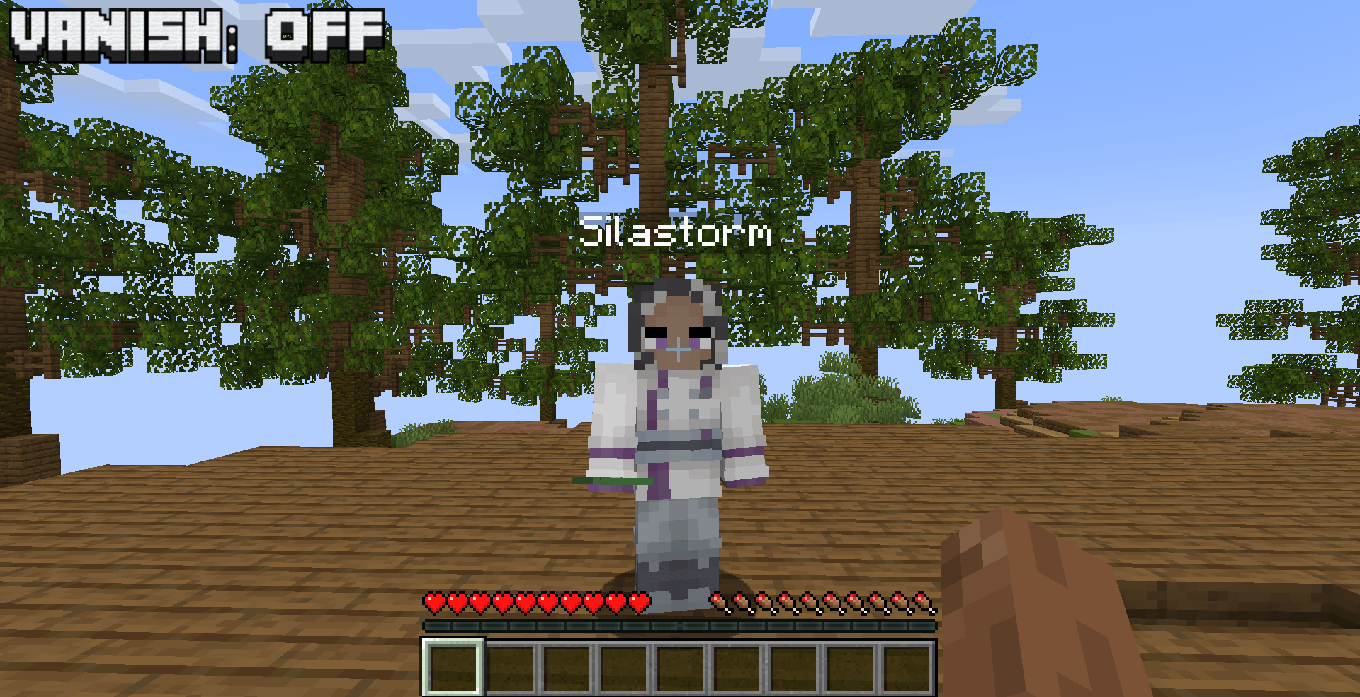 image-attachment_a4cbc817-5538-46a8-abd1-26c9e84a79ce.png
 -
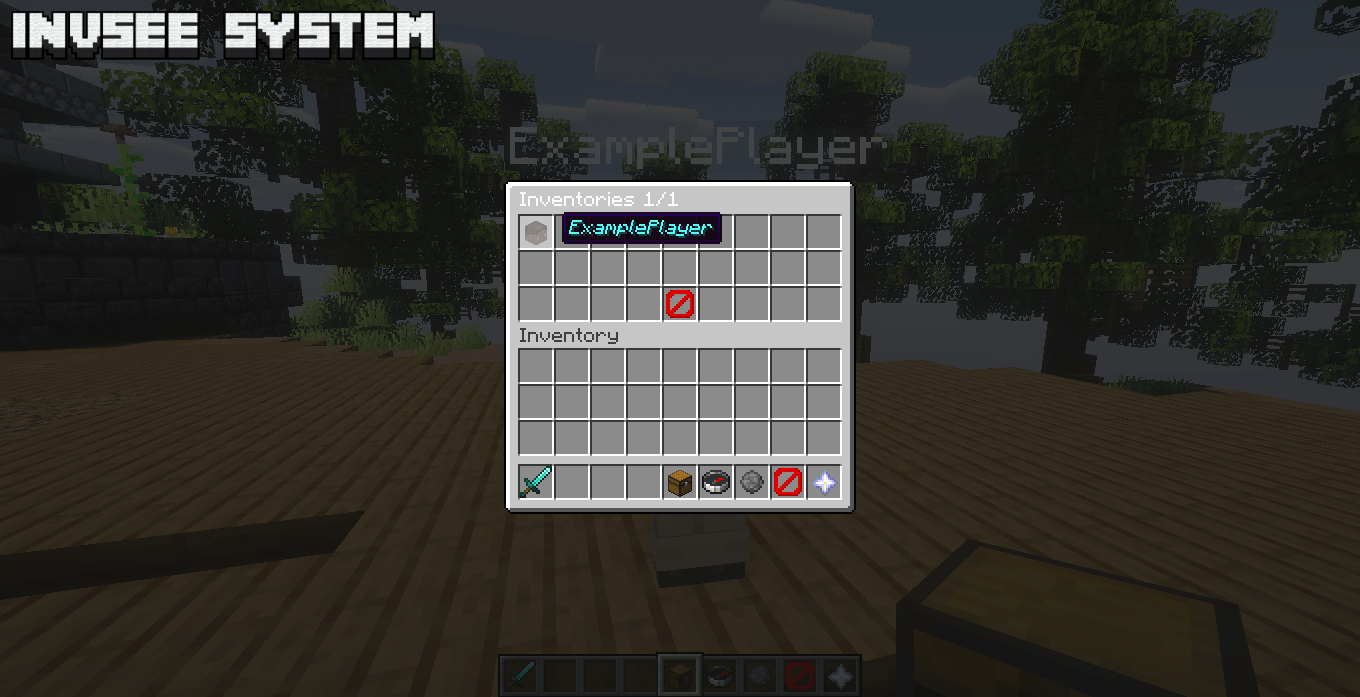 image-attachment_d4ff866e-1c00-4743-b7cf-71ab09c3aa54.png
 -
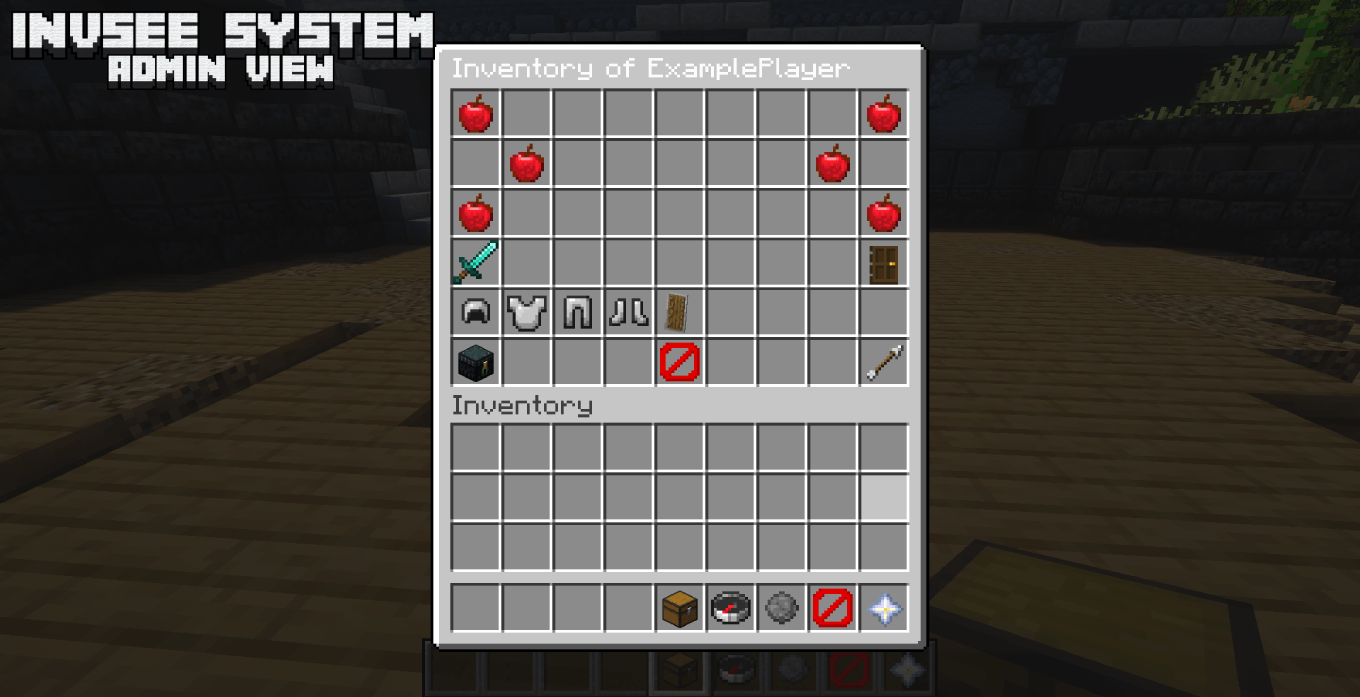 image-attachment_4ff7ae16-019b-49eb-b13a-a2bd5a426047.png
 -
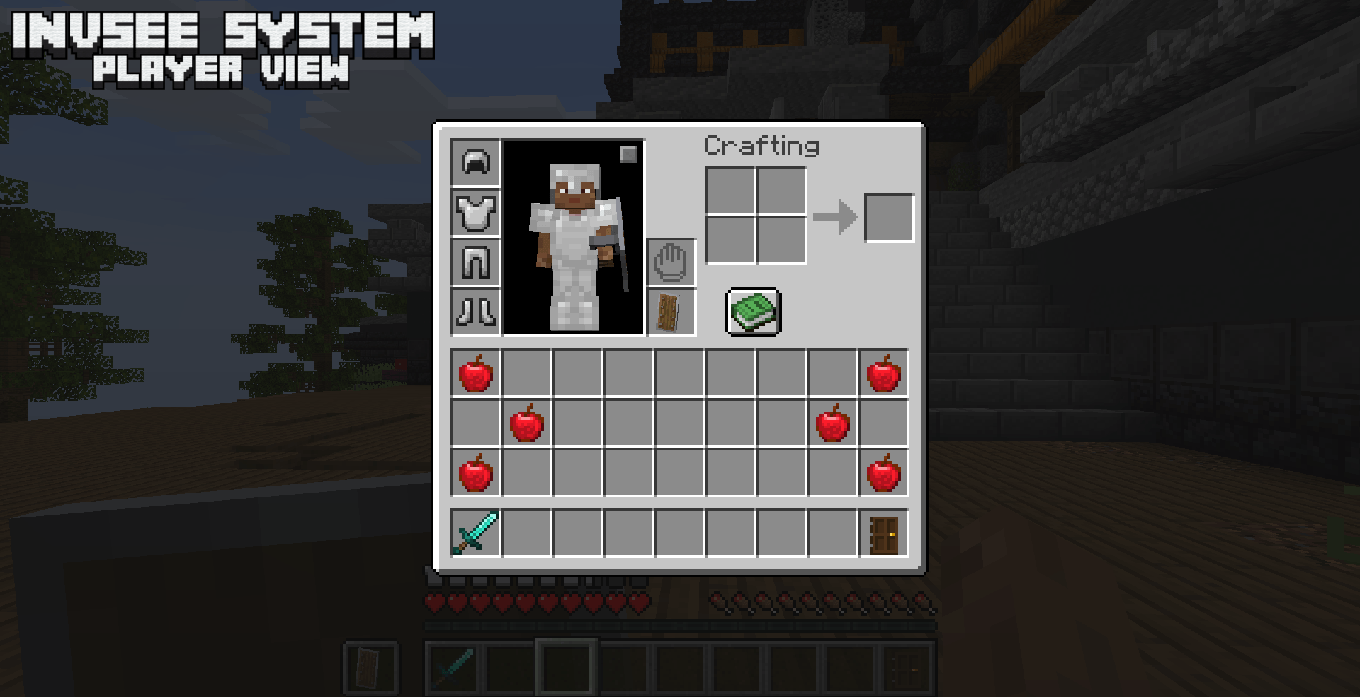 image-attachment_15a5b604-b9d2-4e4f-b25a-387e00f24ef8.png
 -
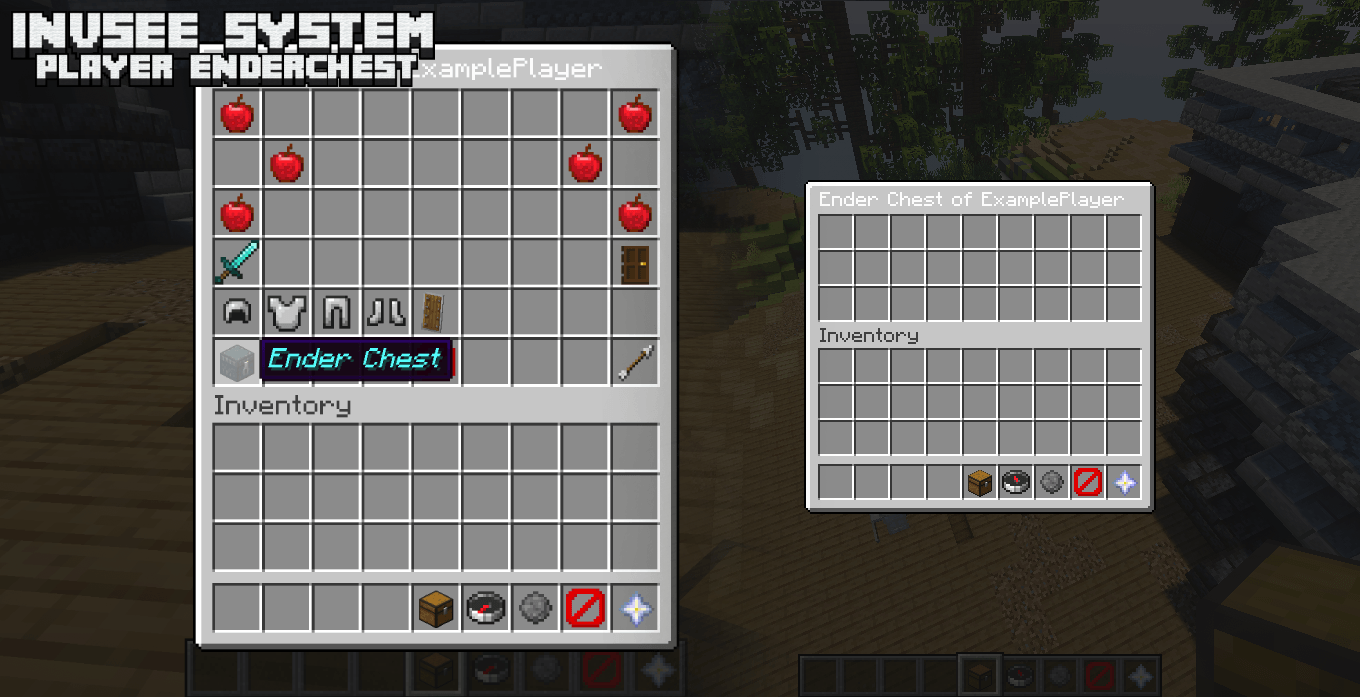 image-attachment_99a514af-4b8d-4e78-aace-267e54c329df.png
Versions
Files
Relations
Project Relations
More like this
Similar Mods
Suggestions use data such as tags, dependencies, dependents, descriptions, titles, and more to rank how much they overlap with this mod.
On ModDex
Community snapshot
By the numbers
Statistics
Want to reach Minecraft players?
We're looking for a server hosting partner to feature here and other parts of the site. Interested? Send us a message!
Get in touchGet it on
Available Platforms
On ModDex
Community snapshot
By the numbers
Statistics
Resources