Community listing page, reviews may not be monitored by the author.
Saro´s Creative Tab


No reviews yet
You can add All Items you want to your own Custom Creative Tabs

Community voices
Reviews
No reviews yet. Be the first to review this project!
Get it on
Available Platforms
Compatibility
Supported Environments
Runs entirely on the client. Works on vanilla servers.
Must be installed on both the client and the server.
Varies by version.
About
Project Details
For authors
Embed Badge
If you're the author of this project, you can embed a live badge anywhere that supports HTML or Markdown. It updates automatically whenever ratings change.
Use HTML for any page that supports it, or Markdown for README files and Markdown-based descriptions.
Identifiers
Platform IDs
About
Description

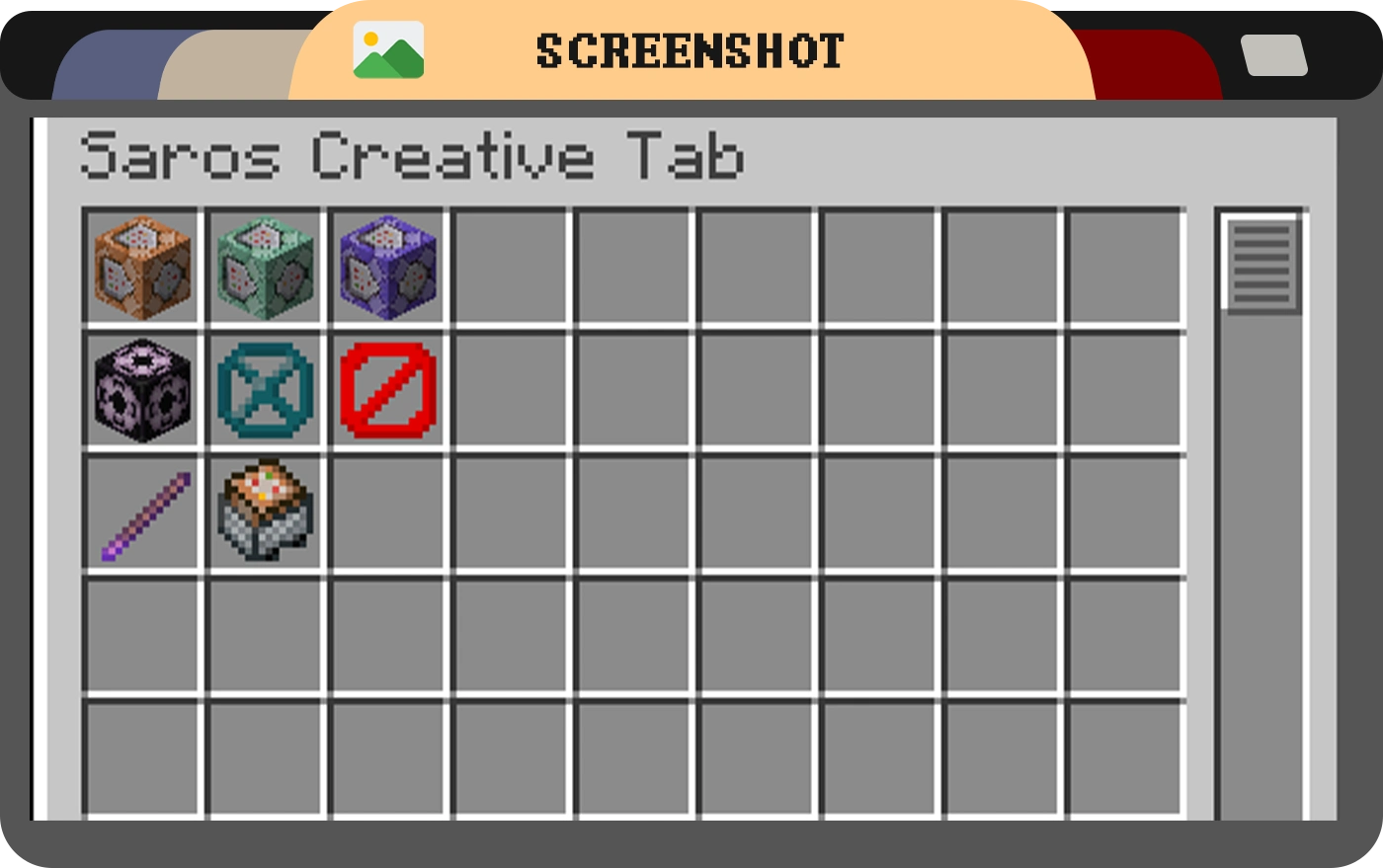
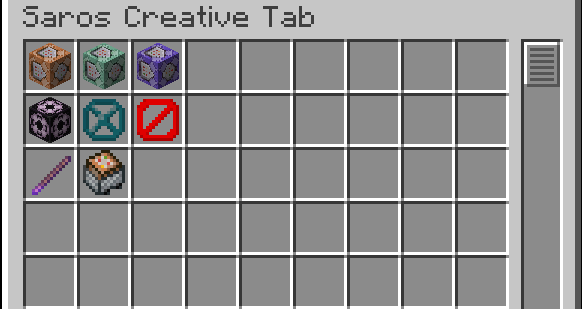
The Saros Creative Tab mod adds a custom creative tab to Minecraft, allowing players to easily access essential vanilla items like the Command Block and Barrier, which are not available in the default creative inventory.
For version 1.20.1 and above, this mod features a powerful Dynamic Custom Tab Management System that allows server administrators to create, manage, and configure multiple custom creative tabs through in-game commands!

Features (Version 1.19.4 and earlier)
- Custom Creative Tab: A new tab named "Saros Creative Tab" is added to the creative inventory, this tab adds Vanilla Items like Command blocks and more.
Features (Version 1.20.1+)
- Dynamic Tab Creation: Create unlimited custom creative tabs with unique names and icons
- Command-Based Management: Full control through intuitive in-game commands
- Item Organization: Add, remove, and organize items in your custom tabs
- Permission System: Configurable permission levels for tab management (per-tab and global)
- Server Synchronization: All players see the same custom tabs configured by administrators
- Persistent Storage: Custom tabs are saved and persist across server restarts
- Flexible Configuration: Configure default permissions and behavior through config files
Commands (1.20.1+)
/customtab create <id> <displayName> <icon>- Create a new custom tab/customtab delete <id>- Delete a custom tab/customtab list- List all custom tabs/customtab add <tabId> <item>- Add an item to a tab/customtab remove <tabId> <item>- Remove an item from a tab/customtab items <tabId>- List all items in a tab/customtab rename <tabId> <newName>- Rename a tab/customtab seticon <tabId> <icon>- Change a tab's icon/customtab setpermission <tabId> <permission>- Set tab-specific permissions/customtab reload- Reload tabs and configuration from files/customtab help- Display command help
Permission Levels (1.20.1+)
- EVERYONE - All players can manage the tab (default for tab modification)
- OP_LEVEL_2 - Only operators with level 2+ (default for tab creation/deletion)
- OP_LEVEL_3 - Only operators with level 3+
- OP_LEVEL_4 - Only operators with level 4 (server owner)
Permissions can be configured globally in the config file or per-tab using commands.
Note: Changes to tabs require rejoining the world to take effect in the creative inventory.

- 1.21.1 Forge/Fabric/NeoForge (New Dynamic Tab Management System)
- 1.20.1 Forge/Fabric/NeoForge (New Dynamic Tab Management System)
- 1.19.4
- 1.19.2
- 1.18.2
- 1.16.5
Port wishes welcome

Connect with us on Discord and be part of the Saro's Mod community!
Project Support & Usage
Hosting: For the best performance, I recommend using BisectHosting linked in the banner.
Modpacks: You are free to include my work in any modpack. Please ensure proper credit is given by providing a link to this project page.


The Saros Creative Tab mod adds a custom creative tab to Minecraft, allowing players to easily access essential vanilla items like the Command Block and Barrier, which are not available in the default creative inventory.
For version 1.20.1 and above, this mod features a powerful Dynamic Custom Tab Management System that allows server administrators to create, manage, and configure multiple custom creative tabs through in-game commands!

Features (Version 1.19.4 and earlier)
- Custom Creative Tab: A new tab named "Saros Creative Tab" is added to the creative inventory, this tab adds Vanilla Items like Command blocks and more.
Features (Version 1.20.1+)
- Dynamic Tab Creation: Create unlimited custom creative tabs with unique names and icons
- Command-Based Management: Full control through intuitive in-game commands
- Item Organization: Add, remove, and organize items in your custom tabs
- Permission System: Configurable permission levels for tab management (per-tab and global)
- Server Synchronization: All players see the same custom tabs configured by administrators
- Persistent Storage: Custom tabs are saved and persist across server restarts
- Flexible Configuration: Configure default permissions and behavior through config files
Commands (1.20.1+)
/customtab create <id> <displayName> <icon>- Create a new custom tab/customtab delete <id>- Delete a custom tab/customtab list- List all custom tabs/customtab add <tabId> <item>- Add an item to a tab/customtab remove <tabId> <item>- Remove an item from a tab/customtab items <tabId>- List all items in a tab/customtab rename <tabId> <newName>- Rename a tab/customtab seticon <tabId> <icon>- Change a tab's icon/customtab setpermission <tabId> <permission>- Set tab-specific permissions/customtab reload- Reload tabs and configuration from files/customtab help- Display command help
Permission Levels (1.20.1+)
- EVERYONE - All players can manage the tab (default for tab modification)
- OP_LEVEL_2 - Only operators with level 2+ (default for tab creation/deletion)
- OP_LEVEL_3 - Only operators with level 3+
- OP_LEVEL_4 - Only operators with level 4 (server owner)
Permissions can be configured globally in the config file or per-tab using commands.
Note: Changes to tabs require rejoining the world to take effect in the creative inventory.


- 1.21.1 Forge/Fabric/NeoForge (New Dynamic Tab Management System)
- 1.20.1 Forge/Fabric/NeoForge (New Dynamic Tab Management System)
- 1.19.4
- 1.19.2
- 1.18.2
- 1.16.5
Port wishes welcome

Connect with us on Discord and be part of the Saro's Mod community!

Project Support & Usage
Hosting: For the best performance, I recommend using BisectHosting linked in the banner.
Modpacks: You are free to include my work in any modpack. Please ensure proper credit is given by providing a link to this project page.
Screenshots
Gallery
-
 Tab
Tab

Versions
Files
Relations
Project Relations
More like this
Similar Mods
Suggestions use data such as tags, dependencies, dependents, descriptions, titles, and more to rank how much they overlap with this mod.
On ModDex
Community snapshot
By the numbers
Statistics

Get it on
Available Platforms
On ModDex
Community snapshot
By the numbers