
Community listing page, reviews may not be monitored by the author.
Scav Pouch - Vault Hunters Addon

No reviews yet
Vault Hunters scav pouch: auto-pickup, one-click altar turn-in and a HUD of what's left.

Community voices
Reviews
No reviews yet. Be the first to review this project!
Get it on
Available Platforms
About
Project Details
For authors
Embed Badge
If you're the author of this project, you can embed a live badge anywhere that supports HTML or Markdown. It updates automatically whenever ratings change.
Use HTML for any page that supports it, or Markdown for README files and Markdown-based descriptions.
Identifiers
Platform IDs
Resources
External Links
About
Description
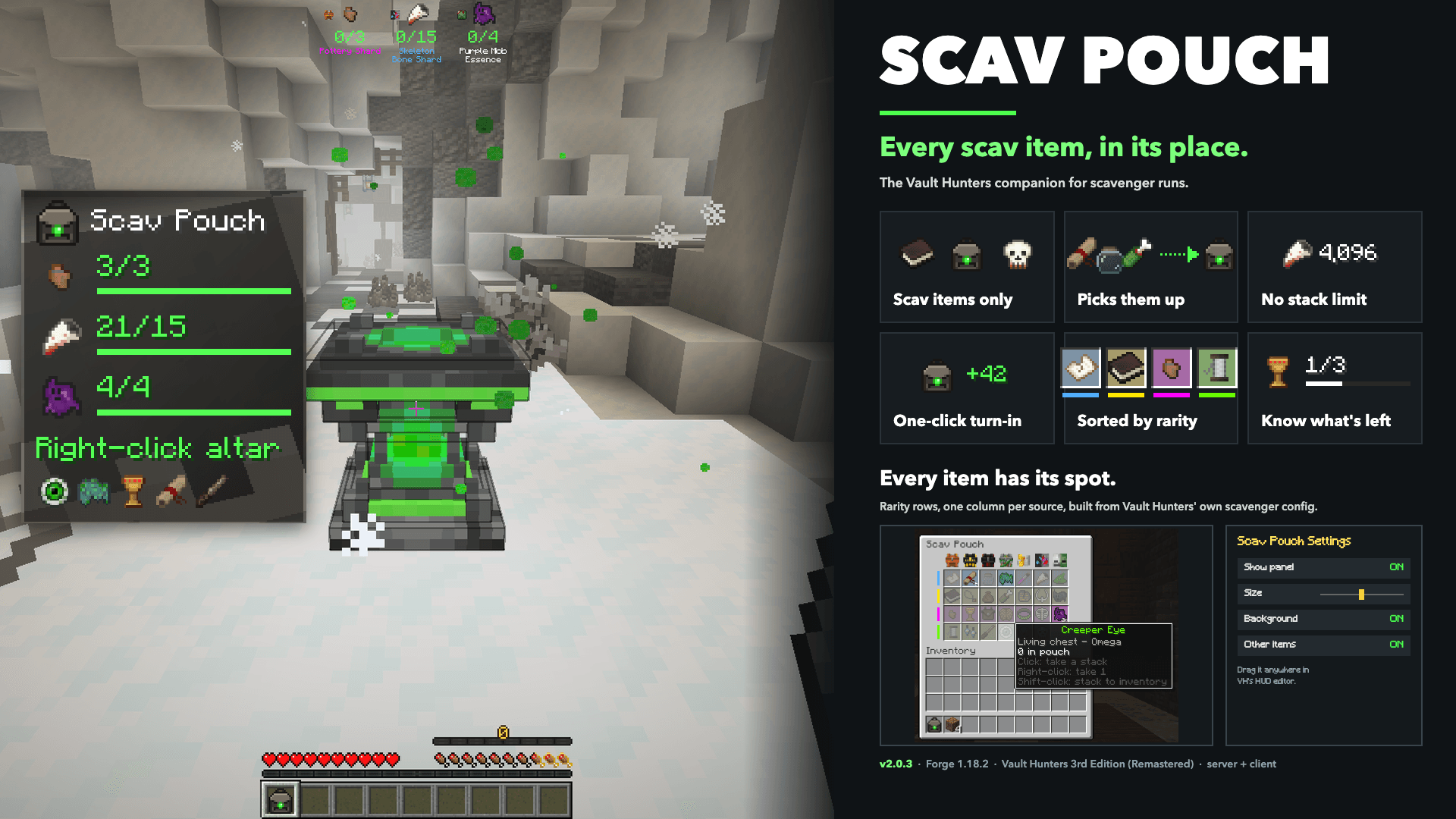
A pouch for Vault Hunters scavenger runs. It only holds scav items, picks them up for you, turns everything the altar still needs in with one right-click, and shows what you have against what the altar wants.
Features
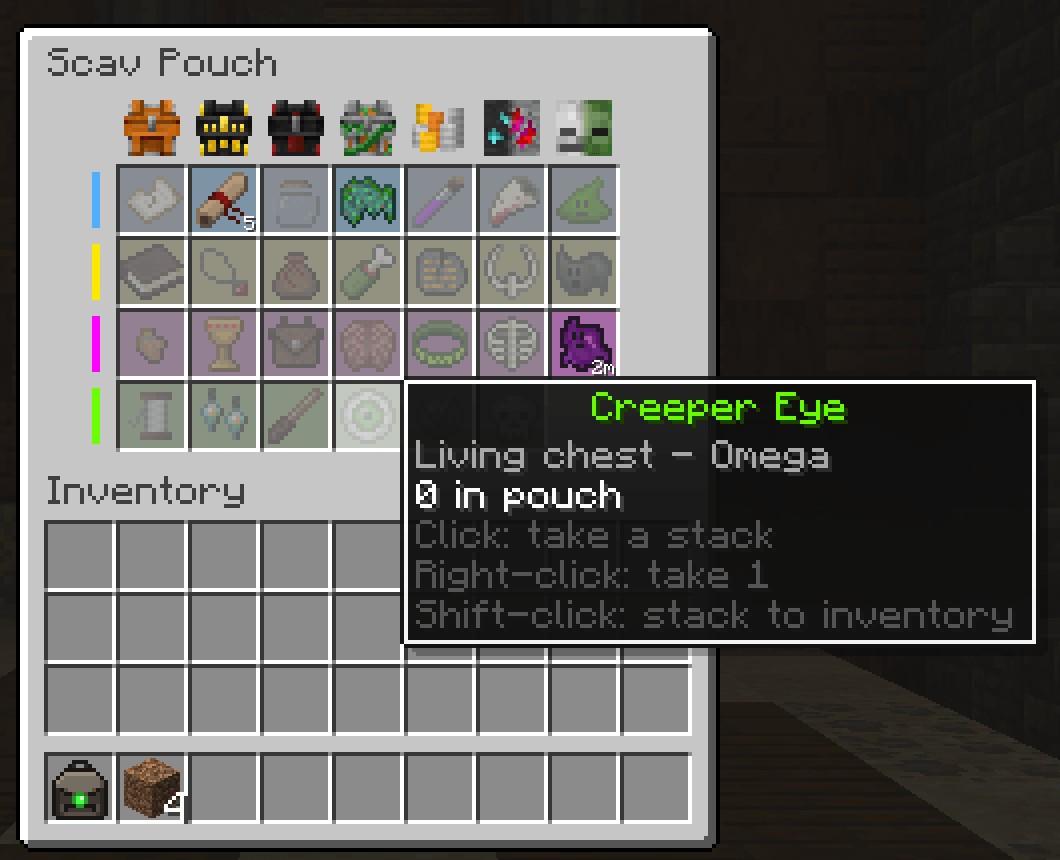
- Every scav item has its own spot. The pouch window lays out all the scav items Vault Hunters uses, one row per rarity (Common, Rare, Epic, Omega) and one column per source (wooden, gilded, ornate and living chests, coin piles, ore, mobs). Empty spots show the item faded, so you always know where to look.
- No stack limit. A spot holds as many as you find. Big counts show as "1.3k", "70k" and so on.
- Picks them up for you. In a scavenger vault, scav items you pick up go straight into the pouch, and scav items you loot from a chest go in when you close it. Items you take out yourself (to hand to a teammate) stay out.
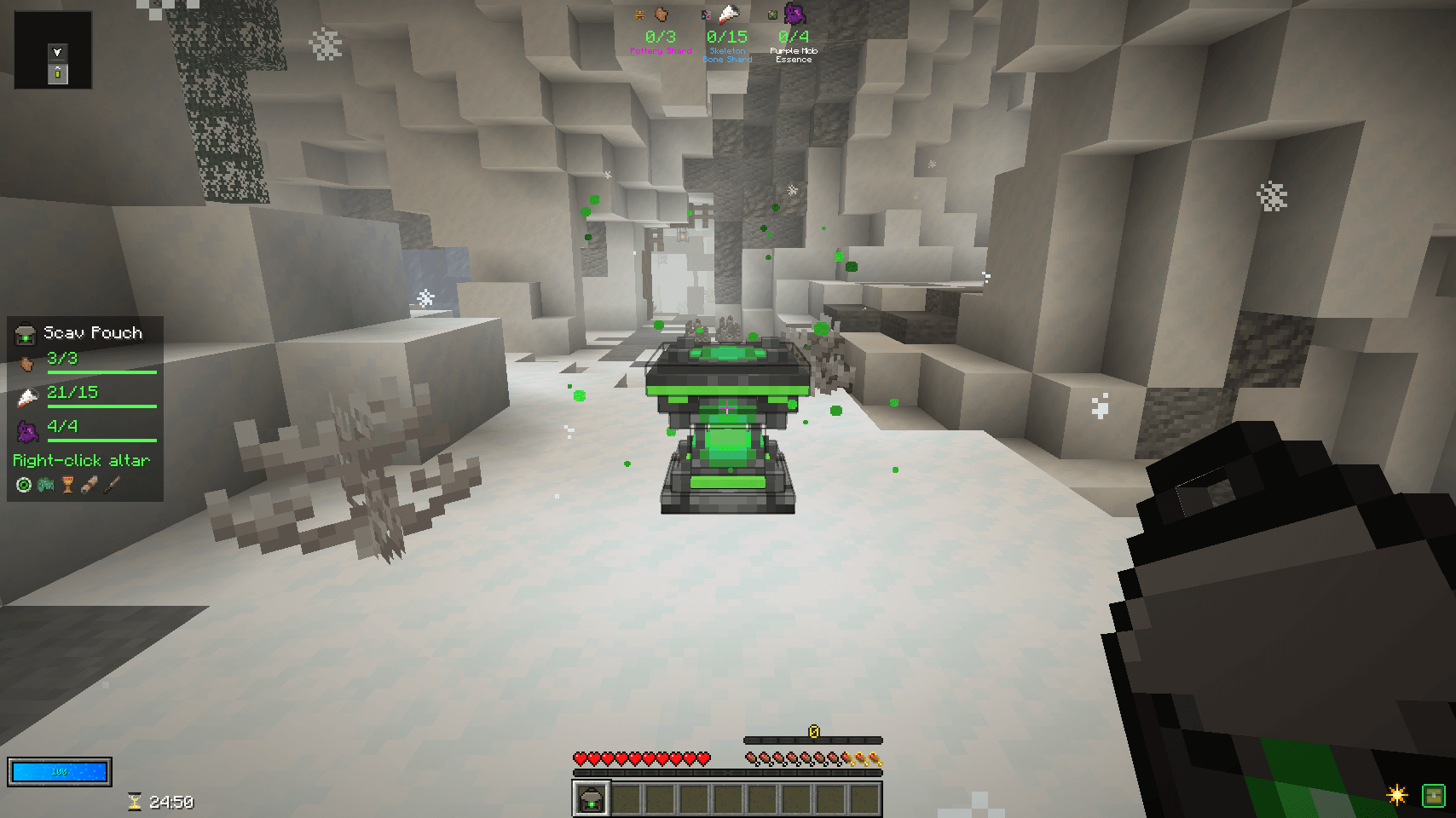
- One right-click turn-in. Hold the pouch and right-click the Scavenger Altar. Everything your goals still need is turned in through Vault Hunters' own altar logic; the rest stays in the pouch.
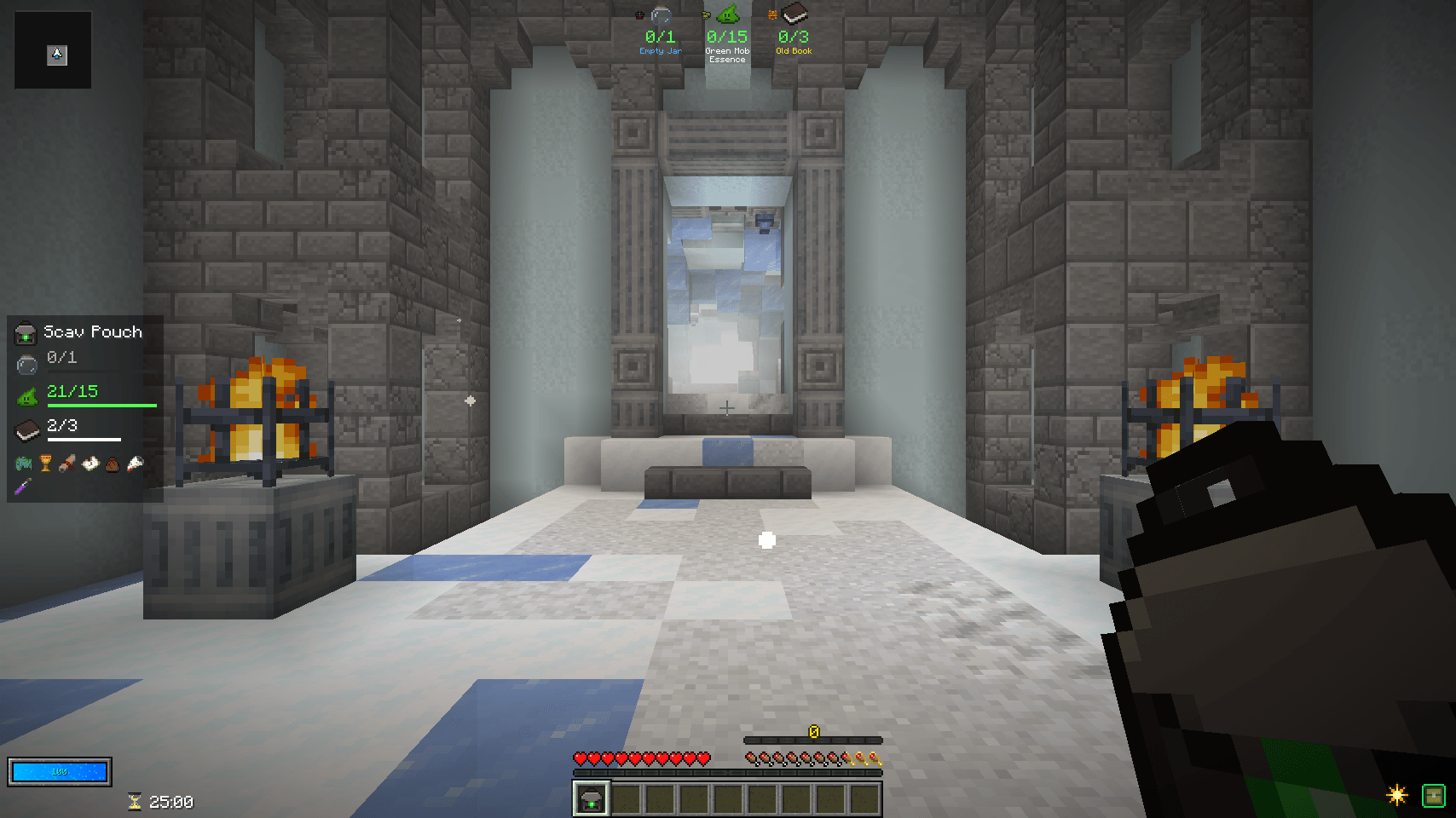
- Know what's left. A HUD panel during scav runs: one row per goal with in pouch / still needed, green once you have enough, and "Right-click altar" when you're ready.
- Help your team. Small icons under the goals show the other scav items you're carrying, so if a teammate needs one you know you have it.
- Lives in the Vault HUD editor. Drag and resize the panel in Vault Hunters' own HUD editor, and turn the background or the other-item icons off.
How to use
- Craft the pouch (see the recipe in the gallery): 7 Magic Silk, 1 string, 1 lime dye.
- Carry it into a scavenger vault. Scav items you pick up go in automatically.
- Right-click with the pouch in the air to open it; right-click the Scavenger Altar to turn in.
Click a spot to take a stack, right-click for one, shift-click to send a stack to your inventory. Click a spot while holding scav items, or shift-click them in your inventory, to put them back.
Good to know
- Install on both the server and the client (single player covers both).
- Scav items still vanish when you leave the vault, just like Vault Hunters does with loose ones.
- Bingo vaults are left alone, because they count scav items as you pick them up.
- Settings: the Vault HUD editor, or
config/scavpouch-client.toml.
Requirements
- Minecraft 1.18.2, Forge
- Vault Hunters 3rd Edition. Built and played on Vault Hunters 20.0.3 (Remastered).
Screenshots
Gallery
-
 01_overview.png
 -
 02_hud_ready_to_turn_in.png 02_hud_ready_to_turn_in.png
 -
 03_hud_mid_run.png 03_hud_mid_run.png
 -
 04_pouch_window.png 04_pouch_window.png
 -
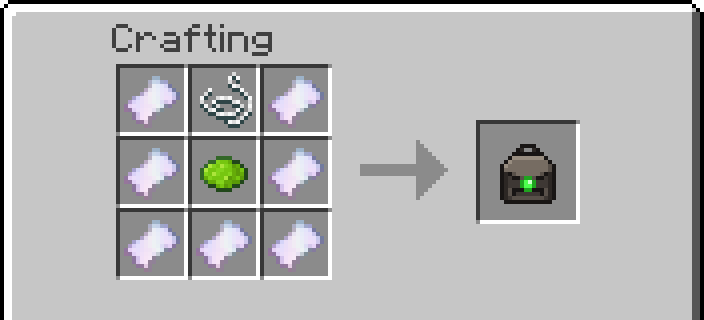 05_recipe.png 05_recipe.png
Versions
Files
Relations
Project Relations
More like this
Similar Mods
Suggestions use data such as tags, dependencies, dependents, descriptions, titles, and more to rank how much they overlap with this mod.
On ModDex
Community snapshot
By the numbers
Statistics

Get it on
Available Platforms
On ModDex
Community snapshot
By the numbers
Statistics
Resources