
Community listing page, reviews here may not be monitored by the author.
Screenshot Overhaul


No reviews yet
Improve Minecraft screenshots with a built-in gallery, metadata, custom names, previews, panoramas, and map integrations.
Community voices
Reviews
No reviews yet. Be the first to review this project!
Get it on
Available Platforms
Compatibility
Supported Environments
Runs entirely on the client. Works on vanilla servers.
About
Project Details
For authors
Embed Badge
If you're the author of this project, you can embed a live badge anywhere that supports HTML or Markdown. It updates automatically whenever ratings change.
Use HTML for any page that supports it, or Markdown for README files and Markdown-based descriptions.
Identifiers
Platform IDs
About
Description
Screenshot Overhaul



Improve Minecraft screenshots with a built-in gallery, metadata, custom names, previews, panoramas, and map integrations.
Features
- Built-in screenshot gallery available from the title screen and pause menu.
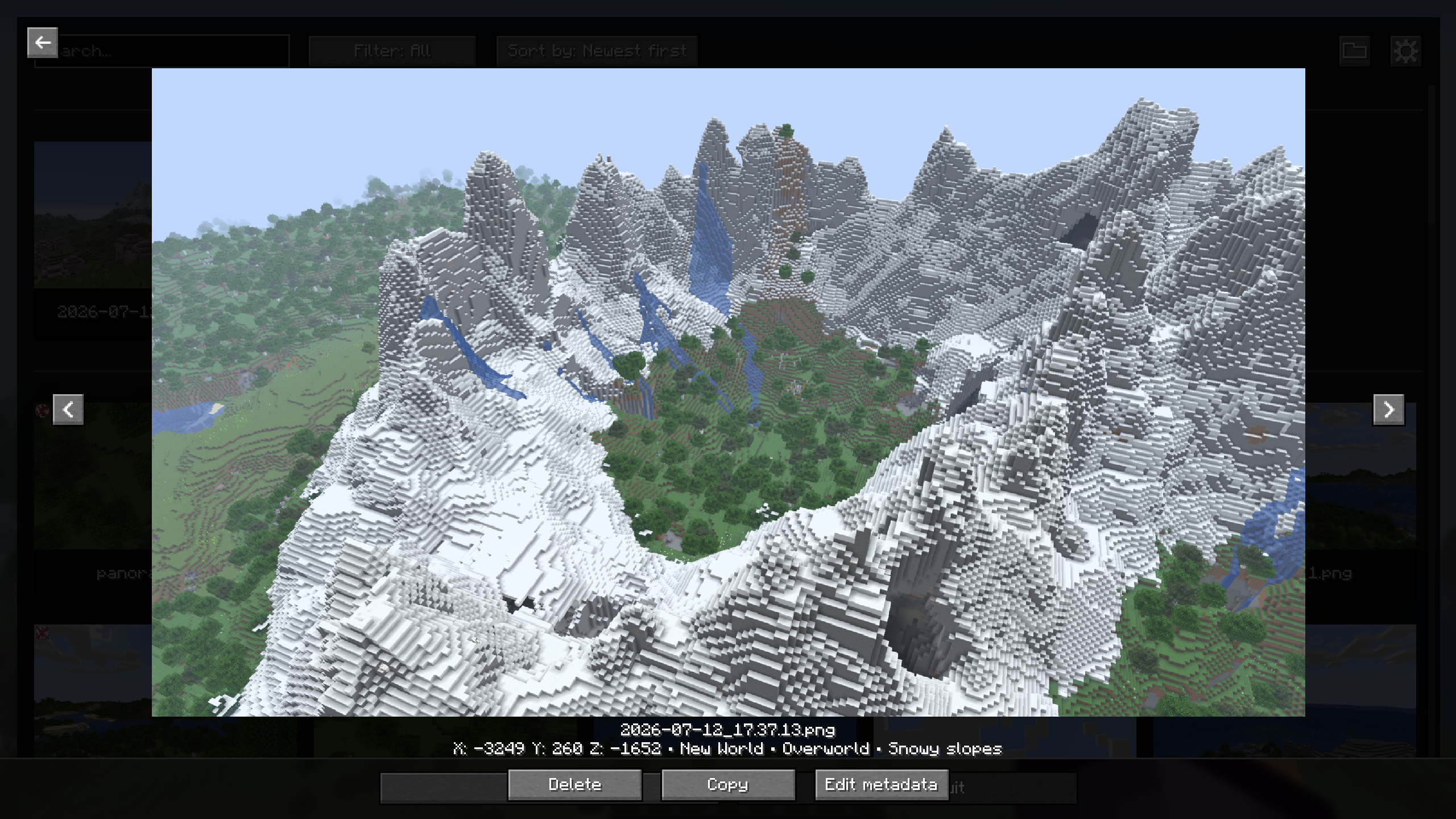
- Full-screen screenshot viewer with navigation, delete, and copy actions.
- Search, sorting, and favorites filtering in the gallery.
- Persistent favorites and an option to hide specific screenshots from compatible maps.
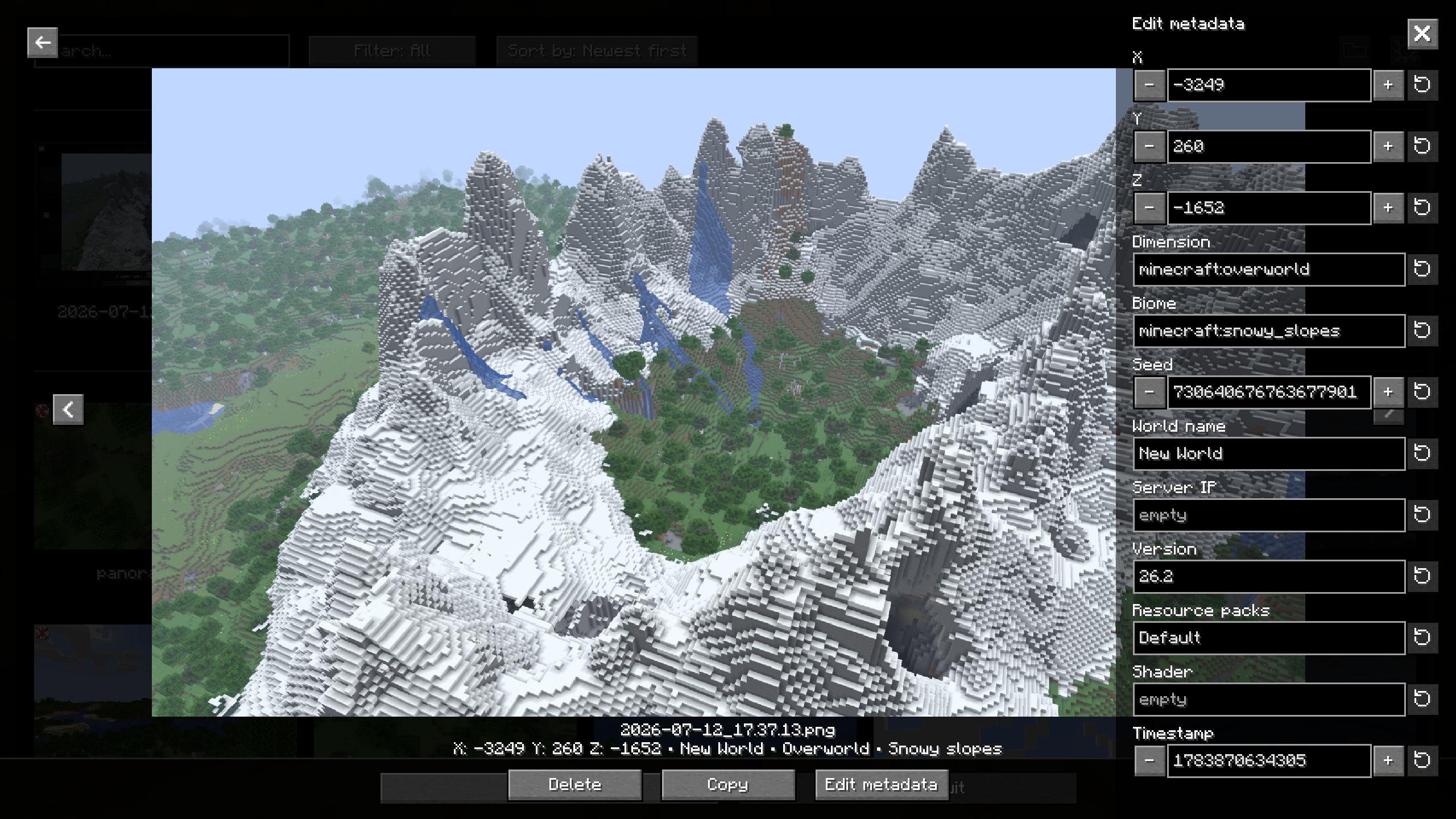
- PNG metadata added to screenshots: position, dimension, biome, seed, world, server, version, resource packs, shader, and timestamp.
- Metadata editing directly from the gallery.
- Configurable screenshot directory, with support for subfolders.
- Custom screenshot file names using tokens (
<datetime>,<worldname>,<shader>, etc.). - Animated screenshot preview after capture.
- Options to hide the HUD, chat, or hand only while taking a screenshot.
- Optional automatic screenshot capture when an advancement is unlocked.
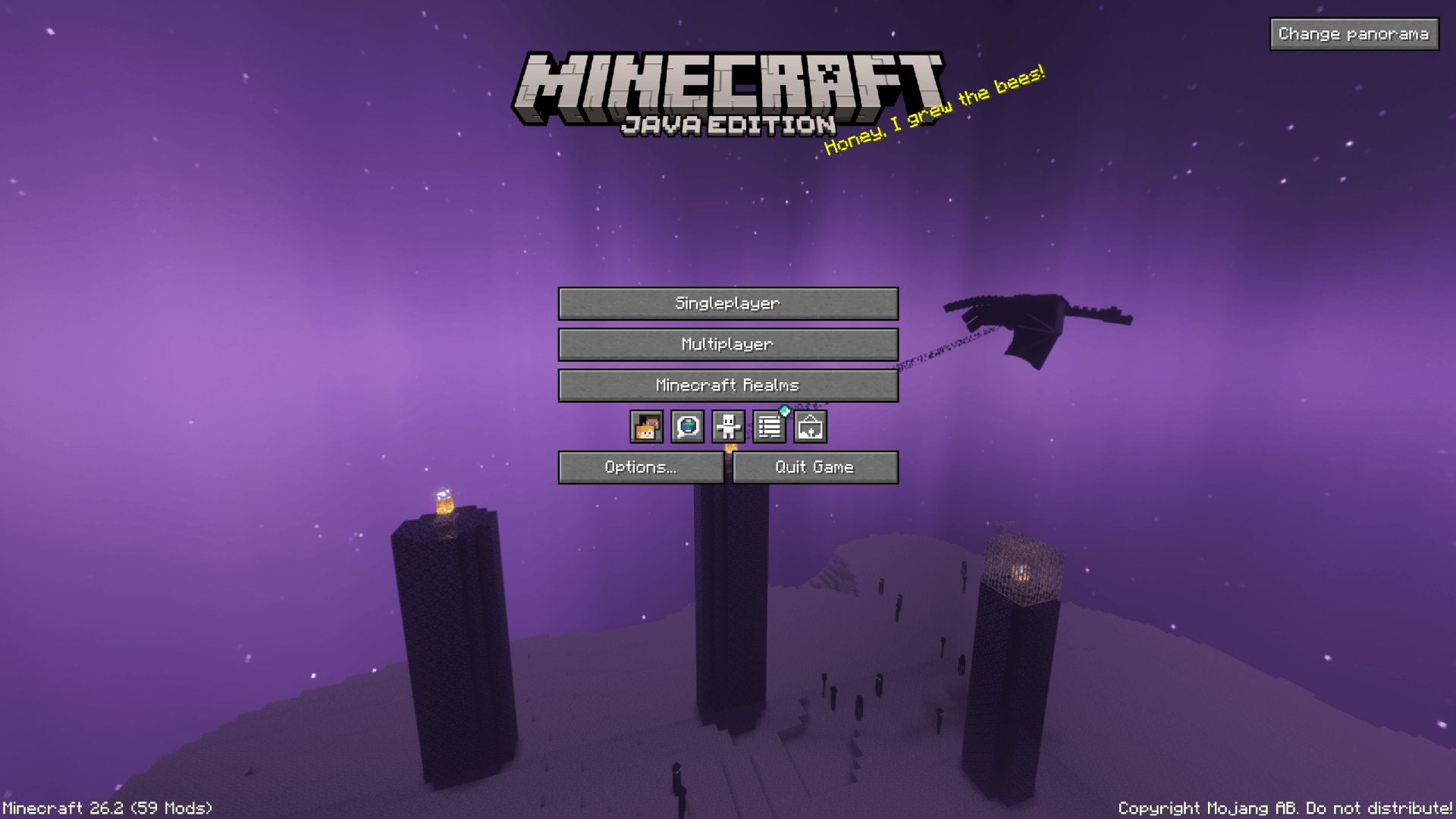
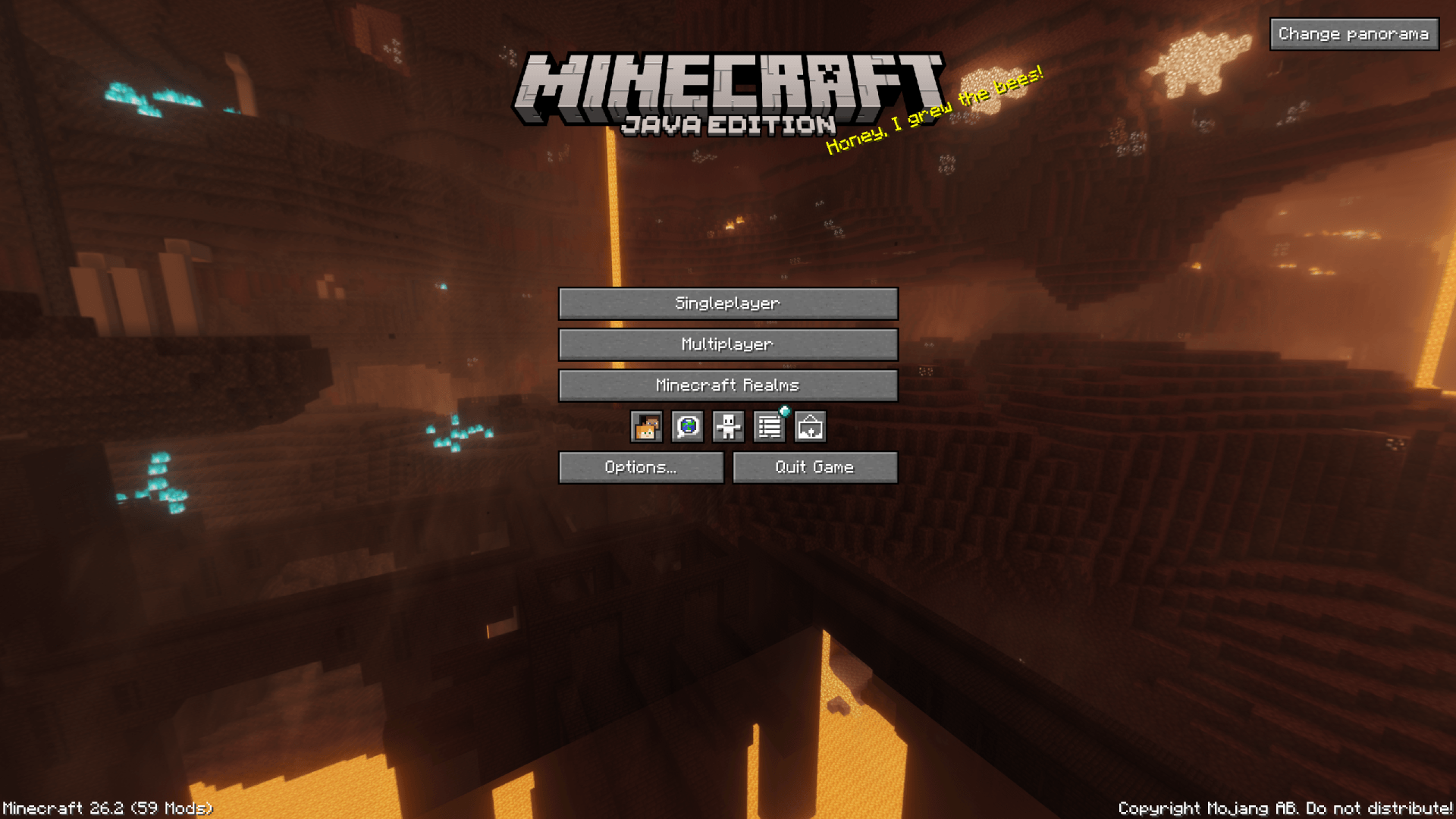
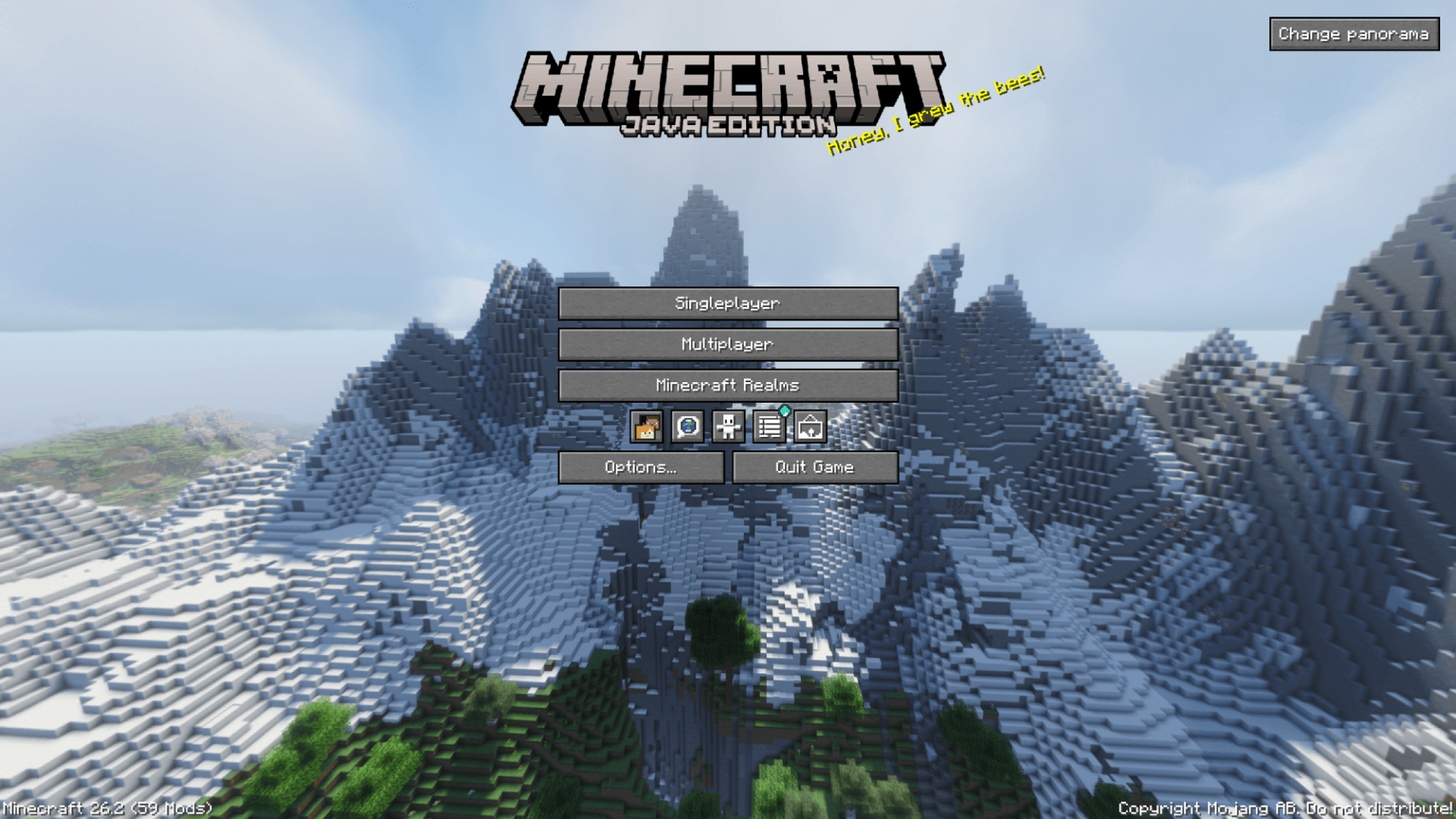
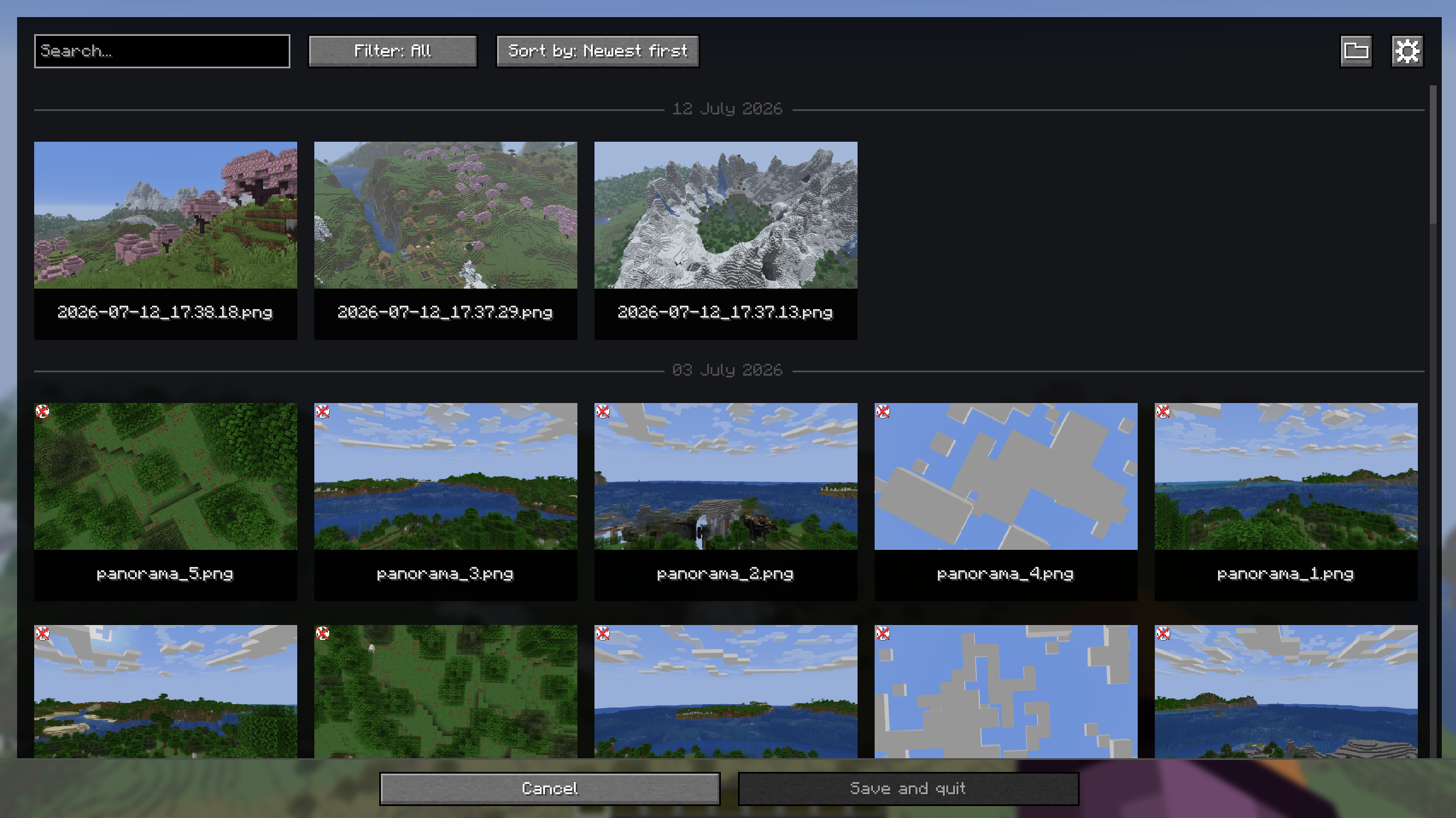
- Panorama capture with a dedicated keybind.
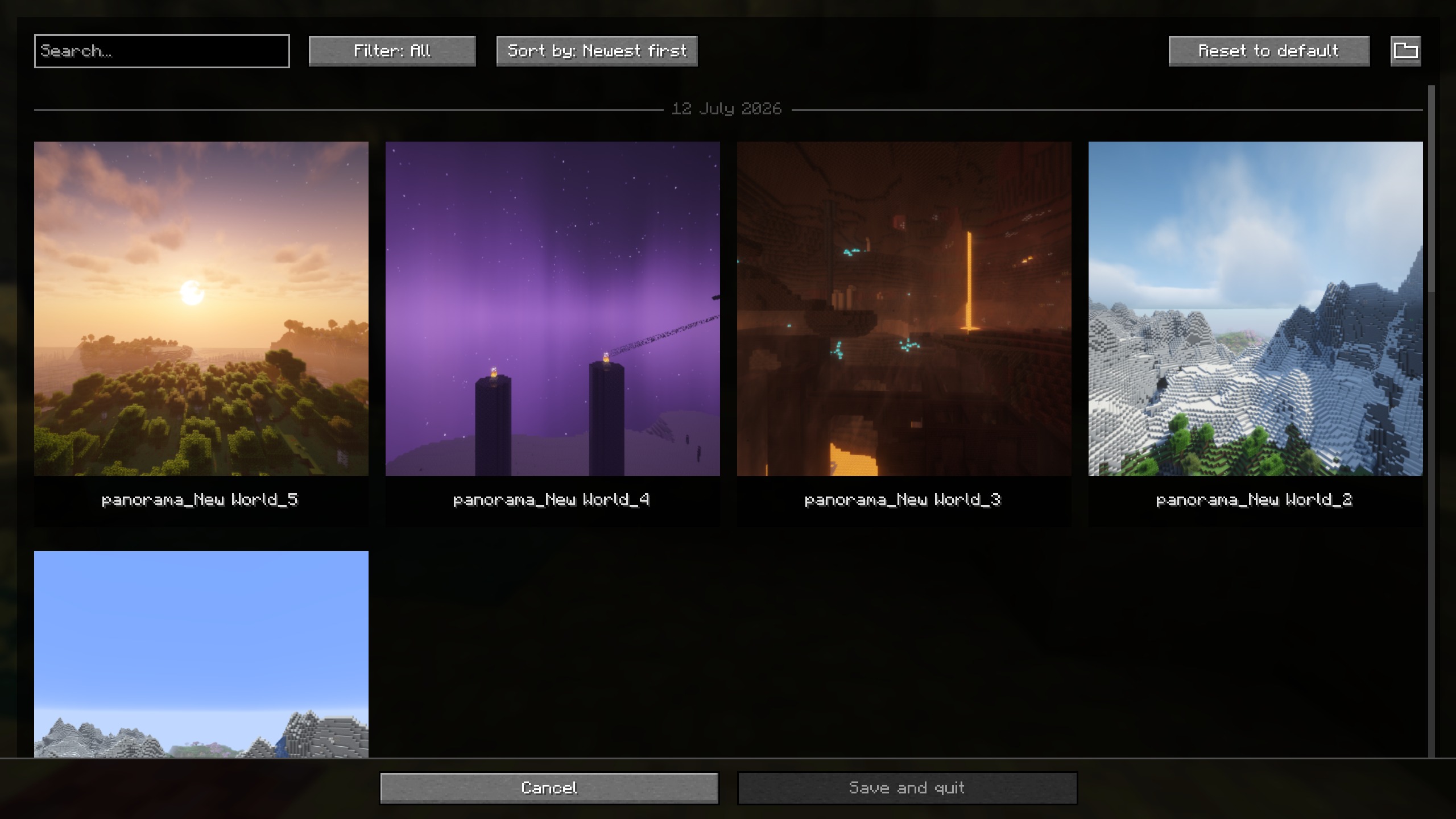
- Panorama gallery and support for using a captured panorama as the title screen background.
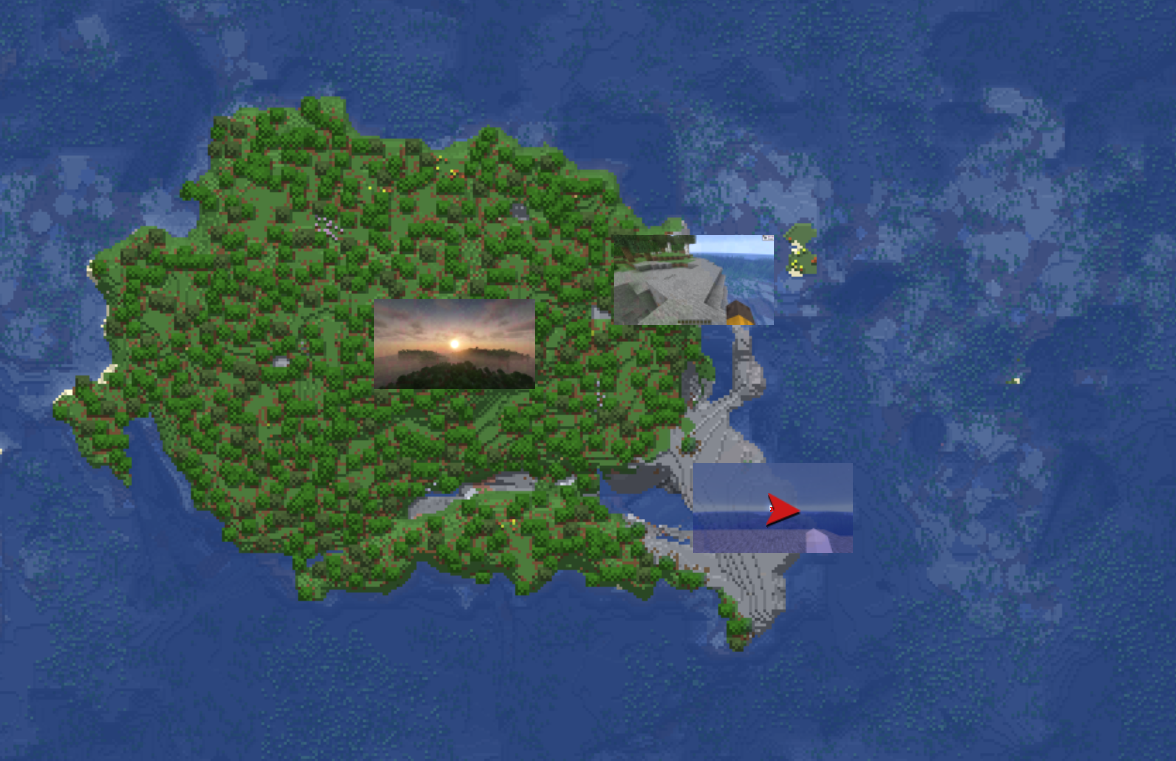
- Optional integration with Xaero's World Map and JourneyMap to display screenshots on the map.
- Iris compatibility to save the active shader in metadata and file-name tokens.
- Fabric and NeoForge support.
Photo mode exists in the codebase but is gated behind
SCREENSHOT_OVERHAUL_ENABLE_PHOTO_MODEsince this feature is still in the development phase.
Quick Usage
- Open the screenshot gallery from the title screen or pause menu.
- Press
F9to take a panorama screenshot. - Use the
Change panoramabutton on the title screen to choose a captured panorama as the background. - Open the settings from the gallery, through Mod Menu on Fabric, or from NeoForge's mod configuration screen.
Configuration
The configuration file is created automatically on first launch: .minecraft/config/screenshot_overhaul.json.
General
| Option | Description |
|---|---|
enableWholeMod |
Enables or disables the mod's features. |
showScreenshotsOnXaerosWorldMap |
Shows screenshots on Xaero's World Map if the mod is installed. |
showScreenshotsOnJourneyMap |
Shows screenshots on JourneyMap if the mod is installed. |
Screenshot
| Option | Description |
|---|---|
screenshotsFileName |
Pattern used to name screenshots. Can include tokens and subfolders. |
screenshotsDir |
Directory where screenshots are saved. |
showChatMessage |
Shows the Minecraft chat message after taking a screenshot. |
showPreview |
Shows an animated preview after taking a screenshot. |
hideHudOnScreenshot |
Hides the HUD while taking a screenshot. |
hideChatOnScreenshot |
Hides the chat while taking a screenshot. Disabled when hideHudOnScreenshot is enabled. |
hideHandOnScreenshot |
Hides the player's hand while taking a screenshot. |
grabScreenshotOnAdvancement |
Automatically takes a screenshot when an advancement is unlocked. |
advancementScreenshotDelay |
Delay before taking an advancement screenshot, in ticks. Clamped between 0 and 100. |
Panorama
| Option | Description |
|---|---|
panoramaFolderName |
Pattern used to name panorama folders. |
panoramaResolution |
Resolution in pixels for each panorama face. Clamped between 256 and 4096. |
rotationSpeed |
Title screen panorama rotation speed. Clamped between 0 and 100. |
rotationDirection |
Panorama rotation direction. Values: TO_LEFT, TO_RIGHT. |
verticalAngle |
Panorama vertical angle. Clamped between -180 and 180. |
startingHorizontalAngle |
Initial panorama horizontal angle. Clamped between 0 and 360. |
Photo Mode
This category is only available when photo mode is enabled in the mod environment.
| Option | Description |
|---|---|
freezeInPhotoMode |
Freezes the world in photo mode. |
showPlayer |
Shows the player in photo mode. |
showNametags |
Shows nametags in photo mode. |
UI-Saved Data
These values are saved by the mod but are not primary gameplay options.
| Option | Description |
|---|---|
screenshotSortOrder |
Saved sort order for the screenshot gallery. |
panoramaSortOrder |
Saved sort order for the panorama gallery. |
selectedPanoramaUUID |
Panorama currently used as the title screen background. |
Naming Tokens
The screenshotsFileName and panoramaFolderName options support the following tokens:
| Token | Description |
|---|---|
<datetime> |
Date and time formatted by Minecraft for file names. |
<year> |
Four-digit year. |
<month> |
Two-digit month. |
<day> |
Two-digit day. |
<hour> |
Two-digit hour. |
<minute> |
Two-digit minute. |
<second> |
Two-digit second. |
<worldname> |
Singleplayer world name, empty in multiplayer. |
<serverip> |
Server address, empty in singleplayer. |
<version> |
Minecraft version. |
<shader> |
Active shader if Iris is installed, empty otherwise. |
Examples:
<year>/<month>/<datetime>
<worldname>/screenshot_<datetime>
<serverip>/<datetime>_<shader>
Compatibility
| Mod | Integration |
|---|---|
| Mod Menu | Settings access on Fabric. |
| Xaero's World Map | Optional screenshot display on the map. |
| JourneyMap | Optional screenshot display on the map. |
| Iris | Active shader detection for metadata and file-name tokens. |
Screenshot Overhaul
Improve Minecraft screenshots with a built-in gallery, metadata, custom names, previews, panoramas, and map integrations.
Features
- Built-in screenshot gallery available from the title screen and pause menu.
- Full-screen screenshot viewer with navigation, delete, and copy actions.
- Search, sorting, and favorites filtering in the gallery.
- Persistent favorites and an option to hide specific screenshots from compatible maps.
- PNG metadata added to screenshots: position, dimension, biome, seed, world, server, version, resource packs, shader, and timestamp.
- Metadata editing directly from the gallery.
- Configurable screenshot directory, with support for subfolders.
- Custom screenshot file names using tokens (
<datetime>,<worldname>,<shader>, etc.). - Animated screenshot preview after capture.
- Options to hide the HUD, chat, or hand only while taking a screenshot.
- Optional automatic screenshot capture when an advancement is unlocked.
- Panorama capture with a dedicated keybind.
- Panorama gallery and support for using a captured panorama as the title screen background.
- Optional integration with Xaero's World Map and JourneyMap to display screenshots on the map.
- Iris compatibility to save the active shader in metadata and file-name tokens.
- Fabric and NeoForge support.
Photo mode exists in the codebase but is gated behind
SCREENSHOT_OVERHAUL_ENABLE_PHOTO_MODEsince this feature is still in the development phase.
Quick Usage
- Open the screenshot gallery from the title screen or pause menu.
- Press
F9to take a panorama screenshot. - Use the
Change panoramabutton on the title screen to choose a captured panorama as the background. - Open the settings from the gallery, through Mod Menu on Fabric, or from NeoForge's mod configuration screen.
Configuration
The configuration file is created automatically on first launch: .minecraft/config/screenshot_overhaul.json.
General
| Option | Description |
|---|---|
enableWholeMod |
Enables or disables the mod's features. |
showScreenshotsOnXaerosWorldMap |
Shows screenshots on Xaero's World Map if the mod is installed. |
showScreenshotsOnJourneyMap |
Shows screenshots on JourneyMap if the mod is installed. |
Screenshot
| Option | Description |
|---|---|
screenshotsFileName |
Pattern used to name screenshots. Can include tokens and subfolders. |
screenshotsDir |
Directory where screenshots are saved. |
showChatMessage |
Shows the Minecraft chat message after taking a screenshot. |
showPreview |
Shows an animated preview after taking a screenshot. |
hideHudOnScreenshot |
Hides the HUD while taking a screenshot. |
hideChatOnScreenshot |
Hides the chat while taking a screenshot. Disabled when hideHudOnScreenshot is enabled. |
hideHandOnScreenshot |
Hides the player's hand while taking a screenshot. |
grabScreenshotOnAdvancement |
Automatically takes a screenshot when an advancement is unlocked. |
advancementScreenshotDelay |
Delay before taking an advancement screenshot, in ticks. Clamped between 0 and 100. |
Panorama
| Option | Description |
|---|---|
panoramaFolderName |
Pattern used to name panorama folders. |
panoramaResolution |
Resolution in pixels for each panorama face. Clamped between 256 and 4096. |
rotationSpeed |
Title screen panorama rotation speed. Clamped between 0 and 100. |
rotationDirection |
Panorama rotation direction. Values: TO_LEFT, TO_RIGHT. |
verticalAngle |
Panorama vertical angle. Clamped between -180 and 180. |
startingHorizontalAngle |
Initial panorama horizontal angle. Clamped between 0 and 360. |
Photo Mode
This category is only available when photo mode is enabled in the mod environment.
| Option | Description |
|---|---|
freezeInPhotoMode |
Freezes the world in photo mode. |
showPlayer |
Shows the player in photo mode. |
showNametags |
Shows nametags in photo mode. |
UI-Saved Data
These values are saved by the mod but are not primary gameplay options.
| Option | Description |
|---|---|
screenshotSortOrder |
Saved sort order for the screenshot gallery. |
panoramaSortOrder |
Saved sort order for the panorama gallery. |
selectedPanoramaUUID |
Panorama currently used as the title screen background. |
Naming Tokens
The screenshotsFileName and panoramaFolderName options support the following tokens:
| Token | Description |
|---|---|
<datetime> |
Date and time formatted by Minecraft for file names. |
<year> |
Four-digit year. |
<month> |
Two-digit month. |
<day> |
Two-digit day. |
<hour> |
Two-digit hour. |
<minute> |
Two-digit minute. |
<second> |
Two-digit second. |
<worldname> |
Singleplayer world name, empty in multiplayer. |
<serverip> |
Server address, empty in singleplayer. |
<version> |
Minecraft version. |
<shader> |
Active shader if Iris is installed, empty otherwise. |
Examples:
<year>/<month>/<datetime>
<worldname>/screenshot_<datetime>
<serverip>/<datetime>_<shader>
Compatibility
| Mod | Integration |
|---|---|
| Mod Menu | Settings access on Fabric. |
| Xaero's World Map | Optional screenshot display on the map. |
| JourneyMap | Optional screenshot display on the map. |
| Iris | Active shader detection for metadata and file-name tokens. |
Screenshots
Gallery
-
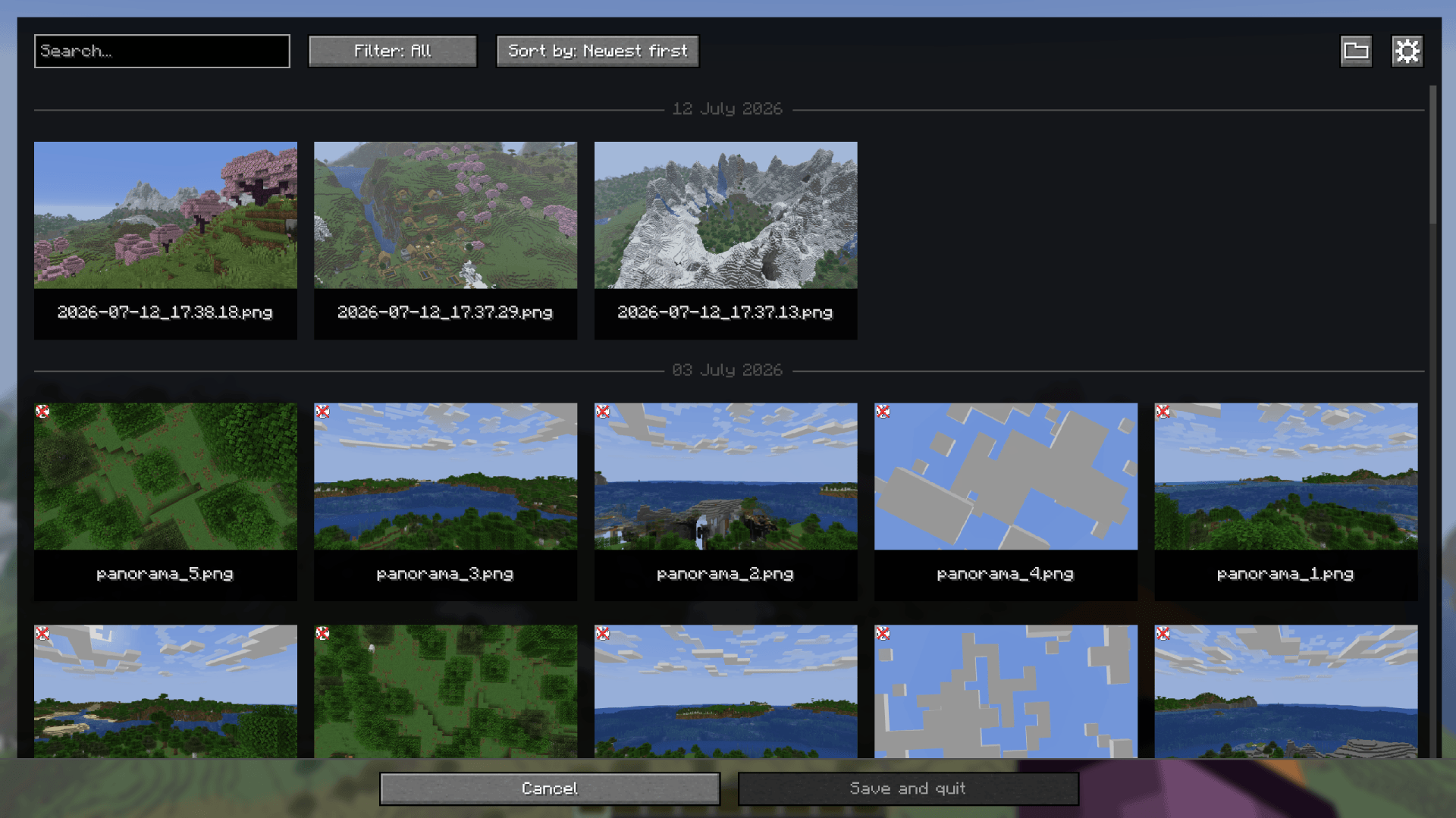 Screenshot gallery
 -
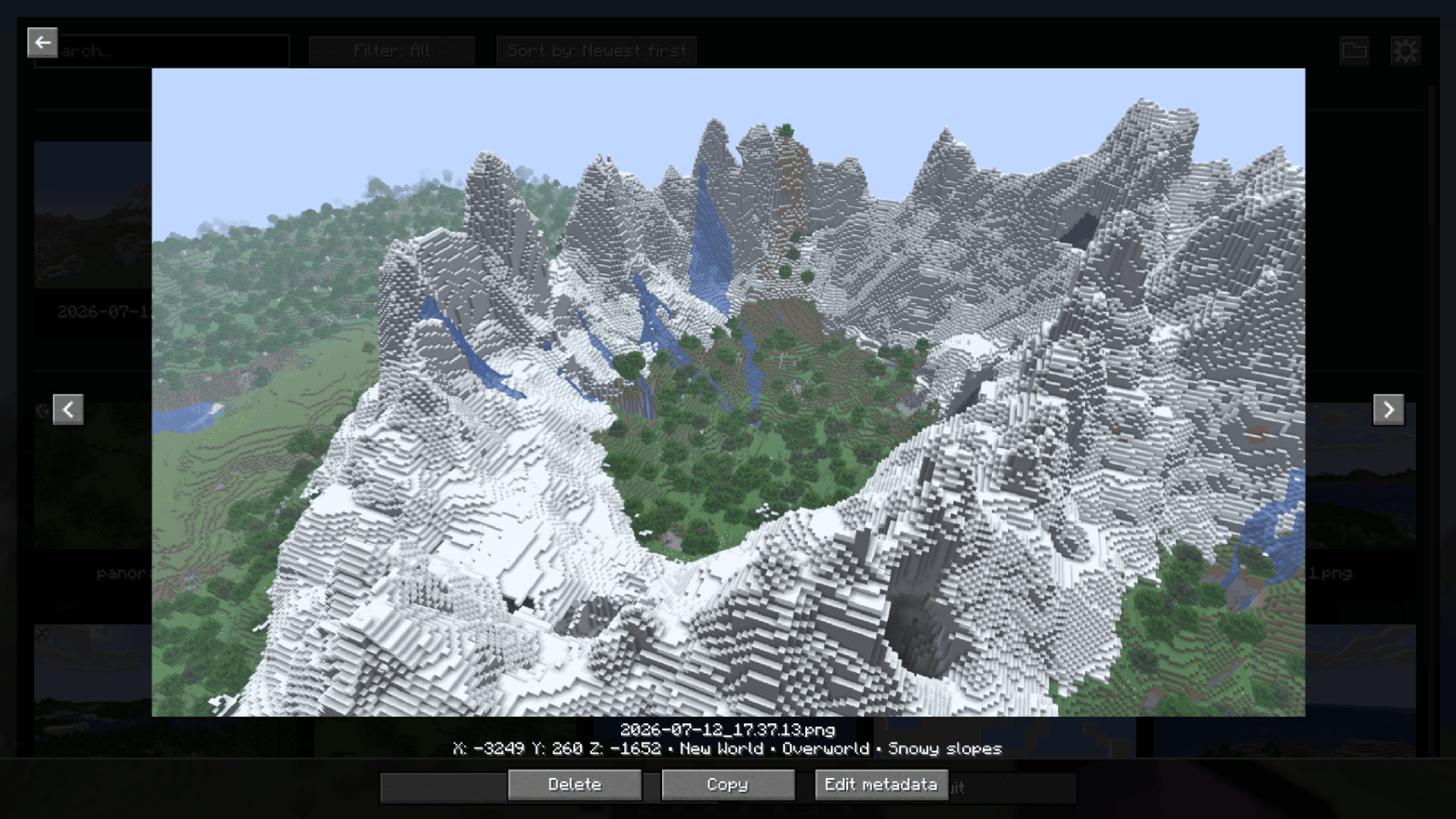 Fullscreen screenshot view
 -
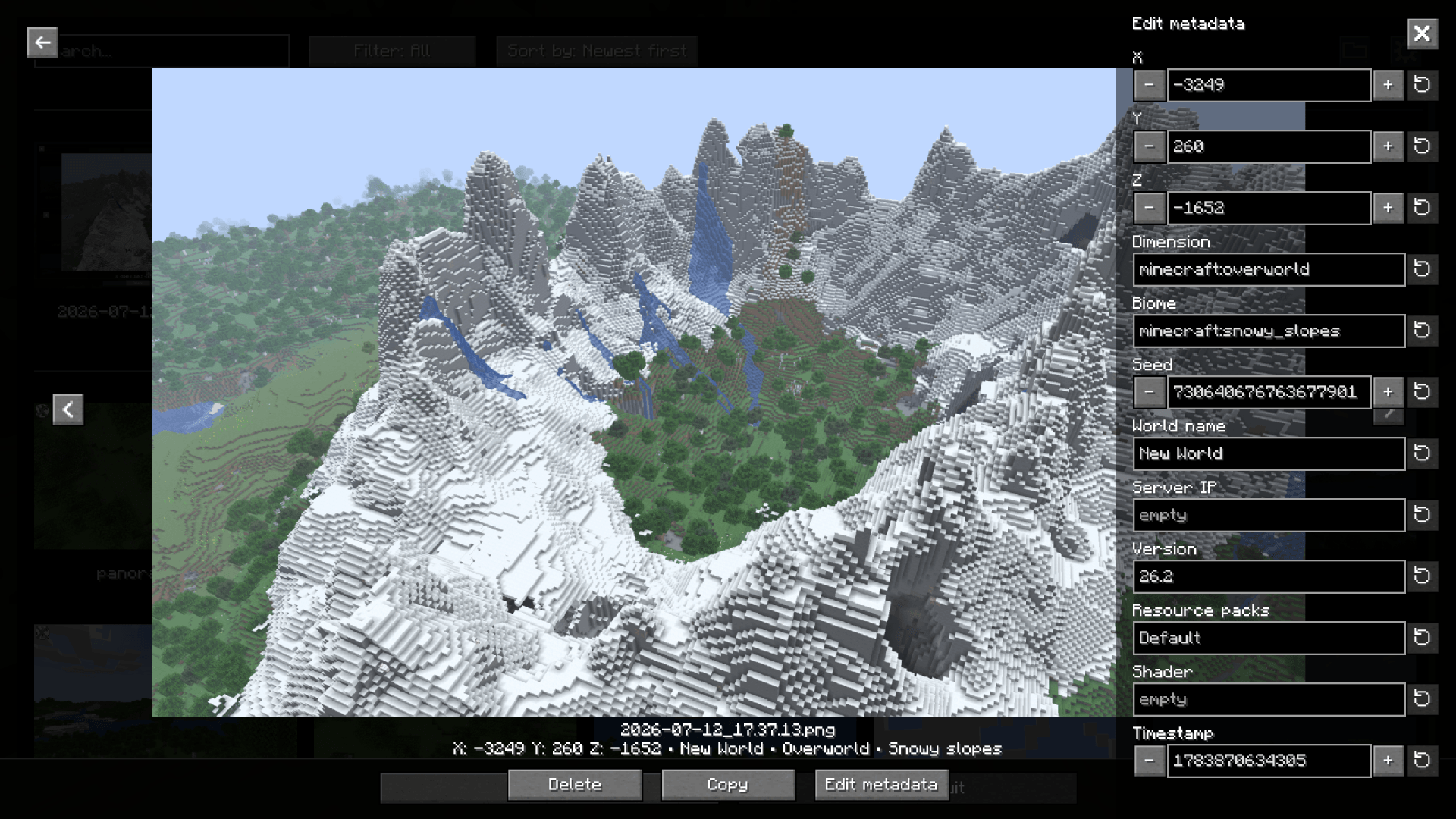 Metadata editor panel
 -
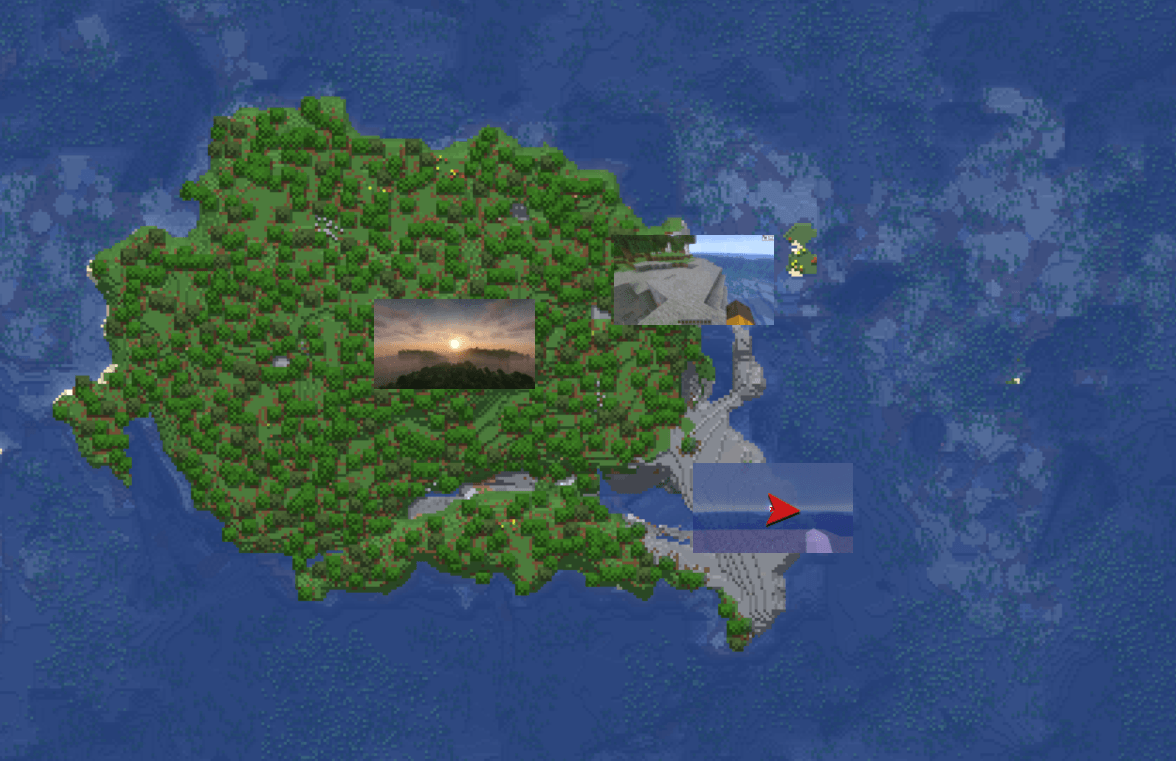 Xaero's Worldmap integration Screenshots are visible on Xaero's Worldmap and Journey Map
 -
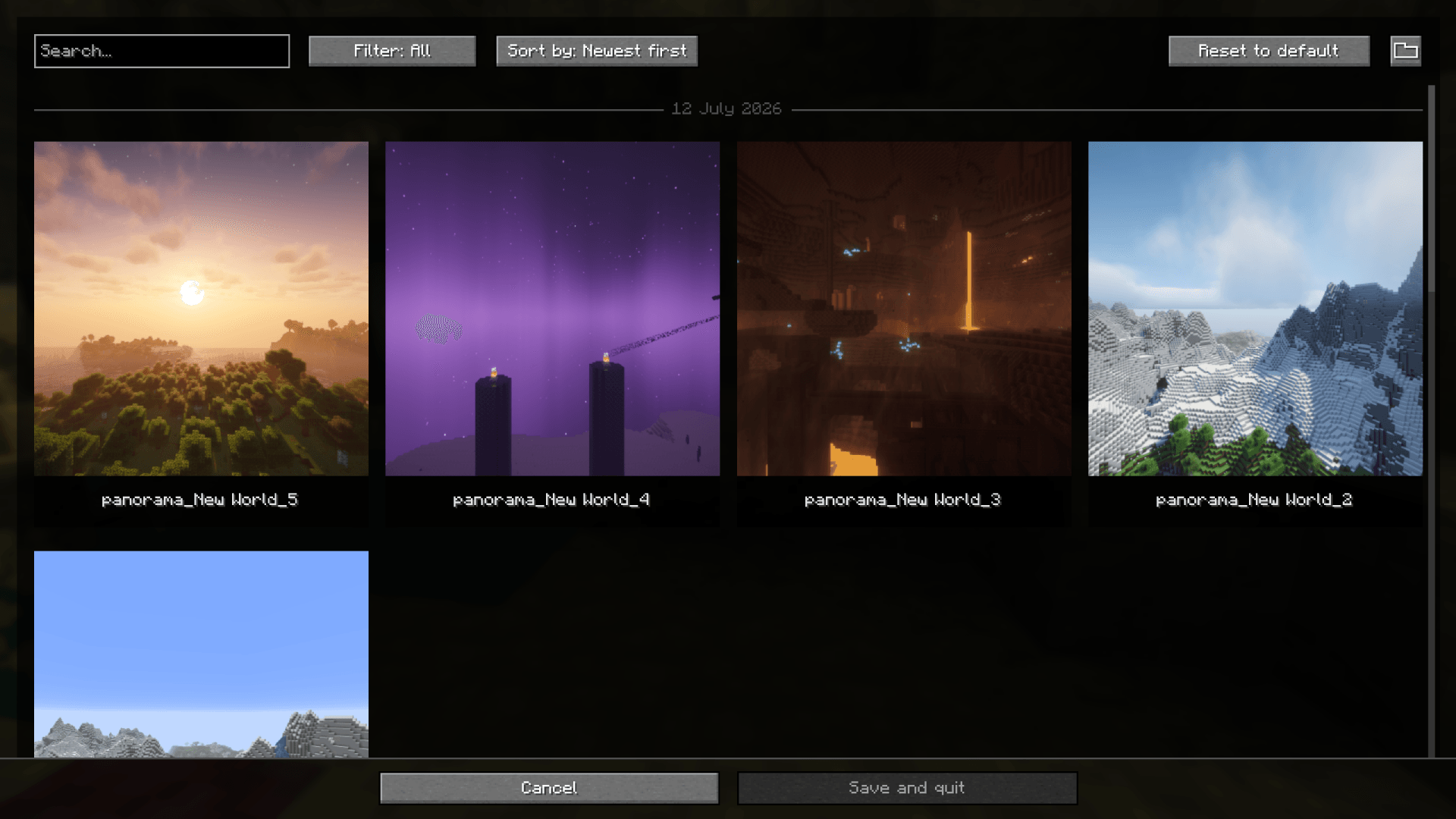 Panorama gallery
 -
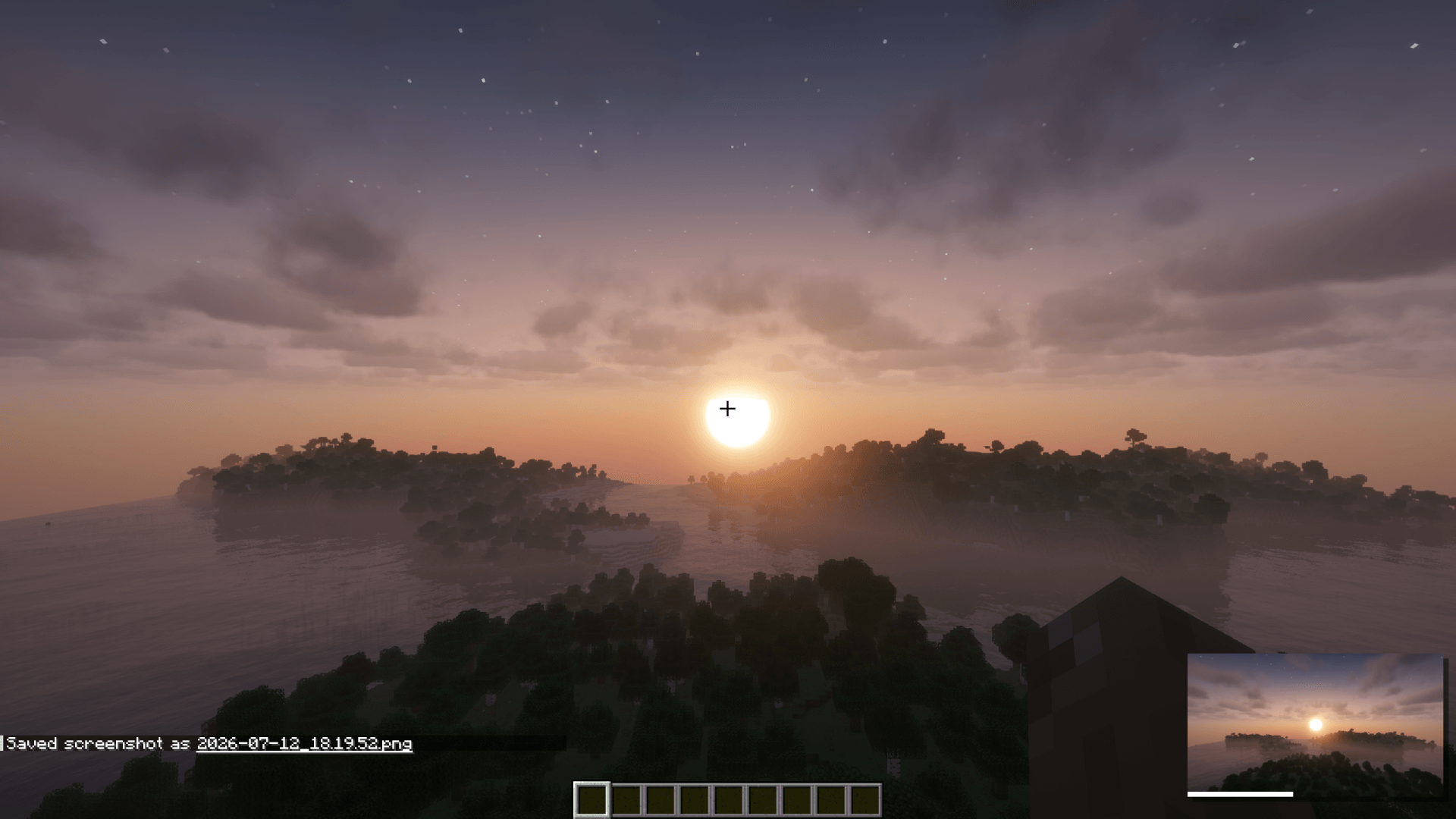 Screenshot preview
 -
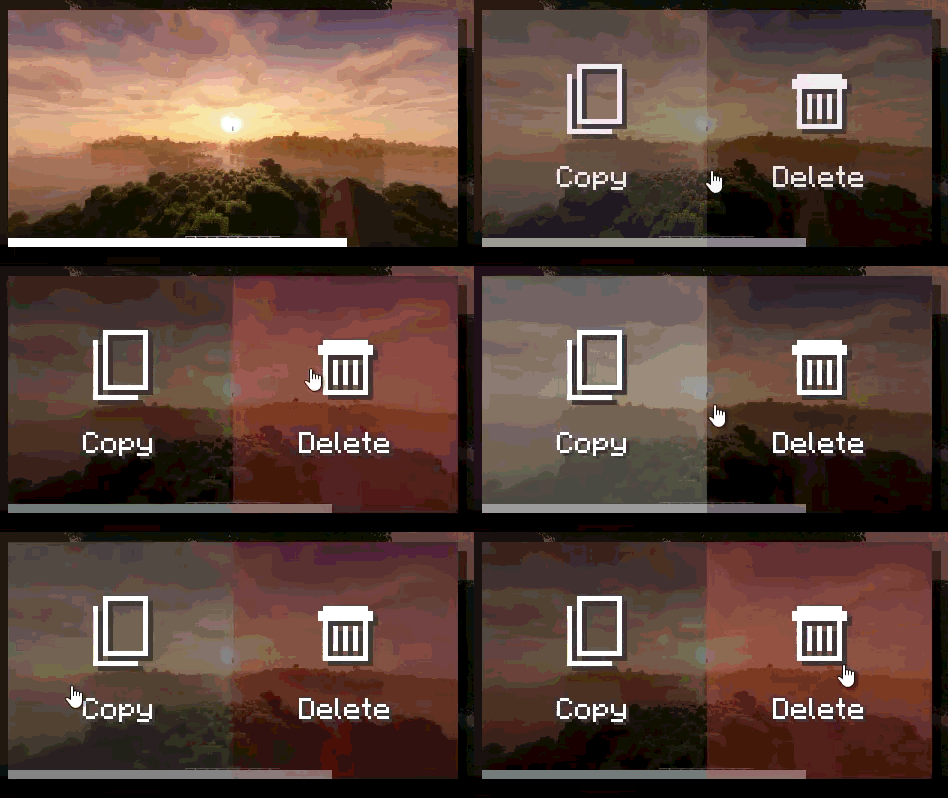 Screenshot preview buttons
 -
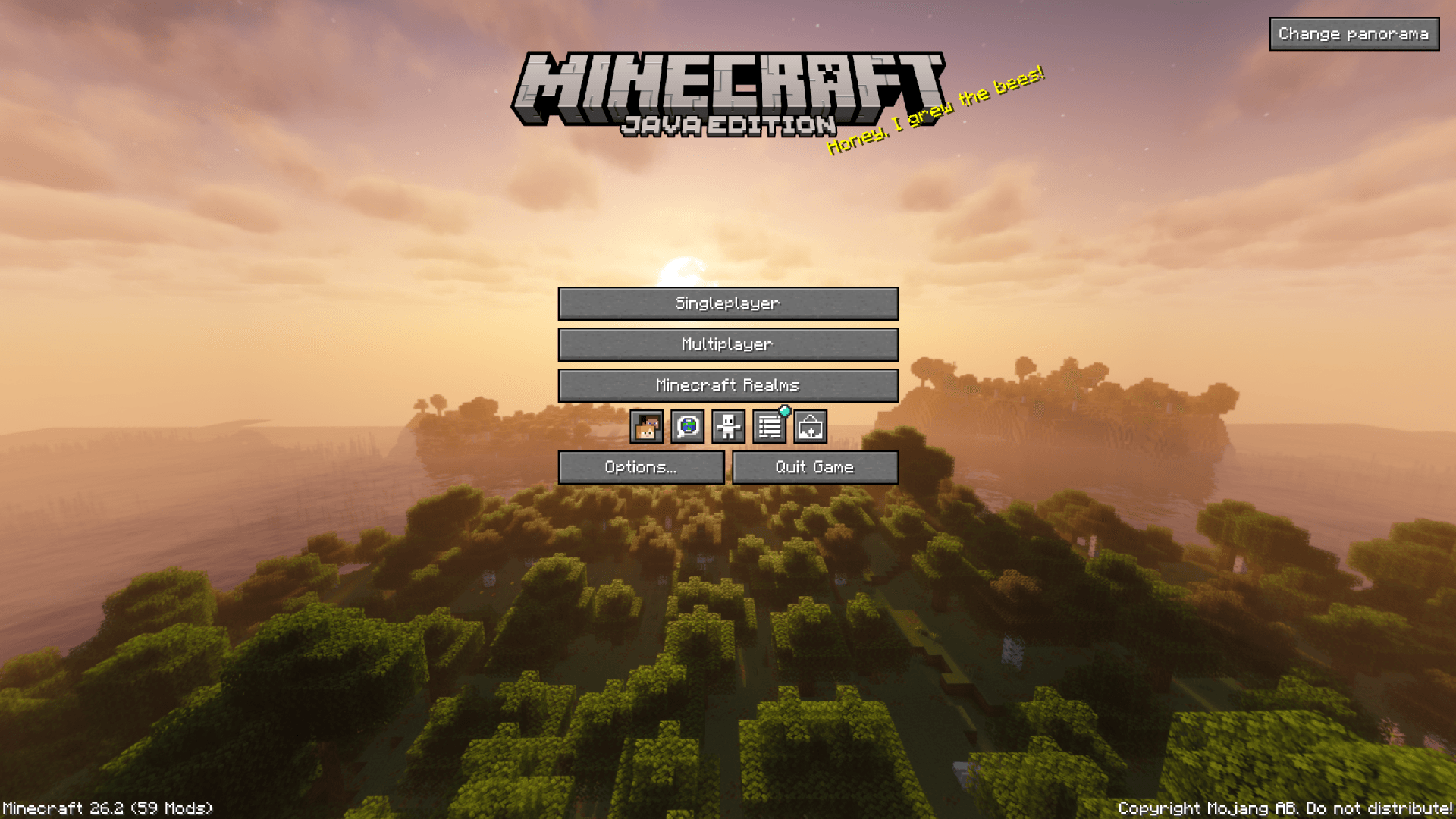 Panorama 1
 -
 Panorama 2
 -
 Panorama 3
 -
 Panorama 4
-
 Screenshot gallery
 -
 Fullscreen screenshot view
 -
 Metadata editor panel
 -
 Xaero's Worldmap integration Screenshots are visible on Xaero's Worldmap and Journey Map
 -
 Panorama gallery
 -
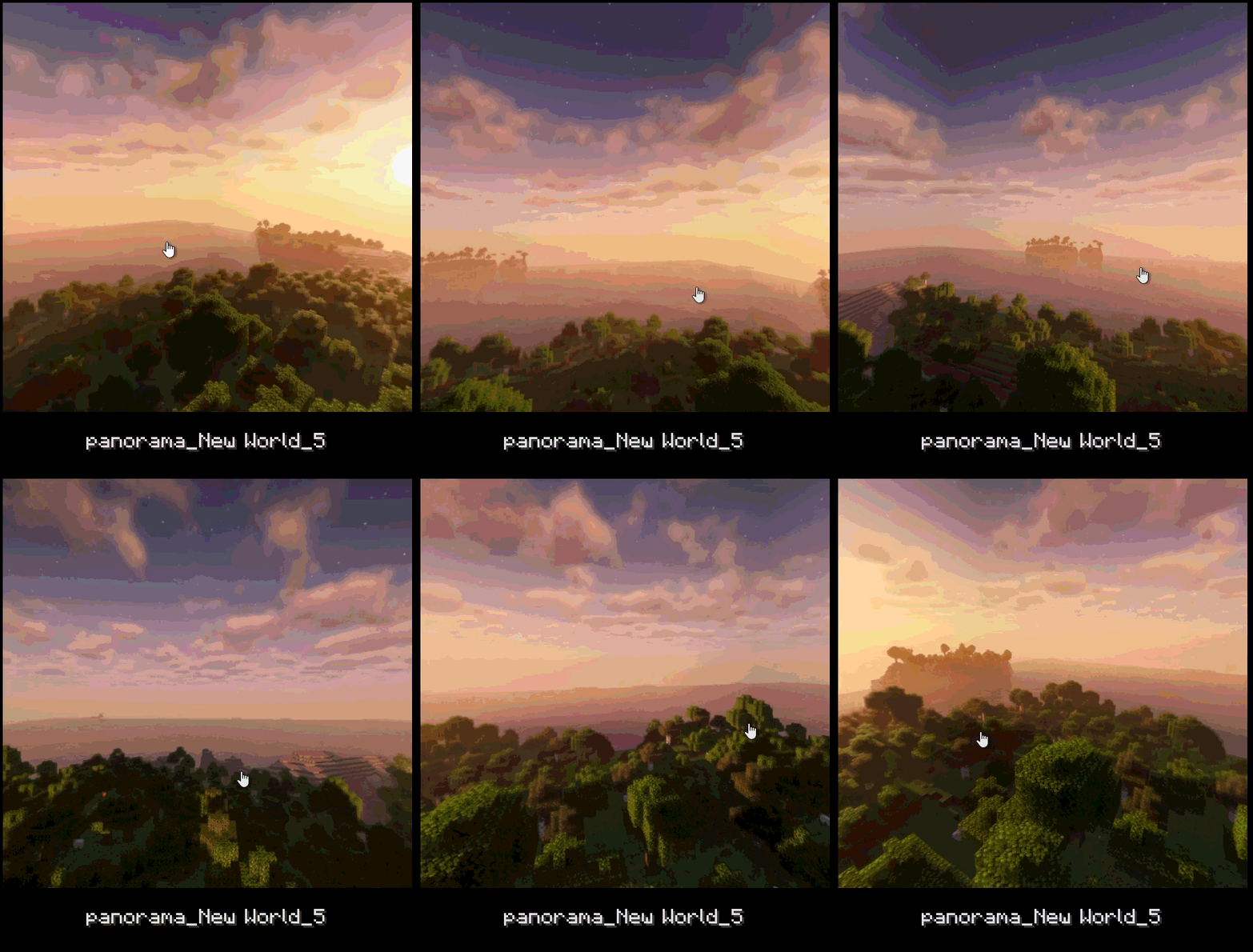 Panorama thumbnail
 -
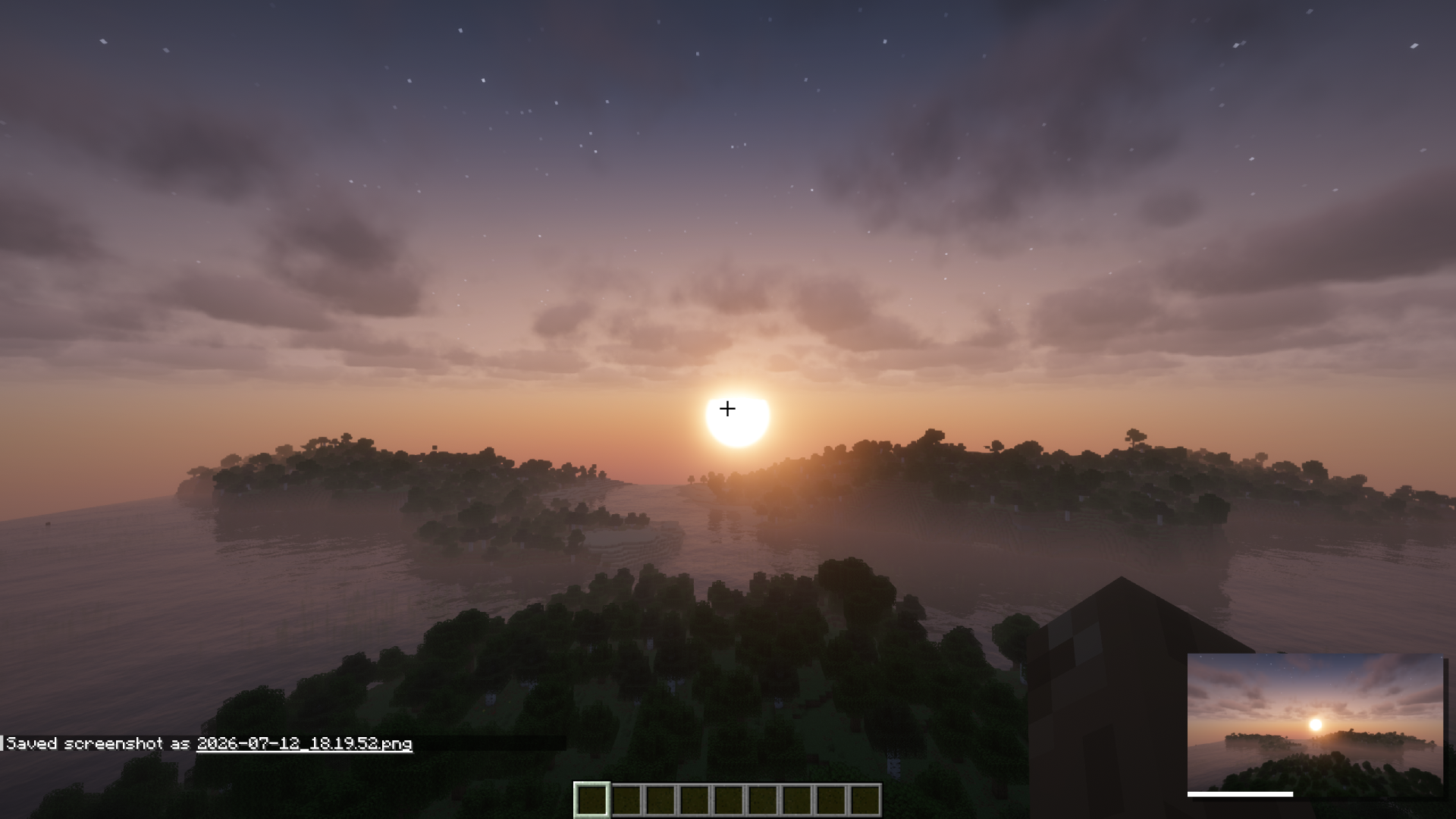 Screenshot preview
 -
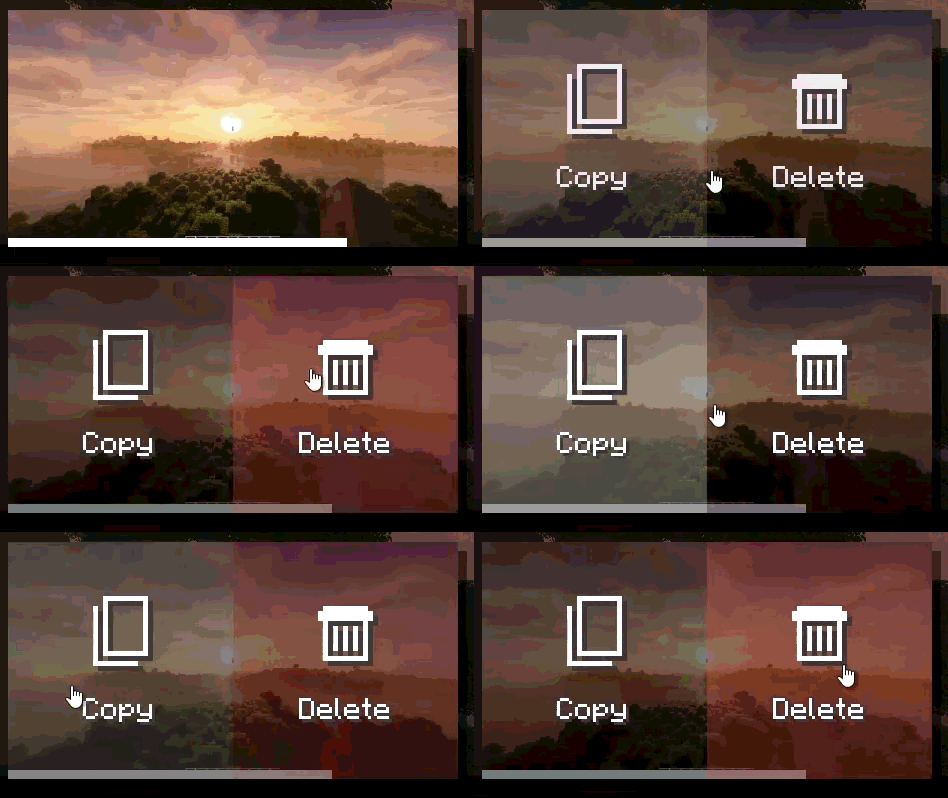 Screenshot preview buttons
 -
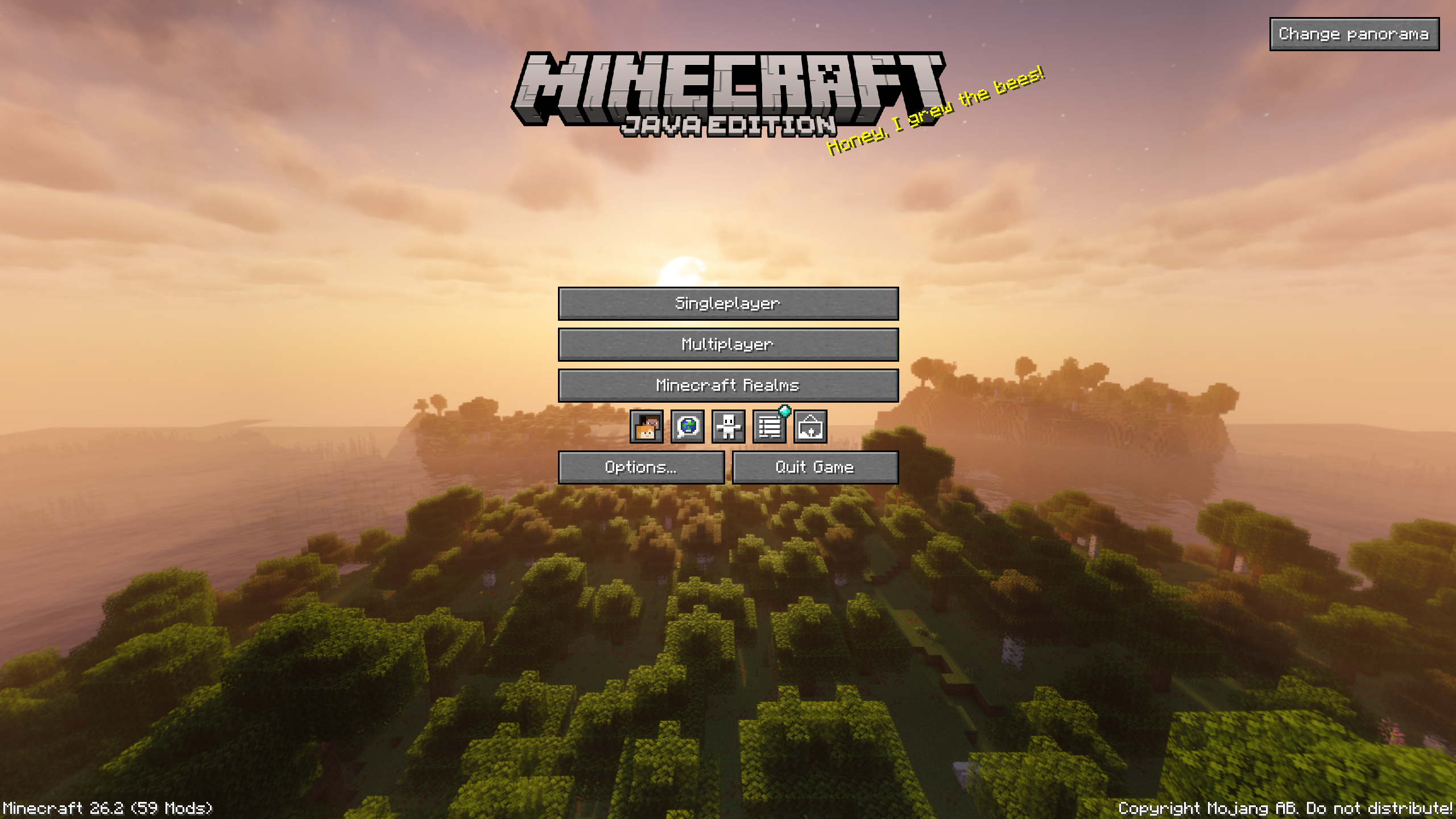 Panorama 1
 -
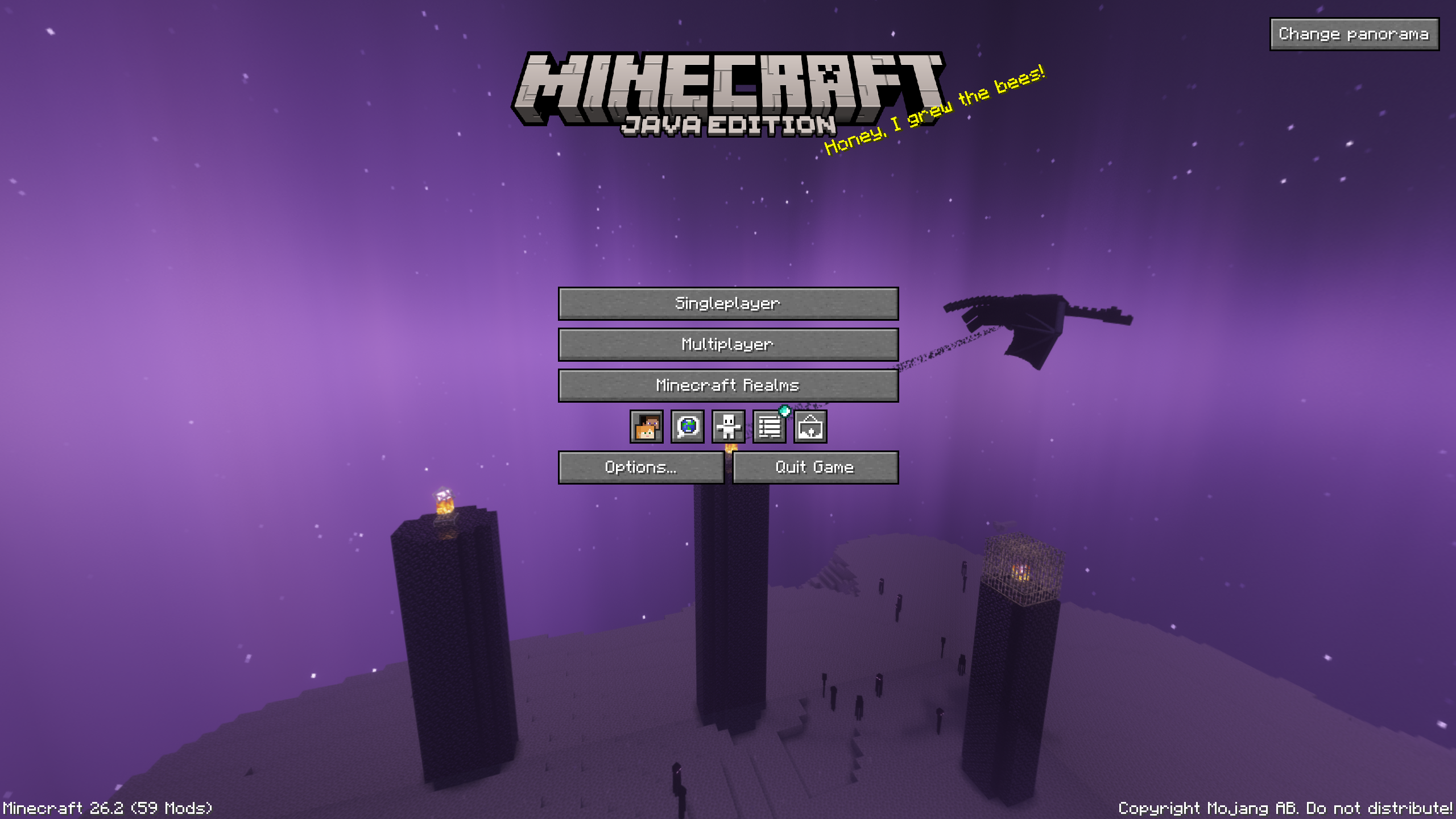 Panorama 2
 -
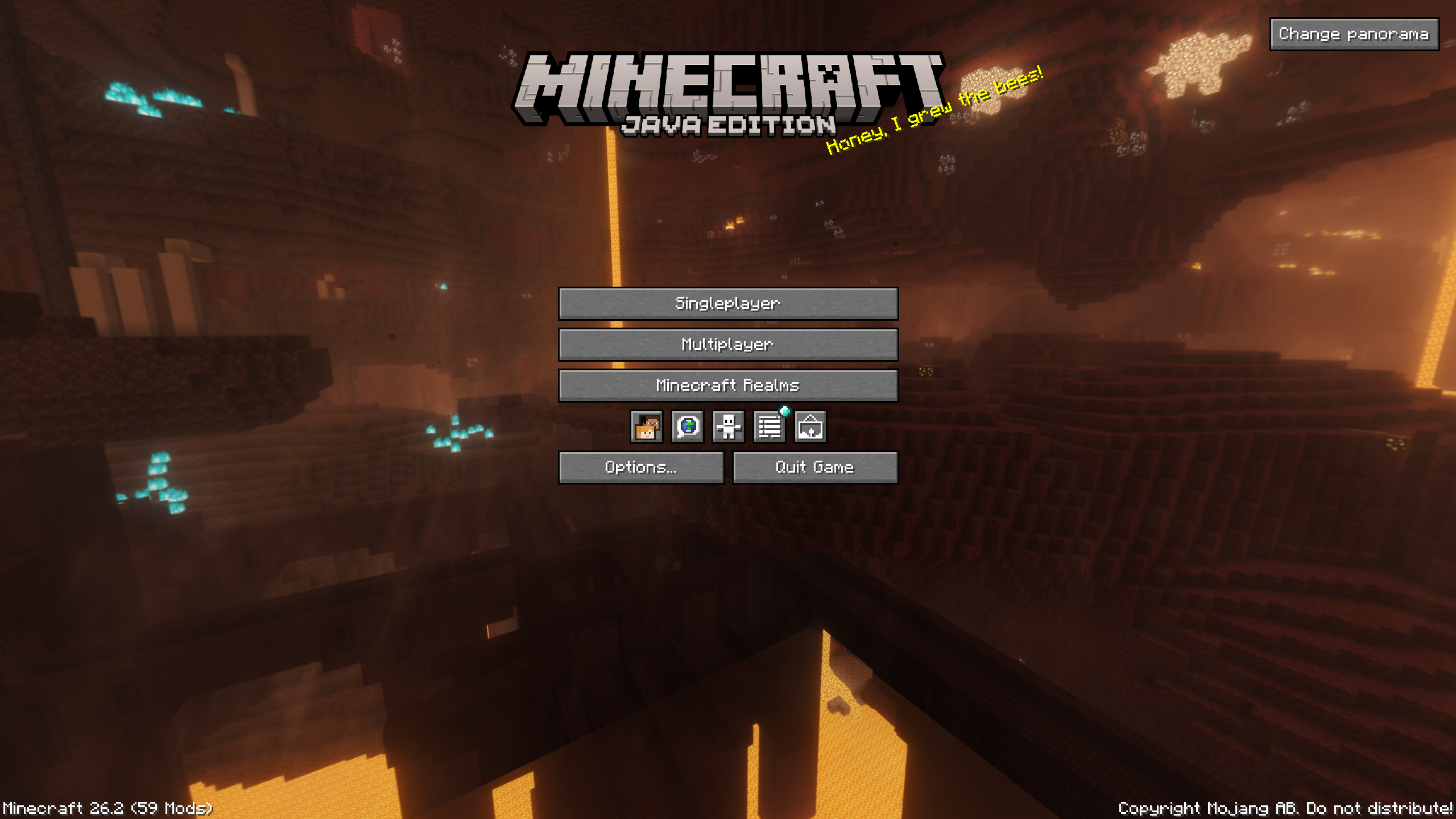 Panorama 3
 -
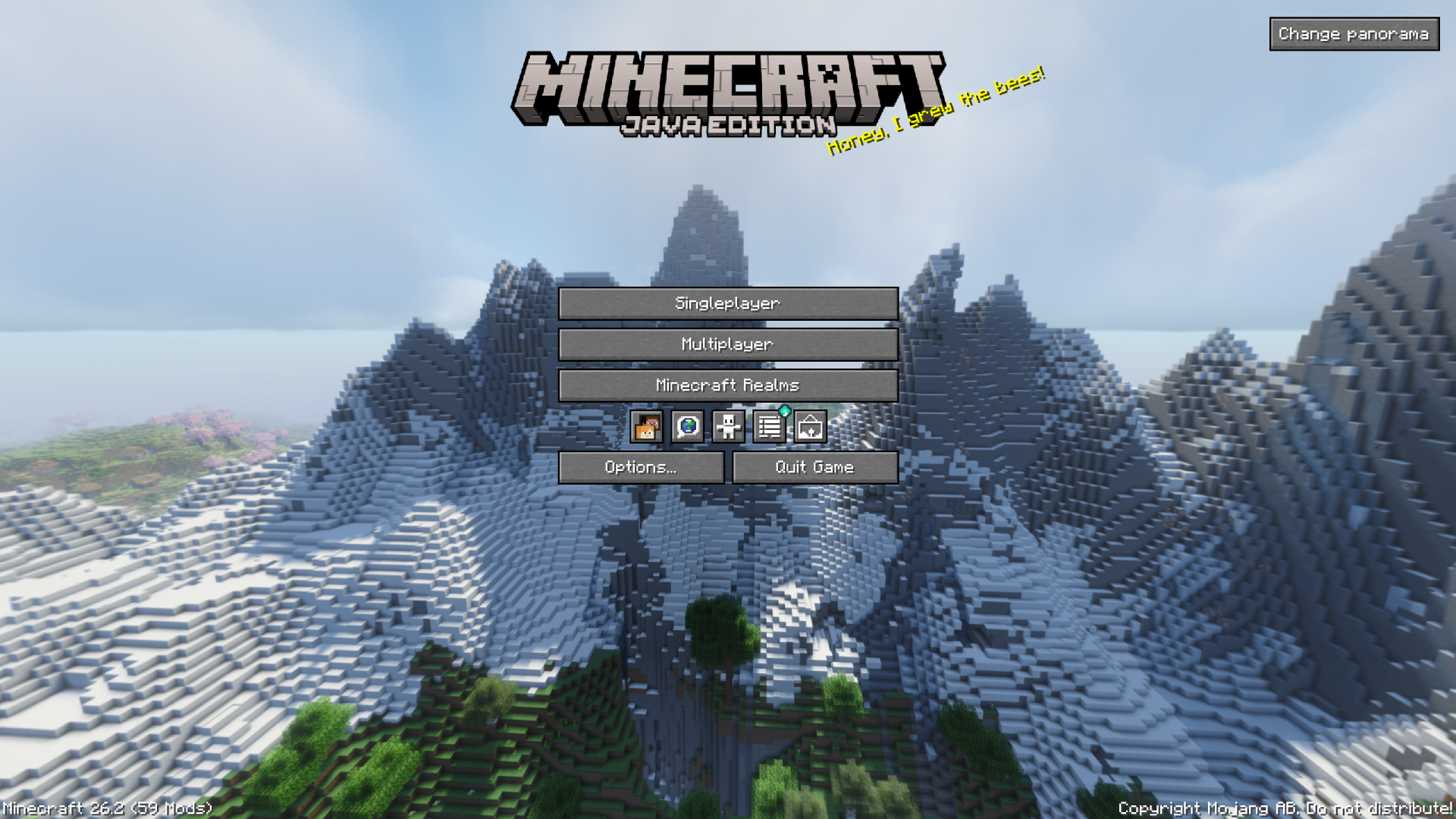 Panorama 4
Versions
Files
Relations
Project Relations
More like this
Similar Mods
Suggestions use data such as tags, dependencies, dependents, descriptions, titles, and more to rank how much they overlap with this mod.
On ModDex
Community snapshot
By the numbers
Statistics
Want to reach Minecraft players?
We're looking for a server hosting partner to feature here and other parts of the site. Interested? Send us a message!
Get in touchGet it on
Available Platforms
On ModDex
Community snapshot
By the numbers