Community listing page, reviews here may not be monitored by the author.
ScreenshotGallery Mod


No reviews yet
integrates a native screenshot gallery into the pause menu, allowing you to preview, manage, and copy images to your clipboard without leaving the game.
Community voices
Reviews
No reviews yet. Be the first to review this project!
Get it on
Available Platforms
Compatibility
Supported Environments
Runs entirely on the client. Works on vanilla servers.
About
Project Details
For authors
Embed Badge
If you're the author of this project, you can embed a live badge anywhere that supports HTML or Markdown. It updates automatically whenever ratings change.
Use HTML for any page that supports it, or Markdown for README files and Markdown-based descriptions.
Identifiers
Platform IDs
Resources
External Links
About
Description
Screenshot Gallery
Your Ultimate In-Game Photography Manager





What does this mod do?
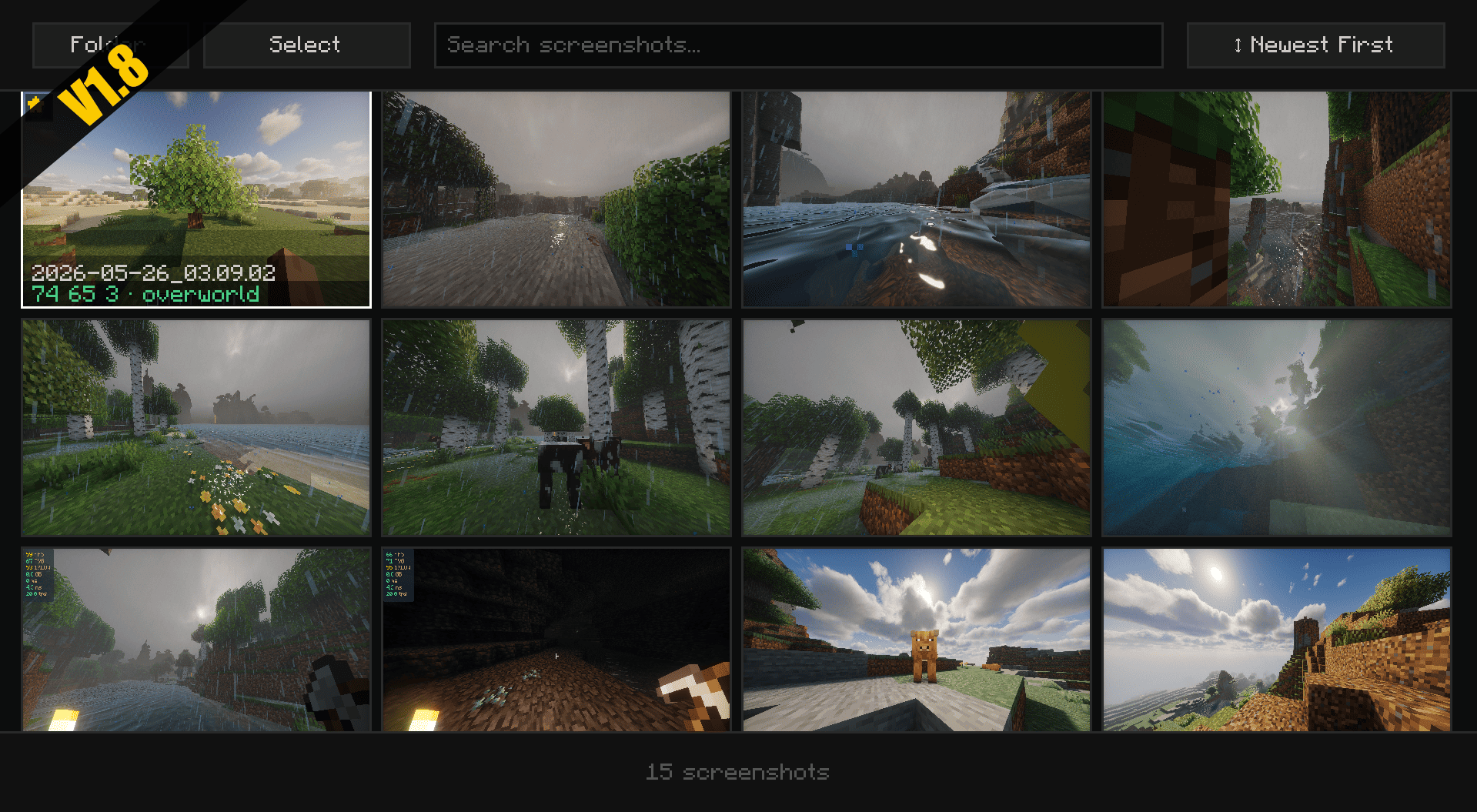
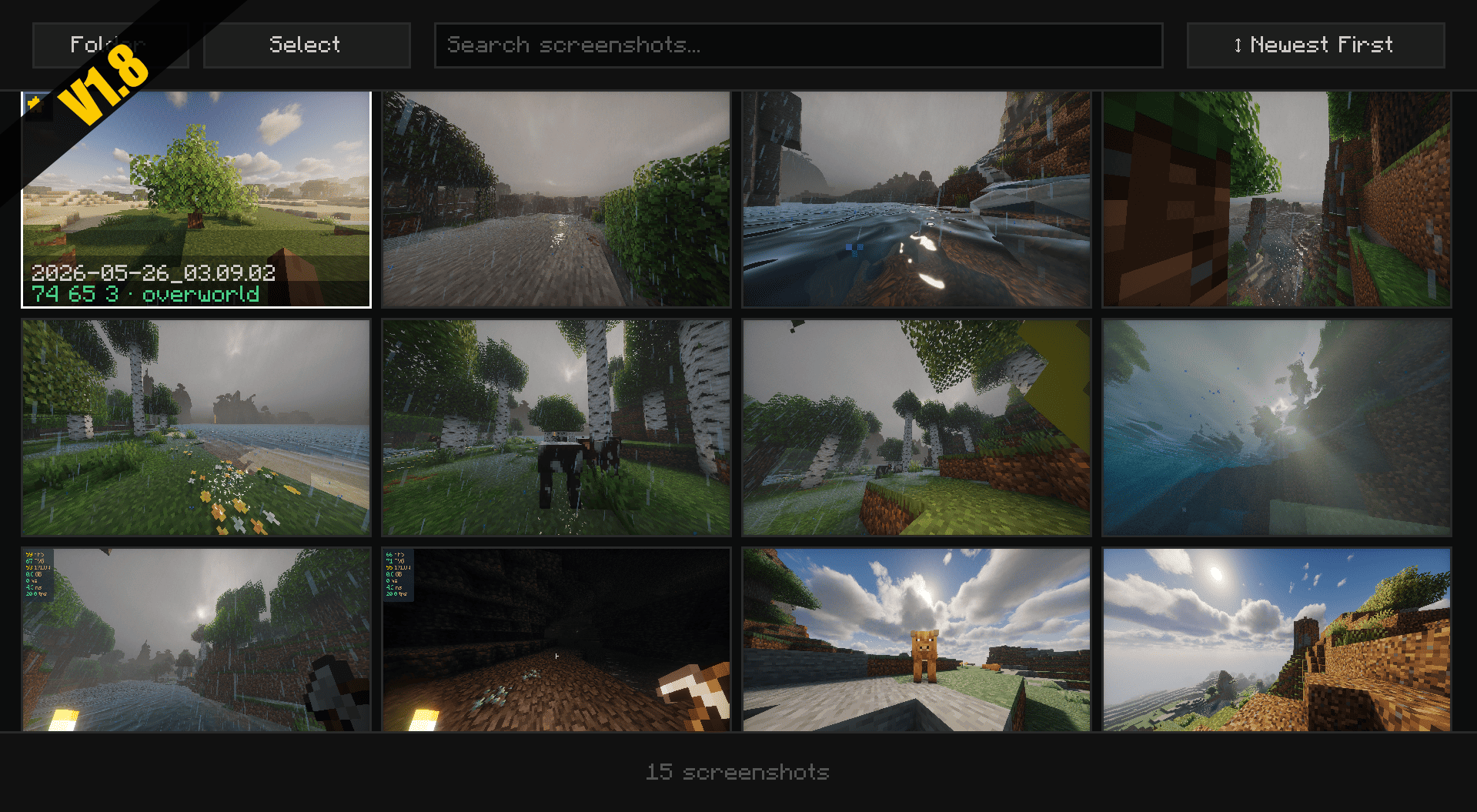
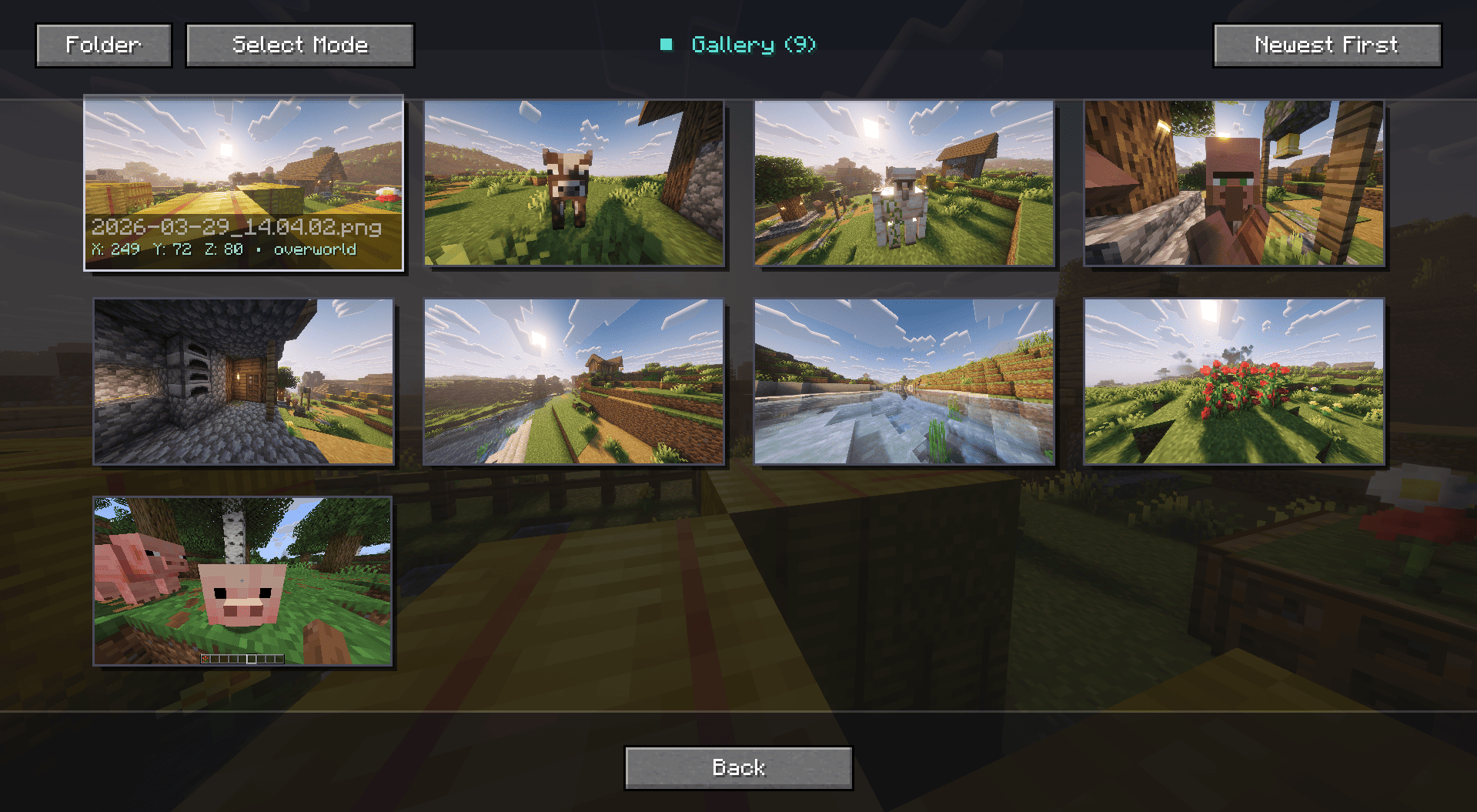
Stop alt-tabbing and digging through your deep folder directories just to find that one perfect sunset screenshot. Screenshot Gallery seamlessly integrates a sleek, minimalist image browser directly into your Minecraft pause menu. View, manage, locate, and share your photos without ever leaving the game.
Fullscreen
Key Features
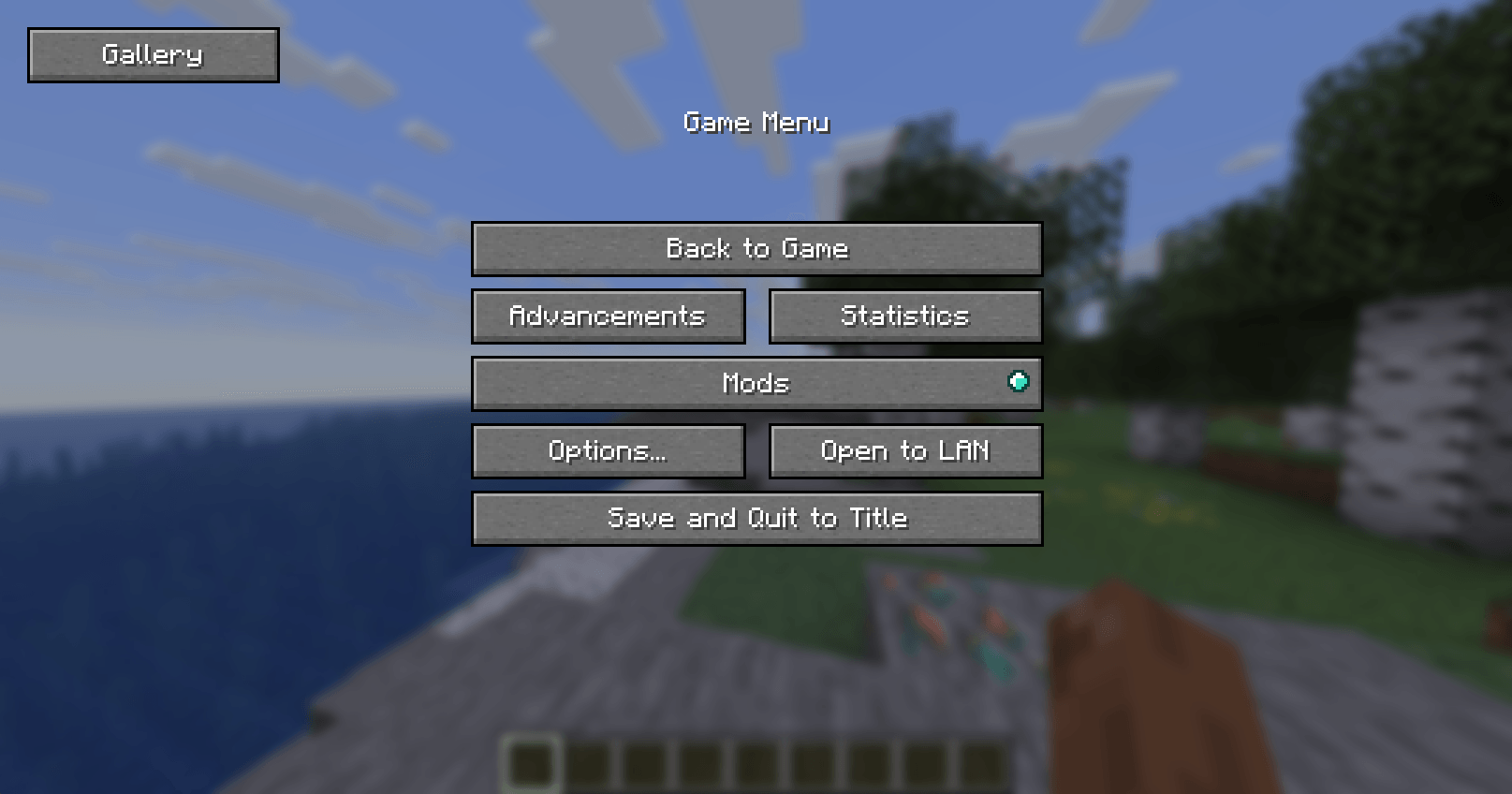
- Seamless In-Game Access: A new "Gallery" button is injected straight into your Pause Menu (Esc) for immediate access to your captures.
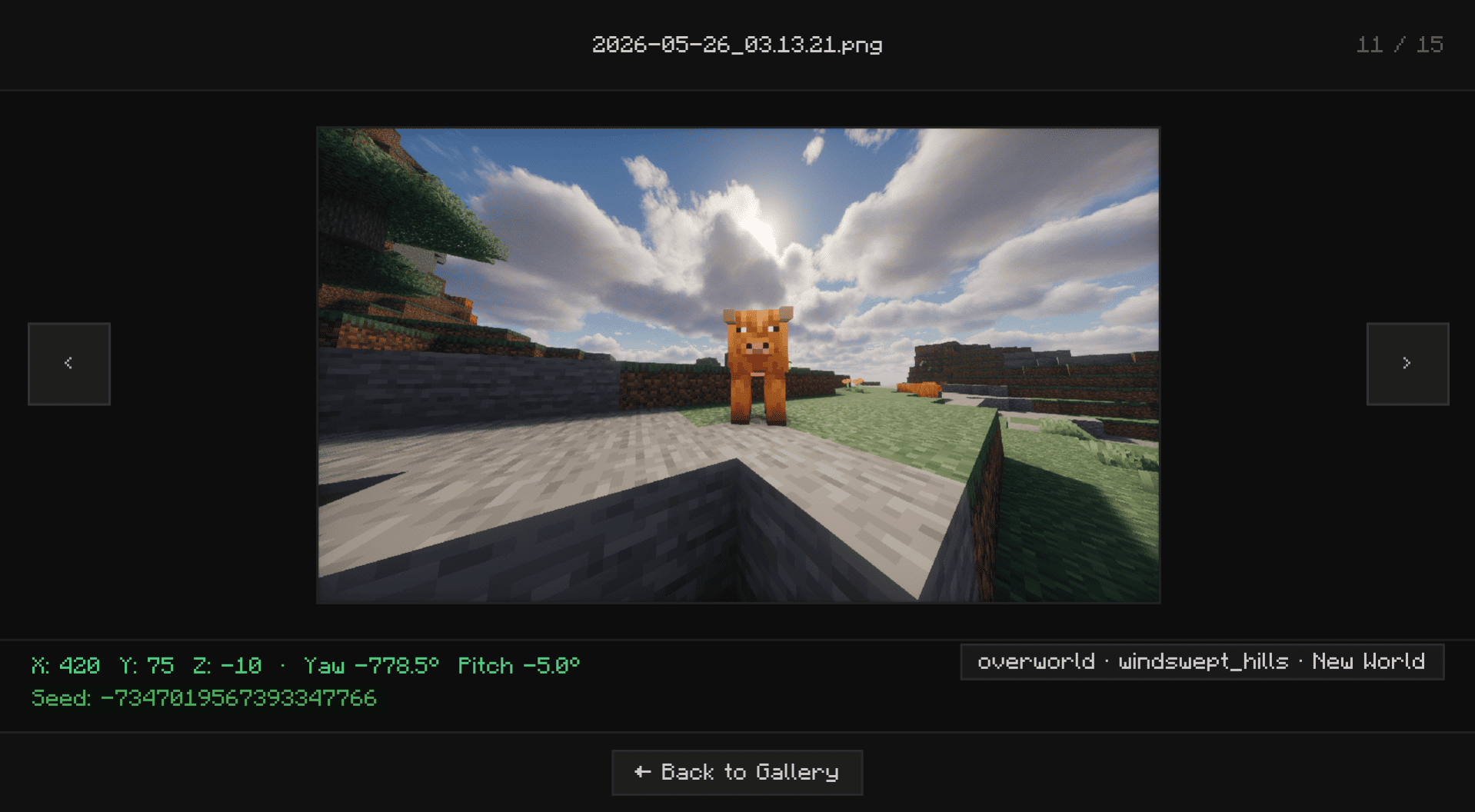
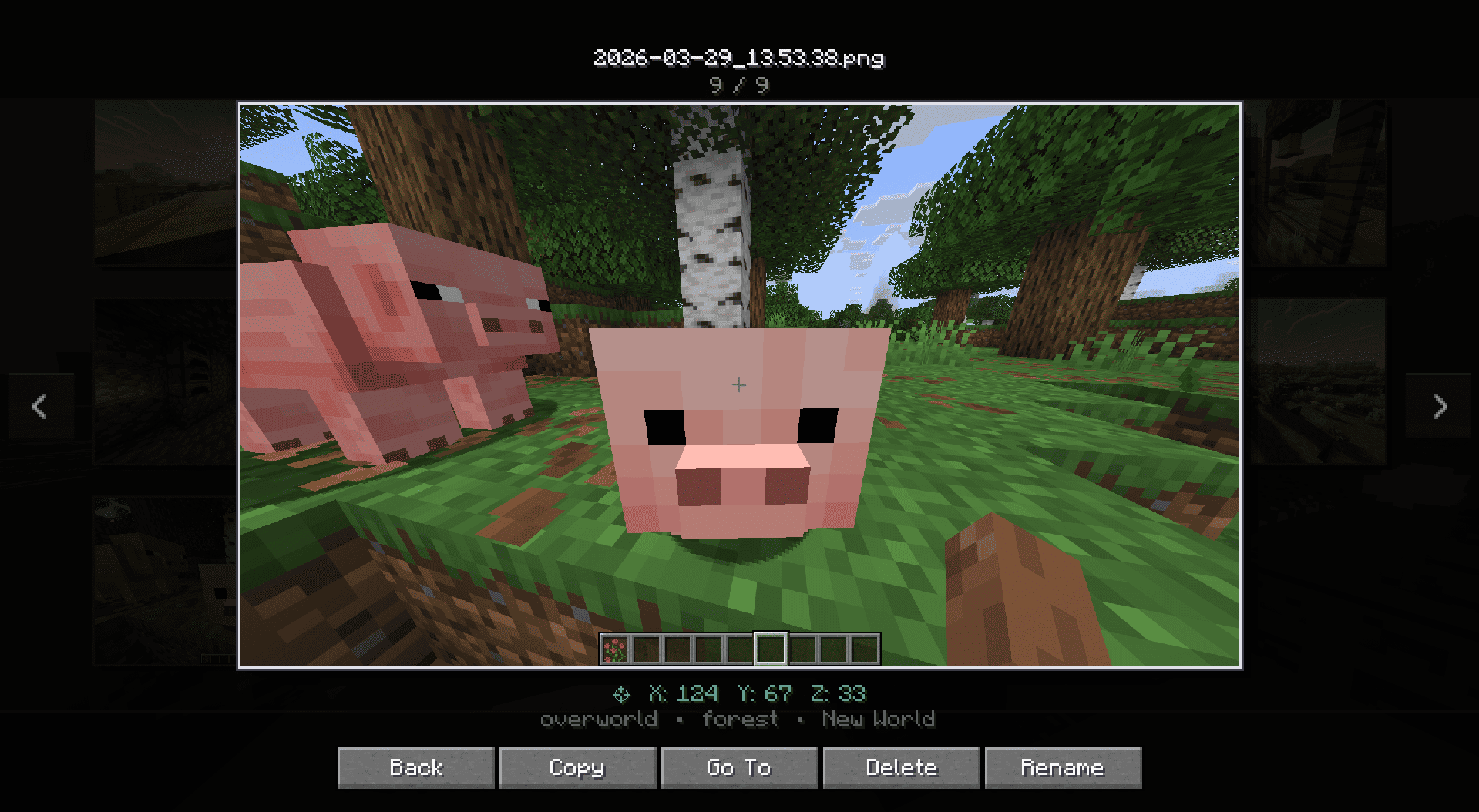
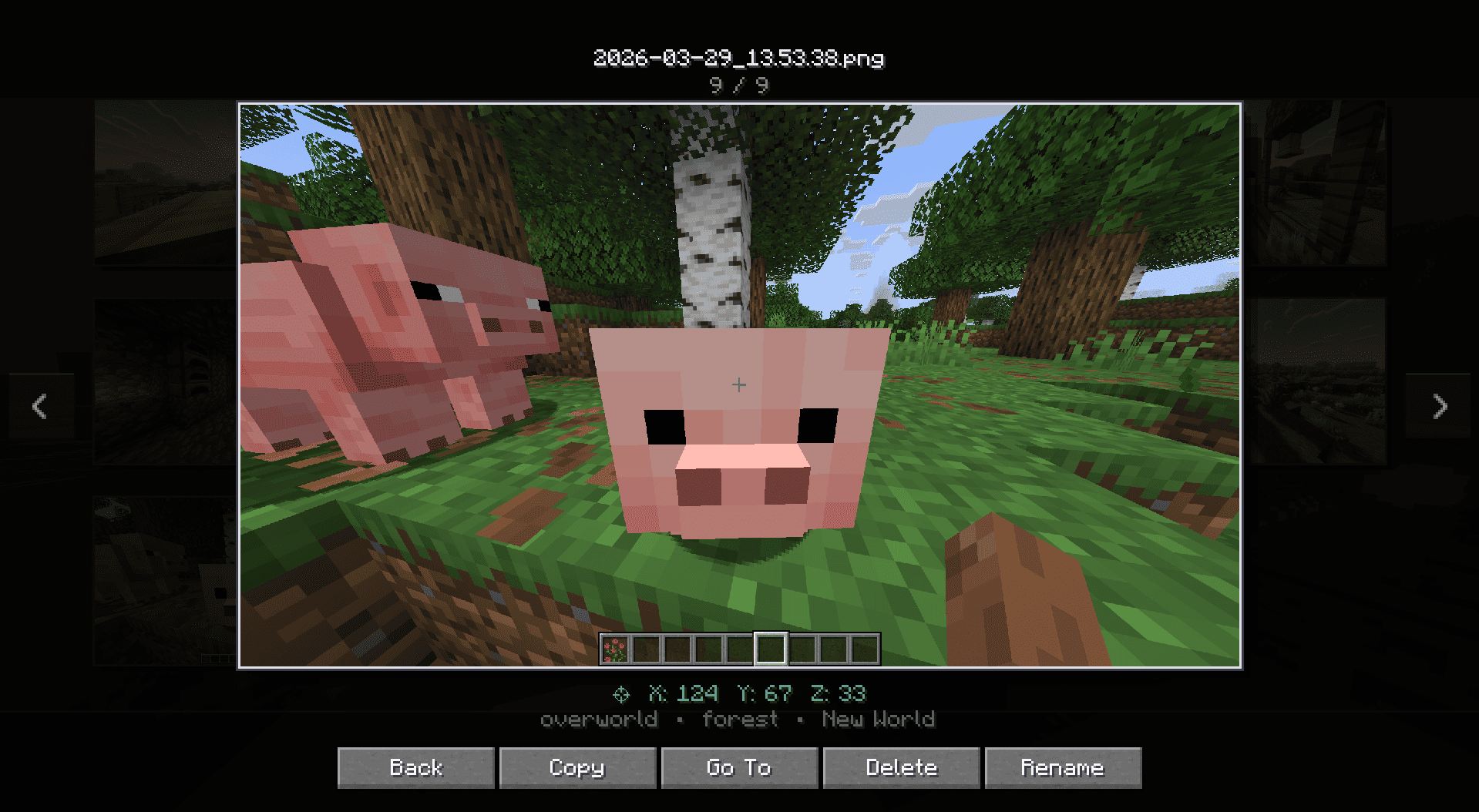
- "Go To" Explorer Support: Need the actual file to share on Discord or Reddit? The "Go To" button instantly opens your Windows File Explorer with the exact screenshot highlighted.
- Quick File Management: Took a bad shot? Delete unwanted screenshots instantly from the in-game UI to keep your folders clean and save disk space without cluttering your screen.
- Zero-Lag Performance: Built with smart lazy-loading technology. Whether you have 10 or 10,000 screenshots, your game will remain buttery smooth while browsing.
Installation Guide
Screenshot Gallery supports Fabric, Forge, and NeoForge from a unified Architectury codebase.
For Fabric Users
- Download the latest Fabric version of the mod.
- Ensure you have the required Fabric API installed.
- Drop both
.jarfiles into your/.minecraft/modsfolder.
For Forge & NeoForge Users
- Download the correct Forge or NeoForge version for your specific Minecraft instance.
- Drop the downloaded
.jarfile directly into your/.minecraft/modsfolder. - (No extra API required!)
Screenshot Gallery



Adds a gallery screen to your pause menu so you can browse, delete, and locate screenshots without ever alt-tabbing out.
Hit Escape, click Gallery, and you're in. From there you can view shots fullscreen, delete the ones you don't want, or hit "Go To" to open File Explorer with the exact file already highlighted useful when you want to drag it into Discord or post it somewhere.
Features
- Gallery button in the pause menu (Esc)
- Fullscreen viewer
- Delete screenshots directly from the UI without touching your folders
- "Open Folder" opens File Explorer with the screenshot selected and ready to grab
- Lazy-loads images holds up fine even with large screenshot folders
Installation
Supports Fabric, Forge, and NeoForge.
Fabric: Grab the mod and Fabric API, then drop both into .minecraft/mods.
Forge / NeoForge: Download the version that matches your loader and drop it into .minecraft/mods. No extra mods needed.
Screenshots
Gallery
-
 v1.8.png v1.8.png
 -
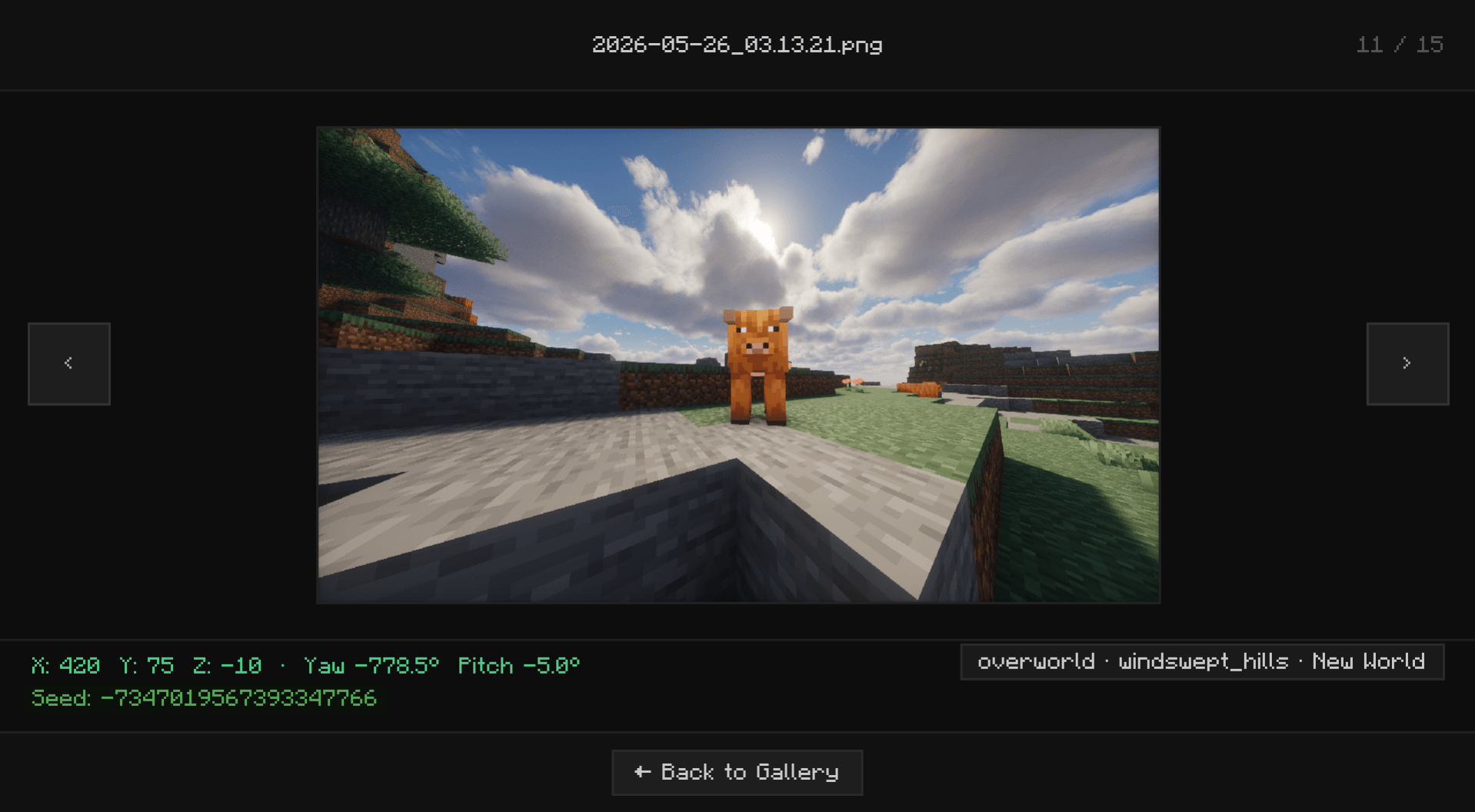 v1.8__2.png v1.8__2.png
 -
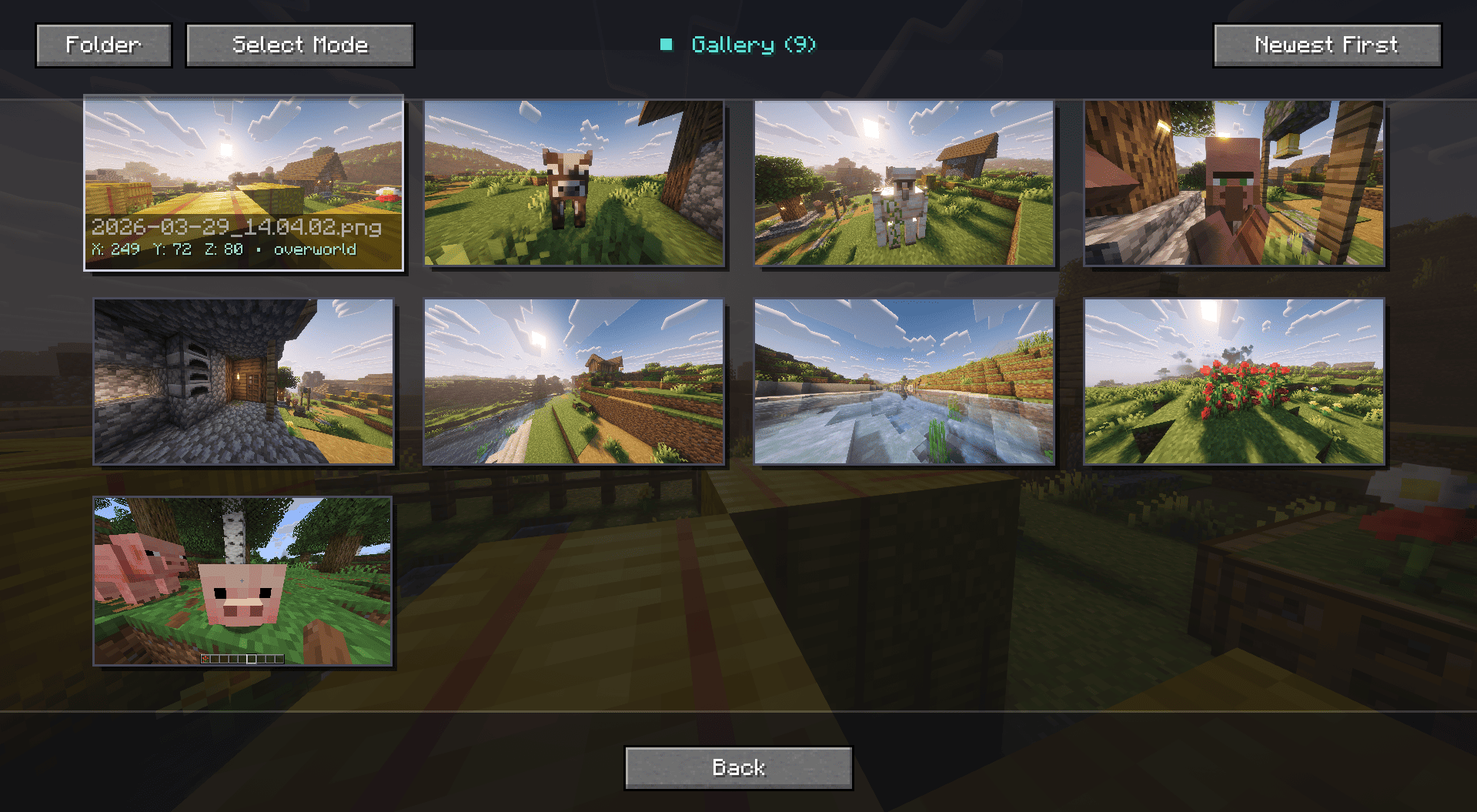 Screenshot 2026-03-29 140432.png Screenshot 2026-03-29 140432.png
 -
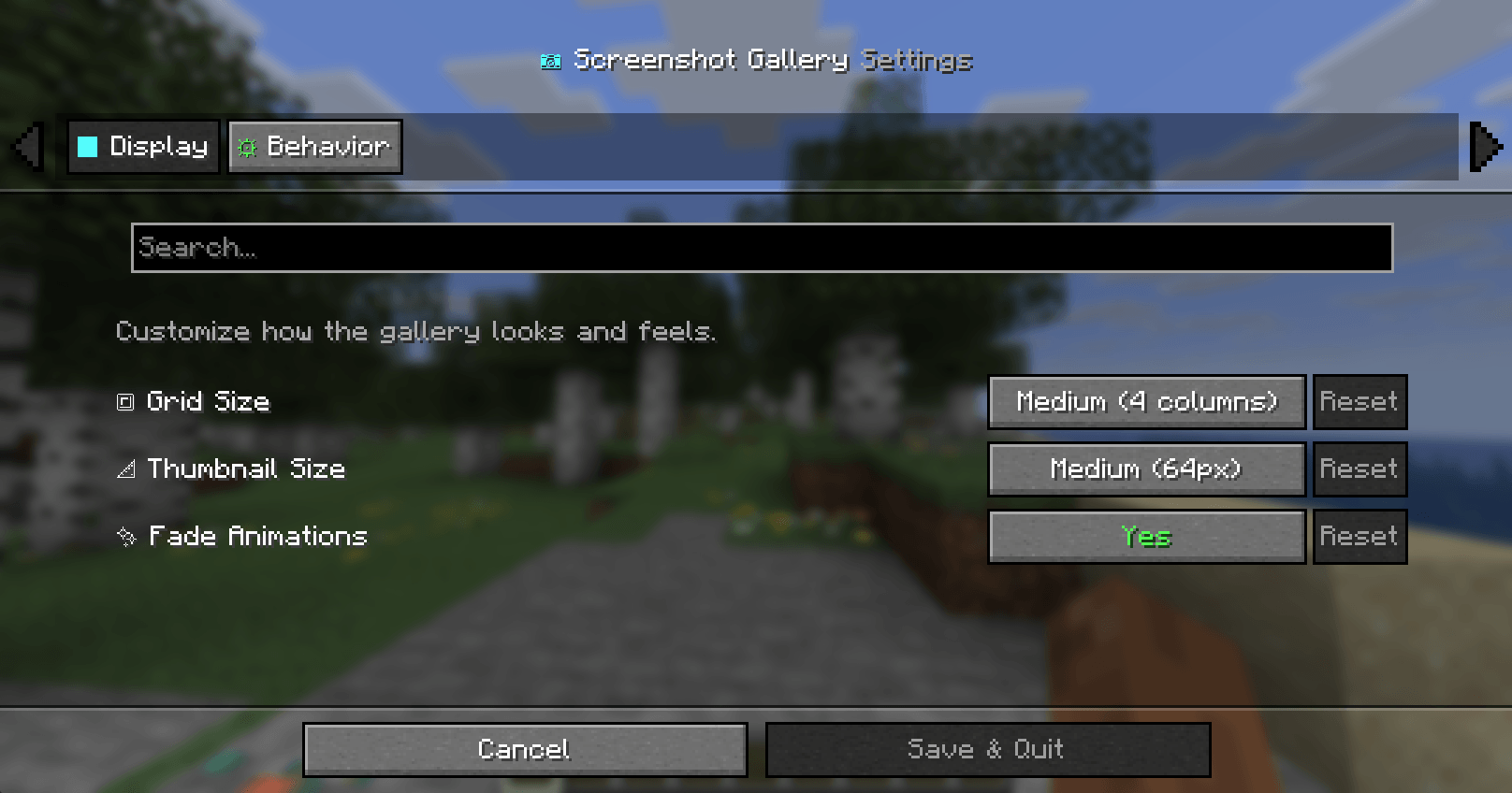 Screenshot 2026-01-01 201347.png Screenshot 2026-01-01 201347.png
 -
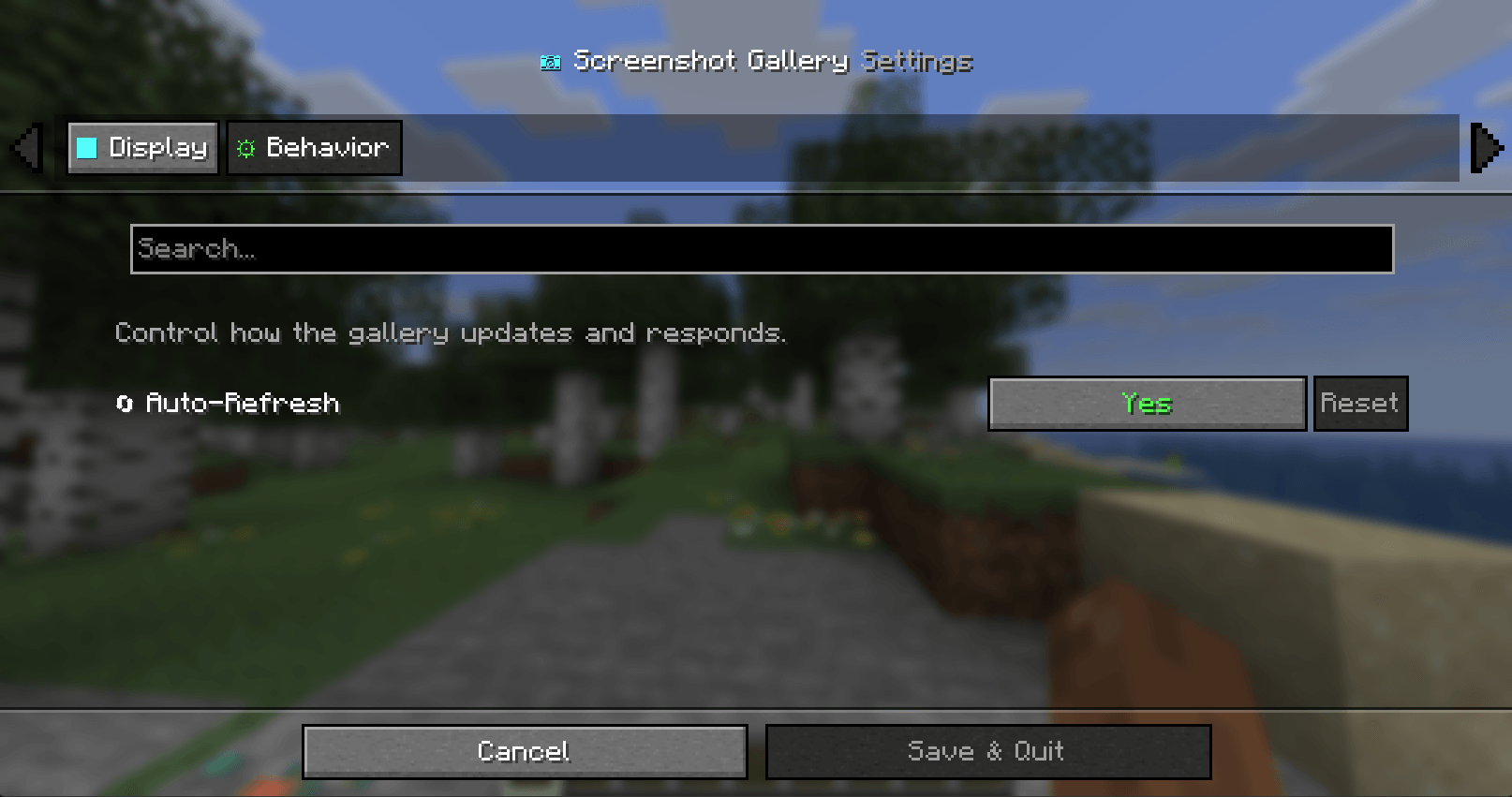 Screenshot 2026-01-01 201400.png Screenshot 2026-01-01 201400.png
 -
 Screenshot 2026-01-01 201230.png Screenshot 2026-01-01 201230.png
 -
 Screenshot 2026-03-29 140444.png Screenshot 2026-03-29 140444.png
-
 V1.5
V1.5 -
 V1.5
V1.5 -
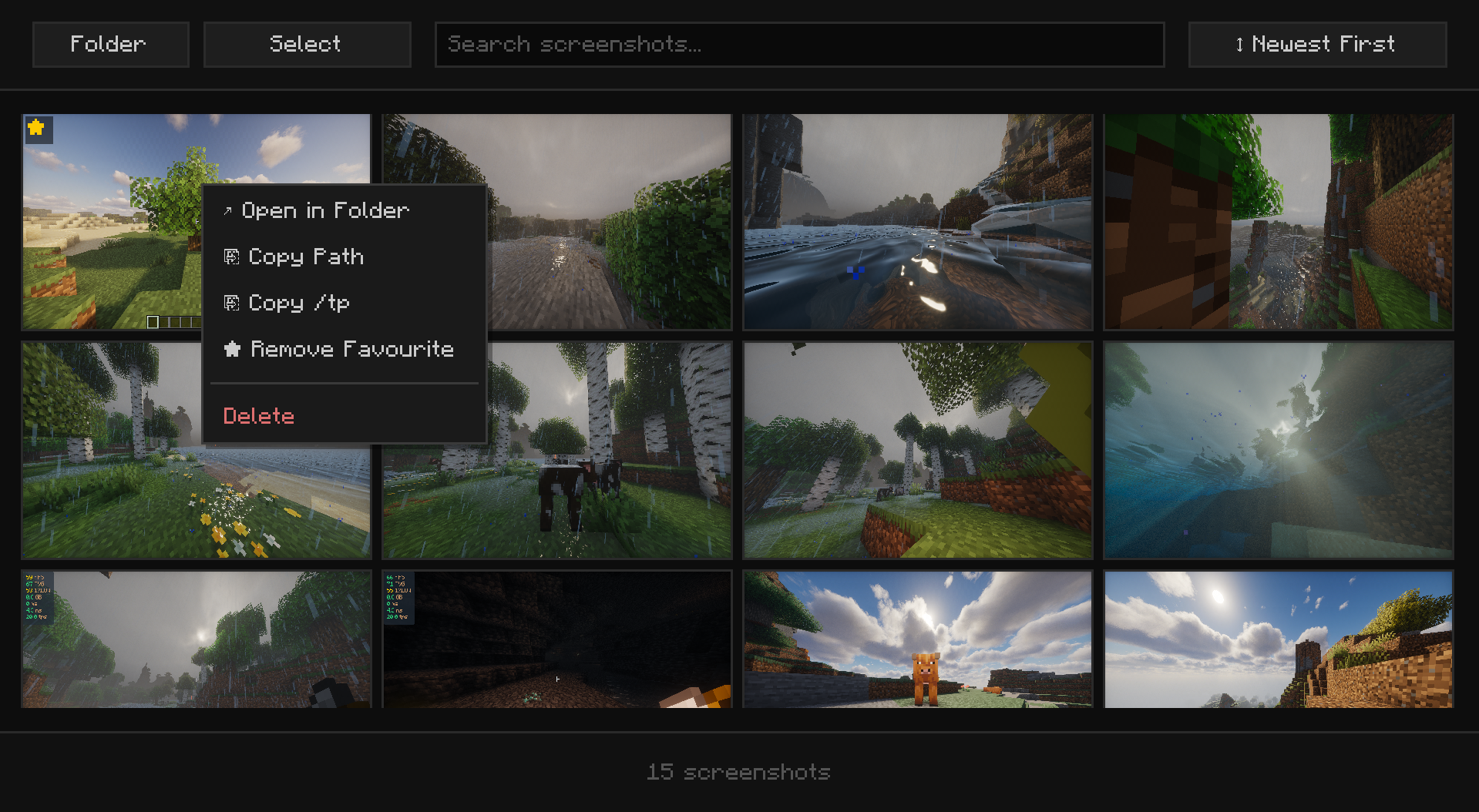 v1.8
v1.8 -
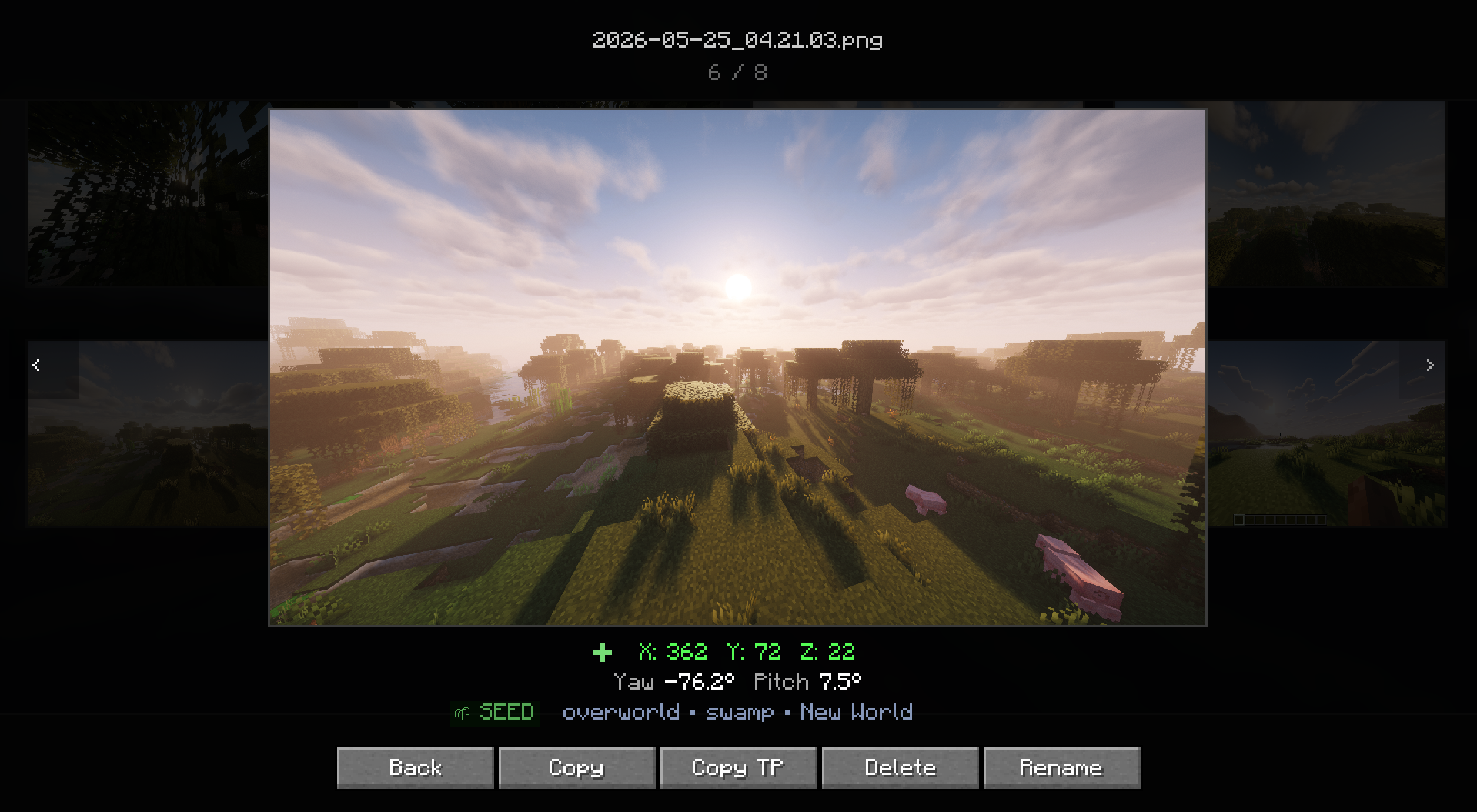 v1.7
v1.7 -
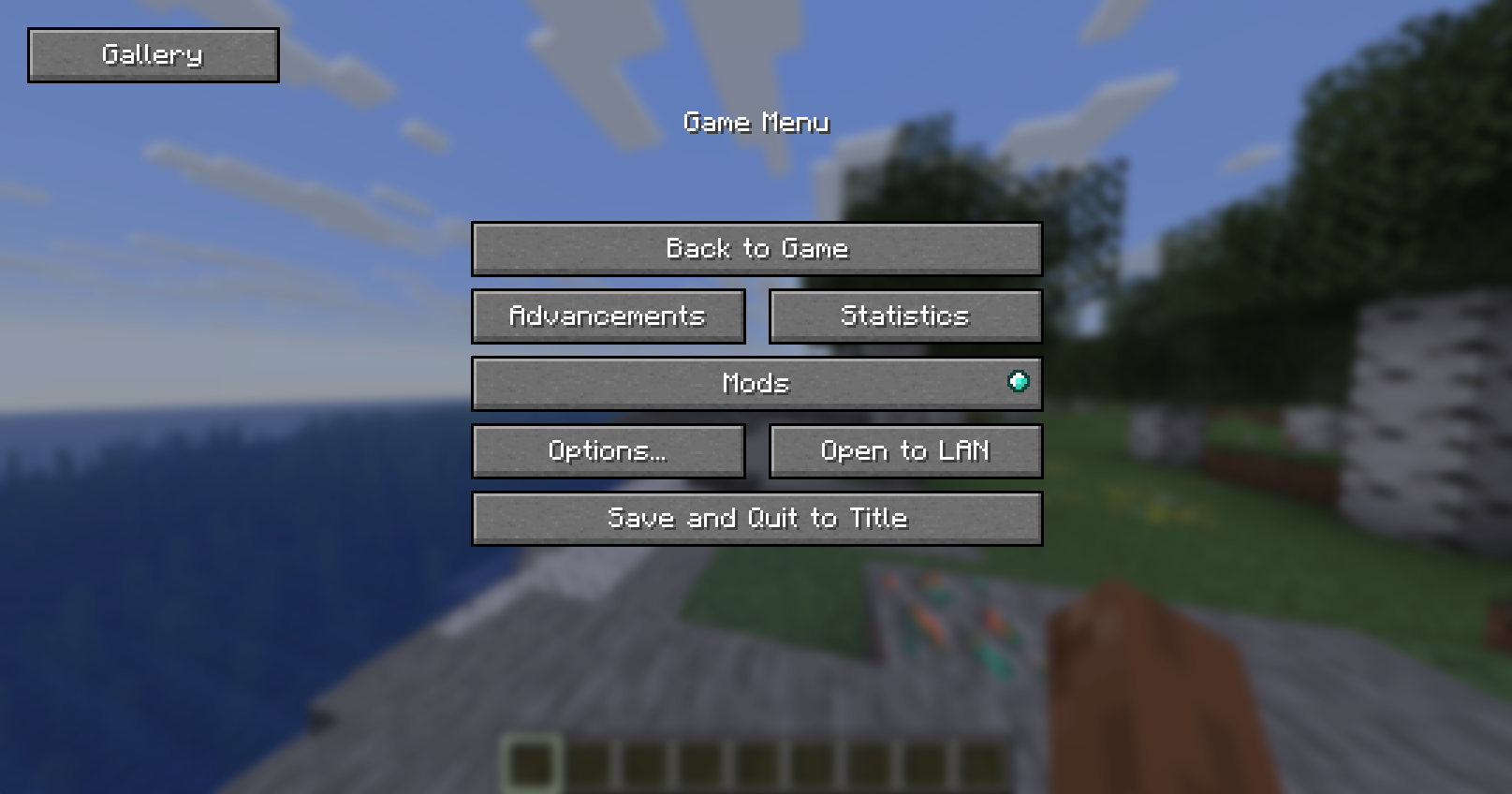 in game
Versions
Files
Relations
Project Relations
More like this
Similar Mods
Suggestions use data such as tags, dependencies, dependents, descriptions, titles, and more to rank how much they overlap with this mod.
On ModDex
Community snapshot
By the numbers
Statistics
Want to reach Minecraft players?
We're looking for a server hosting partner to feature here and other parts of the site. Interested? Send us a message!
Get in touchGet it on
Available Platforms
On ModDex
Community snapshot
By the numbers
Statistics
Resources